

Slack vs ClickUp: Chat-First or Work-First? (2026)
Slack vs ClickUp is an unfair comparison on paper. Slack is a chat app that grew into a collaboration platform. ClickUp is a project management tool that added chat, docs, and AI. They overlap in the middle, which is exactly where most buyers get stuck.
This guide covers what each tool is really built for and how their 2026 pricing breaks down. It also covers where the chat experience honestly differs, and when picking one over the other (or pairing them) actually makes sense. No marketing spin.
Slack, ClickUp, or something else?
Answer 4 questions. Takes 30 seconds.
1. What is the bigger pain today?
2. How big is your team?
3. Do external people (clients, freelancers) need access?
4. What matters for pricing?
Start over
Slack vs ClickUp: Quick Comparison (2026)
Here is the side-by-side before we go deeper. Pricing reflects annual billing at the most common tier.
| Feature | Slack | ClickUp |
|---|---|---|
| Core purpose | Chat + integrations | Tasks + docs + chat |
| Free plan | 90-day history limit | Unlimited tasks and members |
| Entry paid | Pro: $7.25/user/mo | Unlimited: $7/user/mo |
| Mid tier | Business+: $12.50/user/mo | Business: $12/user/mo |
| Chat experience | Mature, fast, polished | Rebuilt 3x (current 4.0, Dec 2025) |
| Task management | None built in | Deep (hierarchies, 15+ views) |
| Integrations | 2,600+ | 1,000+ |
| AI | Bundled in Business+ | Brain +$9/user or Everything +$28/user |
| SSO | Business+ and Enterprise | Enterprise only |

Need chat AND task management?
Rock combines messaging with tasks and notes in one workspace, no two-tool stack required.
What Slack Is Really Built For
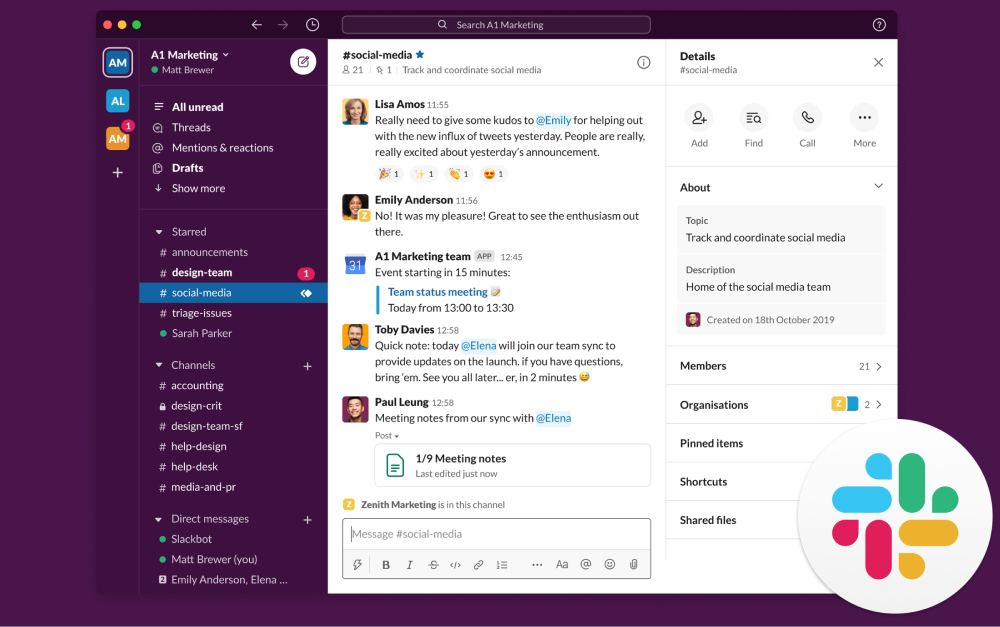
Slack was built in 2013 as a chat app. More than ten years later, that is still its center of gravity. Channels organize conversations by project, client, or topic. Threads keep replies from cluttering the main feed. Huddles turn any channel into a voice room with one click.
Around that core, Slack has added Canvas for lightweight docs inside a channel and Workflow Builder for no-code automations. Slack AI (thread summaries, search, huddle notes) was bundled into the Business+ tier as of June 2025.
The real superpower is the integration ecosystem. Slack's App Directory lists more than 2,600 apps, including native connectors for Salesforce, Jira, GitHub, and Google Workspace. If a tool exists in your stack, Slack probably talks to it.
What Slack is not: a task management system. You can pin messages, build lightweight workflows, and integrate with a PM tool, but Slack does not track deadlines, assignees, or dependencies on its own.
What ClickUp Is Really Built For
ClickUp started in 2017 as a task management tool and kept adding layers. Today it bundles tasks, docs, whiteboards, chat, goals, time tracking, forms, and dashboards under one SKU. The pitch is tool consolidation: one platform replaces three to five subscriptions.
The task layer is genuinely deep. Hierarchies run five levels (Workspace, Space, Folder, List, Task). Each task carries subtasks, assignees, due dates, priorities, dependencies, and custom fields. 15+ views (list, board, Gantt, calendar, mind map, timeline, workload) handle different styles on the same data.
ClickUp Chat relaunched as a first-class feature in September 2024, then got overhauled again in ClickUp 4.0 (December 2025). The idea is that messages can become tasks in one click without leaving the tool. The execution, honestly, has been rocky. The third rebuild is the current version.
ClickUp AI is split into Brain ($9/user/month) for summaries and writing, and Everything AI ($28/user/month) for the AI Notetaker, image generation, and larger credit pools. Both are add-ons on top of any base plan, including Enterprise.

How the Chat Experience Compares
This is where the gap is widest. Slack has spent a decade polishing chat. Threads, search, message formatting, Huddles, and the notification model all reflect that maturity. Large teams running on Slack usually cite "search" and "institutional memory" as the features they cannot give up.
ClickUp Chat is newer and less predictable. The chat feature launched inside the product, was deprecated, relaunched as ClickUp Chat in September 2024, and got a full overhaul in ClickUp 4.0 in December 2025. That history matters if you are betting your team's daily communication on the platform.
ClickUp Chat's real advantage is the messages-to-tasks conversion. A question in chat can become a task with an assignee and a due date in one click, carrying the conversation context with it. Slack has nothing comparable without a third-party integration.
"The experience of being able to search back over all your team's communications in all the different channels is super-valuable." - Stewart Butterfield, Slack co-founder, Thought Economics
How Task Management Compares
This is where the gap flips. Slack has no real task management. You can use third-party apps (Asana, Jira, Trello) inside Slack, but that means paying for two tools and wiring them together.
ClickUp's task system is among the strongest in the category. Multiple assignees, per-person status, custom fields, dependencies, recurring tasks, sprints, and time tracking all ship in the product. If deep project tracking is the actual need, Slack is not a contender.
The honest question is how much of that depth your team will use. ClickUp rewards teams that invest 2-3 weeks in setup. Teams that do not end up with a complicated tool that is underused, which is worse than a simpler tool that is fully used.
Pricing in 2026
Pricing is where the real math gets interesting. Both tools charge per user, but the bundling differs.
Slack Pro: $7.25 per user per month (annual) or $8.75 monthly. Unlimited history, group huddles, basic AI features.
Slack Business+: $12.50/user/mo (annual) or $15 monthly. Bundles the full Slack AI suite, SSO, compliance exports. This changed in June 2025, when the previously separate Slack AI add-on got rolled in.
ClickUp Unlimited: $7/user/mo (annual). Most storage, Gantt, resource management.
ClickUp Business: $12/user/mo (annual). Advanced dashboards, private docs, workload.
ClickUp AI (Brain): +$9/user/mo on top of any tier. Everything AI is +$28/user/mo. Unlike Slack, ClickUp charges extra for AI regardless of plan.
At a 25-person team, Slack Business+ runs $3,750 per year. ClickUp Business without AI runs $3,600 per year. With Brain AI on top, ClickUp Business jumps to $6,300 per year, which is noticeably higher than Slack Business+ with AI bundled.
Integrations and Ecosystem
Slack has 2,600+ apps in its directory, which remains the deepest ecosystem in business messaging. If your team runs on Salesforce, Jira, GitHub, Zoom, or any common SaaS stack, native connectors exist.
ClickUp ships around 1,000+ integrations, which is solid but narrower. Most common tools are covered, but the long tail (niche vertical SaaS, bespoke internal tools) is thinner. For teams in standard stacks, both work. For teams with unusual integration needs, Slack is more likely to have what you want.
Or pick the third option
Rock combines chat, tasks, and notes. One flat price, no per-seat math.
Best for: When to Pick Slack
Pick Slack if: real-time communication is your biggest pain, and your team is 15+ people across multiple channels of work. It also fits if you rely on 5+ SaaS integrations and already have (or will pay for) a separate PM tool.
Skip Slack if: you are a small team on the free tier. The 90-day history limit hurts. Skip it too if you need task management built in, or if your team culture struggles with notification overload. The 2025 Microsoft Work Trend Index found workers get interrupted every two minutes during core work hours. Slack amplifies that pattern.
Best for: When to Pick ClickUp
Pick ClickUp if: your main pain is task sprawl, where things fall through the cracks and no single place shows status. It also fits for teams of 20-200 people willing to invest 2-3 weeks in setup, and teams that want to replace 3-5 SaaS subscriptions with one platform.
Skip ClickUp if: you are a small team (2-10) that just needs tasks and a shared doc. You will drown in features you never use. Skip it too if messaging is core to your workflow (the chat history is worth watching). Same if you have been burned by tool migrations, since the 3.0 to 4.0 transition was rough. Harvard Business Review found knowledge workers toggle apps 1,200 times a day. ClickUp only earns its keep if your team actually uses the bundled features.
"Our mission from day one has always been to save time. Time really is our only finite resource." - Zeb Evans, Founder and CEO, ClickUp
What If You Need Chat and Tasks Equally?
The Slack-vs-ClickUp question assumes one of the two is the better single tool for your team. For the doc-side angle on ClickUp, see our Notion vs ClickUp head-to-head. For a lot of teams, neither is. Slack leaves tasks behind. ClickUp leaves chat behind.
If real-time conversation and real task tracking are equally important, a chat-first workspace that treats tasks as first-class (not bolted on) fits better. Rock is one option. Each project space has chat, a task board, notes, and files in the same view. Messages turn into tasks in one click. Pricing is flat at $89 per month for unlimited users, and clients join shared spaces at no extra cost. For teams that would otherwise buy Slack plus a separate PM tool, the math usually works out by about 12-15 people.
What we do at Rock: we run every client project in one shared space. A message becomes a task without leaving the conversation. No context-switching between a chat app and a PM tool.
"Slack is the right tool for the wrong way to work. It optimized the haphazard approach to work that e-mail had initiated." - Cal Newport, Professor of Computer Science, Georgetown University
Related Reading
If this comparison narrowed your shortlist but did not close it, a few cluster reads cover the adjacent questions.
Go deeper on Slack. Our honest Slack review covers pricing, trade-offs, and the 2024 Disney breach context.
Go deeper on ClickUp. Our honest ClickUp review covers breadth, the 4.0 migration, and AI add-on math.
More alternatives. See our 20 best Slack alternatives or 10 ClickUp alternatives.
Slack vs Discord. The Slack vs Discord head-to-head covers voice, community, and compliance trade-offs.
ClickUp head-to-heads. See ClickUp vs Asana, ClickUp vs Monday, and ClickUp vs Trello for other ClickUp comparisons.
Direct Rock comparisons. See Rock vs Slack and Rock vs ClickUp.
All messaging or task apps. The best instant messaging apps and best task management apps posts cover the broader categories.
If you are weighing Slack and ClickUp but want chat and tasks in one place without paying for both, Rock bundles them in one workspace. One flat price, unlimited users. Get started for free.





