
Inbound marketing is not a campaign you launch and walk away from. It is an always-on engine: blog posts being written, lead magnets being designed, email sequences being refined, social content being scheduled. All of it running in parallel, every week, for every client. Most marketing templates treat inbound as a one-time initiative with a start and end date. This template treats it as what it actually is: ongoing operations.
Five columns track the daily reality of an inbound marketing team: Project Resources, To Do, In Progress, Blocked, and Done. Simple enough to set up in two minutes. Powerful enough to show your whole team what everyone is working on and, more importantly, what is stuck.
What is in this template
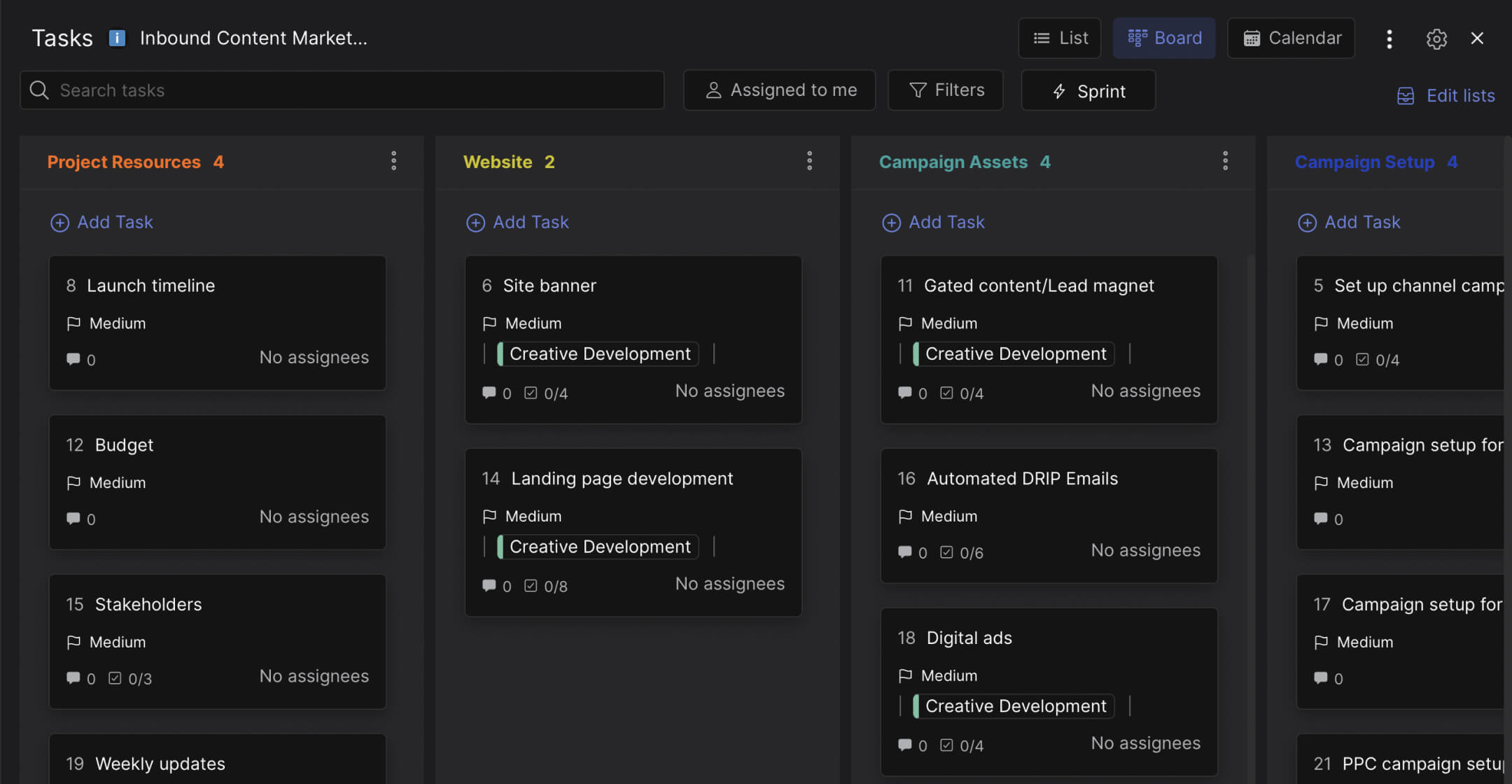
The board has five columns that cover the operational side of inbound marketing.
Preview: Inbound Marketing Board
Track your content operations from to-do to done. Drag cards to try it.
Drag cards between columns or add your own
Tap a card, then tap a column header
Project Resources. The reference column. Launch timeline, budget, stakeholder list, and a weekly updates card where the team posts Friday summaries. This column does not change much day to day. It is the context that everyone needs access to but nobody wants to dig through email to find.
To Do. Tasks that are defined and ready to start. Email drafts to edit, site banners to sketch, blog posts to outline. Each card has a clear deliverable. This is the team's short-term queue. If a card sits here for more than a week, it either needs to be assigned or dropped.
In Progress. Active work. Campaign assets being designed, blog posts being written, social content being produced. Cards here have an assignee and a deadline. The team can see at a glance who is working on what. If three people are all "in progress" on five things each, something is wrong with prioritization.
Blocked. This is the column that makes the template worth using. Inbound marketing work at agencies gets blocked constantly: a freelancer contract waiting for legal review, campaign assets that cannot go live until the client approves, a landing page that depends on design work that has not started. Most teams track blockers in their heads or mention them in standup. This column makes them visible and trackable. When your board shows four cards in Blocked, that is a problem everyone can see and discuss.
Done. Completed deliverables. Campaign proposals submitted, budget approvals received, quarterly reports filed. Moving a card here means the work is finished. This column is your team's record of output.
"The biggest bottleneck in content marketing is not creation. It is everything that happens between creation and publication: approvals, revisions, legal review, scheduling." - Joe Pulizzi, Founder, Content Marketing Institute
Why the Blocked column matters
Every project management tool has a "To Do, In Progress, Done" board. Adding a Blocked column between In Progress and Done changes the entire dynamic of how a team works.
Without it, blocked tasks sit invisibly in "In Progress." The designer working on campaign assets shows up as "in progress" even though they have been waiting three days for the client to approve the brand guidelines. The board looks healthy. The reality is not. According to Asana's Anatomy of Work Index, workers spend 58% of their time on "work about work" rather than the skilled work they were hired for. A significant portion of that is chasing dependencies and waiting for approvals.
What we do at Rock: when a task moves to Blocked, the team discusses it in the same chat space where the board lives. The blocker gets a comment explaining what is needed and who needs to act. No separate Slack thread, no email chain, no "I mentioned it in standup but nobody followed up." The blocker and the conversation about resolving it are in the same place. Cross-functional collaboration between design, content, and account management happens in context.
"If your marketing team's biggest complaint is 'I'm waiting on someone,' you don't have a talent problem. You have a visibility problem." - Ann Handley, Chief Content Officer, MarketingProfs
How this differs from campaign management
Rock also offers a Marketing Campaign Management template with seven columns covering the full lifecycle of a single campaign. That template is for bounded initiatives: launch a campaign, track it through assets, setup, and reporting, then close it out.
This template is for the continuous work that does not have a launch date. The always-on blog, the weekly email newsletter, the ongoing social media calendar, the lead magnets that need refreshing every quarter. It is the difference between "we are launching Campaign X" and "we are running a marketing team."
Who this template is for
Best for: Marketing agencies running ongoing inbound programs for clients. In-house teams producing regular content (blog, email, social) with multiple contributors. Any team where marketing work regularly gets blocked by external dependencies like client approvals or freelancer deliverables.
Skip this if: You are launching a single campaign with a defined start and end date. The Marketing Campaign Management template is better for that. This template is for teams that need to manage ongoing output, not project-based launches.
Tips for getting started
Add labels for each client or content type. When your board has 20 cards, labels like "Client A," "Blog," "Email," "Social" help you filter. One view shows all work. Filtered view shows just email content or just one client's tasks.
Use the weekly updates card. The template includes a "Weekly updates" card in Project Resources. Every Friday, add a comment listing what shipped, what is blocked, and what is next. This creates a searchable history that replaces the weekly status email most agencies send. Set up a communication rhythm around the board instead of around meetings.
"Content operations is what separates agencies that ship consistently from agencies that are always behind. It is not about working harder. It is about making the work visible." - Robert Rose, Chief Strategy Advisor, Content Marketing Institute
Review the Blocked column daily. Not weekly. Blockers compound. A task blocked on Monday that does not get unblocked until Friday has eaten an entire week. A 30-second daily check of the Blocked column prevents that. If something has been blocked for more than 48 hours, escalate it.


