

Notion vs Trello in 2026: Doc System or Simple Board?
Notion and Trello often end up on the same shortlist, but they are not the same kind of product. Notion is a workspace built around the page. Trello is a task tracker built around the card. Picking between them is less about feature parity and more about which way your team naturally works.
This guide compares them honestly, axis by axis, then looks at the cost at 5, 15, and 30 seats. The verdict is not a single winner. Some teams should pick Trello. Some should pick Notion. Some should run both. And some should pick neither because the real gap is communication, not docs or boards. Run the recommender below for a starting point.
Notion or Trello? Or neither?
Answer 4 questions for an honest pick.
1. How does your team prefer to work?
2. How many people will use it?
3. How important is fast setup?
4. Do clients or freelancers need access?
Start over
Quick answer. Trello is a visual Kanban board built around the card. Notion is a workspace built around the page. Pick Trello if you want a board running today and your work fits a simple flow. Pick Notion if you want to build a real knowledge base and tasks are a side benefit. Use both, or neither, if your bigger problem is splitting work across docs, boards, and a separate chat tool.

Need chat in the same workspace?
Rock pairs messaging with tasks and notes — built around team conversations.
What Notion is built for
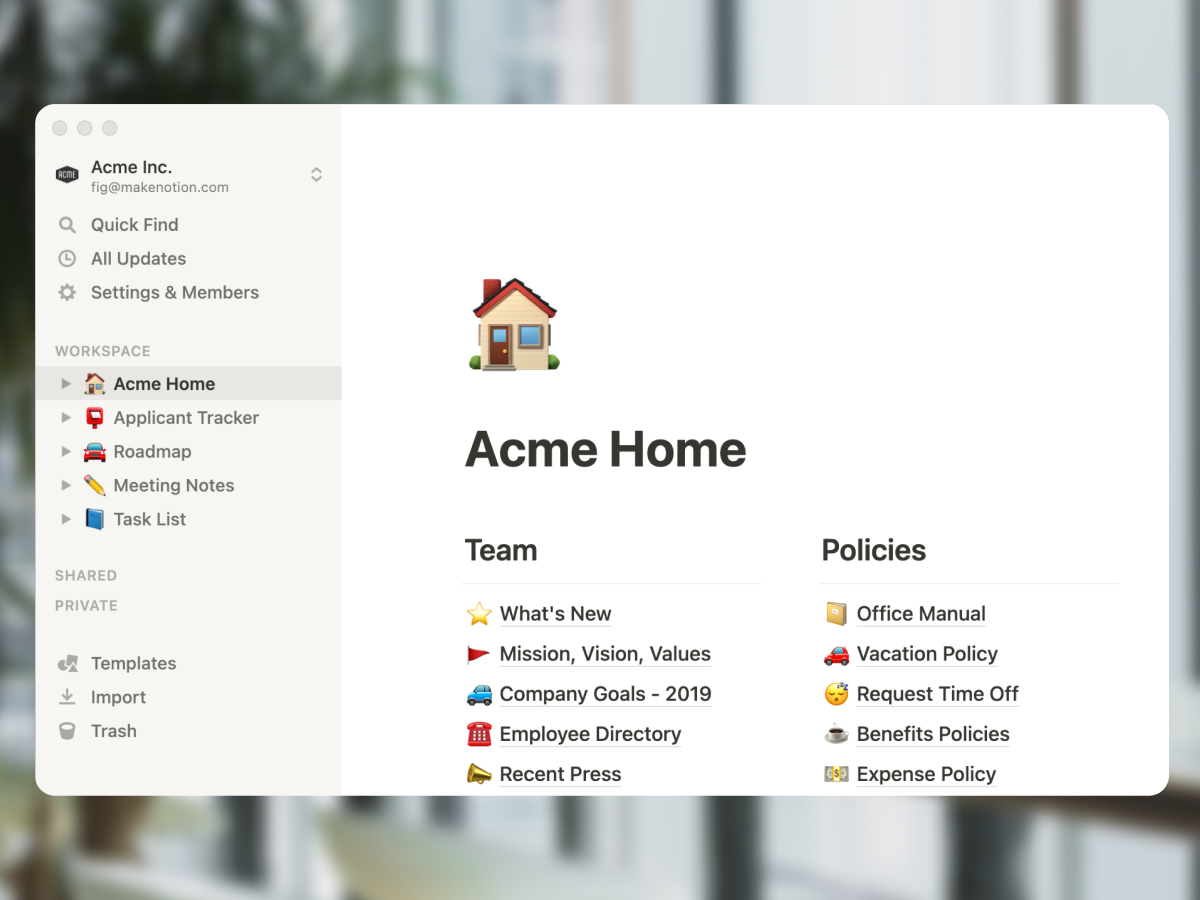
Notion started as a notes app and grew into a workspace for knowledge work. The core unit is a flexible block-based page. Any page can become a database, and tables, kanban boards, calendars, and galleries are all views over the same data. The model is built for teams that lead with writing.
Product specs, engineering wikis, content calendars, OKR trackers, customer research, meeting notes, and onboarding handbooks fit Notion well. The free plan is generous for individuals and small teams. Notion AI was bundled into the Business plan in May 2025, which turned long-running workspaces into searchable knowledge bases for teams paying $18 per user per month or more.
"Your mind is for having ideas, not holding them." - David Allen, Author of Getting Things Done
That quote is the spirit of Notion. The tool exists to take what is in your head and put it somewhere you and your team can find it later. The trade-off is real. The flexibility that makes Notion powerful also makes it slow to set up and easy to over-engineer. Many teams build elaborate Notion systems that nobody but the original architect knows how to use.
For a deeper look at Notion's place against the wider field, see our Notion alternatives breakdown. For the structured-PM-side angle, see Asana vs Notion.
What Trello is built for
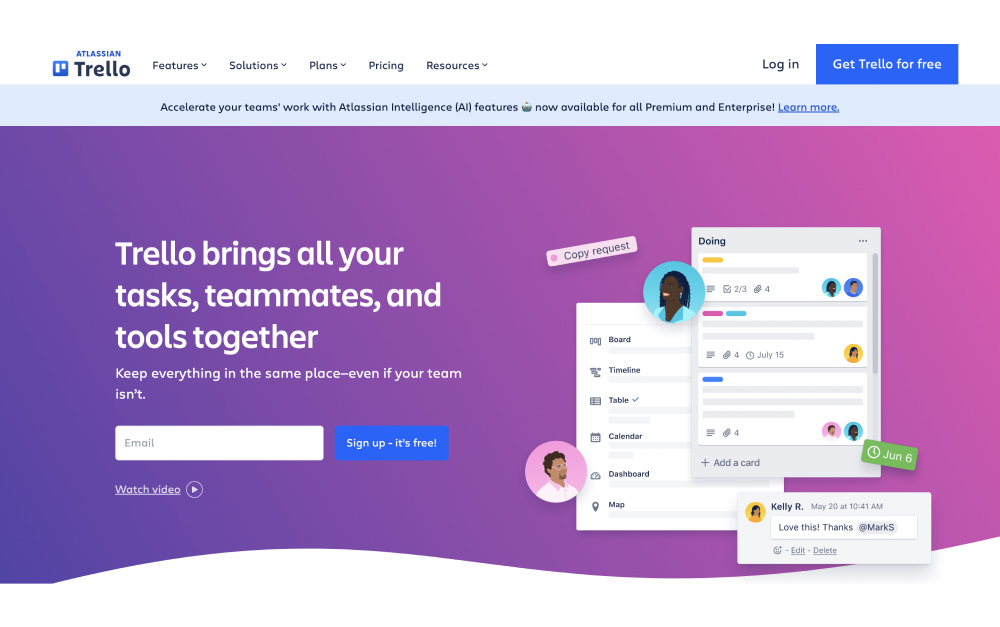
Trello started as a digital Kanban board and has stayed close to that idea. The core unit is the card. Cards live in lists, lists live on boards, and boards live in workspaces. You drag cards across columns to move work forward. The model traces back to Kanban, which Toyota engineers developed for production lines in the 1940s. New team members figure it out in minutes without training.
That simplicity is the point. Marketing campaigns, editorial calendars, sales pipelines, sprint backlogs, and personal to-do lists all fit comfortably on a Trello board. Atlassian acquired Trello in 2017 and has invested in it through 2026, including the visual refresh shipped in 2025 and Atlassian Intelligence rolled into Standard and above tiers since 2024. Atlassian Intelligence handles writing assistance, summaries, and action-item extraction inside Trello cards.
"Design is not just what it looks like and feels like. Design is how it works." - Steve Jobs, Co-founder of Apple
Trello clears that bar in one direction: the board model is so clear that almost anyone can use it. The trade-off is range. Trello does not pretend to be a wiki, a doc tool, or a database. Card descriptions handle short notes, and Power-Ups extend the board with calendar, timeline, dashboard, and map views on the Premium tier. But if your work needs a real knowledge base, Trello will frustrate you fast.
If Trello itself is on your shortlist, our Trello alternatives guide and our ClickUp vs Trello, Asana vs Trello, Trello vs Monday, and Trello vs Jira head-to-heads cover adjacent options.
Notion vs Trello side-by-side
Five axes matter when picking between these tools. Cards versus pages, views and depth, AI features, automation, and pricing. Here is how each one stacks up.
| Feature | Notion | Trello |
|---|---|---|
| Built around | The page (docs and databases) | The card (Kanban board) |
| Best for | Knowledge bases, wikis, docs that do tasks | Visual task tracking, simple workflows |
| Setup time | Hours to days for a real system | Minutes |
| Views | Page, table, board, calendar, gallery, timeline | Board (free), plus timeline, calendar, dashboard, map (Premium) |
| Docs and wiki | Best in class for nested pages | Card descriptions only |
| AI in 2026 | Notion AI bundled in Business (May 2025) | Atlassian Intelligence on Standard+ (since 2024) |
| Automations | Database actions, basic builder | Butler (rule-based, no-code, deep) |
| Free plan | Unlimited blocks, 7-day history | 10 boards/workspace, 1 Power-Up/board |
| Paid from | $10/user/mo (Plus, annual) | $5/user/mo (Standard, annual) |
| Mobile | Functional, slower than desktop | Strong, near feature parity |
| Learning curve | Steep | Minimal |
Cards versus pages
This is the spine of the Notion vs Trello comparison. Trello is built around the card. Each card is a self-contained unit with a title, description, checklist, attachments, and comments. Cards move across lists. The board is the universe.
Notion is built around the page. Each page is a flexible canvas for any combination of text, embedded databases, sub-pages, and views. Pages nest into a hierarchy. The workspace is the universe.
The Notion vs Trello choice often comes down to which model fits how your team thinks. Visual workflows where work moves through stages fit cards. Knowledge-heavy workflows where context lives in writing fit pages. Most teams have both kinds of work, which is why a real number of them end up running both tools.
Views and depth
Trello started with one view (the board) and added more on paid tiers. Premium unlocks Timeline, Calendar, Dashboard, and Map views. The view set is small and focused. The simplicity is intentional.
Notion ships with Table, Board, Calendar, Gallery, Timeline, and List views over a database, plus the page itself as the default writing surface. Linked databases let you pull the same data into multiple pages with different filters. The depth is real for teams that build out the system.
If you are leaving a tool because it felt cluttered, Trello goes the opposite direction from Notion. If you are leaving a tool because it felt thin, Notion goes the opposite direction from Trello.
AI in 2026
Notion AI is doc-effective. Writing assistance, summarization, action-item extraction, and Q&A across your workspace. Notion AI has been bundled into the Business plan since May 2025, which means teams paying $18 per user per month get AI included.
Trello also has AI in 2026, despite what most older comparison articles still say. Atlassian Intelligence rolled into Trello Standard and above in 2024 and includes writing assistance, summarization, and smart capture inside cards. Atlassian shipped a New Year's Resolution Board Builder feature in early 2026 and has more AI features queued on the public Cloud Roadmap. The "Trello has no AI" line that floats around the SERP is now stale.
Notion AI is stronger for content work. Atlassian Intelligence is closer to what you would expect from a project tool. Both are worth using on the right tier.
Automation
Trello wins here. Butler is the built-in no-code automation engine, and it is one of the deepest in the category. Move cards on schedule, trigger checklist creation, fire emails on status change, post to Slack when a card moves into Done. Butler runs on every paid tier, including Standard.
Notion automations are lighter. Database actions and a more recent automation builder cover basic flows. Most Notion teams that need cross-tool automation pair it with Zapier or Make, which adds another tool and another bill.
For teams whose daily work depends on automated reminders, status changes, and notifications, Trello with Butler removes a layer. For teams whose automations are simple, Notion plus a Zapier free plan is fine.
Pricing tiers
Trello starts cheaper. Standard is $5 per user per month on annual billing, Premium is $10 (per Trello pricing). The free plan covers 10 boards per workspace with one Power-Up per board, which is enough for many small teams.
Notion starts at $10 per user per month on the Plus plan. Business is $18 (with Notion AI included). The free plan is generous for individual use but caps team features.
The headline math favors Trello, but the real cost depends on your team size. We model that next.
Real cost at 5, 15, and 30 seats
Most comparison articles model 10 seats and stop. Below is the verified annual cost at 5, 15, 30, and 50 seats using 2026 list prices on annual plans. Rock is included as a flat-rate reference because the math gets interesting at the larger sizes.
| Team size | Trello Standard | Trello Premium | Notion Plus | Notion Business (incl. AI) | Rock Unlimited |
|---|---|---|---|---|---|
| 5 people | $300 | $600 | $600 | $1,080 | $899 |
| 15 people | $900 | $1,800 | $1,800 | $3,240 | $899 |
| 30 people | $1,800 | $3,600 | $3,600 | $6,480 | $899 |
| 50 people | $3,000 | $6,000 | $6,000 | $10,800 | $899 |
Three things stand out. First, Trello Standard is consistently the cheapest paid option, half the price of Notion Plus per user. Second, both Notion and Trello scale linearly with team size while Rock stays flat at $899 per year on annual billing. Third, the gap between Trello Standard and Trello Premium doubles your bill, so the Power-Ups you actually need decide whether the upgrade is worth it.
The breakeven math: at 5 people, both Trello Standard and Notion Plus beat Rock. At 18 people, Trello Standard and Rock cost about the same. Past 18 on Standard or 9 on Notion Plus, Rock costs less than the per-seat option for the same team. None of this matters if Notion or Trello is the right tool for the work, but at agency scale the math is part of the decision.
Pricing also assumes annual billing. Monthly pricing for both Notion and Trello adds 20 to 25 percent. See our Notion vs ClickUp breakdown for the same cost-modeling against ClickUp, which is closer in feature scope to Notion.
Or pick the third option
Rock keeps chat, tasks, and notes together. One flat price, unlimited users.
When to pick Notion
Notion is the right pick for teams that lead with writing. Some specific cases.
Doc-heavy product and content teams. Product specs, engineering wikis, editorial calendars, content briefs, and customer research libraries fit Notion's flexibility. The page-and-database model handles these out of the box.
Knowledge bases that get heavy daily use. Customer support docs, internal HR handbooks, onboarding wikis, and policy libraries earn back the setup time within weeks.
Solo founders and small teams that want one tool. Notion can be a personal CRM, a project tracker, a journal, and a wiki at the same time. Few tools can.
Skip Notion if. You want a tool running today. You manage simple visual workflows that map cleanly to a board. Or your team will not invest the time to build a system before using it.
When to pick Trello
Trello is the right pick for teams that want a board running today and a workflow that fits one. Some specific cases.
Small teams with linear workflows. Editorial calendars with stages, sales pipelines with steps, support queues with status. The card-on-a-board model is the right shape.
Marketing teams and creative shops. Campaign trackers, asset reviews, and content production lines work well as boards. Power-Ups for proofing and approvals fill the gaps.
Teams already in the Atlassian ecosystem. Trello integrates with Jira, Confluence, and the rest of the Atlassian stack. If you use those tools, Trello slots in cleanly.
Cross-functional teams that want a fast shared view. A board everyone can read at a glance beats a Notion workspace nobody opens. See our breakdown of task management apps if Trello feels too narrow for your needs.
Skip Trello if. Your work depends on long-form documentation. You need cross-project portfolio views. You manage 30+ people across multiple boards and need workload balancing. Or your team writes more than it ships.
When you should use both, or neither
The Notion vs Trello question often hides a third question: what happens to communication while these tools run? Both are quiet by design. Notion has comments and mentions. Trello has card discussions. Neither replaces the back-and-forth chat that runs most teams' day. Most teams using either pair it with Slack, Microsoft Teams, or WhatsApp groups, which is where the real cost shows up.
The Harvard Business Review study on app toggling found that knowledge workers switch apps up to 1,200 times per day, losing roughly four hours a week to context switching. Each tool added to the stack makes that number worse, not better. So the honest read is: Notion or Trello plus Slack is three products, three bills, and three places where information lives.
For some teams, that stack is fine. For agencies and growing teams that pull clients and freelancers into the work, the per-seat math on guest access bites quickly. Trello and Notion both charge for guests on most paid plans, or restrict what they see.
The chat-first option closes that gap. Rock combines messaging, tasks, and notes in one workspace. Every project space includes its own chat, task board, notes, and file storage. Clients and freelancers join spaces directly without per-seat fees. Pricing is flat at $89 a month for unlimited users, or $74.92 a month on the annual plan. That works out to under $6 per user at 15 people and under $3 per user at 30. Compared against the typical Trello plus Slack-tier chat tool stack, the consolidation pays back fast.
"What is important is seldom urgent, and what is urgent is seldom important." - Dwight D. Eisenhower, 34th US President
Rock is not the right tool for everyone. If your work depends on Notion-style relational databases or deeply nested wiki pages, Rock notes will feel limited compared to Notion. If your work depends on Power-Up-driven Trello automations like Butler, Rock task automations are simpler. The honest read is that Rock fits chat-first agency or growing teams better than the doc-first or board-first specialist team.
If you want to test the chat-first model on real work, the free plan covers 3 group spaces with 5 members each. That is enough to run a project end to end with the team. Compare against your current Notion plus Slack or Trello plus Slack monthly cost. The math at 15 or more people is hard to argue with. See our instant messaging apps guide and our communication strategies piece for the wider context on chat-first work.
FAQ
Is Notion better than Trello? Neither is universally better. They are built for different jobs. Notion is the stronger pick for teams that lead with writing, building knowledge bases, and structured information. Trello is the stronger pick for teams that move work across visual stages and want fast setup. Picking the wrong one costs setup time and team buy-in.
Can Notion replace Trello? Notion has a Board view that mimics Trello's Kanban model, and small teams can run a basic Trello-style flow inside Notion. The trade-off is performance and ease of use. Notion's board feels heavier than Trello's, and the drag-and-drop is slower. For teams that mostly need a board, Trello stays simpler. For teams that need a board plus a wiki plus task databases, Notion is one tool instead of two.
Which is easier, Notion or Trello? Trello is easier to start. You can have a working board in minutes with no template knowledge required. Notion is easier to scale. Once a team builds a workspace structure, the same workspace can hold years of growth without forcing a tool migration. Easy-to-start and easy-to-scale are different problems with different right answers.
Is Trello still being updated? Yes. Atlassian shipped a visual refresh in 2025, rolled Atlassian Intelligence into Standard and above tiers in 2024, and shipped a New Year's Resolution Board Builder in early 2026. The public Atlassian Cloud Roadmap shows Trello features queued for later in 2026. The "is Trello dying" search query is older than the roadmap.
Does Trello have AI? Yes. Atlassian Intelligence is included on Standard and above plans since 2024. It handles writing assistance, summarization, and smart capture inside Trello cards. Most older comparison articles still claim Trello has no AI, which is no longer accurate.
Want one workspace where chat, tasks, and notes live together? Rock combines all three with flat pricing for unlimited users. Get started for free.





