

8 Best Project Management Software for Creative Teams (2026)
Creative work does not move in a straight line. A design goes through five rounds before a client signs off, a video edit waits on feedback that arrives by email, and a campaign asset lives in three folders and two inboxes. The tool that runs a creative team has to fit that mess, not fight it.
Most project management software was built for linear, ticket-based work. It tracks tasks well and handles the parts creatives actually struggle with, review, versioning, and client feedback, badly. The right tool depends on which of those hurts most, so this guide groups eight options by the job they do best, and names where each one falls short, including ours.
"Creatives do not leave a tool because it lacks features. They leave because feedback lives somewhere the work does not, so nobody knows which version is final." - Nicolaas Spijker, Marketing Expert
For the broader field beyond creative teams, see our general project management software roundup.
Quick Answer
The best project management software for a creative team depends on your bottleneck. If feedback and version chaos slow you down, Frame.io owns review and proofing. If the team and clients talk past each other, Rock keeps chat, tasks, and client access in one flat-priced space.
Productive and Paymo fit agencies that bill by the hour, Asana and Monday.com bring visual structure, and Notion suits docs-led studios. Name the part that hurts most, then trial two tools before you commit.
What Creative Teams Actually Need in a Tool
Before the list, it helps to know what separates a tool built for creatives from a generic task tracker. Creative teams tend to feel three needs the rest of the field underrates.
- Review and approval: Can people comment directly on a design or video, frame by frame, instead of describing changes in email?
- Versioning: Is it obvious which file is the latest, so nobody ships round three by mistake?
- Client and freelancer access: Can outside collaborators join without a paid seat or a setup hurdle?
- Flexible views: Boards, calendars, and timelines for work that does not fit a rigid structure.
- Resourcing and time: For agencies, who is overbooked and which projects are profitable.
No single tool nails all of these. The trick is matching the tool to the need you feel most. The quiz below points you to a starting shortlist in about 30 seconds.
The cost of that fragmentation is measurable. Harvard Business Review found that workers toggle between apps around 1,200 times a day. For a creative team whose feedback, files, and tasks live in separate tools, that tax runs heavier.
"Most non-specialized tools lack project-focused features like task dependencies, resource allocation, or time tracking. Teams end up using several apps, raising admin work and the odds of error." - Gartner Digital Markets
Which tool fits your creative team?
Answer 4 questions. Takes 30 seconds.
1. What matters most to your team?
Select all that apply
2. How many people will use it?
3. Do clients and freelancers need access?
4. What kind of creative work?
Start over
Side-by-Side Comparison
| Tool | Best For | Free Plan | Paid From |
|---|---|---|---|
| Rock | Chat, tasks, and client access in one | Yes (3 spaces) | $89/mo flat |
| Frame.io | Video and visual proofing | Yes (limited) | ~$15/user/mo |
| Productive | Creative agency operations | No | ~$11/user/mo |
| Paymo | Time tracking and invoicing | Yes | ~$5.90/user/mo |
| Trello | Lightweight visual boards | Yes | $5/user/mo |
| Monday.com | Visual project views | Yes (2 seats) | $12/user/mo |
| Asana | General creative workflow | Yes (basic) | $10.99/user/mo |
| Notion | Docs-led small studios | Yes | $10/user/mo |
Best for Keeping the Team and Clients in One Place
1. Rock - Best for creative teams that want chat, tasks, and client access together
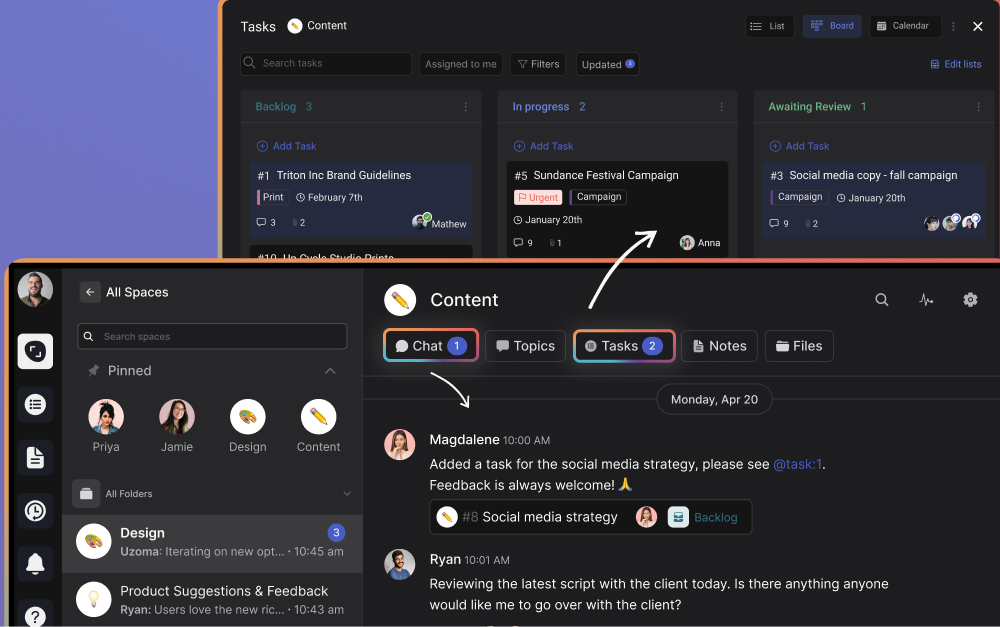
Most tools on this list solve one slice of creative work. Rock solves the coordination around it. Every project space holds its own chat, task board, notes, and files, so the conversation about a design sits next to the design itself instead of scattering across Slack and email.
For creative teams that work with clients, the access model is the draw. Clients and freelancers join spaces directly at no extra cost and see the same updates the team sees. Pricing is flat at $89 per month for unlimited users, so a growing studio is not penalized for adding people or inviting clients.
Be clear about the limit. Rock does not do frame-by-frame video proofing or built-in financials. It keeps the team aligned and the feedback in one thread, then pairs well with a dedicated review tool when you need one.
Pricing: Free plan (3 group spaces, 50 tasks/space). Unlimited plan: $89/mo flat.
Best for: Small creative teams and studios that want chat and tasks in one place with free client access. See how New Aesthetics uses Rock for deep creative work.
Skip this if: Your core need is video or image proofing, resource planning, or billable financials. Pair Rock with a specialist tool, or pick one below.
Best for Review, Proofing, and Approval
2. Frame.io - Best for video and visual proofing
Frame.io solves the single most painful part of creative work: the review loop. Reviewers leave comments pinned to an exact frame or a precise spot on an image, so feedback like "the cut feels slow here" lands on the right second instead of a vague email.
Version stacking keeps every revision in order, so the team always knows which cut is current. It is the tool of choice for video production, motion, and advertising work where stakeholders sign off on visuals.
It is not a full project manager, though. Frame.io handles review brilliantly and task planning barely, so most teams run it alongside a tool that tracks the wider project.
Pricing: Free plan (limited). Paid from around $15/user/mo.
Best for: Video and design teams that need precise, frame-accurate review and clean version control.
Skip this if: You want one tool to plan tasks and run the whole project. Frame.io is a specialist, not a hub.
Best for Creative Agency Operations
3. Productive - Best for creative agencies that need financials
Productive is built for agencies rather than adapted for them. It combines project management with resource planning, time tracking, budgets, and profitability reporting, so you can see who is overbooked and which client work actually makes money.
For a creative agency running on margins, that financial layer is the reason to choose it. The work and the budget live in the same place, which most creative tools never attempt.
The trade-off is weight and cost. There is no free plan, the setup takes time, and it is more tool than a small studio needs.
Pricing: No free plan. Paid from around $11/user/mo, with higher tiers for financial features.
Best for: Established creative agencies that need resource planning and margin reporting alongside project management.
Skip this if: You are a small team that just needs tasks, feedback, and client access. Productive will feel heavy.
4. Paymo - Best for time tracking and invoicing
Paymo sits between a task manager and a billing tool, which suits freelancers and small creative teams. Time tracking is its strength, and it flows straight into invoices, so logged hours become client bills without a second tool.
You also get task boards, basic Gantt views, and proofing on files, which covers most of a small studio's workflow in one affordable place.
It is less suited to larger teams. The collaboration and reporting depth tails off as headcount grows, and it lacks built-in chat.
Pricing: Free plan (limited). Paid from around $5.90/user/mo.
Best for: Freelancers and small studios that bill by the hour and want time tracking, invoicing, and tasks together.
Skip this if: You are scaling past a handful of people, or you need strong team communication built in.
Best for Visual Project Management
5. Trello - Best for lightweight visual boards
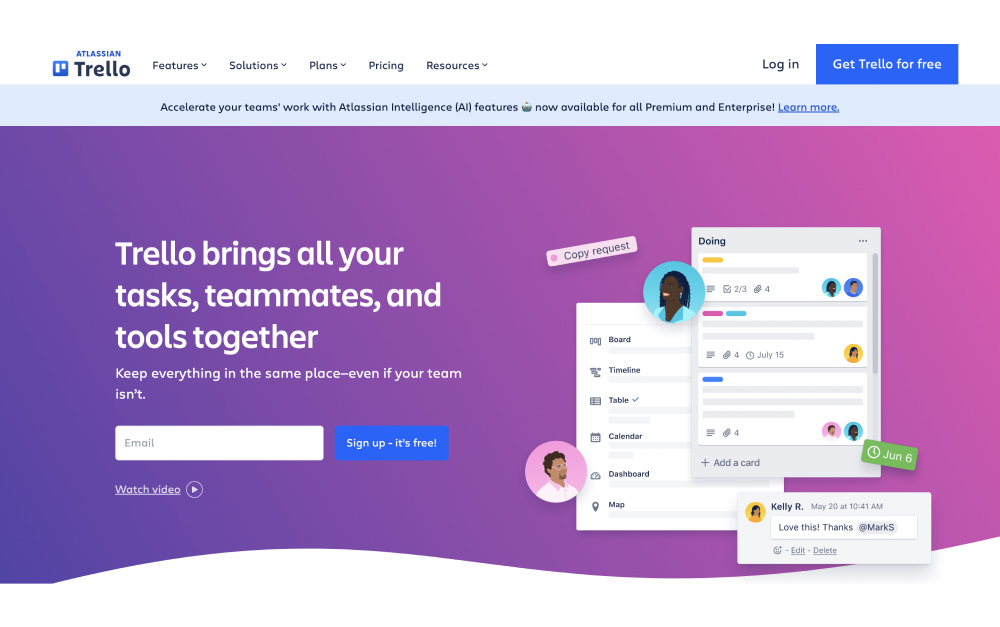
Trello is the simplest way to run creative work visually. Cards move across columns like Brief, In Design, Review, and Done, and anyone understands it within minutes. For a small team or a single content pipeline, that clarity is often enough.
Power-Ups add calendar views, automation, and integrations, though the free plan caps you at one per board. Trello strains once projects involve dependencies, proofing, or reporting across clients.
Pricing: Free plan (unlimited cards, 1 Power-Up/board). Standard: $5/user/mo. Premium: $10/user/mo.
Best for: Small creative teams that want a simple, visual board without setup. See the Trello alternatives for when you outgrow it.
Skip this if: You need proofing, dependencies, or reporting across multiple projects.
6. Monday.com - Best for visual project views at scale

Monday.com gives creative teams color-coded boards, timelines, calendars, and a strong automation builder. Dashboards pull several projects into one view, which helps a studio juggling multiple client accounts keep status visible.
The template gallery covers creative production and campaign work, so you are not building every workflow from scratch. The interface stays approachable enough for clients to follow.
Cost is the catch. Paid plans start at three seats, pricing has crept up, and useful features sit on higher tiers, so a growing team plus client seats gets expensive.
Pricing: Free plan (2 seats). Standard: $12/user/mo. Pro: $20/user/mo.
Best for: Creative teams that want visual project views and automations and do not mind per-seat pricing at a modest size. See the Rock vs Monday.com comparison.
Skip this if: You are scaling fast, or you want chat and proofing rather than a separate app for each.
7. Asana - Best for general creative workflow
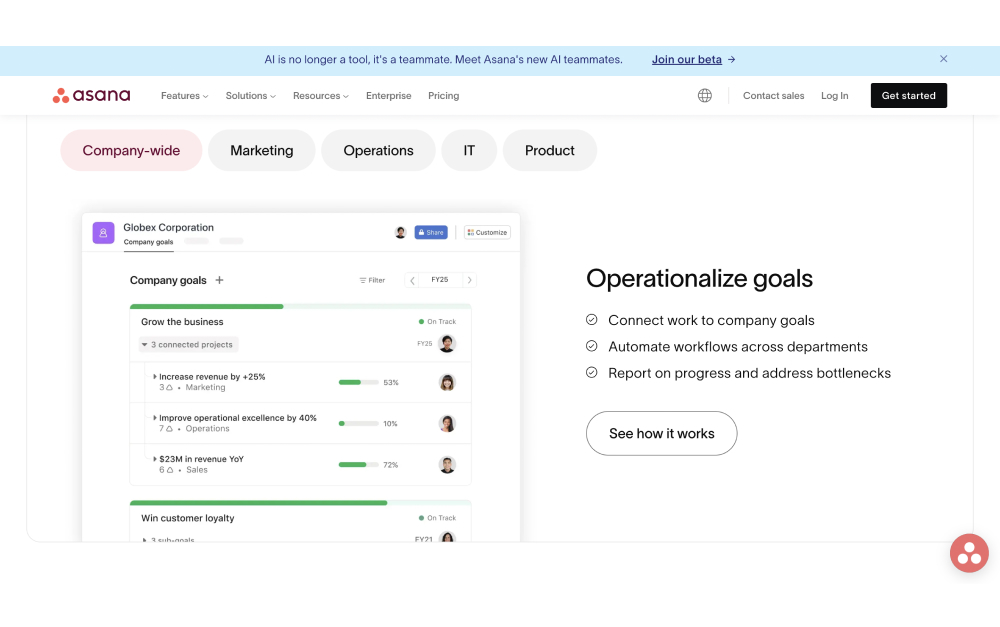
Asana is the strongest general-purpose option for creative teams that run structured production across several people. Timeline views, custom fields, and proofing on attachments let designers and reviewers mark up work without leaving the task.
The template library covers creative requests, content calendars, and campaign launches, and rules move work along automatically. It scales from a small team to a large department.
The familiar trade-offs apply. There is no built-in chat, so Slack stays open, and per-seat pricing climbs as you add people.
Pricing: Free plan (basic, up to 10 users). Starter: $10.99/user/mo. Advanced: $24.99/user/mo.
Best for: Creative teams that want structured workflow, light proofing, and cross-functional visibility. See the Rock vs Asana comparison.
Skip this if: You want chat in the same tool, or you are watching per-seat costs as you grow.
Best for Docs-Led Small Studios
8. Notion - Best for docs and small studios

Notion blends documents, databases, and task boards into one flexible system. For a small studio that runs on briefs, mood boards, and wikis, it keeps the thinking and the doing in one place, with task views built from the same data.
The flexibility is the draw and the catch. You can shape it into almost any workflow, but it does not work as a structured project manager out of the box, and there is no real proofing or time tracking.
Pricing: Free plan (generous for small teams). Plus: $10/user/mo. Business: $18/user/mo.
Best for: Small, docs-heavy studios that want briefs, wikis, and tasks in one flexible workspace.
Skip this if: You want structured project management, proofing, or client access out of the box.

Keep the feedback where the work lives.
Rock gives your team and clients one space for chat, tasks, notes, and files, for one flat price. Unlimited users, no guest fees, no scattered threads.
Tools We Didn't Include (and Why)
- Wrike: Strong proofing and approvals, but built for larger, process-heavy teams. Worth a look if you need formal review at scale, heavy for a small studio.
- ClickUp: Capable all-in-one, but the setup and density work against the fast, visual flow most creative teams want. (Rock vs ClickUp)
- Scoro: Good agency financials, but priced and structured for larger operations than most creative teams need.
- Adobe Workfront: Powerful for enterprise creative ops, but the cost and complexity put it out of reach for small and mid-size teams.
How to Choose the Right Tool for Your Creative Team
Start with the part that hurts most. If feedback and version chaos eat your week, lead with a review tool like Frame.io. If the problem is the team and clients talking past each other, prioritize communication and access, where Rock fits.
Then factor in how you bill. Studios that charge by the hour benefit from Paymo or Productive and their built-in time tracking. Teams on flat retainers care more about keeping feedback and tasks in one place than about logging hours.
Think about size and growth too. Per-seat tools look cheap at four people and change once you add freelancers and clients. Flat pricing protects a growing team from that math.
Most of these tools offer free plans or trials. Pick two or three, run a real project through each, and let the team decide. The quiz near the top narrows your starting point.
Frequently Asked Questions
What is the best tool for creative review and approval?
Frame.io leads for visual review. Reviewers pin comments to an exact video frame or a precise spot on an image, and version stacking keeps revisions in order so the team always knows which file is final. Asana and Wrike offer lighter proofing on attachments. If your bottleneck is the review loop, a dedicated proofing tool pays for itself fast.
What is the cheapest project management tool for a creative team with clients?
Flat-rate pricing wins once you invite clients. Rock is $89 per month for unlimited users and spaces, so adding clients and freelancers costs nothing extra. Trello and Paymo are inexpensive per seat for small teams, but the cost climbs as you add people and outside collaborators. Run the per-seat math at your real size, guests included.
Asana or Monday.com for creative work?
Choose Monday.com if your team thinks visually and wants color-coded boards, timelines, and automations that clients can follow. Choose Asana if you run structured creative production and need proofing on attachments plus cross-project reporting. Both use per-seat pricing, so include client and freelancer seats before you decide.
Do creative teams need a dedicated tool, or will a general one work?
It depends on your bottleneck. If video or image feedback is the pain, a specialist like Frame.io is worth running alongside a general tool. If the problem is the team and clients talking past each other, a communication-first hub like Rock matters more. Many studios pair a coordination hub with one specialist rather than forcing a single tool to do everything.
Want one place for your team and clients to talk, share files, and track work, for a flat price? Try Rock free and see if it fits your studio.





