

AI for Project Management: What Actually Works (and What Doesn't)
A lot of the writing about AI for project management comes from the tools that profit from it. The pitch is usually the same: AI will plan your projects, predict your risks, and free your team. What I have seen in practice is quieter, and more useful, than that.
AI is good at the boring admin that eats your week. It is not much help with the part of the job that actually matters. So this is the practical version: where AI genuinely helps, where it falls flat, and how to use it without buying an AI-stuffed platform you may not need.
Quick answer
AI for project management means using AI to handle the routine parts of running projects. That covers drafting status updates, turning meetings into action items, summarizing long threads, flagging schedule risks, and chasing follow-ups. It is genuinely useful for that admin work, and it frees you for the judgment, people, and priority calls it cannot make for you. You do not need an AI-heavy project tool to get these wins. A simple workspace plus a few AI assistants pointed at your work covers most of it. Start with one task, not a platform.
What AI for project management actually means
AI for project management is the use of artificial intelligence, mostly generative AI, to automate the routine work around a project: writing updates, summarizing discussions, extracting tasks, drafting plans, and surfacing risks from your project data.
It is worth noticing what that definition leaves out. It does not say AI runs the project. AI writes the status update; it does not decide whether the project is really on track. That line is easy to blur, and it matters.
The useful mental model is an assistant, not an autopilot. AI takes the repetitive work off your plate so you spend your hours on the decisions only a person can make.
Where AI actually helps
The wins are unglamorous, but in my experience they are the ones that hold up. These are the tasks where AI has saved me genuine time without creating new problems.
| Task | Helps? | What it does well |
|---|---|---|
| Status updates and reports | Strongly | Drafts a clear update from your tasks and messages in seconds. |
| Meeting notes to action items | Strongly | Turns a call into a summary and a clean task list. |
| Summarizing long threads | Strongly | Catches you up on a noisy channel or document fast. |
| Drafting briefs and plans | Well | Gives you a solid first draft to edit, not start from blank. |
| Schedule and risk flags | Partly | Spots slipping dates and gaps, but you judge what matters. |
| Estimating effort | Weakly | Offers a guess, but real estimates need your context. |
The pattern is clear. AI is strongest where the input is text you already have and the output is more text. The further a task moves from that, into judgment or estimation, the less you should trust it.
The single biggest win for most teams is the meeting-to-tasks loop. A good AI meeting assistant captures the call, and the action items become real tasks instead of notes nobody reads again.
Where AI falls short
This is the part most guides skip, because it does not sell software. But project managers who have used these tools tend to land in the same place: AI handles information, not people. It cannot read the politics of a stalled approval or decide which deadline to defend.
It helps to be honest about the split. Hand AI the work it is good at, and keep the rest with the person running the project.
| Let AI handle | You still own |
|---|---|
| Writing the status update | Deciding if the project is really on track |
| Listing the risks in the data | Choosing which risk to act on first |
| Drafting the plan | Committing the team to it |
| Summarizing the stakeholder call | Managing the stakeholder |
It helps to treat AI output like a draft from a fast, eager junior. It is a strong starting point, rarely the final word, and the accountability stays with you.
How to use AI in your project workflow

A single AI chat window helps a little. The real gain comes when AI connects to the tools where your work lives, so it can read your tasks and write updates back without you copying anything by hand.
This is where AI agents come in. An agent is a program you point at a job, like "summarize this call and create the tasks," and it runs the steps for you. Modern assistants such as Claude or ChatGPT can now connect to work tools through a shared standard called MCP, short for Model Context Protocol. In plain terms, MCP lets the AI safely reach into your workspace and act on it.
Here is the loop I actually run. After a client call, my meeting assistant drafts the notes. An agent then turns the action items into tasks in our workspace, assigns owners, and posts a short summary in the project channel. I read it over and fix what is wrong. What used to be twenty minutes of copy-paste is now two minutes of review.
The point is the workflow, not the chatbot. Pick one repetitive handoff in your week and wire AI into it end to end. Then add the next one.
You don't need an AI-bloated PM tool
Most project tools now ship an AI copilot and charge more for it. Many of those features come down to a summarize button you might click twice and forget. Paying a premium for AI you do not use is a common and easy mistake.
The setup that works is simpler: a clean workspace for your tasks, chat, and notes, plus a couple of AI assistants pointed at it. The workspace stays easy for the whole team to use. The AI does the admin around the edges.
This is how we work at Rock, and it is part of why Rock stays deliberately light on AI. It keeps chat, tasks, notes, and meetings simple, and it exposes an MCP connection so an AI agent can act on them when you want it to. For most small teams, a simple workspace plus an agent tends to work better than a feature-stuffed AI platform, because everyone can actually use the first one.
A realistic first week
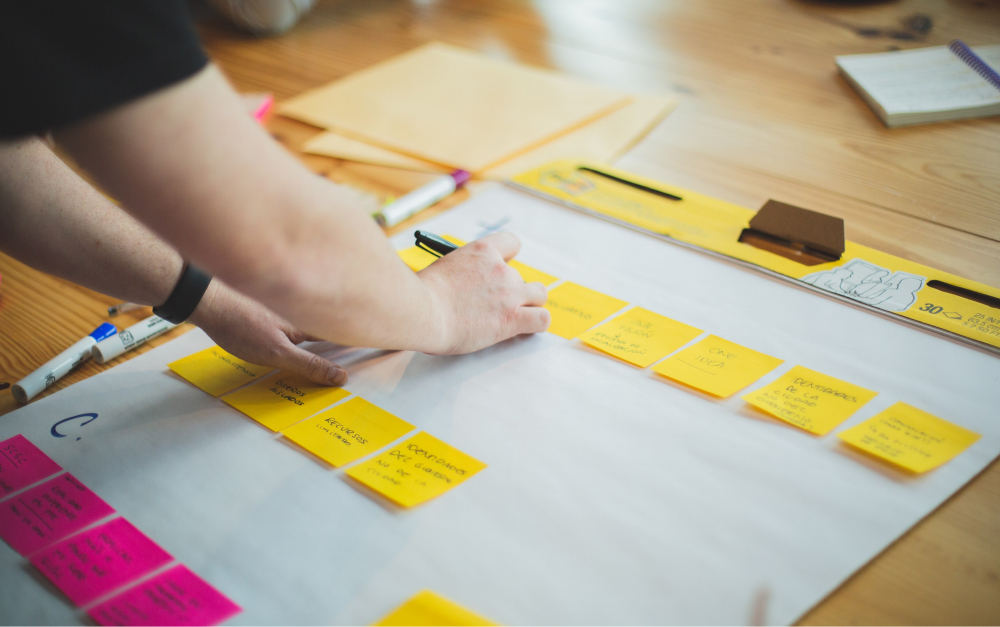
Day 1: Pick one task. Choose the admin job you dread most, usually the weekly status update or post-meeting notes. Leave everything else alone for now.
Day 2 to 3: Run it in parallel. Let AI draft it, then compare against how you normally do it. Keep what is better, fix what is wrong, and learn where it slips.
Day 4 to 5: Wire it in. Connect the AI to the tool where that work lives so the output lands as a real task or a posted update, not a copy-paste. Pair it with a clear meeting agenda and your usual project management method, since AI works best on top of a process that already makes sense.
By Friday you have one loop that saves real time and adds no new complexity for the team. That is the pattern worth repeating. Add the next loop once this one sticks.
FAQ
Can AI replace a project manager?
What is the best AI for project management?
Is generative AI useful for project managers?
How do I start using AI for project management?
Do I need a special AI project management tool?





