

10 Best Basecamp Alternatives for Teams That Outgrew It (2026)
Basecamp helped define how teams communicate online. Message boards, automatic check-ins, and a flat pricing model made it a favorite for remote teams in the 2010s. But for many teams in 2026, Basecamp is no longer enough.
The feature gaps are real. There are no Kanban boards, no Gantt charts, no time tracking, and no subtasks. Basecamp is a communication tool with to-do lists attached. If your team needs visual project tracking or sprint planning, you will hit a wall fast.
Then there is pricing. Basecamp moved from a flat $99 per month to $15 per user or $299 per month flat. Small teams that once loved the simplicity now pay more than they would on competing tools. For a team of five, the per-user plan costs $75. On Trello, that same team pays $25.
There is also the cultural factor. In 2021, Basecamp's leadership banned political discussions at work, leading to roughly a third of employees leaving and several organizations dropping the tool. That is worth knowing, though it should not be the only reason you switch.
The bigger picture matters too. According to Harvard Business Review, knowledge workers toggle between apps over 1,200 times per day. A University of California, Irvine study found it takes 23 minutes and 15 seconds to refocus after a single interruption. If Basecamp forces you to run a separate task management tool alongside it, that switching cost adds up quickly.
If you have already decided to explore basecamp alternatives, this guide covers 10 options worth considering. We tested each one with agencies, remote teams, and small businesses in mind.
Quick disclosure: we are the team behind Rock, one of the alternatives below. We build in this space and run these tools next to Rock, so we know where each is strong and where it is not. This is the honest landscape, not a pitch.
Quick Comparison
| Tool | Best For | Free Plan | Paid From |
|---|---|---|---|
| Rock | Agencies + client teams | Yes (3 spaces) | $89/mo flat |
| Monday.com | Visual workflows + automations | 2 seats | $12/user/mo |
| Asana | Cross-project reporting | Yes (basic) | $10.99/user/mo |
| ClickUp | Maximum customization | Yes | $7/user/mo |
| Trello | Simple Kanban boards | Yes | $5/user/mo |
| Notion | Docs + tasks combined | Yes | $10/user/mo |
| Teamwork | Agencies + time tracking | Yes (limited) | $13.99/user/mo |
| Wrike | Enterprise workflows | Yes (basic) | $10/user/mo |
| Todoist | Lightweight tasks | Yes | $4/user/mo |
| Hive | Creative proofing | Yes (limited) | $5/user/mo |
Find your Basecamp alternative
Which Basecamp alternative fits your team?
Answer 4 questions. Takes 30 seconds.
1. What features matter most?
Select all that apply
2. How many people will use it?
3. Do external people (clients, freelancers) need access?
4. What's your budget?
Start over

Need built-in team chat?
Rock combines messaging, tasks, and notes per project. Flat price, unlimited users and clients.
Best Basecamp Alternatives for Communication-First Teams

1. Rock - Best for agencies that need chat and tasks in one place
Unlimited: $89/mo flat
Rock is the closest thing to Basecamp's philosophy on this list. It puts communication first. Every project gets its own space with chat, a task board, notes, and files. The difference is that Rock adds the project management features Basecamp leaves out: Kanban boards, sprints, custom fields, and multiple task views.
For agencies managing client work, Rock solves a specific pain point. For a wider category view, see our best client portal software roundup. Clients and freelancers join your spaces at no extra cost. There is no "guest seat" billing. What we do at Rock: each client project gets its own space where the team and the client see the same task board, chat thread, and files. No forwarding updates, no separate portals, no paying extra per external collaborator.
The pricing model also mirrors what made Basecamp attractive originally. Rock charges a flat $89 per month for unlimited users instead of per-seat billing. For a team of 20, that works out to $4.45 per person. The trade-off is depth. Rock does not have Gantt charts, complex automations, or the visual board customization that tools like Monday.com offer. It covers communication, task management, notes, files, and meetings. For many agencies, that is more than enough.
Rock also ships a native MCP server, so AI assistants like Claude, Cursor, and ChatGPT can operate your workspace directly: read messages, create tasks, and search across spaces. It is available on the free plan, not gated behind an enterprise tier.
2. Monday.com - Best for visual workflows and automations
Standard: $12/user/mo (min 3 seats)
If you are leaving Basecamp because you want more visual project management, Monday.com is one of the first tools people consider. Color-coded boards, timeline views, and a drag-and-drop interface make it easy to see project status at a glance. The automations engine lets you build "if-this-then-that" rules without writing code.
Monday.com charges $12 per user per month on the Standard plan, with seats sold in bundles of three. A team of 11 pays for 12 seats. Products like monday CRM and monday dev are billed separately. Essential features like time tracking, guest access beyond basic limits, and advanced automations require Pro or Enterprise tiers.
The gap compared to Basecamp is communication. Monday.com has no built-in chat. Your team still needs Slack or an alternative on the side, which means more context switching.
3. Asana - Best for cross-project reporting and portfolios
Starter: $10.99/user/mo
Asana is the strongest option if you need visibility across multiple projects. Portfolios let you track status, workload, and deadlines across 20 or 30 projects without opening each one. For agency owners managing several client accounts, that bird's-eye view is hard to find elsewhere.
The project views include list, board, timeline, and calendar. Workload view shows who is overbooked and who has capacity, which helps with resource planning. Asana also offers goals tracking to connect daily tasks to bigger objectives.
Pricing starts at $10.99 per user per month on the Starter plan. Like Monday.com, costs scale with team size. A 25-person team pays around $275 monthly. The free plan is functional but limits you to basic features without timelines or custom fields. There is no built-in chat, so you will still need a separate messaging tool.
Feature-Rich Project Management Tools
4. ClickUp - Best for maximum customization
Unlimited: $7/user/mo
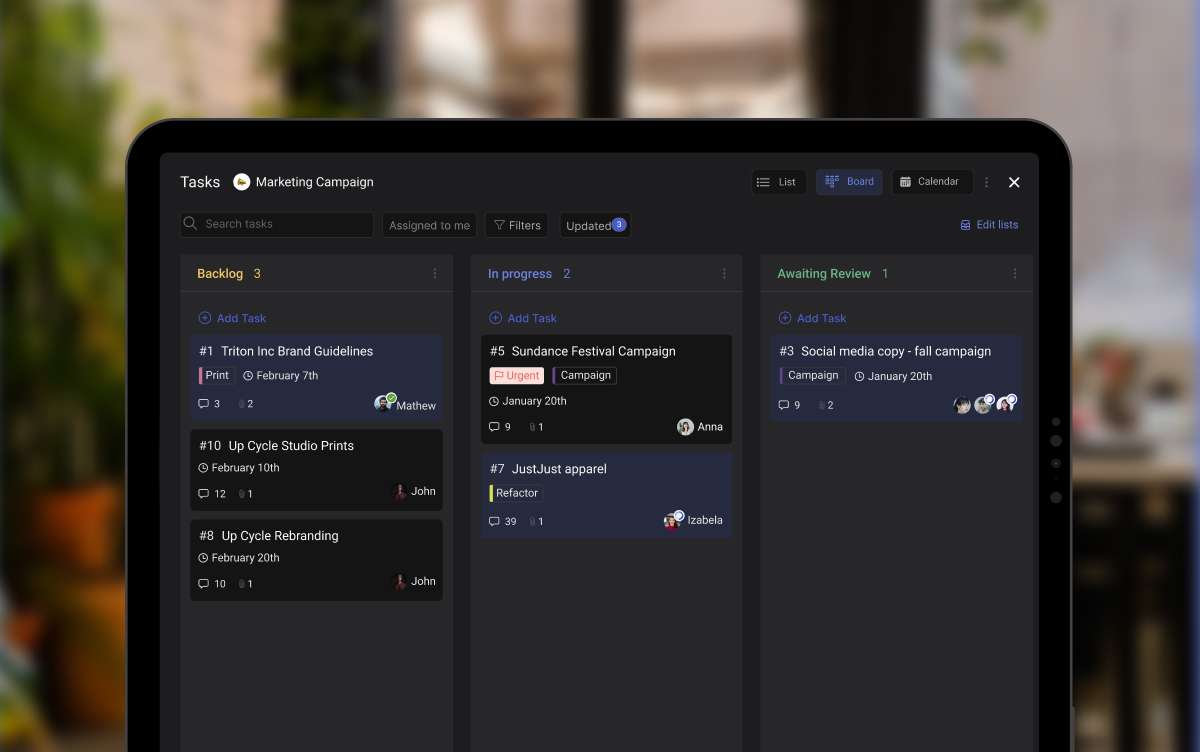
ClickUp is the opposite of Basecamp's simplicity. It offers tasks, docs, whiteboards, goals, time tracking, and automations in one platform. If you are leaving Basecamp because you wanted more flexibility, ClickUp gives you nearly unlimited ways to configure your workspace. For the side-by-side, see ClickUp vs Basecamp.
Custom fields, multiple assignees, nested subtasks, and dependency tracking are all included. You can build views for sprints, timelines, workload, and more. For power users who want to tailor every detail, ClickUp delivers.
At $7 per user per month on the Unlimited plan, ClickUp is cheaper than most competitors. The free plan is generous too, with unlimited tasks and members. The catch is the learning curve. New team members may need a week or two before they feel comfortable. If you have clients joining your workspace, expect to spend time onboarding them.
5. Trello - Best for simple Kanban boards
Standard: $5/user/mo
Trello is the original Kanban board tool. Cards, lists, and drag-and-drop. If Basecamp felt limiting because of its plain to-do lists, Trello gives you visual boards without adding complexity.
The free plan is solid: unlimited cards, up to 10 boards per workspace, and basic automations through Butler. For freelancers or small teams tracking a handful of projects, it may be all you need.
The limitation is that Trello stays flat. There is no cross-project reporting, no timeline view on lower plans, and team communication beyond the board is minimal. As teams grow past 10 or 15 people, the simplicity that made Trello appealing starts to feel limiting. See the Rock vs Trello comparison.
The tools that have been around for a long time just don't work the way teams work anymore. Business moves so quickly and the tools can't keep up with that pace of change.
6. Notion - Best for document-heavy workflows
Plus: $10/user/mo
Notion blends docs, databases, and task management into one flexible system. If your team spends as much time writing documentation as managing tasks, Notion may fill the gap Basecamp left. For direct head-to-heads, see our Basecamp vs Notion, Asana vs Basecamp, or Basecamp vs Monday, or our wider Notion alternatives guide.
The strength is flexibility. You can build a wiki, a project tracker, a CRM, and a meeting notes database all in the same workspace. Templates and linked databases let you connect everything together. For teams that relied on Basecamp's docs feature, Notion is a major upgrade.
The weakness is structure. Notion does not tell you how to organize your work. Teams without a clear system can end up with a messy collection of pages. It is also not great for real-time communication. There is no chat, and comments are limited to inline threads. For agencies, the lack of client-facing structure means you will likely still need a separate tool for day-to-day communication.
Agency and Enterprise Options
7. Teamwork - Best for agencies with time tracking needs
Deliver: $13.99/user/mo
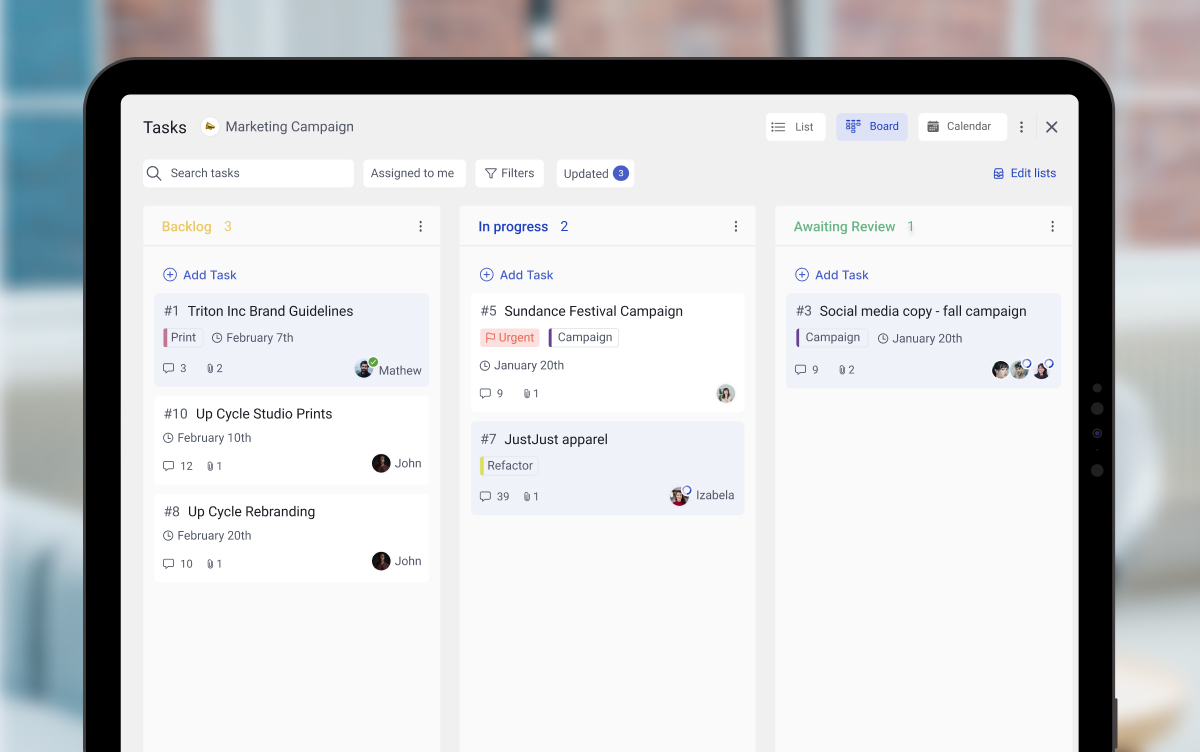
Teamwork was built specifically for agencies and client services teams. It includes time tracking, budgets, billing rates, and profitability reporting out of the box. If you left Basecamp because you needed to track billable hours, Teamwork fills that gap directly.
Every project can be linked to a client, with separate billing rates per team member. The built-in invoicing tools let you generate invoices from tracked time. For agencies that previously combined Basecamp with a separate time tracking tool like Harvest, Teamwork consolidates both.
At $13.99 per user per month on the Deliver plan, Teamwork is not cheap. But for agencies that bill by the hour, the time tracking and profitability features can pay for themselves. The interface is straightforward, though less visually polished than Monday.com or Asana.
8. Wrike - Best for enterprise workflows and proofing
Team: $10/user/mo
Wrike targets mid-size to enterprise teams with complex workflows. It offers custom request forms, advanced proofing with markup tools, resource management, and detailed reporting dashboards. If you outgrew Basecamp because your projects require formal approval processes, Wrike handles that well.
Wrike supports both agile and waterfall approaches. Gantt charts for waterfall planning, Kanban boards for agile sprints, and custom workflows for everything in between. Compliance features like HIPAA and SOC 2 make it suitable for regulated industries.
The trade-off is complexity. Wrike's interface is not intuitive for new users, and the setup process takes longer than simpler tools. At $10 per user per month on the Team plan, pricing is reasonable. But many useful features require Business or Enterprise tiers, which cost significantly more.
Nearly 9 in 10 disappointed software buyers experienced implementation disruptions, most often due to integration issues, data migration errors, or project delays.
Lightweight Tools for Small Teams

9. Todoist - Best lightweight task manager
Pro: $4/user/mo
Todoist is not a project management platform. It is a task manager, and it does that one thing well. Clean interface, natural language input ("Meeting with client every Tuesday at 2pm"), and a focus on getting things done without distraction.
For individuals or very small teams who left Basecamp because it was still too much overhead, Todoist is a refreshing alternative. The free plan covers up to 5 active projects and basic collaboration. Paid plans add labels, filters, reminders, and a calendar view.
The trade-off is scope. There are no boards, no Gantt charts, no file management, and no client-facing features. Todoist works best as a personal task tool or for very small teams with simple needs.
10. Hive - Best for creative teams with proofing
Teams: $5/user/mo
Hive combines project management with built-in proofing tools. Creative agencies that review designs, videos, or other visual assets can mark up files directly inside the platform. No more switching to a separate proofing tool and copying feedback back into your PM system.
The project views cover Kanban, Gantt, calendar, table, and portfolio. Time tracking is built in. Action cards let you assign approvals directly to stakeholders, which reduces the back-and-forth on creative deliverables.
At $5 per user per month, Hive is more affordable than most tools on this list. The free plan exists but is limited to basic features. The main drawback is ecosystem size. Hive is smaller than Asana or ClickUp, which means fewer integrations and a smaller community for support.
The future of work isn't about being online at the same time. It's about building systems where work moves forward whether or not everyone is in the same room, or even the same time zone.
Tools We Didn't Include (and Why)
We looked at several other tools and decided not to feature them:
- Jira: Built for software development teams, not general project management. The interface assumes agile dev terminology. If you are not an engineering team, Jira will feel foreign.
- Airtable: A database tool with project management add-ons. Powerful for data modeling, but most teams end up building their own PM system from scratch inside it.
- Microsoft Project: Enterprise-focused, expensive, and tightly coupled with the Microsoft 365 ecosystem. Overkill for most teams looking for Basecamp alternatives.
- Zoho Projects: Part of the larger Zoho suite, which works best when you already use Zoho CRM and other Zoho products. As a standalone PM tool, better options exist.
Keep clients in the loop free
Rock includes clients and freelancers at no extra cost. Chat, tasks, and files in one space.
How to Choose the Right Basecamp Alternative
The right tool depends on why you are leaving Basecamp. Start there, and the decision gets simpler.
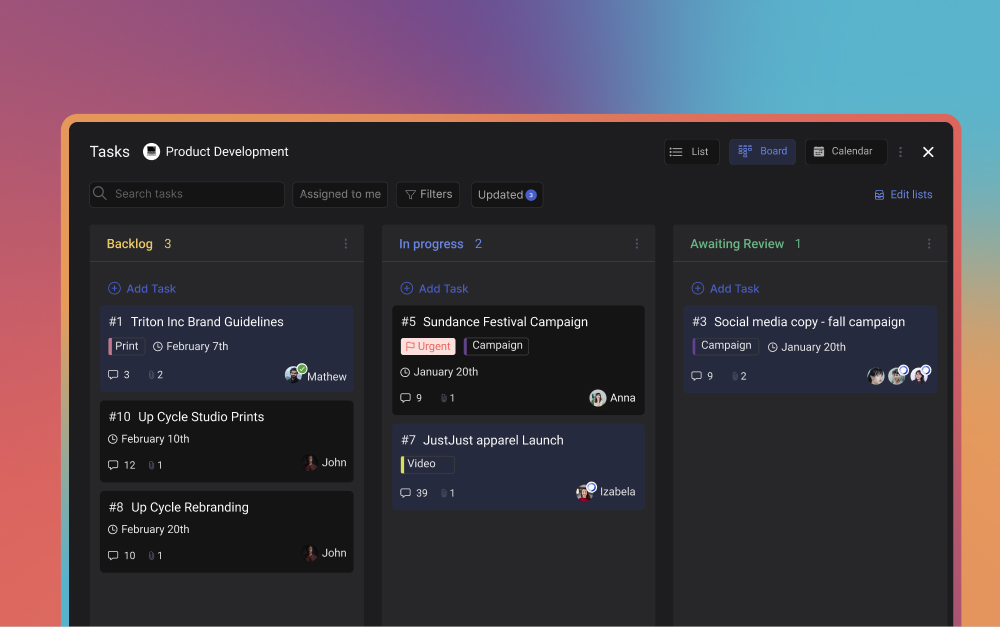
If you need messaging and tasks together: Look at Rock. It is the only tool on this list that combines chat and project management the way Basecamp tried to, but with Kanban boards and flat pricing. Clients join for free, which keeps costs predictable.
If you need visual boards and automations: Monday.com and ClickUp are the top picks. Monday.com is more polished. ClickUp offers more flexibility at a lower price.
If you need portfolio reporting: Asana gives you the best cross-project visibility. Portfolios, workload views, and goals tracking help agency owners see the full picture.
If you need simplicity: Trello or Todoist. Both have generous free plans and minimal learning curves. Trello for visual boards, Todoist for lightweight task lists.
If you need docs and tasks: Notion combines knowledge management with project tracking. Great for teams that produce a lot of written content.
If you need time tracking and client billing: Teamwork is purpose-built for agencies that bill by the hour.
If you need enterprise compliance: Wrike offers the governance and proofing features that regulated organizations require.
Before you commit, test two or three tools with a real project. Most offer free plans or trials. Run a one-week pilot, let your team use it for actual work, and pick the one that fits your async workflow with the least friction. The best basecamp alternatives are the ones your team will actually adopt.
One more thing to consider: migration. That Capterra report about implementation disruptions is worth keeping in mind. Start with a small project, move your data gradually, and do not try to recreate your entire Basecamp setup on day one. Pick the tool that covers your core needs, learn it, then expand.
Looking for a Basecamp alternative with built-in chat?
Rock combines messaging, tasks, and docs in one workspace. Flat pricing, no per-seat costs, and clients join for free.





