

Best Collaboration Software in 2026: All-in-One vs Best-of-Breed
The average team ran 5 to 7 collaboration apps in 2023. By 2026, most teams are consolidating to 2 or 3. Slack plus Asana plus Zoom plus Loom plus Drive plus Notion plus a billing tool plus a meeting tool was always too many tabs to live in. The shift toward "one workspace" is real, but so is the cost.
We are the team behind Rock, an all-in-one chat and project workspace, so we have a side in this. We also run these tools next to Rock and test where each is strong and where it is not. What follows is the honest landscape, not a pitch: the two real schools of collaboration software, what each tool costs, and who each is genuinely for.
This guide covers the 10 most-recommended collaboration platforms in 2026. They sort into two schools that actually exist: all-in-one workspaces (one tool replaces many) and best-of-breed stacks (specialist tools wired together with integrations). The right pick depends on your team size, what tools you already pay for, and whether time saved by consolidating beats the depth of specialist tools. Compare them at a glance below, or run the recommender for a starting point.
Quick answer. Collaboration software splits into two schools. All-in-one workspaces (Rock, ClickUp, Notion, Microsoft Teams, Google Workspace, Basecamp) replace multiple specialist tools with one product. Best-of-breed stacks (Slack for chat, Asana for tasks, Zoom for video, Miro for whiteboards) keep the specialist depth but require more subscriptions and switching. Pick the school that fits your stack tolerance, then pick the tool.
Ten tools across both schools. The "Replaces" column shows which specialist tools each all-in-one can subsume, which matters for the consolidation math in the next section.
| Tool | School | Best for | Replaces | Native AI | Free plan | Pricing |
|---|---|---|---|---|---|---|
| Rock | All-in-one | Agencies wanting chat + tasks + clients in one space | Slack, Asana, Drive, Loom | BYOK via API | Yes (5 members/space) | $89/mo flat unlimited users |
| ClickUp | All-in-one | Teams that want maximum customization | Asana, Notion, parts of Slack | Brain ($9/user add-on) | Yes (unlimited tasks) | From $7/user/mo |
| Notion | All-in-one | Doc-heavy teams that want a wiki and tasks | Confluence, Coda, parts of Asana | Notion AI in Business plan | Yes (unlimited blocks) | From $10/user/mo |
| Microsoft Teams | All-in-one | Teams already on Microsoft 365 | Slack, Zoom, parts of SharePoint | Copilot ($30/user add-on) | Free with Office 365 | $6/user/mo (M365 Business Basic) |
| Google Workspace | All-in-one | Doc-first cloud teams | Office, Dropbox, Slack-light | Gemini bundled in 2025 | 14-day trial | From $7/user/mo |
| Basecamp | All-in-one | Calm async PM with built-in chat | Slack-light, Asana-light, Drive | None native (deliberate) | Yes (1 project, 20 users) | $15/user or $299/mo flat |
| Slack | Best-of-breed | Real-time team chat | (chat specialist) | Slack AI ($10/user add-on) | Yes (90-day history) | From $7.25/user/mo |
| Asana | Best-of-breed | Task and project management | (tasks specialist) | Asana AI in Business plan | Yes (15 users, basic features) | From $10.99/user/mo |
| Zoom | Best-of-breed | Synchronous video meetings | (video specialist) | AI Companion bundled | Yes (40-min calls) | From $14.99/user/mo |
| Miro | Best-of-breed | Visual collaboration and whiteboards | (whiteboard specialist) | Miro AI in Starter+ | Yes (3 boards) | From $8/user/mo |
All-in-one or best-of-breed?
Answer 4 questions for an honest pick.
1. How many people will use it?
2. How many collaboration apps does your team run today?
3. Are you tied to a Microsoft or Google ecosystem?
4. What matters most?
Start over

Rock Rock app
Chat, tasks, notes, and files in one project space. Flat pricing for unlimited users, designed for agencies with cross-org clients.

ClickUp
The deepest all-in-one: tasks, docs, chat, whiteboards, and AI. Expect 2 to 4 weeks of setup before the team is fluent.

Notion
Doc-first: every page is a flexible block. Best for product, content, and engineering teams that lead with writing.

Microsoft Teams
Bundled with Microsoft 365. If you already pay for Outlook and Office, Teams is your all-in-one by default.

Google Workspace
Gmail, Drive, Docs, Meet, and Chat in one suite. The cleanest pick for real-time document collaboration.

Basecamp
All-in-one with 25 years of history. Flat pricing, deliberately limited feature set, calmer pace of work.

Slack
The real-time chat specialist. Channels, threads, and the largest integrations library in the market.

Asana
Polished task and project management. List, board, timeline, and calendar views work from day one.

Zoom
The standard for synchronous video. For async screen recordings, pair with Loom to cover the full video stack.

Miro
Digital whiteboard and visual collaboration. Essential if you run retros, journey maps, or strategy workshops.
All-in-one vs best-of-breed
The collaboration software market is genuinely two markets pretending to be one. Knowing which side you are on is half the work of picking a tool.
All-in-one workspaces bundle chat, tasks, docs, files, and often video calls into one product. The pitch is consolidation. One subscription, one login, one search index across everything. The trade-off is depth: an all-in-one chat is rarely as good as Slack, an all-in-one PM is rarely as deep as ClickUp on its own. The bet is that one decent-at-everything tool beats four great-at-one-thing tools when you factor in switching cost.
Best-of-breed stacks pick the strongest specialist in each category and wire them together. Slack for chat, Asana or ClickUp for tasks, Zoom for sync video, Loom for async, Miro for whiteboards, Notion or Google Drive for docs. The pitch is depth. Each tool is the best in its slot, and modern integrations stitch them together. The trade-off is cost and context-switching: 4 to 7 subscriptions plus the cognitive overhead of which conversation lives where.
Industry consolidation in 2026 is real. The global team collaboration software market hit roughly $27.9 billion in 2025, and Microsoft Teams alone holds about 37% market share. Consolidating to 2 or 3 tools does not always mean buying an all-in-one. Sometimes it means dropping your weakest 4 tools and keeping the 3 specialists you actually use.
All-in-one workspaces
The all-in-one school replaces multiple specialist tools with one. Best for teams that pay for too many tools, switch tabs constantly, or want clients in the same workspace as the team.
Best for. Teams currently running 4 or more collaboration tools, agencies that need clients and freelancers in the same space, and teams that want one bill instead of seven. Onboarding new teammates and clients is faster because there is one workspace to learn.
Skip this if. Your team already runs Slack and a deep PM tool you love and would rather optimize than replace. Or you need the absolute strongest tool in one specific category (heavy whiteboarding, advanced video webinars, enterprise-grade compliance).
It is a super customizable platform that replaces multiple tools which makes it a great investment.
Rock: chat plus tasks plus notes for agencies
Rock combines team messaging, task boards, notes, and files in one project space. Clients and freelancers join as cross-org members at no extra cost. Flat pricing of $89 per month covers unlimited internal users and unlimited external clients on the Unlimited plan, which works out to $899 per year on annual billing.
The fit is strongest for agencies running multiple client projects who currently pay for Slack plus Asana plus Drive plus Loom. At 15 people, that stack runs around $8,000 per year. Rock at $899 covers the same use cases with one bill. Not the right pick if you need deep Gantt charts, AI-native features, or enterprise-grade compliance certifications. Right pick if your real friction is switching between four apps to manage one client conversation.
Rock also connects to AI assistants like Claude and Cursor through native MCP, plus an open API, and both are available on the free plan. For agencies wiring their workspace into their own automations, that is access most all-in-ones reserve for enterprise tiers.

For more on how Rock fits, see our best client portal software guide and the Rock vs Slack comparison.
ClickUp: deepest all-in-one
ClickUp is the deepest all-in-one in this list. Tasks, docs, chats, whiteboards, mind maps, time tracking, dashboards, and AI all live inside one workspace. Pricing starts at $7 per user per month for Unlimited and $12 for Business. ClickUp Brain (AI) is a separate $9 per user per month add-on.
The trade-off is depth. ClickUp is feature-rich enough that most teams report 2 to 4 weeks of setup before the team is fully fluent. Power users love it. New hires often need a champion to walk them through. See our ClickUp alternatives roundup if simplicity matters more than depth.

Notion: doc-first all-in-one
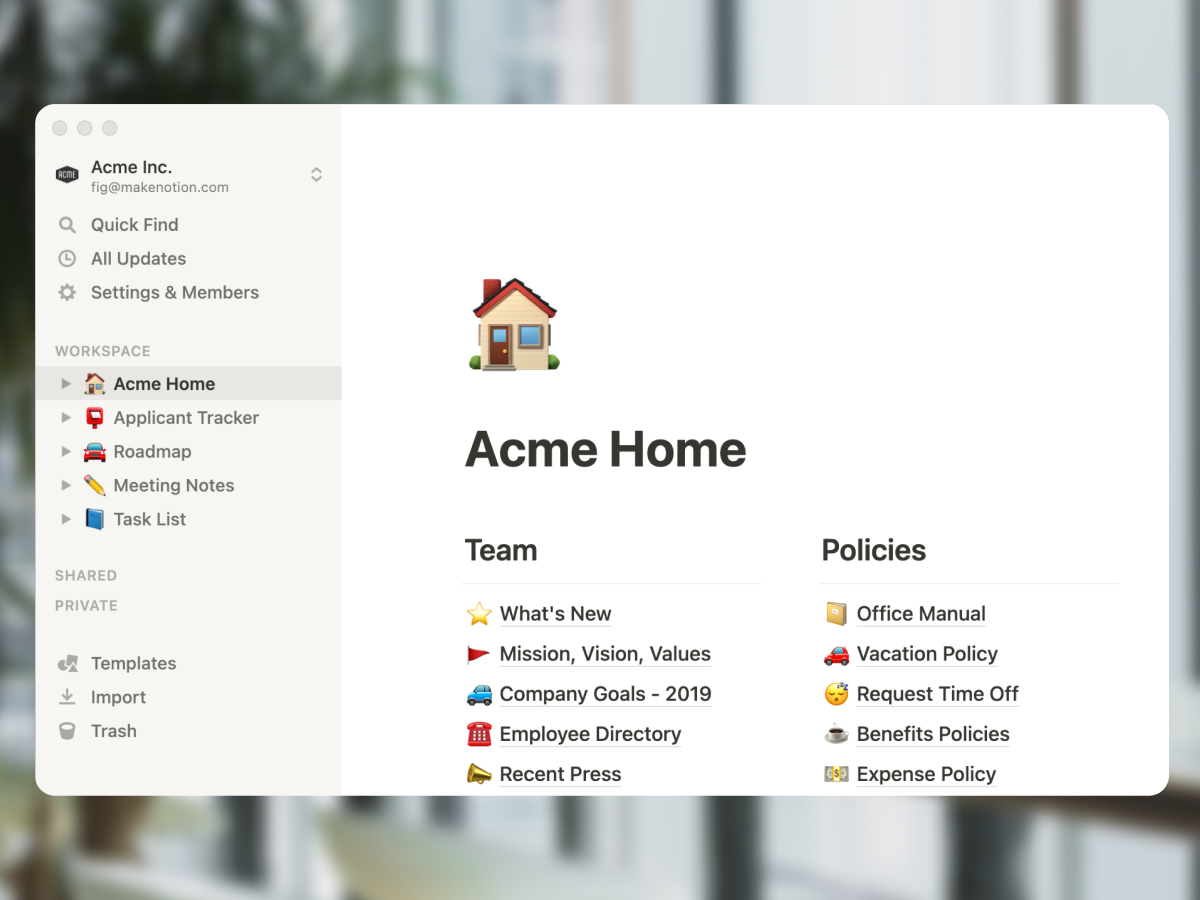
Notion takes the doc-first route. Every page is a flexible block-based document. Any page can become a database. Tables, kanban boards, and calendars are all views over the same data. Notion AI was bundled into the Business plan in May 2025, putting it ahead of most competitors on AI-included pricing.
Best for product, content, and engineering teams that lead with writing-heavy knowledge management. The flexibility is real and so is the trade-off: nothing comes pre-built, so the team architect has to design the system. See our Notion alternatives guide for the broader category.
Microsoft Teams: workspace inside Microsoft 365
Microsoft Teams holds about 37% of the global collaboration market because it comes bundled with Microsoft 365. If your team already runs Outlook, Word, Excel, and SharePoint, Teams is the cheapest "all-in-one" because the workspace is already paid for. Microsoft 365 Business Standard is $12.50 per user per month, which includes Teams, Office apps, OneDrive, SharePoint, and Exchange.
The fit is strongest for enterprises and mid-market teams locked into Microsoft licensing. The fit is weakest for small agencies that do not need Excel and prefer simpler tools. The Copilot AI add-on is $30 per user per month on top of the base plan, which adds up fast.

Google Workspace: the cloud-native option
Google Workspace bundles Gmail, Drive, Docs, Sheets, Slides, Meet, and Chat. Business Starter is $7 per user per month, and Business Standard ($14) adds 2 TB storage and longer Meet calls. Gemini AI was bundled into all paid tiers in 2025, which made the all-in-one math more attractive.
Best for teams already in Gmail and Drive who want a unified collaboration suite without licensing two products. Google Chat is competent but not as deep as Slack. Meet is excellent. Drive is the cleanest doc/file experience in the category. Skip if your team already runs Microsoft 365.
Basecamp: opinionated calm all-in-one
Basecamp has been the calm all-in-one since 2004. Each project gets a message board, to-do lists, a schedule, Campfire chat, and Hill Charts for progress. Pro Unlimited is $299 per month flat for unlimited users on annual billing.
Best for teams above 20 people who want predictable cost and a 25-year track record. The feature set is deliberately limited (no Gantt, no native AI). For deeper context, see our Basecamp alternatives guide and the ClickUp vs Basecamp head-to-head.

Best-of-breed picks
The best-of-breed school keeps specialist depth. Each tool is the strongest in its slot, integrations stitch them together, and the team accepts switching tabs as the cost of using the best in each category.
Best for. Teams that already love Slack, refuse to leave Asana or ClickUp, and value depth over consolidation. Engineering, design, and creative teams often fit here because the specialist tools have features all-in-one workspaces cannot match.
Skip this if. Subscription costs are crushing your margins, switching tabs all day is exhausting your team, or new hires are getting overwhelmed by too many tools to learn.
Slack: real-time team chat
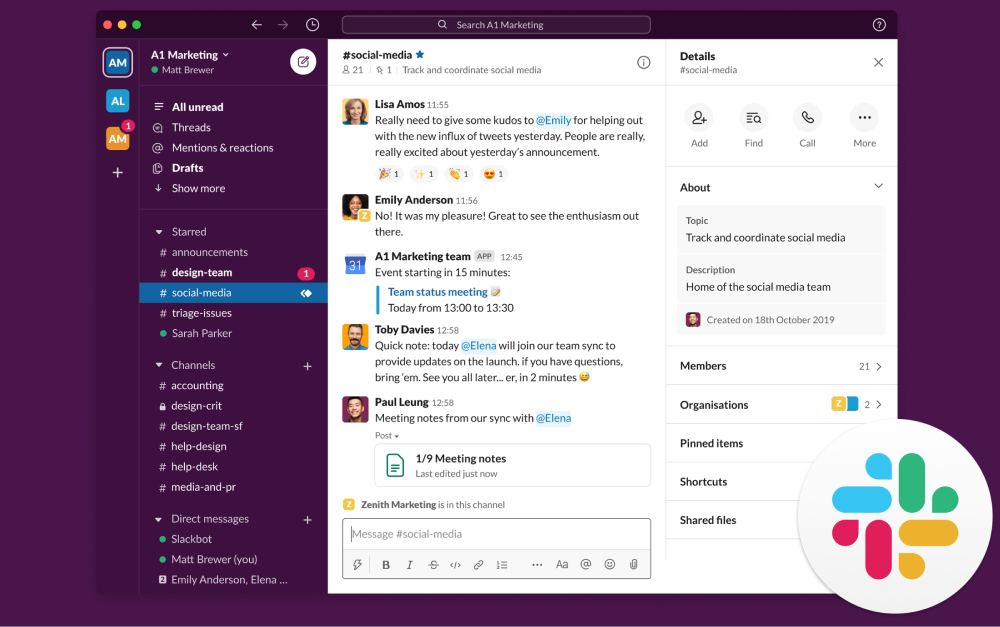
Slack is the strongest real-time chat tool in the market. Channels, threads, search, and an enormous integrations library are the core strengths. Slack Pro is $7.25 per user per month, Business+ is $15. Slack AI is a $10 per user per month add-on for transcripts, summaries, and search.
The ability to make channels and set up groups is easy. It has been the main use of quick contact with our consultant and has saved time considerably.
Slack wins when chat is your team's central nervous system and channels are how work happens. Skip Slack if your team needs chat plus tasks plus client access in the same place. See our Slack alternatives guide for the broader category.
Asana: task and project management
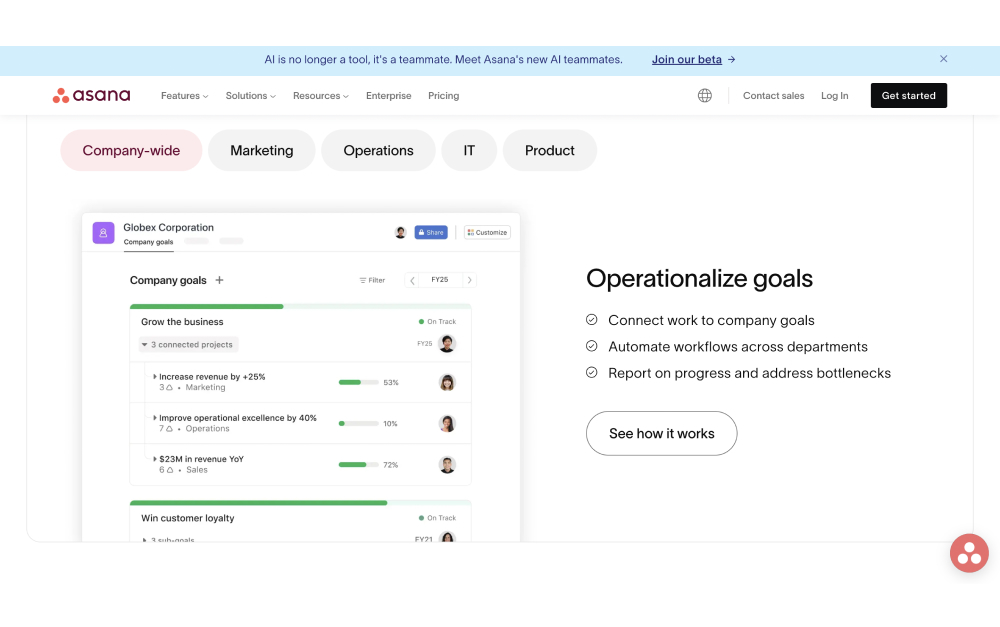
Asana is one of the cleanest task management tools in the market. List, board, timeline, and calendar views work out of the box. Asana Starter is $10.99 per user per month, Advanced is $24.99. Asana AI is bundled into the Business plan.
Best for teams that want a polished, structured PM tool without ClickUp's depth. The free plan covers up to 15 users with basic features, which is unusual at this price point. See our Asana alternatives roundup for context, or the ClickUp vs Asana head-to-head.
Zoom and Loom: synchronous and async video
Loom $12.50/user/mo
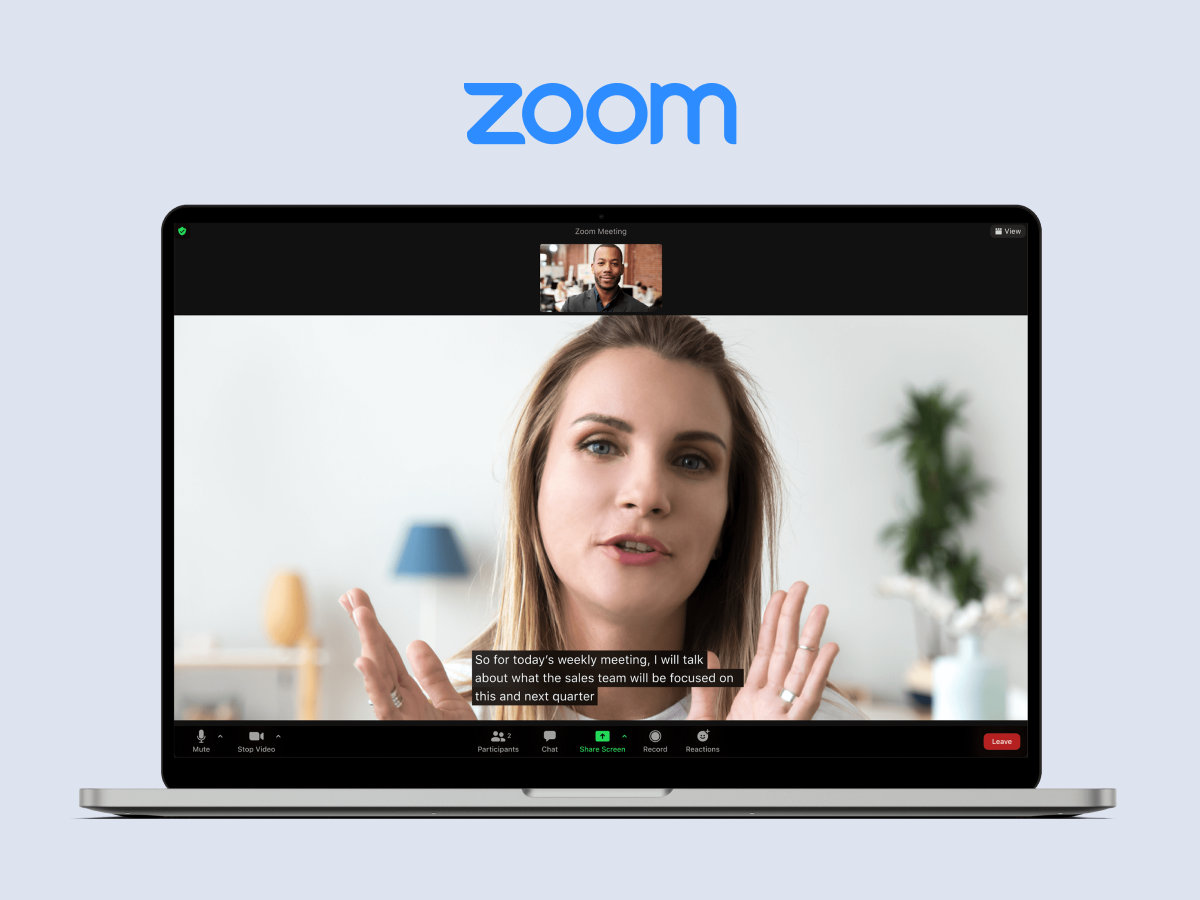
Best-of-breed video splits cleanly into two tools. Zoom for synchronous meetings, screen sharing, and webinars. Loom for async screen recordings, walkthroughs, and quick updates that replace meetings. Zoom Pro is $14.99 per user per month. Loom Business is $12.50.
Both have strong AI features in 2026. Zoom AI Companion is bundled in paid plans. Loom AI auto-generates transcripts, summaries, and action items. Together they cover most agency video needs at around $27 per user per month combined.
Miro: visual collaboration and whiteboards
Miro is the dominant whiteboard and visual collaboration tool. Brainstorming, retros, journey maps, system diagrams, and workshop facilitation all live well in Miro. Starter is $8 per user per month, Business is $16. Miro AI is bundled into Starter and above.
Best for teams that run regular workshops, design sessions, or strategy offsites. Miro is overkill if your team rarely uses whiteboards. The free plan covers 3 boards, which works for small teams.
Real cost: stack vs all-in-one
The single biggest factor in the all-in-one vs best-of-breed decision is cost at scale. A typical agency stack runs four collaboration tools (Slack plus Asana plus Loom plus Google Workspace) and the per-user math compounds fast.
| Solution | 5 people | 15 people | 30 people | Pricing model |
|---|---|---|---|---|
| Best-of-breed stack* | $2,684 | $8,053 | $16,106 | Per-user fees on each of 4 tools |
| Rock Unlimited | $899 | $899 | $899 | Flat for unlimited users |
| ClickUp Business | $720 | $2,160 | $4,320 | $12 per user, monthly |
| Notion Business (incl. AI) | $1,200 | $3,600 | $7,200 | $20 per user, monthly |
| Microsoft 365 Business Standard | $750 | $2,250 | $4,500 | $12.50 per user, monthly |
| Google Workspace Business Standard | $840 | $2,520 | $5,040 | $14 per user, monthly |
| Basecamp Pro Unlimited | $3,588 | $3,588 | $3,588 | Flat for unlimited users |
*Best-of-breed stack assumes Slack Pro ($7.25), Asana Starter ($10.99), Loom Business ($12.50), and Google Workspace Business Standard ($14) per user per month. 2026 list prices, billed annually. Verify current pricing on each vendor page.
Three things stand out. First, a typical 4-tool stack runs about $537 per user per year. At 15 users that is roughly $8,053. At 30 users, $16,106. The cost is linear with team size and tool count.
Second, all-in-one workspaces with per-user pricing (ClickUp, Notion, Microsoft 365, Google Workspace) save 50 to 75% compared to the stack approach by replacing multiple subscriptions with one. The catch is that you still pay per user, so the savings shrink as the team grows.
Third, flat-rate all-in-ones (Rock, Basecamp Pro Unlimited) collapse the cost story entirely. Rock at $899 per year is roughly 9 times cheaper than a typical stack at 15 users and 18 times cheaper at 30 users. Basecamp Pro Unlimited at $3,588 sits between, cheap at scale but expensive for small teams.
None of this is the only consideration. A team that genuinely loves Slack and Asana can absolutely run a $10,000 stack with no regrets. The math just shows what is on the table when consolidation is an option. For more cost modeling across the cluster, see our best task management apps guide and our project management software for agencies roundup.
How to pick: 5 questions
Before comparing tools, decide which school you are shopping in. These five questions get you there in under three minutes.
1. How many collaboration tools does your team run today? If it is 4 or more, all-in-one consolidation usually pays off. If it is 1 or 2 plus you love them, best-of-breed is fine.
2. Are you locked into a Microsoft or Google ecosystem? If you pay for Microsoft 365 or Google Workspace already, those bundles are your "all-in-one" by default. Adding a separate workspace tool means duplicating spend.
3. What is the team size? Below 10 people, per-user pricing on all-in-ones is reasonable. Past 15 to 20, flat-rate options (Rock, Basecamp Pro Unlimited) start to win on math. Past 50, only flat-rate plans avoid runaway costs.
4. Do clients or freelancers need access? Many tools count guests as paid seats once they cross a threshold. Rock and Basecamp include cross-org clients in flat pricing. ClickUp and Monday cap free guests by tier. Slack guests are limited and often paid.
5. What does your team actually need depth in? If chat is your central workflow, Slack stays in the stack. If whiteboards are weekly, Miro stays. The strongest specialist features are usually missing from all-in-ones, so identify what you cannot give up before consolidating.
What we recommend
The honest answer is that "best collaboration software" depends on a school choice you have to make first. Here is how we think about it at Rock.
Pick all-in-one (Rock, ClickUp, Notion, Basecamp) when you are running 4 or more collaboration tools and bills are climbing. Or your team is small enough that one tool can cover most workflows. Or onboarding new teammates is taking weeks because there is too much to learn. Rock fits cleanest when the daily friction is chat plus tasks plus client access. ClickUp fits when you need deep PM in one tool. Notion fits when docs and wiki are central.
Pick Microsoft Teams or Google Workspace when you already pay for Microsoft 365 or Google Workspace. Adding a separate collaboration product on top is duplicating spend on tools you already own. Make the bundle work first, switch only if it genuinely cannot.
Pick best-of-breed (Slack plus a PM tool plus video plus Miro) when your team has strong specialist preferences. Or your tools are already paid for and working. Or you need depth that all-in-ones cannot match, like advanced webinars, enterprise compliance, or deep whiteboarding workshops.
Where Rock fits in this picture: small to mid agencies running 5+ collaboration tools who want a flat-priced all-in-one with chat, tasks, notes, files, and unlimited cross-org clients. Not the right fit if you need a wiki like Notion, deep Gantt charts like ClickUp, or are locked into the Microsoft 365 ecosystem. Right fit if your real friction is paying $8,000 per year on subscriptions to switch tabs all day.
FAQ
What is the best collaboration software for small business?
For teams under 15 people, the cheapest all-in-one is usually the right pick. Rock at $89 per month flat works if you need chat plus tasks plus client access. ClickUp Unlimited at $7 per user works if you need deeper PM. Microsoft 365 Business Standard at $12.50 per user works if Office and Outlook are already part of the daily flow.
Is Slack better than Microsoft Teams?
Slack is better for real-time chat, integrations, and channels-as-workflow culture. Microsoft Teams is better if your team already runs Microsoft 365, because Teams is bundled into the license. The "better" tool depends entirely on which ecosystem you are already in. Both are excellent at their core jobs.
Can one tool really replace 5+ collaboration apps?
Yes for many use cases, no for some. All-in-ones like ClickUp, Notion, and Rock genuinely replace 3 to 5 specialist tools for the average team. The exceptions are advanced specialist needs: enterprise webinars (Zoom), heavy whiteboarding workshops (Miro), and complex CRM (Salesforce or HubSpot) usually still need their own tool.
What is the cheapest collaboration software?
For unlimited users, Rock at $89 per month flat ($899 per year on annual billing) is one of the cheapest options once team size passes 10 people. For free, ClickUp's free plan supports unlimited tasks and members. Slack's free plan limits message history. Most all-in-ones have functional free tiers for small teams.
Does collaboration software need built-in AI in 2026?
AI has moved from premium add-on to baseline expectation in 2026. Most major platforms ship AI features at some level. The cleanest pricing models bundle AI into the base plan (Notion Business, Google Workspace, Asana Business). The most expensive route is per-user AI add-ons (ClickUp Brain, Microsoft Copilot, Slack AI) that can double the per-seat cost.
Tired of paying for 5 collaboration tools? Rock combines chat, tasks, notes, and files in one workspace at flat pricing for unlimited users. Get started for free.





