By clicking Accept all, you agree to the storing of cookies on your device to enhance site navigation, analyze site usage, and assist in our marketing efforts. View our Privacy Policy or manage preferences.
Oops! Something went wrong while submitting the form.
or continue with
This month we shipped four updates: an AI-friendlier public API, a full Spanish interface, sharper space search, and a sweep of UX and stability fixes across web, desktop, and mobile.
Here is what is new.
AI-Friendly Public API
Rock has had a public API for a while. This month we expanded it with the building blocks AI assistants need to act inside your spaces.
The result: you can connect ChatGPT, Claude, Gemini, or any AI assistant, and have it create tasks, send messages, post updates, or pull context from a space. All from a simple conversation.
Claude spinning up a new client project from a brief, straight inside a Rock space.
What that looks like in practice:
Use case
What your AI does in the space
Project kickoff from a brief
Drop a client brief in the space and ask your AI to read it. It breaks the work into tasks, assigns them, and sets the sprint.
Status TL;DR of a space
Coming back from PTO or jumping into a busy space? Ask your AI to read the recent messages, tasks, and notes, and post a summary of where each project stands.
Daily standup recap
Your AI scans yesterday's activity each morning and posts a recap: what shipped, who is blocked, what is next.
Dev updates from Claude Code
Hook Claude Code into your engineering space so it posts when it opens a PR, finishes a build, or pushes a deploy. No more copy-pasting from GitHub.
Client emails to tasks
Paste a long client email and your AI creates the right tasks, with deadlines and owners. No more manual breakdown.
Weekly client recaps
End of the week, your AI scans the space and drafts a status message you can send to the client. Copy, edit, send.
How to set it up
Setup takes minutes. From inside the space you want to plug your AI into:
1. Open Space settings from the space header.
2. Go to Integrations, then Custom Webhook.
3. Click Add new to generate a bot token. (Custom webhooks are part of the Unlimited plan.)
4. Hand the token to your AI assistant. It can now read and act inside that one space, not your whole workspace.
It works the same way MCP connections work in Claude: your AI gets direct access to a single space at a time.
Bring your own key. No per-seat AI fees, no vendor lock-in. Unlike platforms that charge extra for proprietary AI, Rock lets your team use whatever AI they already pay for.
We are actively expanding what the API can do. If there is a workflow you want to automate but cannot yet, let us know.
Rock en Español
Rock is now available in Spanish. The full interface, notifications, and onboarding flow have been translated for Spanish-speaking teams.
Latam is one of our fastest-growing regions, with agencies and small businesses across Mexico, Argentina, Colombia, and Spain running their work on Rock. Until now, those teams worked in English. Now they can work together and with clients in both English or Spanish.
To switch your language: open your user settings, select Language, and toggle to Spanish.
This is our first step toward making Rock accessible to more teams around the world. More languages are on the way. Want to request a language? Poke us in the support space.
Rock now speaks Spanish across the entire workspace.
Sharper Space Search
Space search is now faster and more accurate. Whether you are looking for a message, a task, or a file from a few weeks back, results surface where you expect them.
UX, UI, and Stability
We rolled out a batch of small improvements across the platform: visual refinements, performance updates, and stability fixes on web, desktop, and mobile.
Nothing flashy. Just smoother day-to-day use.
What's Next
This is the start of a busier release cadence for Rock. Over the next few months we will keep expanding the API and shipping the improvements our users ask for most.
Have a feature request or a bug to flag? Ping us in the Rock Support and Updates space. We read every message, and the things you raise shape what we build next.
You worked nine hours today. You answered messages, sat through meetings, and moved between tabs all day. But when you look back, you cannot name one thing you actually finished.
This is the modern productivity trap. You are not lazy or disorganized. You are spread across too many tools, too many inputs, and too many things that all feel urgent. The real question is not how to prioritize harder. It is how to pick one framework that matches how you actually work, then actually use it.
Most teams try to prioritize everything. That is why nothing gets finished.
Pick your prioritization framework in 30 seconds
3 questions. We will tell you which framework fits how you actually work.
You are not imagining it. Work has genuinely become more fragmented. HBR reports that knowledge workers switch between apps and windows around 1,200 times a day, costing nearly four hours of reorientation per week. Every tool, message, and notification demands a response, and the list of "urgent" items grows faster than you can close them.
The problem is not discipline. It is signal-to-noise. When everything is labeled urgent, nothing actually is. Antonio Nieto-Rodriguez, who wrote HBR's Project Management Handbook, puts it bluntly in a 2025 piece on project overload: "In almost every organization I have advised, I have encountered the same problem: far too many projects, and far too few that truly matter." The same is true at the individual level. Most people do not need a better to-do list. They need a framework that tells them what to cut.
"93% of executives say teams could deliver similar outcomes in half the time if they collaborated more effectively." - Atlassian State of Teams 2024
When tasks and conversation share one place, half the prioritization problem disappears.
That is where prioritization frameworks come in. Not as productivity theater, but as decision rules that remove friction from the question "what should I do next?" The rest of this article compares the seven that actually work, when each one breaks, and how to pick one for your situation. The quiz above is a shortcut if you just want an answer.
7 Frameworks at a Glance
Before the deep dives, here is the side-by-side. Each framework solves a different problem. Match the problem first, then learn the framework.
Framework
Best for
Time to apply
When it breaks
Eisenhower Matrix
Daily task triage
2 min/day
Everything feels "urgent and important"
MoSCoW Method
Release scope decisions
30 min/release
Everything becomes Must-have
RICE Scoring
Product feature prioritization
20 min/feature
Confidence inflation skews scores
Ivy Lee Method
Single-focus days, executives
5 min/night
Collapses under interruption-heavy days
Eat the Frog
Procrastination-prone work
1 min/day
Fails when the "frog" is actually unclear
1-3-5 Rule
Daily knowledge work
3 min/day
Too rigid for variable-demand roles
ABC Method
Teams new to prioritization
5 min/day
Too coarse once you have 20+ tasks
Eisenhower Matrix: The Default for Daily Triage
Named after Dwight Eisenhower (though popularized by Stephen Covey's 7 Habits), the Eisenhower Matrix sorts tasks into four quadrants using two axes: urgent vs not urgent, important vs not important. Do the urgent and important. Schedule the important but not urgent. Delegate the urgent but not important. Delete the rest.
Best for: daily task triage, individual contributors, anyone drowning in a mixed list where priority is unclear.
When it works: when tasks genuinely vary in urgency and importance. When you have the authority to delegate or ignore items that fall into the bottom quadrants.
A daily-triage view collapses everything you could do into what you will do today.
When it breaks: when 80 percent of your list feels "urgent and important." At that point Eisenhower stops separating anything. It becomes a ritual that confirms the chaos instead of cutting through it. If this happens to you, the problem is upstream: too much work has been committed, and no framework can fix that.
MoSCoW tags each item as Must-have, Should-have, Could-have, or Won't-have-this-time. It was built for software scoping and release planning, not daily task management, and that distinction matters.
Best for: release scope, project scoping sessions, feature shortlists where stakeholders disagree.
When it works: when a group needs to agree on what ships and what waits. The four-bucket structure forces real conversation about trade-offs instead of "everything ships."
When it breaks: when everything ends up labeled Must-have. This is the default failure mode for teams without strong product discipline. If your Must-have list has 40 items, MoSCoW is not being used as a framework. It is being used as a to-do list with fancy labels. The fix: cap Must at 20 percent of total items. If that feels impossible, the problem is upstream of the framework.
MoSCoW is most useful once per release or project, not every day.
RICE Scoring: Product Prioritization Math
RICE was developed at Intercom for product roadmap decisions. It scores each feature on four inputs: Reach (how many users), Impact (how much it moves the metric), Confidence (how sure you are), and Effort (person-weeks). Formula: (Reach × Impact × Confidence) ÷ Effort = RICE score. Higher wins.
Best for: product teams choosing between features, technical decisions where effort varies wildly, anywhere a rough number beats gut feel.
When it works: when you have multiple features to compare and need to make the math of the trade-off visible. RICE does not tell you the right answer. It tells you why two smart people disagree: usually they are estimating Impact or Confidence differently.
When it breaks: confidence inflation. Most teams rate Confidence at 80 or 100 percent for almost every feature because admitting uncertainty feels unprofessional. This inflates scores across the board and RICE stops discriminating between items. The fix: force a bell curve. Across a roadmap of 10 features, at least 3 should be at 50 percent confidence or lower.
Worked example: Feature A reaches 1,000 users with 3x impact at 80 percent confidence and 4 person-weeks effort. Score = (1000 × 3 × 0.8) ÷ 4 = 600. Feature B reaches 200 users with 5x impact at 50 percent confidence and 1 person-week. Score = (200 × 5 × 0.5) ÷ 1 = 500. Close enough to pick based on secondary factors (strategy, dependencies). RICE does not make the decision for you. It narrows the field.
Ivy Lee Method: 6 Tasks, In Order, No Exceptions
In 1918, consultant Ivy Lee charged Charles Schwab 25,000 dollars to tell him this: at the end of each day, write down the six most important things to do tomorrow, in order of priority. Work the list top to bottom. Do not start task two until task one is done. At day's end, carry over anything unfinished. Repeat.
Best for: solo deep-work days, executives with real authority over their calendar, anyone who needs ruthless simplicity.
When it works: when your day is mostly yours to control. When you can work on one task for 60 to 90 minutes without context switching. The strict ordering forces you to pick what matters most instead of doing easy things first.
When it breaks: interruption-heavy roles. Client-facing work, manager check-ins, support rotations. If you are interrupted every 20 minutes, Ivy Lee's strict ordering produces frustration instead of focus. Teams serving external clients (agencies, consultants, support teams) often find Ivy Lee impractical.
Eat the Frog: Tackle the Hardest Task First
From Brian Tracy's book of the same name, the rule is simple: your "frog" is the single most important and usually most avoided task on your list. Do it first thing in the morning, before anything else. Everything after will feel easier by comparison.
Best for: procrastination-prone work, creative output, any task where delay compounds.
When it works: when you can identify the one hardest thing and protect the first 60 to 90 minutes of your day for it. Pairs well with Eisenhower (your frog is usually a Q2 task, important but not urgent) and Ivy Lee (your frog is task one).
When it breaks: when the "frog" is actually unclear. Some days the hardest task is hard because you do not know what it should be. Eating a frog you have misidentified wastes your best hours of the day. When in doubt, spend 10 minutes defining the frog before you start swallowing.
The 1-3-5 Rule: A Realistic Daily Cap
Plan your day as one big thing, three medium things, and five small things. Nine items total, in order of priority. If something new comes in, it bumps something out.
Best for: daily knowledge work, operations roles, consistent rhythm over heroic sprint days.
When it works: when your work has natural size distinctions. When you want a cap that prevents tomorrow's list from being this morning's list with 15 new items added. The structure forces realism.
When it breaks: when your day is genuinely uneven (one day all tiny emails, another day one massive deliverable). Forcing 1-3-5 into those days feels artificial. 1-3-5 works best over weeks of similar days, not in wildly variable roles.
ABC Method: The Gateway Framework
Alan Lakein popularized it in the 1970s. Tag every task A, B, or C. A is must-do today. B is should-do this week. C is can-wait. Work the A list first. Revisit B and C as you complete As.
Best for: teams new to prioritization, intimidated by quadrants and matrices, needing a low-setup-cost starter.
When it works: when you just need to stop treating all tasks as equal. The three-bucket simplicity gets buy-in from people who would roll their eyes at RICE or MoSCoW. Good gateway framework.
When it breaks: once you have 20 or more tasks, ABC becomes too coarse. Three buckets do not discriminate enough when you have 15 A-tasks. This is usually when teams graduate to Eisenhower or 1-3-5.
The 80/20 Truth About Frameworks
Here is what most articles about prioritization will not tell you. For 80 percent of teams, Eisenhower plus time blocking is enough. The other frameworks are specialized tools for specialized problems: MoSCoW for release scope, RICE for product features, Ivy Lee for protected focus days.
Chasing more frameworks usually backfires. Every framework has a setup cost (learning it, teaching your team, building the habit) and an ongoing cost (the time to apply it). If you bounce between three frameworks, you pay all three setup costs and get none of the benefit. The teams that prioritize well tend to pick one framework, use it for six months, then consider whether they actually need a different one.
"Smart leaders understand that their job requires them to identify trade-offs, choosing what not to do as much as what to do." - Derek Lidow, Harvard Business Review
The framework matters less than the willingness to actually make those trade-offs. Any of the seven above will help if you commit to it. None will help if you keep adding to the Must-have list.
Behaviors That No Framework Can Fix
Even the best framework fails if the underlying work habits are broken. Three behaviors matter more than which matrix you draw.
Work from one place, not five. If tasks live in Slack, Asana, email, a notebook, and three browser tabs, no amount of prioritization math will fix it. The first move is consolidation. Pick a single place where tasks, context, and conversation live together.
Pick a daily cap and defend it. Whether you cap at 3 tasks (Ivy Lee style), 9 (1-3-5), or one frog, the number matters less than the commitment. Most people fail because they plan 12 things and finish 4, then feel behind. Plan 4 and finish 4, feel done.
Learn to say no. HBR's 2015 advice on saying no to more work still holds: every yes to a new commitment is a no to something already on your list. Most people only see the yes.
A task board makes your actual commitment volume visible. You cannot overcommit what you can see.
When chat, tasks, and notes live in separate tools, the consolidation behavior is nearly impossible. Rock keeps messaging, tasks, and files in one workspace so your priority list stays in the same place as the conversation that created it.
What we do at Rock. We run every project as a single space with chat, tasks, and notes attached. Each morning I open My Tasks (a cross-space view of everything assigned to me), pick one frog for the day, and three medium tasks to pair with it. If a new priority surfaces in chat, I tap it to convert into a task in the same space. No jumping tools, no translation cost between conversation and action. The framework is Eisenhower plus Eat the Frog — not because it is optimal, but because it is the one I actually stick with.
"You worked nine hours today. You touched everything and completed nothing. The solution is not a better list. It is a better rule for what you ignore." - Nicolaas Spijker, Marketing Expert
Frequently Asked Questions
What is the best method to prioritize tasks? Eisenhower Matrix for daily triage, MoSCoW for scope decisions, RICE for product features. For 80 percent of individual contributors, Eisenhower is enough. Use the quiz above for a situation-specific recommendation.
How do you prioritize tasks when everything is urgent? Treat "everything urgent" as a signal that too much has been committed, not that you need a better framework. Cut scope first, then apply Eisenhower to whatever is left. If you cannot cut, clarify deadlines: most "urgent" items have softer deadlines than their sender implies.
How do you prioritize tasks as a team? Pick one framework and commit for at least three months. MoSCoW for scope-heavy work, RICE for product teams, Eisenhower for operations. Make the framework visible (shared board, weekly review) so stakeholders can see the trade-offs.
What is the 1-3-5 rule for prioritization? Plan each day as 1 big task, 3 medium tasks, 5 small tasks. Nine items total, in order. New items bump existing ones; the cap stays nine. Works best for knowledge workers with roughly consistent day lengths.
How do I answer "how do you prioritize your work" in an interview? Pick a framework you actually use, name it, and give one concrete example. "I use Eisenhower to triage daily tasks and MoSCoW for release scope. Last quarter I used MoSCoW to cut our Q1 roadmap from 18 initiatives to 6, which let us ship the three Must-haves on time." Specific beats abstract every time.
Prioritizing better starts with keeping your work in one place. Rock combines chat, tasks, notes, and files in a single workspace. One flat price, unlimited users. Get started for free.
Client offboarding is the part most agencies skip. The contract ends, the last invoice goes out, and the relationship quietly fades into a dropped Slack channel and a forgotten shared drive. That is a missed handover, a missed testimonial, and a missed referral, all in one quiet exit. Agencies that run a careful onboarding process often treat the exit as an afterthought, which leaves the whole lifecycle lopsided.
This checklist covers the 12 steps to run a clean offboarding, the 3 phases the steps fall into, and how the work changes depending on why the client is leaving. Build a tailored version with the widget below, copy it, and run your next exit off it.
Build Your Offboarding Checklist
Three answers and the widget outputs a tailored checklist you can copy into a doc or a shared task space.
Build your offboarding checklist
Three answers, one tailored checklist. Copy the steps, fill in your specifics, run the offboarding.
Quick answer. Client offboarding is the structured process of ending a client engagement cleanly. It covers the handover of assets and access, the closing of financials, the exit conversation, and the follow-up after the final day. Done well, it protects the relationship, surfaces learning, and sets up the testimonial or referral. Done poorly, it burns a bridge that took months or years to build.
"Most clients leave people, not agencies." - Jeremy Wright, agency operator
The 3-Phase Framework
Offboarding is not a one-day event. It is a 6-to-12 week arc that starts 2 weeks before the final day and runs 90 days past it. Splitting the work into 3 phases keeps the team from cramming everything into the last 48 hours.
Phase
Timing
What you do
Why it matters
1. Pre-exit
2 weeks before final day
Confirm end date in writing, schedule handover call, draft offboarding packet, flag outstanding work.
Prevents a surprise last day and gives both sides time to close loose ends.
2. Exit
Final week
Deliver final assets, transfer access, send final invoice, run the exit conversation, collect feedback.
Everything the client needs to keep going without you lands in one clean handover.
3. Post-exit
30 to 90 days after
Check in at 30, 60, 90 days. Ask for testimonial or referral. File the debrief notes.
Most referrals come from clients you check in on, not ones who silently disappear.
Most agencies collapse all 3 phases into the exit week and wonder why the handover feels rushed. The pre-exit phase is where you prevent a bad final day. The post-exit phase is where you earn the next engagement.
The 12-Step Checklist
Every offboarding should cover these 12 steps. Some are front-loaded before the last day, some land on the final week, and some belong in the 30-to-90 day window after. Adapt the specifics, but do not skip the steps.
Phase 1: Pre-exit (2 weeks before)
1. Confirm the end date in writing. Send a short email referencing the contract clause or verbal agreement. State the final day of service clearly. If the client initiated the exit, do not lobby to keep them during this email. That conversation is for the exit call (usually over video — see our videoconferencing guide for the right tool), not the calendar confirmation.
2. Schedule the handover call. 45 to 60 minutes. Put it on the calendar before the final week starts, not on the last day itself. Last-day meetings get rescheduled, and rescheduling a last-day meeting is awkward for both sides.
3. Draft the offboarding packet. One document that covers: what was delivered, what is in progress, what remains open, credentials and access, how to operate the system you built, and key contacts. A junior team member on the client side should be able to pick up the work from this packet without calling you.
4. Flag outstanding work. List anything not yet completed. Decide what ships and what gets descoped. Get written agreement on either. Unfinished work discovered on the last day turns a clean exit into a scope dispute. If the scope of work already defines what counts as complete, use that as the reference.
Phase 2: Exit (final week)
5. Deliver all final assets. Source files, brand kits, content libraries, raw data exports. Name the files clearly. Upload to a location the client controls, not yours. Do not leave files in your Google Drive and promise to send them. Send them.
6. Transfer access and credentials. Domain, hosting, analytics, ad accounts, CMS, social platforms, integrations. Use a password manager to share. Verify the client can log in before you log out. This is the most common failure mode: agency revokes access, client cannot log in, support call happens a week later.
7. Send the final invoice. Include any agreed pro-rated amounts. Reference the scope completed. Attach receipts for third-party spend if relevant. Get it out before the exit call, not after. An open invoice after the exit feels like an afterthought and is harder to chase.
8. Run the exit conversation and ask for the testimonial. Ask what worked, what did not, and what they wish had been different. Listen more than you talk. Do not argue, defend, or sell. Near the end of the call, ask for the testimonial while the wins are still fresh. A draft of 3 bullet points they can edit works better than asking them to write from scratch. Response rates drop fast once the engagement cools, so do not wait until day 30. Pair the feedback with insights from the onboarding questionnaire you ran at the start to see where the relationship drifted from the original expectations.
9. Revoke your own access. Remove yourself from client systems after the handover call confirms they have access. Document the revocation: date, system, who approved. This is a professional signal and a security requirement.
Phase 3: Post-exit (30-90 days)
10. Send the thank-you. Within 48 hours of the final day. Short, warm, specific to the work you did together. No upsell attached. A thank-you with a pitch in it reads like a pitch, not a thank-you.
11. Check in at 30 days. One short email asking how the transition is going. No agenda, no ask. Just a human note. Most ex-agencies disappear; the ones that check in stay in the client's mental list of people they would hire again.
12. Ask for the referral. Day 30 to 60, after the check-in has established that the transition is going well. The referral ask needs a little post-exit distance so the client sees your work from the outside, and it needs to be specific. Suggest 2 to 3 client profiles you would like an introduction to. A referral ask without a named target is rarely actionable.
How Exit Reason Changes the Checklist
The 12 steps above are the core. The way you execute them shifts based on why the client is leaving. A natural end, a client-initiated exit, and an agency-initiated exit feel very different from the client side, and the offboarding should reflect that.
Exit reason
Messaging
Pace
What changes in the checklist
Natural end (project done)
Celebratory and forward-looking. Recap wins, thank the team, leave the door open.
Standard 2-week runway.
Full packet, testimonial ask, referral request at day 30.
Client-initiated (they left)
Gracious and professional. No lobbying to keep the account during the exit call.
Often compressed (1 week or less). Move fast on handover.
Prioritize credential transfer and final deliverables. Feedback call is where you learn. Testimonial ask only if the relationship is intact.
Agency-initiated (you fired them)
Direct but respectful. Reference the contract clause you are exercising. No blame language.
Contractual notice period (usually 30 days).
Full packet still, but skip the referral ask. Document everything in case of dispute. Revoke access on the stated end date, not before.
Acquisition or merger
Transition-focused. Introduce the new point of contact early.
Variable, depends on deal terms.
Packet goes to the acquiring team, not the original client contact. Add a warm introduction email on final day.
The sharpest difference is in the referral ask. On a natural end or a positive exit, the referral ask is the payoff for 12 months of good work. On a strained exit (whether they fired you or you fired them), the referral ask reads as tone-deaf. Skip it. Focus on a clean handover and let time do the work. Former clients can become referral sources 18 months later when the dust has settled. Not 18 days.
The Offboarding Email
The pre-exit confirmation email has a predictable structure. Keep it short, warm, and specific. A sample:
Hi [name],
Confirming our conversation from [date]: our engagement will conclude on [final day]. Between now and then, here is what we will cover:
(1) A 45-minute handover call on [date and time] to walk through the offboarding packet and transfer all access. (2) Final deliverables uploaded to [shared location] by [date]. (3) Final invoice for [amount], reflecting work completed through [final day], sent on [date].
I will send the offboarding packet by [date, at least 3 days before the call] so you have time to review. Let me know if there is anything specific you want covered on the call, or anyone from your team who should be on it.
Thank you for the engagement. Proud of what we built together.
[Your name]
This template covers the minimum a professional exit needs: explicit end date, calendar commitment, deliverables commitment, financial commitment, and a warm close. Adapt the specifics, not the structure.
Common Mistakes
Five patterns that turn offboarding from an opportunity into a liability.
Lobbying to keep the account. The exit call is not a save call. If the client has decided to leave, spending 30 minutes trying to change their mind reads as desperate and makes the feedback portion of the call useless. Run a separate save conversation earlier in the process if you want to. Do not hijack the offboarding.
Skipping the written confirmation. Verbal agreement on an end date leads to disputed end dates. Put it in writing the same day the conversation happens. This is not being formal, it is being clear.
Handing over the wrong version. Agencies build over old versions, and the final delivery ends up being last month's work plus some unlabeled revisions. Before handover, do a full audit: is this the current version, are all dependencies accounted for, does it match what was signed off on?
Ghosting after the last day. No thank-you, no 30-day check-in, no testimonial ask. The engagement ends and silence replaces it. Silence is the default; it is also the wrong default. Every silent exit is a referral you did not earn.
Referral asks with no target. "Do you know anyone who might need our services?" is weaker than "We are looking to take on 2 more clients in [industry] at [size]. Do you know anyone at [companies A, B, C]?" Specificity is the difference between a polite no and a warm intro.
Turn Offboarding Into a Referral Engine
The economics of referrals make offboarding worth doing well. Harvard Business Review research on customer economics shows that acquiring a new customer is 5 to 25 times more expensive than retaining or re-engaging an existing one. Referrals from ex-clients collapse acquisition cost to near zero and arrive pre-qualified. A clean offboarding is the least expensive marketing investment most agencies have access to.
"I want to thank my clients for the business. I want to get their feedback. I want to get a testimonial. I want to get referrals." - Sandra Julian, Business Coach
The mistake is trying to do all four in one email. Separate the asks, and sequence them by when the client is most likely to say yes. Feedback in the exit call. Testimonial ask at the end of that same call while the wins are still fresh. Thank-you note within 48 hours. Referral ask at day 30 to 60, once the transition has bedded in. Each ask gets its own message, its own context, and a higher chance of landing.
A practical test: after your next offboarding, track two numbers. Did you get the testimonial before the final day? Did you get a referral introduction within 90 days? If the answer is no to both on more than half of your exits, your offboarding is leaving money on the table. Not because the clients do not like you, but because you never asked cleanly or you asked too late.
"The quality of your offboarding decides whether a former client becomes a referral source or a silent churn stat. Most agencies treat the last day as paperwork. It is the most leveraged 2 hours in the whole engagement." - Nicolaas Spijker, Marketing Expert
What We See on Rock
Rock is a product, not an agency, so we do not run client offboardings ourselves. The pattern we see from agency users: offboarding gets its own space, or the original client space gets a pinned offboarding task list at the top. Handover docs, final assets, and the exit-call notes all live together. When the day-30 check-in happens, the account lead opens the same space to write the note. That keeps the history intact rather than scattered across email.
The agencies that struggle run offboarding in email threads. The packet lives in one inbox, the credentials in another, the exit-call notes in a third, and the referral follow-up in somebody's head. By day 45 nobody remembers where anything is, which is usually when the client calls with a question and the answer is "let me get back to you." Consolidating the handover in one place is a small habit that makes a big difference for any engagement worth the offboarding.
Offboarding packet, final assets, exit-call notes, and follow-up tasks all in one space keeps the handover clean and the referral conversation warm 30 days later.
A clean offboarding is the start of the next engagement, not the end of this one. Rock combines chat, tasks, notes, and files in one workspace so the handover packet, exit-call notes, and follow-up tasks all live together. One flat price, clients join free. Get started for free.
Most client problems are not contract problems. They are working-agreement problems. The contract covers what is being delivered. The working agreement covers how you work together day to day, which is where the relationship actually lives.
This guide covers the 10 rules every working agreement should include, the exact language to copy, how to introduce it to the client, and the mistakes to avoid. Build a tailored set of defaults with the widget below.
Build Your Working Agreement
Before the 10 rules, a tailored starter. Answer four questions and the widget outputs a customized set of defaults you can drop into your agreement document.
Build your working agreement
Four answers, one tailored set of defaults. Drop them into your agreement and send.
Quick answer. A client working agreement is a short operational document that sits alongside the legal contract. It defines how the agency and client work together day to day: response times, revision limits, change order process, escalation path, and what happens when things slip. It is not a legal contract. It is the rules of engagement both sides sign off on before work starts.
Working Agreement vs Contract: Know the Difference
The legal contract (or master services agreement) lives in your lawyer's domain. It covers what is being delivered, payment terms, IP ownership, termination rights, and indemnification. The working agreement lives in your day-to-day operations. It covers how quickly you reply, how many revisions are included, when a new ask becomes a change order, and who to escalate to when something breaks.
Most agencies try to fold the working agreement into the contract. That fails for two reasons. First, the contract is written in legal language, which clients skim and rarely reference during the work. Second, operational rules change more often than legal terms. Putting response times in the contract means every adjustment requires a contract amendment, which is friction neither side wants.
Keep the two documents separate. The contract gets signed once and referenced rarely. The working agreement is a living document that sits in the shared client space, gets referenced weekly, and can be updated with a conversation rather than a legal review.
The 10 Rules
Every client working agreement should cover 10 rules. The table below lists each one, what the agreement should specify, and a sensible default to start from. Adjust for your engagement shape.
Rule
What to specify
Sensible default
1. Response time
How quickly either side replies to messages during working hours.
Within 4 business hours, Monday to Friday.
2. Revisions per deliverable
How many rounds of revisions are included in scope.
2 rounds per deliverable, additional rounds billed at hourly rate. To make those rounds visible to the team and the client, use our revision and change request tracker.
3. Change order threshold
When a new ask counts as additional scope.
Any addition of more than 10 percent of original scope, or 8+ hours of new work.
4. Working hours
When the team is expected to be reachable.
9am to 6pm local time, Monday to Friday. Silent outside those windows.
5. Payment terms
When invoices are sent, when payment is due, what happens if late.
Net 14 from invoice date, 1 percent late fee per week past due.
6. Communication cadence
The rhythm of written updates and live calls.
Weekly written update in the shared space, biweekly live call.
7. Escalation path
Who to contact when the primary channel is not working.
Primary contact first, account lead within 24h, partner or director within 48h.
8. Client-side delays
What happens when the client misses a feedback deadline.
Project timeline shifts by the number of business days the client-side milestone slipped.
9. Kill fee
What happens if either side ends the engagement early.
30 days notice, plus 50 percent of remaining project fee or one final month of retainer.
10. Review and renew
When the agreement gets revisited.
Quarterly informal review, formal renewal conversation at month 10 of a 12-month retainer. If the renewal does not happen, the offboarding checklist runs from month 11 into the 30-day post-exit window.
The three rules agencies most often skip are rule 7 (escalation path), rule 8 (client-side delays), and rule 10 (review and renew). Escalation matters most when the primary contact leaves or goes silent. Client-side delay language matters because it normalizes a truth most agreements ignore: clients are often the bottleneck, and the timeline should reflect reality. Review-and-renew prevents the agreement from becoming a stale PDF that nobody reads after month two.
The rule agencies most often get wrong is rule 2 (revision count). Setting the default too high ("unlimited revisions") is a common mistake that causes scope disputes every month of the engagement. Setting it too low ("one round only") is rigid and clients push back during signoff. Two rounds per deliverable is the sweet spot for most work, and the change order mechanism in rule 3 handles anything beyond that without drama.
Rule 3 (change order threshold) is the one that saves the most money. Without a clear threshold, scope creep is unavoidable. Our guide on client revisions covers the revision-specific flavor of this problem in depth. For the SOW side that pairs with this agreement, see our scope of work template.
Sample Language You Can Copy
Rules in a table are useful. Rules you can paste into a document are more useful. The table below gives you language templates for the eight situations where the working agreement earns its keep.
Situation
Language to copy
Response time
"We reply to messages within 4 business hours, Monday to Friday. For anything urgent, flag the message with [agreed channel or emoji] and we will respond within 1 business hour."
Revision cap
"Each deliverable includes 2 rounds of revisions. Additional rounds are billed at $[rate] per hour, with time logged and shared weekly. We will flag the third revision before starting, never after."
Change orders
"New work that adds more than 10 percent to the original scope, or requires 8+ hours of additional effort, is handled as a change order. We will send a one-page change order document within 48 hours, which you can approve or decline before work begins."
Weekend silence
"We do not monitor messages outside working hours or on weekends. If a real emergency arises, use [emergency channel or phone]. Otherwise, we will respond to weekend messages on Monday morning."
Late client feedback
"If a client-side feedback deadline slips by more than 2 business days, the project timeline shifts by an equivalent amount. We will reflect the new dates in the shared plan within 24 hours of the slipped deadline."
Late payment
"Invoices are due 14 days from the invoice date. Late payments incur a 1 percent fee per week overdue. If an invoice is more than 21 days overdue, we pause active work until it is settled."
Escalation
"For any issue not resolved in 24 hours through [primary channel], escalate to [account lead name] directly. For anything unresolved in 48 hours, contact [partner or director name]."
Ending the engagement
"Either side can end the engagement with 30 days written notice. For retainers, the final month is billed in full. For projects, 50 percent of the remaining fee is due on the termination date."
The language is deliberately non-legal. Short, direct, and readable by the person on the client side who has to enforce it. If your working agreement reads like it was written by a lawyer, it will sit in a folder. If it reads like a plain-English playbook, both sides will actually reference it.
"A working agreement is not a contract, and that is the whole point. Contracts protect you when the relationship breaks. Working agreements prevent the relationship from breaking in the first place." - Nicolaas Spijker, Marketing Expert
How to Introduce It Without Being Awkward
The most common hesitation agencies have about working agreements is that they feel legalistic. Introducing rules to a brand-new client can seem heavy. It does not have to be.
Frame the agreement as a favor to both sides, not a defensive move. "We have found that engagements work better when we write down how we will work together upfront. Here is a one-page draft tailored to how you said you wanted to communicate. Take a read, push back on anything that does not feel right, and we will lock it in before week one."
Bring the agreement into the kickoff meeting as a discussion point, not a sign-off. Run through each rule, invite the client to adjust, then confirm the final version in the follow-up summary. When clients have input on their own rules, they respect them far more than rules that showed up in an email.
For clients who push back on specific rules, listen rather than defend. A client who says "four-hour response feels too long" is telling you something about their expectations. You may need to adjust that rule for this relationship, or agree a faster window in exchange for a weekend-silence guarantee. The flexibility is the point.
One concrete pattern that works: send the draft agreement 48 hours before the kickoff, not during it. Give the client time to read it solo, flag anything unclear, and come to the meeting with specific concerns. Clients who read the agreement cold during the kickoff tend to agree to things they later regret. Clients who read it first and negotiate in the meeting agree to things they actually mean.
Walk through the working agreement during the kickoff. Let the client push back. Sign off together, not separately.
When to Update the Agreement
Working agreements go stale faster than contracts. The response time that made sense in month one may not fit month six. The revision count you negotiated for a new product launch may need to tighten once the launch is live.
Revisit the agreement quarterly, whether or not anything has gone wrong. Put the review on the calendar in the shared client space. Ten minutes on a call or a single thread in chat is usually enough. Ask two questions: is any rule being broken regularly, and is any rule no longer needed. Update what matters, confirm in writing, move on.
Also revisit the agreement when something specific changes. A new client-side decision-maker joins the account. A new service line is added to the scope. A deadline shifts significantly. These are natural forcing functions. Use them.
One overlooked moment for a working-agreement update: after an incident. A late delivery, a disputed invoice, or a scope creep episode all point to a rule that needs tightening or clarifying. The post-incident review is when both sides are most willing to lock in a clearer rule for next time. Skip the review and the same incident will repeat in three months. Treat it as a calibration moment rather than a blame conversation and the agreement becomes stronger with every edit.
Common Mistakes
Five patterns that turn a working agreement into dead weight.
Writing it alone and delivering it as a finished document. Rules the client never agreed to feel imposed. Rules the client helped shape feel like theirs. Always co-author in the kickoff meeting, even if you bring a strong draft.
Using legal language. If the working agreement reads like your MSA, nobody will reference it. Plain language, short sentences, and specific examples every time. Save the legal precision for the actual contract.
Burying it in email. Working agreements that live in an email thread get lost. Pin the agreement in the shared client space, linked from the top of every weekly update. It should be one click from anywhere in the engagement.
Not referencing it when a rule is broken. If the client responds four days after a two-day feedback deadline and you never mention the agreement, you have trained them that the rules do not matter. Reference the rule kindly ("our agreement said 2 business days, which pushes the project out by 4"), but reference it every time.
Treating every rule as unbreakable. Agreements are floor expectations, not ceilings. Some weeks the client will need faster response, some weeks you will. Flexibility within the agreement is fine. The point is that everyone knows where the floor is.
Shipping the agreement without naming the owner of each rule. Rule 7 says escalate to "the account lead," but if it does not name a specific person, nobody knows who to contact. Name names. If the team changes, update the agreement. A rule without an owner is a rule nobody enforces.
What We See on Rock
Rock is a product, not an agency, so we do not run client working agreements ourselves. What we see, across agencies that use Rock for client work, is that the working agreement becomes a pinned note at the top of each shared client space. Every team member who joins the space sees the rules on day one. Every time a rule needs to be referenced, it is one click away.
The agencies that treat the working agreement as a live document (edited a few times a year, discussed in QBRs) report far fewer scope disputes than agencies that treat it as a one-time signoff. The difference is not the document itself. It is whether the document sits in a place where both sides actually see it.
HBR research on client retention makes the economics plain: a 5 percent lift in retention raises profits by 25 to 95 percent. Working agreements are a retention tool disguised as a scope tool. Clients who feel respected by a clear, plain-English playbook renew far more often than clients who feel managed by a contract that shows up in legalese.
A working agreement keeps the relationship clean. Rock combines chat, tasks, and notes in one workspace so the agreement, the work, and the conversations all live together. One flat price, clients join free. Get started for free.
Most client kickoff meetings fail the same way. They turn into information-gathering sessions, the agenda is a generic "project kickoff" template that does not match the engagement, and they end without a signed plan. Nobody calls it a failure because it was friendly and nobody pushed back. Then week three arrives, and the disconnect surfaces.
This guide covers the 8-section kickoff agenda, a script for what to say at each moment, and how to size the meeting to your engagement. Build your agenda with the widget below first, then read the detail on the sections that matter most.
Build Your Agenda
Before the template, a quick tailored agenda. Three answers and the widget outputs minute-by-minute timing scaled to your meeting length and stakeholder setup.
Build your kickoff agenda
Three questions. Get a minute-by-minute agenda tailored to your meeting length and stakeholders.
Quick answer. A client kickoff meeting agenda has 8 sections: welcome, onboarding recap, goals and success metrics, timeline, roles and communication plan, risks, next steps, and Q&A. The meeting runs 60 to 120 minutes depending on project complexity, with the 90-minute version the default for most agency engagements. Its purpose is alignment, not discovery, since discovery should have happened during the onboarding questionnaire. Weight the time toward goals and roles, not introductions, and protect the Q&A section. Hold the kickoff in week one or two, send the agenda 24 to 48 hours ahead, and close with a signed plan rather than a vague promise.
The 8-Section Kickoff Agenda
Every kickoff meeting, regardless of engagement size, covers the same 8 sections. The timing scales, but the structure does not. The table below shows minute allocations for a 90-minute meeting. Scale proportionally for 60-minute or 120-minute versions.
Section
90-min share
Purpose
Owner
1. Welcome and introductions
9 min
Warm up the room, confirm names, and establish who is in the session.
Account lead
2. Onboarding recap
9 min
Reflect back what the questionnaire surfaced. Show the client you listened.
Account lead
3. Goals and success metrics
18 min
Confirm the one business outcome that matters most. Lock the success number.
Account lead + client lead
4. Timeline and milestones
13 min
Walk through the 90-day plan as a shared roadmap. Highlight dependencies.
Project manager
5. Roles and communication plan
13 min
Agree on who does what, which channel for what, and the weekly cadence. For the full set of operational rules (response times, revision counts, change orders), see our client working agreement template.
Project manager
6. Risks and mitigations
9 min
Name the top 2 risks. Agree on the early-warning signals for each.
Account lead
7. Next steps and decisions
9 min
Close with a one-page plan both sides sign. No vague promises.
Account lead
8. Q&A and open conversation
9 min
Protected space for the client to raise anything unsaid. Do not skip.
Client lead
The most common mistake in agenda design is over-weighting sections 1 and 2 (welcome, recap) and under-weighting sections 3 and 5 (goals, roles). A kickoff that spends 20 minutes on introductions and 8 minutes on the communication plan will feel friendly and decide nothing. Flip the ratio. For more on meeting structure broadly, see our meeting agenda examples guide.
Section 3 (goals and success metrics) is where most engagements either lock in or quietly drift. Twenty percent of the meeting feels like a lot until you realize this is the one section where the client has to commit to a specific number. Without that commitment, every later conversation becomes negotiable. Budget the time, do not rush it, and do not accept "a few KPIs" as an answer. One primary metric. Everything else is secondary.
Section 8 (Q&A) is the one agencies try to skip when time runs short. That is exactly backwards. The open conversation at the end is where clients surface the concern they did not want to ask during the structured sections. Cut time from section 1 or 4 before you cut time from Q&A. Our check-in questions guide has good prompts for the Q&A section when silence creeps in.
The Kickoff Script (What to Actually Say)
An agenda tells you what to cover. A script tells you how to say it. The lines below are tested openings for the moments that most kickoffs fumble. Copy them, adjust to your voice, keep the structure.
Moment
What to actually say
Opening
"Thanks for making time today. Goal for the next 90 minutes is to align on three things: what success looks like, how we will work together, and what the next 30 days look like. We have a tight agenda, but I want to leave room at the end for anything on your mind. Sound good?"
Introducing the team
"Quick round: I'm [name], I'll be your main point of contact day to day. [PM name] is running delivery and timelines. [Specialist name] is leading [specific workstream]. On your side, it looks like [primary client contact] is the main decision-maker, and [others] will be in the weekly updates. Anyone missing from the key decision group?"
Recapping the questionnaire
"Before we talk plan, I want to reflect back what I heard from your questionnaire. Your top outcome is [specific metric], your main concern is [risk they flagged], and the internal stakeholder who cares most about this is [name]. Did I get any of that wrong or incomplete?"
Locking the success metric
"Let's put a number on success. By day 90, what is the metric that tells you this engagement is working? I want one number, not a list. If there are multiple, we pick the one that matters most and treat the others as secondary."
Setting the communication rhythm
"Our default cadence is a written update every Friday in the shared space, a live call every two weeks, and immediate escalation through [channel] for anything urgent. Does that rhythm work for how you like to be kept informed?"
Raising risks without scaring the client
"Every project has two or three things that could go sideways. Better to name them now than discover them in week six. On our side, [specific risk]. On yours, [specific risk]. What are we missing?"
Closing with commitment
"To recap what we agreed: the success metric is [number], the cadence is [rhythm], the biggest risk to watch is [risk]. I'll send a written summary of this call in the shared space within 24 hours, with a link to the 90-day plan for your sign-off. Anything we should adjust before we wrap?"
The closing line matters more than the opening. "I'll send a written summary of this call in the shared space within 24 hours, with a link to the 90-day plan for your sign-off" turns a good meeting into a contracted one. Without that closure, the agreements from the kickoff drift, and by week three everyone remembers the conversation differently.
The opening script is worth memorizing. The first two minutes of a kickoff set the tone for the whole engagement. A confident opener that frames the purpose of the meeting, explicitly invites client input at the end, and puts a number on the duration signals a serious operation. A rambling opener that thanks everyone repeatedly, apologizes for the scheduling, and hopes "we will cover a few things" signals a meeting that will run long and decide little. The script is short on purpose. Read it once, make it yours, and use it every time.
"The quality of the first hour sets the ceiling for the relationship. Kickoffs that end with a signed plan produce engagements that renew. Kickoffs that end with 'great chat, let's circle back' produce engagements that quietly end at month four." - Nicolaas Spijker, Marketing Expert
How to Size the Meeting to the Engagement
One-size-fits-all kickoff agendas do not actually fit. Three rules for sizing the meeting.
60-minute kickoff. Simple one-off projects with a single client contact. Tight scope, clear deliverable, established trust. Compress the welcome section, skip the risks section only if genuinely nothing is at stake, and keep the Q&A.
90-minute kickoff. The default for most agency engagements. Retainers, standard project work, small client teams. This is where the 8-section agenda fits cleanly without feeling rushed.
120-minute kickoff. Complex engagements, enterprise clients, or multi-phase programs. Stakeholder mapping alone can eat 20 minutes when five client-side people need clear roles. Budget more time on roles and communication plan, and consider splitting into two meetings if it runs longer than two hours.
Longer than two hours is a warning sign. A kickoff that needs three hours probably needs two kickoffs: one strategic (goals, scope, risks) and one operational (roles, tools, cadence). Trying to do both in one session produces cognitive fatigue and decisions you regret.
Freelancers running solo engagements should not skip the kickoff just because "it is just me." A 45-minute version of the 8-section agenda with a single client contact still produces the alignment you need. Our freelance client management guide covers the solo-operator version of the same pattern.
When to Hold the Kickoff
The kickoff happens after the onboarding questionnaire is in and accounts are prepared. Usually week one or week two of the engagement. Earlier than that and you lack the context to present a real plan. Later than that and momentum has drifted.
Schedule the kickoff at the same time as the sales contract is countersigned. The client is most engaged in week one. Every day that slips before kickoff costs you a little engagement, a little urgency, and a little of the trust you built during sales. By day ten without a kickoff, something else has already taken priority in the client's head.
If the client wants to delay the kickoff by more than a week, take it seriously. A client who cannot find 90 minutes in week one is signaling something about their priorities or their internal readiness. Often the right move is a shorter 30-minute check-in to understand what is holding them up, then scheduling the full kickoff once that blocker is addressed. Pushing ahead with a kickoff the client is distracted during creates alignment you cannot trust.
Send the agenda at least 24 hours before the meeting. Better: 48 hours. Ask the client if anything is missing. A pre-read creates the space for client-side questions to surface before the meeting, which means the meeting itself stays focused on decisions rather than clarifications.
Agenda sent 48 hours before the meeting. Client gets time to process. Meeting stays focused on decisions, not clarifications.
Common Kickoff Mistakes
Five patterns that sink otherwise solid kickoffs.
Treating the kickoff as discovery. By kickoff day, you should know the client's goals, stakeholders, and context from the questionnaire and sales handoff (captured in the client brief). If creative work is part of the engagement, a creative brief should also be drafted before the kickoff. If you are running the kickoff over video, our videoconferencing applications guide covers which tool fits which meeting shape so the creative team can start work right after sign-off. If you are asking "what does your business do" in the kickoff, the onboarding upstream failed. Kickoff is alignment, not first contact.
No written follow-up within 24 hours. Verbal agreements drift. The memory of what was decided diverges across participants within a week. A written summary in the shared space, with the 90-day plan attached, is the forcing function that makes the kickoff real.
Skipping the risks section to keep the mood positive. Skipping risks does not remove them, it just guarantees they surface later as surprises. Naming two or three risks in the kickoff normalizes honest conversation for the rest of the engagement.
Letting the meeting run over. A kickoff that slides from 90 to 120 minutes because "there is more to cover" is a sign the agenda was wrong or the scope is larger than estimated. Stop at time, book a focused follow-up, and protect the client's calendar.
No client homework between kickoff and delivery. If the client leaves the kickoff without a clear action item of their own (approve the plan, grant the access, share the asset), they become a passive observer. Engagements with one client action item after kickoff produce more engaged clients through week four.
Recording the meeting without telling the client it is being recorded. Seems small, but it breaks trust instantly when a client discovers a recording after the fact. Always ask explicit permission at the top of the call. Clients almost always say yes. What they do not appreciate is finding out later.
Using the kickoff to present rather than align. If you are talking for 70 percent of the meeting, you are pitching, not running a kickoff. A healthy kickoff has the client talking closer to half the time, especially in sections 3, 5, and 8 where their input is the point. If the client leaves saying "that was a great presentation," the meeting failed at its real job.
What We See on Rock
Rock is a product, not an agency, so we do not run client kickoff meetings ourselves. What we see, across the agencies that use Rock, is that the teams with the highest-retention clients treat the kickoff as a document as much as a conversation.
The pattern looks like this: the agenda sits as a pinned task in the shared client space, sent 48 hours before the call. Each section of the agenda has its own subtask so the discussion is scannable in real time. The account lead takes notes directly in the task comments, visible to the client, so the written summary is basically already drafted by the end of the call. The 90-day plan is a linked note in the same space, signed off as the final action in the meeting.
Agencies that run this pattern rarely need a follow-up meeting to clarify what was decided. The agencies that still run kickoffs in a generic calendar invite with notes in a private doc tend to spend the first half of week two reconstructing agreements. The difference is not the quality of the meeting. It is where the meeting lives.
The economics are the same as every other onboarding decision. HBR's research on client retention still holds: a 5 percent lift in retention raises profits by 25 to 95 percent. The kickoff is one of the first moments that lift happens, or does not. Clients who leave the kickoff with a signed plan renew far more often than clients who leave with good vibes.
A great kickoff ends with a signed plan, not a warm feeling. Rock combines chat, tasks, and notes in one workspace so the agenda, the discussion, and the follow-up all live together. One flat price, clients join free. Get started for free.
Trello and Monday.com solve work management from opposite ends. Trello is a Kanban board any team adopts in minutes and mostly stays out of your way. Monday is a configurable Work OS you shape into a project tool, a CRM, a dev tracker, or a service desk, depending on what your team needs.
This guide picks based on your team size, your budget, and whether you want a tool that stays simple or a platform you can reshape into anything. Run the recommender below to see which way your answers lean, then read the sections that matter.
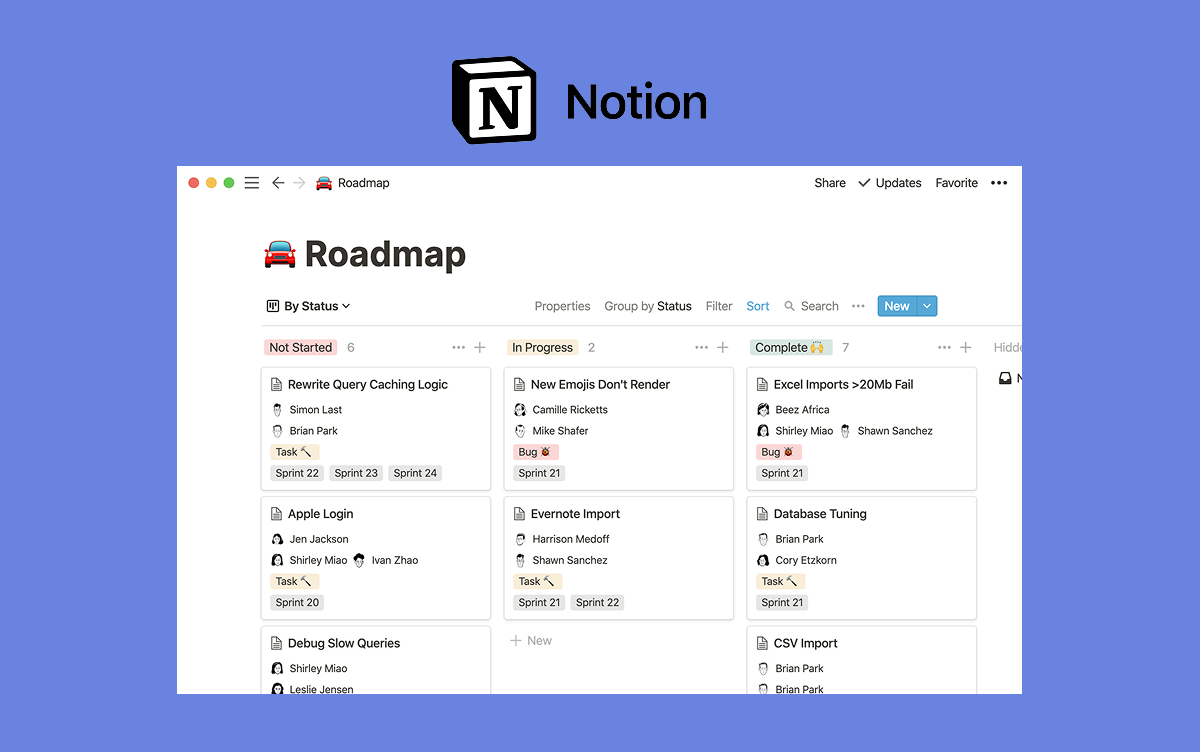
Trello keeps the interface simple: boards, lists, and cards you can drag in minutes.
Trello, Monday, or something else?
Answer 4 questions. Takes 30 seconds.
1. What is the bigger priority?
Simple visual boards, minutes to adopt
Configurable workflows across departments
Fits with Jira and Atlassian stack
Chat and task management in one workspace
2. How big is your team?
1-5
6-15
16-50
50+
3. Do external people (clients, freelancers) need access?
Quick answer. In the Trello vs Monday decision, pick Trello if you want a simple visual board your team adopts in a day, your team is under 10 with simple projects, or you are already in the Atlassian ecosystem. Trello also has a genuinely usable free plan for unlimited users. Pick Monday.com if you want a configurable Work OS that runs project management, CRM, Dev, and Service on one platform, and you can invest two to eight weeks in setup. Monday scales better above 100 users and bundles AI Blocks on every plan. Choose by how much you want to configure before the tool is useful.
Trello vs Monday at a Glance
Here are the headline differences. The sections below unpack each one.
Feature
Trello
Monday
Core purpose
Simple visual Kanban
Configurable Work OS
Ownership
Atlassian (since 2017)
Independent (NASDAQ: MNDY)
Free plan
Unlimited users, 10 boards
2 users, 3 boards
Paid entry
Standard: $5/user/mo
Basic: $9/user/mo (3-seat min)
Views
Board free. Table, Timeline, Calendar on Premium+
15+ (Kanban, Gantt, Chart, Workload, Map)
AI
Atlassian Intelligence, included on paid plans
AI Blocks, 500 free credits/mo all plans
Setup time
Minutes to a first board
Weeks to months for Work OS setup
Standout
Atlassian ecosystem (Jira, Confluence)
Product family (Work Mgmt, CRM, Dev, Service)
Best for
Small teams wanting quick adoption
Teams running cross-department workflows
Want chat with your kanban?
Rock combines messaging with tasks and notes. One flat price, unlimited users.
Trello was built around one idea: a visual board with columns and cards. Atlassian acquired it in 2017 for $425 million, but the product has kept its original shape. You can create a board, invite a team, and start dragging cards in under 10 minutes.
That simplicity is the whole point. Small creative teams, content calendars, side projects, and personal task lists all fit happily on a Trello board. The 2026 updates (Atlassian Intelligence, Trello Planner with calendar sync, Mirror Cards across boards) are additions, not rewrites. The core metaphor has not changed.
"We just weren't building a Kanban tool. The point was the simpleness of the metaphor that people already understand." - Michael Pryor, Co-founder of Trello, Head of Product at Atlassian
What Trello is not: a deep PM platform. Resource management, Gantt views, time tracking, sprint planning, and portfolio-level reporting all exist but feel grafted on or live on Premium-and-up plans. Teams that outgrow Trello usually migrate to Jira (same Atlassian family) or move to a full Work OS.
What Monday Is Really Built For
Monday.com launched in 2012 as daPulse, rebranded in 2017, and IPO'd on NASDAQ (MNDY) in 2021. FY2024 revenue passed $972 million, driven by a product strategy most competitors do not run: a multi-product Work OS.
The core unit is a configurable board. Columns can be text, status, person, date, formula, automation, or anything else. Boards become project trackers, CRMs, dev pipelines, recruiting funnels, or service tickets depending on how you configure them. Monday ships dedicated Work Management, CRM, Dev, and Service products, all on the same engine.
The 2025 MondayDB 2.0 rebuild pushed item limits 10x higher and dashboard capacity 25x higher. AI Blocks (sentiment, extract, summarize, translate) are bundled on every plan with 500 free monthly credits, and the February 2026 "Call My Agent" automation block adds multi-step AI flows.
Monday uses rebrandable boards that become project trackers, CRMs, or service desks.
Simple Kanban vs Work OS: the Real Trade-off
The core decision is not features or price. It is how much you want to configure before the tool becomes useful.
Trello wins on time-to-value. A team picks it up in an afternoon. The framework is decided for you: boards, lists, cards. You focus on the work, not the tool. The ceiling is real (Kanban plus light Power-Ups) but small and mid-sized teams often never hit it.
Monday is the opposite. Boards are a blank canvas. That flexibility is powerful (one platform for marketing, ops, sales, support) but the trade-off is a configuration cost most teams underestimate. Structured rollouts run two to eight weeks depending on how many use cases you are setting up. Skip that investment and Monday feels like an expensive spreadsheet.
Harvard Business Review tracks the hidden cost of tool sprawl: knowledge workers switch between apps and windows around 1,200 times a day. A Work OS like Monday wins if your alternative is three separate tools. Trello wins if your alternative is no tool at all.
AI and Automation
Both platforms bundle AI on paid plans, but they approach it differently.
Trello uses Atlassian Intelligence, included on Standard and above. It summarizes long card descriptions, drafts cards from free-text notes, parses forwarded emails or Slack messages into actionable items, and powers the AI Board Builder (generate a full board from a prompt). The focus is practical, bounded assists on existing cards.
Monday AI Blocks work as no-code components you drop into any workflow. A sentiment block tags incoming feedback. An extract block turns unstructured notes into typed fields. The summarize block runs on long threads. Every plan gets 500 monthly credits, which covers most small and mid-sized teams before hitting caps.
Automation without AI: Trello's Butler handles conditional actions on cards. Monday's automations handle cross-board logic and integrations. For complex conditional workflows Monday goes further, but Trello is faster to set up for single-board rules.
Pricing in 2026
Trello's free plan is genuinely usable for teams. Monday's is barely a trial. Paid tiers look close on paper but diverge on setup cost and included features.
Tier
Trello
Monday
Free
Free ($0, unlimited users, 10 boards)
Free ($0, 2 users, 3 boards)
Entry
Standard ($5/user/mo)
Basic ($9/user/mo, 3-seat min)
Mid
Premium ($10/user/mo, all views + AI)
Standard ($12/user/mo, Gantt + automations)
Top
Enterprise ($17.50/user/mo, 50+ seats)
Pro ($19/user/mo, private boards)
At 15 users, Trello Standard runs $75 per month ($900 annual). Monday Basic runs $135 per month ($1,620 annual). Trello Premium (all views + AI) at 15 users is $150 per month, within $15 of Monday Basic. The honest comparison is Trello Premium vs Monday Standard: roughly $150 vs $180 per month, with Trello ahead on price and Monday ahead on feature depth.
Views and Scale
Trello caps at what Kanban plus Power-Ups can do. Free and Standard plans stick to board view. Premium unlocks Table, Timeline, Calendar, Dashboard, and Map views, but they are additions to the Kanban core, not replacements for it.
Monday's MondayDB 2.0 rebuild removed the old item ceiling that used to hurt large workspaces. Boards now handle 10x more items, and dashboards render 25x more rows without slowing. Teams running Monday as a CRM with tens of thousands of contacts have real headroom.
At under 50 users both platforms scale fine. Above 100 users or with Work OS workflows across multiple departments, Monday's architecture holds up better. Trello tends to stay strong for small teams, light projects, and board-first workflows where deep scale is not the goal.
When to Pick Trello
Trello is the right pick when:
Your team is under 10 and projects are simple. Small creative teams, editorial calendars, side projects, and personal task lists do not need Monday's depth. Trello gets you organized without the setup tax.
Adoption speed matters most. If previous PM rollouts stalled because people would not use the tool, Trello's simplicity becomes the feature that matters. It is almost impossible to not adopt.
You are already in the Atlassian ecosystem. Trello integrates naturally with Jira, Confluence, and Atlassian Intelligence. Teams using Jira for engineering often pick Trello for marketing or operations to keep billing and SSO in one place.
Your free plan needs to be real. Trello Free supports unlimited users and 10 boards. Monday Free caps at 2 users, which is barely a trial. For teams that want to try before they buy, Trello wins.
Skip Trello if you need resource management, Gantt charts with dependencies, time tracking, or CRM and service workflows alongside project tasks. It is not built for that.
When to Pick Monday
Monday is the right pick when:
You need cross-department workflows. Monday's Work Management, CRM, Dev, and Service products let marketing, sales, engineering, and support all work on one platform with shared data. One bill, one login, four use cases.
Flexibility matters more than structure. Teams that want to shape their own workflows (not accept predefined ones) usually prefer Monday's blank-canvas boards. Operations and client services teams often fit here.
You want a visual dashboard experience. Monday's dashboards, charts, and column types go deeper than Trello's Power-Ups. Executives who want custom reporting surfaces appreciate the flexibility.
You can invest two to eight weeks in setup. The Work OS payoff scales with configuration. Teams that can dedicate a power user to board architecture get genuine value. Teams that cannot should stick with Trello.
Skip Monday if your team is small, your workflow is simple Kanban, or you are already committed to the Atlassian ecosystem.
Yes — that is exactly Rock.
Chat, tasks, and notes in one workspace. Free for small teams.
Neither Trello nor Monday does team chat well. For doc-side angles, see our Notion vs Trello and Monday vs Notion head-to-heads. Trello has card comments but no native chat. Monday has item updates but no real-time group messaging. Most teams pair one of these tools with Slack, Teams, or Discord, which adds per-seat cost and another place to check.
If chat and tasks together is actually what you need, tools built around that combination exist. Rock charges a flat $89 per month for unlimited users and keeps messaging, tasks, notes, and files in one workspace. At a team of 15 it works out to about $6 per person. Clients and freelancers join at no extra cost, which matters if your workflow involves external collaborators.
Want one workspace for chat, tasks, notes, and files? Rock combines them all for $89 flat per month, unlimited users. Get started for free.
Related Reading
Still deciding? A few cluster reads cover the adjacent questions:
"The decision is not Trello or Monday. It is how much configuration you want to do before the tool becomes useful. Answer that honestly and the rest picks itself." - Nicolaas Spijker, Marketing Expert
A good client onboarding questionnaire saves you weeks of realignment later. A bad one wastes everyone's time and sets the tone for a sloppy engagement. The difference is usually not the number of questions. It is whether each question actually needs an answer you do not already have.
This guide covers 15 questions every agency should ask during onboarding and add-ons for marketing, design, dev, social, and SEO. Three ways to actually send the questionnaire, plus the mistakes to avoid. Run the widget first for a starter tailored to your service.
Build Your Questionnaire
Before the 15 questions, a tailored starter. Three quick answers and the widget outputs a customized questionnaire (10 to 15 questions) built around your service type and client complexity.
Build your questionnaire in 30 seconds
Three questions. Get a tailored starter questionnaire you can copy into your onboarding flow.
Quick answer. A client onboarding questionnaire is a short written survey sent to new clients before the kickoff meeting. It captures the context your team needs to deliver (goals, stakeholders, brand, access) without using the kickoff itself for basic information gathering. Good ones stay under 15 questions. Great ones only ask what the sales process did not already answer. If you are not yet capturing sales context per lead, our agency CRM and pipeline template gives you the board to hold that context before it turns into an onboarding call.
The 15 Essential Questions
These 15 questions cover contact, business context, goals, access, preferences, and risk. Each one earned its place because the answer directly changes how you start the engagement. Group them in the questionnaire (do not present them as one long list) so the client can answer in focused batches.
Category
Question
Why it matters
Contact
1. Who is your primary contact, and what is the best way to reach them?
Defines the default communication channel from day one.
Contact
2. Beyond the primary contact, who makes final decisions on this work?
Prevents the "approver surprise" in week three.
Contact
3. Who else on your team needs to be kept informed, even if not deciding?
Catches stakeholders who will review the work later.
Business
4. In 2-3 sentences, what does your business do and who are your main customers?
Forces the client to articulate their own positioning, which often surfaces mismatch.
Business
5. Who are your top 3 competitors and what do you do differently?
Positions the work against the landscape the client actually operates in.
Business
6. What is the one business outcome this engagement most directly affects?
Forces alignment on the one number that matters.
Goals
7. What does success look like at 30, 60, and 90 days?
Defines the milestones you will be reviewed against.
Goals
8. What specific metric will you use to measure whether this worked?
Turns a feeling into something you can both track.
Goals
9. Is there an external event or deadline we should be working back from?
Surfaces hard dates that change how you sequence the work.
Access
10. What accounts, tools, or systems will we need access to?
Prevents the week-three discovery that you never got analytics access.
Access
11. What brand assets, guidelines, or existing materials can you share?
Saves the team from rebuilding what already exists.
Access
12. What existing documentation or processes should we review first?
Surfaces knowledge the client assumes you have.
Preferences
13. What communication cadence do you prefer (daily, weekly, only when needed)?
Sets the rhythm before they have a chance to expect something different.
Preferences
14. What was your last agency experience? What worked, what did not?
Gives you the unspoken rules of engagement in one answer.
Risk
15. What is the biggest risk or concern you have about this engagement?
Surfaces the real blocker early enough to address it.
Question 14 ("what was your last agency experience, what worked, what did not") is the one most agencies skip and most clients appreciate. It surfaces the unspoken rules in the relationship and gives you the shortest path to understanding how they already think about working with an agency. Question 15 (biggest risk or concern) is the early warning system. If their answer is "honestly, I'm nervous about scope creep," you know to build the scope agreement carefully in week one.
Why 15 Questions Beats 37
Most onboarding questionnaire templates online run between 20 and 40 questions. AgencyAnalytics publishes a 37-question version. They are not wrong about the value of each individual question. They are wrong about what a real client will answer.
The response rate on a 15-question questionnaire is dramatically higher than on a 37-question one. This is not a nuance. It is the difference between a filled-out questionnaire and one that sits in the client's inbox for three weeks while you chase them. The goal is not to ask everything you might want to know. The goal is to get clean answers to the questions that change how you deliver.
Three rules for choosing which questions survive the cut. First, cut anything sales already asked. If the sales rep captured it, document it, do not ask again. Second, cut anything you can research (company size, industry vertical, current website stack). Third, cut anything that would not change your approach no matter what the answer is.
The third rule is the one most agencies skip. If the answer "we use HubSpot" versus "we use Salesforce" would not change your proposal, your timeline, or your week-one plan, the question is a vanity question. It makes the questionnaire feel thorough without making your work better. Cut it.
"The quality of your questions is more important than the quantity. Asking fewer but better questions forces clients to engage, and their answers are more honest when they know you respect their time." - Nicolaas Spijker, Marketing Expert
Service-Specific Add-Ons
The 15 above are the baseline for any agency. Add three to four service-specific questions on top, depending on what you are actually delivering. The table below covers the six most common agency service categories.
Service type
Add these questions on top of the 15
Marketing and content
Current funnel performance (leads, conversion, cost per acquisition). Existing creative library or content bank. Paid channel spend and attribution setup.
Design and brand
Existing brand system we are working within or replacing. Moodboard or visual references. Font licenses and design tool preferences.
Development and engineering
Current tech stack and deployment process. Admin access holders for repos and infrastructure. API docs or architecture notes.
Social media management
Platform priorities and platforms explicitly not a focus. Tone, voice, and content library. Competitor handles to benchmark against.
SEO
Current rankings and target keywords. Site CMS and technical SEO state. Link profile and past penalty history.
Virtual assistant or ops
Tools the client expects you to master. Daily or weekly recurring tasks. Approval workflow for anything sent externally.
Keep these additions tight. Adding five extra questions per service is tempting but pushes you past the response-rate threshold. If you run multiple service lines at once, prioritize the add-ons that matter for week-one delivery, and leave deeper questions for the 30-day review. ContentSnare's research on onboarding questionnaires reaches a similar conclusion: focus on the questions whose answers change your immediate delivery plan.
How to Actually Send It
The format matters almost as much as the questions. Three options, each with a clear best-fit.
Shared document. The most flexible format. Google Doc or shared note that the client fills in asynchronously, with room for long answers and follow-up comments. Best for retainer-style engagements where the questionnaire becomes a living reference throughout the project.
Form. Typeform, Jotform, or a built-in form tool. Best for one-off projects where you need clean, structured answers and do not need discussion. Faster for the client, less flexible for follow-up.
Pinned task in a shared client space. The questionnaire sits inside your shared client workspace with comments, attachments, and the rest of the engagement context in one place. Best for agencies running client work in a collaborative tool rather than email. Sets the tone that the workspace is where everything lives, starting day one.
Avoid sending a questionnaire by email attachment. PDFs that need to be printed, filled, scanned, and emailed back are the most reliable way to kill your response rate. For the communication pattern that supports this, see our guide on communicating with clients.
The questionnaire sits inside the shared client space. Every answer stays searchable, and the team sees responses come in during the week.
When to Send It and What to Do If They Ghost
The timing of the questionnaire matters almost as much as the questions. Send it within 48 hours of the contract being signed, while the client is still in onboarding mode. Wait longer and the project has already started in their head, which makes the questionnaire feel like backtracking.
Pair the send with a short message, not a cold email. Two or three lines explaining why you are asking, how long it will take (be honest, usually 20 to 30 minutes), and when you need the answers by. Give a specific deadline: "before our kickoff call next Wednesday" works better than "whenever works for you."
If the client goes quiet, send one follow-up at day three with a reminder and an offer: "Happy to jump on a 15-minute call and go through these live if that is easier." Most late responders take you up on this, and the call itself becomes a soft kickoff.
If the client still has not responded by day seven, the questionnaire is probably not the real problem. Something else in the relationship needs attention first. Use the meeting agenda templates for a structured check-in call to surface what is actually going on.
Common Mistakes
Four patterns that sink otherwise good questionnaires.
Asking for information sales already captured. If the sales rep knew the client's industry and revenue tier, do not ask again. Pre-fill what you know before sending. Tony Gambill writing in Forbes makes this clear: good questions show you have already done your homework, not that you need the client to do it for you.
Treating the questionnaire as discovery. The questionnaire captures context the client already knows about themselves. It is not a research tool for you to understand their industry. Research their industry first, then send a questionnaire that asks only about the specifics of their situation.
Not following up on vague answers. "We want to grow" is not an answer. "We want to double Q3 bookings over Q3 last year" is. If a client's answer is generic, send a one-line follow-up that weekend (not two weeks later) asking for a specific number. Silent gaps become assumption gaps.
Skipping the questionnaire entirely for repeat or familiar clients. Even clients you know well have non-obvious expectations for a new engagement. The questionnaire is the forcing function. A five-minute version (five questions, not fifteen) is still better than skipping it and hoping for the best in week one.
Writing questions in your language, not theirs. "What is your target ARR trajectory?" reads fine to an agency, but a non-SaaS client might not know what ARR means. Run the questionnaire past someone outside your bubble before sending. If a question needs to be translated for the reader, it will either get a vague answer or get skipped. Plain language always wins response rates over technical precision.
What We See on Rock
Rock is a product, not an agency, so we do not run onboarding questionnaires ourselves. What we do see, every day, is how the agencies that use Rock handle this stage of onboarding. The pattern among agencies with the highest client retention is consistent.
They create one shared space per new client on the day the contract is signed. The questionnaire lives as a pinned task at the top of that space, with questions grouped by category and the client able to leave answers as task comments. The team sees responses come in during the week, asks follow-ups in the same task, and has clean context by the kickoff meeting. The next step after collecting answers is writing them up into a team-facing client brief. When the kickoff happens, it is alignment on a plan, not basic information gathering. See our client kickoff meeting agenda and script for how to structure that alignment in 60 to 120 minutes.
The agencies that struggle tend to run the questionnaire in email or a separate form tool, then manually copy answers into their PM tool after. Every client ends up with their own reconstruction process, and the context is incomplete by month two. For the full 7-stage onboarding flow that this questionnaire sits inside, see our onboarding process walkthrough.
One concrete habit worth stealing from the best performers: they revisit the questionnaire at the 30-day review. Answers that were slightly wrong in week one (because the client did not fully know the answer themselves) can be corrected in week four, when the real dynamics are clearer. This also gives the client a built-in moment to raise anything that is not working, without making it feel like a complaint. A 15-minute conversation around the questionnaire at day 30 is worth more than a formal retrospective at day 90.
Harvard Business Review research on client retention makes the economics plain: a 5 percent lift in retention can raise profits by 25 to 95 percent. The questionnaire is the first moment you earn that lift, or do not. Clients who feel heard in week one renew far more often than clients who feel processed.
A good questionnaire sets the tone for the whole engagement. For the freelancer angle on running a questionnaire-driven intake, see how freelancers and solo operators use Rock. Rock combines chat, tasks, and notes in one workspace so the questionnaire, the answers, and the project all live together. One flat price, clients join free. Get started for free.
Asana and Monday.com both want to run your team's work, but they approach the problem from opposite ends. Asana ships opinionated structure: projects, Goals, Portfolios, and dependencies designed around how work should flow. Monday.com ships rebrandable boards you configure yourself, which become a project tool, a CRM, a dev tracker, or anything else.
This guide picks based on your team size, your budget, and whether you want a PM tool that tells you how to structure work or one you structure yourself. Run the recommender below to see which way your answers lean, then read the sections that matter.
Asana organizes work around structured projects, Goals, and executive Portfolios.
Asana, Monday, or something else?
Answer 4 questions. Takes 30 seconds.
1. What is the bigger priority?
Structured projects with clear hierarchy
Configurable workflows across departments
Goals, OKRs, and executive portfolios
Chat and task management in one workspace
2. How big is your team?
1-5
6-15
16-50
50+
3. Do external people (clients, freelancers) need access?
Quick answer. Asana and Monday.com both want to run your team's work, but from opposite ends. Pick Asana if you run structured projects and want opinionated structure: Goals, Portfolios, dependencies, OKR rollups, and AI Studio plus AI Teammates bundled on every paid plan. Its free plan covers up to 10 users. Pick Monday.com if you want a configurable Work OS with 15-plus views and the flexibility to reshape boards into a CRM, dev tracker, or service desk without leaving the platform. Choose Asana for structure handed to you, Monday for a workspace you shape yourself.
Asana vs Monday at a Glance
Here are the headline differences. The sections below unpack each one.
Feature
Asana
Monday.com
Core purpose
Structured project management
Configurable Work OS
Ownership
Independent (NYSE: ASAN)
Independent (NASDAQ: MNDY)
Free plan
Up to 10 users
Up to 2 users, 3 boards
Paid entry
Starter: $10.99/user/mo
Basic: $9/user/mo (3-seat min)
Views
5 native (list, board, timeline, calendar, workload)
15+ (Kanban, Gantt, Chart, Workload, Map)
AI
AI Studio + AI Teammates bundled on all paid plans
AI Blocks, 500 free credits/mo all plans
Standout
Goals + Portfolios, OKR rollups
Rebrandable boards (Work Mgmt, CRM, Dev, Service)
Integrations
270+ native
200+ native
Best for
Teams running structured projects and OKRs
Teams needing cross-department configurable workflows
Want chat with your project work?
Rock pairs messaging with tasks and notes. One flat price, unlimited users.
Asana launched in 2008 and went public on the NYSE in 2020. Dan Rogers took over as CEO in July 2025, with founder Dustin Moskovitz moving to chairman. The product is a polished work management platform with a clear opinion about how projects, goals, and teams should connect.
Every project supports five native views (list, board, timeline, calendar, workload) on the same underlying data. Tasks carry dependencies, custom fields, and multi-homing (one task in multiple projects). Workflow Builder handles conditional logic automations.
The standout feature is Goals and Portfolios. Asana has one of the most polished OKR frameworks in the category. Company, team, and individual goals connect to contributing work and auto-update as tasks complete. Portfolios give executives a clean rollup across dozens of projects.
"Autonomy is the wrong goal. The future is not humans or AI. It is humans and AI, collaborating with the right workflow context." - Dan Rogers, CEO of Asana
In September 2025 Asana launched AI Teammates, persistent-memory agents that can work alongside humans on specific projects. They are bundled in every paid plan alongside AI Studio, which matters at scale when per-seat AI add-ons start compounding.
What Monday Is Really Built For
Monday.com launched in 2012 as daPulse and rebranded in 2017. It is independent (NASDAQ: MNDY) and co-led by founders Roy Mann and Eran Zinman. FY2024 revenue passed $972 million, driven by a product strategy most competitors do not run: a multi-product Work OS.
The core is a configurable board. Columns represent any data type (text, status, person, date, formula, automation). Boards become project trackers, CRMs, dev pipelines, recruiting funnels, or service tickets depending on how you set them up. Monday ships dedicated products for Work Management, CRM, Dev, and Service, all running on the same engine.
The AI layer is AI Blocks, which bundles into every plan with 500 free monthly credits. Blocks handle sentiment analysis on incoming text, extract structured data from unstructured notes, translate, and summarize. The philosophy is no-code: drop a block into a workflow, configure inputs, done.
Monday uses rebrandable boards that become project trackers, CRMs, or service desks.
Structured PM vs Work OS: the Real Trade-off
Every Asana vs Monday comparison lists features. The decision lives one level deeper: do you want a tool that models how work should be structured, or a tool you structure yourself?
Asana's opinionated model is an advantage when your team needs structure imposed. Projects have tasks. Tasks have subtasks and dependencies. Goals roll up from work. The framework is there before you start. That speeds adoption, especially for teams that struggle to self-organize.
Monday is the opposite. Boards are a blank canvas. Columns are whatever you want them to be. That flexibility is powerful for cross-department use (marketing, ops, and sales on the same platform), but the trade-off is that every team has to decide how to structure its board before the tool becomes useful. Teams that like frameworks often find Monday's flexibility overwhelming.
"We never sought control. We do not dictate from the top. We allow people to take the lead and express themselves." - Eran Zinman, Co-CEO of Monday.com
Harvard Business Review tracks the hidden cost of tool sprawl: knowledge workers switch between apps and windows around 1,200 times a day. A Work OS like Monday wins here if your alternative is three separate tools. A structured PM tool like Asana wins if you already know what framework you want to run.
AI and Automation
Both platforms bundle AI. The difference is philosophy.
Asana AI Studio includes AI Teammates, which are goal-aware agents with persistent memory. They work inside a specific project, remember past context, and can take ownership of recurring work like status updates, research, and triage. Dan Rogers has positioned them as collaborators, not autonomous agents. The focus is human plus AI, not AI-only.
Monday AI Blocks are practical and no-code. Drop a sentiment block on an incoming feedback column and it tags each row. Drop a summarize block on long descriptions and it generates a one-line summary. Every plan gets 500 monthly credits included, so most small teams never hit a cap.
Workflow automation is close between the two. Asana's Workflow Builder handles conditional logic and multi-step approvals. Monday's automations are simpler to set up but hit walls on complex conditions. For non-technical ops teams Monday's interface usually wins. For teams with formal approval chains, Asana wins.
Pricing in 2026
Monday looks cheaper at the entry tier, but the 3-seat minimum and tier gating change the math quickly. Here are the paid plans both vendors sell today:
Tier
Asana
Monday
Free
Personal ($0, up to 10 users)
Free ($0, 2 users, 3 boards)
Entry
Starter ($10.99/user/mo)
Basic ($9/user/mo, 3-seat min)
Mid
Covered in Starter
Standard ($12/user/mo)
Top
Advanced ($24.99/user/mo, Goals + Portfolios)
Pro ($19/user/mo, private boards)
At 15 users, Monday Standard runs $180 per month ($2,160 annual). Asana Starter lands at $165 per month ($1,978 annual). Roughly even. The gap opens at Asana Advanced ($375 per month) because Goals and Portfolios only unlock at that tier. If OKRs are the reason you are buying, Asana Advanced with bundled AI still beats Monday Pro plus any per-seat AI surcharges. If you just want boards and automations, Monday Standard does more for less.
Views and Scale
Both platforms handle scale, but with different ceilings.
Asana caps at 250,000 tasks per workspace on Advanced. Views are consistent: every project supports the same five native views, which makes training and onboarding straightforward.
Monday's MondayDB 2.0, rolled out through 2025, pushed item limits 10x higher and dashboard capacity 25x higher than the old architecture. That matters for teams running a CRM or a Dev tracker at real volume inside Monday. Views cover Kanban, Gantt, Chart, Workload, Map, and Calendar, with visual customization per board.
For teams with simple projects and under 50 users, either platform handles the load easily. Differences emerge when you get to 100 plus users, or when you use Monday as a CRM at tens of thousands of contacts. At those volumes Monday's DB rebuild makes it the more battle-tested option.
When to Pick Asana
Asana is the right pick when:
You run structured projects with dependencies. Engineering, product, and marketing teams that work in defined phases benefit from Asana's opinionated project model. Setup friction is lower than Monday because the structure is decided for you.
OKRs and portfolios matter. Asana's Goals feature is the best in its price tier. Company goals connect to team goals connect to project work, and Portfolios give executives clean rollups. If you run quarterly OKRs, Asana Advanced earns its price.
AI bundled in the base price matters. AI Studio and AI Teammates are included on every paid plan, starting from Starter at $10.99. Teams that want AI without surcharges should default to Asana.
Your team size is under 10. Asana's free plan supports 10 users with real features. Monday's free plan is effectively single-user.
Skip Asana if you want flexibility to run multiple workflow types (CRM, Dev, Service) inside one platform, or if your ops culture pushes back on predefined frameworks.
When to Pick Monday
Monday is the right pick when:
You need a cross-department platform. Monday's Work Management, CRM, Dev, and Service modules let marketing, sales, engineering, and support all work in the same platform with shared data. One bill, one login, four products.
Flexibility matters more than structure. Teams that resist predefined frameworks and want to shape their own workflows usually prefer Monday's blank-canvas boards. Operations and client services teams often fit here.
You want a visual dashboard experience. Monday's dashboards, charts, and customizable columns are more visually configurable than Asana's. Teams with executives who want custom reporting surfaces appreciate the flexibility.
You need CRM or Dev as a first-class product. Asana is a PM tool. Monday ships dedicated CRM and Dev products on the same engine. If you are evaluating tools for multiple use cases, Monday's range is harder to match.
Skip Monday if your team wants frameworks decided for them, or if OKRs and executive Portfolios are a core requirement.
Yes — that is exactly Rock.
Chat, tasks, and notes in one workspace. Built for client work, free for small teams.
Neither Asana nor Monday does team chat well. For the doc-side angle on Monday, see our Monday vs Notion head-to-head. Asana has no native chat. Monday has comments on each item but no real-time group messaging. Most teams pair one of these tools with Slack or Teams, which adds per-seat cost and another place to check.
If chat and tasks together is actually what you need, tools built around that combination exist. Rock charges a flat $89 per month for unlimited users and keeps messaging, tasks, notes, and files in one workspace. At a team of 15 it works out to about $6 per person. Clients and freelancers join at no extra cost, which matters if your workflow involves external collaborators.
Want one workspace for chat, tasks, notes, and files? Rock combines them all for $89 flat per month, unlimited users. Get started for free.
Related Reading
Still deciding? A few cluster reads cover the adjacent questions:
"The organization that masters how humans and AI collaborate, rather than chasing autonomy, is the one that pulls ahead." - Nicolaas Spijker, Marketing Expert
The first week of a new client engagement shapes the next twelve months. How you onboard sets the tone, aligns expectations, and decides whether the client refers you in a year or quietly churns in four months. When the engagement does eventually end, a structured offboarding checklist turns the last 30 days into a referral asset rather than a silent fade-out.
This is the 7-stage process Rock users run for new clients, from the first email to the weekly update rhythm by day 14. For the upstream sales context captured before onboarding, see our client brief template. If the engagement includes creative work, pair it with our creative brief. The scope itself lives in the scope of work template, and the operational rules in the working agreement. For the tier-based checklist version that adjusts to your retainer size, see our practical guide. This article is the process walkthrough that pairs with it. Run the health check below first to see which of the 7 stages is the weakest link in your current flow.
Our client onboarding template covers all 7 stages as a ready-to-use task board. Free to copy.
Score Your Onboarding
Before the 7 stages, a quick health check. Six questions, one score, and a call-out on which stage to fix first.
Onboarding stage health check
Six questions. See which stage of your onboarding is the weakest link.
Quick answer. Effective client onboarding is a 7-stage process that runs from day 0 through the end of week 2. Document client info and create a shared space, assemble the team with assigned roles, send a written questionnaire to capture goals and stakeholders, prepare accounts and tool access, send a welcome package, run a structured kickoff that ends in a signed 90-day plan, then establish a weekly update rhythm. Each stage has one owner, a realistic timeline, and a single deliverable. Agencies that run all seven consistently see lower early churn and more referrals. Start by documenting client info on day 0.
The 7 Stages at a Glance
Each stage has a clear owner, a realistic timeline, and a single deliverable. The table below maps them so you can see the full flow before diving into each.
Stage
Who owns it
Timeline
Deliverable
1. Document client info
Account lead
Day 0
Shared space created, contact and contract details captured
2. Assemble team
Project manager
Day 0 to 1
Team roster with roles assigned in the client space
3. Onboarding questionnaire
Account lead
Day 1 to 3
Completed questionnaire with goals, brand, stakeholders
4. Prepare accounts and access
Delivery team
Day 3 to 7
All tool access granted, brand assets in shared files
5. Welcome package
Account lead
Day 5 to 7
Welcome letter, team intro, guide to how you work together
6. Kickoff meeting
Account lead
Week 1 to 2
Agenda followed, signed 90-day plan, recorded summary
7. Regular update flow
Project manager
Weekly thereafter
Pinned weekly update in the shared space, same day same format
The first five stages happen in week one. The kickoff meeting lands in week one or two. The regular update flow starts in week two and runs for the life of the engagement. If any of these stages is skipped, the problem usually surfaces around day 30 as a surprise question or missed expectation.
1. Document Client Information
The work starts before the client joins any call. Capture everything you know about them in one place: contract details, primary contact, billing info, project scope, and any notes from the sales conversation. If sales is run on a pipeline board, the handoff is simply moving the card from Won to onboarding — see our agency CRM and pipeline template. This is not busywork. It is the foundation the other six stages build on.
The mistake most agencies make is letting this information live in the sales lead's inbox. When the account manager takes over, half the context is missing. A shared space with a pinned note avoids this.
Three things must be documented before day one. The person you sold to and how they like to communicate. The non-obvious business context they shared. The specific success criteria they mentioned.
2. Assemble the Delivery Team
Name the team before the kickoff, not during it. Account lead, project manager, any specialists the scope requires. Roles written down, responsibilities clear, point of contact obvious to the client.
Small agencies sometimes skip this because "it is just me and two freelancers." That is still a team. Name it anyway. The act of writing the roster forces you to answer who owns what.
For larger engagements, map which team member interacts with which stakeholder on the client side. A communication plan built before kickoff prevents the messaging chaos most agencies discover in week three. Our communication plan guide covers the full structure.
3. Run a Written Onboarding Questionnaire
Before the kickoff, send a written questionnaire. Fifteen to twenty questions covering goals, brand, audience, stakeholders, current state, known problems, and success metrics. Sent via a shared doc, a form, or a pinned task in the shared space. For the full list, see our client onboarding questionnaire.
Done right, the questionnaire does three things. It saves the kickoff meeting for real conversation instead of basic information gathering. The questionnaire answers become the raw input for the team-facing client brief the account lead writes before kickoff. It surfaces misalignment early, because a client whose "success metric" does not match the scope is easier to realign on paper than in a meeting. And it signals that you run a serious operation.
Tony Gambill, writing in Forbes, makes the case clearly: good questions uncover what generic ones miss, and the quality of your questionnaire is often the difference between a client who feels understood and one who feels processed.
Fifteen to twenty written questions sent before the kickoff. The questionnaire catches misalignment that would otherwise surface in week four.
4. Prepare Accounts and Access
The less glamorous stage, and the one that causes the most friction when done late. By day seven, the client should have granted access to the tools, brand assets, data sources, and accounts the project requires. In parallel, your team has its own accounts set up to deliver.
Keep a running checklist of what is needed and who has delivered it. A client who gets to week three and discovers their team never gave you analytics access is a client who thinks your agency is slow. Usually the opposite is true: you were blocked by them and did not have a clear process to ask.
Anything sensitive (passwords, payment credentials) goes through a proper password manager, not chat. Set this up on day one, not after an incident.
5. Send a Welcome Package
By day seven, the client should receive something that says "you are officially in." A welcome package does three things at once: it introduces the team, it explains how you work together, and it sets the tone. Done well, it converts nervous new-client energy into momentum.
The contents that matter: a short welcome letter from the person they bought from, bios and photos of the team assigned to them, a one-page guide to how you communicate (response times, which channel for what, how to escalate), and links to anything they need for week one. Keep it short. A 20-page PDF gets ignored.
A welcome package does three things in one: introduces the team, explains how you work, sets the tone. Keep it short.
6. Run a Structured Kickoff Meeting
The kickoff happens in week one or two, after the questionnaire is in and accounts are ready. The kickoff is not the first conversation you have with the client. It is the meeting where the plan gets signed. For the 8-section agenda plus a word-for-word script, see our client kickoff meeting agenda.
A good kickoff has three parts. First, reflect back what you learned from the questionnaire to confirm you heard them correctly. Second, walk through the 90-day plan with specific milestones. Third, agree on the weekly update cadence and escalation path. Record the meeting, send a written summary in the shared space within 24 hours, and get acknowledgment that the plan is signed off.
The failure mode to avoid: treating the kickoff as information gathering. That should have happened in stages 1-3. The kickoff is alignment, not discovery. Our meeting agenda examples cover the kickoff template specifically.
7. Establish the Regular Update Flow
By week two, a weekly rhythm should be running. Same day, same format, same channel. A short written update (what shipped, what is next, what is blocked) pinned in the shared space and optionally sent by email or Slack.
The update is for the client, but it is also for your team. Writing the update every Friday forces the account lead to know where the project actually stands. Clients who get a predictable update never feel the need to chase. They also churn less, because steady visibility compounds trust.
A weekly update pinned in the shared client space. Same day, same format, every week. Clients who get this never have to chase.
Common Onboarding Mistakes
Four patterns show up again and again when onboarding goes wrong. Name them so you can spot them in your own process.
Letting the sales context get lost at handoff. The sales rep knew the client was nervous about budget, the account lead never heard that, and two weeks in you propose a scope expansion that sinks the relationship. Fix: everything the sales team knows gets documented in the shared client space before kickoff.
Skipping the questionnaire because "we know them." You do not. Even familiar clients have non-obvious expectations that only a written question surfaces. Skipping the questionnaire saves two hours upfront and costs two weeks of realignment later.
Running the kickoff as a listening session. By kickoff day, you should know enough to present a plan. A kickoff that is mostly the client talking is a kickoff where discovery should have happened earlier. Flip the ratio.
No weekly rhythm, just ad hoc updates. "I will send an update when there is news" sounds thoughtful. It is actually the recipe for a client who feels ignored, even when work is on track. Predictable beats perfect.
What We Do at Rock
Rock is a product, not an agency, so we do not onboard retainer clients the way the guide above describes. What we do see, every day, is how the agencies that use Rock run this flow in practice. One shared space per client becomes the single place where documents, conversations, tasks, and files all live. The client joins as a guest at no extra cost, so the kickoff and every week after happens in the same space where the work is tracked. For an engineering agency running this pattern with async-first clients, see our Metio case study.
The pattern that separates the agencies running smooth onboarding from the ones fighting through it: they treat the 7 stages as a template, not a reinvention every time. Document the flow once, run it consistently, adjust for retainer size. Our agency onboarding checklist template covers all 7 stages as a pre-built task board ready to copy.
Retention is where the math works. Harvard Business Review research on client retention shows that a 5 percent lift in retention can raise profits by 25 to 95 percent. Onboarding is the first moment that lift happens, or does not. For agencies, the cost of running the full 7 stages is a week of focused effort per client. The return shows up in month four, when the client is still around to sign the renewal.
"The first 30 days decide the next 12 months. Almost every client who churned in year one had an onboarding shortcut somewhere in their first week." - Nicolaas Spijker, Marketing Expert
For the tier-based version of the onboarding flow (Essential, Standard, Premium by retainer size), pair this process with our client onboarding checklist. For the full agency playbook template with 25+ question questionnaire, stakeholder map, and formal working agreement, use our agency client onboarding checklist template. For the skills that take over once onboarding is complete, see our account manager skills guide. For the kickoff meeting mechanics specifically, meeting agenda examples has the templates.
ClickUp and Trello sit at opposite ends of the project management spectrum. Trello is a Kanban board anyone can pick up in minutes. ClickUp is a deep all-in-one tool you commit two or three weeks to setting up. Most comparisons ignore that gap and line them up feature by feature, which is not how teams actually pick.
This guide picks based on your team, your budget, and what you actually need a tool to do. Run the recommender below to see which side your answers land on, then read the sections that apply.
ClickUp offers 15 plus views and deep customization. Trello keeps it to clean Kanban boards.
ClickUp, Trello, or something else?
Answer 4 questions. Takes 30 seconds.
1. What is the bigger priority?
Simple visual boards, minimal setup
All-in-one with deep features
Fits with Jira and Atlassian tools
Chat and task management in one workspace
2. How big is your team?
1-5
6-15
16-50
50+
3. Do external people (clients, freelancers) need access?
Quick answer. In the ClickUp vs Trello decision, pick Trello if you want a simple visual board your team adopts in a day, your team is under 10 with light projects, or you are already in the Atlassian ecosystem. Trello also bundles Atlassian Intelligence on paid plans. Pick ClickUp if you want to consolidate tasks, docs, time tracking, and goals into one tool, your team is 15-plus running complex projects, and you can afford a 2 to 3 week onboarding curve. ClickUp Unlimited costs $7 per user, though Brain AI is a paid add-on. Choose by how much complexity your team can absorb.
ClickUp vs Trello at a Glance
Here are the headline differences. The sections below unpack each one.
Feature
ClickUp
Trello
Core purpose
All-in-one consolidation
Kanban-first visual boards
Ownership
Independent
Atlassian (since 2017)
Free plan
Unlimited tasks and members
10 boards, unlimited members
Paid entry
Unlimited: $7/user/mo
Standard: $5/user/mo
Views
15+ (list, board, Gantt, mind map, etc.)
Board free. Table, Timeline, Calendar, Dashboard on Premium+
AI
ClickUp Brain add-on, $7/user/mo
Atlassian Intelligence included on paid plans
Time tracking
Native on all paid plans
Via Power-Ups only
Setup time
2-3 weeks structured onboarding
Minutes to a first board
Best for
Teams consolidating multiple tools
Small teams with light, visual projects
Want chat with your tasks?
Rock combines messaging with tasks and notes. One flat price, unlimited users.
ClickUp markets itself as the app to replace them all. Tasks, docs, whiteboards, chat, goals, time tracking, sprints, and custom fields live under one roof. The pitch lands for teams who want to consolidate a stack of four or five tools into one bill and one login.
The breadth is real. ClickUp supports more than 15 views including List, Board, Gantt, Mind Map, Workload, and Calendar. Hierarchy goes Workspace to Space to Folder to List to Task to Subtask, so you can map almost any org structure. In December 2025 the company shipped ClickUp 4.0, which the team says runs around 40 percent faster and introduced a rebuilt Workload view plus a Teams Hub.
"The more tools you use, the more context switching you pay for. ClickUp was built to bring that cost down to zero." - Zeb Evans, Founder and CEO, ClickUp
The trade-off is setup. ClickUp does not ship with opinionated defaults the way Trello does. A new workspace is a blank slate, and most teams need 2 to 3 weeks of structured onboarding before the tool feels productive. Skip that investment and you get an expensive version of a basic list.
What Trello Is Really Built For
Trello was built around one idea: a visual board with columns and cards. Atlassian acquired it in 2017 for $425 million, but the product has kept its simple identity. You can create a board, invite a team, and start dragging cards in under 10 minutes.
That simplicity is the whole point. Teams that tried Jira or Asana and bounced off the learning curve adopt Trello because it does not demand a rollout. Small creative teams, school projects, content calendars, and personal task lists all live happily on a free Trello board.
"The goal was always to make project management feel like drawing on a whiteboard. If you need a manual, we failed." - Michael Pryor, Co-founder of Trello, Head of Product at Atlassian
Trello has added features over the years. Timeline, Table, Calendar, Dashboard, and Map views are now available, plus Atlassian Intelligence for summarizing cards and drafting descriptions. But those additions live on Premium and Enterprise plans, and the free tier still feels like the original 2011 product: boards, lists, cards, and not much else.
Trello keeps the interface simple: boards, lists, and cards you can drag in minutes.
Simplicity vs Depth: the Real Trade-off
The core decision between ClickUp and Trello is not features or price. It is how much complexity your team can absorb before the tool becomes friction instead of support.
Research on tool fatigue backs this up. Harvard Business Review reports that knowledge workers switch between apps and windows around 1,200 times a day, costing nearly four hours a week in reorientation. Consolidating into a tool like ClickUp can cut that cost. But if the consolidated tool is too complex for adoption, you get worse outcomes than a simple Kanban would deliver.
A 5 person creative agency running 3 projects does not need Workload view, custom fields, or goal hierarchies. A 40 person company running 30 projects probably does. The mistake teams make is picking ClickUp because it has everything, then using 15 percent of it.
AI and Automation
Both platforms shipped meaningful AI updates in 2025 and 2026, and the pricing models are different in ways that matter.
ClickUp Brain is a paid add-on at $7 per user per month, layered on top of your base plan. It handles task creation from meeting notes, automated status updates, document summaries, and now supports external AI models via MCP. ClickUp also rolled out AI Notetaker and Autopilot Agents for routing work between teams.
Trello uses Atlassian Intelligence, which is included on all paid Trello plans at no extra cost. It focuses on practical features: summarize long card descriptions, draft new cards, parse forwarded emails or Slack messages into actionable cards, and the New Year AI Board Builder that generates a full board from a prompt.
For a small team on Trello Standard at $5 per seat, you get working AI in the base price. For a team on ClickUp Unlimited, Brain adds $7 on top of the $7 base, doubling per seat cost. Do the math against your budget before picking.
Pricing in 2026
Trello pricing, annual billing:
Free. 10 boards per workspace, unlimited cards, unlimited Power-Ups, 10 MB per attachment.
Standard ($5 per user per month). Unlimited boards, advanced checklists, custom fields, 250 MB attachments.
Premium ($10 per user per month). All views (Timeline, Calendar, Dashboard, Table, Map), Workspace views, unlimited automation, Atlassian Intelligence.
Enterprise ($17.50 per user per month, 50 plus seats). Organization-wide permissions, SSO, unlimited workspaces.
Unlimited ($7 per user per month). Unlimited storage, integrations, dashboards, Gantt charts, custom fields.
Business ($12 per user per month). Advanced automations, goals folders, custom exporting, workload view.
Business Plus and Enterprise. Custom roles, increased automations, white-labeling, SSO.
Trello wins on free and on Standard. ClickUp wins on what you get for $7 if you need more than Kanban. Budget teams that just need boards should not pay extra for ClickUp's breadth they will not use.
Scale and Limits: When Each One Breaks
Trello breaks when projects need more than Kanban. Dependencies between tasks across boards, resource allocation across people, sprint planning, and portfolio-level reporting are all painful in Trello even on Premium. Teams that outgrow it usually migrate to Jira (same parent company; see our ClickUp vs Jira head-to-head) or to a deeper PM tool.
ClickUp breaks in the other direction. At 5 to 10 users with simple needs, the setup overhead and UI density feel like overkill. The learning curve is real: Tech.co's hands-on testing found ClickUp requires substantially longer to set up than Trello, and user reviews consistently mention the interface can overwhelm new users.
The practical threshold: teams above 15 people running multiple complex projects usually get real value from ClickUp's breadth. Teams below 10 with simple workflows usually stay more productive on Trello.
When to Pick Trello
Trello is the right pick when:
Your team is under 10 people and projects are light. Small creative teams, side projects, editorial calendars, and simple task lists do not need ClickUp's depth. Trello gets you organized without the setup tax.
Adoption matters more than features. If you have tried rolling out PM tools before and people stopped using them, simplicity is the feature that matters most. Trello is almost impossible to not adopt.
You are already in the Atlassian ecosystem. Trello plays well with Jira, Confluence, and Atlassian Intelligence. Teams using Jira for engineering often pick Trello for marketing or operations to keep billing and SSO in one place.
You need AI included. Atlassian Intelligence is bundled on Trello's paid plans. ClickUp Brain is a paid add-on.
Skip Trello if you need resource management, Gantt charts, time tracking, or docs and whiteboards alongside tasks. It is not built for that.
When to Pick ClickUp
ClickUp is the right pick when:
You are consolidating multiple tools. If you are running tasks in one tool, docs in another, time tracking in a third, and goals tracking in a spreadsheet, ClickUp can replace all four. The per-seat price pays for itself in tool consolidation within a quarter.
Your team is 15 plus and projects are complex. Dependencies, workloads, sprints, portfolio reporting, custom fields. ClickUp does all of these natively. At scale the breadth becomes genuinely useful rather than overwhelming.
You can invest in setup. Budget 2 to 3 weeks for a structured rollout: workspace hierarchy, view templates, custom fields, automations, and team training. Skip this and you will use 15 percent of the product at full price.
You want depth at a lower per-seat price than Asana or Monday. ClickUp Unlimited at $7 undercuts most competitors in the deep-PM category.
Skip ClickUp if you mostly need a visual board and want to be productive tomorrow. The onboarding cost will not pay back for a 5 person team running simple projects.
Yes — that is exactly Rock.
Chat, tasks, and notes in one workspace. Free for small teams.
One thing neither ClickUp nor Trello does well is team communication. For doc-side angles, see our Notion vs ClickUp and Notion vs Trello head-to-heads. ClickUp has a Chat feature that feels bolted on and rarely replaces Slack in practice. Trello has no native chat at all. Most teams end up paying for Slack or Microsoft Teams on top of their PM tool, which adds per-seat cost and another place to check.
If chat and tasks together is actually what you need, tools built around that combination exist. Rock charges a flat $89 per month for unlimited users and keeps messaging, tasks, notes, and files in one workspace. At a team of 15 it works out to about $6 per person. Clients and freelancers join at no extra cost, which matters if your workflow involves external collaborators.
Want one workspace for chat, tasks, notes, and files? Rock combines them all for $89 flat per month, unlimited users. Get started for free.
Related Reading
Still deciding? These pieces cover the same decision from different angles:
Before this brief makes sense, you need a creative strategy that names the audience, insight, and big idea. A creative brief is the document that turns strategy into something a creative team can execute on. For a working example from a design studio running creative work this way, see our New Aesthetics case study. It answers "what are we making, for whom, saying what, within what constraints" in one short doc every designer, writer, and producer can act from without guessing. Done well, it reduces the amount of creative-team time spent clarifying upstream.
This guide covers the 9 sections every creative brief needs, where it sits after discovery and the client brief, and the mistakes that turn briefs into dead weight. Build a tailored version with the widget below, copy it, drop it into your team doc.
Before the 9 sections, a tailored starter. Three answers and the widget outputs a brief template you can copy into your team doc.
Build your creative brief
Three answers, one tailored brief template. Copy the sections, fill in your specifics, send to the creative team.
Quick answer. A creative brief is the agency-internal document that tells the creative team what to make, for whom, in response to what insight, within what constraints. It is written from the client brief and approved before creative work begins. It is different from the client brief (which covers who the client is and what they need). It is also different from the client's own brief (a document clients sometimes send an agency, using the same term loosely).
Where the Creative Brief Fits in the Sequence
Three related documents, often confused. The creative brief is the second in a short sequence. Knowing which document you are writing (and which you are missing) keeps the flow clean.
Document
Who writes it
Who reads it
What it decides
Client brief
Account lead
Full agency team
Who the client is, what success looks like, what we need to know to deliver.
Creative brief
Strategy or account lead
Creative team (design, copy, production)
What to create, for whom, in response to what insight, within what constraints.
Production brief (optional)
Producer or PM
Production team, vendors
How the work gets built, scheduled, approved, delivered.
Most agency guides conflate these three. A "creative brief" that tries to do all three jobs (client context, creative direction, production logistics) ends up as a 12-page document that nobody reads. Keep the creative brief tight and focused on the creative task. The upstream context belongs in the client brief, the production details belong in a separate production schedule or the scope of work.
The 9 Sections Every Creative Brief Needs
Every creative brief should cover 9 sections. Brand work and campaign work often need a 10th (positioning or mechanic). Multi-asset or ongoing work adds 1-2 more. The core 9 apply to any creative deliverable.
Section
What it answers
Where the input comes from
1. Project and purpose
What we are making and the single outcome it creates.
Client brief section 2, client kickoff summary.
2. Target audience
Who the work is for, in concrete terms (not demographics).
Client brief section 1 and 4, research, past campaign data.
3. Key insight
The because-therefore that justifies the creative direction.
Strategy team or account lead, from client research and sales notes.
4. Desired response
What we want the audience to do, feel, or think.
Client brief section 2 (primary business outcome), success metrics.
5. Single-minded proposition
The one thing the work must communicate.
Strategy, distilled from the brief and the insight.
Working agreement, client brief section 4 (stakeholder map).
Section 3 (the key insight) is what separates a brief that unlocks good creative from one that just describes the deliverable. "Because [audience truth], therefore [creative direction]" is the test. If you cannot fill in both halves, the upstream discovery did not surface enough. Go back to the onboarding questionnaire or run a shorter discovery conversation before writing the brief.
Section 5 (single-minded proposition) is the other pivotal one. Brands that try to say three things in one campaign usually say nothing. The SMP is the one sentence the work must land. Everything else in the brief serves it or it does not belong. The IPA's guidance on briefing has been the industry reference for decades and makes the same point: single-mindedness is the hardest part of a good brief.
Writing the Creative Brief From the Client Brief
A good creative brief takes 45-60 minutes to write if the client brief is done. It takes three hours or more if you are starting from raw discovery notes. The creative brief is compression, not new analysis.
The direct lift from the client brief:
Audience (section 2) comes from client brief section 1 (client snapshot) and section 4 (stakeholder map). Often the audience shifts slightly from "who the client serves" to "who this specific piece of work speaks to." Capture that shift explicitly.
Desired response (section 4) comes from client brief section 2 (primary business outcome). The creative brief translates the business outcome into an audience behavior. "Increase demo bookings" becomes "after seeing this, a marketing director books a demo call in the next 7 days."
Mandatories (section 6) come from client brief section 7 (brand context) and any legal or compliance review. Every mandatory should have a source (brand guide page, legal doc, contract clause).
Approval flow (section 9) comes from client brief section 4 (stakeholder map) and the working agreement. If the client has not already confirmed who reviews and signs off, do that conversation before writing the brief, not during the first review round.
The sections that are mostly new work: key insight, single-minded proposition, tone and references. These are where the strategist or account lead earns their keep. Everything else is reorganizing and condensing existing information.
A practical test for the insight section: show it to someone outside the engagement and ask what creative direction it suggests. If they give a response that matches what you are briefing, the insight is sharp. If their response is generic ("it should feel premium" or "it should drive engagement"), the insight is not doing its job yet. Good insights constrain the creative direction in a helpful way, not an open-ended one.
"The quality of the creative brief decides how many review rounds you will have. A clear brief produces tight first-round work. A vague brief produces a round-one deck that looks like a guess, because it is." - Nicolaas Spijker, Marketing Expert
Common Mistakes
Six patterns that turn a good brief into one that wastes creative time.
Multiple "primary" messages. Section 5 says single-minded. If the brief lists three things the work must say, the team picks one (usually the safest). The other two come back as client feedback in round two. Pick one upfront.
Adjectives instead of references. "Bold, modern, friendly" is what every client says and what every brief repeats. Adjectives without visual or verbal references mean three different things to three designers. Add 3-5 references (competitor work, past work, outside-industry examples) and the tone section becomes actionable.
Approval flow as an afterthought. If section 9 says "send to client for review," the creative team will not know what tight review versus loose review looks like. Specify: first round gets internal review only, second round goes to primary client contact, third round (if needed) goes to full stakeholder group.
No named owner. A brief signed "the team" is a brief nobody updates. The strategist or account lead who wrote it owns updates until final delivery. If that person leaves the project, the ownership transfers explicitly, not silently.
Burying the mandatories. Legal and brand mandatories should be in one place, clearly labeled, not spread through the brief. Creative teams check mandatories last; if they are scattered, important ones get missed and the work comes back for rework.
Writing the brief for the client instead of the team. The creative brief is an internal document. If you are writing it in full sentences and polishing the prose for the client to read, you are writing the wrong document. Keep it scannable, bullet-heavy, and honest. Save the polish for the creative output.
When to Update the Brief
The brief is a living document, not a launch document. Three moments always trigger an update.
After the first creative review. Feedback from round one often reveals that the brief was unclear on one or two dimensions. Update those sections so round two starts from a sharper brief, not the same vague one.
When the scope shifts. A new deliverable added, a platform changed, a mandatory removed. The brief should reflect the current scope, not the original scope. Our guide on client revisions covers when a scope shift becomes a change order.
At phase transitions. A campaign moves from concept to production. A brand system moves from identity to application. The brief needs a version-2 that reflects what was decided in the previous phase and what remains open.
Version the brief in the file name or the document header. "Creative brief v2, updated after round-one review" beats a silent re-save that nobody notices. Creative teams work from whatever version is open in their tab. If they miss the update, the next round of work drifts off the new direction and you spend another review round pulling it back. Cheap to version, expensive to skip.
How Long Should a Creative Brief Be
Two pages is the sweet spot. One page is usually too thin for anything beyond a single asset. Three pages or more tends to pad out the tone section or duplicate context already captured upstream.
The test is not length but density. Every sentence should either constrain the creative work or provide context the creative team will act on. If a sentence could be cut without changing what gets made, it should be. Account leads sometimes write long briefs to signal effort. Creative teams read short briefs and start working. Pick the audience you are writing for.
What We See on Rock
Rock is a product, not an agency, so we do not write creative briefs ourselves. The pattern we see from creative-focused Rock users: the brief lives as a pinned note at the top of the creative space, with the client brief linked right above it. Designers and writers open the space, see both documents, and start work without asking "where is the context" or "what are the constraints."
The agencies that struggle run creative briefs in email, a separate Google Drive folder, or a different tool from where the creative work is produced. Every asset review happens in one place, every feedback thread in another, every version of the brief in a third. By phase two of the engagement, nobody knows which brief is current. Consolidating the brief, the feedback, and the work in one space is a small habit with compounding returns over the life of the engagement.
Brief, references, and work-in-progress in one shared space keeps the creative team from guessing at what the brief said two weeks ago.
Harvard Business Review research on retention makes the broader economics plain: a 5 percent lift in retention raises profits by 25 to 95 percent. Creative briefs are a small lever, but they compound. A clearer brief produces tighter work, fewer rounds, faster delivery, happier clients, and higher renewal rates. The payoff is in the engagement six months from now, not in the brief itself.
A clear creative brief saves hours of team time every engagement. See how marketing agencies run creative work on Rock end to end. Rock combines chat, tasks, notes, and files in one workspace so the brief, references, and work-in-progress all live together. One flat price, clients join free. Get started for free.
Cold outreach, paid ads, and sales teams eat through agency budgets fast. The most reliable source of new business costs almost nothing, and most agencies still do not have a plan for it.
A client referral is not a happy accident. It is the result of three things: a relationship that earned the right to ask, a simple system that makes the ask easy, and a thank-you that makes the referrer glad they did it. Get those right and referrals become a channel, not a side effect.
This guide covers the three-part program, five strategies that actually work, three email templates, and the honest cases where referrals will not fill the pipeline. Run the scorecard below first.
Referrals start with strong client relationships built on trust and results. The ask is what turns the relationship into a channel.
Score Your Referral Readiness
Before the strategies, a quick self-check. Five questions, one score, and a next step that fits where your agency actually is today.
Referral readiness scorecard
Five questions. See how ready your agency is to turn clients into a growth channel.
Quick answer. An agency referral strategy combines a written program with rewards, process, and tracking, a habit of asking at the right moments, and a consistent thank-you loop. Get all three right and happy clients become an agency's biggest single source of new business. Referred B2B leads convert at three to five times the rate of cold leads and rarely negotiate the proposal down. The honest caveat: referrals are a quality channel, not a volume one. They will not fill a pipeline fast on their own. Pair them with at least one other channel, then ask directly after every clear client win.
The Referral Math (And the Honest Caveat)
The case for taking referrals seriously is already strong, and it has been for years. Nielsen's Global Trust in Advertising study found that 83 percent of consumers trust recommendations from people they know, making it the highest-trust form of advertising by a clear margin. Frederick Reichheld's research in Harvard Business Review showed that willingness to recommend is the single strongest predictor of sustainable growth across industries.
For B2B specifically, the numbers are even stronger. Referred leads typically convert at three to five times the rate of cold leads, and they usually pay more because the trust is already built. A referred client rarely negotiates the proposal down the way a cold lead does.
The honest caveat. Referrals do not fill a pipeline fast enough on their own. Most agencies cannot control the volume or timing, which means a referral-only strategy leaves you exposed to slow months. Treat referrals as a quality top-up, not your primary growth engine. Pair them with at least one other channel (outbound, content, or partnerships) and you have a pipeline that holds up. Our agency CRM and pipeline template tracks leads by source so you can see which channel is actually paying out.
"The willingness of customers to recommend a company to a friend is the single most reliable indicator of sustainable growth." - Frederick F. Reichheld, Founder of Bain & Company's Loyalty Practice
The Three-Part Referral Program
Before you ask for referrals, you need a program. Three building blocks do most of the work.
Reward both sides. The best referral programs reward the referrer and the new client. Give your existing client a service credit or bonus. Give the new client a welcome offer or faster onboarding. Two-sided rewards feel fair. One-sided rewards feel transactional.
Make the process take two minutes or less. A short email, a shareable link, or a pinned note in the client space. Remove every step that is not strictly needed. If it takes a client longer to refer than it takes to write a LinkedIn DM, they will not bother. Time the ask after project milestones so the momentum is already there, and our client communication habits do most of the work for you.
Keep the reward easy to understand. A service credit, a gift card, a free strategy session, or a discount on next month. Pick one. Complicated tier systems confuse clients and reduce participation. When the value is obvious, more people take part.
Reward both sides, make the process fast, and keep the benefit clear. Over-engineering the program is the number one reason it fails.
5 Strategies That Actually Work
A program gives you the structure. These five strategies give you the flow. Each row in the table below shows the effort required, the realistic timeline to a first referral, and the agency profile it fits best.
Strategy
Effort
Timeline to first referral
Best for
1. Ask directly after a win
Low
Days
Agencies with strong client relationships who just need the habit
2. Two-sided referral program
Medium
Weeks
Agencies with 10+ active clients who want a repeatable system
3. Strategic partnerships
High
Months
Agencies with a clear ICP who can find complementary (not competing) partners
4. Case studies and testimonials
Medium
Months
Agencies with impressive results they can publish
5. Past-client reactivation
Low
Weeks
Agencies with 30+ former clients who went quiet after the project ended
The two strategies with the fastest payoff are asking directly after a win and reactivating past clients. Both lean on a clean offboarding: the thank-you note on day 1 and the check-in at day 30 keep the door open for the referral ask at day 60. Both require low effort and lean on relationships you already have. Strategic partnerships take the longest to pay off but become the most durable source of referrals when they work.
The past-client reactivation play is the most underused of the five. Most agencies have 30 to 100 past clients who went quiet after the project ended. A short check-in email six or twelve months later ("how has the site held up since launch?" or "did the team end up using the playbook?") opens a door without asking for anything. AgencyAnalytics research on high-growth agencies finds that most of their new-client pipeline traces back to relationships that were already in the database, not cold acquisition. Reach out, genuinely, then see where the conversation goes.
Referral Email Templates
Most agencies never ask because they are not sure how to phrase it. Three templates below, each tied to a specific moment when the ask is natural. Copy them, adjust one line per client, send.
When to send
Template
After a project milestone
"Glad we got [milestone] across the line last week. If anyone in your network is thinking about [service area], I would love an introduction. In return, we can offer them a free [audit / strategy call / discount] and you a [service credit / gift card / 10% off next month]."
After a clear win (new result, hit goal)
"Really happy with the [specific result: traffic lift, feature shipped, signed deal]. Most of our new clients come from introductions like this one. If you know one person who could use the same outcome, would you be willing to connect us?"
Quarterly, as part of a review
"Quick request as part of our quarterly check-in: is there anyone in your network who might benefit from what we do for you? Referrals from [client name] are our best new clients, so I want to ask properly instead of hoping. No pressure either way."
The common thread across all three: acknowledge the specific result, be clear about the ask, and offer something in return. Vague asks like "know anyone who might need us?" do not work because they put all the effort on the client. Specific asks like "Do you know one [job title] at a [company stage] who is dealing with [problem we solved]?" convert because the client can actually picture one person.
Timing matters as much as wording. An ask right after a delivered milestone lands differently than an ask during a rough patch of the project. Watch for the moments when the client is proud of what you built together. Those are the natural openings. If the project has been bumpy, skip the ask and focus on fixing the work first. A referral earned on rocky ground rarely holds.
Partner Referrals: The Untapped Channel
Client referrals get most of the attention. Partner referrals are quieter but often bigger. A partner is a complementary service provider who talks to the same clients you do but does different work. A web design agency partners with an SEO agency. A content studio partners with a PR firm. A brand studio partners with a packaging designer.
The math is straightforward. One partner with 30 active clients can drive more referrals than 30 clients each trying to introduce one person. Partners also refer differently, without needing a reward structure as rich, because they get the reciprocity back in kind.
How to structure a partner referral relationship. Start with one or two partners, not ten. Agree on a specific commission (10 to 20 percent of first-project value is standard) or a mutual referral cadence (one warm intro per quarter). Document the process in writing so nobody has to remember the deal. Our account manager skills guide covers how to maintain these relationships once they are running.
The mistake most agencies make with partners is treating the relationship as transactional. A partner who only hears from you when you want a referral will refer less, not more. Share leads you cannot serve. Send useful context their way. Introduce them to clients who could benefit from their work. The partners who send you the most business are the ones who genuinely like working with you, not the ones with the highest commission.
When Referrals Will Not Fill the Pipeline
Three cases where referrals alone are the wrong bet, and what to do instead.
You are a new agency with under ten completed projects. The referral base does not exist yet. Clients cannot refer what they have not experienced. In year one, cold outreach and content are cheaper paths to pipeline. Revisit referrals seriously at the 15-to-20-client mark.
You are growing faster than your referral engine can keep up. Growing from five to twenty clients in a year means your referral volume is capped by how many referrers exist. Referrals are a flywheel, not a rocket. Pair them with a faster-ramping channel (outbound, paid, partnerships) for the acceleration.
Your work is too narrow for natural word of mouth. If your clients rarely meet other people in the same situation (a niche regulatory agency, a highly specialized technical service), referrals are structurally slower. Lean into content and SEO so the specific people searching for your service can find you.
Your clients are competitors with each other. Some service categories create natural friction. Two direct competitors will not refer each other, and most clients will hesitate to introduce a rival. If your book is concentrated in a single industry vertical, map the competitive dynamics before leaning on referrals. Cross-industry relationships (B2B SaaS meets fintech meets healthcare) tend to refer more freely than same-vertical ones.
Referrals are a quality channel, not a volume channel. The agencies that treat them that way get the most out of them, without over-relying on them when the math does not work.
What We Do at Rock
Our own agency and freelancer users get a specific benefit out of running client work inside Rock: the referral ask happens in the same place the work lives. No separate CRM, no awkward tool switch, no "let me find your email" moment. The weekly update, the project celebration, and the referral ask all land in the shared client space.
The pattern we see from users who turn referrals into a channel: they pin a short referral note in each client space after a major milestone. They set a recurring task at the 90-day mark to ask again in the quarterly review. They track referral source as a custom field on the task when a new client lands. None of this requires new tooling. It requires the habit, and the habit lives where the work already is.
What makes this work is less about the software and more about what the software encourages. An agency running clients across five tools (email, WhatsApp, Trello, Drive, and a separate CRM) has no natural moment to ask. The client relationship is fragmented across tools, and so is the ask. An agency running one space per client has a weekly pinned update, a project celebration, and a quarterly review all in one place. The ask sits alongside the work, so it feels like part of the relationship, not a separate sales conversation.
Referral programs work when the ask lives where the work lives. For the bigger picture of how marketing agencies run client work on Rock, see the use case page. Rock combines chat, tasks, and notes in one workspace so the ask feels natural. One flat price, clients join free. Get started for free.
Most freelance client management tools look similar on the landing page. The real differences show up in how they fit your billing model, your tech comfort, and how much you want to be reachable by clients. Picking the right one saves hours a week. Picking the wrong one adds a subscription you stop using in three months.
This guide covers eight tools that actually work for freelancers in 2026, with honest "Best for" and "Skip this if" framing per tool. Run the recommender widget below to get a pick that fits your setup, then read the detail on the one or two that match.
Most freelancers end up with four or five client tools stacked on top of each other. The right single tool usually beats the stack.
Pick the Tool in 30 Seconds
Before the tool breakdowns, get a shortlist for your specific setup. Four questions, one recommendation.
Which tool fits your freelance setup?
Four questions. Get a tool pick that fits your billing model, workflow, and budget.
Quick answer. Client management software for freelancers is any tool that holds the client relationship, the work, and the money side in one place. Good tools cover at least two of the three. Great tools cover all three without becoming a second job to maintain. The right pick depends on your billing model, tech comfort, and how reachable you want to be. Rock fits chat plus tasks with clients in one shared space. HoneyBook, Dubsado, and Bonsai lead on contracts and invoicing. Notion suits DIY builders, HubSpot suits a real sales pipeline. Match the tool to the shape of your work, not the feature list.
What to Look For
Every freelance client tool pitches itself as "all-in-one." They are not. Before picking, decide which two or three of these matter most for your practice. Rank them. Use the ranking as your shortlist filter.
Client communication. Can you talk to the client inside the tool (chat, comments, shared threads), or do conversations still live in your email and WhatsApp? If the tool has no client-facing side, you will still need a second channel. Our guide on communicating with clients covers the messaging side in more depth.
Contracts and billing. Does the tool handle proposals, contracts, invoices, and payments? If yes, is it baked in or a bolt-on? Freelancers who do project-based work lose the most time here. If contracts are the main need, pair any of these tools with a solid scope of work template.
Project delivery. Tasks, files, deliverable tracking. Some tools are CRM-first and weak on delivery. Some are delivery-first and weak on client communication.
Price and scale. Per-client or per-user pricing punishes growth. Flat pricing or free-tier-with-guests favors freelancers scaling past three clients.
A freelancer with three retainer clients needs different software than one with fifteen one-off projects a year. Match the tool to the shape of your work, not the feature list.
Side-by-Side Comparison
All eight tools at a glance, with honest pricing and positioning.
Tool
Price
Best for
Free tier?
Rock
Free tier; $89/mo flat (unlimited users and guests)
Chat plus tasks plus client spaces in one workspace
Yes, useful
Notion
Free; up to $10/mo for one user
DIY-inclined freelancers who want to design their own system
Yes, generous
HoneyBook
$16 to $19/mo
Creative freelancers wanting proposals to invoicing in one flow
No, 7-day trial
Dubsado
$20/mo
Freelancers with repeatable processes who want heavy automation
No, free trial on 3 clients
Bonsai
$17 to $21/mo
Solo freelancers wanting tax, contracts, and invoicing built in
No, 7-day trial
Plutio
$19/mo and up
Freelancers wanting a branded client portal
No, 14-day trial
Moxie
$20 to $25/mo
Freelance-native PM plus CRM plus invoicing in one tool
No, 14-day trial
HubSpot CRM
Free; paid tiers scale up quickly
Freelancers with a real sales pipeline (leads and deals)
Yes, the free tier is the point
The 8 Tools
1. Rock
Rock is a chat-first workspace that combines messaging, tasks, notes, and files per space. For freelancers, the unlock is that every client gets their own shared space. The client joins as a guest at no extra cost. That means conversations, tasks, and files stay in one place instead of scattered across email, WhatsApp, and a separate PM tool.
Best for: freelancers with ongoing or retainer-style work who want chat plus tasks plus file sharing in one space per client. Also strong for freelance teams collaborating with clients who are not tool-savvy, because the interface is chat-led and the setup is minimal.
Skip this if: you mainly need proposals, contracts, and invoicing in one flow. Rock does not currently bundle billing. Pair it with a separate invoicing tool, or pick one of the all-in-one platforms below.
Price: Free tier with limited spaces, or $89 per month flat for unlimited users and guests. Uniquely freelancer-friendly: adding clients to a space never costs more. The flat pricing starts to pay back around five clients or two helpers.
Rock keeps chat on the left and tasks and notes on the right, all scoped to one client space. The client joins as a guest free of charge.
2. Notion
Notion is the tool freelancers use when they want to design their own client system from scratch. Databases, pages, and templates let you build anything from a simple client list to a full CRM with project tracking and deliverables. The flexibility is both the strength and the tax.
Best for: DIY-inclined freelancers who enjoy building their own system and want flexibility over convention. Also strong as a document layer paired with a separate chat and task tool. Rock integrates directly with Notion, so you can pin Notion docs inside a client space while keeping chat and tasks in Rock.
Skip this if: you want something that works out of the box. Notion rewards setup effort. Freelancers who want to start Monday and have something running by Tuesday should pick a more structured tool from the list below.
Price: Free for one person with generous limits, or up to $10 per month for a paid solo tier. Check current Notion pricing.
Notion's flexibility lets you design any client system you want, which is both why freelancers love it and why some give up setting it up.
3. HoneyBook
HoneyBook is a long-time favorite for creative freelancers. It bundles proposals, contracts, invoicing, scheduling, and a light CRM into one polished platform. For photographers, designers, wedding planners, and other project-based creatives, the "proposal to paid" flow is the strongest in the category.
Best for: creative freelancers (photographers, designers, planners) whose work is project-based and who want the money side (proposal → contract → invoice → payment) in one tool. The templates for creatives are a clear edge.
Skip this if: you mainly do retainer-style work rather than projects. HoneyBook's flow is built around one-and-done engagements. Also skip if your main need is chat and tasks with the client: HoneyBook is CRM-first, communication-second.
Dubsado is the automation-heavy option. It does what HoneyBook does, but with deeper workflow automation, custom forms, and a steeper learning curve. Freelancers who run the same process over and over (intake form → contract → onboarding email → kickoff → delivery → invoice) get the most value here.
Best for: freelancers with repeatable client processes who want to automate as much as possible. Also strong for service-business owners who have already worked out their flow and want the tool to run it.
Skip this if: you want something simple or you are still figuring out your workflow. Dubsado's setup takes days, sometimes weeks, if you use the automation properly. It rewards established freelancers more than brand-new ones.
Bonsai leans into the legal and financial side of freelancing. Contracts (lawyer-vetted templates), invoicing, tax tracking, proposals, and basic project management in one tool. The strength is that it covers the admin work freelancers usually dread.
Best for: solo freelancers who want contracts, tax, and invoicing built in. Particularly useful for freelancers in the US tracking 1099 income, self-employment tax, and mileage. The contract library alone saves weeks of legal research.
Skip this if: you already have an accountant, a contract template, and an invoicing system you like. Bonsai's value is bundling these together; if they are already solved, the bundle is not worth the cost.
Plutio is the branded-client-portal tool. Each client gets a white-labeled space with your branding where they see proposals, contracts, invoices, messages, and file shares. For freelancers who want to present a polished, agency-like experience, the portal is the selling point.
Best for: freelancers who care about presentation and want every client touchpoint on a branded surface. Also strong for solopreneurs positioning themselves as a small agency.
Skip this if: you do not care about branding or your clients will never log into a portal. Plutio is a lot of tool if the portal sits empty. Freelancers with technical clients who prefer email or Slack tend to underuse it.
Moxie is the freelance-native all-in-one. Project management, CRM, invoicing, and contracts all in one tool, built specifically for freelancers (not adapted from agency or enterprise software). The fit for the freelance use case is tight, which is the biggest thing it has over Dubsado and HoneyBook.
Best for: solo freelancers who want one tool covering everything and who prefer a freelance-native feel over an agency or creative-industry lean. Also strong for freelancers who outgrew a CRM-only or PM-only tool.
Skip this if: you want a shared space where the client participates in chat and tasks. Moxie is freelancer-side-of-the-desk; the client-facing side is lighter than Rock or Plutio.
HubSpot's free CRM is the right pick when your real problem is sales pipeline, not active client management. Leads, deals, contact history, and email tracking are all in the free tier, at a scale that most freelancers never outgrow.
Best for: freelancers with a real sales pipeline: business development, outbound, or a steady flow of prospects. If your bottleneck is landing clients more than managing them, HubSpot free solves the harder half.
Skip this if: you do not really have a pipeline. Most freelancers with one or two referral sources do not need a CRM. HubSpot also scales up fast in price once you hit paid tiers, which is why freelancers should stay on the free tier or switch before that point.
Price: free tier is useful; paid tiers start at $20 per month and scale to enterprise pricing. Check current HubSpot plans.
HubSpot's free tier covers pipeline basics that most freelancers never outgrow. It is overkill unless lead-tracking is genuinely the need.
Tools We Did Not Include (and Why)
A few notable tools did not make the list. Naming them and the reason is more useful than pretending they do not exist.
Salesforce and Pipedrive. Both are excellent CRMs but priced and built for sales teams. A freelancer who genuinely needs either one is running a small agency, not freelancing.
Zoho CRM. Capable and affordable, but the learning curve is high and the interface is dated. HubSpot's free tier is a better starting point for most freelancers who need a CRM.
Flowlu, Taskip, Bloom.io. Solid all-in-one platforms, but they overlap heavily with Moxie and Plutio in positioning. Picking one freelance-native all-in-one is usually enough; choosing between three becomes a tool-shopping project, not a client-management upgrade.
Airtable. Excellent for structured data, but as a client management tool it has the same issue as Notion: you are building, not using. If you want DIY, Notion is easier to start with.
Which Tool Wins for Which Freelancer
A quick decision map for the common cases.
Long retainer work, mostly communication. Rock. Clients join free, chat plus tasks plus files in one place, and flat pricing scales as you add retainers.
Creative project-based work. HoneyBook if you want the "creative business platform" feel. Dubsado if you want more automation depth.
Contracts and tax matter most. Bonsai. The legal and financial tooling is the strongest reason to pick it.
Branded client portal matters. Plutio. Nobody in this list does the portal better.
DIY system-builder. Notion, ideally paired with Rock for the chat and tasks side. Rock integrates with Notion directly, so docs stay where they work and conversations stay where they belong.
Sales pipeline is the real problem. HubSpot CRM free.
Everything in one freelance-native tool. Moxie.
"Freelance client tools only pay off when they match the shape of your work, not the size of your ambition. The best software is the one you will actually use on week three of every client." - Nicolaas Spijker, Marketing Expert
What We Do at Rock
We built Rock with freelancer-client collaboration in mind. Our own team uses one shared space per client: chat, tasks, files, and meetings all in one place. The client joins as a guest and never pays. For a real example, see Fosca's case study on running freelance client work inside Rock.
The practical pattern we see from freelancers who get the most out of Rock: a pinned note in the space with the response-time rule and the weekly update cadence, one task list per active deliverable, and Topics for anything that needs a private thread (invoice questions, sensitive feedback). For docs, many of them keep proposals and longer writing in Notion and pin those into the Rock space through the Notion integration. Best of both tools.
Retention is the main reason to pick any client tool carefully. Harvard Business Review research on client retention still holds: a 5 percent increase in retention can lift profits by 25 to 95 percent. For a freelancer, retention is the whole game. Client acquisition is the most expensive work you do all year. Every tool choice either supports retention or makes it harder.
For the freelance-client process itself, including the seven rules, channel map, and when to fire a client, our client management for freelancers guide is the companion piece to this list. For the onboarding side, the client onboarding checklist covers the first week in detail. And if you are deciding between full PM tools for the delivery side, our best task management apps guide has broader picks beyond client-specific software.
The best freelance client management tool is the one you will still be using in month six. Rock combines chat, tasks, notes, and client collaboration in one workspace, with guests included at no extra cost. Get started for free.


.jpeg)


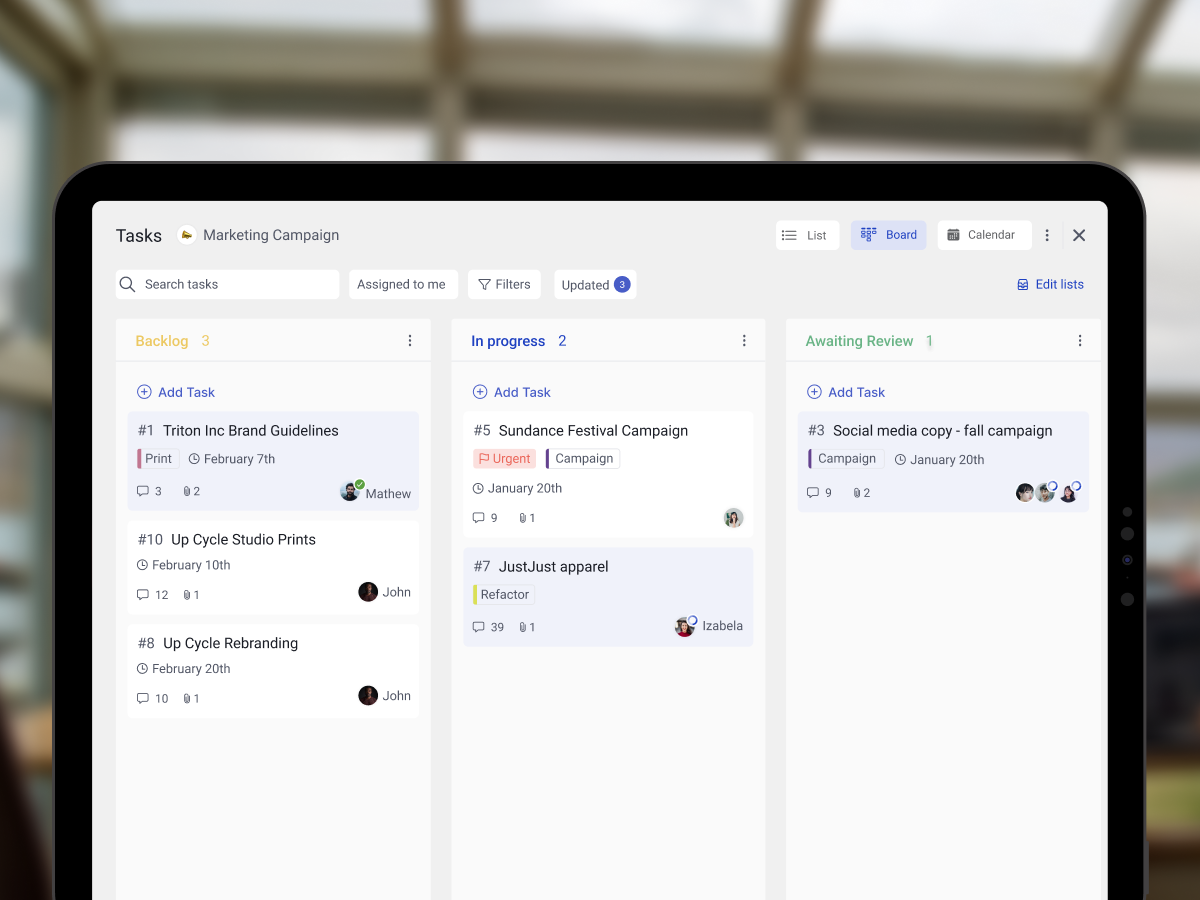
.jpeg)



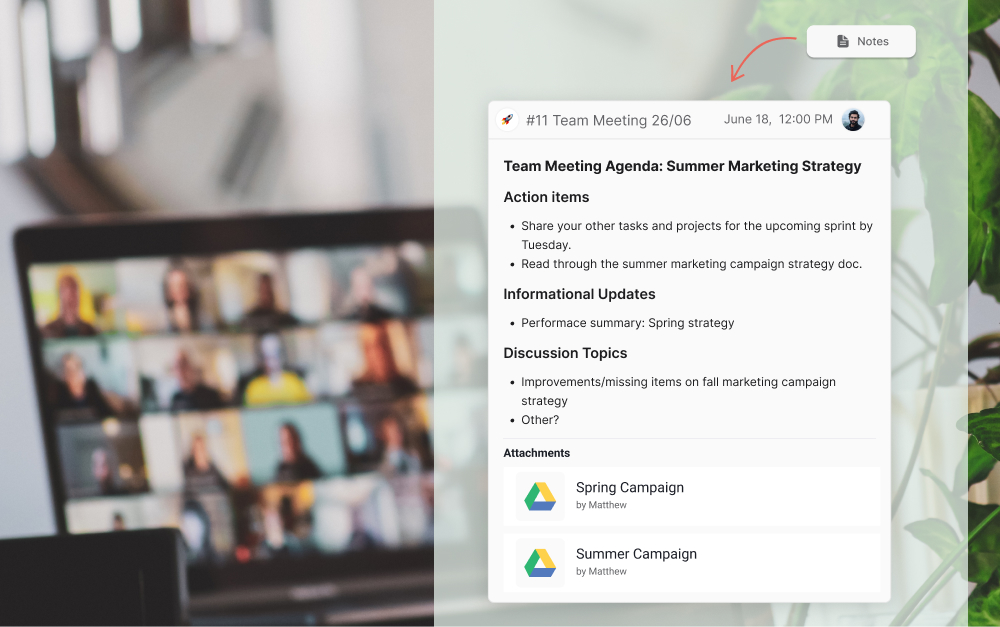


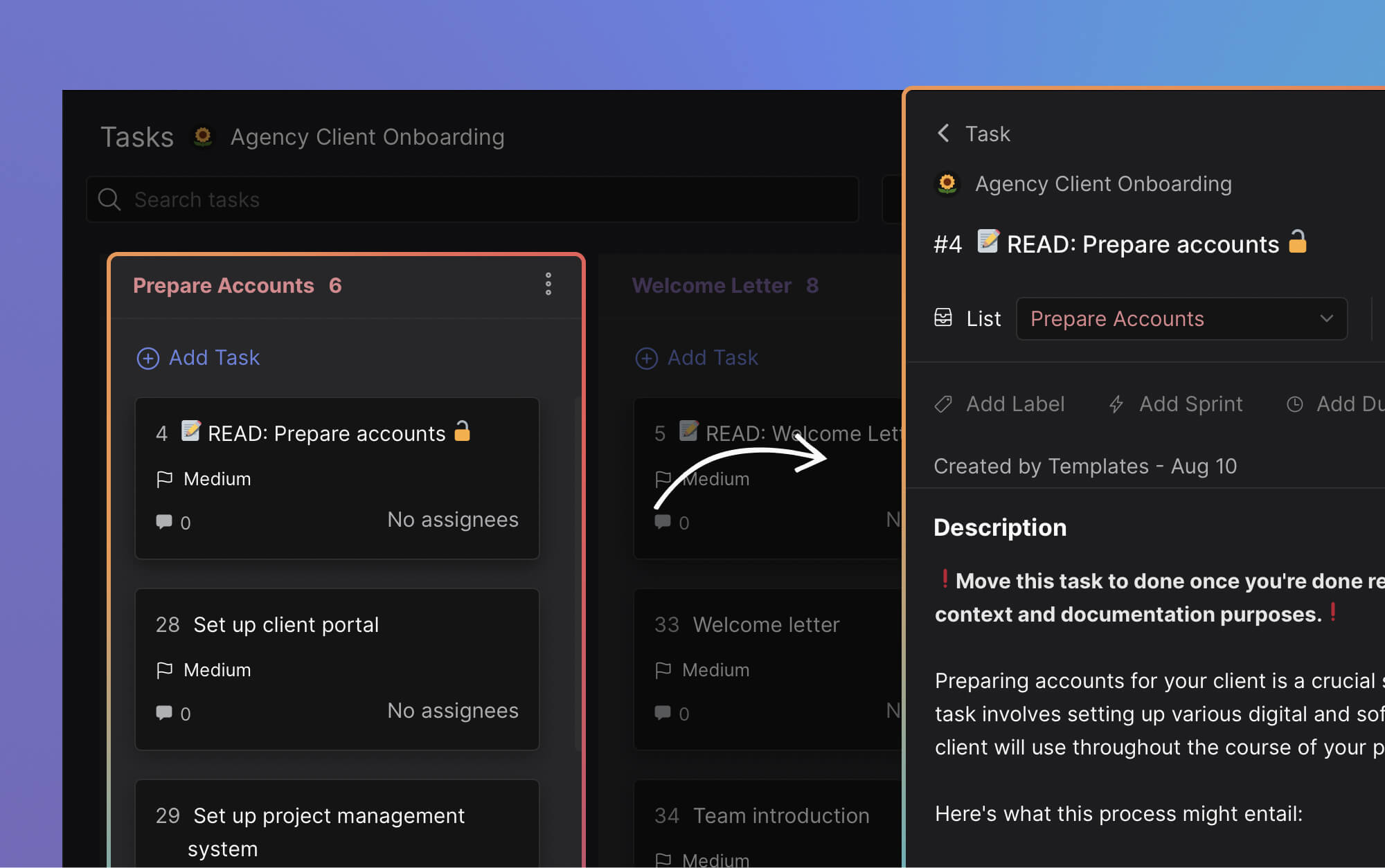
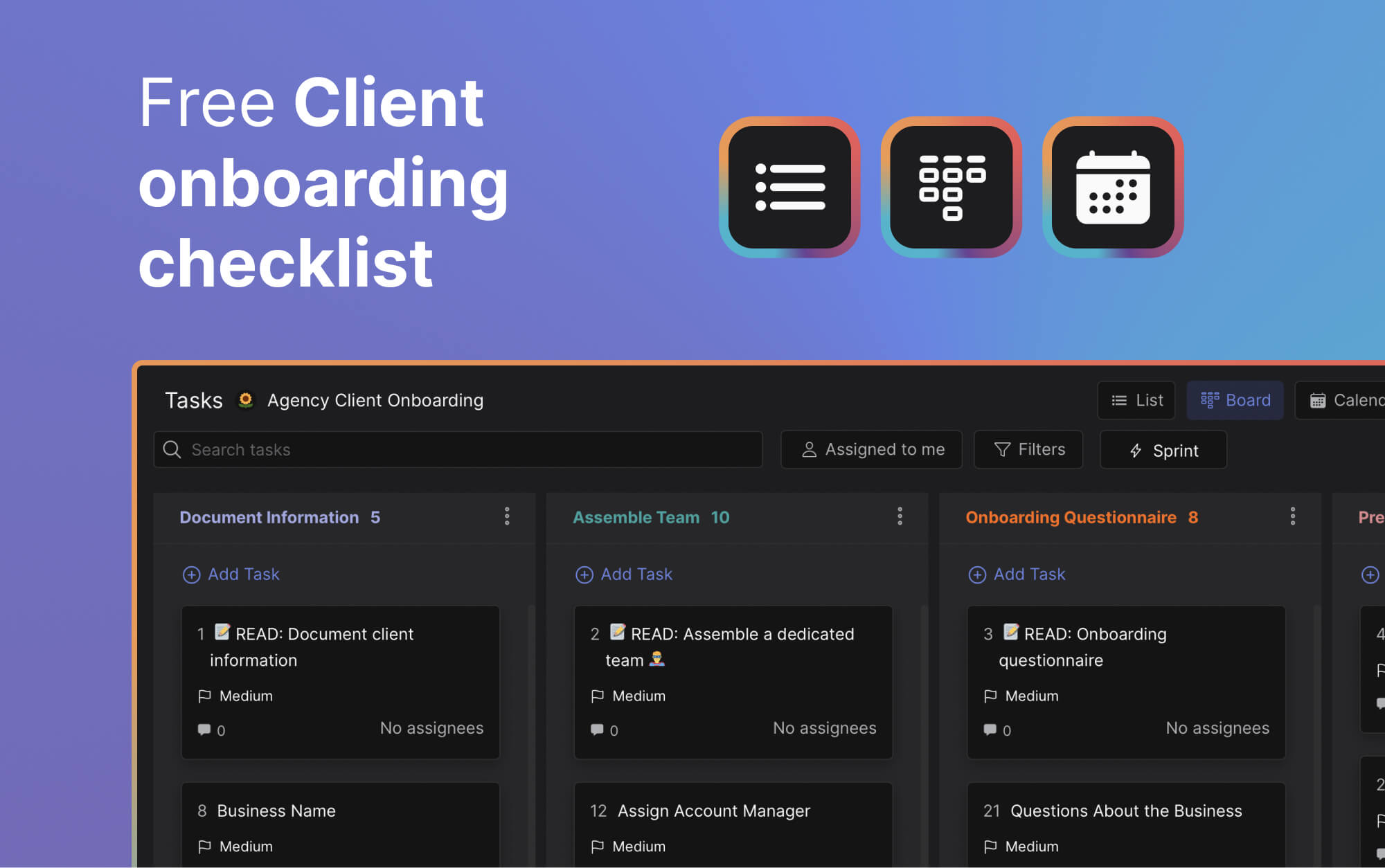
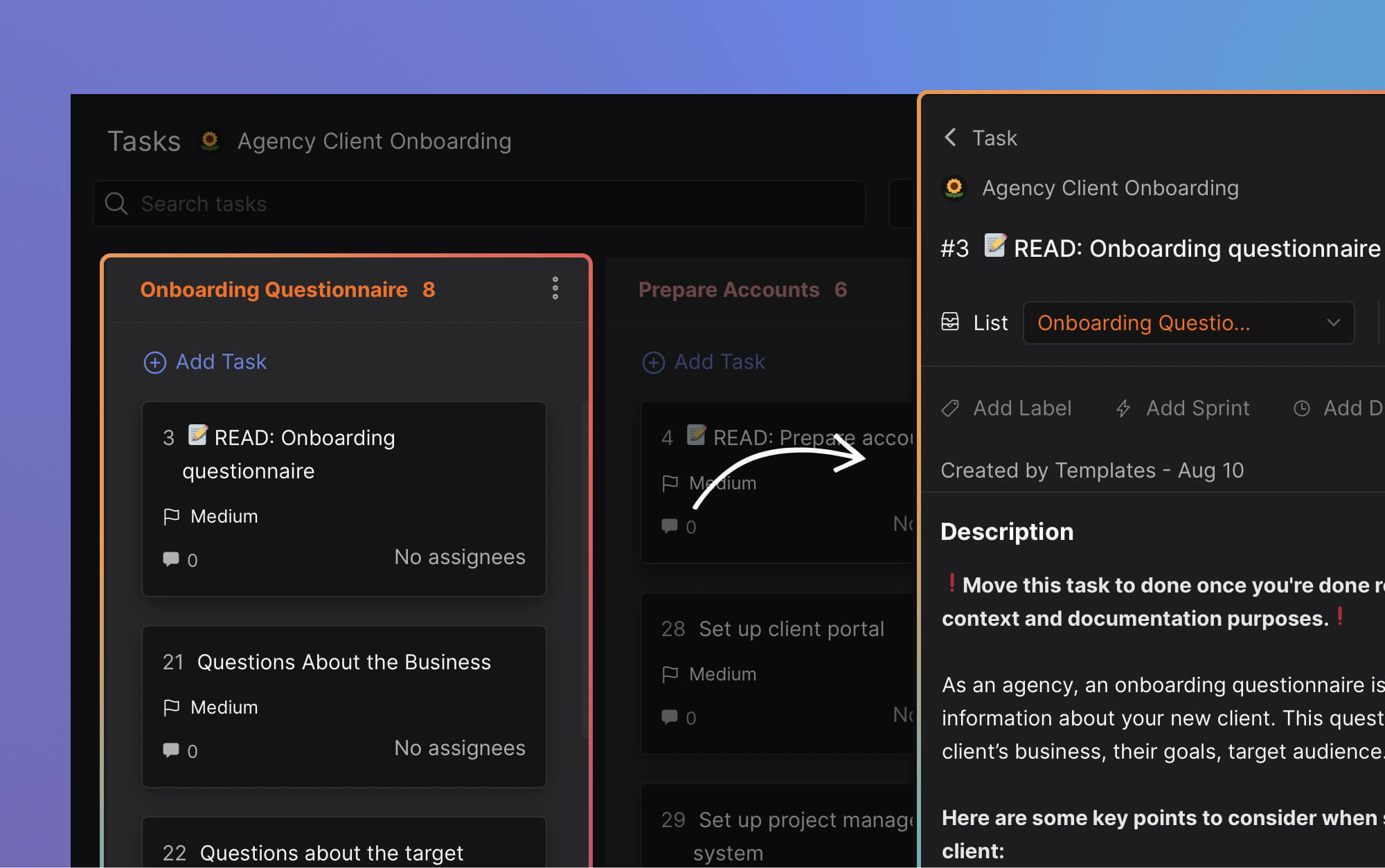
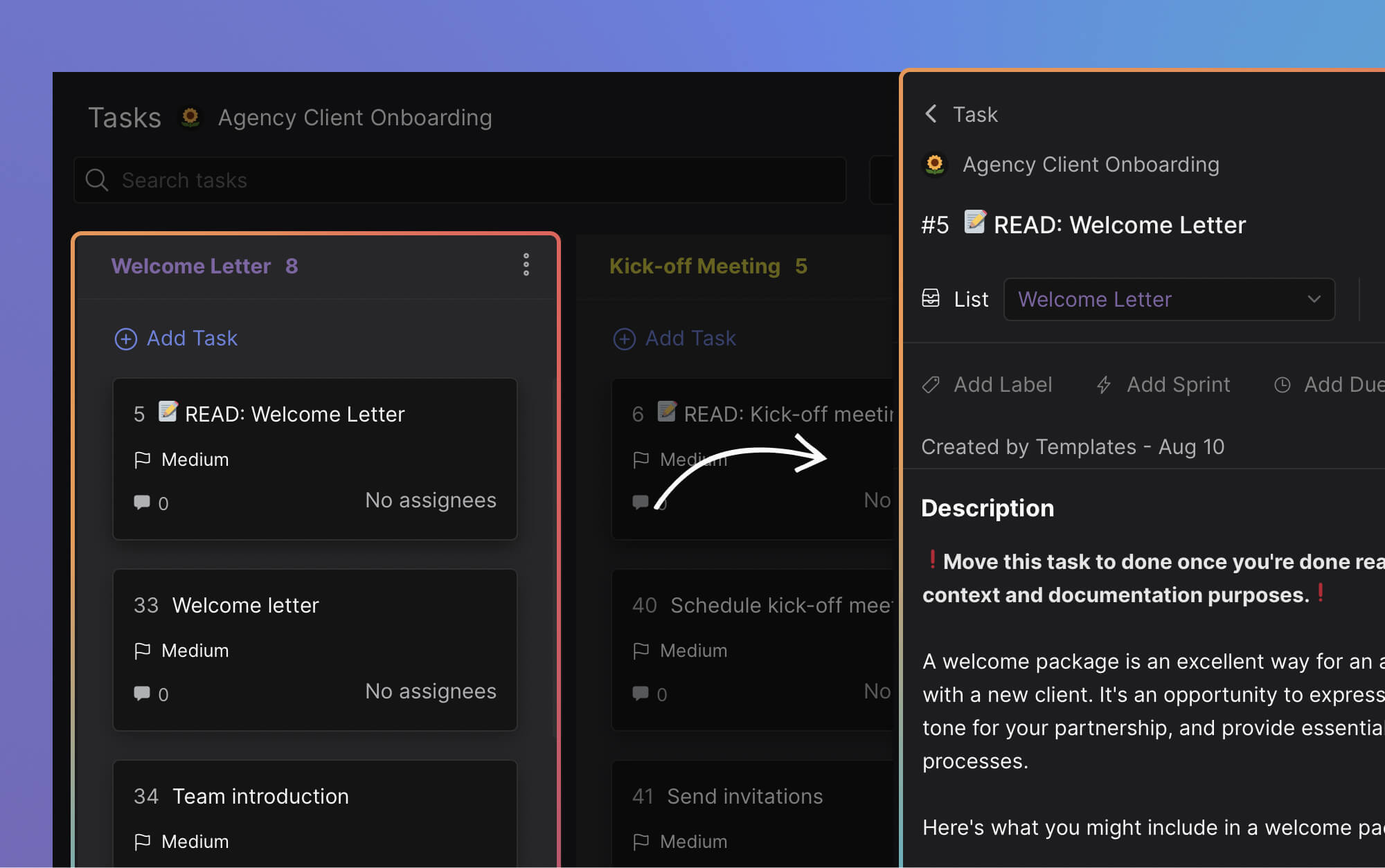
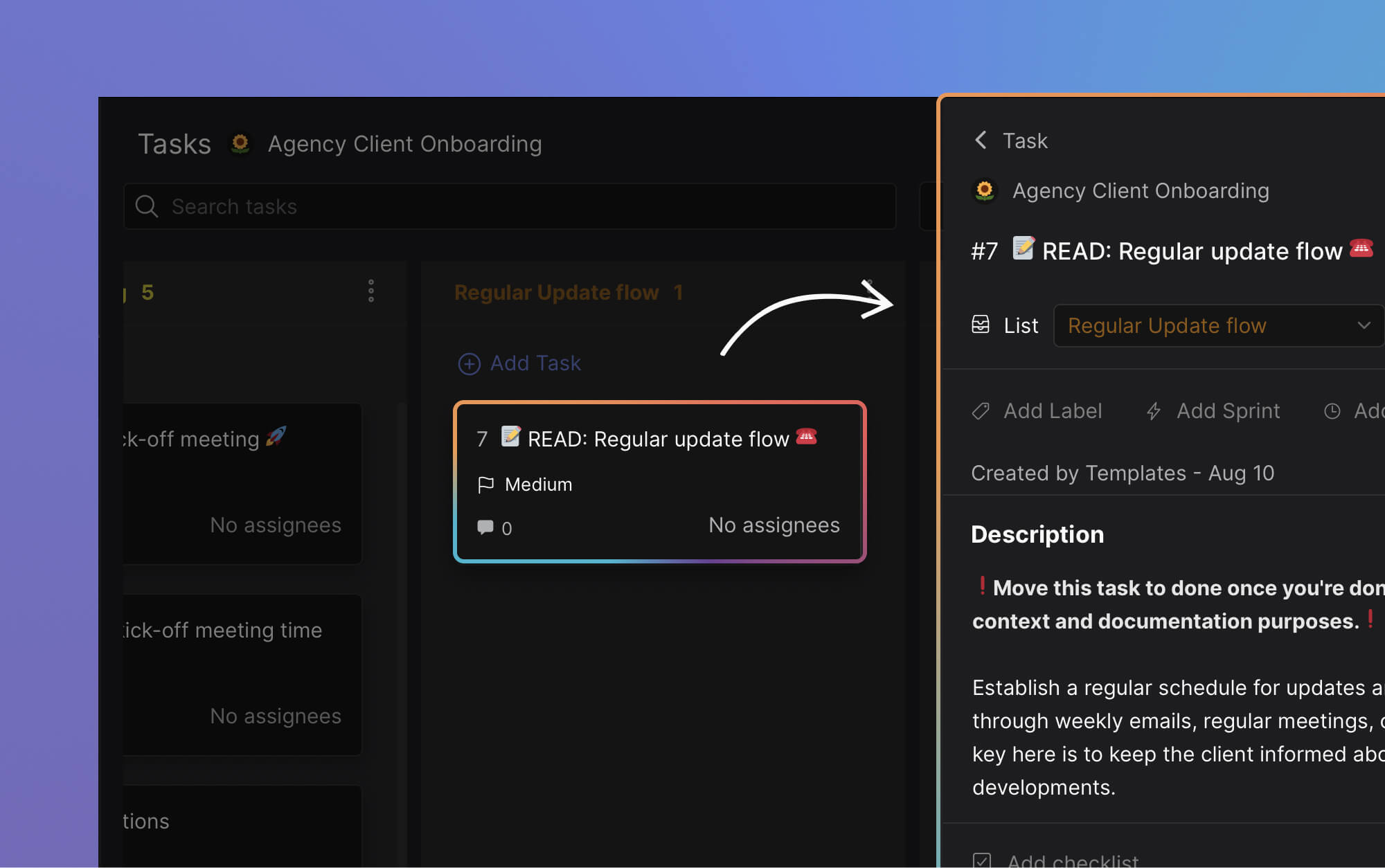

.jpeg)