

8 Best Project Management Software for Marketing Agencies (2026)
Marketing agencies run on a different rhythm than internal teams. You juggle five or ten clients at once, each with its own campaigns, approvals, and deadlines. The work only moves when your team, your freelancers, and your clients can all see the same plan.
Most project management tools were built for product teams with one backlog and no outside stakeholders. They handle tasks well and client communication badly. The gaps that hurt agencies are the ones general roundups skip: client access without per-seat fees, communication that lives next to the work, and pricing that does not punish you for growing.
"The biggest hidden cost in agency work is not the hours. It is the rework that happens when a client cannot see what the team is doing until it is already wrong." - Nicolaas Spijker, Marketing Expert
This guide covers eight tools marketing agencies actually use in 2026, grouped by the job they do best. We lead with each tool's real strength and name where it falls short, including ours. For the wider field beyond agencies, see our general project management software roundup.
Quick Answer
The best project management software for a marketing agency depends on how you work with clients. If client communication is scattered, Rock leads with chat, tasks, and free client access at a flat price. Asana and Monday.com fit structured campaigns and reporting.
Productive and Teamwork suit agencies that bill by the hour and need utilization and margins. ClickUp and Trello work for lean, budget-conscious teams, and Wrike handles formal approvals at scale. Start with your biggest pain, then trial two tools before you commit.
What Marketing Agencies Actually Need in a Tool
Before the list, it helps to know what separates an agency tool from a generic one. Not every feature matters when client work is the product.
- Client access: Can clients and freelancers join without a paid seat or a confusing setup?
- Built-in communication: Does the tool carry the conversation, or do you still run Slack and email on the side?
- Campaign and content planning: Calendars, recurring workflows, and templates for repeatable campaign work.
- Approvals: A clear path for clients to review and sign off without endless email threads.
- Pricing model: Per-seat pricing gets expensive fast once you invite clients and scale the team.
- Billables and profitability: For some agencies, time tracking and margin reporting are the whole point.
No tool wins on all six. The right pick depends on which of these your agency feels most. The quiz below narrows it down in about 30 seconds.
The cost of that fragmentation is measurable. Harvard Business Review found that workers toggle between apps around 1,200 times a day. For an agency juggling client chat, tasks, and files in separate tools, that tax runs heavier.
"Most non-specialized tools lack project-focused features like task dependencies, resource allocation, or time tracking. Teams end up using several apps, raising admin work and the odds of error." - Gartner Digital Markets
Which tool fits your marketing agency?
Answer 4 questions. Takes 30 seconds.
1. What matters most to your agency?
Select all that apply
2. How many people will use it?
3. Do clients and freelancers need access?
4. How do you charge clients?
Start over
Side-by-Side Comparison
| Tool | Best For | Free Plan | Paid From |
|---|---|---|---|
| Rock | Chat, tasks, and client access in one | Yes (3 spaces) | $89/mo flat |
| Asana | Cross-functional campaign teams | Yes (basic) | $10.99/user/mo |
| Monday.com | Visual workflows, small agencies | Yes (2 seats) | $12/user/mo |
| Productive | Agency ops and profitability | No | ~$11/user/mo |
| Teamwork | Billable client delivery | Yes (limited) | $13.99/user/mo |
| ClickUp | All-in-one on a budget | Yes | $7/user/mo |
| Trello | Lean content teams | Yes | $5/user/mo |
| Wrike | Approvals and proofing at scale | Yes (basic) | $10/user/mo |
Best for Chat and Client Collaboration
1. Rock - Best for agencies that want chat, tasks, and clients in one place
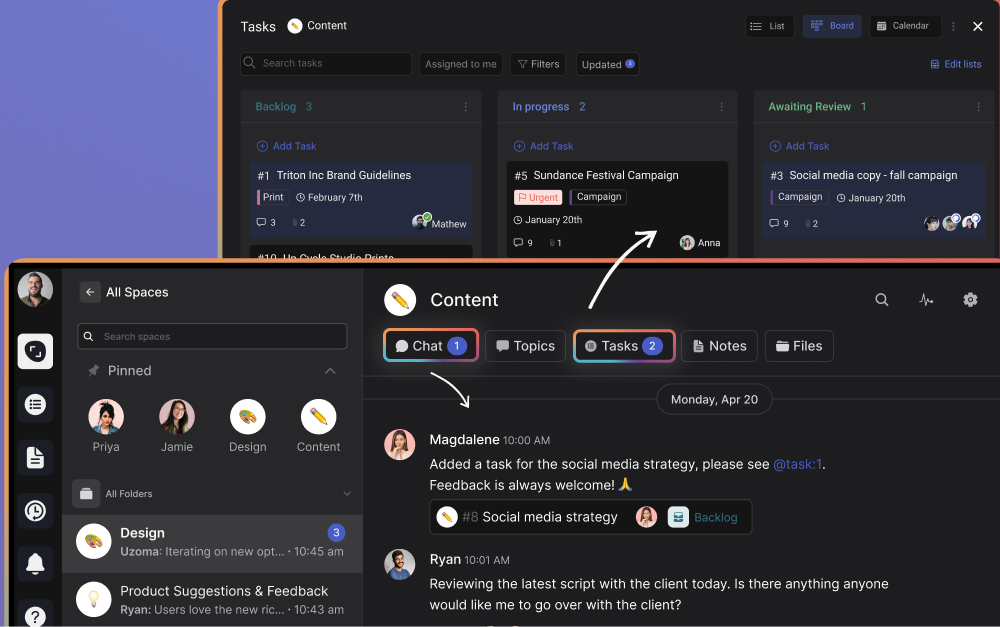
Most agency tools manage tasks but leave communication to a separate app. Rock takes the opposite approach. Every client space includes its own chat, task board, notes, and file storage, so the conversation sits right next to the work it is about.
The client angle is where it earns its place on this list. External clients and freelancers join spaces directly at no extra cost. They see the same chat and task updates your team sees, with no guest-seat fees or permission headaches. Old client spaces stay open, so you can pick a retainer back up months later as if nothing changed.
Pricing is flat at $89 per month for unlimited users and spaces. For a 15-person agency that is under $6 per person. For a per-seat tool, that same team plus a dozen invited clients climbs fast.
Pricing: Free plan (3 group spaces, 50 tasks/space). Unlimited plan: $89/mo flat.
Best for: Small to mid-size agencies that work with clients daily and want chat and tasks in one workspace without per-seat cost. See the Rock vs Monday.com comparison.
Skip this if: You need built-in time tracking, billing, or margin reporting. Rock keeps project management simple and leaves financials to dedicated tools.
Best for Campaign and Cross-Functional Work
2. Asana - Best for cross-functional campaign teams
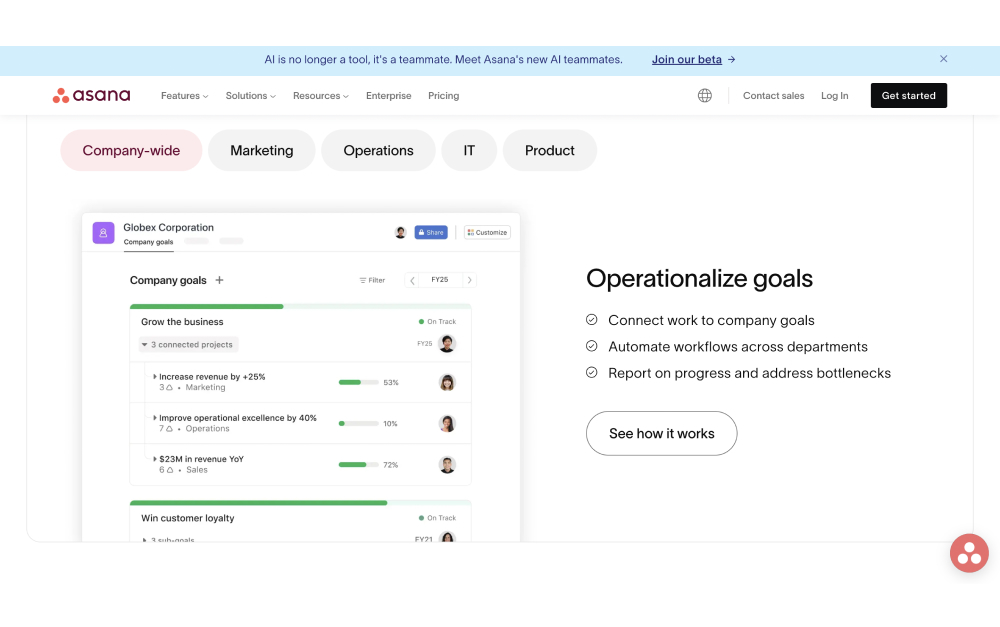
Asana is the strongest general-purpose pick for agencies running structured campaigns across several people. Timeline views, custom fields, and portfolio dashboards give managers a clear read on what is on track and what is slipping.
The template library covers campaign launches, content calendars, and editorial workflows, so you are not rebuilding the same plan for every client. Rules and automations move work along without manual nudging.
The trade-offs are familiar. There is no built-in chat, so you still run Slack alongside it. Per-seat pricing adds up, and useful features like timelines sit behind higher tiers.
Pricing: Free plan (basic, up to 10 users). Starter: $10.99/user/mo. Advanced: $24.99/user/mo.
Best for: Agencies with formal campaign processes that need cross-functional visibility and reporting across clients. See the Rock vs Asana comparison.
Skip this if: You want chat in the same tool, or you are watching per-seat costs as you invite clients.
3. Monday.com - Best visual workflows for small agencies

Monday.com suits agencies that think visually. Color-coded boards, timeline and calendar views, and a strong automation builder make campaign status easy to read at a glance. The interface is approachable enough that clients can follow along.
Dashboards pull data from several boards into one view, which helps when you are tracking multiple client accounts side by side. The template gallery is deep on marketing use cases.
Cost is the catch. Paid plans start at three seats, recent pricing has crept up, and time tracking sits on higher tiers. A growing team plus client seats gets pricey.
Pricing: Free plan (2 seats). Standard: $12/user/mo. Pro: $20/user/mo.
Best for: Small agencies that want visual boards and automations, and do not mind per-seat pricing at a modest size.
Skip this if: You are scaling past 15 people, or you need built-in chat rather than a separate messaging app.
Best for Agency Operations and Profitability
4. Productive - Best for agencies that need financials with project management
Productive is built specifically for agencies, not adapted for them. It combines project management with resource planning, time tracking, budgets, and profitability reporting in one platform. For agencies that bill by the hour or run on tight margins, that financial layer is the draw.
You can see which clients are profitable, forecast team capacity, and tie delivery to budget in the same place you manage the work. That is depth most general PM tools never reach.
The trade-off is weight and price. There is no free plan, the learning curve is real, and it is more tool than a lean content team needs.
Pricing: No free plan. Paid from around $11/user/mo, with higher tiers for financial features.
Best for: Established agencies that need resource planning and margin reporting alongside project management.
Skip this if: You are a small team that just needs tasks and client communication. Productive will feel heavy and expensive.
5. Teamwork - Best for billable client delivery
Teamwork was designed for client-service businesses, and it shows. Time tracking, billing, invoicing, and workload management are native, with project templates that fit repeatable agency work. It leans hard into delivery control and profitability.
Client users can be added with limited access, so you can share progress without exposing internal detail. For agencies that live on billable hours, the tracking is genuinely useful rather than bolted on.
The downside is that the interface carries a lot of features, and smaller teams may find it more structure than they want.
Pricing: Free plan (limited). Deliver: $13.99/user/mo. Grow: $25.99/user/mo.
Best for: Agencies that bill by the hour and want time tracking, invoicing, and profitability in the PM tool itself.
Skip this if: You do not bill hourly, or you want a lighter tool with communication built in.
Best for Lean and Budget-Conscious Teams
6. ClickUp - Best all-in-one on a budget

ClickUp packs tasks, docs, whiteboards, goals, and time tracking into one platform with a genuinely useful free tier. For a lean agency that wants to consolidate tools without paying much, it covers a lot of ground.
The customization is the strength and the weakness. You can shape it to almost any workflow, but setting it up to match how your agency works takes hours, and the interface can feel crowded.
Pricing: Free plan (generous). Unlimited: $7/user/mo. Business: $12/user/mo.
Best for: Budget-conscious agencies willing to invest setup time for one flexible task and project hub. See the Rock vs ClickUp comparison.
Skip this if: You value simplicity. If your team avoids fiddly setup, ClickUp will frustrate them.
7. Trello - Best for lean content teams
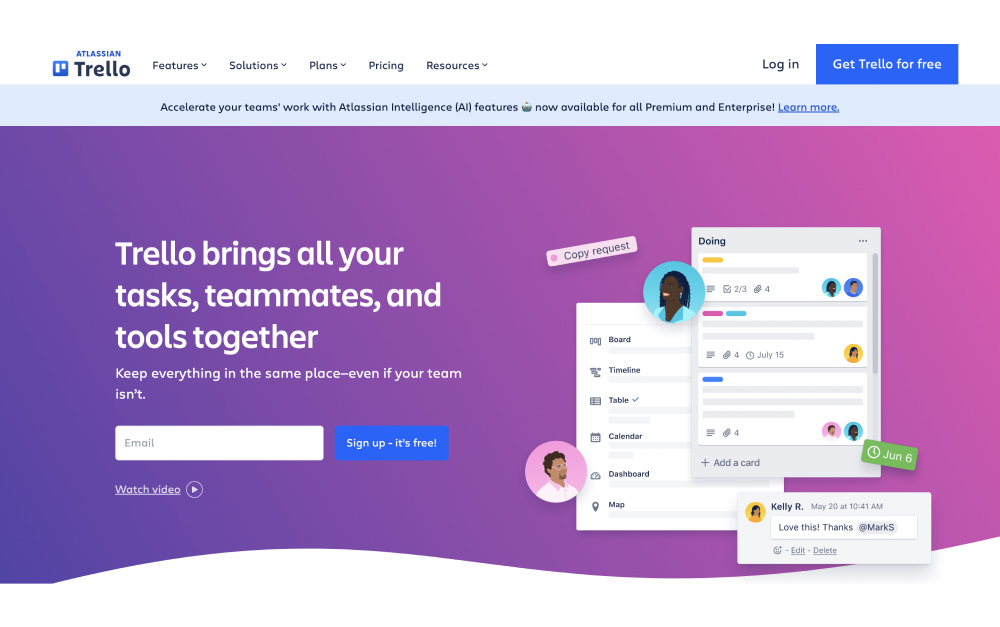
Trello is the simplest way to run a content pipeline visually. Cards move across columns like Draft, Review, and Published, and new team members understand it in minutes. For a small content team or a single editorial calendar, that clarity is often enough.
Power-Ups add calendar views, automation, and integrations, but the free plan limits you to one Power-Up per board. Trello starts to strain once projects involve dependencies or cross-client reporting.
Pricing: Free plan (unlimited cards, 1 Power-Up/board). Standard: $5/user/mo. Premium: $10/user/mo.
Best for: Lean content teams that want a simple, visual board without setup. See the Trello alternatives roundup for when you outgrow it.
Skip this if: You manage multiple clients with dependencies, approvals, or reporting needs.
Best for Creative Approvals at Scale
8. Wrike - Best for structured approvals and proofing
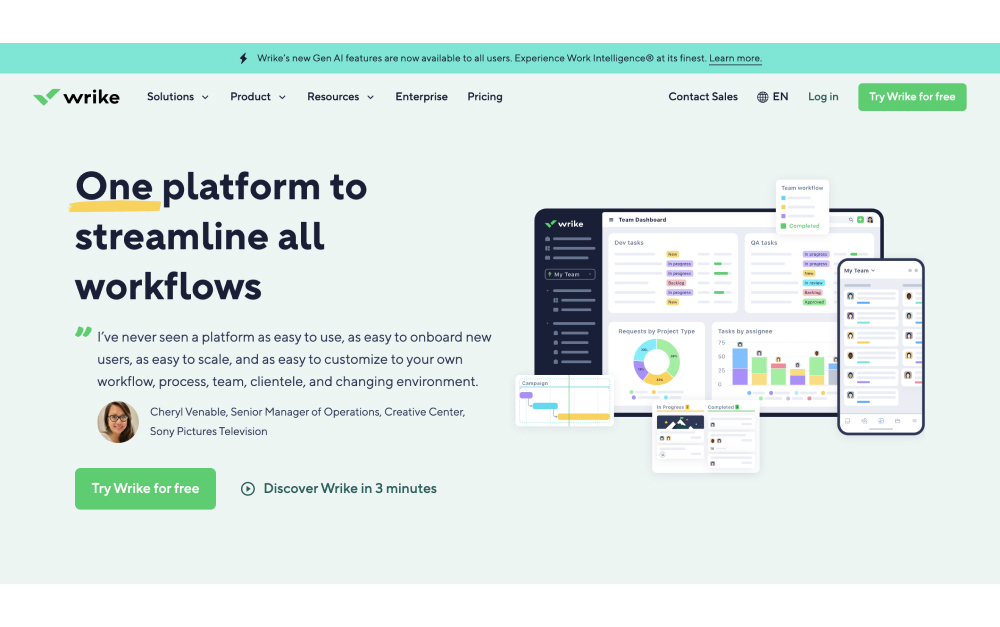
Wrike fits agencies with formal review processes. Request forms, approval workflows, and built-in proofing let clients and reviewers mark up images, video, and PDFs inside the platform instead of over email. Time tracking and resource views round it out.
That structure is the point for larger agencies handling regulated or high-volume creative work. It is also why Wrike feels heavy for a small team. The setup time is significant and the interface takes getting used to.
Pricing: Free plan (basic). Team: $10/user/mo. Business: $25/user/mo.
Best for: Mid to large agencies with formal approval chains and proofing needs across many deliverables.
Skip this if: You are a small, fast-moving team. Wrike's structure will slow you down more than it helps.

Stop paying per seat to invite your own clients.
Rock gives your team and your clients one space for chat, tasks, notes, and files, for one flat price. Unlimited users, no guest fees.
Tools We Didn't Include (and Why)
- Jira: Built for software development, not campaign work. Overkill for most marketing agencies. (Jira alternatives)
- Basecamp: Calm and client-friendly, but too feature-light for agencies that need campaign structure and reporting. (Basecamp alternatives)
- Airtable: A flexible database with PM add-ons. Powerful for content calendars, but the build-it-yourself setup is a poor fit for teams that want a tool that works on day one.
- Scoro: Strong on agency financials, but priced and structured for larger operations than most small agencies need.
How to Choose the Right Tool for Your Agency
Start with your biggest pain. If client communication is scattered across email and WhatsApp, prioritize a tool with built-in chat and free client access, like Rock. If campaign structure and reporting are the gap, Asana or Monday.com fit better.
Next, look at how you make money. Agencies that bill by the hour should weigh Productive or Teamwork for the time tracking and margin reporting. Agencies on flat retainers care more about communication and client access than billable tracking.
Then do the per-seat math at your real size, clients included. A tool that looks cheap at five internal users changes when you add freelancers and a dozen client guests. Flat-rate pricing protects you here, and scaling agencies feel it most.
Most of these tools offer free plans or trials. Pick two or three, run a live client project through each, and let the team decide. The quiz near the top of this page gives you a starting shortlist.
Frequently Asked Questions
What is the cheapest project management tool for inviting clients?
Flat-rate tools win once you add client guests. Rock charges $89 per month for unlimited users and spaces, so inviting a dozen clients costs nothing extra. Per-seat tools like Asana or Monday.com charge for every paid seat, and even their guest tiers can add up. For an agency that brings clients into the workspace regularly, flat pricing is usually the cheaper path.
Which project management software has built-in chat for agencies?
Rock is the strongest pick here, with chat, tasks, notes, and files inside every space, including for invited clients. ClickUp and Teamwork include messaging features, though they are lighter than a dedicated chat tool. Asana, Monday.com, Trello, and Wrike have no real built-in chat, so most teams run Slack or email alongside them.
Monday.com or Asana for a marketing agency?
Choose Monday.com if your team thinks visually and wants color-coded boards, calendars, and automations that clients can follow at a glance. Choose Asana if you run structured campaigns and need cross-project reporting and portfolio dashboards. Both use per-seat pricing, so factor in client and freelancer seats before deciding.
What is the best tool for agencies that bill by the hour?
Productive and Teamwork lead for billable agencies. Both have native time tracking, invoicing, and profitability reporting, so hours tie directly to client billing and margins stay visible. If you run on flat retainers instead, communication and client access matter more than billable tracking, and a tool like Rock fits better.
Want a workspace where your team and clients share the same chat and task board, for one flat price? Try Rock free and see if it fits your agency.





