

8 Best Project Management Software for Remote Teams (2026)
Remote teams live and die by their tools. When everyone shares an office, a quick turn of the head keeps work moving. When the team is spread across cities and time zones, that ambient awareness is gone, and the tool has to carry it instead.
Most project management software was built for co-located teams that still talk in a room. It tracks tasks well and carries communication badly. The gaps that hurt a distributed team are the ones general roundups skip: communication next to the work, async updates that survive time zones, and pricing that does not punish hiring across the map.
This guide covers eight tools remote teams use in 2026, grouped by the job they do best, with the honest trade-offs for each. For the wider field, see our general project management software roundup.
Quick Answer
The best project management tool for a remote team is the one that keeps communication next to the work, so updates do not get lost between apps across time zones. Rock leads when you want chat and tasks in one flat-priced workspace, and Basecamp suits calm, async-first teams that want a flat price at scale.
Monday.com and Asana fit teams that need visual structure and reporting. ClickUp and Notion work when you want to consolidate apps or lean on a shared knowledge base, and Teamwork fits client-facing delivery. Start with your biggest gap, then test two or three before you commit.
What Remote Teams Actually Need in a Tool
A tool that works in an office can still fail a distributed team. Three things separate a remote-ready tool from a generic one, and one shift changes how you weigh them.
- Built-in communication: does the tool carry the conversation, or do you still run Slack, email, and the tool in three windows?
- Async-friendly updates: can someone catch up on what changed overnight without a live meeting to explain it?
- Time-zone visibility: is it clear who is online, when work is due in local time, and what is waiting on whom?
- Integrations: does it connect to the calendar, docs, and video tools the team already lives in?
- Pricing model: per-seat pricing punishes you for hiring across borders. Flat pricing does not.
What changes when the team is remote. In an office, status updates happen in hallways and the tool is a backup. Remote flips that. The tool becomes the single source of truth, so anything that lives only in someone head, a chat thread, or a meeting nobody recorded simply disappears. That is why communication-in-the-tool matters more for remote teams than for any other group.
"Remote work does not fail because people stop working. It fails when the update lives in a tool nobody opened that day, and the rest of the team finds out two time zones too late." - Nicolaas Spijker, Marketing Expert
The cost of that fragmentation is measurable. Harvard Business Review found that workers toggle between apps around 1,200 times a day, and the seconds add up to weeks per year. For a distributed team juggling chat, tasks, and docs in separate windows, that tax runs heavier.
"Difficulties with collaboration and communication, and loneliness, remain among the biggest struggles with remote work, year after year." - Buffer, State of Remote Work
No tool wins on all of these. The right pick depends on which gap your team feels most. The quiz below narrows it in about 30 seconds.
Which tool fits your remote team?
Answer 4 questions. Takes 30 seconds.
1. What matters most to your team?
Select all that apply
2. How many people will use it?
3. Do external people (clients, contractors) need access?
4. How does your team work across time zones?
Start over
Side-by-Side Comparison
| Tool | Best For | Free Plan | Paid From |
|---|---|---|---|
| Rock | Communication and tasks in one place | Yes (3 spaces) | $89/mo flat |
| Basecamp | Calm async work, flat at scale | Yes (1 project) | $15/user/mo |
| Monday.com | Visual work across time zones | Yes (2 seats) | $12/user/mo |
| Trello | Simple visual boards | Yes | $5/user/mo |
| ClickUp | All-in-one customization | Yes | $7/user/mo |
| Notion | Async docs and knowledge base | Yes | $10/user/mo |
| Asana | Structured cross-functional work | Yes (basic) | $10.99/user/mo |
| Teamwork | Client-facing remote delivery | Yes (limited) | $13.99/user/mo |
Best for Communication and Tasks in One Place
1. Rock - Best for remote teams that want communication and tasks together
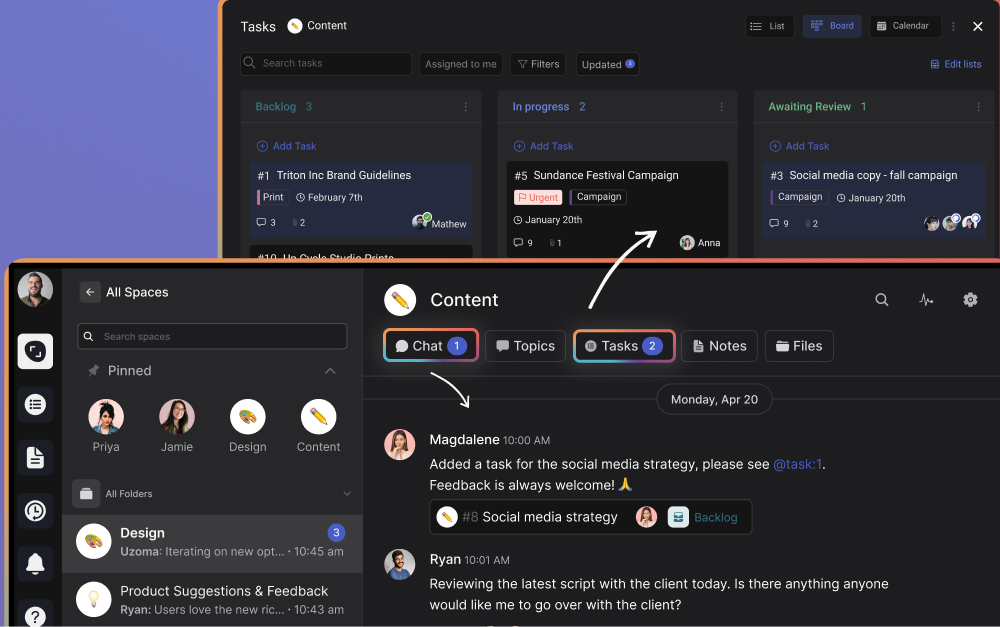
Most tools on this list manage tasks and leave communication to a separate app. Rock closes that gap, which is exactly the gap that hurts remote teams most. Every project space includes its own chat, task board, notes, and files, so the update about a task sits right next to the task.
For a distributed team, that matters. The overnight change is visible in the same place as the work, not buried in a chat thread a teammate two time zones away never opened. Clients and contractors join spaces directly at no extra cost. Pricing is flat at $89 per month for unlimited users, so hiring across borders does not change the bill.
Pricing: Free plan (3 group spaces, 50 tasks/space). Unlimited plan: $89/mo flat.
Best for: Distributed teams that want chat and tasks in one workspace without per-seat cost. See the agency and creative-team guides for those angles.
Skip this if: You need deep Gantt charts, resource leveling, or built-in billing. Rock keeps project management simple.
2. Basecamp - Best for calm, async-first teams
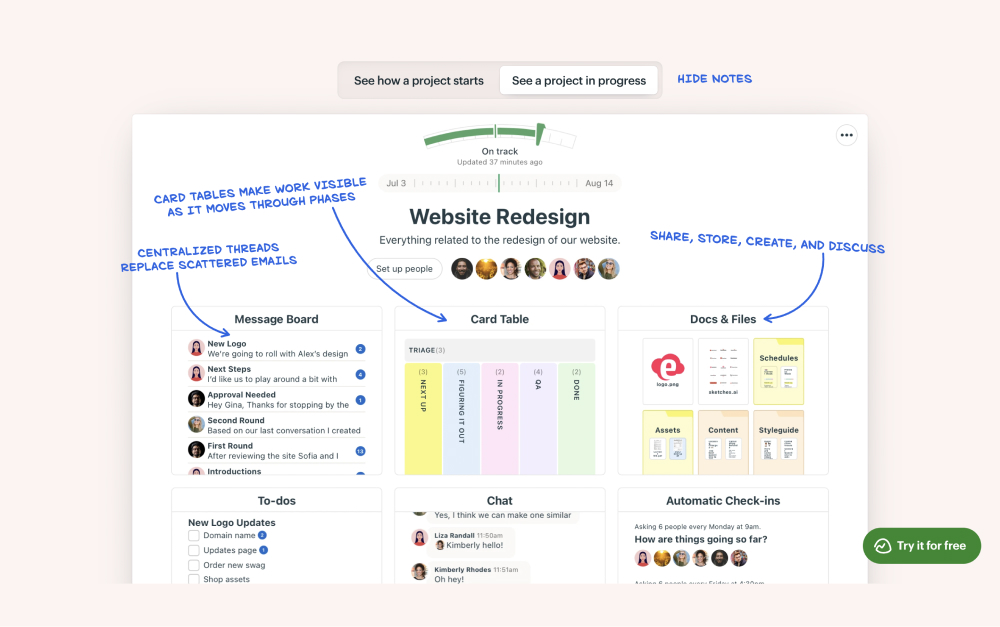
Basecamp is built around the idea that distributed work should be calm. Each project gets a message board, to-dos, a schedule, file storage, and the Campfire chat room. The message-board format rewards thoughtful written updates over rapid-fire chat, which suits a team that rarely shares working hours.
The flat Pro Unlimited price ($299/mo for unlimited users) makes it one of the cheapest options for larger distributed teams. The trade-off is depth: no Gantt charts, no dependencies, no resource views.
Pricing: Free plan (1 project). Plus: $15/user/mo. Pro Unlimited: $299/mo flat.
Best for: Async-first remote teams that value written communication and a calm, predictable workspace. See the Basecamp alternatives.
Skip this if: You need visual boards, automations, or detailed reporting across projects.
Best for Visual Work Across Time Zones
3. Monday.com - Best for shared visibility at a glance

Monday.com makes distributed status easy to read without a live meeting. Color-coded boards, timelines, and calendars show what is on track and what is slipping, and dashboards pull several projects into one view.
For a remote team, that at-a-glance clarity replaces the hallway check-in. The catch is cost: paid plans start at three seats, pricing has crept up, and useful features sit on higher tiers.
Pricing: Free plan (2 seats). Standard: $12/user/mo. Pro: $20/user/mo.
Best for: Distributed teams that want visual boards and automations. See the Rock vs Monday.com comparison.
Skip this if: You are scaling past 15 people on a budget, or you want built-in chat rather than a separate app.
4. Trello - Best for simple visual boards
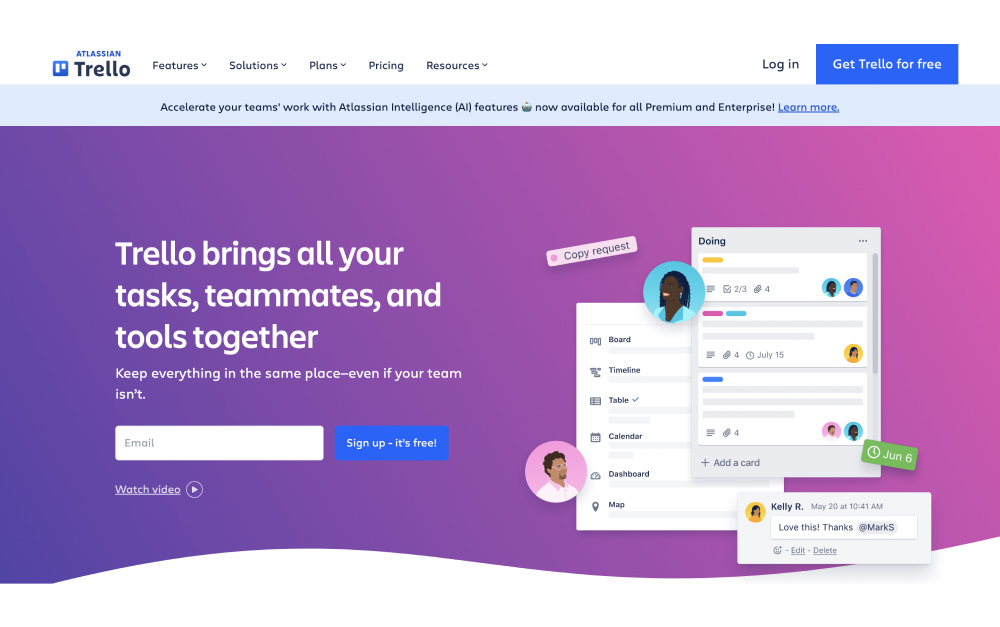
Trello is the fastest tool to onboard a new remote hire. Cards move across columns, and anyone understands it within minutes, with no training call required. For a small team or a single workflow, that simplicity is often enough.
Power-Ups add calendar views and automation, though the free plan caps you at one per board. Trello strains once projects involve dependencies or reporting.
Pricing: Free plan (unlimited cards, 1 Power-Up/board). Standard: $5/user/mo. Premium: $10/user/mo.
Best for: Small remote teams that want a simple visual board. See the Trello alternatives for when you outgrow it.
Skip this if: You manage dependencies, need reporting, or want communication built in.
Best for All-in-One and Async Docs
5. ClickUp - Best for teams that want to consolidate apps

ClickUp packs tasks, docs, whiteboards, goals, and time tracking into one platform. For a remote team tired of juggling five apps, consolidating into one cuts the switching tax that hits distributed work hardest.
The customization is the strength and the weakness. You can shape it to almost any workflow, but setup takes hours and the interface can feel crowded.
Pricing: Free plan (generous). Unlimited: $7/user/mo. Business: $12/user/mo.
Best for: Remote teams willing to invest setup time for one flexible hub. See the Rock vs ClickUp comparison.
Skip this if: You value simplicity. If your team avoids fiddly setup, ClickUp will frustrate them.
6. Notion - Best for async knowledge bases

Notion blends documents, databases, and task boards into one flexible system. For a distributed team, its real strength is async: a teammate can catch up on context, decisions, and docs without a call, which matters when working hours barely overlap.
The flexibility is the catch. Notion does not work as a structured project manager out of the box, and there is no real time tracking or built-in chat.
Pricing: Free plan (generous for small teams). Plus: $10/user/mo. Business: $18/user/mo.
Best for: Documentation-heavy remote teams that want a wiki and tasks in one workspace.
Skip this if: You want structured project management or client access out of the box.
Best for Structured and Client-Facing Remote Work
7. Asana - Best for structured cross-functional teams
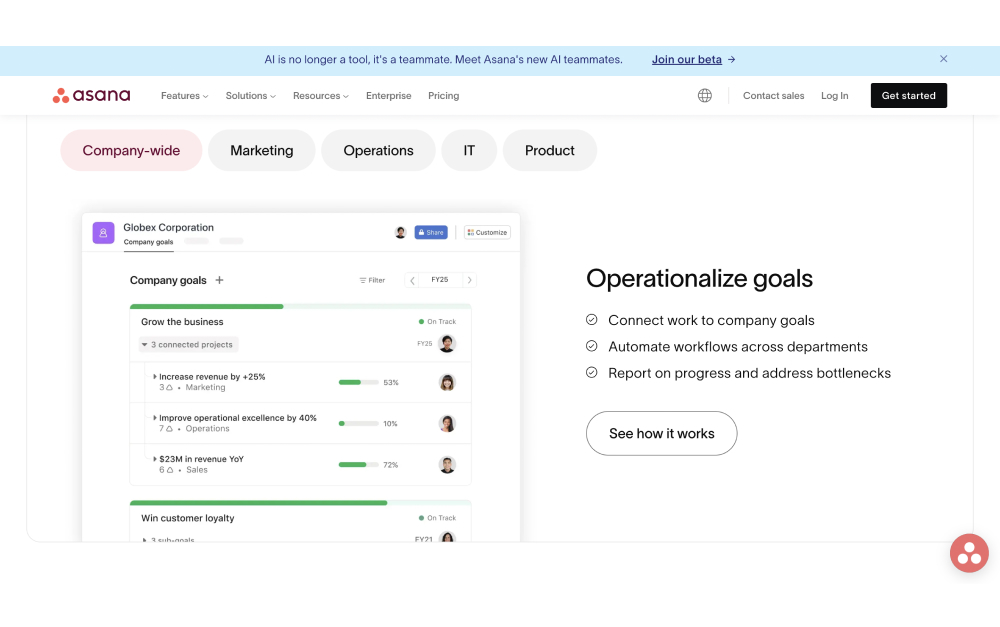
Asana gives distributed teams structure: timelines, custom fields, dependencies, and portfolio dashboards that keep ownership clear across locations. It scales from a small team to a large department.
The familiar trade-offs apply. There is no built-in chat, so Slack stays open, and per-seat pricing climbs as you add people across borders.
Pricing: Free plan (basic, up to 10 users). Starter: $10.99/user/mo. Advanced: $24.99/user/mo.
Best for: Remote teams running formal projects that need cross-functional reporting. See the Asana alternatives.
Skip this if: You want chat in the same tool, or you are watching per-seat costs.
8. Teamwork - Best for client-facing remote teams
Teamwork is built for distributed teams that deliver client work. Time tracking, billing, and client access are native, so external collaborators see progress without exposing internal detail, and billable hours stay visible across time zones.
The downside is that the interface carries a lot of features, and internal-only teams may find it more structure than they want.
Pricing: Free plan (limited). Deliver: $13.99/user/mo. Grow: $25.99/user/mo.
Best for: Remote teams that bill clients and want time tracking in the same tool.
Skip this if: You do not bill hourly, or you want a lighter tool with communication built in.

Keep the update where the work lives.
Rock puts chat, tasks, notes, and files in one space, for one flat price. Unlimited users across any time zone, no per-seat scaling.
Tools We Didn't Include (and Why)
- Slack: Great chat, but not a project manager. Most remote teams pair it with one of the tools above rather than run it alone.
- Jira: Built for software development. Overkill for general remote teams. (Jira alternatives)
- Wrike: Strong for enterprise approvals and proofing, but heavy for a small distributed team.
- Hive: Capable, but a smaller integration ecosystem than the tools above, which matters more when remote teams lean on integrations.
How to Choose the Right Tool for Your Remote Team
Start with your biggest gap. If updates keep getting lost between chat and tasks, lean toward a tool with built-in communication, like Rock or Basecamp. If the problem is shared visibility, Monday.com or Asana fit better.
Next, weigh how your hours overlap. Teams that rarely share working hours should lean async-first, where written updates and a knowledge base carry the context a meeting would. Teams with strong real-time overlap have more flexibility.
Then do the per-seat math at your real size. A tool that looks cheap at five people changes once you hire across three countries. Flat pricing protects a growing distributed team from that climb.
Most of these tools offer free plans or trials. Pick two or three, run a real project through each for a sprint, and let the team decide. The quiz near the top gives you a starting shortlist.
Frequently Asked Questions
What is the best project management tool for remote teams?
There is no single best, but for distributed teams the deciding factor is usually communication. A tool that keeps chat and tasks together, like Rock, prevents updates from getting lost between apps across time zones. If you need rich structure, Asana or Monday.com fit; if you want calm async work, Basecamp does. Match the tool to your biggest gap.
What is the cheapest project management tool for a large remote team?
Flat-rate tools win at scale. Rock is $89 per month for unlimited users, and Basecamp Pro Unlimited is $299 per month flat, so neither charges more when you hire across borders. Per-seat tools like Asana or Monday.com keep climbing with every new remote hire, so run the per-seat math at your real size first.
Which remote tools work best for async, across-time-zone teams?
Async-first teams do best with tools that carry written context. Rock keeps the conversation next to the work, Basecamp rewards thoughtful message-board updates over live chat, and Notion holds a knowledge base teammates can catch up on without a call. Tools built around real-time dashboards matter less when working hours rarely overlap.
Do remote teams need built-in chat in their PM tool?
It helps more than for co-located teams. Without an office, the tool is the single source of truth, so updates that live only in a separate chat app or a meeting tend to disappear. Rock, Basecamp, and ClickUp include messaging; Asana, Monday.com, Trello, and Notion do not, so most teams run Slack alongside them.
Want one place for your distributed team to talk, share files, and track work, for a flat price? Try Rock free and see if it fits your remote team.





