

Sprint Planning: Agenda, Inputs, and Examples
Sprint planning is the meeting that opens every sprint. The team picks a goal, pulls work that fits, and commits to a realistic plan. Done well, the next two weeks have a clear north star and the team knows exactly what they are doing on day one.
This guide covers what sprint planning is, the meeting agenda and time-box, the three topics from the Scrum Guide, and how to estimate the work. It walks through the capacity-versus-velocity debate and the common mistakes that turn planning into a status meeting. Drag stories around the live demo below to feel how capacity-based commitment actually works.
Quick Answer: What Is Sprint Planning?
Sprint planning is the time-boxed event at the start of every scrum sprint where the team decides what to deliver and how. The output is a sprint goal, a sprint backlog of selected items, and a plan for delivering them. The Scrum Guide caps it at 8 hours for a one-month sprint, scaled down for shorter sprints. Sprint planning is one of four scrum ceremonies, alongside the daily standup, the sprint review, and the retrospective.
"The sprint planning meeting is successful if everyone exits the meeting with a smile, and wakes up the next morning with a smile, and does their first daily scrum with a smile." - Henrik Kniberg, Agile coach, Crisp
Try sprint planning with capacity
Drag stories from Backlog into This Sprint. The capacity bar fills as points add up. Over-commit and it turns red.
The widget above is the version we hand to teams running sprint planning live. Drag stories from the Backlog into This Sprint and watch the capacity bar fill. The bar turns red when commitment exceeds capacity (25 points in this example) and shifts to a sweet-spot color when you land between 70% and 100% of capacity. That is the planning rhythm you want.
The Sprint Planning Meeting: Agenda and Time-Box
The meeting follows the same shape regardless of sprint length. Most teams run a 90-minute meeting for a two-week sprint. The Scrum Guide allows up to 8 hours for a one-month sprint, but most teams under 10 people finish in well under 2 hours.
| Phase | Time | What you do |
|---|---|---|
| Why | 10 min | Product Owner proposes a sprint goal: one coherent objective for the increment. The team debates and refines it. Without a goal, the rest of planning is just task triage. |
| What | 30 min | The team pulls top backlog items that fit the goal. Each item is checked against the Definition of Ready. Anything ambiguous gets pushed back to refinement instead of pulled into the sprint. |
| How | 40 min | The team breaks each selected item into the work it actually takes. Estimate in story points or hours. Stop when total commitment hits team capacity, not when the backlog runs out. |
| Commit | 10 min | Confirm the sprint goal, the selected items, and the plan are coherent. Anyone who cannot commit raises it now. Date the sprint and timeline the first daily standup. |
The Why phase is the most under-spent and the most consequential. Teams that skip directly to "what should we pull in?" produce sprint backlogs without coherence and have no way to make trade-offs mid-sprint. The 10 minutes spent on a sprint goal pays back across the entire sprint.
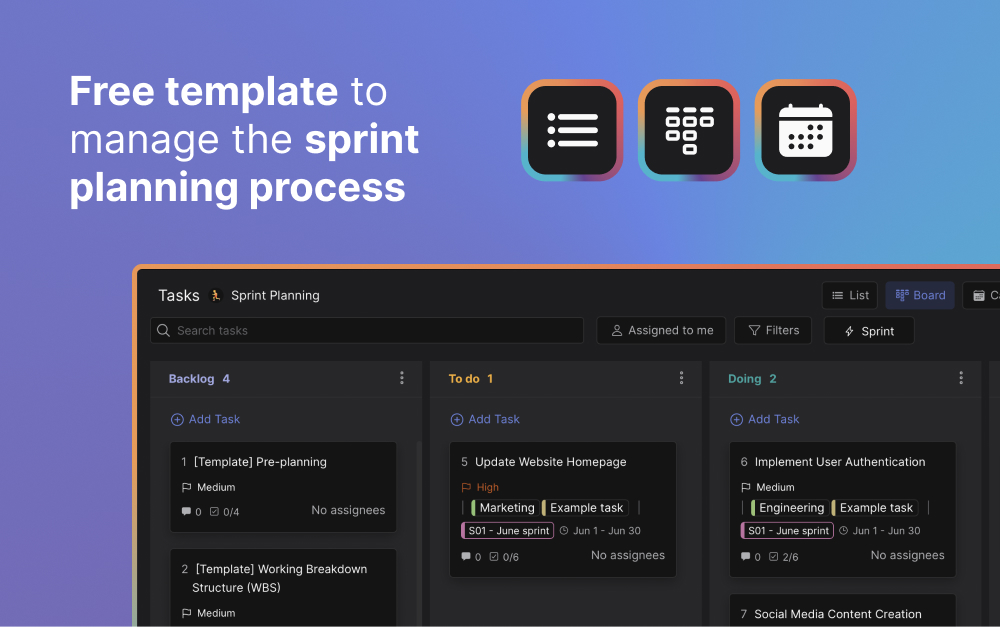
If you want a head start on the sprint planning agenda above, our free agile sprint planning template drops the same structure into a Rock space ready to fill in.
The Three Topics: Why, What, How
The Scrum Guide 2020 frames sprint planning around three topics rather than two phases. Each topic answers a different question and produces a different artifact.
Why is this sprint valuable? The Product Owner proposes a sprint goal: a single coherent objective the increment will commit to. A good goal is concrete enough to test against ("ship the new password reset flow end-to-end") and broad enough to allow for unexpected work ("not just one bug fix in that flow").
What can be done this sprint? The team pulls top backlog items that move toward the goal. Each item is checked against the Definition of Ready: acceptance criteria written, dependencies mapped, estimate done, and small enough to fit in the sprint. Items that fail the Definition of Ready get pushed back to refinement.
How will the chosen work get done? The team breaks each selected item into the actual work it takes. Estimate in story points or hours. Stop pulling items when the total commitment hits team capacity. Self-organize who picks up what once the sprint starts. Do not pre-assign every task in the planning meeting.
Inputs and Outputs of Sprint Planning
Sprint planning has clear inputs the team needs before the meeting starts and clear outputs that ship out of the meeting. Skip an input and the meeting drifts into improvised refinement. Miss an output and the sprint starts without direction.
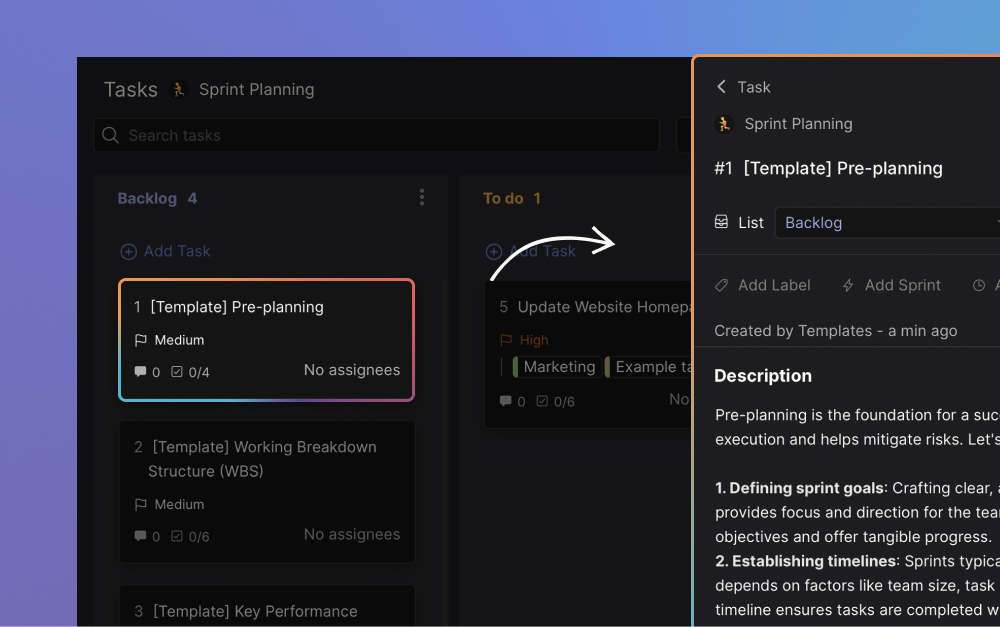
Inputs. A refined product backlog with the top items meeting the Definition of Ready. The team's recent velocity (rolling 3-5 sprint average). The team's actual capacity for this sprint, accounting for who is on holiday or in meetings. The current Definition of Done so the team knows what "complete" looks like.
Outputs. A sprint goal that summarizes what the increment will achieve. A sprint backlog of selected items with estimates. A plan for delivering them, at least for the first few days. The first daily standup scheduled.
PMI's 2018 Pulse of the Profession reported that 52% of completed projects experience scope creep, up from 43% five years prior. Most scope creep traces back to inputs that were not solid at the start: ambiguous acceptance criteria, missed dependencies, no estimate. A working Definition of Ready is the cheapest insurance against the slow drift that ruins sprints.
How to Estimate the Work
Estimation is where most planning meetings stall. The team disagrees, the Product Owner gets impatient, and someone proposes hours-based estimates that nobody believes. Three techniques cover most cases.
Story points with Planning Poker. If the team is still calibrating its scale, start with t-shirt sizing and convert to points after a few sprints. Mike Cohn popularized Planning Poker in the early 2000s. Each team member privately picks a Fibonacci-like value (1, 2, 3, 5, 8, 13) for the item, then everyone reveals at once. Discrepancies trigger a short discussion, then re-estimate. The collision of independent estimates is the feature, not the bug. It surfaces hidden assumptions early.
T-shirt sizing. Use XS, S, M, L, XL when the items are too rough for points. Best for early backlog refinement, not for sprint commitment. Convert to story points before the planning meeting if you want capacity math to work.
Hours. Some teams use ideal hours instead of story points. Hours are tempting because they sound concrete, but they hide the complexity and uncertainty that points capture. Use hours only if the team's work is genuinely uniform (production support, recurring deliverables) where uncertainty is low.
The point of estimation is not precision. It is shared understanding. If two team members estimate the same story at 3 and 13, the gap reveals different mental models of the work. That conversation is worth more than the final number.
Velocity vs Capacity: How to Decide
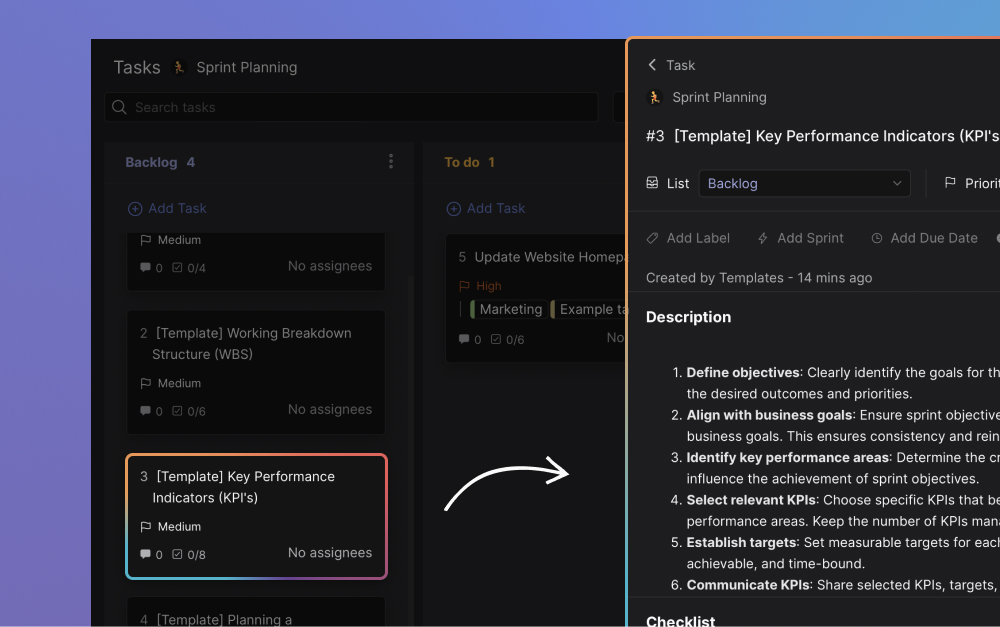
The most common planning argument: should the team commit to its average velocity, or to capacity calculated from who is actually available this sprint? Mike Cohn argues capacity should drive sprint commitment, with velocity used only for longer-range release forecasts.
"Teams won't think of everything in sprint planning meetings, and that's OK." - Mike Cohn, Founder, Mountain Goat Software
The math is simple. If average velocity is 30 points and the sprint is two weeks, you might commit to 30 again by default. But if a developer is on holiday and a designer has half their time in interviews this sprint, the team's actual capacity might be 18 points. Committing to 30 means either burning out the team or carrying half the work into the next sprint.
Velocity is a long-run forecast. Capacity is the commitment input. Use both: velocity for the release plan, capacity for this specific sprint. Most teams that miss sprint commitments are using velocity where they should be using capacity.
The capacity formula most teams converge on: (team-member-days available × focus factor), where focus factor is typically 0.5 to 0.7. Henrik Kniberg's Scrum and XP from the Trenches popularized the 0.5 default. The 0.5 figure assumes that half the team's nominal hours go to meetings, context-switching, and unplanned work. Track actual focus factor for 3-4 sprints and use real data instead of guesses.
Common Sprint Planning Mistakes
The patterns below show up across teams that adopt sprint planning and lose value within one or two sprints. Most are about treating the meeting as a checklist rather than a working session that produces a real commitment.
- No sprint goal The team selects items but never agrees on a single objective. The sprint becomes a collection of unrelated tickets. Without a goal, mid-sprint trade-offs have no anchor and stakeholders cannot tell whether the sprint succeeded.
- Pulling unrefined items Stories enter the sprint without acceptance criteria, dependencies mapped, or estimates done. The team discovers the work mid-sprint and either burns out trying to finish or carries items over. Refinement is a separate ceremony for a reason.
- Committing to velocity instead of capacity "We did 32 points last sprint, so we commit to 32 again." Velocity is a long-run forecast. Sprint commitment should account for who is actually available this week, not the average. Mike Cohn calls this the most common planning failure.
- Pre-assigning every task The Project Lead assigns each task to a specific person during planning. Self-organization dies. Use planning to surface the work and check it fits capacity. Let the team pick up tasks day-by-day during the sprint.
- Over-planning the meeting Two-hour planning sessions for a one-week sprint kill momentum. The Scrum Guide caps planning at 8 hours for a one-month sprint. Most teams need far less. If planning runs over, the backlog was not refined enough beforehand.
- Treating planning as a status report Stakeholders attend, get progress updates, and the team never gets to the actual planning. Sprint planning is a working session for the team that does the work, not a status meeting. Stakeholder updates belong elsewhere.
"Heroic effort should be viewed as a failure of planning." - Jeff Sutherland, Co-creator of Scrum, CEO Scrum Inc.
The biggest of these is committing to velocity instead of capacity. The capacity calculation surfaces the holiday week, the contractor wrapping up, the recruiting load on the engineering manager. The velocity number hides all of that. Sprint planning that ignores actual capacity is the upstream cause of most "we missed the sprint goal again" retros.
Sprint Planning for Distributed and Async Teams
Most sprint planning advice assumes everyone is in a room together. Distributed and async teams need a different shape. The agenda is the same, but the meeting structure adapts to time zones and attention.

Pre-work in writing. The Product Owner posts the proposed sprint goal and the top backlog items 24 hours before the meeting. Each team member reviews and adds questions or estimates async. The live meeting then handles only items that need real discussion, which cuts the meeting time by 30 to 50%.
One synchronous block, not two. The Scrum Guide allows splitting planning into Why-What and How sessions. For distributed teams, this doubles the time-zone coordination cost. Run one 90-minute session that hits all three topics. Use the saved time for async refinement before and async confirmation after.
Distributed planning is where chat-first tools beat video-first tools. Atlassian's 2024 State of Teams research, covered by Fortune, found 72% of meetings are ineffective and the average professional spends 31 hours a month in unproductive ones. Cutting planning meeting time by half through async pre-work is the single biggest leverage point most distributed teams miss.
What We Recommend
At Rock we run sprint planning as a 90-minute working session pinned inside the project workspace. The output is a note with the sprint goal, the selected items, and the plan, plus tracked tasks with point estimates so the capacity math is visible. The placement updates daily as work moves through the sprint board.
The reason for keeping the plan inside the project workspace is the failure mode otherwise. Sprint plans that live in slide decks or external trackers become decoration. They get reviewed at planning and forgotten when the team is heads-down. A pinned note plus tracked tasks in the same workspace as the team's chat keeps the plan alive when the sprint actually needs it.
Pair this with the broader sprint toolkit. The scrum guide for agencies covers the full framework. The sprint duration guide covers how to pick the right length. The daily standup guide covers the mid-sprint check-in. The retrospective guide covers the closing ceremony. Together they form a complete picture of running scrum sprints.
Pin sprint planning inside the project workspace. Rock combines chat, tasks, and notes in one workspace. One flat price, unlimited users. Get started for free.

Frequently Asked Questions
What are the 4 phases of sprint planning? The four common phases are: set the sprint goal (Why), select backlog items that fit (What), break down the work and estimate it (How), and confirm the commitment (Commit). The Scrum Guide 2020 frames the first three as topics rather than phases. The fourth is implicit but worth making explicit so nobody walks out unsure.
How long should a sprint planning meeting be? The Scrum Guide caps it at 8 hours for a one-month sprint, 4 hours for a two-week sprint, 2 hours for a one-week sprint. Most teams under 10 people finish in well under those caps. If your planning runs longer, the backlog needs more refinement before the meeting, not more time during it.
Who attends sprint planning? The Product Owner, the Scrum Master, and the development team. Stakeholders are not required and usually slow the meeting down by turning it into a status update. The Product Owner represents stakeholder interests during the meeting and brings updates back to them after.
What is the difference between sprint planning and sprint review? Sprint planning happens at the start of the sprint and produces the sprint goal and backlog. The sprint review happens at the end of the sprint and demonstrates the increment to stakeholders. Planning is internal and forward-looking. Review is external and backward-looking.
What are the inputs and outputs of sprint planning? Inputs are the refined product backlog, the team's recent velocity, the team's actual capacity for this sprint, and the current Definition of Done. Outputs are the sprint goal, the sprint backlog of selected items with estimates, and a plan for delivering them.
What are the three questions of sprint planning? The Scrum Guide 2020 frames sprint planning around three topics: Why is this sprint valuable, What can be done this sprint, and How will the chosen work get done. Each topic answers a different question and produces a different artifact.





