By clicking Accept, you agree to the storing of cookies on your device to enhance site navigation, analyze site usage, and assist in our marketing efforts. View our Privacy Policy or manage preferences.
Oops! Something went wrong while submitting the form.
or continue with
Rock MCP is here. You can now connect Rock to the AI tools you already use. Create a token in Rock, paste it into Claude, Cursor, or another client, and the assistant works inside your spaces as you, across all of them at once.
From earlier calls this month we learned that a lot of our active teams live in tools like Claude and Cursor now, and you would rather they reach into Rock than have you copy things back and forth. We work the same way.
Rock MCP is that connection: your AI assistant reads and updates your spaces directly, making it easier to stay up to date and manage projects across team members.
A few things worth knowing:
It works today with Claude Desktop, Claude Code, Codex, Cursor, VS Code, and Claude Cowork. A one-click connector for Claude on the web and mobile is coming next.
The token acts as you, read and write, across all your spaces. Treat it like a password, and revoke it any time.
It is on every plan, including Free.
Easiest setup: just ask Cowork
Claude Cowork can help you end-to-end with the setup. Share the prompt below and generate a new token, Claude will guide you through all steps.
Keep your token safe, never share in chat.
zsh
Works in coding environments
Add Rock MCP to Claude Code, Codex, Cursor, VS Code, or right from the terminal.
You will find it under your avatar, in a settings panel called Rock MCP. Full setup for every client is in the help guide.
What we use it for
A few of the things we ask it every day:
Search across your whole account. One question searches tasks, notes, and chat messages in every space you belong to. Try "where did we land on the Q3 pricing change?" or "find the onboarding brief and summarize it."
Turn a transcript or doc into tasks. Paste a meeting transcript or point it at a document, and ask it to create the tasks, with owners, due dates, and descriptions already filled in.
Push updates in. Drop your latest growth numbers, funnel metrics, or a status note straight into the right space, so the team sees it where they already work.
Run your to-do list from the chat. Ask "what is my most urgent task?", work on it together, then mark it done or update it without opening the app.
Plus, recent fixes
Since our last update, we also shipped:
Cleaner notifications and unread counts. Unread dots clear correctly for archived spaces and after "Mark all as read," and counts update the moment you open an item.
DMs in custom folders no longer disappear from your sidebar.
Chat threads stay in the right space now, with no more cross-space mix-up when you open one.
Add Spaces picker now targets the correct workspace inside embeds.
Strategy fails when teams stop noticing the world around them. PESTEL analysis is the most widely used way to force that noticing, by mapping the political, economic, social, technological, environmental, and legal forces shaping every player in your market.
This guide walks through what PESTEL is and how to run it without producing a 40-page deck no one reads. It includes a worked example from agency life and shows how PESTEL fits with SWOT, Porter's Five Forces, and the Strategic Choice Cascade.
List one factor per category. Rate impact and likelihood from 1 to 5. Score (impact x likelihood) lights up the cells that need a strategic response. Fill all six to see the full heat map.
ImpactLikelihoodScore
Political
-
Economic
-
Social
-
Technological
-
Environmental
-
Legal
-
0 of 6 factors written
Heat mapLikelihood ↑ vs Impact → (letter = factor)
Score 1-6 (low priority, accept or monitor)Score 7-14 (medium, monitor or hedge)Score 15-25 (high, exploit or hedge now)
Solid scan. Turn each high-score factor into a tracked task and assign an owner.
Quick answer. PESTEL analysis is a strategic framework for scanning the macro-environment of a business. It maps six categories of external forces: Political, Economic, Social, Technological, Environmental, and Legal. The output is a prioritized view of which forces could materially help or hurt the business in a given time horizon, and what to do about each. PESTEL is also written PESTLE in some regions; both spellings refer to the same six factors.
The framework descends from Francis Aguilar's 1967 book Scanning the Business Environment, which introduced the original four-factor ETPS model (Economic, Technical, Political, Social). Later authors added Legal and Environmental to reflect the rising weight of regulation and climate-related forces. The mnemonic became PESTEL in most US business writing and PESTLE in UK-leaning strategy and HR literature, including the CIPD PESTLE factsheet.
"Environmental scanning provides information about events and relationships in a company's outside environment, the knowledge of which would assist top management in charting the company's future course of action." - Francis Aguilar, Scanning the Business Environment (1967)
Modern PESTEL is used at the start of strategic planning to set the macro context. It runs before drilling into industry structure with Porter's Five Forces and into the firm's own situation with SWOT analysis. The framework is most useful for businesses whose performance depends on forces outside their direct control. Agencies serving regulated industries, exporters facing currency moves, and anyone whose pricing model could be reshaped by AI or new compliance rules all benefit.
The 6 PESTEL Factors
Each category is a different lens on the world outside the firm. Most teams find that two or three of the six dominate any given planning cycle, but the discipline of touching all six is what stops blind spots from forming.
Enterprise clients requiring Scope 3 emissions data from vendors
LLegal
Employment law, data privacy, IP, consumer protection, contractor classification, antitrust
New cross-border data residency rule blocking your default stack
The six categories overlap. A new privacy law is both political and legal; a rise in remote work is both social and technological. Do not get hung up on perfect classification. The point is to make sure no major force is missed, not to win a taxonomy debate.
Worked Example: Agency Going AI-First
Consider a 25-person digital agency in Manila serving mid-market clients in the US and UK. Leadership is debating how aggressively to retool the studio around generative AI tools. A PESTEL run on a 12-month horizon might look like this.
PoliticalUS policy shifts on AI procurement could affect public-sector clients.Impact3Likely3Score9Monitor
EconomicStrong USD against the peso lifts retainer margins by roughly 8% if the trend holds.Impact4Likely4Score16Exploit
SocialWestern buyers expect faster turnaround as AI shortens production cycles.Impact5Likely5Score25Exploit
TechnologicalGenerative AI commoditizes copy and basic design work, eroding hourly rates.Impact5Likely5Score25Hedge
EnvironmentalEnterprise prospects increasingly request supplier emissions data; missing it knocks the agency off shortlists.Impact3Likely3Score9Monitor
LegalNew cross-border contractor classification rules in the UK could reshape how the agency engages freelancers.Impact4Likely3Score12Hedge
Headline takeaways: Two factors clear 25 (Social, Technological), making them this year's strategy anchors. Three medium-score factors (Economic, Environmental, Legal) get owners and watch triggers. Political stays on the radar.
Total time spent: about 90 minutes with the leadership team. The two highest scores (Technological and Social, both 25) become the anchors of the year's strategy. The medium scores generate watchlist items with named owners. The Political and Environmental factors stay on the radar without absorbing planning time today.
The four response types referenced above are worth defining because they do most of the work in a PESTEL session. Hedge means putting a buffer in place against a downside (insurance, contract clauses, dual-supplier setups). Exploit means actively building toward an opportunity the factor creates. Monitor means setting a trigger condition and an owner so the team gets early warning if the factor moves. Accept means deciding the factor is real but not material enough to act on right now. Every high-score factor needs one of the four; otherwise the analysis is a finding rather than a strategy.
When to Use PESTEL Analysis
PESTEL earns its place in three specific moments. First, at the start of an annual or three-year planning cycle, to make sure the team is reading the same external picture before debating strategy. Second, before a major investment decision (entering a new country, launching a new service line, signing a long-dated lease). Third, after a material shock (election outcome, regulatory change, technology disruption) that forces a rapid re-read of the environment.
"Results only exist outside of the organization." - Peter Drucker
Skip PESTEL when the question on the table is purely internal: team structure, pricing, an individual hire. Skip it when the question is industry-specific, in which case Porter's Five Forces is the better tool. Skip it when you already ran one in the last 90 days and nothing material has changed. The biggest mistake is running PESTEL out of habit on a quarter where nothing in the macro picture has shifted, producing the same deck and the same conclusions.
How to Apply PESTEL in 5 Steps
The mechanics are simple; the discipline is in trimming aggressively and tying every high-impact factor to a specific response.
Define the scope and time horizonPick the unit of analysis (whole company, one business line, one client market) and a horizon that matches the decision (12 months for a budget cycle, 3 years for a service-line investment). Mismatched scope is the most common reason a PESTEL ends up as a wall of irrelevant facts.
List one to two factors per categoryForce discipline: pick the one or two factors per category that materially affect this scope. Skip "interesting but harmless" trends. The whole point is to surface what could change your numbers, not produce a literature review.
Score impact and likelihoodRate each factor on impact (how big the effect on your scope) and likelihood (how probable, in your time horizon). Multiplying the two gives a priority score that separates "monitor" from "act now."
Decide a response per high-score factorFor every factor above your threshold, write one of four responses: hedge (insure), exploit (turn into opportunity), monitor (set a trigger), or accept (no action). A factor without a response is a finding, not a strategy.
Re-run on a fixed cadencePESTEL is a snapshot. Tie it to a recurring review (quarterly for fast-moving markets, twice a year otherwise). Owners track their factor and flag changes; the team revisits scores and responses each cycle.
A 6 to 10-person planning team can complete steps 1 through 4 in a single 90-minute session if scope is sharp. Step 5 (the cadence) is the one most teams neglect; it is also where most of the value sits.
PESTEL vs Other Strategic Frameworks
PESTEL is the macro layer. It pairs with industry-, firm-, and choice-level frameworks rather than replacing them. The cleanest sequence for a full strategic review runs from outside in. Start with PESTEL for the macro environment, then Porter's Five Forces for industry structure, then SWOT for the firm's situation. From there, use TOWS to generate strategic options and the Strategic Choice Cascade to lock in one integrated answer.
Framework
Layer of analysis
Best for
PESTEL
Macro-environment (outside the industry)
Scanning political, economic, social, tech, environmental, legal forces shaping every player in your market
Choosing among penetration, market development, product development, or diversification
Treat the table as a workflow rather than a menu. PESTEL feeds inputs into Porter's, both feed into SWOT, SWOT feeds TOWS, and TOWS feeds the Strategic Choice Cascade. Skipping a layer almost always shows up later as a strategy that looks coherent on paper but ignores something obvious in the world.
Common Mistakes and Limitations
PESTEL is a structured lens, not a strategy. Most failure modes come from treating the framework as the deliverable instead of using it to drive decisions.
Listing factors without scoring themAn unscored PESTEL is a wish list. If every factor looks equally important, the team will default to the loudest voice in the room. Always score impact and likelihood; otherwise the framework adds noise instead of clarity.
Treating PESTEL as a one-off exerciseMost teams run PESTEL once during annual planning and never touch it again. Macro factors move continuously, especially political and technological ones. A snapshot from January is stale by Q3 in most industries.
Confusing PESTEL with industry analysisPESTEL describes forces shaping every player in the market; it does not tell you who captures the profit. Pair PESTEL with Porter's Five Forces if you also need to understand industry rivalry and bargaining power.
Drowning in data, starving for actionTeams often produce 40-page PESTEL decks with no decisions attached. Cap the analysis at one or two factors per category, and require a written response (hedge, exploit, monitor, accept) per high-score factor.
Top-down only, missing trench signalFrontline staff (account managers, ops, support) often see macro shifts before they show up in industry reports. A PESTEL run only by the leadership team will miss early signals on regulation, customer behavior, and tech adoption.
Limitation: scanning fails at inflection pointsEnvironmental scanning is built for incremental change. It can miss strategic inflection points, the dangerous discontinuities where the rules of the game flip overnight. Use PESTEL for steady scanning and pair it with scenario planning for the big tail risks.
"People in the trenches are usually in touch with impending changes early." - Andrew S. Grove, Only the Paranoid Survive
Grove's point applies cleanly to PESTEL. The richest macro signal often sits with account managers, support staff, and ops leads who are already feeling the change in client requests or supplier behavior. A PESTEL session that pulls only from leadership and analyst reports will miss what the team already knows. Build the input loop deliberately: a 10-minute round-table per category beats any single analyst's deck. Anyone who works with clients or suppliers should be invited to the round-table.
What We Recommend
At Rock we run PESTEL as a 90-minute team session, not a deck. Each leader takes one of the six categories and walks in with the top one or two factors plus a draft impact and likelihood score. The room debates and rescores together, then assigns an owner per high-score factor with a written response. The whole thing lives as a pinned note in a shared Rock space, with each high-score factor turned into a tracked task so the response actually happens between reviews.
The reason for keeping PESTEL inside the same workspace as day-to-day execution is that macro factors only matter if they show up in someone's task list. Pair the framework with SWOT for the firm-level translation, and run a fresh round whenever the inputs visibly move. The widget at the top of this article is the same shape we use internally, scaled down for one team.
Two patterns are worth copying from teams that get real value out of PESTEL. The first is keeping the analysis short. A one-page summary with six factors, scores, owners, and a one-line response per high-score factor beats any 20-page deck. The second is closing the loop. Each owner posts a quick update at the next review on whether their factor moved, what the response delivered, and whether the score should change. Without the loop, the analysis becomes wallpaper; with it, PESTEL turns into a live dashboard for the macro forces you actually care about.
Run a PESTEL with your team this quarter. Rock combines chat, tasks, and notes in one workspace. One flat price, unlimited users. Get started for free.
Porter's Five Forces is the industry-level companion to SWOT. Where SWOT looks at one firm and asks where you are strong or exposed, Porter's looks at the industry around you and asks whether the industry itself is worth competing in. The framework breaks competitive pressure into five separate forces and rates each one. The combined intensity tells you how much profit the industry can sustain over time.
This guide covers the five forces, how to apply them in 5 steps, a worked example, and when to use Porter's instead of SWOT or PEST. It also covers the limitations the framework was already showing in 1979. Analyze your own industry with the interactive widget below, copy the result, take it into your strategy conversation.
Type the industry you are analyzing, then rate each of the five forces as Low, Medium, or High. The summary panel reads the combined intensity and gives you the industry attractiveness verdict. The widget seeds an example so you can see the shape; reset to clear and run yours.
Analyze your industry with Porter's Five Forces
Type the industry you are analyzing, then rate the intensity of each force. The summary below reads the overall industry attractiveness.
Industry attractiveness
Rate the five forces above to see your verdict.
Each force shifts the verdict. Higher overall intensity = lower attractiveness.
0 of 5 forces rated
Want to act on these findings? Continue to a SWOT analysis → to translate industry signals into strengths, weaknesses, opportunities, and threats for your firm.
Good analysis. Run this with your strategy team in a shared space where each insight turns into a decision.
Quick answer. Porter's Five Forces is a strategic framework that analyzes the structural attractiveness of an industry. It rates five competitive forces: rivalry among existing competitors, threat of new entrants, threat of substitutes, bargaining power of suppliers, and bargaining power of buyers. It was introduced by Michael Porter in Harvard Business Review in 1979 and remains the dominant framework for industry analysis.
"Competition for profits goes beyond established industry rivals to include four other competitive forces." - Michael Porter, Harvard Business School (HBR, 2008)
The Five Forces Explained
Each force is independent but they interact. A high-rivalry industry with high buyer power gives buyers most of the surplus. A low-rivalry industry with high entrant threat looks attractive today but may not be in 18 months. The shape of the five forces, not any single one, decides industry profitability.
Force
What raises intensity
What lowers intensity
1Competitive rivalry
Many similar competitors, slow industry growth, high exit barriers, weak product differentiation, price-based competition.
Few players with clear positioning, growing market, strong brand differentiation, high switching costs.
2Threat of new entrants
Low capital required, easy access to distribution, weak brand loyalty, no regulatory barriers, scalable technology.
High capital requirements, regulated industry, established network effects, patents, strong customer lock-in.
3Threat of substitutes
Cheap or free alternatives exist, low switching cost, substitute solves the same job differently, customer trends favor the substitute.
No clear alternatives, switching cost is high, your product solves a job nothing else solves well.
4Bargaining power of suppliers
Few suppliers control critical inputs, switching suppliers is costly or risky, suppliers can integrate forward into your industry.
Many interchangeable suppliers, easy to switch, you are a major share of supplier revenue, you can integrate backward.
5Bargaining power of buyers
Few large buyers, buyers are price-sensitive and informed, low switching cost for buyers, buyers can integrate backward.
Many small buyers, low price sensitivity, high switching cost, your offering is mission-critical or differentiated.
Porter's original numbering is conventional, not strict. Some treatments lead with rivalry, others with entrants. The order does not matter; coverage of all five does. Skipping the supplier side because your inputs feel commoditized is the most common analysis miss; commoditized inputs sometimes consolidate suddenly (semiconductor shortages, AI compute capacity) and supplier power flips overnight.
Worked Example: Agency PM Software
Industry analyzed: SaaS project management software targeted at marketing and creative agencies in the 5-50 employee range.
1. Competitive rivalry: High. Dozens of established players (Asana, ClickUp, Monday, Trello, Notion, Basecamp, Wrike) plus newer entrants. Most compete on similar feature sets, with periodic price wars on annual seat plans. Differentiation tends to fade as competitors copy features within 6 to 12 months.
2. Threat of new entrants: Medium. Software is cheap to build initially, especially with AI-assisted development, but distribution is hard. Most new entrants struggle to acquire customers cost-effectively in a category dominated by incumbents with large content libraries and established sales teams.
3. Threat of substitutes: High. Email plus spreadsheets is the persistent substitute, especially for small teams. AI copilots that orchestrate work across existing tools are an emerging substitute that could reframe the category. Buyers often default to "free with Gmail" rather than buy specialist software.
4. Bargaining power of suppliers: Low. Cloud infrastructure (AWS, GCP, Azure) is largely fungible at the size most PM tools operate at. Talent is the main supplier; tight market for product engineers but not concentrated enough to compress margins industry-wide.
5. Bargaining power of buyers: Medium. Buyers have many alternatives and are price-aware, but switching costs are real (data migration, team retraining). Larger agencies negotiate harder; smaller agencies often pay list price. Annual contracts soften some buyer power.
Verdict: mixed industry leaning unattractive. High rivalry plus high substitution pressure compress margins, while medium-low pressure on supplier and entrant sides keeps the industry from collapsing. The strategic implication: succeed by picking a narrow niche where switching costs and differentiation can be defended, rather than trying to outcompete on broad horizontal features. Generalist players will get squeezed; deep-niche players (e.g., agency-specific PM with billing built in) have room.
Porters 5 forces framework visualized
When to Run Porter's (vs SWOT or PEST)
Porter's answers a specific question: how much profit can this industry support? Reach for it when that question is the bottleneck.
Before entering a new industry or vertical. If you are weighing whether to launch into adjacent space, Porter's tells you whether the structural economics work before you invest. An attractive industry with weak forces is a tailwind. An unattractive one is a headwind that even great execution may not overcome.
Before strategic acquisitions. When evaluating an acquisition target in a new industry, Porter's surfaces the structural reasons that target's profits may be sustainable or temporary.
When margins are compressing and the cause is unclear. If profits are eroding industry-wide, Porter's helps locate which force is doing the damage. A pricing problem caused by buyer power is fixed differently from one caused by new entrants flooding the market.
As input to a SWOT analysis. Porter's covers the External half of SWOT (Opportunities and Threats) at the industry level. Run Porter's first, use the findings to populate the external columns of your SWOT, then proceed to the firm-level analysis.
Skip Porter's when the industry is already understood. If your team has been operating in this industry for years and the structural picture is clear, Porter's may just confirm what you already know. Use the time on TOWS or VRIO instead.
"Success breeds complacency. Complacency breeds failure. Only the paranoid survive." - Andy Grove, former CEO, Intel
How to Run Porter's in 5 Steps
Define the industry preciselyThe single biggest source of bad Porter's analyses is a fuzzy industry definition. "Software" is not an industry. "Project management software for mid-market marketing agencies in North America" is. Tighten until two reasonable strategists would draw the same boundaries.
Map the players for each forceName actual competitors, suppliers, buyer segments, and substitutes. Forces in the abstract are weak analysis. Forces with specific named players are strategic information you can act on.
Rate each force Low, Medium, or HighUse the intensity drivers in the forces table above. Avoid the temptation to rate every force Medium because it feels safe. A Porter's analysis where every force scores Medium is usually a Porter's analysis the team did not push hard enough.
Read the combined verdictIf most forces are High, the industry compresses profits and only specialists or scale players survive. If most are Low, profits are sustainable and the strategic question is how to defend the position. Mixed verdicts (the most common outcome) require you to identify which forces are most intense and design around them.
Translate into strategyPorter's by itself produces a diagnosis, not a strategy. Feed the verdict into a SWOT (using the force ratings as the External column) or directly into a TOWS matrix to generate strategic moves. Without this translation step, the analysis stops being useful at the document stage.
Reading the Industry Attractiveness Verdict
The combined force ratings produce one of three broad verdicts. The strategic response differs sharply for each.
Attractive industry (most forces low). Profits are sustainable, competition is mild, structural barriers protect incumbents. Strategic priority: defend the position. Build switching costs, deepen differentiation, lock in distribution. The risk is complacency: industries do not stay attractive forever.
Mixed industry (force ratings vary). Some forces compress margins, others give breathing room. Strategy depends on which forces are most intense. If buyer power is the killer, build differentiation and switching cost. If new entrants are the killer, build moats. If substitutes are the killer, expand the category boundary or move to where substitutes do not threaten.
Unattractive industry (most forces high). Profits are structurally compressed. Three options: pick a defensible niche where the forces are weaker, change the rules through innovation, or exit and redeploy capital to a more attractive industry.
Porter's Five Forces vs Other Frameworks
Porter's is one of several strategic analysis tools, each answering a different question. Running Porter's when you need SWOT (or vice versa) gives you a correct answer to the wrong question.
Framework
Level of analysis
Question it answers
When to reach for it
Porter's Five Forces
Industry
How attractive is this industry, and where is the profit pressure coming from?
Choosing where to compete, evaluating a new vertical, sizing the prize before SWOT.
PEST / PESTLE
Macro environment
What political, economic, social, technological forces are reshaping the landscape?
3-5 year horizon planning, geographic expansion, anticipating regulatory shifts.
What concrete moves should we make given our SWOT?
Right after SWOT, to convert findings into named strategies.
The common chain in practice: PEST (or PESTLE) for the macro environment, Porter's for the industry structure, SWOT for the firm-level diagnosis using Porter's findings as the external view, VRIO on the strengths column to verify which are durable, and TOWS to convert it all into named strategic moves. No single framework does the whole job; the workflow does.
Common Mistakes and Limitations
Five patterns that produce a Porter's analysis that looks complete but does not inform strategy, plus the broader limitation Porter's has had since 1979.
Defining the industry too broadly"We are in the SaaS industry" produces a useless analysis because SaaS contains hundreds of structurally different sub-industries. Tighten the definition until the named players in each force are specific.
Rating every force MediumSafe-middle ratings are usually unanalyzed ratings. Push the team to commit to High or Low on each force; if the genuine answer is Medium, articulate why.
Treating substitutes too narrowlyThe most dangerous substitutes come from outside the obvious category. Spreadsheets substitute for PM software; Whatsapp substitutes for Slack; the iPad substituted for many laptop categories. Look for the job the buyer is hiring your category to do, then list every alternative way to get that job done.
Ignoring the supplier side because inputs feel commoditizedMost analyses underweight supplier power until a supply shock arrives. Cloud infrastructure was a non-issue until 2020-2022 when capacity got tight; AI compute is the current example. Rate supplier power based on the next 24 months, not just today.
Treating the analysis as finalIndustry forces shift continuously. A Porter's analysis from 18 months ago is a historical artifact, not a current strategy input. Rerun annually at minimum, or whenever a major industry event (consolidation, regulation, technology shift) changes the picture.
"Disruption is what happens when the incumbents are so focused on pleasing their most profitable customers that they neglect or misjudge the needs of their other segments." - Clayton Christensen, Harvard Business School
The broader limitation. Christensen's disruption theory shows that even in attractive industries, incumbents can be displaced by entrants who target segments the incumbents are happy to ignore. Porter's measures industry attractiveness today; it does not predict which entrants will reshape the category from below. Use Porter's for the structural snapshot; use disruption analysis as the complementary lens for what the snapshot misses.
What We Recommend
Run Porter's as the opening move in any planning cycle that involves a competitive question. Put the analysis in the same place where the strategy decisions and follow-up tasks will live, so the verdict on each force can be revisited as conditions change. In practice: the Porter's analysis lives as a note in the shared planning space, with a quarterly review trigger on each force (suppliers, buyers, substitutes especially) so the team catches shifts before they show up in the margin report. The teams that run Porter's once and never revisit end up with a strategy built on industry conditions that no longer exist.
For the integrative top-of-stack framework where Porter's findings get committed into a strategy, see our strategic choice cascade guide. For the growth-direction choice (existing or new product, existing or new market), see our Ansoff matrix guide. For the integrative top-of-stack framework where Porter's findings get committed into a strategy, see our strategic choice cascade guide. For the broader strategic framing that Porter's findings feed into, see our organizational strategy guide.
A Porter's Five Forces analysis is only as useful as the strategy it informs. Rock combines chat, tasks, notes, and files in one workspace so the analysis, the resulting strategic moves, and the work to deliver them all live together. One flat price, unlimited users. Get started for free.
A TOWS matrix turns a SWOT grid into a set of strategic moves. Same four categories (Strengths, Weaknesses, Opportunities, Threats), different job. SWOT lists what is true about your situation. TOWS matches the internal factors against the external ones to generate specific strategies you can act on. A finished TOWS has four named moves. A finished SWOT has four named lists. The difference matters.
This guide covers the four TOWS strategic modes, when to run TOWS instead of stopping at SWOT, how to do it in 5 steps, and the limitations most guides skip. Build your own TOWS with the interactive widget below, copy the strategies, take them into your next planning conversation.
Build Your TOWS Matrix
If you have not run a SWOT yet, start with our SWOT analysis guide first. The TOWS matrix takes the four SWOT categories (Strengths, Weaknesses, Opportunities, Threats) and pairs them across a 2 by 2 grid to produce four strategic modes: SO uses a strength to capture an opportunity, WO overcomes a weakness to unlock an opportunity, ST uses a strength to defend against a threat, and WT minimizes a weakness against a threat.
Enter one item per SWOT category in the widget below. Each cell shows you which two inputs it is pairing, then asks you to write the actual strategic move. The widget gives you the structure, you bring the strategy.
Build your TOWS matrix
Enter one item per SWOT category, then write a strategy in each cell.
Strength
Weakness
Opportunity
Threat
Now write one strategy per cell
SOMaxi-Maxi
Use your strength to capture the opportunity.
WOMini-Maxi
Overcome the weakness to unlock the opportunity.
STMaxi-Mini
Use your strength to defend against the threat.
WTMini-Mini
Minimize the weakness and avoid the threat.
0 of 4 strategies written
Good matrix. Turn these strategies into tasks your team can actually run with.
Quick answer. The TOWS matrix is a strategic analysis tool that pairs internal strengths and weaknesses against external opportunities and threats to produce four strategic modes. SO uses strengths to pursue opportunities. WO overcomes weaknesses to pursue opportunities. ST uses strengths to defend against threats. WT minimizes weaknesses and avoids threats. The framework was introduced by Heinz Weihrich in 1982 in Long Range Planning as a follow-on tool to SWOT.
The 4 Strategic Modes
Each cell in a TOWS matrix pairs two SWOT categories and asks a specific strategic question. The four pairings are often labeled Maxi-Maxi, Mini-Maxi, Maxi-Mini, and Mini-Mini, indicating whether the move maximizes or minimizes each input.
Mode
Pairing
Strategic question
Example move
SOMaxi-Maxi
Strength + Opportunity
How do we use what we are good at to capture what is opening up?
Use deep niche expertise to launch a productized service for the 8 inbound requests already coming in.
WOMini-Maxi
Weakness + Opportunity
How do we overcome a capability gap to reach the opportunity?
Hire one experienced productized-service operator to overcome the no-prior-experience gap.
STMaxi-Mini
Strength + Threat
How do we use our strength to neutralize or defend against the threat?
Double down on niche positioning to defend against generalist marketplace price pressure.
WTMini-Mini
Weakness + Threat
What defensive move reduces our exposure where we are weak and the environment hostile?
Cap new service intake at 10 clients in year one to preserve quality while AI-search dynamics settle.
The Maxi / Mini naming is Weihrich's original terminology and shows up in most academic treatments. In practice, most strategy teams just use the letter pairs (SO, WO, ST, WT) and move on. Both conventions are correct. What matters is that each cell produces a concrete move, not just a category label.
"Plans are only good intentions unless they immediately degenerate into hard work." - Peter Drucker
When to Run TOWS (vs Just Stopping at SWOT)
Most teams stop after a SWOT. The grid is filled, the team feels aligned on the situation, somebody takes a photo, and the document ends up in a shared drive. TOWS is the next 45 minutes most teams skip.
After every SWOT session where action is expected. If the point of the SWOT was to inform a real decision (not just a team alignment exercise), TOWS is where you turn the grid into commitments. Scheduling TOWS for the second half of the same session keeps momentum.
Annual or quarterly strategy cycle. When the organization is committing to next-cycle priorities, TOWS is how the team moves from "what is happening around us" to "what we are going to do about it." The conversation shifts from analysis to commitment.
New product or service launch. Before committing resources to a new offering, a TOWS on the launch surfaces strategic moves that the raw SWOT brainstorm alone would miss. The SO pair often reveals a natural early-customer wedge; the WT pair flags the failure mode worth defending against upfront.
Market entry or partnership decision. TOWS clarifies the trade-offs by forcing pairs. A competitor's strength listed alongside your weakness (ST inverse) tells you where you need a defensive move before entering.
Skip TOWS when the SWOT itself is thin. Running TOWS on 3 vague SWOT items produces 4 vague strategies. The quality of the output depends entirely on the quality of the SWOT input. If your SWOT is weak, fix that first.
How to Run TOWS in 5 Steps
Start with a completed SWOTTOWS is not a replacement for SWOT; it is the operation you do on SWOT. If you have not yet done one, run a SWOT analysis first with your top 3 to 5 prioritized items per quadrant. The TOWS step takes those prioritized items as inputs.
Build the 2 by 2 matrixInternal rows (Strengths, Weaknesses) crossed against external columns (Opportunities, Threats). That creates four cells: SO, WO, ST, WT. Draw it on a whiteboard, open it in the widget above, or use a shared doc. The shape is what forces the pairing; do not skip the matrix form.
Generate strategies cell by cellFor each cell, ask the pairing question: given this strength and this opportunity, what move exploits both? Given this weakness and this threat, what defensive move reduces our exposure? Aim for 2 to 3 candidate strategies per cell. Do not filter yet; generate first.
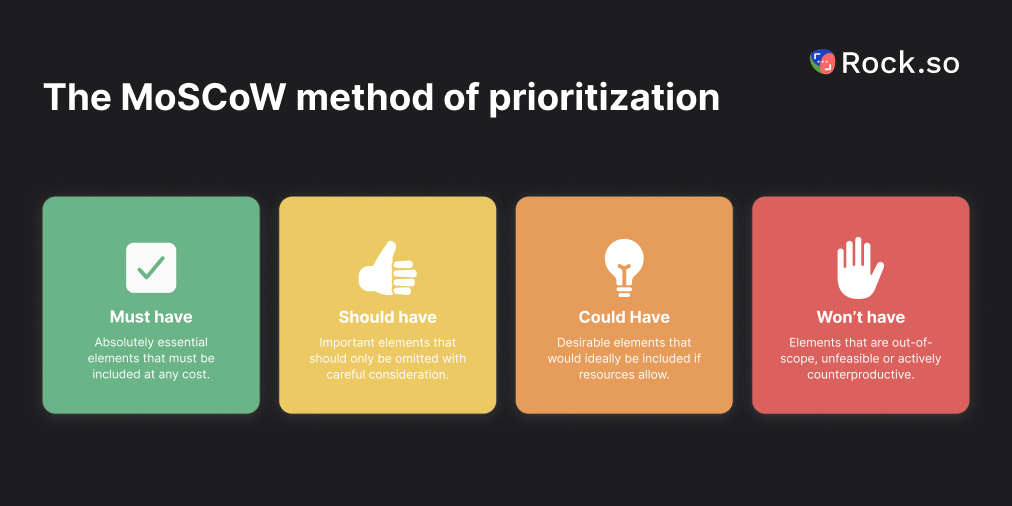
Prioritize the strategiesFrom the 8 to 12 candidate strategies, pick the top 2 to 3 the team will actually commit to in the next planning period. Most strategies will be good ideas; prioritization is what separates a plan from a list. Use an impact-versus-effort sort, or the MoSCoW method to rank them.
Assign owners and measurable first stepsEach chosen strategy gets a named owner and a first move by a specific date. Without this, TOWS produces the same outcome as SWOT: a document that nobody looks at. With it, the matrix becomes a set of operational commitments.
"In real life, strategy is very straightforward. You pick a general direction and implement it like hell." - Jack Welch, former CEO of General Electric
Worked Example: Agency Productized Service Launch
Same scenario as the SWOT and VRIO worked examples: a 15-person B2B SaaS marketing agency evaluating whether to launch a productized SEO service. The SWOT has already been done. Top items per quadrant:
Strength: Deep niche expertise in B2B SaaS SEO (5 years, 40+ clients). Weakness: No prior productized-offering experience. Opportunity: 8 inbound productized-service requests this quarter and no direct competitor offering a middle-tier product. Threat: AI search displacing organic discovery and budget signals pointing to flat 2026 marketing spend.
Running these through the TOWS matrix:
SO (Maxi-Maxi): Launch the productized SEO service to the 40-client retainer base first, using the niche expertise and template library to price confidently and ship fast. Target 5 to 10 conversions in the first 60 days as proof of demand.
WO (Mini-Maxi): Hire one experienced productized-offering operator (not another SEO specialist) to handle intake, delivery, and ops. This overcomes the no-prior-experience weakness while the inbound demand is still warm.
ST (Maxi-Mini): Double down on B2B SaaS niche positioning in marketing and content. Generalist agencies and AI-search changes hurt broad-audience plays harder than they hurt deep-niche ones. Being the "only agency in this niche" is the defensive position.
WT (Mini-Mini): Cap productized-service intake at 10 clients in year one to preserve quality while the AI-search landscape and 2026 budget dynamics settle. Build in a quarterly service review so the offering evolves with the market instead of calcifying.
Four concrete strategies, each with a clear logic, assignable to owners, measurable in the next quarter. The matrix did the work the SWOT alone could not.
TOWS vs Other Frameworks
TOWS has neighbors that do related jobs. Knowing which tool to reach for (and when) saves the team from running the wrong framework on the wrong question.
Committing a TOWS-derived strategy to an annual plan with metrics.
OKRs
Execution rhythm: objectives plus measurable outcomes.
Operating the chosen strategies on a quarterly cadence.
Ansoff Matrix
Growth vector: existing or new product, existing or new market.
Pure growth direction decisions (one subset of what TOWS covers).
The common chain in agency practice: SWOT for the situational view, TOWS for the strategic options, VRIO on the strengths to verify which are durable advantages, and then OGSM or OKRs to carry the chosen strategies into execution. No single framework does the whole job; the workflow does.
Common Mistakes
Five patterns that produce a TOWS that looks complete but generates no action.
Using the full SWOT raw list as inputForty items in, vague strategies out. Prioritize your SWOT down to 3 to 5 items per quadrant before running TOWS. More input is not more insight.
Generic strategies that restate the inputs"Use our strengths to pursue our opportunities" is not a strategy; it is a tautology. A real TOWS output names specifics: which strength, which opportunity, what move, by when.
Ignoring cells that feel uncomfortableThe WT cell (Mini-Mini) is where teams struggle because it combines weaknesses with threats, which feels negative. Skipping it means the most defensive, most necessary strategic moves never get proposed. Run all four cells, even when the output is hard to accept.
Never prioritizing across cellsA TOWS that outputs 12 strategies and assigns owners to all 12 produces zero commitment. Pick 2 to 3 that the team will commit budget and attention to. The rest become a backlog, not the plan.
Running TOWS as a one-offThe matrix is a snapshot. Competitive conditions shift, opportunities expire, threats evolve. A TOWS from 18 months ago is a historical artifact. Rerun at least annually, or whenever the environment shifts meaningfully.
Limitations of TOWS
TOWS inherits some of SWOT's weaknesses plus a few of its own. A good strategy process uses TOWS as one tool in a wider kit, not as the single source of truth.
It is only as honest as the SWOT inputs. Teams that inflate their strengths or underplay their threats produce TOWS outputs that protect the ego, not the business. The data discipline belongs in the SWOT step, before TOWS runs.
The four modes are not equally valuable. Most organizations will find 1 or 2 cells generate most of the useful output. Forcing exactly 2 to 3 strategies per cell for completeness can dilute the ones that matter. Let the quality of the pairings drive the output volume, not the shape of the grid.
It underweights industry-structure questions. TOWS focuses on one firm at a time. If the real question is whether the industry itself is attractive (profit margins, bargaining power, barriers to entry), Porter's Five Forces is the sharper tool. Run it alongside TOWS for industry-level moves.
It assumes a semi-stable environment. In fast-moving markets, the inputs decay faster than the planning cycle. The strategic move you name in Q1 may be solving a problem that does not exist by Q3. In those environments, shorter planning cycles and more frequent TOWS runs beat one annual analysis done thoroughly.
What We Recommend
Run TOWS as the second half of every SWOT session, not as a separate meeting two weeks later. The inputs are freshest while the SWOT conversation is still in the team's short-term memory. Strategic moves land harder when they feel connected to the analysis that produced them. In practice: hold a 90-minute planning session where the first 45 minutes is SWOT (diagnosis) and the second 45 is TOWS (strategy generation plus prioritization plus owner assignment). The output is not a matrix; it is three to five strategic moves with owners, first steps, and a review date. That is what gets executed.
For the resource audit that verifies which strengths are durable advantages worth anchoring TOWS strategies around, see our VRIO analysis guide. For the prioritization framework that helps pick 2 to 3 strategies from the TOWS output, see our MoSCoW method guide. For the broader strategic framing, our organizational strategy guide covers the planning cascade TOWS fits inside. To commit the TOWS-generated options into an integrated set of strategic choices, see our strategic choice cascade guide.
A TOWS matrix is only as useful as the actions it triggers. Rock combines chat, tasks, notes, and files in one workspace so the SWOT, the TOWS strategies, and the work to deliver them all live together. One flat price, unlimited users. Get started for free.
A VRIO analysis takes one resource at a time and asks whether it can actually produce a competitive advantage. Four questions: is it valuable, is it rare, is it costly to imitate, and is your organization set up to exploit it? The resource only generates sustained advantage if the answer to all four is yes. Anything less, and you know exactly where to invest next.
This guide covers the four VRIO questions, how to run the analysis in 5 steps, and how to read the decision matrix. It also shows how VRIO fits alongside SWOT, Porter's Five Forces, and core competencies. Analyze your own resources with the interactive widget below, copy the results, take them into your next strategy conversation.
Analyze a Resource with VRIO
Type a resource, click the questions it actually meets, and the widget outputs the strategic verdict for each. Add multiple resources to compare where your real advantages sit and where you are working on parity.
Analyze a resource with VRIO
Type a resource, click the questions it meets (Valuable, Rare, Costly to imitate, Organized to exploit), and see the strategic verdict. Add more rows to compare.
0 resources analyzed
Nice analysis. Run this VRIO with your team inside a shared space where each verdict turns into a strategic task.
Quick answer. VRIO is a strategic framework for evaluating a firm's internal resources to determine which ones produce sustained competitive advantage. It was developed by strategy professor Jay Barney in 1995 as an applied refinement of his earlier Resource-Based View. The four questions, asked one resource at a time, are: Is this resource Valuable? Is it Rare? Is it costly to Imitate? And is our Organization set up to exploit it?
"Resources are most likely to be costly to imitate and non-substitutable when they are socially complex, developed over long periods of time, and when actions needed to develop these resources are not obvious." - Jay Barney, Presidential Professor of Strategic Management
The 4 VRIO Questions
Each letter is a gate the resource must pass through. Fail any one and the verdict changes. The order matters: a resource has to be valuable before rarity is worth asking about, and rare before imitability matters. The widget above reflects this dependency in how the verdict shifts as each toggle flips.
Value. Does the resource help the firm reduce costs, increase customer willingness to pay, or respond to a market threat or opportunity? If the answer is no, the resource is a cost center, not an asset. Value is the threshold question. Everything else depends on it.
Rarity. Is the resource controlled by a small number of firms, or is it widely available? A valuable resource that every competitor has produces parity, not advantage. Industry-standard software, public data, commodity labor all fail this question.
Imitability. Can a competitor replicate this resource at reasonable cost and time? Barney identifies three reasons resources are hard to imitate. Historical conditions: the resource was built over years that cannot be replayed. Causal ambiguity: even you cannot fully articulate why it works. Social complexity: it depends on relationships, culture, or trust that cannot be bought.
Organization. Is your firm structured to exploit the resource? A valuable, rare, inimitable resource sitting inside a disorganized firm produces no advantage. The classic failure mode: a small agency has deep niche expertise but no systems to productize it, so the expertise stays locked inside the founder's head and the firm competes on hours instead.
When to Run a VRIO Analysis
VRIO is narrower than SWOT. It focuses only on the internal-resources question, and it is the sharpest tool for that specific job. Run it in moments where internal resource clarity is the blocker to a decision, not when you need a broad situational view.
Auditing capabilities before a strategy cycle. Before a 3-to-5 year plan, run VRIO on the resources you believe are your competitive advantages. Most of them will score as parity or temporary advantage, which is useful information. The ones that hit all four are where strategy should concentrate.
M&A or investment due diligence. When evaluating whether to buy a company or invest heavily in a capability, VRIO forces the question: is this resource actually defensible, or does it just look that way in the pitch deck?
Service line expansion or productization. Agencies and service firms often assume their expertise is a competitive advantage. Running VRIO reveals whether the expertise is rare (it often is not) and whether the firm is organized to exploit it (it often is not).
Post-mortem after losing a deal or client. If a competitor beat you on something you thought was your advantage, the resource failed at least one VRIO question. Figure out which one and fix it, or stop claiming it.
"The most powerful way to prevail in global competition is still invisible to many companies." - C.K. Prahalad and Gary Hamel, Harvard Business Review (1990)
How to Run a VRIO Analysis in 5 Steps
List your resources and capabilitiesTangible (cash, facilities, equipment, technology stack), intangible (brand, patents, client relationships, proprietary data), and human (team expertise, culture, institutional knowledge). Aim for 10 to 15 candidates. Resist the urge to list generic things every firm has ("we use Slack"); these will fail the rarity question anyway.
Pass each through ValueStrict test: if you removed this resource tomorrow, would revenue drop or costs rise in a measurable way? Not "would it be inconvenient." Measurable. Resources that do not pass the value test are not advantages. They are just things your firm has.
Test Rarity on the survivorsFor the valuable resources only, ask: how many of our direct competitors have roughly equivalent access to this? If the answer is "most of them," the resource is valuable but common. Keeps you in the game; does not win you anything new.
Test Imitability on rare-and-valuable resourcesThe hardest test, and the one where most "advantages" collapse. Ask: if a well-funded competitor decided tomorrow to copy this, how long and how much would it take? If the answer is "6 to 18 months with a budget," you have a temporary advantage, not a sustained one. Plan to exploit it in that window while simultaneously building the next one.
Test Organization on inimitable onesDoes the firm have the structure, processes, incentives, and people to actually use this resource? An inimitable resource in a disorganized firm is dead weight. The fix is organizational, not further investment in the resource itself.
Reading the VRIO Decision Matrix
The combinations of yes/no answers across the four questions map to five distinct strategic verdicts. The shape of the table below is worth memorizing because it tells you not just which resources are advantages, but what to DO with each type.
V R I O
Verdict
What to do
- - - -
Competitive disadvantage
The resource is not valuable. It is absorbing cost without creating return. Divest or repurpose.
V - - -
Competitive parity
Valuable but common. It keeps you in the game; it does not set you apart. Do not invest more.
V R - -
Temporary advantage
Valuable and rare, but imitable. Exploit it fast before competitors copy. Set a 6 to 12 month exploitation window.
V R I -
Unused advantage
Strong resource, poor organization. The advantage is sitting idle. Fix systems, incentives, and processes.
V R I O
Sustained competitive advantage
All four conditions met. Double down with investment, protect with defensibility (patents, culture, compounding), and build strategy around it.
The most common finding from a first-time VRIO audit is that 70 to 80 percent of resources a firm thought were advantages are actually competitive parity or temporary advantages. That is not a failure of the firm. It is the framework working: it separates "things we have" from "things that actually win."
Worked Example: Agency Niche Expertise
Same scenario as the SWOT worked example: a 15-person B2B SaaS marketing agency evaluating whether to launch a productized SEO service. Leadership runs VRIO on their top 4 resources before committing.
Resource 1: Deep niche expertise in B2B SaaS SEO (5 years, 40+ clients). Valuable? Yes, directly affects win rate and pricing. Rare? Yes, fewer than 10 competitors have the same niche depth. Inimitable? Partly. A well-funded generalist agency could hire for it in 12 to 18 months. Organized? Yes, the firm has templates and senior specialists. Verdict: temporary-to-sustained advantage. Exploit aggressively with positioning, publish publicly to build compounding authority.
Resource 2: Proprietary content audit framework. Valuable? Yes. Rare? Yes. Inimitable? No, a smart competitor could reverse-engineer from published output in 60 days. Organized? Yes. Verdict: temporary advantage. Use it to close deals now, accept it will be copied, and work on the next proprietary tool while the window is open.
Resource 3: 40-client retainer base. Valuable? Yes, cash flow and reference. Rare? Not particularly, many agencies this size have similar bases. Inimitable? The clients themselves would be hard to poach, but a fresh base can be built. Organized? Yes. Verdict: competitive parity. Keeps the firm alive; does not win new ground.
Resource 4: Email marketing platform subscription. Valuable? Yes, operations rely on it. Rare? No, every agency has one. Verdict: parity. Stop treating it as an advantage in pitches.
The action plan writes itself. Invest in resources 1 and 2. Protect resource 3 without overinvesting. Stop mentioning resource 4. The VRIO verdicts are not just labels; they are budget allocation guidance.
VRIO vs Other Strategic Frameworks
VRIO is one member of a family of strategic analysis tools. Running VRIO when you really needed Porter's Five Forces (or the other way around) produces a correct answer to the wrong question.
Framework
Focus
Answer it gives
When to reach for it
VRIO
Internal resources
Which of our resources can actually produce sustained advantage?
Auditing capabilities, M&A diligence, investing in a strength.
The common chain in practice: SWOT for the situational view, TOWS to convert that SWOT into strategic moves, VRIO on the strengths column to test which ones are actually durable, Porter's Five Forces on the industry if you are entering a new vertical, and RBV or core competencies as the lens behind any decision that depends on internal capability. No single framework does the whole job.
Common Mistakes and Limitations
Four patterns that undermine a VRIO analysis, plus one broader limitation of the framework.
Grading on a curveTeams evaluating their own resources tend to answer yes too often. Every strength looks valuable-rare-inimitable from the inside. The corrective: for each resource that scores all four, ask "who would genuinely disagree?" and find that person. If no one would, the analysis is self-flattering, not strategic.
Confusing "unique" with "rare."Every firm is unique in some way. That does not make any specific resource rare. Rarity is a comparative question: how many direct competitors have equivalent access? Unique-but-equivalent-to-others is not rare.
Skipping the Organization questionThe O is where most analyses get lazy. Teams assume they are organized to exploit their resources because they are using them somehow. The real test: if the resource produced twice as much value tomorrow, could the organization absorb and deliver it? If not, the O score is no.
Treating the verdict as finalVRIO is a snapshot. Competitive conditions change, resources age, competitors adapt. A sustained competitive advantage today can decay into parity in 24 months. Rerun the analysis annually or when the market shifts meaningfully.
"When competitive advantages don't last, or last for a much shorter time than they used to, the strategy playbook needs to change." - Rita Gunther McGrath, Columbia Business School
The broader limitation. Rita McGrath argues that in fast-moving markets, no competitive advantage is truly sustained. VRIO remains useful as a diagnostic, but the strategic response is increasingly "capture the advantage, exploit it fast, move on" rather than "lock it in forever." Read VRIO verdicts through this lens: a sustained competitive advantage in software today may be a temporary one in 18 months.
What We Recommend
Run VRIO as a living analysis, not a one-off slide. Put the resource list in a shared note, tag each resource with its current V/R/I/O verdict, and assign owners to the strategic moves that come out of it. Revisit quarterly. The resources that scored sustained advantage last quarter deserve continued investment and monitoring; the ones that decayed to parity need a reframe. In practice: the VRIO analysis lives as a note in the shared planning space, with each strategic implication turning into a task with an owner and a due date. The teams that treat VRIO as a one-time exercise end up with a stale strategy built on advantages that evaporated 18 months ago.
A VRIO analysis next to the tasks it generates is a strategy. A VRIO analysis in a slide deck is a decoration.
For the strategic framing you build on top of VRIO findings, see our guide on organizational strategy. For the prioritization framework for decisions inside a strategy cycle, see our MoSCoW method guide. For the day-to-day decision framework, see our Eisenhower matrix template.
A VRIO analysis is only as useful as the actions that come out of it. Rock combines chat, tasks, notes, and files in one workspace so the analysis, the strategic moves, and the work to deliver them all live together. One flat price, unlimited users. Get started for free.
A SWOT analysis takes a strategic question and breaks it into four quadrants. What is working for you, what is holding you back, what is changing outside that you could act on, and what could damage you if you do not respond. Used well, it turns a 60-minute team conversation into a prioritized set of strategic moves. Used badly, it becomes a four-box post-it exercise that nobody ever looks at again.
This guide covers the four components of SWOT, when to run one, how to run it in 6 steps, and the TOWS matrix step most teams skip. Build your own SWOT with the interactive widget below, copy the result, and take it to your next planning meeting.
Build Your SWOT Analysis
Type your objective at the top, add items to each of the four quadrants, and copy the result when you are done. The widget seeds an example agency SWOT to show the shape. Click any item to edit, press the × to remove.
Build your SWOT analysis
Add items to each quadrant. Click an item to edit, press × to remove. Copy the result when you are done.
Quick answer. A SWOT analysis is a strategic planning framework that sorts factors affecting a decision into four categories: Strengths and Weaknesses (internal to the organization) and Opportunities and Threats (external to the organization). It was developed by Albert Humphrey and colleagues at the Stanford Research Institute in the 1960s, originally under the name SOFT. The modern SWOT label stuck because the letters are easier to say.
"What is good in the present is Satisfactory, good in the future is an Opportunity; bad in the present is a Fault, and bad in the future is a Threat." - Albert S. Humphrey, SRI International
The 4 Components of SWOT
Each letter sits at a specific intersection of two axes: internal versus external, and helpful versus harmful. Getting the quadrant right matters because the strategic response differs: you can invest in strengths, fix weaknesses, pursue opportunities, and defend against threats. Putting an external factor in an internal bucket leads to strategies you cannot execute.
Component
Nature
What it answers
Example (SaaS agency)
Strengths
Internal, helpful
What do we do better than anyone else?
Deep niche expertise, 40-client retainer base, proprietary audit framework.
Weaknesses
Internal, harmful
Where are we behind, under-resourced, or inconsistent?
No productized offer, thin sales bench, undefined pricing for new services.
The most common mistake is putting competitor moves or market shifts in the Weaknesses column. A competitor price drop is not a weakness of your business. It is a threat. Your cost structure is a weakness. Confusing the two leads teams to pressure internal teams for something they cannot change, instead of defending the market position.
When to Run a SWOT
SWOT is broad by design, which is its strength and its weakness. It fits many moments, which is why it gets overused as a default whenever a team has a meeting. Run it when you have a real decision to make, not as ritual analysis.
Annual planning or quarterly review. The highest-frequency use. SWOT gives the leadership team a shared view of where the business stands before it commits to next-cycle priorities. One session, 60 to 90 minutes, done before the budget conversation starts.
New service or product launch. Before committing resources to a new line, a SWOT on the offering surfaces capability gaps (weaknesses) and category shifts (opportunities and threats) that change the launch plan.
Retainer or major project pitch. Agencies often run a SWOT on a prospective client's business as part of the proposal. It signals strategic thinking beyond deliverables and gives the client something to react to.
Market entry or geographic expansion. Especially useful when paired with a PEST analysis (macro external forces). SWOT tells you how your specific organization matches up; PEST tells you what the broader environment looks like.
Partnership or acquisition decision. Run SWOT on both parties independently, then compare. Strengths that match are redundant. Strengths that complement are the case for the deal.
Skip SWOT when the decision is already made and you are just looking for validation. The whole point is that the output can surprise you. If the team walks in knowing the answer, the session produces a grid that matches the pre-existing view, and nothing changes.
How to Run a SWOT in 6 Steps
The gap between a useful SWOT and a wasted one is process. Below is the 6-step flow that reliably produces actionable output, adapted from strategy practice at SRI and strategic planning conventions since.
Set the objectiveBefore any brainstorming, write a single sentence that states what this SWOT is analyzing. "SWOT on the business" is not specific enough. "SWOT on launching a productized SEO service for B2B SaaS agencies" is. The objective filters every item that follows: is this strength relevant to THIS decision? Without the filter, the grid fills with everything the team has ever thought about the company.
Assemble the right teamFour to eight people from the functions affected by the decision. Product, sales, marketing, operations, finance if the decision is financial. Include someone who works directly with customers, because the opportunities and threats columns are where customer-facing teams contribute most. Avoid stacking the room with executives who share the same view.
Gather data before brainstormingPull the metrics, market data, and customer feedback relevant to the objective into a one-page pre-read. Send it 48 hours before the session. A SWOT run on gut feel alone produces a grid that reflects the loudest voice in the room. A SWOT run on data produces a grid the team can defend.
Brainstorm per quadrantStart with external factors (opportunities and threats) first, as Minsky and Aron argue. The instinct is to start with internal strengths because it feels safer, but beginning with the outside forces the team to anchor the analysis in the real environment. Otherwise you end up listing strengths that matter only to you, not to the market. Give each quadrant 10 to 15 minutes and cap at 10 raw items per box before filtering.
Prioritize the top 3 to 5 per quadrantDot-voting works well here. Each participant gets three votes per quadrant; they place them on the items that matter most to the objective. The top items are your working SWOT. A SWOT with 40 items total is a list, not a strategy. A SWOT with 12 to 20 prioritized items is a decision tool.
Convert to TOWS for strategyThis is the step most teams skip, and skipping it is why most SWOTs die in a shared drive. The TOWS matrix, developed by Heinz Weihrich in 1982, pairs internal and external factors to generate concrete strategic moves. Without this conversion step, a SWOT is just a diagnosis; TOWS is the prescription.
Worked Example: Agency Service Line Expansion
Scenario: a 15-person B2B SaaS marketing agency is considering launching a productized SEO service (fixed scope, fixed price, monthly retainer) alongside its current custom-project model. Leadership runs a SWOT before committing.
Strengths. Deep niche expertise in B2B SaaS SEO (5 years, 40+ clients). Reusable audit and content-brief templates built over the last 18 months. Existing retainer base of 40 accounts creates a warm intro list for upsell. Team of 4 SEO specialists with documented processes.
Weaknesses. No prior productized-offering experience (every project so far has been custom scope). Small delivery team means limited capacity for new service intake. Pricing anchor unclear: team has always billed hourly, not by deliverable. Sales process is founder-led and cannot scale into a productized funnel as currently structured.
Opportunities. Eight inbound requests in the past quarter asking if the agency offers a "starter" package. Competitor analysis shows all direct competitors are either custom-hourly or DIY SaaS tools: no middle-tier productized offer in the market. Partner network of 12 complementary agencies could refer 5 leads per quarter.
Threats. Google's AI Overview rollout changes organic search economics in ways that make SEO harder to sell. Freelance marketplaces continue to undercut agency rates for entry-level SEO work. 2026 client budget signals point to flat or reduced marketing spend, compressing the willingness to add a new line item.
Filled in this way, the grid already suggests a strategy, though the TOWS step below makes the moves explicit. The strengths and opportunities pair cleanly. The weaknesses and threats frame the risks the launch plan must address.
Turn SWOT into Strategy with TOWS
A finished SWOT is a list. TOWS converts the list into moves. The matrix pairs each internal factor with each external factor to generate four strategic modes: SO (use strengths to pursue opportunities), WO (overcome weaknesses to pursue opportunities), ST (use strengths to defend against threats), and WT (minimize weaknesses and avoid threats). This is the step most teams skip. For the full guide with an interactive builder, worked agency example, and the 5-step process, see our TOWS matrix guide.
"The very essence of strategy is explicit, purposeful choice." - Roger Martin, Rotman School of Management, former dean
Without TOWS, a SWOT is a list. With TOWS, it is a set of choices the team can commit to, assign owners, and ship.
Common Mistakes
Five patterns that turn a SWOT session into a document nobody opens again.
Vague items that no one can act on"Strong brand" is not a strength. "Recognized by 62% of target-segment buyers in our category, up from 48% two years ago" is. Specific, data-backed claims filter into strategies. Vague adjectives evaporate in review.
Listing without prioritizingA SWOT with 50 items across four quadrants is scanning, not strategy. Cap each quadrant at 3 to 5 prioritized items. If the team cannot agree on which 5 matter most, the objective probably is not sharp enough.
Confusing internal and externalCompetitor moves in the Weaknesses column. Market trends in the Strengths column. These misclassifications lead to strategies aimed at the wrong target. Internal factors are things your organization can directly change; external factors are things it can only respond to.
Skipping TOWSThe single biggest reason SWOTs end up unused. A grid without a matching strategic conversion is a diagnosis without a prescription. The grid goes in a slide deck; the team returns to business as usual.
One-person SWOTA single founder or planner filling in a SWOT alone is not a SWOT; it is a structured form of confirmation bias. The framework's value comes from the disagreements between team members that surface during brainstorming. Skip the team session and the value goes with it.
SWOT vs Other Strategic Frameworks
SWOT is one of several strategic analysis tools, and knowing when to reach for which one matters. Running SWOT when you really needed Porter's Five Forces gives you the wrong answer, politely formatted.
Framework
Scope
Best for
When to reach for it
SWOT
Overall situation (internal + external)
Quick strategy check on any unit of analysis: company, product, team, campaign.
Kickoff of a planning cycle, new initiative scoping, quarterly review.
In practice, these are often chained. Start with SWOT for the situational view, then TOWS for strategy. Run PEST in parallel if the external macro matters. Layer VRIO on any strength the team thinks might be a durable competitive advantage. No single framework does the whole job.
What We Recommend
Run your SWOT as a living workspace, not a slide deck. Put the analysis in the same place where the team actually works so the strategic moves turn into operational commitments. In practice: the SWOT itself lives as a note in the shared planning space. The TOWS strategic pairings get pulled out as tasks with owners and due dates on the same board. Each strategic move becomes an operational item the team reviews in the Monday huddle, not a grid that sits in a slide deck.
A SWOT becomes useful when it lives next to the tasks it generates, not in a shared drive nobody opens between planning cycles.
The agencies and teams that struggle run SWOT in a one-off slide deck. The grid gets polished, presented, filed, and forgotten. By the next planning cycle, nobody remembers which threats they decided to defend against, which opportunities they committed to pursue, or who owned what. Consolidating the SWOT, the TOWS strategies, and the tasks in one space closes the loop.
Free resource: use our SWOT analysis template to run your next analysis as a living workspace instead of a static document.
For the prioritization framework often paired with SWOT, see our MoSCoW method guide. To turn the SWOT and other analytical inputs into a connected set of strategic choices, see our strategic choice cascade guide. To map opportunities into a clean growth direction (existing or new product, existing or new market), see our Ansoff matrix guide. For the decision framework that pairs with SWOT in quarterly planning, see our Eisenhower matrix template. For the operational measurement layer that tracks whether SWOT-derived strategies are actually working, see our KPI framework guide; agency KPIs covers the function-specific cut for service businesses. For the strategic brief that often triggers a SWOT in agency work, see our client brief template.
A SWOT you actually act on beats a SWOT you file. Rock combines chat, tasks, notes, and files in one workspace so the SWOT, the TOWS strategies, and the work to deliver them all live together. One flat price, unlimited users. Get started for free.
A Resource allocation works alongside RACI matrix sorts who does what on a project into four roles: Responsible, Accountable, Consulted, and Informed. Done right, it removes the "I thought you had it" moment from projects. Done wrong, it becomes a spreadsheet full of letters that no one consults after the workshop ends.
This guide covers what RACI actually is, how to build one, and a worked example with real assignments. It also covers the honest failure modes nobody else writes about, and when alternatives like DACI or RAPID fit better. The builder below validates your work as you go, warning when a task has zero Accountables or two.
A RACI matrix is a responsibility chart that assigns each project task to four role types: Responsible (who does the work), Accountable (who owns the outcome and signs off), Consulted (who gives input), and Informed (who is kept in the loop). It is also called a responsibility assignment matrix (RAM), RACI chart, or responsibility matrix.
R, Responsible: does the hands-on work. Can be more than one person per task.
A, Accountable: owns the outcome. Exactly one per task.
C, Consulted: gives input before decisions. Two-way communication.
I, Informed: kept in the loop after decisions. One-way communication.
Build your RACI matrix
Click a cell to cycle through R, A, C, I, and blank. Each task needs exactly one Accountable (A). Click task names and column headers to rename.
R
Responsible: does the work
A
Accountable: owns the outcome
C
Consulted: gives input
I
Informed: kept in the loop
+ Add task
0 tasks
Copy as textReset
Responsibility clarity in one place. Rock keeps the RACI next to the tasks it governs, so everyone sees who owns what without opening a second tool.
Most teams know the letters but misapply two of them. The R vs A distinction is where RACI usually breaks.
A clear R, A, C, I assignment gives every team member a known role on the project.
Responsible (R) is the person who actually does the work. A task can have multiple R assignments if the work is split. Writing the homepage copy might have the copywriter and the designer both marked R, because both contribute to the deliverable. The R role answers "who is doing this?"
Accountable (A) is the person who owns the outcome and makes the final call. A task can have only one A. If two people are accountable for the same task, nobody is. This is the rule most teams break. The A role answers "who approves this and is on the hook if it fails?" Often the Accountable person is also Responsible, but not always. A manager might be Accountable while delegating Responsible to a team member.
Consulted (C) is anyone whose input shapes the task before it is completed. They get asked. Two-way conversation. Legal might be Consulted on a pricing page before it launches. Consulted is valuable but expensive; if 8 people are Consulted on every task, the project stalls in approvals. Cap Consulted roles per task at 2 or 3.
Informed (I) is anyone who needs to know after the task is done, not before. One-way communication. The support team is usually Informed when a new feature ships, not Consulted during design. Informed is cheap and scalable. Overuse does not slow the project; it just fills inboxes.
"Clearly defining roles helps in reducing duplicated efforts, which streamlines processes and minimizes wasted time and resources." - Atlassian Team Playbook
RACI Matrix Template
The builder above gives you a live, editable RACI matrix with validation. For a downloadable version, here is the standard template structure any tool can produce.
In Rock, every task carries its owner and followers so RACI lives where the work happens.
Rows: project tasks or deliverables. Break the project into the 10-20 tasks that actually need role clarity. Not every subtask needs a row. If a task is obviously one person, skip it.
Columns: project roles. Use roles, not names. "Project Manager" scales to the next project; "Priya" does not. Typical columns for an agency project: Project Lead, Designer, Developer, Copywriter, Client, Stakeholder. Cap at 6-8 roles. More columns make the matrix unreadable. For figuring out who belongs in that column list, run a stakeholder map first.
Cells: one letter per cell. Most cells will be blank. A blank cell means the role has nothing to do with that task. That is normal and correct. A fully-populated matrix is usually over-managed.
Check rule: every row has exactly one A. No exceptions. Rows with zero A have no owner. Rows with two A have no owner either, because "shared accountability" ends up as "no accountability" once deadlines arrive.
Worked Example: Website Redesign
Here is a filled RACI matrix for a 6-week website redesign with 5 roles and 8 tasks. Real reasoning per assignment, not placeholder labels.
A filled RACI for a real project looks like a shared map more than a spreadsheet.
Task: Write project brief. R: Project Lead. A: Project Lead. C: Client, Stakeholder. I: Designer, Developer. The Project Lead writes the brief (R) and signs it off (A). The Client and Stakeholder are Consulted because their input shapes scope. The Designer and Developer are Informed so they can start thinking about the work.
Task: Design wireframes. R: Designer. A: Project Lead. C: Developer. I: Client. The Designer does the work (R); the Project Lead owns the outcome (A) because wireframes affect scope and timeline. Developer is Consulted (technical feasibility). Client is Informed, not Consulted, because showing wireframes to clients before polish derails design discussions.
Task: Client reviews wireframes. R: Client. A: Project Lead. C: Designer. I: Developer. The Client does the reviewing (R); the Project Lead owns moving the review through (A). Designer is Consulted to clarify intent. Developer is Informed.
Task: Build the page. R: Developer. A: Developer. C: Designer. I: Project Lead, Client. The Developer does the work and owns the deliverable. Designer is Consulted for design questions. PM and Client get status updates (I), not sign-off.
Task: QA and testing. R: Developer, Project Lead. A: Project Lead. C: Designer. I: Client. Both do hands-on QA; PM signs off. Designer is Consulted on visual bugs.
Task: Legal approval of copy. R: Legal (Stakeholder). A: Project Lead. C: Copywriter. I: Client. Legal does the review (R); PM owns the process (A). Copywriter is Consulted to clarify intent.
Notice: every task has exactly one A. R and A often overlap (Developer builds and owns the build). Consulted is kept under 2 per task. Informed is used liberally because it is cheap. These four patterns are the difference between a RACI that works and one that collects dust.
When RACI Is Useful (and When It Becomes Theater)
RACI works when three conditions are true: the project has more than 3 people, the work spans multiple weeks, and ownership is actually unclear. If any of those is missing, RACI is overhead.
Skip RACI when the team is under 4 people. Small teams know who does what by default. A formal matrix adds ceremony without clarity.
Skip RACI for short projects (under 2 weeks). The time to build and maintain the matrix exceeds the value. A simple "owner per task" column in a shared doc works better.
Skip RACI when the ambiguity is at the decision level, not the task level. RACI tells you who does the work. It does not tell you who decides. If your problem is "we cannot get approvals," the Bain RAPID framework handles that cleanly (see the comparison below).
(1) Every task has the same 4 people marked the same way. The matrix is not discriminating anything; it is just a checkbox exercise. Red flag: if Accountable is "Project Manager" for every single row, you do not have a RACI, you have a one-person project with extra paperwork.
(2) The matrix is built once in a workshop and never updated. Real projects change. If the RACI you wrote in week 1 does not match how the team actually works in week 4, either update it or archive it. A stale RACI is worse than no RACI because people cite it when convenient and ignore it when inconvenient.
(3) Consulted lists are 5+ people per task. At that point the project is not being prioritized, it is being approved-to-death. Cap Consulted at 2-3 per task.
(4) Two A's on the same task. Happens when leadership does not want to pick. "We will share accountability" guarantees neither person picks up the phone when the project slips. Force the choice upfront.
RACI vs DACI vs RAPID vs RASCI
RACI is not the only responsibility framework. If RACI does not fit your situation, one of these probably does.
Framework
What it stands for
Best for
Weakness
RACI
Responsible, Accountable, Consulted, Informed
General project role clarity across a team
Becomes paperwork on simple projects
RASCI
Adds Supportive to RACI
Complex cross-functional work with helpers
Adding letters does not fix unclear accountability
DACI
Driver, Approver, Contributors, Informed
Decision-making (not execution)
Too narrow for day-to-day work
RAPID
Recommend, Agree, Perform, Input, Decide
Strategic decisions at senior leadership level
Overkill for operational tasks
Pick RACI when the unclear part is "who does what" on a multi-week project with 4+ people.
Pick RASCI when RACI is close but you keep finding a fifth role type for people who support without being responsible. Adding the S makes the matrix more precise. It does not fix deeper accountability problems; if A is ambiguous, adding S will not help.
Pick DACI when the ambiguity is around decisions, not execution. DACI names the Driver who moves the decision forward and the Approver who makes the call. Good for product, design, and strategy calls where execution is fine but decision speed is broken.
Pick RAPID when the decisions are senior-level and cross-functional, and nobody can name who owns the call. Bain's framework (2006) is heavier than DACI but stronger when org design itself is the problem. The Bain HBR piece quoted above is the canonical source.
How to Run a RACI Workshop
A good RACI workshop takes 60-90 minutes with 4-8 people. Anything more is committee. Anything less is missing stakeholder perspective.
Prep (15 min before). List the 10-20 project tasks that actually need role clarity. Skip trivial or single-owner items. List the 5-8 roles involved. Share both lists 24 hours before the workshop so people form opinions beforehand.
Round 1, individual assignments (15 min). Each person silently fills out the matrix. No discussion. Silence prevents the loudest voice from anchoring the group.
Round 2, surface disagreements (30 min). Review rows where the team disagrees. Usually 20-30 percent of rows. For each: 1-minute debate, then a vote. If it is a tie, the more senior role (or the sponsor) breaks it. Write down the reasoning, not just the letter.
Round 3, validation (10 min). Walk through every row and confirm: exactly one A, Consulted under 3, Responsible clear. Any row that fails goes back for rework before the workshop ends.
Round 4, output and ownership (5-10 min). Document the matrix in a shared doc or task tool. Name the sponsor who owns it. Set a recurring review (monthly for long projects, at each milestone for shorter ones). Archive when the project ends.
What we do at Rock. We run RACI workshops as a pinned note at the top of a project space. The matrix lives next to the task board that tracks the actual work, so when a task comes up in chat, the RACI is one click away. When the project ends, the space stays archived with the RACI attached, which is how we avoid the "who owned this again?" conversation two quarters later.
"In almost every organization I have advised, I have encountered the same problem: far too many projects, and far too few that truly matter." - Antonio Nieto-Rodriguez, Harvard Business Review
A RACI matrix lays out every project task against every role, with one Accountable per row.
Frequently Asked Questions
What does RACI stand for? Responsible, Accountable, Consulted, Informed. Responsible is who does the work (can be multiple people). Accountable is who owns the outcome (exactly one per task). Consulted is who gives input before the task is done. Informed is who is kept in the loop after.
Who invented the RACI matrix? The concept traces to management consulting in the 1950s-70s, with modern RACI popularized through the Project Management Institute (PMI) and included as a standard responsibility assignment matrix (RAM) technique in the PMBOK Guide. Unlike MoSCoW or RAPID, RACI has no single named inventor.
Can a task have more than one Responsible? Yes. Multiple Responsibles are fine if the work is genuinely shared. What you cannot have is multiple Accountables. R can be 1-to-many; A must be exactly 1.
What is the difference between Responsible and Accountable? Responsible does the work. Accountable owns the outcome and signs off. A task can have many Responsibles but only one Accountable. Often Accountable is also one of the Responsibles, but not always. A team lead can be Accountable while a team member does the work.
Is RACI agile-friendly? Agile teams often skip formal RACI because the structure (product owner, developers, scrum master) already names roles. If your agile team needs RACI, that is a signal the roles are not being held or the project is cross-functional in ways the standard agile roles do not cover.
What are the disadvantages of RACI? Main failures: ballooning Consulted lists that stall decisions, two A's on one task that erase accountability, matrices that never get updated after the kickoff workshop, and teams that use RACI on projects too small to justify the overhead. The "When RACI is theater" section above covers each with a fix.
Running a RACI matrix is only half the battle. Keeping it visible while the work happens is the other half. Rock combines chat, tasks, and notes so the RACI stays next to the tasks it governs. Get started for free.
ClickUp and Asana solve project management problems with opposite philosophies. ClickUp bets on consolidation: tasks, docs, whiteboards, chat, goals, and time tracking in one workspace, at a price most competitors cannot match. Asana bets on clarity: a polished, opinionated experience with deep Goals and portfolios that scales without a steep learning curve.
This guide covers what each tool is really built for and where the 2026 AI pricing differs materially. It also covers the performance gap most comparisons gloss over, and when picking one over the other actually makes sense. No marketing spin.
ClickUp, Asana, or something else?
Answer 4 questions. Takes 30 seconds.
1. What is the bigger priority?
All-in-one, willing to invest 2-3 weeks in setup
Clarity and fast adoption, low learning curve
Goals, portfolios, and cross-project reporting
Chat and task management in one workspace
2. How big is your team?
1-5
6-15
16-50
50+
3. Do external people (clients, freelancers) need access?
Worth weighing before you pick. ClickUp and Asana both charge for their AI separately, as an add-on or credit pack on top of the per-user price. If you already pay for ChatGPT or Claude, that is a second charge for a similar model. Judge it on whether the AI is genuinely tied into the work, not on the feature list. Otherwise it is just your bill going up.
What ClickUp Is Really Built For
ClickUp launched in 2017 and is still privately held. It crossed $300M in annualized revenue in early 2026, hired a six-person executive bench widely read as IPO prep, and ships as the broadest all-in-one PM tool on the market.
Within one workspace you get 15+ views (list, board, Gantt, calendar, mind map, timeline, workload), Docs, Whiteboards, Forms, ClickUp Chat, Goals, time tracking, and dashboards. Task hierarchies run five levels deep, tasks carry custom fields and dependencies, and Butler-style automations fire on status changes.
The pitch is tool consolidation: one ClickUp seat replaces three to five separate SaaS subscriptions. For teams willing to invest two to three weeks in setup, the math works. For teams that will not or cannot invest that setup time, ClickUp can feel like a fire hose pointed at a houseplant.
ClickUp bundles tasks, docs, chat, time tracking, and dashboards in one workspace.
What Asana Is Really Built For
Asana launched in 2008, went public on the NYSE in 2020, and now serves more than 170,000 customers. Dan Rogers took over as CEO in July 2025 after Dustin Moskovitz retired. The product is a polished work management platform with a distinct opinion: structured projects, strong Goals, and executive portfolios.
Every project supports five native views (list, board, timeline, calendar, workload) on the same data. Tasks carry dependencies, custom fields, and multi-homing (one task in multiple projects). Workflow Builder handles no-code automations with conditional logic.
The standout feature in 2026 is Goals. Asana has one of the most polished OKR frameworks in the category, with company, team, and individual goals that connect to contributing work and auto-update as tasks complete. Portfolios give executives a clean rollup across dozens of projects. For companies running quarterly OKRs, Asana's Goals are harder to match.
Asana organizes work around projects, tasks, goals, and portfolios.
Depth vs Clarity: the Real Trade-off
Every ClickUp vs Asana comparison eventually lands on the same axis: how much complexity can your team absorb?
ClickUp rewards investment. A team that spends two or three weeks setting up spaces, templates, automations, and custom fields ends up with a tool that replaces three other subscriptions. A team that does not end up with a complicated tool that is underused, which is worse than a simpler tool that is fully used.
Asana is the opposite philosophy. The product is opinionated about how work should flow, which means less configuration but also less flexibility. Teams adopt it faster because there are fewer decisions to make. The price of that speed is that very custom workflows hit walls Asana will not bend around.
The honest framing: if your team is willing to invest in a tool and wants to stop paying for five others, ClickUp. If your team wants to be productive next week with clean Goals and portfolios, Asana.
AI pricing is the biggest honest gap most comparisons miss.
Asana bundles AI Studio into every paid plan, including Starter. You get credit-metered agents that summarize updates, draft status reports, and route work automatically. It is included, not an add-on.
ClickUp charges extra for AI on top of every base plan, including Enterprise. Brain is $9 per user per month for summaries and writing. Everything AI is $28 per user per month for the AI Notetaker, image generation, and larger credit pools. A 25-person team on ClickUp Business plus Everything AI pays roughly $1,000 per month before hitting Enterprise features.
Automation without AI is closer. ClickUp's Automations fire on status changes, due dates, and custom field edits. Asana's Workflow Builder handles conditional logic, multi-step approvals, and Forms that route to the right person based on field values. Both are capable. For non-technical ops teams, Asana's interface is more approachable.
Pricing in 2026
On paper, ClickUp looks cheaper. In practice, AI is the wildcard.
ClickUp Unlimited: $7 per user per month (annual). Most storage, Gantt, resource management.
ClickUp Business: $12 per user per month (annual). Advanced dashboards, private docs, workload.
ClickUp AI add-ons: Brain +$9 per user per month, or Everything AI +$28 per user per month.
Asana Personal: Free for up to 2 users.
Asana Starter: $10.99 per user per month (annual). Unlimited users, timeline, Workflow Builder, AI Studio Basic bundled.
Asana Advanced: $24.99 per user per month (annual). Goals, Portfolios, workload, time tracking, approvals.
At 25 users, ClickUp Unlimited is $2,100 per year. Asana Starter is $3,297 per year. ClickUp wins. Add Brain AI ($9/user), and ClickUp jumps to $4,800 per year, which is more than Asana Starter with AI bundled. Add Everything AI ($28/user), and ClickUp lands at $10,500 per year. Asana Advanced with everything unlocked is $7,500.
Performance and Setup Time
Performance is the less-talked-about trade-off. Large ClickUp workspaces can feel slow. Dashboards take longer to load. View switching lags on complex lists. ClickUp's own public feedback board has long-running threads on this. ClickUp 4.0 (December 2025) improved things, but the legacy matters if you value platform stability.
Asana has the opposite reputation. G2 reviewers consistently cite fast loading, clean view transitions, and reliability at scale. For teams that open the PM tool dozens of times a day, that accumulated friction difference is real.
Setup time follows the same pattern. ZenPilot, an implementation agency that has run 200+ ClickUp migrations, reports two to three weeks for structured onboarding. Asana teams are usually productive in days. The trade-off is whether the end-state workflow justifies the ramp.
Pick ClickUp if: you want one platform to replace three to five others, and your team has capacity to invest in setup. It also fits teams that need native time tracking, deep customization, a genuinely usable free tier, or multiple views beyond what Asana offers.
Skip ClickUp if: your team is small and just needs tasks, you have been burned by tool migrations, or AI is a must-have. The AI add-on math gets painful quickly. Skip it too if performance matters and you have seen ClickUp's legacy slowness complaints.
Best for: When to Pick Asana
Pick Asana if: your executives want Portfolio rollups and OKR tracking. It also fits when your team values adoption speed over configuration depth, or your workflow fits structured projects with dependencies. Asana AI is bundled, which is a real budget advantage.
Skip Asana if: your workflow is simple Kanban (Trello fits better), or your team is a lean 2 to 10 that just needs tasks and a shared doc. Skip it too if you need extreme customization that Asana's opinionated model will not flex around.
Yes — that is exactly Rock.
Chat, tasks, and notes in one workspace. Free for small teams.
ClickUp and Asana are both task-first. For the doc-side angle on ClickUp, see our Notion vs ClickUp head-to-head. ClickUp has a built-in Chat feature, but it has been rebuilt multiple times (relaunched September 2024, overhauled again in 4.0). Asana has no native chat at all. Most teams pair either tool with Slack, Teams, or Discord and accept paying for both.
If chat and tasks are equally important, a workspace built with both as first-class features fits better than stitching two tools together. Rock is one option. Each project space has chat, a task board, notes, and files in one view. Messages turn into tasks in one click. Pricing is flat at $89 per month for unlimited users, and clients join shared spaces at no extra cost.
What we do at Rock: we run every client project in one shared space with chat and tasks together. A message becomes a task without leaving the conversation. No context-switching between a chat app and a PM tool.
Related Reading
If this comparison narrowed your shortlist but did not close it, a few cluster reads cover the adjacent questions.
If you want my honest read: picking a PM tool is really about how much complexity your team can absorb. ClickUp rewards investment. Asana rewards adoption. Neither is better. They serve different tolerances.
If you are weighing ClickUp and Asana but want chat and tasks in one workspace, Rock bundles them. One flat price, unlimited users. Get started for free.
Asana and Trello solve project management problems from opposite ends. Trello is the simplest card-and-board tool on the market. Asana is a structured work platform with dependencies, timelines, Goals, and portfolios. Most comparisons treat them like the same thing at different scales. They are not.
This guide covers what each tool is really built for, where the 2026 pricing and AI stories diverge, and when picking simple Kanban beats picking full PM depth. No marketing spin.
Asana, Trello, or something else?
Answer 4 questions. Takes 30 seconds.
1. What is the bigger need?
Simple Kanban, minimal learning curve
Structured projects with dependencies, Gantt, portfolios
Asana launched in 2008, IPO'd on the NYSE in 2020, and now serves more than 170,000 customers. Dustin Moskovitz retired as CEO in July 2025 and Dan Rogers took over. The product is a full work management platform, not just a task app.
At its core, Asana tracks work as tasks inside projects. Each task carries subtasks, assignees, due dates, custom fields, and dependencies. Projects roll up into portfolios for executive visibility. Goals link company OKRs to the tasks that move them.
The standout feature set is view flexibility. Any project can be displayed as a list, Kanban board, timeline (Gantt), calendar, or workload chart on the same data. Workflow Builder handles no-code automations. Asana AI Studio, which reached general availability on paid plans in mid-2025, lets teams build credit-metered agents that summarize updates and route work.
Integrations cover the obvious stack: Salesforce, Slack, Google Workspace, Microsoft 365, Tableau, Power BI, and 300+ others.
Asana organizes work around projects, tasks, goals, and portfolios.
What Trello Is Really Built For
Trello launched in 2011 and was acquired by Atlassian in 2017. It still runs as its own product inside Atlassian's ecosystem, which also includes Jira, Confluence, and Bitbucket. That Atlassian ownership matters more than most comparisons acknowledge.
The product itself is the simplest Kanban in the category. A board holds lists, a list holds cards, a card holds a checklist. Drag a card from "To Do" to "In Progress" to "Done." That is the whole learning curve. New users are productive in under an hour.
On top of the core metaphor, Trello adds Power-Ups (integrations and feature extensions), Butler (built-in automation via natural-language rules), and Workspace-level views on Premium and higher. The integration story is strongest inside Atlassian. If your team already runs on Jira or Confluence, Trello snaps in as a natural sibling.
What Trello is not: a structured PM platform. No Gantt-first timeline, no workload balancing across projects, no executive portfolio rollup, no native Goals framework. Trello's philosophy is that simple beats structured for most teams.
Views, Hierarchy, and Dependencies
This is where the gap is widest. Asana's hierarchy runs Workspace → Team → Project → Task → Subtask, with custom fields, dependencies, and multi-homing (one task in multiple projects). Trello's hierarchy is Workspace → Board → List → Card → Checklist, with no native dependencies, no multi-project tasks, and no required custom fields on the free tier.
For a 10-person team running a handful of projects, this is a feature, not a bug. Trello's simplicity is genuinely valuable. For a 50-person team managing a product roadmap, client projects, and marketing campaigns in parallel, Trello starts to feel underpowered. Asana is built for that scale.
Views underline the difference. Asana gives you five native views on the same data. Trello has boards, with timeline and calendar as Power-Ups on Premium. If your team thinks differently (some Kanban, some list, some Gantt), Asana flexes. If everyone thinks in cards, Trello is faster.
Multi-homing is the other quiet advantage. In Asana, one task can live in multiple projects at once. A design task can appear in the Marketing Launch project AND the Design Ops project without duplication. Trello does not have this. Teams work around it by using Power-Ups like Card Mirror, but the native experience is one card, one board.
Automation is where the two products are closer than most comparisons suggest.
Trello's Butler is a no-code rules engine built into every paid plan. You can create rules like "when a card moves to Done, archive it after 7 days" or scheduled rules like a Monday morning standup template. Butler is surprisingly capable for a tool marketed as simple.
Asana's Workflow Builder is the more powerful equivalent, with conditional logic, multi-step approvals, and forms that route to the right person based on field values. Non-technical ops teams can build real automations without scripts.
On AI, the gap is larger. Asana AI Studio lets teams build credit-metered agents that summarize project updates, draft status reports, and route work automatically. Trello's AI is limited to light writing help and basic rule suggestions. If AI-assisted workflow execution matters, Asana is ahead. For most teams that is not yet a buying trigger, but it is a real difference.
Pricing in 2026
The pricing gap is smaller than most comparisons suggest.
Trello Free: Unlimited cards, up to 10 boards per workspace, unlimited Power-Ups, basic automation.
Trello Standard: $5 per user per month (annual). Unlimited boards, advanced checklists, Workspace-level templates.
Trello Premium: $10 per user per month (annual). Timeline, calendar, dashboard views, Workspace commands.
Trello Enterprise: $17.50 per user per month (annual, at scale). SSO, granular permissions, organization-wide controls.
Asana Personal: Free for up to 2 users. Unlimited tasks, list and board views.
Asana Starter: $10.99 per user per month (annual). Unlimited users, timeline view, forms, Workflow Builder, Asana AI Studio Basic.
Asana Advanced: $24.99 per user per month (annual). Adds Goals, Portfolios, workload, time tracking, approvals.
At 5 users, Trello Premium is $600 per year. Asana Starter is $660 per year. Very close. The real jump is Asana Advanced at $1,499 per year for the same 5 users, which unlocks the features most mid-sized teams actually need.
G2 reviewers frequently report a 5-seat minimum on Asana Starter at checkout, even though the pricing page does not show it. Worth verifying before signing up if you are a team of 3 or 4.
Best for: When to Pick Asana
Pick Asana if: your team manages multiple projects with dependencies, and your executives want portfolio rollups and OKR tracking. It also fits if your ops team needs workload views, or if you are planning to scale past 50 people.
Skip Asana if: your workflow is simple Kanban, your team is under 10, or your current pain is "too much tool" rather than "not enough structure." The Starter-to-Advanced price jump is steep. Most of the features that justify Asana over Trello live in Advanced.
Best for: When to Pick Trello
Pick Trello if: simplicity and low learning curve matter most, and your workflow is naturally card-based. It also fits if your team is already on Atlassian (Jira, Confluence, Bitbucket), or you want a genuinely usable free tier. Trello is the right choice when you have been burned by over-engineered PM tools.
Skip Trello if: you need Gantt dependencies across projects, executives want portfolio visibility, or your team will grow past 30 people with complex cross-team work. Trello scales down beautifully and up painfully.
The honest split here is depth versus simplicity. Asana gives you structure for multi step projects and the planning around them. Trello gives you a board you can run in five minutes. Most teams overestimate how much structure they will actually maintain, so start simpler than you think you need.
Yes — that is exactly Rock.
Chat, tasks, and notes in one workspace. Free for small teams.
Asana and Trello are both task-first. Neither includes team messaging. For the doc-side angle on Trello, see our Notion vs Trello head-to-head. Teams that pick either one typically pair it with Slack, Teams, or Discord and accept paying for both.
If chat and tasks are equally important, a workspace that covers both fits better than stitching two tools together. Rock is one option. Each project space has chat, a task board, notes, and files in one view. Messages turn into tasks in one click. Pricing is flat at $89 per month for unlimited users, and clients join shared spaces at no extra cost.
What we do at Rock: we run every client project in one shared space with chat and tasks side by side. A message becomes a task without leaving the conversation. No context-switching between a chat app and a PM tool.
Related Reading
If this comparison narrowed your shortlist but did not close it, a few cluster reads cover the adjacent questions.
Go deeper on Asana. Our honest Asana review covers the 2025 CEO transition, pricing cliff, and stock context.
"60% of knowledge workers' time is spent on 'work about work,' not the work itself." - Asana Anatomy of Work Index
If you are weighing Asana and Trello but want chat and tasks in one place without paying for both, Rock bundles them in one workspace. One flat price, unlimited users. Get started for free.
Slack and Discord both started as chat apps, but they grew up on opposite sides of the room. Slack was built for offices. Discord was built for gaming. In 2026 they still overlap at the surface (channels, voice, file sharing) and diverge everywhere that matters: compliance, client work, voice culture, and pricing.
This guide covers what each tool is really built for, where the gaps honestly sit, and when picking one over the other (or neither) actually makes sense. No marketing spin.
Slack, Discord, or something else?
Answer 4 questions. Takes 30 seconds.
1. What is the primary use case?
Professional team work (clients, compliance, SaaS integrations)
Community or public audience (100+ members)
Voice-heavy team (always-on co-working, calls all day)
Chat and task management in one workspace
2. How big is your team?
1-5
6-15
16-50
50+
3. Do external people (clients, partners) need access?
Slack was built in 2013 for workplace chat. More than a decade later, that is still its center of gravity. Channels organize conversations by project, client, or topic. Threads keep replies from cluttering the main feed. Huddles are on-demand voice rooms that start from any channel.
Around that core, Slack has added Canvas (lightweight docs inside a channel), Workflow Builder (no-code automations), and Slack AI bundled into the Business+ tier as of June 2025.
The real superpower is the integration ecosystem. Slack's App Directory lists more than 2,600 apps, including native connectors for Salesforce, Jira, GitHub, and Google Workspace. If a tool exists in your stack, Slack probably talks to it.
Slack Connect also lets you share channels with clients and partners without adding them to your workspace. For agencies and professional services, this is a genuine differentiator.
Slack organizes work messaging into channels, threads, and direct messages.
What Discord Is Really Built For
Discord launched in 2015 as a chat app for gamers. A decade later, more than 656 million people have registered accounts, and about 55% now identify as non-gamers. Communities, creators, non-profits, and some remote teams use it as their main chat tool.
The DNA is still community and voice. Discord servers hold text channels, persistent voice channels that stay open all day, video channels, and roles with fine-grained permissions. Bots run everything from moderation to onboarding flows.
The pitch for teams is simple: Discord is free for unlimited members, unlimited messages, and unlimited message history. Discord Nitro ($9.99/month per individual) unlocks HD video, larger file uploads, and custom emoji, but the team-wide experience is free.
What Discord is not: a business tool. There is no SSO on a free tier, no audit logs, no compliance features, no client workspaces, and no native integrations with business SaaS (Salesforce, Jira, GitHub, Figma). Workflows are built through third-party bots.
That gap has not stopped remote teams from adopting it. Creators, open-source maintainers, crypto and Web3 projects, non-profits, and early-stage startups often pick Discord because the free tier is unlimited and voice culture is a natural fit. For a 30-person team that hops on voice constantly, Discord can feel like a virtual office. For a 30-person team talking to enterprise clients about compliance, it cannot.
Discord organizes communities around text channels, persistent voice rooms, and roles.
Voice, Compliance, and Integrations
Feature lists say the tools are similar. In practice, three differences shape which one fits.
Voice culture. Discord's persistent voice channels are ambient. Teammates pop in and out of a voice room all day, and conversation happens without scheduling a call. Slack Huddles are on-demand, one click from a channel. Huddles work well for quick syncs, but they are not the same as an always-on voice room. For remote teams that crave "co-working" feel, Discord wins. For teams that want quiet unless a call is needed, Slack wins.
Compliance and client work. Slack Business+ bundles SSO, SAML, audit logs, compliance exports, and data retention policies. Enterprise Grid adds DLP and HIPAA. Discord offers none of this. A company handling regulated data, client IP, or enterprise contracts cannot use Discord as a primary tool without layering workarounds.
Integrations. Slack's 2,600+ apps are direct, native, and widely supported. Discord has about 50 officially listed integrations (GitHub, YouTube, Spotify, Twitch, Bitbucket), most of which are community- or creator-oriented. Business tools like Salesforce, Jira, Asana, and Tableau do not have native Discord integrations. Teams route around this with Zapier or custom bots, but the friction is real.
Client perception. This one is uncomfortable but worth saying out loud. Clients, especially enterprise clients, still associate Discord with gaming. Sharing a Discord invite for a client workspace can undercut the professional appearance a proposal worked hard to build. Slack carries none of that baggage. For agencies and B2B service teams, perception matters even if the features would work.
Slack Free: $0. 90-day message history, one-on-one huddles only. For a growing team, the 90-day limit is a real liability. Context older than three months simply disappears.
Slack Pro: $7.25/user/month on annual billing. Unlimited history, group huddles, basic AI features.
Slack Business+: $12.50/user/month on annual billing. Adds SSO, compliance exports, and the full Slack AI suite as of June 2025.
Discord Free: $0. Unlimited members, unlimited messages, unlimited history, text and voice channels, 8 MB file upload limit.
Discord Nitro: $9.99/month per person (not per workspace). Lifts file limit to 500 MB, enables HD video, adds custom emoji. Nitro is a personal perk, not an org-wide upgrade.
At a 10-person team, Slack Pro is $870 per year. Discord is free. At a 50-person team, Slack Business+ runs $7,500 per year. Discord is still free. At 100 people on Slack Business+, that bill is $15,000 per year. Discord does not charge more at any size.
That gap is real, and for some teams it is the entire decision. For others, the hidden cost of Discord's limits (no SSO, no audit, 8 MB file uploads, unprofessional appearance to clients) outweighs the zero on the invoice. Neither side is universally right. Your compliance and client-work needs decide.
Best for: When to Pick Slack
Pick Slack if: you handle client work, you need SSO and audit logs, or your stack depends on business SaaS integrations. Pick it also if your team is 15+ and you want professional appearance alongside chat.
Skip Slack if: you are a small team on a budget, your workflow is voice-heavy, or your "team" is really a community (500 members, 5,000 members, public events). The 90-day free-tier history limit hurts growing teams, and the Pro tier gets expensive fast.
Best for: When to Pick Discord
Pick Discord if: voice is central to how your team works, with always-on rooms and co-working culture. It also fits if you run a public community, lead a creator team (streamers, Twitch, YouTube), or you are a small team whose budget is zero.
Skip Discord if: you handle regulated data, your clients would see "Discord" as unprofessional, you need SSO or audit logs, or you rely on native business integrations. Discord gets the job done for community, not compliance.
Both Slack and Discord are chat-first. Neither includes task management, deadlines, or project tracking. Teams that pick one usually pair it with a separate PM tool (Asana, ClickUp, Trello) and accept paying for both.
If chat and tasks are equally important, a workspace that covers both fits better than stitching two tools together. Rock is one option. Each project space has chat, a task board, notes, and files in one view. Messages turn into tasks in one click. Pricing is flat at $89 per month for unlimited users, and clients join shared spaces at no extra cost.
What we do at Rock: we run every client project in one shared space with chat and tasks side by side. A message becomes a task without leaving the conversation. No context-switching between a chat app and a PM tool.
Related Reading
If this comparison narrowed your shortlist but did not close it, a few cluster reads cover the adjacent questions.
Here is how I come down on it after watching plenty of teams make this call. Chat tools are where conversations happen. What actually matters is whether those conversations turn into action, or just stack up as more messages to catch up on. Pick for that, not for the longer feature list.
If you are weighing Slack and Discord but want chat and tasks in one place without paying for both, Rock bundles them in one workspace. One flat price, unlimited users. Get started for free.
The MoSCoW method is a scoping framework, not a to-do list system. Used right, it forces a team to agree on what ships versus what waits. Used wrong, it becomes a 40-item list of "Must-haves" that guarantees nothing ships on time.
This guide covers what MoSCoW actually is, where it came from, a real worked example, how it compares to RICE and Eisenhower, and the honest failure modes nobody else writes about. The interactive quadrant builder below fills a matrix as you assign priorities, so you can see the shape of your decisions in real time.
The MoSCoW method is a prioritization framework that sorts features or tasks into four categories by importance: Must-have, Should-have, Could-have, and Will-not-have (this time). The capital letters spell MoSCoW; the two lowercase "o" letters are there to make the acronym pronounceable. It is designed for scope decisions on a single release or project, not ongoing task management.
M, Must-have. Non-negotiable. The project fails without it.
S, Should-have. Important but not critical. Ship without if forced.
C, Could-have. Nice to have. Include if time and budget allow.
W, Will-not-have (this time). Explicitly out of scope for this release.
Build a MoSCoW matrix in 30 seconds
Click an item to edit it. Click M, S, C, or W to assign a category. Add or remove items to match your real list.
+ Add feature
0 of 0 assigned
Copy as textReset
Must have
Nothing yet
Should have
Nothing yet
Could have
Nothing yet
Will not have (this time)
Nothing yet
Nice list. Ready to run it with your team? Rock keeps the MoSCoW doc next to the tasks that deliver it.
The four letters look simple. The discipline is in applying them honestly, not in memorizing the labels.
Must-have. If the feature is missing, the release is a failure. Most teams overuse this bucket because every stakeholder wants their request to be a Must. A healthy MoSCoW matrix has Must-haves under 60 percent of total items. If more than half are Must, the team has stopped prioritizing and started listing.
Should-have. Important but survivable. The release ships without it if the timeline slips. This is where most real priorities live once the ego leaves the room.
Could-have. Included only if everything in Must and Should is done with time to spare. These are often the first things cut when reality arrives, which is why practitioners argue they are already Will-not-haves in disguise (more on this in the failure modes section).
Will-not-have (this time). Explicitly out of scope. The "this time" suffix matters. It promises reconsideration in a later release without committing to it. Writing items into this bucket is as valuable as writing Must-haves, because it kills the "while we are at it" requests that expand scope in private.
Moscow method framework: Must, Should, Could and Won't
Where MoSCoW Came From
The acronym was introduced by Dai Clegg in the early 1990s, first published in Case Method Fast-Track: A RAD Approach (Addison-Wesley, 1994). It was developed inside the Dynamic Systems Development Method (DSDM), one of the earliest agile software delivery frameworks, and later adopted by the Agile Business Consortium as the standard prioritization technique for DSDM projects.
"MoSCoW is a prioritisation technique for helping to understand and manage priorities. The use of the MoSCoW method works particularly well on projects. It also overcomes the problems associated with simpler prioritisation approaches." - Agile Business Consortium (DSDM handbook)
The DSDM handbook remains the canonical reference. Wikipedia's article on the MoSCoW method is a useful secondary source that tracks later additions like the Institute for Business Analysis (IIBA) adoption.
Worked Example: Pricing Page Launch
Here is how an agency team might apply MoSCoW to a pricing page relaunch scheduled for 4 weeks.
Raw feature list (14 items): new messaging, updated design, per-tier feature comparison, FAQ section, analytics tracking, legal approval of copy, customer quotes, A/B test setup, mobile responsive design, pricing calculator, chat widget for sales, localized pricing for EU, video demo embed, live chat integration.
Must-have (5 items): new messaging, updated design, per-tier feature comparison, analytics tracking, legal approval of copy. Without any of these, the page is not shippable. Every Must-have is a potential launch blocker if it slips.
Should-have (4 items): FAQ section, customer quotes, A/B test setup, mobile responsive design. Important. Team will fight hard to ship them, but the launch proceeds if one or two get deferred.
Could-have (3 items): pricing calculator, chat widget for sales, video demo embed. Visible only if the Must and Should work lands with time to spare. History says 1 of 3 ships on time; the rest slip to the next iteration.
Will-not-have this time (2 items): localized pricing for EU, live chat integration. Explicitly deferred. Named and off the backlog for this release. Both are legitimate asks, just not for this launch.
Total time spent on the exercise: 45 minutes. Output: a shared scope document the team and sponsor both signed off on. That sign-off is the real value of MoSCoW. It converts fuzzy "we want everything" pressure into a concrete, audit-able list.
"In almost every organization I have advised, I have encountered the same problem: far too many projects, and far too few that truly matter." - Antonio Nieto-Rodriguez, Harvard Business Review
MoSCoW vs RICE vs Eisenhower vs Kano
MoSCoW is one of several prioritization frameworks. Each has a different shape and serves a different decision. Picking the wrong one makes the prioritization feel harder than it needs to be.
Framework
Best for
Time to apply
Output
Weakness
MoSCoW
Release scoping, stakeholder alignment
30 min per release
4 buckets of features
Everything ends up as Must-have
RICE
Product roadmap prioritization
20 min per feature
Numeric score
Confidence inflation skews scores
Eisenhower
Daily task triage
2 min per day
4 quadrants by urgency and importance
Breaks when everything feels urgent
Kano
Customer satisfaction analysis
60 min plus user survey
Attraction or dissatisfaction curves
Requires real user research to work
Short version: MoSCoW is best when a stakeholder group needs to agree on scope for a specific release. RICE is better when you are ranking product features by expected value. Eisenhower is for daily task triage. Kano is for validating whether a feature actually drives user satisfaction. For broader situational strategic analysis (internal strengths and weaknesses, external opportunities and threats), reach for a SWOT analysis instead. For an internal-resource audit of which strengths actually produce sustained advantage, run a VRIO analysis. To convert either analysis into a set of named strategic moves, use our TOWS matrix guide, which needs real user research to apply.
For the broader decision on which framework fits your situation, see our how to prioritize tasks guide, which has a decision quiz that recommends one of seven frameworks based on your work context.
When MoSCoW Breaks
Three failure modes kill MoSCoW more often than any tool or technique problem. Each has a fix.
Failure 1: Everything becomes a Must-have. Stakeholders push hard for their asks, and without discipline, the Must bucket balloons to 12 of 14 items. At that point MoSCoW stops discriminating anything. The fix: cap Must-haves at 60 percent of total items by convention. If the team cannot get under the cap, the project scope is too big for the timeline and needs to be cut upstream, not prioritized downstream.
Failure 2: Could-haves are a graveyard. Items labeled Could-have almost never ship. They sit in a bucket that implies possibility but delivers nothing. Mike Cohn, founder of Mountain Goat Software, put this plainly:
"I can't recall a project ever including any could-have features. A feature on the could-have list might as well be put on the Will-Not-Have list." - Mike Cohn, Mountain Goat Software
The fix: treat Could-have as a stretch list, not a commitment. Communicate that to stakeholders at scoping time. "If we label this Could-have, it probably will not ship. Are you okay with that?" The honest conversation upfront saves the angry one later.
Failure 3: The Will-not-have list is missing or empty. Teams happily list Must, Should, and Could, then skip Will-not. The result is implicit scope creep, because anything unlisted becomes a candidate for addition mid-project. The fix: require a populated Will-not-have list with at least 2-3 explicit items. Naming what is out of scope is where MoSCoW earns its value.
How to Run a MoSCoW Workshop
A good MoSCoW session takes 45-60 minutes with 4-8 people. Anything more and you have too many cooks. Anything less and you are missing stakeholder perspective.
Prep (15 min before). Write the raw feature list. Include everything on the table, even obvious things. Distribute to attendees 24 hours before the session so people arrive with opinions already formed.
Agree on the cap (5 min). Before any prioritization, agree on the Must-have cap. Default is 60 percent of total items. Write it on the whiteboard. This is the single most important workshop move, and the one most teams skip.
Round 1 (Individual scoring) (10 min). Each person silently tags every item M, S, C, or W. No discussion. Silence prevents the loudest voice from anchoring the group.
Round 2 (Disagreements) (20 min). Review items where the team disagrees. Typically 20-30 percent of items. Each disagreement gets a 1-minute debate, then a group vote. If a vote is 50/50, the item goes to the more conservative bucket (if Must/Should, pick Should; if Should/Could, pick Could).
Round 3 (Sanity check) (10 min). Look at the final Must-have list. Over cap? Cut the weakest Must down to Should. Under cap but Should is huge? That is fine. Confirm the Will-not-have list has at least 2-3 explicit items.
Output (5 min). Document the final matrix in a shared doc or task tool. Name the sponsor who owns the decision. Circulate within 24 hours. Lock the scope. If new asks come in mid-project, they either displace an existing item or wait for the next release.
What we do at Rock. We run MoSCoW scoping for every major release with the product and design teams. The scope doc lives as a pinned note in the project space alongside the task board. When a new "while we are at it" request lands in chat, the response is "does this displace a Must or wait for next release?" That single rule cuts about 80 percent of scope creep before it starts.
Frequently Asked Questions
What does MoSCoW stand for? Must-have, Should-have, Could-have, and Will-not-have (this time). The two lowercase "o" letters are there to make the acronym pronounceable; they have no meaning.
Who invented the MoSCoW method? Dai Clegg introduced the technique in the early 1990s and first published it in Case Method Fast-Track: A RAD Approach (1994). It was developed within the DSDM framework and is now maintained as a canonical technique by the Agile Business Consortium.
What is an example of MoSCoW prioritization? For a 4-week pricing page relaunch, the Must-haves might be new messaging, updated design, pricing table, analytics, and legal approval. Should-haves might be FAQ, customer quotes, and A/B testing. Could-haves might be pricing calculator and video demo. Will-not-haves might be EU localization and live chat. See the worked example section above for the full breakdown.
When should you use MoSCoW vs RICE? MoSCoW when a stakeholder group needs to agree on release scope (what ships, what waits). RICE when you are comparing product features by expected value (Reach × Impact × Confidence ÷ Effort), where the Effort input usually comes from a quick t-shirt sizing pass. MoSCoW is faster and more political; RICE is slower and more analytical. Use both for different decisions in the same project if needed.
What are the disadvantages of MoSCoW prioritization? Three main failure modes: (1) the Must-have bucket balloons to include everything, (2) Could-haves rarely ship in practice, (3) teams skip the Will-not-have list and lose the scope-setting benefit. All three are fixable with discipline. Cap Must-haves, treat Could-haves as a stretch list, require explicit Will-not-haves.
Need a place to run your MoSCoW workshops and turn the output into actual work? Rock combines chat, tasks, and notes in one workspace so the scope doc lives next to the tasks that deliver it. Get started for free.
Slack vs ClickUp is an unfair comparison on paper. Slack is a chat app that grew into a collaboration platform. ClickUp is a project management tool that added chat, docs, and AI. They overlap in the middle, which is exactly where most buyers get stuck.
This guide covers what each tool is really built for and how their 2026 pricing breaks down. It also covers where the chat experience honestly differs, and when picking one over the other (or pairing them) actually makes sense. No marketing spin.
Slack, ClickUp, or something else?
Answer 4 questions. Takes 30 seconds.
1. What is the bigger pain today?
Tasks scattered, hard to see who is doing what
Communication is messy, conversations fall through
Paying for too many tools, want to consolidate
Chat lives in one app, tasks in another, context is lost
2. How big is your team?
1-5
6-15
16-50
50+
3. Do external people (clients, freelancers) need access?
Slack was built in 2013 as a chat app. More than ten years later, that is still its center of gravity. Channels organize conversations by project, client, or topic. Threads keep replies from cluttering the main feed. Huddles turn any channel into a voice room with one click.
Around that core, Slack has added Canvas for lightweight docs inside a channel and Workflow Builder for no-code automations. Slack AI (thread summaries, search, huddle notes) was bundled into the Business+ tier as of June 2025.
The real superpower is the integration ecosystem. Slack's App Directory lists more than 2,600 apps, including native connectors for Salesforce, Jira, GitHub, and Google Workspace. If a tool exists in your stack, Slack probably talks to it.
What Slack is not: a task management system. You can pin messages, build lightweight workflows, and integrate with a PM tool, but Slack does not track deadlines, assignees, or dependencies on its own.
Slack organizes work messaging into channels, threads, and direct messages.
What ClickUp Is Really Built For
ClickUp started in 2017 as a task management tool and kept adding layers. Today it bundles tasks, docs, whiteboards, chat, goals, time tracking, forms, and dashboards under one SKU. The pitch is tool consolidation: one platform replaces three to five subscriptions.
The task layer is genuinely deep. Hierarchies run five levels (Workspace, Space, Folder, List, Task). Each task carries subtasks, assignees, due dates, priorities, dependencies, and custom fields. 15+ views (list, board, Gantt, calendar, mind map, timeline, workload) handle different styles on the same data.
ClickUp Chat relaunched as a first-class feature in September 2024, then got overhauled again in ClickUp 4.0 (December 2025). The idea is that messages can become tasks in one click without leaving the tool. The execution, honestly, has been rocky. The third rebuild is the current version.
ClickUp AI is split into Brain ($9/user/month) for summaries and writing, and Everything AI ($28/user/month) for the AI Notetaker, image generation, and larger credit pools. Both are add-ons on top of any base plan, including Enterprise.
ClickUp bundles tasks, docs, chat, time tracking, and dashboards in one workspace.
How the Chat Experience Compares
This is where the gap is widest. Slack has spent a decade polishing chat. Threads, search, message formatting, Huddles, and the notification model all reflect that maturity. Large teams running on Slack usually cite "search" and "institutional memory" as the features they cannot give up.
ClickUp Chat is newer and less predictable. The chat feature launched inside the product, was deprecated, relaunched as ClickUp Chat in September 2024, and got a full overhaul in ClickUp 4.0 in December 2025. That history matters if you are betting your team's daily communication on the platform.
ClickUp Chat's real advantage is the messages-to-tasks conversion. A question in chat can become a task with an assignee and a due date in one click, carrying the conversation context with it. Slack has nothing comparable without a third-party integration.
This is where the gap flips. Slack has no real task management. You can use third-party apps (Asana, Jira, Trello) inside Slack, but that means paying for two tools and wiring them together.
ClickUp's task system is among the strongest in the category. Multiple assignees, per-person status, custom fields, dependencies, recurring tasks, sprints, and time tracking all ship in the product. If deep project tracking is the actual need, Slack is not a contender.
The honest question is how much of that depth your team will use. ClickUp rewards teams that invest 2-3 weeks in setup. Teams that do not end up with a complicated tool that is underused, which is worse than a simpler tool that is fully used.
Pricing in 2026
Pricing is where the real math gets interesting. Both tools charge per user, but the bundling differs.
Slack Pro: $7.25 per user per month (annual) or $8.75 monthly. Unlimited history, group huddles, basic AI features.
Slack Business+: $12.50/user/mo (annual) or $15 monthly. Bundles the full Slack AI suite, SSO, compliance exports. This changed in June 2025, when the previously separate Slack AI add-on got rolled in.
ClickUp Unlimited: $7/user/mo (annual). Most storage, Gantt, resource management.
ClickUp AI (Brain): +$9/user/mo on top of any tier. Everything AI is +$28/user/mo. Unlike Slack, ClickUp charges extra for AI regardless of plan.
At a 25-person team, Slack Business+ runs $3,750 per year. ClickUp Business without AI runs $3,600 per year. With Brain AI on top, ClickUp Business jumps to $6,300 per year, which is noticeably higher than Slack Business+ with AI bundled.
Integrations and Ecosystem
Slack has 2,600+ apps in its directory, which remains the deepest ecosystem in business messaging. If your team runs on Salesforce, Jira, GitHub, Zoom, or any common SaaS stack, native connectors exist.
ClickUp ships around 1,000+ integrations, which is solid but narrower. Most common tools are covered, but the long tail (niche vertical SaaS, bespoke internal tools) is thinner. For teams in standard stacks, both work. For teams with unusual integration needs, Slack is more likely to have what you want.
Or pick the third option
Rock combines chat, tasks, and notes. One flat price, no per-seat math.
Pick Slack if: real-time communication is your biggest pain, and your team is 15+ people across multiple channels of work. It also fits if you rely on 5+ SaaS integrations and already have (or will pay for) a separate PM tool.
Skip Slack if: you are a small team on the free tier. The 90-day history limit hurts. Skip it too if you need task management built in, or if your team culture struggles with notification overload. The 2025 Microsoft Work Trend Index found workers get interrupted every two minutes during core work hours. Slack amplifies that pattern.
Best for: When to Pick ClickUp
Pick ClickUp if: your main pain is task sprawl, where things fall through the cracks and no single place shows status. It also fits for teams of 20-200 people willing to invest 2-3 weeks in setup, and teams that want to replace 3-5 SaaS subscriptions with one platform.
Skip ClickUp if: you are a small team (2-10) that just needs tasks and a shared doc. You will drown in features you never use. Skip it too if messaging is core to your workflow (the chat history is worth watching). Same if you have been burned by tool migrations, since the 3.0 to 4.0 transition was rough. Harvard Business Review found knowledge workers toggle apps 1,200 times a day. ClickUp only earns its keep if your team actually uses the bundled features.
The Slack-vs-ClickUp question assumes one of the two is the better single tool for your team. For the doc-side angle on ClickUp, see our Notion vs ClickUp head-to-head. For a lot of teams, neither is. Slack leaves tasks behind. ClickUp leaves chat behind.
If real-time conversation and real task tracking are equally important, a chat-first workspace that treats tasks as first-class (not bolted on) fits better. Rock is one option. Each project space has chat, a task board, notes, and files in the same view. Messages turn into tasks in one click. Pricing is flat at $89 per month for unlimited users, and clients join shared spaces at no extra cost. For teams that would otherwise buy Slack plus a separate PM tool, the math usually works out by about 12-15 people.
What we do at Rock: we run every client project in one shared space. A message becomes a task without leaving the conversation. No context-switching between a chat app and a PM tool.
If you are weighing Slack and ClickUp but want chat and tasks in one place without paying for both, Rock bundles them in one workspace. One flat price, unlimited users. Get started for free.
A project plan is not a Gantt chart, not a critical path diagram, and not a brief. It is the execution document your team opens every day to answer "what are we doing, who owns it, and what happens next." Without one, projects drift into meetings-about-meetings and deliverables slip in private.
This article covers what actually goes in a project plan, a 6-step process to write one, a real example with numbers, a plan-vs-brief-vs-charter decision table, and an honest section on when a full project plan is overkill. The generator below builds a starter plan in 30 seconds, tailored to your project type and team size.
My take for 2026. AI assistants can generate a decent first draft of a project plan in seconds. That changes the question from how do I build a plan to how much plan do I actually need. For most small teams the answer is less than they think. Enough to align on the goal and the order of work, not a document nobody opens twice.
What a Project Plan Actually Is
A project plan is the document that turns an approved idea into executable work. It lists the scope, schedule, team, budget, risks, and communication rules, so the team can run the project without asking what to do next. The PMBOK Guide frames it as the set of subsidiary management plans that govern how the work gets done.
The common confusion: people use "project plan" to mean four different artifacts. A project brief scopes the idea before anyone agrees to do it. A project charter formally authorizes the work and names the sponsor. A project schedule (often a Gantt chart) lays out dates. A project plan covers all of it. The table lower in this article shows the differences row by row.
Build your project plan in 30 seconds
3 questions. We will generate a tailored plan with milestones, team, and risks.
The PMBOK Guide defines eight subsidiary components that every complete plan covers. Most lightweight plans collapse the last three into one paragraph, but the first five are non-negotiable.
Component
What it covers
Scope
What is included and what is not. Boundaries matter as much as goals. Most projects fail at scope, not execution.
Schedule
Key milestones and the timeline to hit them. Not every task, just the ones that matter for go or no-go.
Cost
Budget broken into line items (people, tools, services, contingency). Rough is better than missing.
Quality
How you will know the deliverable is good enough to ship. Acceptance criteria in plain words.
Resources
Who is on the team, their role, and their time commitment. Include external stakeholders.
Communications
Which meetings happen, where updates live, who approves what. Most-skipped section, where most projects break.
Risk
The 3 to 5 things most likely to derail the project, each with an owner and a mitigation.
Procurement
Vendors, contracts, and purchases required. Skip if the project has none.
A tight plan fits on 2 pages. A complex enterprise plan runs 15 to 20. Both work. What breaks teams is a plan that has only some components, and leaves the others as assumptions.
The plan becomes a task board. Each milestone breaks into tasks with owners and status.
How to Write a Project Plan in 6 Steps
The process works the same regardless of project size. The amount of time each step takes changes.
Step 1: Write the goal in one sentence. What does "done" look like? If you cannot say it in one sentence, you do not have a project yet. Example: "Launch the new pricing page by May 31 with tracking, legal approval, and internal comms complete."
Step 2: Define scope and explicit non-scope. What is in, what is out. Listing what is out matters more than listing what is in, because scope creep kills projects. "We are not redesigning the navigation" is worth writing down.
Step 3: Break the work into milestones, not tasks. A milestone is a point where something ships or a decision gets made. Most projects have 4 to 8. Between milestones lives the detailed task work, which gets planned closer to the date. Do not try to list every task upfront. You will be wrong.
Step 4: Name owners and team roles. Every milestone has one owner (not a committee). Every role on the team has a clear scope. Include stakeholders who review and approve, not just people who execute. The HBR research on collaboration overload traces most project delays to unclear ownership, not skill gaps.
Step 5: List the top 3 risks and what you will do about each. Not 20. Three. The ones that, if they happen, actually kill the timeline. Each risk gets an owner and a mitigation. Example: "Content delivery from legal slips past April 20 - owner: Ana, mitigation: draft copy internally as placeholder and push legal review to week 2."
Step 6: Set the communication rules. Where do status updates live (shared doc, chat space, email). Which meetings happen (kickoff, weekly check-in, launch review). Who sees what (team gets daily, sponsor gets weekly, exec gets monthly). This section makes or breaks the plan in practice.
"In almost every organization I have advised, I have encountered the same problem: far too many projects, and far too few that truly matter." - Antonio Nieto-Rodriguez, Harvard Business Review
A Real Project Plan Example: Website Redesign
Here is what a complete plan looks like for a mid-sized website redesign. Real numbers, not placeholder text.
Goal: Launch the redesigned homepage, product pages, and pricing page by June 30. Updated messaging reflects the new positioning, analytics tracks all key events, and load time under 2 seconds.
Scope in: Homepage, 3 product pages, pricing page, contact form. Migration of analytics and CRM integration.
Scope out: Blog redesign, help center, authenticated app pages, mobile app. The navigation stays.
Timeline and milestones (12 weeks): Week 1-2: Discovery, stakeholder interviews, requirements locked. Week 3-4: Wireframes approved. Copy briefs written. Week 5-7: Design system and mockups. Copy drafted and reviewed. Week 8-10: Build, integrations, QA rounds. Week 11: Stakeholder review, legal sign-off, soft launch. Week 12: Full launch, monitor, first optimization pass.
Budget: Design tools $300, copywriter contract $8,000, analytics setup $1,500, contingency $2,500. Total external spend: $12,300. Internal time is not priced in this plan, tracked separately.
Top 3 risks: 1. Legal review slips past week 11 (owner: Ana, mitigation: send copy for legal review in week 7 not week 11). 2. CRM integration blocks launch (owner: Lea, mitigation: confirm integration feasibility by week 4, fallback is delayed form integration). 3. Scope creep from stakeholders wanting blog redesign (owner: Priya, mitigation: explicit out-of-scope doc, any additions require sponsor sign-off).
Communications: Daily async standup in shared space. Weekly Thursday 30-minute team check-in. Friday 5-bullet update to VP. Launch review with exec team at week 11.
These three artifacts are adjacent but different. Using the wrong one causes the right conversation to happen at the wrong time.
Dimension
Project Plan
Project Brief
Project Charter
Purpose
Execution blueprint
Scoping artifact
Formal authorization
Length
5-20 pages
1-2 pages
2-5 pages
Timing
After kickoff, before work
Before kickoff
At project initiation
Owner
PM or team lead
Requester or sponsor
Project sponsor
Budget detail
Line items
Rough range
High level only
Risk detail
Register with owners
Usually omitted
Top risks listed
Formality
High
Low
Formal approval
The brief comes first (is this worth doing?). The charter comes second (who authorizes it and signs the budget?). The plan comes third (now that we are doing it, here is how). Most small teams skip the charter and pair a brief directly with a plan. That is fine for internal work. External client projects usually need all three.
For the distinction between the plan and a related artifact like a scope of work, our scope of work template guide breaks that down.
When a Full Project Plan Is Overkill
Not every project needs the full 8-component treatment. Some work is fine with a scope statement and a checklist. Forcing a formal plan on simple work creates overhead that slows delivery and trains your team to resent the process.
Skip the full plan when:
The team is 1 or 2 people and the project is under 2 weeks. A scope sentence, a 5-item checklist, and a due date beats a formal plan. Anything more is ceremony.
You have run the same project 10 times before. Monthly newsletter. Quarterly client review. These are processes, not projects. Use a recurring template, not a fresh plan each time.
The work is pure execution with no scope ambiguity. "Migrate these 500 records from system A to B." There is no plan to write. There is a runbook to execute. The distinction matters.
The outcome is research, not a deliverable. Research projects (discovery, validation, discovery interviews) have unclear outputs by design. Over-planning them defeats the purpose. A scoped time box and a question list works better than a plan.
For fast-moving small teams, a decision checklist distinguishing project from task is often enough.
"93% of executives say teams could deliver similar outcomes in half the time if they collaborated more effectively." - Atlassian State of Teams 2024
5 Common Mistakes to Avoid
1. No explicit non-scope. Writing what the project covers is easy. Writing what it does not cover is where discipline lives. Without it, every "while we are at it" request lands as a free addition. Block it at the plan stage.
2. Planning tasks instead of milestones. A plan full of 80 tasks for the next 12 weeks will be wrong by week 3. Plan milestones in the plan. Plan tasks weekly as you go. Tools like Rock make that weekly task planning happen next to the plan itself.
3. Owner ambiguity. "The design team owns this" is not a plan. One name per milestone. If two people disagree on ownership, they will disagree on status and delivery.
4. Risks named but not owned. A risk register with 10 risks and no owners is worse than 3 risks with owners and mitigations. Quality over quantity.
5. Communication section missing entirely. The single most-skipped section. Teams that do not define "where do updates live, when do we meet, who approves what" end up running the project through back-channel Slack DMs and status-meeting drift. Write it down on page 1.
Tools to Execute the Plan
Writing a project plan is half the battle. Running it day to day is the other half, and this is where most plans go to die. The plan lives in a doc, the tasks live in another tool, the conversation lives in a third, and by week 3 the plan no longer matches reality.
The software you use for execution matters less than the principle: the plan, the tasks, and the conversation have to live close enough that context is not lost between them. Classic PM tools (Asana, ClickUp, Monday) plus a chat tool (Slack, Teams) is the default stack. It works if the team has discipline about keeping them synced.
What we do at Rock. Every project runs as a single workspace that holds the plan (as a note), the task board, the chat, and the files. When scope changes, the plan gets updated in the same space where the team is discussing the change. When a task goes stale, the conversation that stalled it is right there. The 8-component plan lives as a pinned note at the top, and the rest of the space is execution. One place, one source of truth.
Rock is not a replacement for MS Project or Smartsheet on complex enterprise scheduling. For detailed Gantt work at 50-plus tasks, a dedicated PM tool still wins. For small-to-mid team projects where execution is the bottleneck, keeping plan and work together beats chart fidelity.
What are the 7 parts of a project plan? The PMBOK Guide lists 8 (scope, schedule, cost, quality, resource allocations, communications, risk, procurement). Many popular shortlists drop procurement and call it 7. For most teams, the first 5 are mandatory and the last 3 are optional depending on project type.
What should be included in a project plan? At minimum: a goal sentence, scope (in and out), milestones with dates, team with roles, top 3 risks with mitigations, and communication rules. Beyond that, add sections only if the project genuinely needs them. A plan that nobody reads is worse than no plan.
How do you write a simple project plan? Start with the goal in one sentence. List 4 to 6 milestones. Name one owner per milestone. List 3 risks with mitigations. Write one paragraph on how the team will communicate. That is a complete simple plan. The 6-step process above walks through it in more depth.
What is the difference between a project plan and a project charter? The charter authorizes the project and names the sponsor. It is formal, short, and happens before work starts. The plan is the execution blueprint with scope, schedule, budget, risks, and communications. It is longer and happens after the charter is approved. Most small teams skip the charter and jump from brief to plan.
What are the 5 phases of a project? The PMBOK Guide defines 5 process groups: initiating, planning, executing, monitoring and controlling, closing. The plan covers the planning group and shapes how the other four run. You do not write a plan once and stop. You update it during execution as reality differs from assumption.
The plan is the map. It does not tell you where you are. It tells you where you agreed to go, so when you drift, everyone can see it.
A good project plan needs a place to live where the team can actually run it. Rock combines chat, tasks, notes, and files in one workspace. One flat price, unlimited users. Get started for free.


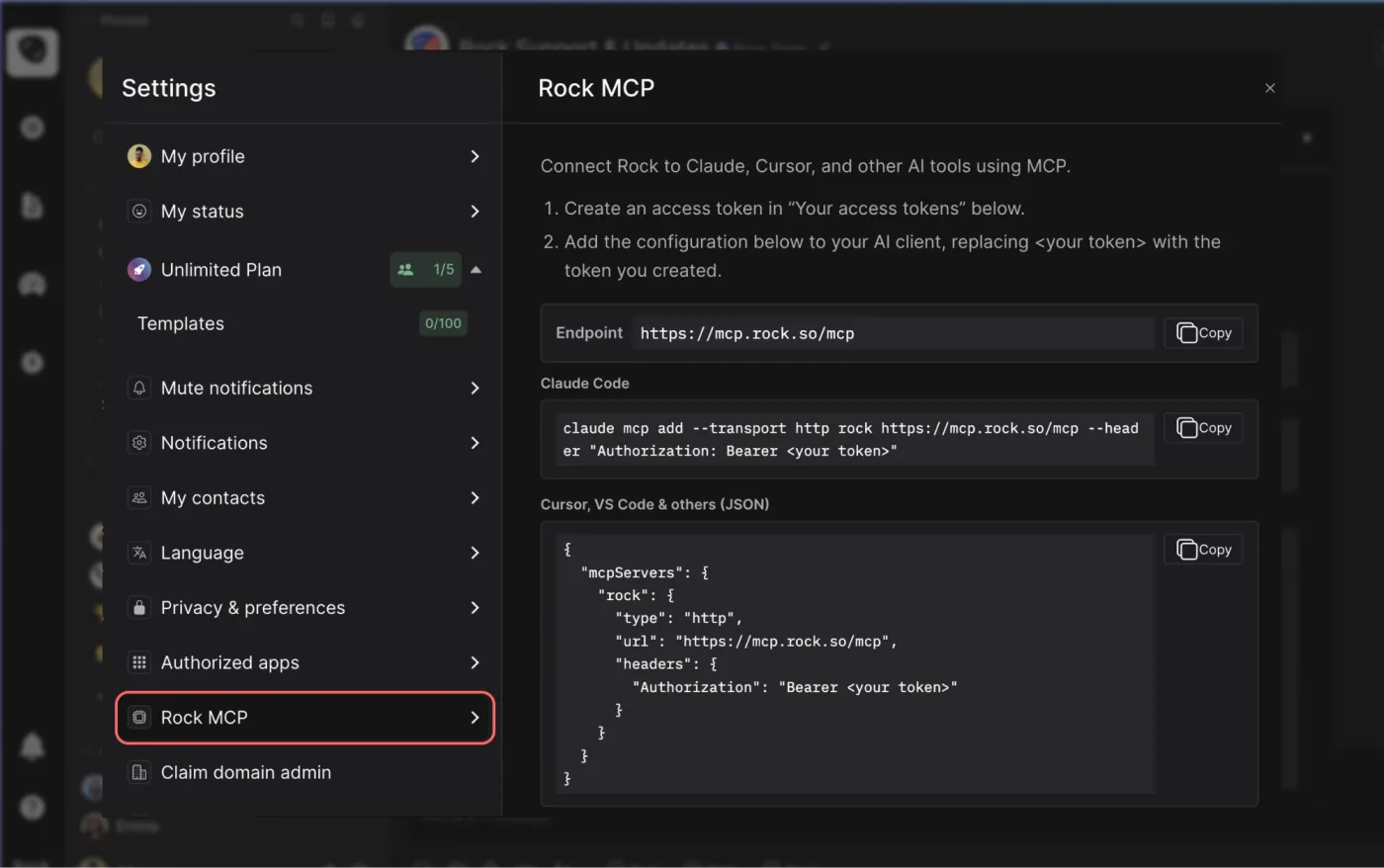



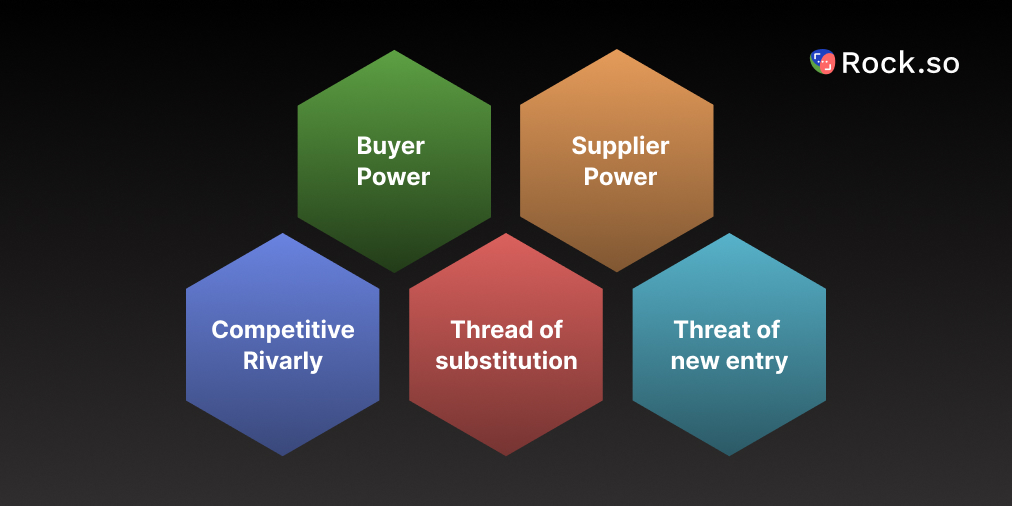





.jpeg)