

Project Plan Template: How to Write One (with Examples)
A project plan is not a Gantt chart, not a critical path diagram, and not a brief. It is the execution document your team opens every day to answer "what are we doing, who owns it, and what happens next." Without one, projects drift into meetings-about-meetings and deliverables slip in private.
This article covers what actually goes in a project plan, a 6-step process to write one, a real example with numbers, a plan-vs-brief-vs-charter decision table, and an honest section on when a full project plan is overkill. The generator below builds a starter plan in 30 seconds, tailored to your project type and team size.
Contents
What a Project Plan Actually Is
A project plan is the document that turns an approved idea into executable work. It lists the scope, schedule, team, budget, risks, and communication rules, so the team can run the project without asking what to do next. The PMBOK Guide frames it as the set of subsidiary management plans that govern how the work gets done.
The common confusion: people use "project plan" to mean four different artifacts. A project brief scopes the idea before anyone agrees to do it. A project charter formally authorizes the work and names the sponsor. A project schedule (often a Gantt chart) lays out dates. A project plan covers all of it. The table lower in this article shows the differences row by row.
Build your project plan in 30 seconds
3 questions. We will generate a tailored plan with milestones, team, and risks.
1. What kind of project is this?
2. How big is the team?
3. How long will it take?
Goal
Key milestones
Team roles
Timeline
Top risks to watch
Start over
The 8 Components Every Project Plan Needs
The PMBOK Guide defines eight subsidiary components that every complete plan covers. Most lightweight plans collapse the last three into one paragraph, but the first five are non-negotiable.
| Component | What it covers |
|---|---|
| Scope | What is included and what is not. Boundaries matter as much as goals. Most projects fail at scope, not execution. |
| Schedule | Key milestones and the timeline to hit them. Not every task, just the ones that matter for go or no-go. |
| Cost | Budget broken into line items (people, tools, services, contingency). Rough is better than missing. |
| Quality | How you will know the deliverable is good enough to ship. Acceptance criteria in plain words. |
| Resources | Who is on the team, their role, and their time commitment. Include external stakeholders. |
| Communications | Which meetings happen, where updates live, who approves what. Most-skipped section, where most projects break. |
| Risk | The 3 to 5 things most likely to derail the project, each with an owner and a mitigation. |
| Procurement | Vendors, contracts, and purchases required. Skip if the project has none. |
A tight plan fits on 2 pages. A complex enterprise plan runs 15 to 20. Both work. What breaks teams is a plan that has only some components, and leaves the others as assumptions.

How to Write a Project Plan in 6 Steps
The process works the same regardless of project size. The amount of time each step takes changes.
Step 1: Write the goal in one sentence. What does "done" look like? If you cannot say it in one sentence, you do not have a project yet. Example: "Launch the new pricing page by May 31 with tracking, legal approval, and internal comms complete."
Step 2: Define scope and explicit non-scope. What is in, what is out. Listing what is out matters more than listing what is in, because scope creep kills projects. "We are not redesigning the navigation" is worth writing down.
Step 3: Break the work into milestones, not tasks. A milestone is a point where something ships or a decision gets made. Most projects have 4 to 8. Between milestones lives the detailed task work, which gets planned closer to the date. Do not try to list every task upfront. You will be wrong.
Step 4: Name owners and team roles. Every milestone has one owner (not a committee). Every role on the team has a clear scope. Include stakeholders who review and approve, not just people who execute. The HBR research on collaboration overload traces most project delays to unclear ownership, not skill gaps.
Step 5: List the top 3 risks and what you will do about each. Not 20. Three. The ones that, if they happen, actually kill the timeline. Each risk gets an owner and a mitigation. Example: "Content delivery from legal slips past April 20 - owner: Ana, mitigation: draft copy internally as placeholder and push legal review to week 2."
Step 6: Set the communication rules. Where do status updates live (shared doc, chat space, email). Which meetings happen (kickoff, weekly check-in, launch review). Who sees what (team gets daily, sponsor gets weekly, exec gets monthly). This section makes or breaks the plan in practice.
"In almost every organization I have advised, I have encountered the same problem: far too many projects, and far too few that truly matter." - Antonio Nieto-Rodriguez, Harvard Business Review
A Real Project Plan Example: Website Redesign
Here is what a complete plan looks like for a mid-sized website redesign. Real numbers, not placeholder text.
Goal: Launch the redesigned homepage, product pages, and pricing page by June 30. Updated messaging reflects the new positioning, analytics tracks all key events, and load time under 2 seconds.
Scope in: Homepage, 3 product pages, pricing page, contact form. Migration of analytics and CRM integration.
Scope out: Blog redesign, help center, authenticated app pages, mobile app. The navigation stays.
Timeline and milestones (12 weeks):
Week 1-2: Discovery, stakeholder interviews, requirements locked.
Week 3-4: Wireframes approved. Copy briefs written.
Week 5-7: Design system and mockups. Copy drafted and reviewed.
Week 8-10: Build, integrations, QA rounds.
Week 11: Stakeholder review, legal sign-off, soft launch.
Week 12: Full launch, monitor, first optimization pass.
Team: PM (Priya, 30 percent), designer (Jorge, 80 percent), 2 engineers (Sam and Lea, 60 percent each), copywriter (external contractor, weeks 3-7), analytics lead (Matt, 20 percent). Sponsor: VP Marketing (weekly review).
Budget: Design tools $300, copywriter contract $8,000, analytics setup $1,500, contingency $2,500. Total external spend: $12,300. Internal time is not priced in this plan, tracked separately.
Top 3 risks:
1. Legal review slips past week 11 (owner: Ana, mitigation: send copy for legal review in week 7 not week 11).
2. CRM integration blocks launch (owner: Lea, mitigation: confirm integration feasibility by week 4, fallback is delayed form integration).
3. Scope creep from stakeholders wanting blog redesign (owner: Priya, mitigation: explicit out-of-scope doc, any additions require sponsor sign-off).
Communications: Daily async standup in shared space. Weekly Thursday 30-minute team check-in. Friday 5-bullet update to VP. Launch review with exec team at week 11.
Project Plan vs Project Brief vs Project Charter
These three artifacts are adjacent but different. Using the wrong one causes the right conversation to happen at the wrong time.
| Dimension | Project Plan | Project Brief | Project Charter |
|---|---|---|---|
| Purpose | Execution blueprint | Scoping artifact | Formal authorization |
| Length | 5-20 pages | 1-2 pages | 2-5 pages |
| Timing | After kickoff, before work | Before kickoff | At project initiation |
| Owner | PM or team lead | Requester or sponsor | Project sponsor |
| Budget detail | Line items | Rough range | High level only |
| Risk detail | Register with owners | Usually omitted | Top risks listed |
| Formality | High | Low | Formal approval |
The brief comes first (is this worth doing?). The charter comes second (who authorizes it and signs the budget?). The plan comes third (now that we are doing it, here is how). Most small teams skip the charter and pair a brief directly with a plan. That is fine for internal work. External client projects usually need all three.
For the distinction between the plan and a related artifact like a scope of work, our scope of work template guide breaks that down.
When a Full Project Plan Is Overkill
Not every project needs the full 8-component treatment. Some work is fine with a scope statement and a checklist. Forcing a formal plan on simple work creates overhead that slows delivery and trains your team to resent the process.
Skip the full plan when:
The team is 1 or 2 people and the project is under 2 weeks. A scope sentence, a 5-item checklist, and a due date beats a formal plan. Anything more is ceremony.
You have run the same project 10 times before. Monthly newsletter. Quarterly client review. These are processes, not projects. Use a recurring template, not a fresh plan each time.
The work is pure execution with no scope ambiguity. "Migrate these 500 records from system A to B." There is no plan to write. There is a runbook to execute. The distinction matters.
The outcome is research, not a deliverable. Research projects (discovery, validation, discovery interviews) have unclear outputs by design. Over-planning them defeats the purpose. A scoped time box and a question list works better than a plan.
For fast-moving small teams, a decision checklist distinguishing project from task is often enough.
"93% of executives say teams could deliver similar outcomes in half the time if they collaborated more effectively." - Atlassian State of Teams 2024
5 Common Mistakes to Avoid
1. No explicit non-scope. Writing what the project covers is easy. Writing what it does not cover is where discipline lives. Without it, every "while we are at it" request lands as a free addition. Block it at the plan stage.
2. Planning tasks instead of milestones. A plan full of 80 tasks for the next 12 weeks will be wrong by week 3. Plan milestones in the plan. Plan tasks weekly as you go. Tools like Rock make that weekly task planning happen next to the plan itself.
3. Owner ambiguity. "The design team owns this" is not a plan. One name per milestone. If two people disagree on ownership, they will disagree on status and delivery.
4. Risks named but not owned. A risk register with 10 risks and no owners is worse than 3 risks with owners and mitigations. Quality over quantity.
5. Communication section missing entirely. The single most-skipped section. Teams that do not define "where do updates live, when do we meet, who approves what" end up running the project through back-channel Slack DMs and status-meeting drift. Write it down on page 1.
Tools to Execute the Plan
Writing a project plan is half the battle. Running it day to day is the other half, and this is where most plans go to die. The plan lives in a doc, the tasks live in another tool, the conversation lives in a third, and by week 3 the plan no longer matches reality.
The software you use for execution matters less than the principle: the plan, the tasks, and the conversation have to live close enough that context is not lost between them. Classic PM tools (Asana, ClickUp, Monday) plus a chat tool (Slack, Teams) is the default stack. It works if the team has discipline about keeping them synced.
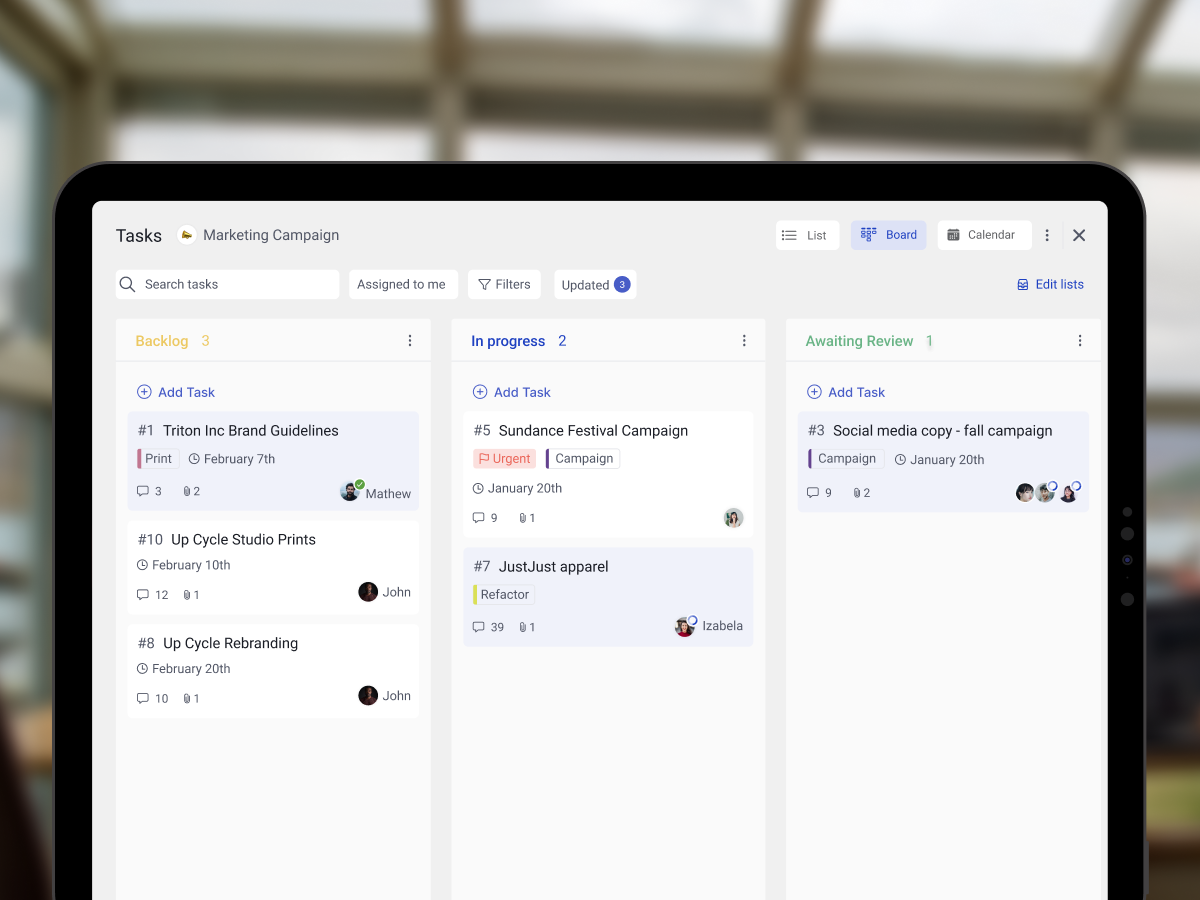
What we do at Rock. Every project runs as a single workspace that holds the plan (as a note), the task board, the chat, and the files. When scope changes, the plan gets updated in the same space where the team is discussing the change. When a task goes stale, the conversation that stalled it is right there. The 8-component plan lives as a pinned note at the top, and the rest of the space is execution. One place, one source of truth.
Rock is not a replacement for MS Project or Smartsheet on complex enterprise scheduling. For detailed Gantt work at 50-plus tasks, a dedicated PM tool still wins. For small-to-mid team projects where execution is the bottleneck, keeping plan and work together beats chart fidelity.
Our best project management software for agencies guide covers 10 options for the tooling decision. The how to prioritize tasks guide covers the daily discipline that keeps any plan alive.
Frequently Asked Questions
What are the 7 parts of a project plan? The PMBOK Guide lists 8 (scope, schedule, cost, quality, resource allocations, communications, risk, procurement). Many popular shortlists drop procurement and call it 7. For most teams, the first 5 are mandatory and the last 3 are optional depending on project type.
What should be included in a project plan? At minimum: a goal sentence, scope (in and out), milestones with dates, team with roles, top 3 risks with mitigations, and communication rules. Beyond that, add sections only if the project genuinely needs them. A plan that nobody reads is worse than no plan.
How do you write a simple project plan? Start with the goal in one sentence. List 4 to 6 milestones. Name one owner per milestone. List 3 risks with mitigations. Write one paragraph on how the team will communicate. That is a complete simple plan. The 6-step process above walks through it in more depth.
What is the difference between a project plan and a project charter? The charter authorizes the project and names the sponsor. It is formal, short, and happens before work starts. The plan is the execution blueprint with scope, schedule, budget, risks, and communications. It is longer and happens after the charter is approved. Most small teams skip the charter and jump from brief to plan.
What are the 5 phases of a project? The PMBOK Guide defines 5 process groups: initiating, planning, executing, monitoring and controlling, closing. The plan covers the planning group and shapes how the other four run. You do not write a plan once and stop. You update it during execution as reality differs from assumption.
"The plan is the map. It does not tell you where you are. It tells you where you agreed to go, so when you drift, everyone can see it." - Nicolaas Spijker, Marketing Expert
A good project plan needs a place to live where the team can actually run it. Rock combines chat, tasks, notes, and files in one workspace. One flat price, unlimited users. Get started for free.

Related Reading
More on running projects well: project vs task decision checklist, how to define project scope, scope of work template, client kickoff meeting agenda, and how to run a retrospective. For tool picks, see the best task management apps.





