By clicking Accept, you agree to the storing of cookies on your device to enhance site navigation, analyze site usage, and assist in our marketing efforts. View our Privacy Policy or manage preferences.
Oops! Something went wrong while submitting the form.
or continue with
This month we shipped four updates: an AI-friendlier public API, a full Spanish interface, sharper space search, and a sweep of UX and stability fixes across web, desktop, and mobile.
Here is what is new.
AI-Friendly Public API
Rock has had a public API for a while. This month we expanded it with the building blocks AI assistants need to act inside your spaces.
The result: you can connect ChatGPT, Claude, Gemini, or any AI assistant, and have it create tasks, send messages, post updates, or pull context from a space. All from a simple conversation.
Claude spinning up a new client project from a brief, straight inside a Rock space.
What that looks like in practice:
Use case
What your AI does in the space
Project kickoff from a brief
Drop a client brief in the space and ask your AI to read it. It breaks the work into tasks, assigns them, and sets the sprint.
Status TL;DR of a space
Coming back from PTO or jumping into a busy space? Ask your AI to read the recent messages, tasks, and notes, and post a summary of where each project stands.
Daily standup recap
Your AI scans yesterday's activity each morning and posts a recap: what shipped, who is blocked, what is next.
Dev updates from Claude Code
Hook Claude Code into your engineering space so it posts when it opens a PR, finishes a build, or pushes a deploy. No more copy-pasting from GitHub.
Client emails to tasks
Paste a long client email and your AI creates the right tasks, with deadlines and owners. No more manual breakdown.
Weekly client recaps
End of the week, your AI scans the space and drafts a status message you can send to the client. Copy, edit, send.
How to set it up
Setup takes minutes. From inside the space you want to plug your AI into:
1. Open Space settings from the space header.
2. Go to Integrations, then Custom Webhook.
3. Click Add new to generate a bot token. (Custom webhooks are part of the Unlimited plan.)
4. Hand the token to your AI assistant. It can now read and act inside that one space, not your whole workspace.
It works the same way MCP connections work in Claude: your AI gets direct access to a single space at a time.
Bring your own key. No per-seat AI fees, no vendor lock-in. Unlike platforms that charge extra for proprietary AI, Rock lets your team use whatever AI they already pay for.
We are actively expanding what the API can do. If there is a workflow you want to automate but cannot yet, let us know.
Rock en Español
Rock is now available in Spanish. The full interface, notifications, and onboarding flow have been translated for Spanish-speaking teams.
Latam is one of our fastest-growing regions, with agencies and small businesses across Mexico, Argentina, Colombia, and Spain running their work on Rock. Until now, those teams worked in English. Now they can work together and with clients in both English or Spanish.
To switch your language: open your user settings, select Language, and toggle to Spanish.
This is our first step toward making Rock accessible to more teams around the world. More languages are on the way. Want to request a language? Poke us in the support space.
Rock now speaks Spanish across the entire workspace.
Sharper Space Search
Space search is now faster and more accurate. Whether you are looking for a message, a task, or a file from a few weeks back, results surface where you expect them.
UX, UI, and Stability
We rolled out a batch of small improvements across the platform: visual refinements, performance updates, and stability fixes on web, desktop, and mobile.
Nothing flashy. Just smoother day-to-day use.
What's Next
This is the start of a busier release cadence for Rock. Over the next few months we will keep expanding the API and shipping the improvements our users ask for most.
Have a feature request or a bug to flag? Ping us in the Rock Support and Updates space. We read every message, and the things you raise shape what we build next.
Most freelance client problems are not really about the client. They are about the setup. For one freelancer's story of tightening that setup, see our Fosca case study. Late payers, scope creepers, unresponsive clients, last-minute changers: every one of them shows up less often when the first week of the engagement is structured well.
Freelancing is now a real career for about 72 million independent workers in the US alone. The tools have never been better. But most freelancers still lose hours each week to scattered email, half-finished Trello boards, and clients who text at 9pm on a Sunday.
This guide covers seven rules, a channel map, and a way to think about firing clients. Run the widget below first to get a channel setup recommendation for the client you are dealing with right now.
Good client management starts before the first email. The setup you choose in week one shapes the whole engagement.
Pick the Right Setup for This Client
Before the seven rules, a quick recommendation for the specific client you have in front of you. Answer three questions and the widget gives you a channel setup that fits. No generic list.
Pick the right setup for this client
Three questions. Get a channel setup that fits the client, not a generic list.
Quick answer. Client management for a freelancer means running the relationship, the scope, and the communication so both your time and the client's outcome are protected. It is less about being friendly and more about being predictable. Most freelance client problems, late payers, scope creep, unresponsive clients, trace back to a loose setup, not a bad client. Seven rules do most of the work: one shared space per client, written scope from day one, response-time rules, protected weekends, documented decisions, early escalation of scope creep, and one weekly update. Pick the channel setup that fits the client at kickoff, not after three weeks of mess.
The 7 Rules of Freelance Client Management
These seven rules cover the setup that prevents most freelance client problems before they start. Each row has the rule, what it looks like in practice, and the common mistake that causes the problem in the first place.
Rule
What it looks like in practice
Common mistake to avoid
1. One shared space per client
All chat, tasks, and files live in one workspace. The client sees everything in one place.
Splitting the same client across email, WhatsApp, Trello, Drive, and Figma. Nobody can find anything three months in.
2. Written scope from day one
Signed scope document with deliverables, revision limits, payment terms, and timelines.
Starting on a verbal "just do this quick." A 3-month project grows out of the gap.
3. Set response-time rules upfront
"I reply within 4 business hours, Monday to Friday" pinned in the shared space.
No rules at all. The client expects instant replies and you feel guilty when you take a lunch break.
4. Protect your weekends and evenings
Notifications off outside work hours. Auto-reply explains when you will respond.
Answering one weekend message "just this once." It becomes the pattern for the whole engagement.
5. Document decisions in writing
Every agreement, scope change, or deadline shift written in notes or chat with the date.
Relying on memory. Three months later the client remembers it differently, and your invoice gets disputed.
6. Raise scope creep early and politely
"This is outside the original scope. Here is a change order if you want me to include it."
Quietly absorbing small asks until you are doing 30 percent of the work for free.
7. Send one proactive update every week
A short Friday summary: what shipped, what is next, what is blocked. Five lines max.
Only answering when the client asks. Silence feels like a problem, even when the work is going well.
The pattern across every row is that clarity, written down, protects the relationship. Verbal agreements feel friendly. Written agreements let the friendly part actually work, because nobody is worried about being taken advantage of. For more on the communication side, our guide on communicating with clients covers the tone and messaging side.
One shared space per client means the full context of the relationship lives in one place, not scattered across five tools.
The Channel Map
Channel choice depends on the client, not on your default preference. A one-off project does not need a workspace. A long retainer with a five-person team should not run in your email inbox. The table below maps client type to the setup that fits.
Client type
Primary channel
Cadence
Boundaries
One-off project (under 2 weeks)
Email plus one shared document
Daily check for the duration
Response within 24 business hours
Short retainer (1 to 3 months)
Shared client space with chat plus weekly written update
Weekly summary, ad hoc chat during the week
Response within 4 business hours, silent weekends
Long retainer (3 months or more)
Full shared workspace: chat, tasks, notes, files
Weekly written summary plus biweekly live call
Same response rules, plus quarterly review to reset scope
High-maintenance client
Structured space with explicit rules pinned at the top
Daily light touch, weekly written summary
Escalation only through one agreed channel, not every tool at once
Multi-stakeholder client
Main group chat plus a private 1:1 thread with the decision-maker
Weekly group update, biweekly 1:1 with decision-maker
Group chat for discussion, 1:1 for decisions
Async-friendly client
Written updates plus recorded video walkthroughs
Weekly async update, no fixed call schedule
Live calls only when a decision genuinely needs real-time input
Two things keep this simple. First, pick the setup at the start of the engagement, not after three weeks of mess. Second, pin the boundaries (response times, weekend rules, escalation path) somewhere the client actually sees them. A good client onboarding checklist covers both in the first week, which is why the first week matters so much.
"The difference between a freelance client relationship that grows and one that burns you out usually shows up in the first two weeks. Everything you set up then is what you live with for the rest of the project." - Nicolaas Spijker, Marketing Expert
Boundaries protect both sides. Clients respect freelancers who know their own limits better than freelancers who answer at midnight.
The Four Most Common Client Problems
Four client types cause most freelance stress. Each one has a pattern, and each pattern can be interrupted by a specific move early in the engagement.
The late payer. Pays invoices 30, 45, or 60 days past due. The fix is in the scope document: clear payment terms, a defined late fee, and either a deposit upfront or billing in installments tied to delivery. Payment terms are not a conversation to have when the first invoice is three weeks overdue. They are a conversation to have before the first line of work.
The scope creeper. Keeps adding small asks that look reasonable individually but compound into 30 percent extra unpaid work. The fix is a written scope from day one and the habit of raising additions in writing the moment they come up. "Happy to add that. It is outside the original scope. Here is the change order." Short, polite, firm. Done in writing. Every time.
The unresponsive client. Disappears for weeks, then wants the project finished by Friday. The fix has two parts. First, a written check-in rhythm they agree to (even a weekly email is enough). Second, a clause in the scope that defines what happens when delays are on their side. If they miss a feedback deadline, the project timeline shifts. Not a threat, just a documented expectation everyone signed off on at the start.
The last-minute changer. Requests major changes the day before deadline. The fix is revision limits in the scope (two rounds, not unlimited) and a "design lock" date after which changes cost more. Good freelancers name this date in the kickoff, not when the panic request lands.
Every common client problem has a pattern. Naming the pattern in writing, before it starts, is the cheapest fix you will ever make.
When to Fire a Client
Most freelance content skips this topic. It is the most important one.
Not every client deserves a seat on your roster. Three signs that a client is costing more than they pay.
They ignore the rules you already set. Response-time rules, weekend silence, revision limits. You set them, they acknowledged them, and they still cross them every week. That is not a miscommunication. That is a values mismatch.
They talk to you differently than they talk to their own team. If your calls feel tense and everyone internal to their company seems fine, you are not the problem. You are just the outside resource that makes it acceptable to vent.
The P and L does not work. If you calculate your effective hourly rate including all the unpaid admin time, follow-up emails, and unplanned "quick calls," and it is below what you would accept as a salary, the client is subsidized by your evenings. That is not sustainable.
Firing a client is a two-step conversation. First, raise the specific issue in writing and offer a fix. "Our current setup is not working. Here is what I need to continue: X and Y." If they accept and change, good. If they push back or go silent, send the 30-day notice to wind down, complete your contracted work cleanly, and move on. Do not burn the relationship. Most bad clients came from good referrals, and the referral chain heals faster than you think.
One more note on this. Firing a client does not feel good in the moment, but the freelancers who never do it tend to hit a ceiling. Your capacity is fixed. Every hour spent on a bad client is an hour you cannot spend on a better one. The math always works out in favor of protecting the top of your roster.
What We Do at Rock
Rock is built for freelancer-client collaboration, and a meaningful share of our users run exactly this kind of work. The pattern among the ones who have long, profitable relationships is consistent.
They run one shared space per client. Chat, tasks, notes, and files all live there. The client joins as a guest at no extra cost, which removes the friction of "which tool are we using this time?" for every new client. The scope document sits pinned at the top of the space. The weekly update is a pinned note. Response-time rules are the first thing a new client sees when they join.
The freelancers who struggle run the same client across email, WhatsApp, a Trello board, Google Drive, and Figma. Every update requires five tools. Every handoff loses context. By month three, nobody knows where anything is.
Harvard Business Review's research on client retention still holds: a 5 percent increase in retention can lift profits by 25 to 95 percent. For a freelancer, retention is everything, because client acquisition is the most expensive time you spend all year. One shared workspace where the relationship, the scope, and the work all live together is a retention tool disguised as a productivity tool.
Inside Rock, a freelancer and client share one space. Chat on the left, tasks and notes on the right. No tool-hopping.
The Short Version
Client management for a freelancer is not about being nicer. It is about being clearer, sooner, in writing. Seven rules do most of the work: one shared space per client, written scope from day one, response-time rules, protected weekends, documented decisions, early escalation of scope creep, and one proactive update every week.
Pick the channel setup that fits the client, not a default. Run the channel map at kickoff. Raise problems in writing the moment they start, not the month they blow up. And fire the clients who keep crossing lines you already agreed on.
Freelance client management works best when every client has one shared space instead of five scattered tools. See how freelancers run client work on Rock across multiple retainers. Rock combines chat, tasks, and notes in one workspace. One flat price, clients join free. Get started for free.
Every project has stakeholders: executives, clients, team members, investors, partners, sometimes regulators. The hard part is not talking to them. The hard part is picking the right channel for each one, at the right rhythm, without drowning everyone in updates they did not ask for.
The Project Management Institute found that ineffective communication puts 56 percent of project budget at risk, and that highly effective communicators finish projects on time 71 percent of the time compared to 37 percent for minimally effective ones. Communicating with stakeholders is not a soft skill. It is a core project-success variable.
This guide covers the power-interest framework, the six channels worth using, the cadence that fits each one, and a 30-second channel recommender.
Stakeholder communication is less about talking more and more about picking the right channel for each audience.
Get a Channel Recommendation in 30 Seconds
Before we get into frameworks, the most useful thing for most readers is a quick recommendation for the stakeholder they are dealing with right now. The tool below asks four questions and gives you a channel mix plus skip-this-if notes.
Which channels should you use?
Answer 4 questions. Get a channel mix recommendation for your stakeholder group.
Who Counts as a Stakeholder
Stakeholders are anyone affected by the project or whose decisions affect it. That covers more people than you might think. Most projects have stakeholders in four broad groups:
Decision makers. Executive sponsors, lead client contacts, investors, senior partners. These are the people who can approve, delay, or kill the work.
Delivery team. The people actually doing the work. Project managers, designers, developers, contractors, freelancers. High interest, variable decision power.
Affected parties. End users, downstream teams, customers of the output, people whose day changes because of the project.
Observers. Peripheral vendors, regulators, board members who want milestone-level visibility without day-to-day involvement.
Knowing which group each person sits in determines everything else about how you communicate with them. A stakeholder map that lumps all four groups together is the number one reason stakeholder communication feels impossible. The time spent mapping stakeholders at project kickoff, usually under an hour, pays back every week for the rest of the project.
The Power-Interest Matrix
The cleanest framework for this, adapted from Aubrey Mendelow's work in the 1980s, is a two-by-two grid of power and interest. Power is how much decision authority the stakeholder has over the project. Interest is how closely they want to follow along. Plotting each stakeholder on this grid tells you the channel and cadence without having to think about it every week.
Quadrant
Examples
What they need from you
High power, high interest
Executive sponsor, lead client contact, investor on the board
Manage closely. Private 1:1 channel, written decision log, regular sync. No surprises.
High power, low interest
CEO, board member, senior partner at a client firm
Keep satisfied. Milestone memos only. Do not flood their inbox. Escalate when it matters.
Low power, high interest
End users, team members, community, passionate partners
Keep informed. Newsletters, community space, or public updates. Give them visibility.
Low power, low interest
Peripheral vendors, regulatory observers, broad public
Monitor only. Basic updates on major milestones. Do not over-invest here.
The mistake most project managers make is treating all four quadrants the same way. High-power, low-interest stakeholders do not need weekly newsletters. Low-power, high-interest stakeholders do not need 1:1 meetings. Matching channel to quadrant is where stakeholder communication goes from reactive chaos to predictable rhythm.
Mapping stakeholders by power and interest takes an hour. Skipping the exercise costs weeks of wrong-channel communication.
The 6 Channels That Actually Work
Six channels cover most of what projects need. None of them works for every stakeholder. Each one has a real sweet spot and a real "skip this" case. Picking the right channel for each stakeholder is more than half the battle.
Channel
Best for
Skip this if
Private 1:1 space
High-power stakeholders who need a dedicated line. Kickoff, sensitive decisions, escalations.
You have ten of them. A private channel per person stops scaling past five.
Community space
Groups of peers who benefit from seeing each other's questions. End users, partner networks, active clients.
The audience does not know each other or is competitive. Shared space creates awkwardness.
Asynchronous video
Onboarding walkthroughs, product updates, anything where seeing it beats reading it.
The update is three bullet points. A written note respects their time more.
Written newsletter
Low-involvement groups who still want to follow along. Predictable rhythm, scannable format.
The news is urgent. A weekly newsletter is the wrong speed for anything live.
Social media
Broad reach, public milestones, community-building. Investor signal for funded projects.
The information is sensitive, or the audience does not use the platform. Not a primary channel.
Webinars and live events
Quarterly or launch-timed sessions with Q&A. Builds trust with engaged stakeholders who want dialogue.
You are trying to replace routine updates. A monthly webinar as your main channel collapses in four months.
The thread running through every row is that channel choice is a match between what the stakeholder needs and what the channel delivers. Async video is great for onboarding and weak for real-time alignment. Newsletters are great for rhythm and weak for urgency. Community spaces are great for peer groups and weak for isolated VIPs. When stakeholder communication feels draining, it is almost always because the channel does not fit the audience.
Plan the channels before the project starts, not after the third miscommunication.
The Cadence Map
Channel and cadence go together. A great channel on the wrong cadence is worse than a good channel on the right one. The table below is a starting point for most agency and in-house projects. Adjust for your specific situation, but use it as the default instead of inventing a rhythm per stakeholder from scratch.
Stakeholder
Primary channel
Cadence
Escalation path
Executive sponsor
Private 1:1 space plus short live sync
Weekly 15-min, biweekly written update
Immediate (same day) for scope, budget, or timeline risk
Key client contact
Shared client space with chat and tasks
Weekly written update plus ad hoc chat
Within 24 hours for blockers or missed deliverables
Internal team
Group chat plus task board
Daily async check-in, weekly demo
Real-time in chat, escalate to lead if stuck 4+ hours
Partner or vendor
Shared space or email
Biweekly status, monthly working session
Within 48 hours, escalate to their account manager
End user or community
Newsletter plus community forum
Monthly newsletter, ongoing forum moderation
Public post within 24 hours for outages or major changes
Board or investor
Quarterly memo plus milestone alerts
Quarterly, plus any material change
Direct call for anything that affects the investment thesis
Two principles keep this simple. First, the communication strategy for each stakeholder should be visible to the whole team, not held in one person's head. Second, every stakeholder should know what their channel is, what the cadence is, and how to escalate. Surprise is the enemy of trust.
Weekly cadence with the working group, quarterly with the board, monthly with the community. Different speeds for different stakeholders.
The Common Mistakes
Most stakeholder communication failures share the same root causes. Four patterns to watch for.
1. Treating all stakeholders the same. A 30-minute standing call with the executive sponsor wastes their time. A monthly newsletter to a key client is not enough. One format for everyone guarantees you are over-communicating with some and under-communicating with others.
2. Defaulting to meetings. Meetings feel like communication, but they usually produce less stakeholder clarity than a well-structured written update. HBR's research on collaborative overload found that collaborative work now eats 85 percent or more of the average knowledge worker's week. Adding another stakeholder meeting to that pile is rarely the answer.
3. Using the wrong tool to scale. A 1:1 DM works for one person. Eight 1:1 DMs for eight stakeholders is how project managers burn out. When the same message needs to go to multiple people, a community space, a shared channel, or a newsletter is the right format. Keep DMs for actually confidential conversations.
4. No escalation path. Stakeholders tolerate routine channels as long as they know where to go when something is urgent. Without an escalation path, a frustrated executive sponsor becomes an emergency meeting. With one, they send a flagged message in their channel and you respond within the agreed window.
5. Silent changes to the plan. Shifting a deadline, swapping a deliverable, or rescoping a phase without telling stakeholders is the fastest way to burn trust. Even if the change is obviously correct, a stakeholder who finds out late feels managed around, not managed with. A two-line note in their channel takes a minute and prevents a week of repair work.
"A stakeholder in an organization is any group or individual who can affect or is affected by the achievement of the organization's objectives. The whole task is keeping that relationship productive." - R. Edward Freeman, Strategic Management: A Stakeholder Approach
Freeman's framing is four decades old and still underrated. Productive stakeholder relationships are not built on more communication. They are built on the right communication, at the right time, in the right channel, to the right person.
What We Do at Rock
Our team runs distributed, so every stakeholder channel is a design choice, not a default. We create a shared space per client or working group inside Rock. Chat, tasks, notes, and files all live together, so the client sees one workspace instead of four tools. Executive sponsors get a pinned weekly update in their space. Community users get a public Topic for questions. Board-level stakeholders get a quarterly memo, no chat expectation.
The tradeoff we made was giving up tool specialization in exchange for one place where the full stakeholder context lives. That trade works for small distributed teams where the overhead of maintaining Slack plus Asana plus Notion plus a newsletter tool is genuinely expensive. For larger teams with dedicated PM resources, the calculus is different. For us, consolidating into one workspace reduced the "wait, which channel was that in?" problem to close to zero.
The one habit we keep across every project: the stakeholder map and cadence get published in the shared space at kickoff, and a team member owns keeping it updated. When a new stakeholder enters the project, their entry in the map is the first artifact, not the last. That single habit catches more misalignment than any meeting would.
The stakeholder engagement template we use is free and tracks every stakeholder, their channel, their cadence, and the last touchpoint. Not every team needs this much structure. For projects with more than five stakeholders, it saves the headache of "wait, did we update Sarah this week?"
Our stakeholder engagement template: one row per stakeholder, one column per milestone, visible to the team.
Stakeholder communication is not about talking more. It is about talking to the right person, in the right channel, at the right time. Get the power-interest map right, pick channels that match each quadrant, set a cadence that protects everyone's attention, and the "how are things going?" calls stop happening because there is nothing left to ask.
Stakeholder communication works best when channels, tasks, and decisions live in one place. Rock combines chat, tasks, notes, and files in one workspace. One flat price, unlimited users and unlimited guests. Get started for free.
Video conferencing went from niche tool to universal workplace default in about three months during 2020. Five years later, we are still working out how to use it without burning everyone out. The global video conferencing market is now worth more than $37 billion. Meeting minutes on Zoom alone cross into the trillions. And employees attending four or more video meetings per day are 2.6 times more likely to report signs of burnout than their peers with lighter video schedules.
Those are the two things to hold at once. Video conferencing has genuine advantages and genuine costs. A good handle on both is what separates teams that use it well from teams that drown in it.
This guide covers what video conferencing actually does for you, where it breaks down, which tool fits which situation, and the honest answer to "should this be a video call or not." Plus a decision tool that scores your next call in under 30 seconds.
Video conferencing is the default modern meeting format. Whether it should be is a different question.
Should This Be a Video Call?
Before working through advantages and disadvantages, the most useful thing for most readers is a quick call on their next meeting. The tool below asks four questions and recommends the channel that fits, plus a starter line to copy.
Should this be a video call?
Answer 4 questions. Get a channel recommendation and a starter line to copy.
1. What is this conversation for?
Creative brainstorming
A decision that needs making
A status update
A quick question
Sensitive topic (feedback, conflict)
2. How urgent is it?
Right now
Today
This week
No deadline
3. How much does seeing faces and body language matter for this?
Video conferencing is real-time audio and video communication between two or more people, usually over the internet, using tools like Zoom, Microsoft Teams, Google Meet, or Jitsi. It replaces in-person meetings when people are in different places, and increasingly when they are in the same building but working from different rooms.
The market is concentrated. Zoom and Microsoft Teams together hold roughly 88 percent of the video conferencing market, with Google Meet, Webex, and open-source options like Jitsi competing for the remainder. Zoom reports about 300 million daily meeting participants. Microsoft Teams, bundled with Microsoft 365, reports about 320 million daily active users. That is a duopoly, and the rest of the field sits far behind.
The more interesting question is not which tool wins. It is whether your team is using any of them well.
Advantages of Video Conferencing
The advantages of video conferencing are real, but narrower than most teams assume. Video works well when the conversation genuinely benefits from tone, expression, and real-time reaction. It loses when the same information could have lived in writing.
Advantage
What it unlocks
When it is worth the meeting
Face-to-face nuance
Tone, expression, and pauses carry information that text cannot. Misunderstandings drop sharply.
Sensitive feedback, conflict, anything where "how it lands" matters as much as the words.
Real-time back-and-forth
Ideas bounce faster when everyone is in the same conversation at the same moment.
Creative brainstorming, contentious decisions, anything where a written thread would stall.
Onboarding new teammates
A new hire absorbs team culture in hours on video calls that would take weeks through text.
First week of a new role, first interaction with a new client, shadowing senior teammates.
Trust-building with clients and partners
Seeing each other in real conversation builds a kind of trust async writing cannot match.
Kickoff calls, quarterly reviews, first meeting with a new account.
Creative brainstorming
Live reactions, whiteboarding, and "yes and" cycles work better with faces on screen than in chat threads.
Strategy sessions, new product ideation, breaking stuck problems together.
Reducing email volume
A 20-minute call can replace a 15-email thread when the conversation is genuinely complex.
When the async thread is clearly stalling or spawning sub-threads faster than it resolves them.
The thread across every row is that video's value is nonverbal. If the content of your meeting is words alone, a document would do the same job with less cost. If the content is how those words land, video is worth the tax. Most teams get this backwards and default to video for conversations where it adds nothing.
Video conferencing earns its cost on brainstorms, sensitive conversations, and new-team onboarding. Outside those, the return drops fast.
Disadvantages of Video Conferencing
The disadvantages of video conferencing are what most "video conferencing pros and cons" articles either skip or treat as minor. They are not minor. Over the course of a year, the limitations of video conferencing add up to significant lost productivity and real health impact. Knowing both advantages and disadvantages of video conferencing is what separates teams that use it well from teams that get consumed by it.
Disadvantage
What it costs
Fix
Zoom fatigue
Cognitive overload from constant nonverbal processing leaves people drained after a few calls. Teams with 4+ video meetings per day are 2.6 times more likely to report burnout.
Cap daily video meetings. Cameras off by default for status updates. Audio-only for sensitive 1:1s when it fits.
Overused as the default channel
80 percent of workers say most meetings could be half the length. "Could have been an email" is not a joke; it is a measurement.
Apply a meeting decision rule: video only when a written thread would genuinely stall. Async first for everything else.
Passive audience for most attendees
In a 10-person video call, 8 people are watching, not participating. That is hours of time paid for attention no one is using.
Trim the invite list ruthlessly. Anyone not active in the discussion gets the meeting summary instead.
Multitasking during calls
92 percent of professionals admit to multitasking during video calls. The meeting that required attendance did not actually require attention.
Shorter agendas. Specific roles. If a participant can multitask through the whole meeting, the meeting did not need them.
Camera-on pressure
Always-on video performs productivity theater. It burns energy without producing output and creates appearance anxiety.
Cameras optional unless the conversation genuinely benefits. Turn them on for brainstorming and sensitive 1:1s, off for status and info-sharing.
Scheduling and calendar overhead
Coordinating a time across time zones, accounting for different availabilities, then the call itself. The total cost is much more than the meeting length.
Async written update often eliminates the entire scheduling step. Reserve live calls for the conversations that genuinely cannot be written.
The underlying pattern: video conferencing became the default channel during the pandemic and never got properly re-evaluated. Most teams still default to it for conversations where async or audio would be a better fit. 80 percent of workers say most of their meetings could be half the length. 65 percent say they regularly waste time in meetings, up from 60 percent the year before. The trend is going the wrong way.
Zoom fatigue is not a metaphor. It is the cumulative cost of processing hours of on-camera nonverbal signals your brain did not evolve to parse.
Zoom Fatigue: The Research
Jeremy Bailenson, founding director of the Stanford Virtual Human Interaction Lab, was the first to formalize "Zoom fatigue" as a scientific concept. His 2021 paper in Technology, Mind, and Behavior (summarized in the APA Monitor) laid out four specific causes that make video calls more tiring than in-person meetings: excessive eye contact at close range, the cognitive load of watching yourself on camera, reduced physical mobility, and the higher effort required to read nonverbal cues through a screen.
"Videoconferencing is a good thing for remote communication, but just think about the medium. Just because you can use video doesn't mean you have to." - Jeremy Bailenson, Stanford Virtual Human Interaction Lab
The implication is not that video is bad. It is that video is a more cognitively demanding medium than we treat it as. A full day of video calls is not equivalent to a full day of in-person meetings, even though it looks the same on the calendar. The math on burnout bears this out: teams above four video calls a day cross a measurable line.
The fix is not willpower. It is channel choice. Which brings us to the tools.
The Main Video Conferencing Tools, Side by Side
Four tools cover most of what teams actually use. Zoom for the business default. Microsoft Teams for anything in the Microsoft ecosystem. Google Meet for Workspace-native teams. Jitsi for privacy-first or quick external calls. The tradeoffs below cover the relevant differences.
Tool
Market share / reach
Best for
Skip this if
Zoom
~56% market share, ~300M daily meeting participants. Industry standard for business video.
External meetings, webinars, client calls, large groups. Most reliable cross-platform experience.
Your team is already deep in the Microsoft ecosystem and needs tight Office integration.
Microsoft Teams
~32% market share, ~320M daily active users (bundled with Microsoft 365).
Microsoft-heavy organizations, enterprise settings with existing Office 365 licenses.
Your team does not use Microsoft 365, or you value simplicity over feature depth.
Google Meet
~5% market share but 62% of students prefer it. Free tier bundled with Google Workspace.
Teams on Google Workspace, quick ad-hoc calls, education contexts.
You need advanced webinar features or your team is not on Google Workspace.
Jitsi
Open source, free, no account required. Self-hostable.
Privacy-conscious teams, one-off calls with people outside your organization, small team meetings.
You need recording, transcription, or enterprise-grade admin controls out of the box.
There is no universal winner. The right tool depends on what your team already uses for everything else. Consolidating around one video platform tends to cost less in friction than picking the "best" one in isolation.
How to Use Video Conferencing Well
The difference between teams that use video conferencing well and teams that do not comes down to five habits. None of them are complicated. All of them require saying no to meetings that do not earn their time.
1. Default to async, use video when it earns its cost. Status updates, decisions with time, quick questions, none of these need video. Save live calls for creative collaboration, sensitive conversations, and urgent decisions where real-time back-and-forth genuinely beats writing.
2. Write the agenda before accepting the invite. A one-line agenda in the invite cuts meeting length by a measurable percentage. It also filters out the meetings that should not have happened at all, because writing the agenda often reveals the answer.
3. Shrink the attendee list. Anyone who would multitask through the whole meeting does not need to be in it. They can read a written summary in a fraction of the time.
4. Cameras optional. On-camera by default is exhausting for most people, especially introverts (58 percent of whom report Zoom fatigue, compared to 40 percent of extroverts). Let people choose camera on or off based on the conversation, not the company policy.
5. Summarize in writing, every time. A three-line written summary after every video call replaces the "what did we land on?" follow-up meeting. Over a quarter, this is one of the highest-leverage habits a team can adopt.
What We Do at Rock
Our team is small and distributed, so video conferencing is a genuine tradeoff, not a default. We default to async: Topics for decisions, task comments for questions on specific work, written updates for status. Live video calls only happen when a thread is clearly stalling or the conversation is genuinely sensitive.
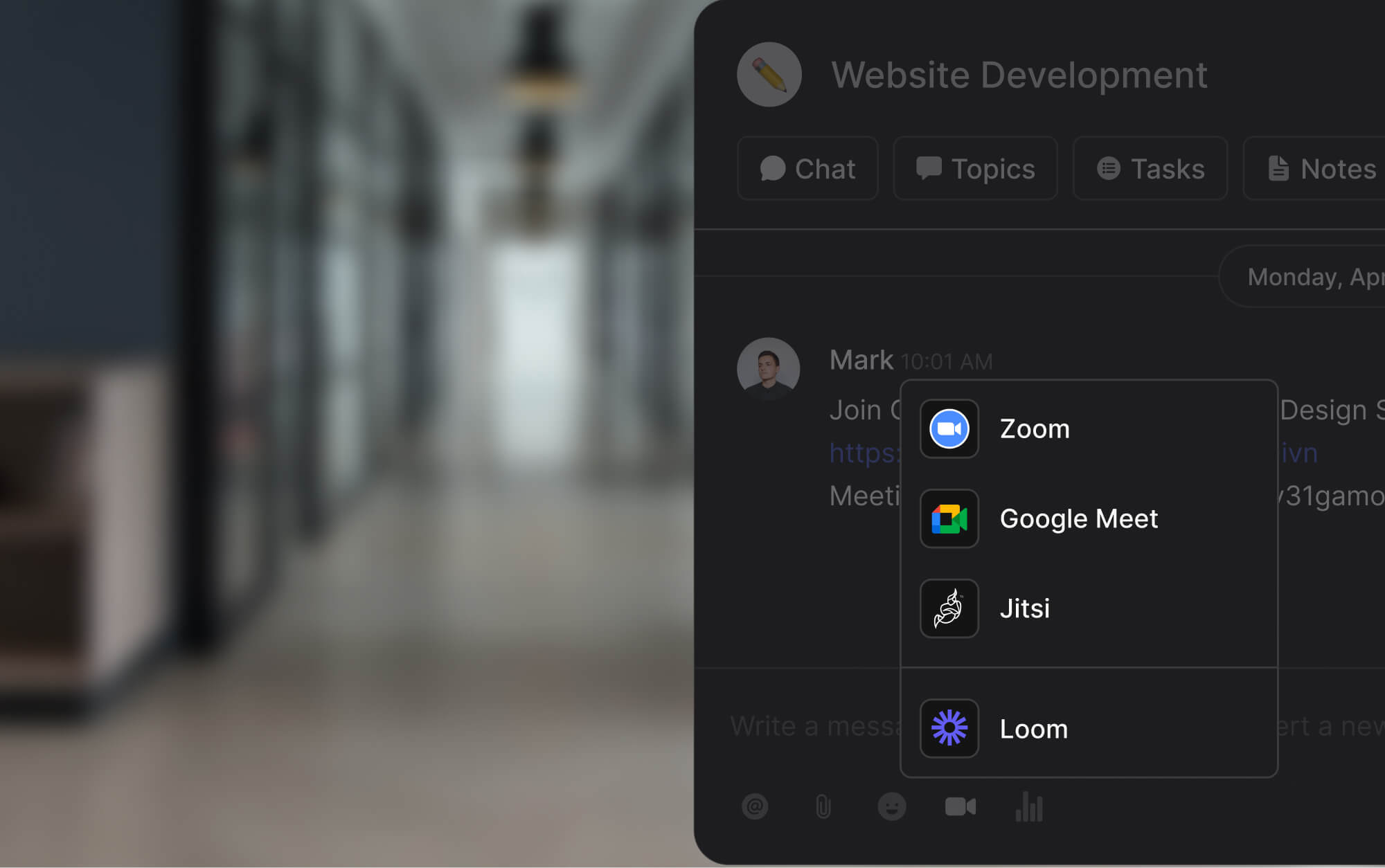
The platform itself integrates directly with Zoom, Google Meet, and Jitsi, so when a call is the right call, starting one takes the same click as sending a message. No context switching to Calendly, no calendar-shuffle email, no "wait, which tool are we using this time?" The logistics of setting up a meeting disappear, which means meetings only happen when they are actually worth it.
We also follow the five habits above. Agendas in every invite. Summaries after every call. Cameras optional. Small attendee lists. The result is a team that schedules roughly half as many video meetings as the benchmark for teams our size, and members who can hold focus for the work that actually matters.
Keeping video calls one click away inside the same workspace as tasks and chat makes the channel choice obvious.
The honest version of the advantages and disadvantages of video conferencing is that both are real. Teams that treat it as a specialized tool for a specific set of conversations get most of the upside. Teams that treat it as the default channel for everything get most of the cost.
When to Skip Video Entirely
Three cases where video conferencing is not the right call, even when the instinct says it might be.
Status updates. If the content is "here is what I did and what is next," write it down. Every reader scans at their own pace. No scheduling. Searchable later. The trade-off is never close.
Sensitive 1:1 conversations where audio is enough. Performance feedback, difficult personal topics, first-time disagreements. Voice carries tone. Video adds visual pressure that sometimes works against the conversation, especially for participants who find on-camera interaction stressful. Audio is often the better tool.
Large groups where most people are passive. A 20-person all-hands where two people talk and 18 people listen is a bad use of 20 people's time. Record a 5-minute async video update instead, then open a written Q&A thread. The engagement that actually matters is the questions, and those happen better in writing anyway.
Video conferencing is a tool, not a default. Used well, it unlocks real value. Used poorly, it costs hours per person per week and contributes to real burnout. The difference between the two is mostly knowing when to use it and when to reach for something lighter.
Video conferencing is only as good as the tools and habits around it. Rock combines chat, tasks, notes, and built-in video integrations in one workspace. One flat price, unlimited users. Get started for free.
Distractions are everywhere. Between endless emails, social media, and nonstop Zoom meetings, it's hard to stay focused. Fortunately, there are strategies aimed at how to work effectively and efficiently on the daily.
I spent the last 3 years growing a productivity tool and writing 100+ blogs focused on productivity, collaboration, and team communication. I have broken down my learnings into 14 work strategies to excel in your daily tasks while safeguarding work-life balance.
Working efficiently and effectively, What is the difference?
Many people use efficiency and effectiveness interchangeably. Before jumping into strategies to optimize them, you must understand the difference:
Working efficiently refers to producing a result in a way that consumes the least time, effort, and resources. For example, imagine you usually spend 4 hours on preparing an update report. If you suddenly manage to prepare the same report in 3 hours then you have increased your efficiency.
Working effectively focuses on the ability for the outcome to reach its goal. For example, think of two employees working in sales. Both have the same workload and perform the same tasks, but one outperforms the other by 20%. We can then conclude that the employee with higher performance is more effective.
In a nutshell, efficiency is about resource usage, while effectiveness is about the success of the output. Most jobs require a balance between speed (efficiency) and quality (effectiveness) when looking at work performance and output.
“Efficiency is concerned with doing things right. Effectiveness is doing the right things.” - Peter Drucker
Now that you know the difference You might wonder: What should I start doing to be more effective and efficient?
Well, I'll share 14 work strategies and an actionable template so you can level up your work performance consistently.
How to work effectively and efficiently: 14 strategies
Some work strategies focus on efficiency, others on effectiveness and some tackle both. To keep things organized, I'll separate strategies on the performance metric tackled: effectiveness, efficiency, or both at the same time.
#
Strategy
Category
Time win
1
Reduce the number of meetings
Efficiency
3 to 8 hours back per week
2
Set up a working routine
Efficiency
Cuts 20 to 30 minutes of morning dithering
3
Stick to your deadlines
Efficiency
Stops work from expanding to fill time
4
Use async video sharing
Efficiency
2-min Loom replaces 30-min call
5
Use meeting agendas
Effectiveness
Cuts meeting length by 20 to 40%
6
Weekly to-do list
Effectiveness
Clarity on 7 days beats chaos of 1
7
Prioritize most impactful tasks
Effectiveness
Shifts time to work that matters
8
Connect with your team
Effectiveness
Prevents costly misalignment
9
Take time off and rest
Both
Recovery restores all the other strategies
10
Async work as default
Both
Compounds across every weekly workflow
11
Project management framework
Both
Reduces coordination overhead sharply
12
Task management for the team
Both
Replaces "where are we on X" questions
13
Leverage documentation
Both
Stops the same question being answered 3 times
14
Use all-in-one tools
Both
Fewer context switches, less tool-hopping
4 work strategies to maximize your efficiency
Throughout the years I have been able to maximize my efficiency when completing my weekly responsibilities. These are the main 4 strategies that help me maximize the amount of work done throughout my working hours.
Reduce the number of meetings you’re in
Set up a working routine
Stick to your deadlines
Use asynchronous video sharing
1. Reduce the number of meetings you’re in
According to the Harvard Business Review, meetings often are run badly and take up too much time. Executives spend nearly 23 hours in meetings, up from <10 hours in the 1960s.
If you can reduce the number of meetings you sit through while still making key decisions and moving forward with projects, then your efficiency is guaranteed to improve. We have an async-first culture at Rock so we've always tried to keep meetings at a bare minimum. As a result, I typically have between 2 to 5 meetings every week.
Cutting down on meeting time doesn't apply to conversations that actually matter, but it might help you avoid meetings that could have been an email. Curious how to fill the gap?
Documentation: Fewer instructional or last-minute meetings are needed if people can easily find the information they need.
Asynchronous work: Set up work in such a way that people can finish their tasks without being too dependent on direct responses.
Task management: Organize priorities with task management to structure the work that has to be done and swiftly move across different responsibilities.
Note that meetings do not need to disappear altogether. Instead, follow our virtual meetings best practices and make sure to communicate efficiently while documenting enough information so your team does not depend on lengthy meetings to be informed on what to do.
2. Set up a working routine
A routine helps me make efficient use of my time. Implementing structure to the day gives a sense of control and helps improve productivity. Routines also help with removing guilt for unproductive moments so creating one is a must if you want to be more efficient.
Figuring out at what time of day you are most productive and sticking with it helps. When? Chances are you know best. I work with 2-hour "deep work" time slots that I organize throughout the day. I often put in a longer break during lunchtime to go to the gym and then add some extra time in the evening to get the most out of my day.
Whether you're looking for a productive morning routine or want to get work done at night, build a working routine that allows you to tackle tasks consistently.
Routines are there to make our lives easier, as they eliminate constant decision-making and, with that, decision fatigue. Establish new routines by combining the useful with the enjoyable. Petra Zink, Forbes Business Council
Your team must understand the value of flexible and asynchronous work for this to succeed. If a company is strict on working hours or locations, some people likely get left out, which will hurt team efficiency in the long run.
Try to stick to your routine, after all, it takes on average 66 days for behavioral changes to become a habit.
The best way to promote a routine is to gamify the activities and provide small rewards and recognition for those who stick to the routine. - John Knotts - Forbes Business Council
3. Stick to your deadlines
Time and resources are wasted when you don't define timeframes for tasks. Deadlines are a key component in project management strategies to assess your workload and make sure resources aren’t wasted.
Keep in mind that deadlines should not become a roadblock that hinders the effectiveness of a task. Doing something faster (efficiency) is not worth it if that outcome does not fulfill its goal (effectiveness).
Implementing reasonable deadlines also boosts motivation as it enables you to say no to new work and making your deadlines before their due date
Discuss reprioritizing your to-do list if you notice that your work is dropping in quality (effectiveness) when sticking to a deadline. Getting assistance from other team members, outsourcing the task, and moving a deadline back are all possible solutions to this problem.
4. Use asynchronous video sharing
Asynchronous video sharing is a great way to scale explanations or explain things without jumping into a meeting. At Rock, I have used asynchronous videos for a bunch of onboarding activities. A pre-recorded video teaches our new hires important information, they can watch it back as many times as they want, and it prevents me from having to schedule a meeting every time someone new is hired.
This strategy is best tailored for one-sided conversations such as presentations, onboardings, or tutorials. Allow people to pause, watch back, and take more effective notes.
Loom is a tool specifically created to help you record these async videos. After sharing a link, team members can leave comments at different time stamps or respond with a custom emoji in-video.
Let’s say you typically do an onboarding on how your team uses Rock for task management and messaging. If you record a Loom, you can share this video for every onboarding over the next few months instead of planning a walk-through meeting (we have a recording for you if you need an in-depth Rock walkthrough)
4 work strategies you can implement to maximize the effectiveness of your team
We previously discussed how effectiveness focuses on delivering high-quality output. Here are 4 strategies for effective communication and work that I have implemented in my daily routines.
Use meeting agendas
Create a weekly to-do list
Prioritize the most impactful tasks
Connect with your team
1. Use meeting agendas
Structure is essential in meetings. We don't typically meet if there is no agenda, and require team members to share one well in advance. I previously discussed in best practices for meetings how a meeting agenda is crucial to collaborate effectively and get the most out of your meeting time.
Sharing a meeting agenda ensures that the correct team members are present and allows people to be informed on action items and important information before actually getting together. Overall this saves you valuable time and helps shorten the meeting significantly.
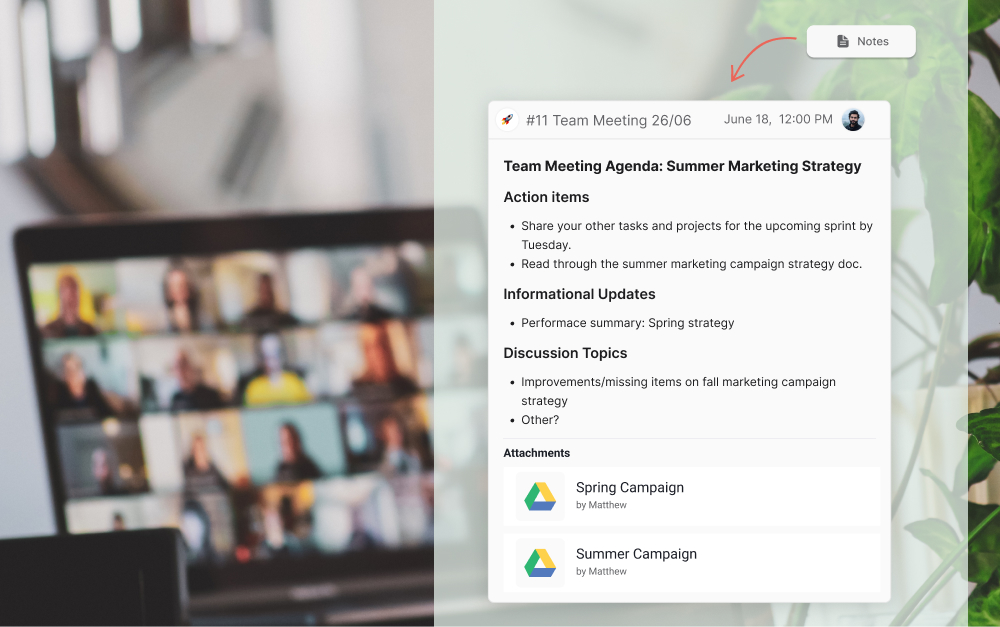
Meeting agendas should be sent out to all attendees at least 24-48 hours in advance so everyone has enough time to go over the information. We discuss the most important meeting agenda examples in a dedicated article, but here are some highlights:
Action items: What tasks need completing or what issues need resolving before meetings? For example, someone needs to upload a certain document.
Informational updates: What information should team members digest before getting together? Make sure to share in advance so you can avoid reading information and have a more in-depth discussion on the material.
Discussion topics: What should be discussed in the meeting? This can include brainstorming or open bullets for other team members to add their topics.
Relevant files: What documents should you attach to aid the meeting? Make sure to make cloud files easily accessible and available to everyone.
2. A weekly to-do list helps with being effective
I struggle to work effectively when my thoughts and to-do's are scattered all over the place. Lack of clarity in to-dos just leads to context switching and excessive multi-tasking, ultimately tanking your actual productivity and effectiveness in completing tasks. A lack of organization leaves most people stressed and unable to work on what's most impactful.
By breaking large projects into smaller tasks, you organize your goals into achievable activities. This way, you prioritize work that is most important and relevant to achieving company goals and objectives.
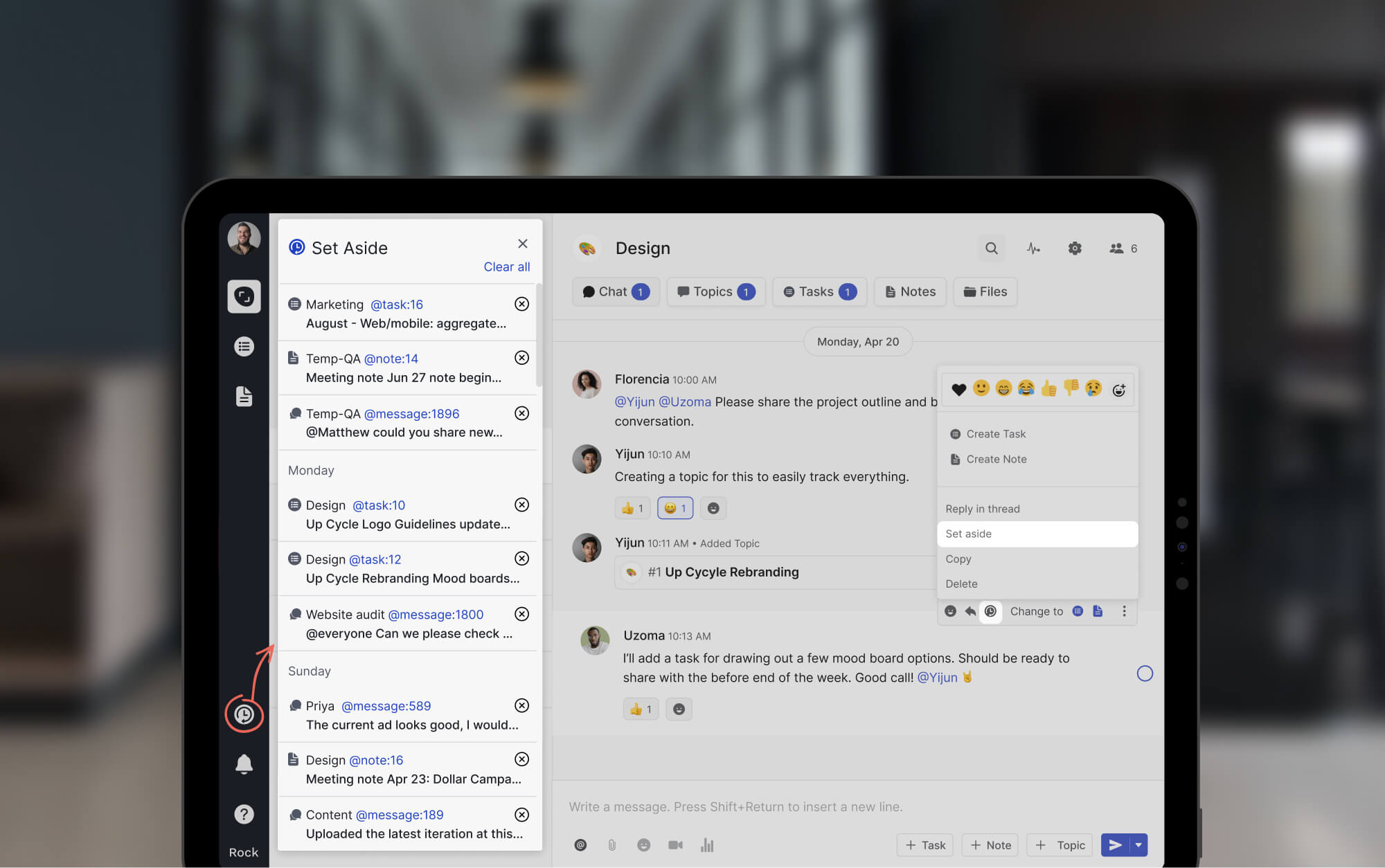
Weekly to-do lists can take a lot of forms. Some people write notes by hand, use simple Excel, or have a dedicated task management app. I use the "Set Aside" function in Rock to manage most of my to-dos, but some team members manage it differently and are still able to work effectively.
I have spoken with many team members internally to see how they manage their to-dos, so here are possible ways to manage a weekly to do list template:
We use Set Aside to store messages, tasks, notes and topics easily available.
Summarize all tasks across different spaces in a dedicated ‘My Tasks’ panel.
Organize tasks in sprints to reduce the cognitive load.
Discuss to-do’s in depth with topics, dedicated discussions in group spaces.
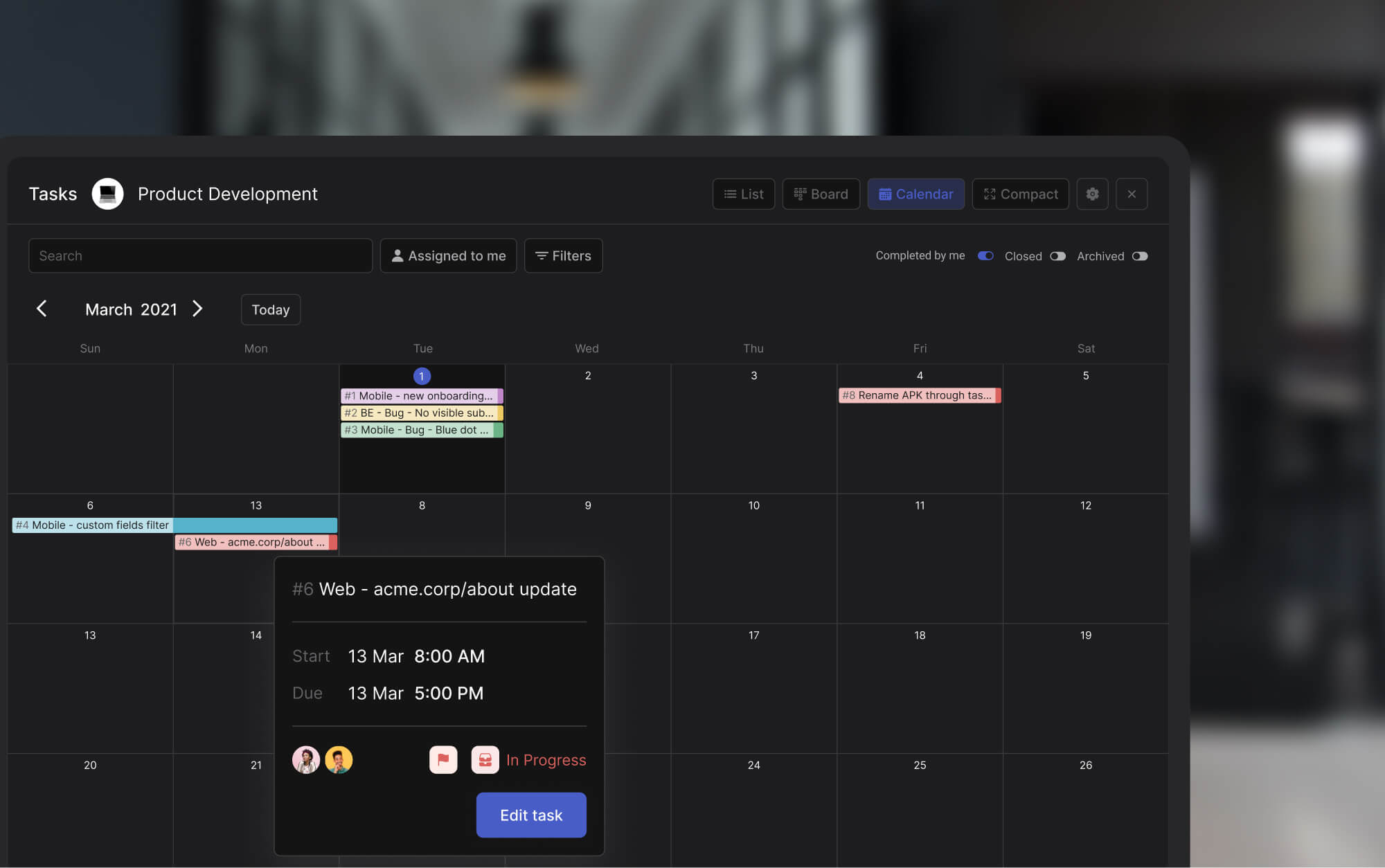
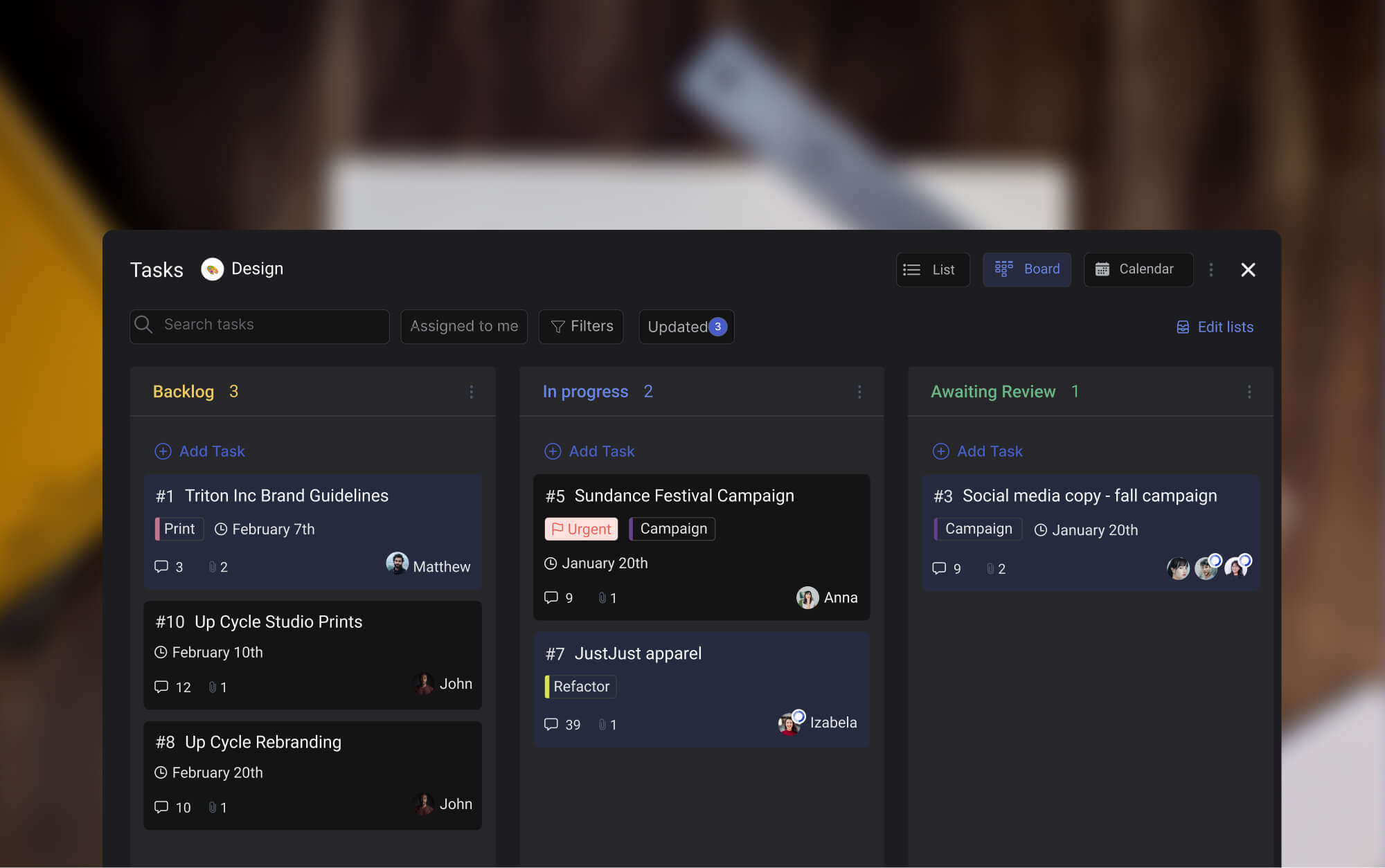
Use the task board in the personal space to organize priorities.
If you’re still left thinking - what should I start doing to collaborate effectively and get work done? A simple takeaway would be to prioritize tasks. Prioritization allows you to make the most of your time at work.
Being effective starts with your to-do list. Instead of cluttering up your list with low-impact tasks that overwhelm you, focus on tasks that drive value first. Start your day by selecting the tasks that are important and urgent, in line with previously discussed deadlines.
Effectiveness is not just about how much effort we put in, but where we put that effort. Effectiveness is about doing the right task, not just about doing the task right." - James Clear, author of "Atomic Habits"
Avoid deadlines from hurting your effectiveness by focusing on urgency and importance. This is also known as the Eisenhower matrix. Balance whether a task has to be completed now or can wait for another time. It’s also important to think of how impactful a task will be.
Alongside urgency, focus on tasks that are important to your long-term goals. If a task is neither urgent nor important, drop it or delegate it.
Prioritizing impactful tasks is the highest-leverage effectiveness move. Not every urgent task is important.
4. Connect with your team
A significant part of working effectively is fostering good communication within your team. Note that this does not mean scheduling redundant meetings.
Communication goes beyond your close circle. You should extend it to other departments to optimize team members’ effectiveness. This way, the process of improving cross departmental collaboration and cross functional collaboration is naturally incorporated into your workday.
Collaborate effectively by building an environment that is engaging and open. Here are some communication strategies to implement if you want to connect with your team:
Connecting with your team makes every other effectiveness strategy stick. Shared context removes most friction.
Trust: Trust is key to working effectively as a team. Teams lose effectiveness when trust is lacking as creativity and different perspectives are not nurtured.
Open feedback: Team members should share their thoughts and feelings, even if they are negative. Welcoming constructive criticism ensures that work relationships and output are optimized. Or if there are issues, they can be discussed and promptly resolved.
Recognition: Everyone should feel valued and receive the recognition they deserve. Team members feel more compelled to deliver valuable output if it’s recognized and celebrated by other team members.
6 Work Strategies to implement if you want to work effectively and efficiently
now that we've covered them individually, it’s time to look into some strategies that combine working effectively and efficiently with others at the same time.
Take time off and rest
Set asynchronous work as your default
Use a project management framework
Implement task management in your team
Leverage documentation
Use all-in-one tools
1. Take time off and rest
Forget about effectiveness and efficiency if rest isn’t in your vocabulary. While it might seem counterintuitive, adequate rest is key to preventing burnout.
Like many others, I've been victim to thinking that more hours equals more and better output. And while that might be the case for some time, it will most likely come crashing down at some point.
Our brains are like a muscle. Without rest periods between workouts, it becomes fatigued and you increase the risk of injury. Staying well-rested is essential to maintain concentration, motivation, and ability to solve problems.
Rest is not just the occasional vacation. While taking time off is crucial, rest needs to be an everyday practice. For example, 10 minutes of daily mindfulness practice with positive affirmation for work can make a big difference for your productivity and health.
Rest is a productivity lever, not a luxury. The strategies below only compound if the person running them is not burned out.
2. Set asynchronous work as your default
What’s the best way to work if you're looking to get effective and efficient output? We advocate for asynchronous work as a collaboration default state. This methodology does not require all team members to be online at the same time, providing our whole team with more flexibility.
Employees can focus on their efficiency and effectiveness without waiting for others to finish tasks. Think of daily collaboration like a relay race instead of a sprint. Team members can pick up a task from another one without needing to wait for an “okay.”
There is no need for constant check-ins, meetings, and consistent messaging that interrupts your daily work. Team members can stay organized at work without relying on others. Asynchronous work allows you to choose work faster and set a schedule that maximizes your productivity.
You get the freedom to start your day according to your needs when everyone doesn't have to be online at the same time throughout the workday. Some overlap is a must, but it shouldn't encompass 100% of your workday.
3. Use a project management framework
The right project management framework can help you organize your work in a more structured way. Project management provides you with processes and guidelines to help deliver efficient and effective output. To find the right one, ask yourself - what’s the best way to work for your team?
Although there are plenty of frameworks, Agile vs Waterfall are some of the most commonly applied frameworks. Despite their differences, both have been adopted by major companies for their proven success. For example, companies like Apple and IBM use Agile due to its demonstrated effectiveness.
When choosing a framework, consider your team's needs, project requirements, and organizational culture. By selecting the most suitable approach, you can optimize productivity and ensure a smooth project execution.
4. Implement task management in your team
Task management allows you to maximize your efficiency and effectiveness by breaking large goals into smaller stepping stones. This makes prioritizing, optimizing workflows and getting work done easier as it’s configured in smaller pieces.
Since prioritization is key with task management, you can leverage the different features it offers to focus on the most important work. You can also track how many activities you finished in different time frames.
This makes it easier to become more efficient as time passes. You can track how long you spend on different activities, and find back past activities without searching across folders or docs.
Here are a few features within task management that can help you with managing your workload.
Deadlines: add a start or due date to your tasks and make sure that they are finished in time.
Connect with your team: use the comment section, assignees and followers to keep all relevant team members in the loop.
@mention: You can @mention tasks in comments, descriptions and outside of the Tasks mini-app to quickly set up a weekly to-do-list.
Prioritize: Tasks have a priority field: Highest, high, medium, low, lowest. Updating your tasks with this field allows you to filter all tasks to only see the most important to-do’s.
A core component of working effectively and efficiently is documentation. Store past activities and information and make them easily accessible to you and the rest of your team. Here’s how documentation helps with efficiency and effectiveness:
Implementing documentation makes your team more efficient as they spend less time searching for relevant work information. Well-documented teams can access important information without searching for too long or reaching out to one or more team members.
Teams become more effective through documentation because they have more information available when completing a task. They can also more easily access relevant activities or information from the past that can help improve the output.
Getting a file management platform like Google Drive or Dropbox is not enough though. There’s nothing worse than endlessly searching for information across your folders or continuously sharing links with different team members.
We initially encountered the same issues, which is why we added native integrations with the most popular cloud storage providers to Rock. Think of Google Drive, Dropbox, OneDrive, Notion, Miro, Figma and many others in the Files mini-app.
If you’re using multiple tools to communicate and collaborate with your team then bringing it all together might help your team. Disconnected workflows cause a lot of context switching. This reduces efficiency and effectiveness, here's why:
Efficiency is reduced because people have to switch between platforms to find information or get work done. This all takes away time which could have been spent in more productive ways.
Teams become less effective because coworkers don't work with all the resources they need to provide valuable output. Tasks will be less complete when done without all the needed documentation.
Ready to implement one or more of the strategies given throughout? Get started with this free template and check off every new strategy once you've implemented it.
Use the chat to discuss different strategies, add your own, and bring your work output to the next level.
Rock can become a powerful tool for your team if you want to optimize your effectiveness and efficiency. From a weekly to-do list to asynchronous work in general, there is functionality built from the ground up to cover it all. Sign up for free and try it out.
I hope this article was able to add valuable insights if you were wondering how to work effectively and efficiently with your team. Follow us on Twitter, LinkedIn, Facebook or Youtube and don’t forget to share the article and tag us!
Harvard Business Review research on collaboration overload found that collaborative work (email, messages, calls, meetings) now consumes 85 percent or more of the average knowledge worker's week. That leaves roughly 15 percent of paid hours for actual individual output. The math is bleak, and the fix is not more hours. It is getting organized about how the 85 percent gets spent.
If you are trying to figure out how to get organized at work without another productivity overhaul, the answer is narrower than most advice suggests. Staying organized at work is not a productivity hack. It is the defense against a workweek that now gets eaten from both ends. This guide covers six practices that actually stick, grounded in research, tested at small teams and agencies we work with daily. Plus a scorecard that diagnoses your team's weakest practices in under a minute.
Getting organized at work is less about the perfect app and more about the rules the team agrees to follow. Tools serve systems, not the other way around.
Score Your Organization in Under a Minute
Before working through the six practices, it helps to know which ones your team already has in place. The scorecard below asks six yes-or-no questions. It returns a score, the band you are in (organized, mostly organized, leaking, chaotic), your two weakest practices, and a tiny-habit starter to close the gap on the weakest one.
Organization Scorecard
6 yes or no questions. Get a score, your weakest two practices, and the tiny habits to fix them.
1. Does most of your team communication default to async (tasks, messages, Topics) rather than meetings?
Yes
No
2. Do your weekly meetings have a written agenda shared in advance?
Yes
No
3. Is every current project broken into tracked tasks with owners and deadlines?
Yes
No
4. Do all teammates know where files live and how to find a document in under a minute?
Yes
No
5. Do you surface your current workload to the team in writing at least once a week?
Yes
No
6. Is everything (messages, tasks, notes, files) in one workspace rather than scattered across tools?
These are the six we see move the needle for small and mid-sized teams. Pick two to start, not all six. The research on habit formation is consistent: doing one thing well and sticking with it beats doing six things half-heartedly and dropping all of them within a month.
Practice
What it looks like
Skip this if
Default to async
Status, decisions, and most coordination happen in writing. Meetings reserved for real-time creative work or contentious decisions.
Your team is fully co-located and meets face to face constantly. Async still helps, but the lift is smaller.
Cut meetings
Every recurring meeting has a defined purpose, written agenda, and a kill date. If it stopped delivering value, it ends.
You already have fewer than three recurring meetings per week. The lift has diminishing returns below that.
Track every project as tasks
Named owner per task, deadline, status, and visible dependencies. Nothing lives only in someone's head.
The work is solo and short-duration. A personal checklist beats a shared task board for a one-week solo project.
Single findable file system
One folder structure everyone agrees on. Files live there, not on desktops or personal Drives. Link, do not attach.
Your team is two people. A shared folder with flat structure is enough.
Visible workload
Weekly written update: what you shipped, what is next, what is blocking you. Public, searchable, consistent.
You already have a strong async-first culture where workload is visible through the task board. The update becomes redundant.
One workspace
Messages, tasks, notes, files, meetings all live in the same platform. No "which tool do I check for this?" decisions.
You have regulatory or client-driven reasons to keep certain tools separate. Otherwise, consolidate.
Async-first is the single biggest organization lever. Everything else compounds more slowly without it.
Why "Stay Organized" Advice Usually Fails
Most "how to stay organized at work" articles are lists of tools, apps, and inspirational quotes. They fail for the same reason most productivity advice fails: they optimize for the moment the reader is motivated, not for the three weeks later when motivation is gone.
The research points to three specific failure modes. First, organization advice is usually additive (do these ten new things) when the real problem is subtractive (stop doing the twelve things cluttering your system). Second, it treats organization as an individual trait when the biggest leaks are team-level: scattered tools, meetings with no agenda, decisions that never get logged. Third, it relies on willpower when research from behavior scientists like BJ Fogg at Stanford shows that durable habits come from reducing friction, not adding motivation.
The six practices above are designed around those failure modes. Each one is subtractive (removing a pattern that costs time) rather than additive. Each works at the team level, not just the individual. Each is backed by a specific tiny-habit trigger so the practice installs itself without requiring daily willpower.
Getting organized at work is a team sport. Transparent workload visibility turns "stay organized" from individual discipline into a shared system.
Disorganization Symptoms and Their Fixes
If you are not sure which practice to prioritize, the symptoms below can point you to the weakest area. Each row maps a visible symptom to its underlying cause and the specific fix.
Symptom
What it costs
Fix
Spending more than 10 minutes a day looking for files
That is 40+ hours a year. The file is not the problem; the folder system is.
One shared folder tree, enforced. Link to files from tasks and messages, do not attach copies.
Decisions that get made twice
Same discussion resurfaces in chat three weeks later because nobody logged the outcome.
Every cross-team decision lives in a single Topic with the decision + owner + date. Searchable when it comes back.
Meetings where the same status gets reported
Three status updates to three different audiences costs a senior contributor half a workday per week.
One written async update per week. Everyone who needs the context reads it once.
"Where did we land on X?" two weeks after the meeting
The context existed at the time and evaporated. Recovering it costs more than capturing it would have.
Every meeting ends with a written summary in the relevant Topic. No exceptions, even for 15-minute syncs.
Personal to-do lists in five different places
Context switching between tools is a meaningful cognitive tax. The list in your notebook fights the one in your app.
Pick one task home. Everything funnels there. Redirect anything that lands elsewhere into the one place.
Always-on notifications
Fragmented attention kills deep work. The average knowledge worker cannot hold focus for more than a few minutes without interruption.
Notifications off by default. Opt-in for the specific channels and tasks that need your immediate attention.
Anyone asking how to get organized at work or looking for tips to get organized at work eventually hits the same wall: the common thread across every symptom is that disorganization is almost never a people problem. It is almost always a system problem. "Try harder" fails predictably. Redesigning the system to make the organized option the easier option is what works.
Cutting unnecessary meetings is the single most visible win. The hours you get back turn into the focus time that makes everything else possible.
One more framing that helps: think of organization as a set of defaults, not a set of efforts. A team that has to remember to use the task board every day will fail within three weeks. A team where the task board is literally where the work happens never has to remember. Design the system so the organized move is the easy move, and the practices maintain themselves.
Make the Practices Stick: Tiny Habits
Behavior scientist BJ Fogg's Tiny Habits research at Stanford shows that durable habits come from a specific formula: a clear trigger, a small behavior, and an immediate celebration. The formula is B = MAP (Behavior = Motivation + Ability + Prompt), and in practice the ability lever matters more than motivation. If the habit is too big, it will not stick. If it is anchored to an existing routine and celebrated small, it will.
"A habit is behavior you do quite automatically, without deciding, without deliberating, without thinking very much." - BJ Fogg, Stanford Behavior Design Lab
The table below turns each of the six practices into a tiny-habit recipe. Trigger, behavior, celebration. Pick one row and run it for two weeks before adding the next.
Practice
Tiny habit (trigger, behavior, celebration)
Why it sticks
Default to async
After I open my laptop at 9am, I will post my first update in the team Topic. Then I will say "nice" out loud.
The habit is anchored to an existing routine. The micro-celebration encodes it as a success in your brain.
Cut meetings
Before I accept any meeting invite, I will ask for a one-line agenda. Then I will note that I did.
The friction is front-loaded into the invite reply, not the meeting itself. One email instead of one hour.
Track every project as tasks
At the end of each workday, I will break tomorrow's first task into three sub-steps in the task board.
Tomorrow-you thanks today-you. The first hour of the next day starts with clarity, not decisions.
Single findable file system
After I finish a document, I will drop it in the shared folder and link it in the relevant Topic.
Links bind the file to the work. "Where is it?" stops being a question three months later.
Visible workload
Every Friday at 3pm, I will post a five-line update of what I shipped and what is next.
Fixed time makes it a ritual, not a decision. Five lines is small enough to always be doable.
One workspace
Every time I consider a new tool, I will ask: could this live where the rest of my work already lives?
Consolidation happens by resisting additions, not by cleaning up after them.
Tracking every project as tasks, with named owners, is how you turn ways to stay organized at work from an intention into a habit the team can actually follow.
What We Do at Rock
Our team is small, distributed, and async-first. There is no "team in the office" to rely on for ambient coordination. Everything that keeps the work organized has to be explicit, because nothing happens by accident when your teammates are asleep while you are working.
In practice, that means: every project lives in a named space with a clear owner. Every decision that affects another teammate goes in a Topic with the decision, the date, and the person who made it. Files link from tasks, not the other way around. Weekly updates are a habit, not a request. And we default to writing even for short things because writing scales across time zones; meetings do not.
None of this is novel. It is the same six practices, applied consistently. The compound effect is that a teammate joining the company can pick up a project thread from six months ago and find the full context in under five minutes. That speed is what organized work actually looks like day to day.
Everything in one workspace. Organization at work stops being aspirational when the tools actually make it the default path.
The other thing worth sharing is that we did not build this system in one sitting. Each of the six practices was introduced separately, run for two or three weeks, adjusted, then locked in before the next one started. That sequencing matters more than the specific tools. A team that tries to install all six practices on the same Monday will hold none of them by Friday. A team that installs one per month for six months will have all of them in place a year later and will not remember what work was like before.
When More Organization Is the Wrong Answer
Not every team needs the full six practices at full intensity. Three cases where pushing harder on organization is actively worse than letting things stay loose.
Small teams with natural chat rhythms. Two or three people who already talk every hour do not need a formal task system. Adding one creates overhead bigger than the problem it solves.
Creative exploration phases. Early-stage brainstorming and creative work does not benefit from heavy structure. Over-organization in the exploration phase kills the serendipity that produces the best ideas.
Crisis response. When the building is on fire, you act. You do not first log a decision in a Topic with the date and owner. Organization serves normal work. In a crisis, speed wins.
For everything else, the six practices compound. The teams that run them well are not working harder than the teams that do not. They are running a system that makes organized work the default instead of the aspiration.
Staying organized at work is only as good as the workspace that carries it. Rock combines chat, tasks, and notes in one workspace. One flat price, unlimited users. Get started for free.
95 percent of consumers say customer service impacts their brand loyalty, according to Zendesk's 2025 CX Trends research. 89 percent are more likely to make another purchase after a positive support experience. And 91 percent of customer service leaders in 2025 reported that customer expectations grew again year over year, after years of already saying the same thing.
Translation: support is not a cost center anymore. It is the fastest, cheapest way to hold on to customers who would otherwise churn quietly. White glove customer service (sometimes written as white-glove customer service, same thing, different style guide) is what separates the companies that understand this from the ones still running support like a ticketing department.
This guide covers what white-glove customer support actually is, how to build it on a small team without enterprise budget, and the benchmarks to hit on every channel. Plus a tool that scores your current first response time against 2025 industry data in under a minute.
White glove customer support is the premium tier of the support experience spectrum. On a small team, it is your clearest competitive edge.
Benchmark Your Support Response Time
Before working through the tactics, it helps to know where you stand. The benchmark tool below takes four questions about your channel, current speed, team size, and biggest friction. It returns a verdict (ahead of industry, average, or behind), the specific target you should be aiming for, and the first two moves to close the gap.
Support Response Benchmark
Answer 4 questions. See how your first response time compares to 2025 benchmarks by channel, and get the first two moves to close the gap.
1. What is your primary support channel?
Live chat or in-app messaging
Email
Social media (DM, X, Instagram)
Phone
2. What is your current average first response time?
White-glove customer support is the premium tier of the customer experience spectrum. It is named after the service expected from a luxury hotel concierge: personal, attentive, proactive, and built around the customer rather than the company's internal process.
In practice, a white-glove customer service experience has a handful of recognizable traits. First responses come from a named human, not a queue bot. Conversations preserve their full history across teammates so the customer never repeats themselves. Resolutions include a follow-up check that the fix actually worked. Adjacent tips get surfaced before the customer hits the next wall. The tone reads like one human writing to another, not a corporate template.
None of this requires an enterprise budget. It requires a process, a shared workspace, and a team that treats the support conversation as the core product, not an interruption from the core product. A white glove support experience can be delivered by a team of three just as well as by a team of thirty; the difference is design, not headcount.
The phrase "white glove support" borrows its metaphor from old-world luxury service where the staff wore literal white gloves to signal care and attention. The modern translation drops the gloves and keeps the principle: nothing about the interaction is sloppy, and nothing about the customer's experience feels like they are being processed through a system.
Why White-Glove Support Matters for Small Teams
The customer retention math is the reason white-glove customer support pays for itself. Harvard Business Review published Bain research showing that a 5 percent increase in customer retention produces 25 to 95 percent more profit, depending on the industry. That is not incremental. That is the entire quarterly growth number on some teams.
For a small team, white-glove support is also the single clearest competitive advantage over larger incumbents. Big companies cannot give a customer a named owner who reads every past message before replying. A small team can. The best white glove customer service examples from small companies are often embarrassingly simple: a handwritten line at the top of the reply, a proactive "I noticed you were trying to do X, here is the faster way" message, a 24-hour follow-up that just asks if the fix held.
"The best customer service is if the customer doesn't need to call you, doesn't need to talk to you. It just works." - Jeff Bezos, founder of Amazon
Bezos's bar is high and not entirely achievable for every team, but the spirit is right. White glove support is not about doing more; it is about designing the experience so less is needed and what does happen lands well.
For small teams specifically, the math gets even better. A single customer who renews an annual subscription because they remembered the specific teammate who helped them three months ago is often worth more in lifetime value than the entire annual cost of the support function. That is the compound interest of white glove customer service: you pay the cost once per customer, and the return plays out for years.
White-glove support is not a budget, it is a design choice. Every conversation is personal, context-rich, and named, not ticket-number-fied.
Response Time Benchmarks by Channel
Customer expectations vary sharply by channel. Treating all channels the same is the fastest way to disappoint everyone. 90 percent of customers say an "immediate" response is essential or very important, and 60 percent define "immediate" as under 10 minutes. That is the bar on any synchronous channel.
Channel
Best-in-class
Good target
Industry average
Live chat / in-app messaging
Under 45 seconds
Under 60 seconds
50 to 90 seconds
Email
Under 15 minutes
Under 1 hour
12 hours 10 minutes
Social media (DM, X, Instagram)
Under 15 minutes
Under 1 hour
4 to 5 hours
Phone
No voicemail on first call
Pick up within 30 seconds
Varies widely by hours
Overall customer expectation
"Immediate" = under 10 minutes
Any channel, same day
90% expect an immediate response
The table shows the gap between what top performers do and what the industry average actually delivers. Email is the worst offender: customers expect an hour, companies take twelve. The good news is that the gap is almost entirely a process problem, not a capacity one. Teams that close it do so with triage rules, canned-scaffolding replies, and a shared workspace where any teammate can respond, not by hiring more people.
What Makes Support Actually White-Glove
The line between standard support and white-glove support is not about the words in the reply. It is about the experience the customer has before, during, and after. The table below cuts through the specifics.
Signal
Standard support
White-glove support
First response
Canned reply, ticket number, queue position.
Named human by name, specific acknowledgement of the issue, rough time estimate.
Context across conversations
Customer repeats background every time they reach out.
Any teammate can pick up the thread with full history. Customer never repeats themselves.
Resolution quality
Surface fix for the exact question asked.
Fix plus adjacent tip or workflow suggestion that prevents the issue from recurring.
Proactive outreach
Reactive only: customer must ask.
Proactive: noticed usage pattern, shared a tip before customer hit the wall.
Follow-up
Ticket closed, no check-in.
A short follow-up message a day or two later confirming the fix worked.
Tone
Corporate, template-heavy language.
Personal, direct, written like one human talking to another.
Escalation
Customer passed between departments with new intake each time.
Issue stays with the same owner; they pull specialists in, not hand the customer off.
The unifying pattern across every row is personalization plus continuity. Standard support optimizes for ticket closure; white-glove customer service examples optimize for the customer remembering the interaction as a good one three weeks later. The cost difference is negligible. The retention difference is not.
Common Customer Support Failures and Fixes
Most support teams know the principles. The gap between knowing and doing shows up in a predictable set of failure modes. Here are the six we see most often in small and mid-sized teams.
Failure
Why it fails
Fix
Email as the only support channel
Threads sprawl, context gets lost, multiple teammates step on each other. Customers wait days for what should be minutes.
One shared support space per customer. Any teammate can see the full history and jump in without asking "what is this about?"
Responses feel copy-pasted
Canned replies signal that the customer is a ticket, not a person. Even when the answer is right, the experience is wrong.
Use canned replies as scaffolding, not the whole answer. First sentence is personal, body can be referenced content, signoff is a real name.
Escalation drops context
Customer explains the problem three times to three different people. By the third time, they are churning in their head before they say it out loud.
Issue ownership stays with the first responder. Specialists get pulled into the conversation instead of handing the customer off.
No follow-up after resolution
Ticket closed, customer unsure if the fix actually worked, no signal back to the team that the issue is recurring.
Automated or scheduled follow-up 24 to 48 hours after closing: "Did that actually fix it for you?" Low cost, high trust signal.
Off-hours silence
Customer hits an issue at 10 PM their time, gets nothing back until 9 AM your time. They have already tweeted about it.
Clear response windows in the auto-reply. "We reply within 2 hours during 9-6 Pacific. After hours, you will hear from us at the start of the next business day." Predictability beats false availability.
Generic product documentation
Help articles answer "how to do X" but not "why my specific situation broke." Customers give up and write in anyway.
Build a living FAQ Topic from actual support conversations. The questions you answer three times a week become permanent help articles.
White glove support lives or dies on context. Keep design files, past conversations, and meeting tools one click from the support thread.
The thread across every fix is the same: move support conversations out of email and into a shared workspace where context lives with the conversation, not with the individual who happened to pick it up first. The tool change by itself does nothing. The rule that "every customer issue lives in a shared space" does most of the work.
A note on the specific patterns worth watching. Support failures compound the same way silos do in cross-departmental work: they never break loudly on day one. A few percent of customers get a slightly slower response than they expected; a few more leave a review with "it took a while to hear back." None of it is catastrophic on its own. The churn shows up in the quarterly number, and by then the specific cause is invisible. Measuring first response time weekly keeps the problem from going underground.
Each customer gets their own shared space. Every teammate can see the full history. No context ever gets lost in someone is inbox.
How We Do White-Glove Support at Rock
Rock is a small async team. We do not have a dedicated customer support department or a paid helpdesk. What we do have is a workflow that gives every customer a direct line to a named human, full history across every conversation, and an average first response time that beats most enterprise helpdesks. Here is how it is set up, in five steps.
1. A single shared support account
We use one shared account for all customer support conversations. Teammates toggle into it throughout the day. When a customer reaches out, the teammate who is available picks up the conversation, reads the full history, and replies. No handoff friction. No "let me check with my colleague."
2. Quick Connect as the front door
Instead of an email address, we use Rock's Quick Connect link. The customer clicks once, a new shared space opens between them and the support account, and the conversation starts. Zero forms. No ticket number. A welcome message greets them by default.
3. One space per customer
Every customer gets their own shared space. All future conversations with that customer happen in the same place. When they come back with a question three months later, the full history is there. Pattern recognition is free.
4. Embed the Quick Connect link everywhere
At the bottom of every help center article, in our email signatures, on our social profiles, and as a QR code in a few places a customer might find themselves. The easier we make it to reach us, the less we lose customers who would otherwise quietly churn.
5. Shared credentials, not shared inbox
Everyone on the support rotation shares credentials for the support account. When a teammate signs in, they see every active customer space. No "you take this one, I'll take that one" handoff management. Coverage happens by default.
The whole system sits inside the same async workflow that carries the rest of our work. Customer support is not a separate tool or a separate team. It is a shared space in the platform we already use for everything else. That is the single biggest lever for making white-glove support economically viable on a small team.
The customer service template sets up the task board, tags, and space structure in one click. Adapt it to your team and you have a working support workflow within the first hour.
The Quick Connect link is the front door. No forms, no ticket numbers, just a direct line into a shared space with a named human.
When White-Glove Support Is the Wrong Call
Not every customer conversation needs the full white-glove treatment. Three cases where the premium tier costs more than it returns.
Commodity products with thin margins. If the lifetime value of a customer is twenty dollars, spending a skilled human hour per issue is pure loss. Self-service help center, chat bot for the first line, named-human support only on escalation.
High-volume consumer products. A million-user SaaS cannot give every user a named owner. The tactics shift to scalable versions: canned-but-personalized scaffolding, community-led support, documentation that answers 80 percent of questions before anyone asks.
Customers who do not want it. Some customers prefer speed over warmth. They want a fix now and do not need the personal touch. Reading the signal and giving them what they actually want (fast, terse, correct) is the white-glove move here, not forcing a longer conversation.
For every other scenario (B2B customers, high-ticket purchases, onboarding the first 100 users of a new product, any support interaction where the conversation itself is part of the retention story), the tactics in this guide pay back the investment many times over. Support is not where you cut corners if you want customers to stay.
A white-glove customer support experience is only as good as the workspace that carries it. Rock combines chat, tasks, and notes in one workspace. One flat price, unlimited users. Get started for free.
Most account manager guides were written for a job that was mostly about keeping clients happy. In 2026, that is no longer enough. Account managers now own the relationship, the profit and loss of each account (the P&L), and the plan to grow the account. The skills that protect a retainer are not the same as the skills that grow one.
This is a practical 2026 guide for agencies, studios, and freelancers running client retainers. Run the widget below to see which skill to level up first. The 8-skill table after it is the full list.
Quick answer. A key account manager owns an agency's most important client relationships. In 2026 the role spans three things at once: the relationship, each account's profit and loss, and the expansion story for the account. The skills that protect a retainer are not the skills that grow one. Retention skills cover responsiveness and communication. Growth skills cover knowing the numbers, running real quarterly reviews, asking better questions, and selling the next chapter. AI now handles status emails and meeting notes, which makes the senior judgment skills more valuable. Start by learning the P&L side of every account you own.
Which account manager skill should you level up next?
Three questions. Honest diagnosis, not a personality quiz.
The 8 account manager skills that grow retainers
Most skill lists focus on relationship management. That keeps clients happy, but it rarely grows the account. Jenny Plant has trained agency account managers since the 1990s. She puts the gap in plain words:
"The account management skills required to retain accounts are DIFFERENT to those required to grow." - Jenny Plant, Founder, Account Management Skills Ltd
The table below covers the 8 skills every agency key account manager needs. Each one works two ways: how it protects the relationship, and how it grows the account.
#
Skill
Retention lens
Growth lens
1
Knowing the numbers
Spot when a happy client is losing money for the agency, so renewal does not surprise you.
Know which extra work is worth proposing, and which would cost more than it earns.
2
Selling the next chapter
Clients renew when they see you thinking ahead, not only reporting what is done.
New work comes from the story you tell. Clients rarely ask for work they cannot already imagine.
3
Knowing the client's business
Trust grows when you understand their world, not only the project scope.
New ideas come from industry context the client has not said out loud yet.
4
Asking better questions
Regular questions catch problems early, before the client thinks about leaving.
Good questions show you where the next proposal should focus and what it should include.
5
Running strong quarterly reviews
A real quarterly review ends with a next-quarter plan both sides agree on. No surprises.
Quarterly reviews are the best moment to propose new work, because it fits into the client's goals.
6
Managing multiple stakeholders
If your main contact leaves, you already know the next decision-maker.
Accounts with many stakeholders need conversations with all of them. Our stakeholder communication guide covers the channel map.
7
Writing things down
Written decisions save you when people remember things differently later.
Proposals that are easy to read, without needing a meeting to explain them, get approved faster.
8
Speaking up for the client internally
When your delivery team understands why this client matters, work stays on track.
Hard to grow an account your own team treats as routine. Attention follows the way you talk about it.
What a key account manager actually does in 2026
The textbook definition of a key account manager is "the single point of contact for a company's most important clients." That was right in 2015. It is incomplete now.
In 2026 the role is better described as three overlapping responsibilities. First, own the client relationship: the classic understanding. Second, own the account P&L: gross margin, utilization, realized versus contracted scope, renewal math. Third, own the expansion story: the future of the account, painted on purpose in quarterly reviews and proposals, not waiting for the client to ask.
An account manager who does the first two but not the third is really a senior customer success manager. One who does the first and third but not the second is a relationship lead with optimistic financials. The three responsibilities together define the modern agency account manager. David Hoos, who consults agencies on expansion, makes the economics obvious.
"For every dollar invested in expansion, you would need to spend ten to fifteen dollars on acquisition to produce the same revenue outcome. Clients don't ask for work they don't know they need. They ask for the work that's already on their roadmap." - David Hoos, Haus Advisors
The modern agency account manager owns three things at once: the relationship, the P&L, and the expansion story.
Relationship owner vs P&L owner
Most agency account managers are strong on the relationship side. They run the weekly call, respond fast, and make the client feel heard. That keeps clients for months. It rarely grows them.
The P&L side is a different skill set. It starts with basic questions. Is this account making money this quarter, or losing it? How much of the promised scope are you actually delivering? Which services take more time than they earn? Is this client above or below the team's threshold for profitable work? If the account manager cannot answer these, the retainer is flying blind. The client can be happy and the account can be bleeding at the same time.
The fix is training, not hiring. Most account managers learn the numbers in their first year, when a general manager or finance lead walks them through the monthly reporting. The ones who do not end up surprised by non-renewals, unable to protect scope, and negotiating renewals from weakness.
Retention math is the forcing function. Frederick Reichheld's Bain research remains the most-cited number in the category: a 5% increase in customer retention can lift profits by 25% to 95%. Benchmarkit's 2025 report found that gross retention has drifted from 90% to 88% across the industry. Every churn signal the account manager catches early is worth more than a new client landed through referrals, which is why the pipeline board and the retention board should sit next to each other in the same workspace through referrals, which are already the cheapest acquisition channel.
The onboarding-to-expansion handoff
A key account manager does not meet a client cold. They inherit them from the 7-stage onboarding flow. What gets captured during onboarding (usually via a client brief) is exactly what the account manager uses 90 days later. The stakeholder map, the working agreement, the questionnaire answers, and the 30/60/90 calendar all feed the first quarterly review.
Weak onboarding means the account manager starts cold. The first quarterly review becomes re-discovery, the client sees work being redone, and trust erodes in the first quarter.
The short version for account managers inheriting from onboarding: read every note and review the questionnaire responses on day one. Use the 30-day review as your first real entry into the relationship, not the kickoff call. For the full stage-by-stage onboarding flow, see our client onboarding checklist, which pairs directly with this article. The Premium tier of that onboarding playbook is designed specifically so the handoff to the account manager includes stakeholder map, written working agreement, and the full 25+ question questionnaire. Everything a account manager needs to run a real first quarterly review.
Quarterly reviews that actually grow accounts
Quarterly reviews are the most important meeting in a key account manager's calendar. Most are wasted on status decks.
The failure mode is predictable. A slide on deliverables, a screenshot of analytics, a recap of milestones. Twenty minutes of recap, ten minutes of Q&A, goodbye. No decision, no plan, no expansion conversation. Four wasted meetings a year per account, across every client in the book.
A real quarterly review does three things. It reviews the business outcomes the client cares about (their numbers, not yours). It surfaces expansion opportunities in the context of their goals, and lands a next-quarter plan both sides sign. Michael Donauer, a senior account manager at Vendasta working with SMB-serving agencies, captures the bundling move that drives quarterly review expansion conversations.
"Selling point solutions takes just as much work as bundling things together, which provides a better outcome for agencies. You don't want to have to build a brand-new package every time you want to sell a package." - Michael Donauer, Senior Account Manager, Vendasta
Three quarterly review practices separate the reviews that grow accounts from the ones that just report.
Lead with client outcomes, not agency output. "Here is what is working against your goals" beats "here is what we delivered" every time. The client does not need to hear your deliverable log. They need to see their own metric moving.
Surface expansion as a natural next chapter, not a pitch. If the client's roadmap has a gap your team can fill, the quarterly review is where you say it out loud. Packaged as "this is what we see next for you," not "here is an upsell."
End with a signed next-quarter plan. If the quarterly review does not produce a one-page plan both sides agree on, it did not count as a quarterly review. For the meeting mechanics, see our virtual meeting best practices, which covers the agenda-before-call and decisions-captured-after patterns.
A real quarterly review ends with a signed next-quarter plan. Without one, it was a status call with dessert.
What AI removes, what AI elevates
The account manager role is changing because AI is eating the bottom half of it. Writing status emails, assembling quarterly review decks, drafting meeting notes, transcribing calls, summarizing Slack threads. All of this is now partly or fully automated in most modern workspaces.
The right read is not "AI replaces account managers." It is "AI removes the parts of the job that never required a senior person, which makes the senior-person skills more valuable."
What AI handles now. Meeting notes and action-item extraction. Status email drafts from chat or task activity. quarterly review deck assembly from data. Quick-response client communication drafts. Weekly-summary roll-ups.
What AI cannot replace, and actually makes more valuable. Judgment about what matters versus what is noise. Strategic discovery: the questions that unlock next quarter's work. Reading the numbers: knowing when they do not support a "happy client" story. Selling the next chapter: painting the future the client cannot yet see. Relationship depth: trust built in live conversations.
Account managers who use AI to buy back time for the top-half skills pull ahead. The ones who resist AI or use it only for status summaries spend their saved hours on the same work they were always doing. The skill shift is knowing what the AI should be doing for you this quarter and what it should not touch.
Three anti-patterns to avoid
Most account manager careers plateau because of the same three mistakes. Watch for these, and the skills above start compounding faster.
Anti-pattern
Why it happens
Fix
Weekly status calls become the whole job
The status update is a deliverable, not the role. "My client is happy" gets mistaken for "I am doing the job well." 80% status and 0% strategic planning means a senior project manager in a account manager title.
Shift the ratio on purpose. Block two hours a week with zero meetings for account planning. Treat that block as client time.
Owning the relationship but not the P&L
Most agency account managers were never taught financial literacy. They know the client, not the numbers. So a happy client can be unprofitable and nobody notices until renewal.
Ask your GM or finance lead for monthly reviews of gross margin, utilization, and realized versus contracted scope for every account you own. Know these cold.
Quarterly reviews that are status decks
Assembling a recap of deliverables and an analytics screenshot is easier than surfacing opportunities or debating outcomes with the client. So the "quarterly review" becomes a status meeting in a nicer deck.
Lead with client outcomes, not agency output. End the call with a signed one-page next-quarter plan. If the quarterly review does not produce that plan, it did not count.
What we see account managers do well on Rock
We work closely with agencies, studios, and freelancers whose account managers run client retainers on Rock. The patterns among the ones who grow accounts are consistent.
They keep everything (relationship, P&L, and expansion notes) in one shared space per client. The freelance version of this pattern is the same idea applied to solo operators. The onboarding questionnaire stays alive as an editable note. The quarterly review prep doc, built from our meeting agenda templates, sits next to the task board. The client can see progress between calls, which means the quarterly review itself is about next quarter's plan, not catching the client up.
The account managers who do not grow accounts keep relationship stuff in email, P&L in spreadsheets, and expansion in "maybe next quarter" notes that nobody reads. By the time the quarterly review lands, they reconstruct context from three tools. The strategic skills get squeezed by the tool-juggling.
Rock combines chat, tasks, notes, and meetings in one workspace. For account managers, the relationship layer and the work layer become visible to each other. Strategic planning lives in the same place as delivery status, which means the account manager does not lose ten hours a week switching context.
Inside Rock, the relationship, the P&L prep, and the expansion notes all live in the same shared space.
The short version
Account manager skills in 2026 split into two groups. The retention skills (relationship management, client communication, responsiveness) protect the retainer. The growth skills (knowing the numbers, selling the next chapter, asking better questions, running strong quarterly reviews) grow the account. Most agencies train hard for the first group. The second is where the ROI is hiding.
Run the widget at the top to see which skill to level up first. The 8-skill table is the north star. For the onboarding side of the client lifecycle, pair this with our client onboarding checklist. The Premium tier is designed specifically for the onboarding-to-expansion handoff. For the quarterly review meeting mechanics, virtual meeting best practices covers the call-level playbook. Client management for agencies covers the retention practices that complete the picture.
Key account management gets easier when the relationship, the work, and the numbers all live in one shared space. See how marketing agencies run account management on Rock. Rock combines chat, tasks, notes, and meetings in one workspace. One flat price, unlimited users, clients included at no extra cost. Get started for free.
Deloitte research pegs the cost of silo-driven coordination failures at 20 to 30 percent of annual revenue for the organizations worst affected. PMI's Pulse of the Profession research has repeatedly put poor communication between teams at the root of more than half of project failures. McKinsey finds that organizations with strong cross-functional teamwork are 1.5 times more likely to report above-average growth than their more siloed peers.
That is not a soft, culture-of-the-week problem. It is one of the largest recurring sources of lost output in modern work. Cross-departmental communication is what keeps the departments you built for specialization from turning into the silos that choke it.
This guide covers what cross departmental communication is, why it breaks, and the tactics that actually work. No generic "have more meetings" advice. Research-backed positions on what to keep, what to trim, and what to skip, plus a diagnostic that scores your team's silo risk in under a minute.
If you are trying to learn how to improve cross department communication inside a growing organization, the short version is that the answer rarely lives in a new tool or a new ceremony. It lives in three things: a clear owner for every cross-team workflow, a shared place where decisions get logged, and a default to writing over meeting. Everything else is tactics layered on top of those three pillars.
Score Your Team's Silo Risk
Before working through the tactics, it helps to know where your team actually stands. The diagnostic below asks five yes or no questions about how your cross departmental communication runs today. The score tells you whether you are healthy, on the watch-list, siloed, or deeply siloed, plus the specific first moves for your situation.
Silo Risk Diagnostic
5 yes or no questions. Get a silo risk score, a diagnosis, and the first two moves your team should make.
1. Do cross-team projects have a single named owner accountable for unblocking them?
Yes
No
2. Is there a single shared place where decisions affecting multiple teams get logged?
Yes
No
3. Do teams review each other's work before it ships externally?
Yes
No
4. Could a new hire name what every other department is working on right now?
Yes
No
5. Are cross-team meetings rare and purposeful (not weekly ceremony)?
Cross-departmental communication (also called interdepartmental communication or inter departmental communication, depending on the style guide) is the information flow between separate functional teams inside the same organization. Sales talks to marketing, engineering talks to design, product talks to support. How fast, how often, and through which channels those conversations happen is the difference between a coordinated company and a set of disconnected tribes.
The shape of communication between departments depends on the organization. A ten-person startup can run on ad-hoc chat. A 200-person company needs explicit structures: shared Topics, named owners for cross-team projects, documented decision logs. What works at one size breaks at the next. Knowing how to improve communication between departments is mostly about matching the structure to the stage.
The opposite of healthy cross communication in an organisation is the silo: a department that operates mostly independently, with its own goals, tools, language, and sometimes its own idea of what the company is even for.
Why Cross-Departmental Communication Fails
According to Ranjay Gulati's foundational HBR article on silo-busting, the root cause of most cross-team failures is not bad people or lazy teams. It is structure. Departments are set up to optimize their own outputs, given their own metrics, reviewed against their own goals. Without counter-pressure, every one of those decisions pushes the department further from the rest of the company.
Heidi Gardner, a fellow at Harvard Business School, calls the related tax "collaboration drag." That is the cumulative friction that slows every decision requiring more than one team. Her research on "Smart Collaboration" shows that the drag is most dangerous when it is invisible. Teams do not report it because they do not see it. The hours get absorbed into calendar clutter, missed handoffs, and "can you just jump on a quick call to align?" requests that used to be someone's morning.
"Silo-busting is not a matter of organizational charts. It is a matter of changing the mindset and the mechanisms by which people work across boundaries." - Ranjay Gulati, Harvard Business School
The symptoms are consistent across organizations. The table below covers the ones we see most often when agency teams and growing companies work with us on how to improve interdepartmental communication.
Symptom
What it costs
First move
Same question asked three times across teams
Duplicate research, conflicting answers, time spent reconstructing context that already exists.
Single shared Topic per cross-team decision. Answer once, pin the thread, reference back.
"That is not my department" handoffs
Work sits in the gap between teams for days. Deadlines slip quietly because no one owns the bridge.
Name a single owner for every cross-team workflow. Not a committee, one person.
Teams optimize against each other
Sales promises what engineering cannot build. Support blames product. Each team hits its KPI, the company misses.
Shared goal above the department-level KPIs. Review progress together, not in parallel.
Meetings as the only cross-team channel
Calendar fills up, decisions slow down, nobody outside the meeting has context. Silos in real time.
Default to async written updates. Meetings only when a thread stalls past two rounds.
Surprise launches from other teams
Marketing hears about a product change at the same time customers do. Trust erodes both internally and externally.
Cross-team review gate: nothing ships externally without the adjacent teams seeing it first.
New hires cannot name other teams' priorities
Onboarding is department-scoped, which locks in the silo on day one. Cross-team empathy never forms.
Cross-team briefing in onboarding week. Each department head spends 20 minutes sharing current priorities.
Silos do not announce themselves. They show up as small friction that compounds quietly until a launch misses or a customer gets a surprise.
Six Tactics That Actually Work
Research from McKinsey shows that high-performing teams are up to 25 percent more productive than their less-collaborative counterparts, and organizations with strong cross-functional teamwork are 1.5 times more likely to report above-average growth. The tactics below are the ones that produce that lift. Pick two or three to start, not all six at once.
1. Name an owner for every cross-team workflow. Not a committee. One person who is accountable for unblocking the work when it stalls. The most common cause of stuck cross-team projects is that the work sits between teams with no one on the bridge.
2. One shared place where cross-team decisions live. A Topic, a wiki page, a shared doc, pick one. The specific tool matters less than the rule that any decision affecting two or more departments gets logged in that one place, searchable later. When the decision surfaces again in six weeks, you answer once and link back.
3. Default to written, async updates. A weekly cross-team update thread cuts more coordination overhead than any new tool purchase. Each team posts what they shipped, what is next, and what they need from other teams. People read on their own time and respond inline. Our async work guide covers the pattern in more depth.
4. Shared goals above department KPIs. When sales and marketing have separate KPIs, they will optimize against each other in at least 30 percent of cases. A single shared outcome they both have to hit (pipeline quality, for example, not just pipeline volume) changes the incentive structure. Each department still runs its own tactics. The scoreboard is shared.
5. Cross-team review before anything ships externally. Marketing does not launch a campaign without product signing off. Product does not ship a feature without support reading the release notes first. It sounds like overhead; it prevents the much larger cost of a public surprise between departments.
6. Cross-team briefing in onboarding. Every new hire spends 20 minutes with each department head in their first week. They learn what every team is currently working on and who to ask about what. The silos never form in the first mental map.
Shared goals are the single highest-leverage fix. Two teams with a shared scoreboard behave nothing like two teams with separate ones.
Cross-Team Pairings That Work
Not every pair of departments needs the same rhythm. Some pairings have natural daily overlap (engineering and design on a live product). Others only need to sync monthly (operations and marketing). Forcing a uniform schedule on both creates resentment in the first pair and silos in the second.
The table below covers the pairings we see most often in growing companies, with the rhythm that tends to work for each. Use it as a starting point and adjust based on how your teams actually behave.
Team pairing
Natural shared work
Rhythm that works
Sales + Marketing
Lead flow, positioning, messaging consistency, account handoffs.
Weekly async update thread on pipeline and campaigns. Monthly sync on positioning. Shared dashboard for handoff quality.
Monthly check-in with each department head. Shared Topic for open roles and onboarding tasks across teams.
The pattern across every pairing is the same: a shared source of truth (a Topic, a doc, a board), a named owner for the interface between teams, and a default to writing over meeting. Meetings come in only when the writing stalls.
What these pairings teach, more broadly, is that cross departmental collaboration is not one problem with one answer. It is a set of interface problems between specific team pairs, each with its own natural frequency and its own failure modes. Generic all-hands communication strategies cover the floor. The pairing-specific rhythms are where the actual work of cross-functional coordination happens.
Cross-Departmental Meetings: Keep, Trim, or Skip
The current default for most organizations is to add a meeting whenever cross-team coordination feels bad. This makes things worse. More meetings mean less doing, and the meetings themselves usually do not solve the underlying structural problem.
Meeting type
Keep, trim, or skip
Why
All-hands / company-wide
Keep — monthly
Shared goals need shared reinforcement. Less often than monthly and direction drifts; more often and it becomes noise.
Cross-team project kickoff
Keep — one per project
The moment where scope, owners, and deadlines get aligned. A written brief beforehand makes the meeting short.
Weekly cross-dept status sync
Trim — replace with async thread
Status is information, not discussion. Async update threads cover this in half the time with a searchable record.
Monthly leadership sync across department heads
Keep — monthly
Strategic alignment needs real-time discussion. This is where silos get named and addressed before they harden.
"Alignment" meetings with 8+ attendees
Skip
If 8 people need to be in the room for alignment, the alignment problem is upstream. Fix the scope, not the meeting.
Cross-team coffee chats / social
Keep — optional, monthly
Low-pressure social contact builds trust that formal meetings cannot. Keep it opt-in so it never feels like work.
Quarterly cross-team retro
Keep — quarterly
The only meeting where cross-team friction gets surfaced structurally. Written notes compound into institutional learning.
The rule of thumb: keep the meetings where real-time discussion produces a different outcome than writing would. Trim or skip the ones where a well-structured async update would carry the same information with less cost.
A good cross-team meeting has three things: a written brief beforehand, a named decision owner, and a written summary that replaces the need for a next meeting.
What We Do at Rock
Honestly, cross departmental communication is not a hard problem at our scale. Rock's team is small enough that there are not really separate departments to coordinate. One person wears marketing and product. Another wears engineering and design. A third handles customer success and operations. The silos we talk about in this guide are not ours, because we have no walls to build silos between.
What we do see, daily, is agencies and growing product companies on our platform wrestling with exactly this problem. The tactics in this article come from watching teams of 20, 50, and 150 people go from siloed to working. The patterns are remarkably consistent. The organizations that fix it are the ones that treat cross-team work as a real workflow with named owners and written decisions, not as a cultural aspiration.
If you are running a smaller team, the good news is that your window to bake in good habits is now. Most silos form between years three and five, when departments are big enough to have their own identities but the company still runs on year-one habits. Start the shared-Topic practice early and the silos never have room to grow.
One honest note for teams that already feel siloed: there is no shortcut to fixing interdepartmental communication that does not require leadership attention. The tactics above work, but they only work when a real person with organizational weight says "this is how we operate now" and holds the line for the first 90 days. Without that, the new rituals get quietly absorbed back into the old habits within a month.
The same principle applies to cross department communication at agencies running multiple client projects in parallel. Each client is effectively a "department" with its own context. The tactics that keep internal silos from forming also keep client work from becoming a set of disconnected tribes with no one holding the threads together.
The @mention is the smallest unit of cross-team communication. Make it cheap to pull another team into the right thread at the right moment.
When to Stop Forcing Cross-Team Collaboration
Not every decision needs cross-departmental collaboration. Forcing it when it is not needed is its own form of drag. Three cases where the right call is to let a team run alone.
Tactical, department-scoped decisions. Sales does not need engineering's input on which CRM dashboard view to use. Design does not need marketing's sign-off on a button radius. Cross-team input on local decisions slows everything without improving the outcome.
Clear domain expertise. When a decision lives entirely within one team's area of expertise, the collaboration tax is pure cost. The content team does not need operations to opine on blog editorial standards. Trust the expertise.
Time-sensitive crises. When the building is on fire, you do not convene a cross-functional alignment meeting. You act. Cross-team collaboration works at the rate of the slowest stakeholder. Crises run faster than that.
For everything else (launches, strategic shifts, new product lines, anything touching customers directly), the tactics above pay back the coordination cost many times over. Silos look cheap week to week and turn out to be the most expensive thing in the business when measured by the year.
Cross-departmental communication is only as strong as the workspace carrying it. Rock combines chat, tasks, and notes in one workspace. One flat price, unlimited users. Get started for free.
The Standish Group's CHAOS research has consistently found that roughly two in three technology projects end in partial or total failure. Only about a third finish on time, on budget, and with the scope intact. Website projects sit at the harder end of that spectrum because the scope is always fuzzy: someone always has "just one more idea" the week before launch.
At Rock we have run website project management through three migrations, thousands of bugs, hundreds of new pages, and more redesigns than anyone on the team is willing to count. This is the website project management process that actually worked. Team roles, sprint cadence, tool stack, and the failure modes we kept walking into until we stopped. Plus a builder that turns your specific project into a copy-paste plan in 30 seconds.
If you are a solo developer, a small agency, or an in-house team managing a website project across content, design, SEO, and code, this guide is written for you. Managing web projects this way is not magic. It is a sequence of small, boring choices about where work lives, how it moves, and who owns each piece. Get the sequence right and launches ship on time. Get it wrong and the numbers above become your numbers.
The average B2B website redesign in 2025 runs $32,000 to $48,000. A full launch can run more. At that cost, project management is not an accessory. It is how the money does not disappear.
The rock.so site you are reading now has been through three migrations and a full rebrand. Every page you see came out of the process in this guide.
Build Your Website Project Plan
The rest of this guide covers the process in depth. If you want a head start, the builder below takes four questions about your project and returns a sprint cadence, team roles, tool stack, and a plan you can copy.
Build your website project plan
Answer 4 questions. Get a sprint cadence, team roles, tool stack, and a plan you can copy in under a minute.
The Project Management Institute reports that poor communication causes 56 percent of project budget waste, and separate PMI data shows that 52 percent of projects experience scope creep with an average cost overrun of 27 percent. In practical terms, a $40,000 website redesign quietly becomes a $50,000 one, and nobody can point to the exact moment it happened.
From our experience, website project failures cluster into four patterns. If your current project has two or more of these, a new template will not save it. You need to fix the process.
Scope creep. Small out-of-scope asks get absorbed quietly instead of logged and costed. After a month, the team is working twice as hard and falling behind. The fix is a change-request Topic where every addition gets recorded, discussed at the sprint boundary, and explicitly swapped against something already in scope.
Undefined done. A page "ships" but then sits in review for a week because the stakeholder wants one more tweak. Multiply that by 30 pages and the launch date slides by a month. The fix is a Definition of Done checklist per page type (copy approved, design signed off, SEO reviewed, mobile tested, staging QA passed) that everyone agrees on before work starts.
No sprint rhythm. Work happens in big bursts. The team pushes for a week, then drifts for two. Momentum dies. Clients lose confidence. The fix is non-negotiable two-week sprints with something visible shipped at every cycle boundary, even if it is a mid-fidelity preview.
Silent blockers. The developer is waiting on a design. The designer is waiting on copy. The writer is waiting on a brief. Three days pass and nobody says anything because nobody has a channel to say it in. The fix is an async daily check-in Topic: three lines per person, what I did, what I am doing, what is blocking me.
A working task board is the single highest-leverage fix for scope creep and silent blockers. Visual progress makes misses obvious on day one, not week 10.
What Is Website Project Management?
Website project management is the workflow that turns the bundle of tasks (design, content, SEO, development, QA) into a shipped website. It covers the coordination of roles, the sprint cadence, the tooling, the communication channels, and the decision rules that keep the team aligned.
The shape of web project management depends on the project. A brand-new launch has a clear start, a critical path to go-live, and a hard finish line. A full redesign inherits existing content, SEO equity, and user habits, so audit work comes first. Ongoing maintenance has no finish line at all; success looks like a steady rhythm. Website design project management and website development project management overlap here but are not identical: the first is more iterative and visual, the second is more structured and milestone-driven. Your process should cover both. Our project management framework guide covers the higher-level picks between Scrum, Kanban, and hybrid, and agile vs waterfall covers when each fits website work specifically.
Website project management is the coordination layer between design, content, SEO, and development. It exists to keep the work moving when the scope wants to expand.
The Team: Who You Actually Need
A website project needs six functional roles. On a small team, one person wears two or three. On a bigger team, each role is a dedicated person or a small sub-team. What matters is that all six functions are covered by someone. Gaps show up at launch, not before.
Role
New launch
Redesign
Ongoing
Project manager
Required. Owns sprint cadence and the critical path to launch.
Required. Doubles as stakeholder wrangler, redesigns have the most opinions.
Part-time. One person can manage a bug backlog plus a content cadence.
UX designer
Required for sitemap, wireframes, flow.
Required, audit first, then redesign.
Occasional, only when new sections or flows are added.
Graphic designer
Required for brand visuals and hero imagery.
Required, often the biggest lift in a redesign.
On-call for illustrations, not full-time.
Developer
Required. Front-end at minimum, back-end if custom.
Required. Pay attention to redirect map and SEO equity.
Required. Bugs, improvements, integrations.
Content writer
Required for all core pages and blog launch.
Required for refreshes and any new pages.
Required for SEO content and blog cadence.
SEO specialist
Part-time, keyword map at sitemap stage, technical SEO pre-launch.
Required, migrations are where SEO equity gets lost.
Required, the ongoing work where SEO compounds.
The mix depends on the project type. A new launch needs all six running at full intensity. An ongoing maintenance project needs a PM and developer most of the time, with the others rotating in as specific tasks come up.
The Tools We Use
Tool stack is one of the first things teams over-engineer and one of the last things that actually matters. A great team with three tools ships a better site than a scattered team with twelve. Here is the stack we use to run rock.so itself, kept deliberately small.
Function
What we use
Why it fits
Project management + chat
Rock (tasks, messages, notes, files in one workspace)
One tool for the spaces, task boards, and team chat. Cross-space mentions keep bug tickets linked to the right cycle task.
UX + visual design
Figma (or Adobe Creative Cloud)
Browser-based, comment threads per page, links drop straight into task cards.
Content drafting
Google Docs + Google Drive
Real-time editing, suggestion mode for client feedback, links directly attachable to Rock tasks.
Async video
Loom
30-second walkthroughs beat a 500-word explanation every time. Drops into Rock tasks as an attachment.
Build + CMS
Webflow, WordPress, or Framer (pick one, commit)
Webflow for visual control and clean code. WordPress for plugin flexibility. Framer for motion-heavy marketing sites.
Meetings (when needed)
Zoom, Google Meet, or Jitsi
Keep meetings rare. A 15-minute sync works when an async thread stalls, not by default.
The guiding principle: one tool per function, chosen for fit with the team that has to use it daily. We use Rock as the spine because project tasks, team chat, notes, and file links all live together. When a design question comes up on a specific page, the task card carries the Figma link, the comment thread, the screenshots, and the conversation. A developer picking up the work tomorrow does not need to hunt through three apps to find context.
One workspace for tasks, design links, team chat, and notes. The task carries its own context.
Our 6-Step Website Project Management Workflow
This is the actual web project management process we run at Rock. We have trialed looser and tighter versions of it. What is below is the version that survived contact with three migrations, a full rebrand, and a small team working across time zones. The same workflow scales down for solo work and up for agencies managing a website project for a client.
1. Set up spaces for the project
We split website work across three spaces instead of dumping it all into one. The separation keeps each conversation findable instead of drowning in a single firehose.
Strategy space. High-level planning, milestones, cycle-level tasks, retrospective notes. Where the big decisions get logged.
Development space. Bug tracking, deployment tasks, technical debt. Separated because bug chatter is high-volume and drowns the creative side if mixed.
If you are running an agency and serving external clients, add one shared space per client. Client-facing conversations stay clean, and internal work stays internal.
2. Integrate the tools you actually use
Connect your design files, cloud storage, and meeting tools to the project spaces. When everything is one click from the task card, context-switching cost drops sharply. For us that is Figma, Google Drive, Loom, and Jitsi for meetings. Pick whatever your team already uses. The goal is not a tool change, it is fewer tabs.
3. Configure the task board
We run a four-column board: Backlog, Doing, Review, Done. Each task type has its own template.
Sprint task. One per cycle. Lives in the Strategy space. Summarizes every page, bug fix, and SEO item in that sprint. Cross-space @mentions link to the specific work in the Creative and Development spaces.
Page task. One per new page or major page update. Checklist for each stage: content framework, outline, writing, design, build, QA. Figma link attached. Assignee is usually the PM, with content writer and developer as followers.
SEO task. Labeled as inbound or outbound work. Attached Google Sheets or Docs for tracking. Repeats per cycle with the sprint name in the title.
Bug task. One master bug list per development cycle. Checklist items for each bug, with screenshots or Loom videos attached. Tagged high, medium, or low priority. We commit to clearing at least 10 bugs every sprint.
One master bug task per cycle, triaged weekly, trimmed back when it gets long. A bug list that grows unbounded is a team that stops trusting its own tracker.
4. Run the sprint
Two-week sprints with hard boundaries. Monday is sprint planning (20 to 30 minutes, not four hours). Mid-week is an async update thread. Friday is ship day and retrospective.
The discipline that makes sprints work is shipping something every cycle, even when it is less than you hoped. A mid-fidelity preview beats silence. Clients stay calm when they see motion.
5. Run a retrospective
Ten minutes at the end of the sprint. Three columns: what worked, what did not, what to try next. Written, not spoken, so it becomes a searchable record. Over six months, the retrospective notes compound into the best documentation of your team's actual workflow. Our retrospective guide covers the format in more depth.
6. Start the next cycle
New sprint task, refreshed priorities from the retrospective, bug list trimmed down. The workflow is cyclical on purpose. A website is never truly done, and the team that treats each sprint like a fresh chance to improve the site (not a fresh burden) stays sane.
Three spaces, one board per sprint, one bug list per cycle. The separation is what keeps each conversation findable.
Common Website Project Failures and Fixes
Layer in the process above and you still run into a predictable set of traps. These are the six we see most often on client work and on internal projects.
Failure
What happens
Fix
Scope creep
Small "quick add" requests pile up. Timeline slips, budget blows out, team loses sight of the launch goal.
One change-request Topic per project. Every out-of-scope ask gets logged there, not absorbed quietly. Client signs off on trade-offs at sprint boundaries.
Undefined done
The team ships a page, stakeholder asks for "just one more tweak," page sits in review for a week. Multiply by 30 pages.
Definition of Done checklist per page type: copy approved, design signed off, SEO reviewed, mobile tested, staging QA passed.
No sprint rhythm
Work stalls between big pushes. Momentum dies in the gap. Clients lose confidence.
2-week sprints with hard boundaries. Ship something visible every cycle, even if it is a mid-fidelity preview.
Silent blockers
A developer is waiting on a design. The designer is waiting on copy. The writer is waiting on the brief. Nobody said anything for three days.
Async daily check-in Topic. Three lines: what I did, what I am doing, what is blocking me. No status meeting, just a thread.
Lost SEO equity on redesign
New site goes live, old URLs 404, rankings collapse for three months while Google re-indexes.
Redirect map built during design, not at launch. 301 every old URL to its nearest new equivalent. Test in staging.
Bug backlog growing unbounded
"We'll fix that later" becomes 400 open issues nobody triages. Team stops trusting the tracker.
Fix 10 bugs per sprint, minimum. Triage weekly: high priority today, medium this cycle, low in a quarterly sweep.
The unifying thread is that every one of these failures compounds quietly. Nothing breaks loudly on day one. Scope creep adds 2 percent per week until you notice at week 10. Undefined done adds a day of review per page until the launch slips a month. Silent blockers add a few hours per week until the sprint misses. The only reliable defense is a visible process with explicit checkpoints where these failures surface before they compound.
When a Full Workflow Is Overkill
Not every website project needs a six-role team, three spaces, and a sprint cadence. Three cases where the full workflow is more process than the work requires.
Solo freelancer building a small site. If it is just you and a five-page landing site, your calendar and a single task list are enough. Do not simulate a team of six.
Tight timeline, single constraint. If you have two weeks and one clear goal (launch a landing page, migrate a domain, swap a checkout flow), run it as a single focused task, not a sprint machine.
Maintenance-only on a stable site. If the site has no planned features, no redesign, and stable traffic, a lightweight weekly bug triage and monthly SEO review is enough. No sprints, no retrospectives, no ceremony.
For every other project (real launches, redesigns, migrations, ongoing work with actual growth), the process above pays for itself in the first month. Not because the process itself is valuable, but because the failures it prevents are expensive.
If you want to build this out in Rock, the web development template sets up the three spaces, the task board, and the sprint structure in one click. It is a working website project plan template, not a blank canvas, so your team can get into the actual work within the first hour. From there, adapt to your team. The process exists to serve the site, not the other way around.
Good website project planning is less about the template than about the cadence the team actually runs. A rough plan you keep is worth more than a perfect plan you abandon. The project management for website development piece that most teams get wrong is treating the plan as a document instead of a rhythm. Get the rhythm, keep shipping, and the plan becomes something that lives in the work rather than next to it.
A website project is only as well-managed as the workspace that carries it. Rock combines chat, tasks, and notes in one workspace. One flat price, unlimited users. Get started for free.
Most "best practices" advice for virtual meetings was written during the 2020 Zoom boom. Six years later, the landscape is different. Peer-reviewed research now tells us what actually causes Zoom fatigue. AI summarizers reshaped pre-work. Three in four knowledge workers use AI to skip meetings. The old default of "let's hop on a call" has, finally, started to feel expensive.
Three questions. Get the right format before you send the calendar invite.
The 8 virtual meeting best practices
Before the deep dive, the canonical list. Client calls and internal team syncs apply each practice a bit differently, and that difference is where most teams lose time.
#
Best practice
On client calls
On internal syncs
1
Decide async or sync before booking
Default sync for rapport and decisions. Async for routine status.
Default async aggressively. Sync only for real collaboration or 1:1s.
2
Share a one-page agenda ahead
Mandatory 24 hrs before, in the shared space so the client can comment.
A chat-thread agenda or one-liner is fine for recurring syncs.
3
Capture decisions in writing within 24 hrs
Notes land in the shared space where the client reacts, not a private email thread.
Task board or chat thread. Lower formality, same discipline.
4
Cameras on for the first 5-10 min, optional after
On for the opening. Optional once the team is introduced.
Optional by default. Mandatory only for 1:1s or team bonding.
5
Match duration to the meeting type
30-90 min by type. Lean shorter for recurring status calls.
Standups 15 min max. Prune recurring calls quarterly.
6
Rotate meeting times across time zones
Rotate quarterly. Run mirrored calls for large multi-region accounts.
Record every sync so teammates outside the window can catch up.
7
Invest in audio, not video
Critical for how competent the team sounds. $40 USB mic is the floor.
Useful, especially on longer calls and 1:1s.
8
5-10 min buffer between back-to-back calls
10 min minimum. Reset tone and pull client-specific context.
5 min is fine. Longer is better. Block it on your calendar.
The rest of this article is the reasoning behind each practice, organized by context.
Client calls are different from team syncs
Most virtual meeting advice treats every call the same. It should not. An external client call and an internal team sync have different stakes, different attendance patterns, and different consequences for the relationship. Applying the same rules to both is where teams lose either the relationship or the team's time.
Client calls are billable, signal-loaded, and often asymmetric. The client is watching how your team shows up. They notice who came prepared, who stayed muted the whole time, whether the agenda was shared beforehand, and whether anyone followed up in writing after. Every call is an audition for the next phase of the engagement. Priya Parker makes the point that applies directly here.
"Gathering is a form of leadership. It is not a form of logistics." - Priya Parker, facilitator and author of The Art of Gathering
Internal team syncs have the opposite economics. Nobody bills for them, most attendees do not need to be there, and the cost is paid in fragmentation. Microsoft's 2024 Work Trend Index found 75% of global knowledge workers now use AI at work, with many heavy users leaning on summaries to catch up on meetings they skipped. If your team is using AI to avoid attending the meetings you schedule, the meeting is the problem, not the AI.
The practical fix is to set different defaults for each category. Client calls default to sync with pre-read, camera-optional after the first 10 minutes, and written follow-up within 24 hours. Internal team syncs default to async, with a sync call reserved for genuine real-time needs.
Client calls and team syncs have different stakes. Treating them the same loses both.
The kickoff call playbook
The kickoff call is the one virtual meeting that almost always earns its seat. It sets the tone for the engagement, aligns the team and client on what success looks like, and surfaces assumptions before they become month-three conflicts. Running it well is the biggest return on meeting time you will get all quarter.
The playbook is short.
Send a written agenda and pre-read 24 hours before. A 1-page doc that includes the call objective, the three to five decisions you need from the client, and the context the client needs to have read before they show up. This single practice separates agencies who look prepared from the rest.
Open with the agenda, close with the decisions. Walk through the agenda in the first two minutes. Capture every decision in writing during the call. The last five minutes are for next steps with owners and dates, not for new topics.
Follow up in writing within 24 hours. Decisions, actions, and questions that came up but were not resolved. Share the doc in the shared space where the client can react, not in a separate email thread that dies.
Darren Murph, formerly Head of Remote at GitLab, captured the underlying principle.
"Start with a document. Writing forces clarity of thought. When you write what you are planning to converse about, it leads to more precision, and it enables more parties to contribute input." - Darren Murph, on async-first workflows
The kickoff call is stage 6 of the seven-stage onboarding flow for client-service teams. For the full stage-by-stage breakdown, see our client onboarding checklist, which pairs with this piece. The kickoff quality depends on what happened in stages 1 through 5 as much as what happens on the call itself.
The kickoff call works when the pre-read, agenda, and post-call notes all live in the same shared space.
Camera, mic, and the fatigue trade-off
The most consequential thing to have changed in the last five years is what research now says about camera fatigue. The "cameras-on to signal engagement" orthodoxy of 2021 does not hold up.
A 2021 peer-reviewed study by Shockley and colleagues ran a within-person field experiment with 103 employees across 1,408 daily observations. The finding: people reported more fatigue when cameras were on, with the effect strongest for women and for newer employees. The mechanism was not mystery. Jeremy Bailenson of Stanford's Virtual Human Interaction Lab has documented four causes of Zoom fatigue: excessive close-up eye gaze, cognitive load, self-evaluation from the self-view panel, and constraints on physical mobility. The self-view panel is the largest single lever.
"In the real world, if somebody was following you around with a mirror constantly, you would feel uncomfortable. Doing that for many hours a day can be taxing." - Jeremy Bailenson, Founding Director, Stanford Virtual Human Interaction Lab
The practical rule is not "cameras off." It is "cameras on for the moments that matter, camera-optional after." For a client kickoff, cameras on for the first 5-10 minutes builds rapport. For an hour-long status call, mandating cameras for the full duration just burns your team.
On the audio side, the inverse is true. Audio quality has the biggest impact on how competent your team appears, and most laptop microphones are mediocre. A $40 USB mic or a pair of headphones with a boom mic changes perception more than anyone on the call will tell you.
If your team or your clients span more than three time zones, default-scheduling becomes a hidden tax. Booking the 10am ET slot every Tuesday means the Jakarta-based teammate dials in at 10pm every Tuesday. Month one, they are polite about it. Month six, they check out.
Timezone fairness starts with naming the overlap window in writing, not guessing at calendar time.
The fair fix is to rotate. Rotate recurring meeting times across quarters. For large accounts with multiple stakeholders across regions, run mirrored meetings in two time windows rather than forcing one side into bad hours. Record the calls for async replay. Use written pre-reads and async comment windows so anyone who missed the live conversation can still contribute.
The widget at the top handles the fast call. For the team-level default, the matrix below covers the six most common conversation types and the right format for each.
Conversation type
Best format
Why
When to flip it
Making a decision
Shared doc, then 15-min tiebreaker if needed
Written proposals get better input from quieter voices and capture reasoning for later.
Same-day urgency forces a sync call.
Status update
Written chat or email
Reading a paragraph is three times faster than listening to it in a meeting.
Visual demo or emotional context needed. Record a 5-10 min Loom.
Brainstorming or ideation
Shared doc with comments over 48 hrs
Async brainstorming beats live brainstorming in study after study. Dominant voices take over in live calls.
Complex visual work or live collaboration on a whiteboard needs a sync call.
Relationship or rapport
Sync call, 30 min
Human connection needs real time. This is the meeting that IS worth having.
Rarely. If the relationship is already strong, a written check-in is fine.
Design or work review
Sync call with screen share
Visual and discussion together. Hard to replicate in doc comments alone.
Minor feedback on a finished asset. Use async doc comments.
Introduction or kickoff
Sync call, pre-read shared 24 hrs before
First impressions set the tone for the whole engagement. Live setting matters.
Internal-only introduction. A written bio and async welcome are usually enough.
A useful rule of thumb: if the conversation has a single decision maker in attendance and a shared doc could collect input, the doc usually wins. If the conversation needs multiple people adjusting to each other in real time, a call usually wins. Most teams default to calls for everything and lose both time and thinking quality in the process.
Meeting types and the right duration
Different meetings have different natural lengths. Running a retrospective in 15 minutes is as bad as running a standup in 45. Matching duration to type saves hours a week.
Meeting type
Frequency
Duration
Format
Key practice
Client kickoff
Once per engagement
30-90 min (by tier)
Sync with pre-read
Agenda 24 hrs before. Written decisions and next steps shared within 24 hrs after.
Weekly status
Weekly
20-30 min, or async
Written update first, call only if blocked
If the weekly chat thread has nothing to flag, cancel the call.
Quarterly business review
Quarterly
60-90 min
Sync with deck
Frame outcomes in the client's goals, not your output. Pre-read lets the client come prepared.
Daily standup
Daily
15 min max
Sync, or async chat thread
Blockers only. Not a status report. If it runs long, take the conversation to chat.
Retrospective
End of sprint or project
45-60 min
Sync with silent-brainstorm board
Actions logged with owners and dates. Retros without actions stop mattering.
1-on-1
Weekly or bi-weekly
30 min
Sync, camera-optional
Direct report drives the agenda. Manager listens more than talks.
Most virtual meetings that feel bad repeat the same five mistakes. Watching for these beats adding more rules.
Anti-pattern
Why it happens
Fix
Cameras-on mandate for long calls
"It feels more engaged." But peer-reviewed research (Shockley 2021) shows cameras drive fatigue, and the effect hits women and newer employees hardest.
Cameras on for the first 5-10 minutes of the call. Optional after. Critical on calls longer than 45 minutes.
No pre-read agenda
"We will figure it out on the call." But the first 15 minutes become context-setting, and people with the best thinking but less speaking confidence never contribute.
One-page agenda or pre-read shared 24 hours before every external or decision-oriented call.
Timezone bias
Always booking 10am ET because that is when the account lead works. Effectively taxes APAC and EMEA participants with off-hours meetings.
Rotate meeting times across a recurring engagement. For large accounts, run mirrored calls in two regions.
Back-to-back scheduling
Calendar Tetris feels productive. But Microsoft data shows users get interrupted roughly every two minutes; stacking calls degrades the next one.
5 to 10 minutes of buffer between every meeting. Block it on your calendar so nobody books it.
No written decision capture
"Everyone was on the call." But memory diverges within 24 hours, and the client who was on mute remembers it differently.
Written notes with decisions, next steps, and owners shared within 24 hours. Into the shared space, not a separate doc nobody finds.
The common thread across all five: they trade short-term comfort for long-term cost. Cameras-on feels engaged and creates fatigue. Skipping the pre-read saves 10 minutes of writing and burns 15 minutes of call time. Back-to-back scheduling feels productive and degrades every conversation.
We work closely with agencies, studios, and freelancers who apply these virtual meeting best practices on Rock. The patterns are consistent.
Inside Rock, the call lives in the same space as the pre-read, the notes, and the follow-up tasks.
The teams who run the best virtual meetings keep the meeting inside the shared workspace. The pre-read is a note everyone can react to. The agenda is pinned to the space where the call starts. The decisions from the call land as tasks with owners and dates, in the same space. Nothing lives in a separate calendar invite, a separate doc folder, and a separate chat thread.
The ones who struggle have the opposite pattern. Invites in Google Calendar. Pre-reads in a Google Drive folder somebody forgot to share. Notes in someone's personal Notion. Tasks assigned in email. The client has four tabs open and still cannot find the last decision. Post-call drift is a guaranteed outcome.
Rock's meetings mini-app starts Zoom, Google Meet, or Jitsi in one click from any space. Notes from the call stay in the same space. Tasks assigned during the call are in the same space. The client sees the board, the chat, and the notes, which means they arrive at the next call already aligned. None of this is magic. It is just putting the wrapper around the call inside the same tool, so nothing falls into the cracks between tools.
The short version
Virtual meeting best practices in 2026 start with a question: should this be a meeting? Often no. When yes, client calls and internal team syncs need different defaults. Kickoff calls earn their time when they come with a pre-read and written follow-up. Camera mandates are counterproductive on long calls and nobody should lose good people to fatigue for optics. Timezone rotation is the minimum for distributed teams. And five anti-patterns, from cameras-on through back-to-back scheduling, account for most of the frustration you currently feel.
Run the widget at the top on your next scheduled call. If it comes back "async," cancel the meeting and write the update instead. If it comes back "sync," invest in the pre-read and the written follow-up, not just the hour on the calendar. For the kickoff specifically, pair this with our client onboarding checklist, which covers the other six stages before the call. Meeting agenda examples has the templates for every meeting type, and the meeting cost calculator puts a dollar number on your current load.
Rock combines chat, tasks, notes, and meetings in one workspace, which is how high-performing client-service teams keep every call worth the hour. Rock combines all four. One flat price, unlimited users, clients included at no extra cost. Get started for free.
Most bad client onboarding looks a lot like bad software onboarding. Gartner's 2024 Tech Trends Survey asked 3,484 software buyers how they felt about recent purchases. 60% regretted the purchase within 12 to 18 months. The top reasons: higher-than-expected total cost (33%) and slow or complex implementations (32%). Your clients feel this way about your agency when onboarding is slow, vague, or overbuilt for the relationship they signed up for.
The frustrating part is that most advice pushes teams toward more process. That works for a $20K flagship account and crushes a $2K social-media retainer. The question is not whether to have a client onboarding checklist. For the stage-by-stage walkthrough that pairs with this checklist, see our 7-stage agency onboarding process. For the stage-by-stage walkthrough that pairs with this checklist, see our 7-stage agency onboarding process, or our client onboarding questionnaire for the 15 essential questions to send before kickoff. It is which tier of checklist fits this specific client. Solo freelancers, two-person studios, and 30-person agencies all run into the same problem: one checklist cannot cover every engagement size.
Run the widget below to pick your tier in 30 seconds. The rest of this article walks through the three tiers, the sales-to-delivery handoff that has to happen before kickoff, the 7-step checklist itself, the offshore realities that teams serving western clients navigate, the five anti-patterns that keep burning projects, and the 30/60/90 rhythm that catches churn before it costs you the account.
Which onboarding tier fits this client?
Three questions. Tailored checklist based on your answers.
The three onboarding tiers
Not every client needs the full playbook. The right amount of process is a function of retainer size, engagement type, and how much timezone overlap you have with the client. Teams often build one heavyweight checklist and apply it everywhere, then wonder why small clients churn in month two and big clients feel rushed.
Three tiers covers almost every real-world engagement. Pick the tier first, then customize within it.
Tier
Fits when
Checklist depth
Best for
Skip this if
Essential
Retainer under $2K/mo or project under $5K. Timezone overlap full or partial.
5-6 items. One welcome email, short questionnaire, single 30-min kickoff.
Solo freelancers, small retainers, fast-turn creative work.
The client has a procurement process or a legal review. Under-engineering becomes a red flag.
Standard
Retainer $2K-$10K/mo or project $5K-$25K. Most agencies live here.
Full 7-step flow, trimmed of enterprise artifacts. 15-question questionnaire. 60-min kickoff.
Mid-size retainers, ongoing marketing, dev, or design work.
The client has named multiple stakeholders on their side. Step up a tier to capture the map.
Premium
Retainer $10K+/mo or flagship project. Multiple stakeholders. Low timezone overlap.
Full playbook. 25+ question questionnaire. Stakeholder map. Written working agreement. 90-min kickoff.
Long-term accounts, enterprise buyers, flagship brand work where churn is expensive.
The engagement is a one-off fixed project. Drop to Standard.
Essential suits small retainers and quick projects. The client wants clear expectations and a point of contact. Six items cover it.
Standard suits mid-size ongoing work. This is where most client-service teams live. The full 7-step flow applies, trimmed of enterprise-only artifacts.
Premium suits large retainers and flagship projects. You invest in the working agreement, the stakeholder map, and the 30/60/90 review rhythm because churn on a $10K+ account is an expensive mistake. The full agency playbook template covers the Premium setup end-to-end. 63% of customers say onboarding is an important consideration in the purchase decision itself, per Wyzowl's onboarding survey. On a premium account, this cuts both ways: strong onboarding earns the renewal; weak onboarding ends the relationship before you close the gap.
Before kickoff: the sales-to-delivery handoff
A client onboarding checklist starts before the kickoff. Sales closes the deal, then hands the account to delivery. If that handoff is a Slack message and a folder of emails, the kickoff meeting doubles as first discovery, and the client realizes delivery does not know what sales promised. Trust takes a hit in week one.
Karl Sakas, who consults with marketing agencies on operations, puts it simply.
"Agencies struggle with client onboarding because it's a transition point. You might have a sales process and a client delivery process, but you often don't have a system to ensure a smooth hand-off." - Karl Sakas, agency consultant, Sakas & Company
The handoff brief is that system. It is a written artifact, not a conversation. It captures what sales promised, what is explicitly not in scope, red flags sales noticed in the buyer's environment, who the real decision maker is, what political dynamics matter, and what the client wants to see early. A 30-minute internal kickoff between sales and delivery, anchored on this brief, prevents most of the misalignment that poisons month one.
The numbers back this up. PMI's 2024 Pulse of the Profession (n≈3,500 project managers) found that organizations with zero risk-management enablers reported 68.4% scope-creep incidence, while those with three or more saw 39%. Scope creep often starts with a misunderstanding about what was sold, not what was delivered. The handoff brief closes that gap before the client ever sees the delivery team. For more on keeping scope tight from day one, see our guide on defining and outlining your project scope.
Do not schedule the kickoff until you have the signed contract and the deposit if one is due. The handoff brief is only useful when the deal is actually closed.
The 7-step client onboarding checklist
Seven stages, regardless of tier. Each tier adjusts the depth of the artifact inside each stage, not the order of the stages themselves.
Stage
Owner
Artifact
Time budget
Sample task or question
1. Intake + contract
Sales lead
Signed contract, deposit confirmation, sales-to-delivery handoff brief.
Day 0-2
Document what was promised, red flags, buying-committee politics, and decisions the client wants early.
2. Internal team assembly
Account manager
Team assignment doc, roles, point of contact, backup.
Day 2-3
Name the account lead, project manager, creative lead, and one backup per role.
3. Onboarding questionnaire
Account manager
Written questionnaire (5, 15, or 25+ questions by tier) sent to the client.
Day 3-7
"What does success look like in 90 days?" and "Who on your side signs off on work, and who advises?"
4. Accounts + tool provisioning
Operations or ops-enabled PM
Shared workspace, file structure, billing, access list per tool.
Day 5-7
Set up the shared space, add the client and their team, draft the weekly status template.
5. Welcome letter
Account manager
Personalized welcome, team intro, timeline, access links, what you need from them next.
Day 7-10
Include the kickoff date, who will be on the call, and the exact pre-read the client should review.
6. Kickoff meeting
Account manager + delivery lead
Agenda pre-shared, written notes after, assigned next steps with owners.
Day 10-14
30-min (Essential), 60-min (Standard), or 90-min (Premium). Agenda published 48 hrs before.
7. Regular update cadence
Account manager
Written weekly update template, 30/60/90 review calendar invites, shared dashboard.
Day 14+
First weekly update within 7 days of kickoff. 30-day review on the calendar before the kickoff ends.
Lincoln Murphy, a customer success consultant, frames the timing in a useful way.
"Time to First Value (TTFV) is the amount of time between the close of the sale and when the customer is onboard." - Lincoln Murphy, Sixteen Ventures
Every step in the checklist either shortens TTFV or makes the client confident it is coming. Steps 1 through 5 get the client ready, step 6 is the kickoff itself, and step 7 is the cadence that keeps value flowing after the kickoff ends. If step 3 (the questionnaire) takes three weeks to return from the client, TTFV balloons. Ship a short questionnaire and follow up once a day until it lands, rather than sending a 40-question document and hoping for the best.
Questionnaire depth by tier. Essential is five focused questions: primary goal for the engagement, top constraint, current state in one sentence, decision maker on your side, and preferred comms channel. Standard is 15 questions across five sections: business context, audience, goals and KPIs, budget and scope boundaries, brand and voice. Premium is 25+ questions across seven sections, covering the Standard set plus technology stack, team and stakeholders, security and compliance, and prior vendor experience.
The 7-step checklist runs cleanly as a task board with owners and deadlines per stage.
Free resource: download the full step-by-step client onboarding checklist template with sample questions per tier, a welcome-letter outline, and a kickoff agenda you can copy.
Offshore and timezone realities
Agencies and freelancers in the Philippines, Indonesia, India, and Latam serving clients in the US, UK, and EU face a coordination problem no domestic team has to think about. A single timezone mismatch can push a two-day questionnaire into a two-week blocker. The same onboarding checklist runs fine with a client in the same timezone and breaks with one eight hours away.
Timezone SLAs belong in the welcome letter, not in the first missed-deadline conversation.
The fix is to bake the timezone reality into the onboarding itself, not treat it as a month-two surprise.
State the overlap window in the welcome letter. "Our team is online 9am-6pm Jakarta time. We guarantee a 4-hour live-overlap window at 9am-1pm your time, Tuesday through Friday. Outside that window, we respond within 8 business hours async."
Commit to response-time SLAs in writing. First response within the live window, full response within 24 hours. Put it in the working agreement, not just in the welcome email.
Clarify working-day definitions before month one. Local holidays, religious observances like Ramadan, and country-specific working patterns go in the welcome letter. Surfacing them before the first missed deadline is much cheaper than explaining them after.
Align on meeting format at the kickoff. Some clients expect a weekly live call. Others prefer async written updates with a monthly live sync. There is no universal right answer. The question is whether you have agreed on the format before the first disagreement. Our guide on client communication etiquette covers the day-to-day patterns that keep this working.
Five anti-patterns to avoid
Most client onboarding failures repeat the same five mistakes. Watching for these is usually more useful than adding more steps to the checklist.
Anti-pattern
Why it happens
Fix
Over-engineering for small retainers
You built the 40-point checklist around a $20K flagship account, then ran a $1.5K social retainer through the same process. The client felt smothered.
Pick the tier first. Essential tier has six items. That is enough for a small client.
Kickoff as day one
Sales closed, then dropped a vague Slack message to delivery. The kickoff call became first discovery. The client realized delivery did not know what was promised.
The sales-to-delivery handoff is its own artifact, before the kickoff. Capture commitments, red flags, and political landscape in writing.
Skipping the uncomfortable conversations
Revisions cap, change-order process, kill fees, payment-late consequences. Surfacing them during onboarding feels salesy, so teams defer and end up negotiating from weakness mid-project.
Put them in the working agreement at onboarding, not after the first scope fight. Setting expectations up front is easier than changing them later.
One-way communication
The client is a passive recipient of weekly reports. They cannot see the board, cannot ask questions in context, and cannot flag concerns until the monthly call.
Give the client a seat in the workspace from day one. Shared chat, shared task board, shared notes. They react faster, churn signals surface earlier.
No exit or offboarding rhythm
The engagement ends and the account dies quietly. No referral ask (see our agency referral strategies), no case study, no final value summary. Retention economics argue against this.
Offboarding is in the checklist. Final value summary, referral ask, and case-study request all go on the 90-day calendar as tasks, not ad-hoc ideas.
The cost of getting this wrong is not just a bad project. It is a lost renewal. Frederick Reichheld, who invented the Net Promoter Score and led Bain's loyalty practice, put a number on it.
"Even a 5 per cent increase in customer retention can produce profit increases of 25 per cent to 95 per cent." - Frederick Reichheld, Bain & Company
Good onboarding is the cheapest retention move available. It runs once, sets expectations, and prevents the five anti-patterns above from compounding. Weak onboarding costs you at every renewal conversation: the client questions your competence in month one, negotiates harder in month three, and leaves in month six. For the broader retention playbook, our piece on creating a true white-glove client experience covers what comes after the onboarding ends.
The 30/60/90 post-kickoff rhythm
Onboarding does not end at the kickoff meeting. The first 90 days is where churn signals appear, and most playbooks stop right where the real problem starts.
Day 30. Value delivered check. What has the client actually seen in output? Write a one-page summary and send it. Ask for written confirmation that it matches their understanding. If they push back or go quiet, you have surfaced the disconnect before it becomes a cancellation conversation.
Day 60. Scope vs reality audit. Compare what was in the contract to what the team is actually doing. Scope creep often starts here. A 20-minute internal review turns into a 10-minute conversation with the client. Either you agree to a change order, or you step back into the original scope. Both sides at least acknowledge the drift.
Day 90. Expansion or offboarding. If the engagement is going well, this is when you ask about additional scope and request a case study. If it is not, you at least understand why before the renewal call. The 90-day mark is far enough in that the honeymoon has ended and the real patterns are visible.
The 30/60/90 rhythm lives as scheduled reviews and tracked goals, not ad-hoc conversations.
None of this is expensive. Each review is 15 to 30 minutes. The calendar invites go in at onboarding, not ad-hoc when someone remembers. For multi-stakeholder accounts, our guide on managing stakeholder communication covers the cadence design in more depth.
What we see client-service teams do well on Rock
We are not an agency. But we work closely with agencies, studios, and freelancers who run client work on Rock, and there are clear patterns in what the teams with the longest client relationships do differently.
The ones who keep clients longest create a shared space with the client from day one. The questionnaire goes in as a shared note the client can edit. The kickoff agenda gets pinned so the client sees it before the call. The weekly update is a shared thread, not a one-way email. The client is a participant, not an audience.
The ones who struggle keep everything in one-way channels. The client sees a monthly report and nothing in between. By the time the client has a concern, it has been brewing for weeks. The shared space model shortens the feedback loop from weeks to days.
Two small things make a big difference. First, a clear chat thread for each major workstream. When the client has a question about design, it goes in the design thread. Nobody hunts through months of email. Second, the onboarding questionnaire lives as an editable note, not a one-time form. As the engagement evolves, the team and client update it together. It becomes the source of truth about the account, not a forgotten PDF.
Shared notes keep the onboarding alive after the kickoff. The client edits too.
Rock's meetings mini-app starts the kickoff call in one click from the shared space with Zoom, Meet, or Jitsi. Notes from the meeting stay in the same space. Tasks assigned during the call are in the same space. Nothing lives in a separate tool, and nothing falls through the cracks between tools.
The short version
This client onboarding checklist works at three tiers. Essential is six items for small retainers. Standard is the full 7-step flow for most mid-size work. Premium is the full playbook plus stakeholder mapping and the written working agreement for flagship accounts. The sales-to-delivery handoff happens before the client ever sees delivery. The 7-step checklist runs in sequence with time budgets per step. Offshore teams bake timezone SLAs into the welcome letter. The five anti-patterns are worth watching every cycle. The 30/60/90 rhythm catches churn signals before they compound.
Client onboarding lives in one place when chat, tasks, notes, and meetings share the same workspace. Rock combines all four. One flat price, unlimited users, clients included at no extra cost. Get started for free.
Jitsi is an open-source video conferencing platform. You may have used it without knowing. If you have ever joined a meeting through Nextcloud Talk, Rocket.Chat, or a public sector video call in France or Spain, the video you were on was Jitsi underneath.
Most people find Jitsi in one of three ways. They are tired of paying per-seat fees to Zoom or Google for every new person on the team. Their client's IT department blocks US-based SaaS and asks for a European or self-hosted alternative. Or they care about privacy enough to want end-to-end encryption without trusting a single vendor. All three are real reasons to look at Jitsi in 2026.
This guide is the honest version. What Jitsi actually is, what it does well, where it falls short, and who is using it successfully today. Run the widget below first to see whether Jitsi fits your situation. The rest of the article will make more sense once you know the answer.
Is Jitsi right for you?
Three questions. Clear recommendation based on your answers, not on what we are selling.
Is Jitsi right for you?
Three questions. Clear verdict, not a sales pitch.
Jitsi powers video for a surprising number of tools and government deployments.
Jitsi in 30 seconds
Jitsi started as a research project at the University of Strasbourg in 2003, led by Emil Ivov. Atlassian acquired it in 2015. In 2018, Atlassian sold it to 8x8, the communications platform company. 8x8 still owns and develops Jitsi today. Emil Ivov is VP of Product for Video Platform and Services there.
The code is licensed under Apache 2.0. That means you can self-host it, modify it, build commercial products on top of it, and redistribute it, all without paying royalties. You only need to keep the attribution notice. This is the same license that covers Kubernetes, Apache Kafka, and much of the internet's plumbing.
The main Jitsi Meet repository has over 29,000 stars and 7,800 forks on GitHub. Releases ship roughly monthly, with the current stable version as of April 2026 being 2.0.10888. The project is actively maintained, not a zombie.
"The most important thing about Jitsi is that it is open source. That means freedom for the user and transparency about how communication is handled." - Emil Ivov, VP Product Video Platform and Services, 8x8
The three ways you can use Jitsi
This is where most guides oversimplify. Jitsi is not one thing. It is three delivery modes with different trade-offs. Pick the wrong one and the experience will feel broken. Pick the right one and it fits your needs well.
Mode
Price
Participants
Recording + AI
Best for
meet.jit.si (public)
Free
~35 recommended, 75 soft cap
Neither built in
Quick external calls where no signup is the point
JaaS (8x8 managed)
$0.35 per monthly active user, $0.01 per recording minute
Scales via 8x8 infrastructure
Recording add-on; bring your own AI notes
Teams that want managed Jitsi without running servers, or embedding video in their own product
Self-hosted
Software free forever; infrastructure roughly $40-200/month for small to mid deployments
Scale by adding Jitsi Videobridges
Jibri for recording; Skynet for AI transcription (early, open-source)
Teams that need full data sovereignty or run video at higher volume
The short read on each mode:
meet.jit.si is the free public instance. No account, no app install, no time limit. You just go to the URL, type a room name, and share the link. Quality starts to strain past roughly 35 concurrent participants. It is perfect for quick external calls where a signup requirement would kill the conversation. It is not right as your team's primary tool.
Jitsi as a Service (JaaS) is 8x8's managed Jitsi. You pay per monthly active user ($0.35 on the entry tier, less at volume). You get a managed infrastructure, custom branding, SDKs to embed video in your own product, and the ability to add recording at a per-minute fee. This is where teams land when they want Jitsi quality without running servers themselves.
Self-hosted is full control. You run your own servers, own your data, and pay nothing in licensing. Infrastructure cost is usually $40 to $200 per month for a small to mid-sized deployment on a single Jitsi Videobridge handling 50 to 100 concurrent users. You scale by adding more bridges. The trade-off is operational: somebody has to run it.
What Jitsi genuinely does well
Four things make Jitsi legitimately good, not just cheap.
End-to-end encryption with WebRTC Insertable Streams. Modern browsers (Chromium 83+, Edge, Brave) support E2EE for audio, video, and screen share. The video never passes through Jitsi's servers in a readable form. This is a real privacy feature, not marketing. The important caveat is that E2EE covers the media streams. It does not cover chat messages, polls, recording, transcription, or livestream. If you need E2EE on those too, you need to look elsewhere.
Guest join with no account. A participant clicks a link and they are in. No signup, no app install, no password reset flow. For external calls with clients, contractors, or anyone outside your workspace, this is the cleanest UX in the category. Zoom and Google Meet both require some form of identity in 2026. Jitsi does not.
Jitsi's guest-join flow is often the reason teams pick it for external calls.
Self-hosting for data sovereignty. If your client's compliance team rejects US-based SaaS, or if you operate under GDPR, or if you simply do not want video metadata sitting in a third-party cloud, self-hosting Jitsi is a legitimate answer. France's public digital services group DINUM uses it. Several German nonprofits including fairmeeting and fairkom run it. Spanish government briefings have used it. Universities across Europe deploy it. The compliance and sovereignty arguments are not theoretical.
White-label embedding through JaaS. The JaaS SDK lets you embed video calls directly inside your own product under your own domain. This is how Nextcloud Talk, Rocket.Chat, and Rock integrate Jitsi. The end user sees your brand. Jitsi is the engine.
Where Jitsi falls short in 2026
Any honest guide has to cover the weaknesses. If these matter to you, Zoom or Google Meet is the better answer.
Quality degrades past 35 participants. On the default public instance, calls start to get uneven at that size. You can scale by adding more Jitsi Videobridges if you self-host, but that is an operational project. For webinars, large all-hands, or 100-person workshops, Jitsi is the wrong tool.
Recording is clunky. To record a Jitsi call, you need Jibri, a separate component you either self-host or pay JaaS for. Recordings land in storage you own or configure (S3, usually). Compare this to Zoom or Meet, where recording is one click and the file shows up in your cloud Drive. If your workflow relies on recorded meetings as a deliverable, Jitsi adds friction.
No polished AI notes out of the box. Zoom has AI Companion. Meet has Gemini. Jitsi has Skynet, an open-source Whisper and vLLM API project maintained by 8x8. Skynet is real, but it is early, and running it is your problem. Third-party tools like Fireflies, Leexi, and Granola can fill the gap, but they are separate subscriptions you have to orchestrate. If AI notes are table stakes for your meetings, Jitsi is behind.
SOC 2 and enterprise compliance are ambiguous. JaaS claims HIPAA-ready configurations. A clear public SOC 2 Type II attestation is harder to find. If you are selling to enterprise procurement or healthcare clients who demand a specific certification, expect to spend time in conversation with 8x8 sales before you get a clean answer.
meet.jit.si reliability has wobbled. The public instance has had rougher periods in 2023 through 2025, mostly driven by abuse and capacity. 8x8 has added authentication requirements on and off. If your team relies on meet.jit.si as a primary tool, expect occasional friction.
"End-to-end encryption protects the media. Chat, polls, and recordings are a separate conversation and users should understand the boundaries." - Saúl Ibarra Corretgé, Jitsi core maintainer
Who actually uses Jitsi
The adoption picture is skewed. Jitsi does not show up in Zoom-vs-Teams market share reports because most deployments are self-hosted or embedded in other products. The real footprint is wider than the numbers suggest.
On the public sector side, France's DINUM and several Spanish government departments run Jitsi for secure communications. The German nonprofit fairmeeting.net provides Jitsi rooms for activists, civic groups, and NGOs. UK NHS trusts have piloted it. Universities across Europe run their own instances for lectures and student meetings. Privacy-focused media organizations like EngageMedia use it in Asia-Pacific.
On the embedded side, Jitsi is the video engine inside Nextcloud Talk, Rocket.Chat, Mattermost, and Rock. If you use any of those products and hit the "start a call" button, Jitsi is what you are using.
On the commercial side, the pattern is quieter but real. Agencies, product companies, and small businesses that care about per-seat cost run Jitsi for internal and client calls, often pairing it with a workspace tool for the surrounding context. This is the group most guides ignore and the group we think the honest story serves best.
Pick Jitsi when...
Based on the pattern of who gets genuine value from Jitsi in 2026:
You are escaping per-seat pricing. Budget pressure is a valid and unromantic reason to pick open-source video. If your Zoom or Workspace bill grows linearly with your team and that math is not working, Jitsi is a real answer, either through meet.jit.si for quick calls or JaaS for managed infrastructure.
Your client or industry requires data sovereignty. GDPR-anchored deals, EU public sector work, and some LATAM government contracts reject US-based SaaS. Self-hosted Jitsi is one of the few video tools that passes those requirements out of the box.
You embed video in your own product. JaaS and the Jitsi SDK are the standard choice if you are building a product that needs to include video calls inside your own UX. Paying vendor rates while showing their brand is not a viable business model.
External calls are signup-averse. Quick calls with prospects, clients, or anyone who hates installing apps benefit from meet.jit.si's zero-friction guest join.
Skip Jitsi when...
Just as honestly, here is when to pay for a different tool.
You run webinars or 100-person meetings regularly. Zoom webinar and Meet's high-participant tiers are built for this. Jitsi can be pushed to those sizes, but only through non-trivial self-host effort.
Recorded meetings are a deliverable. If your workflow ships recordings to clients, the Zoom or Meet one-click flow wins. Jibri plus S3 plus a script is not a good use of your time.
Enterprise procurement demands a specific certification. SOC 2 Type II, FedRAMP, ISO 27001 at specific scopes. Zoom and Google have the paperwork filed. Jitsi will require a conversation.
AI notes are non-negotiable. The Zoom AI Companion and Gemini-in-Meet flows are more mature than anything native to Jitsi right now.
What We Do at Rock
Rock integrates Jitsi as one of the free meeting options alongside Zoom and Google Meet. Inside any space, the team can start a Jitsi call in one click, no account needed, no additional cost. For agencies and teams that do not want to pay per-seat fees for video on top of per-seat fees for everything else, this is how Rock makes Jitsi feel like an enterprise product.
Inside Rock, the video tool is a one-click feature, not the product.
What Rock adds around the call is what Jitsi does not need to do. The agenda lives in a shared note. Action items become tasks with owners and deadlines. Chat before and after the call sits in the same space. Recording is optional, because the decisions that used to need a replay now live as written notes and tracked tasks. The rough edges that make standalone Jitsi feel unfinished are invisible because the wrapper handles them.
Our meetings mini-app treats Zoom, Meet, and Jitsi as interchangeable endpoints. Pick whichever the call requires. Rock fills in the rest.
"The smartest open-source deployments we see pair Jitsi with a workspace that handles the agenda, notes, and follow-up. On its own Jitsi is a video window. Inside a workspace it becomes a meeting system." - Nicolaas Spijker, Growth at Rock
The short version
Jitsi is a legitimate open-source video platform with three delivery modes: a free public instance at meet.jit.si for quick external calls, JaaS for managed infrastructure at $0.35 per monthly active user, and self-hosted for full control and zero licensing. It is owned by 8x8, licensed under Apache 2.0, and actively maintained. Adoption is strongest in public sector, privacy-focused teams, and embedded use cases inside other products.
It earns the seat when you are escaping per-seat pricing, need data sovereignty, embed video in your own product, or want signup-free guest joins. It is the wrong tool when you run webinars, ship recorded meetings as deliverables, need SOC 2 Type II with a clean signature page, or rely on polished AI notes. For small and mid-sized teams who fit the first profile, pairing Jitsi with a workspace tool that handles agendas, notes, and tasks is how you get enterprise-feeling video without the enterprise bill.
Rock integrates Jitsi at no extra cost inside every space, alongside Zoom and Google Meet. Rock combines chat, tasks, notes, and meetings in one workspace. One flat price, unlimited users. Get started for free.


.jpeg)



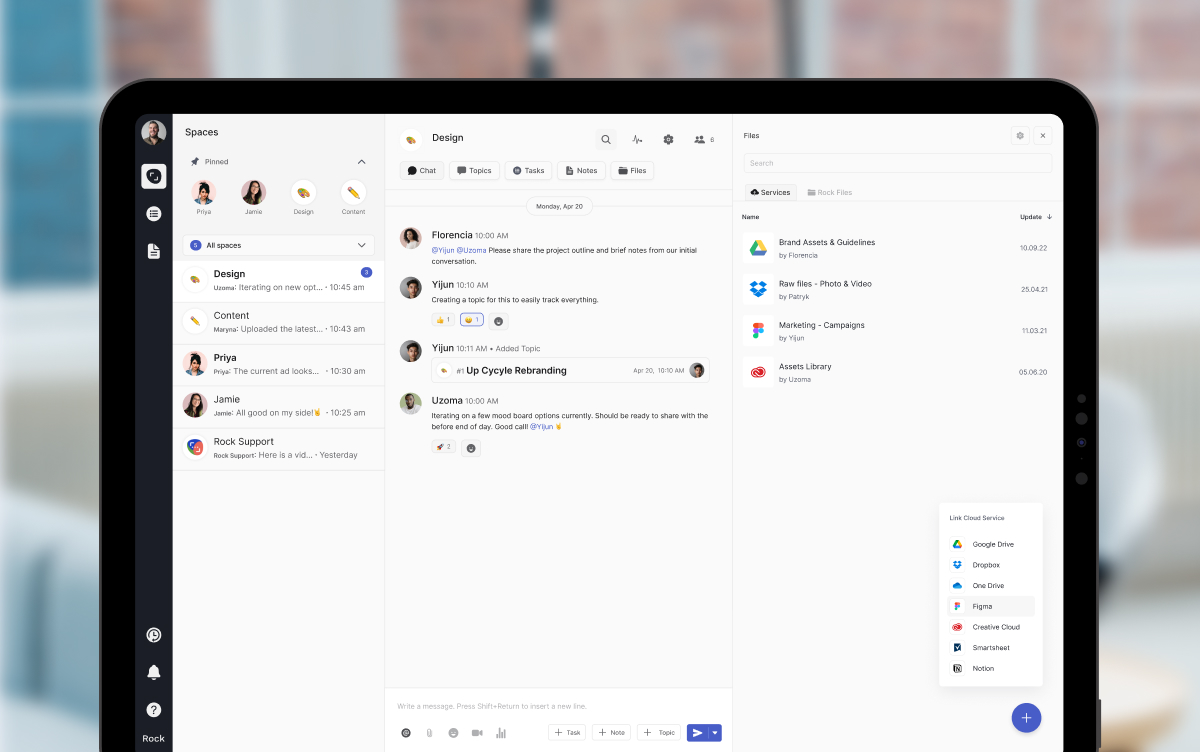


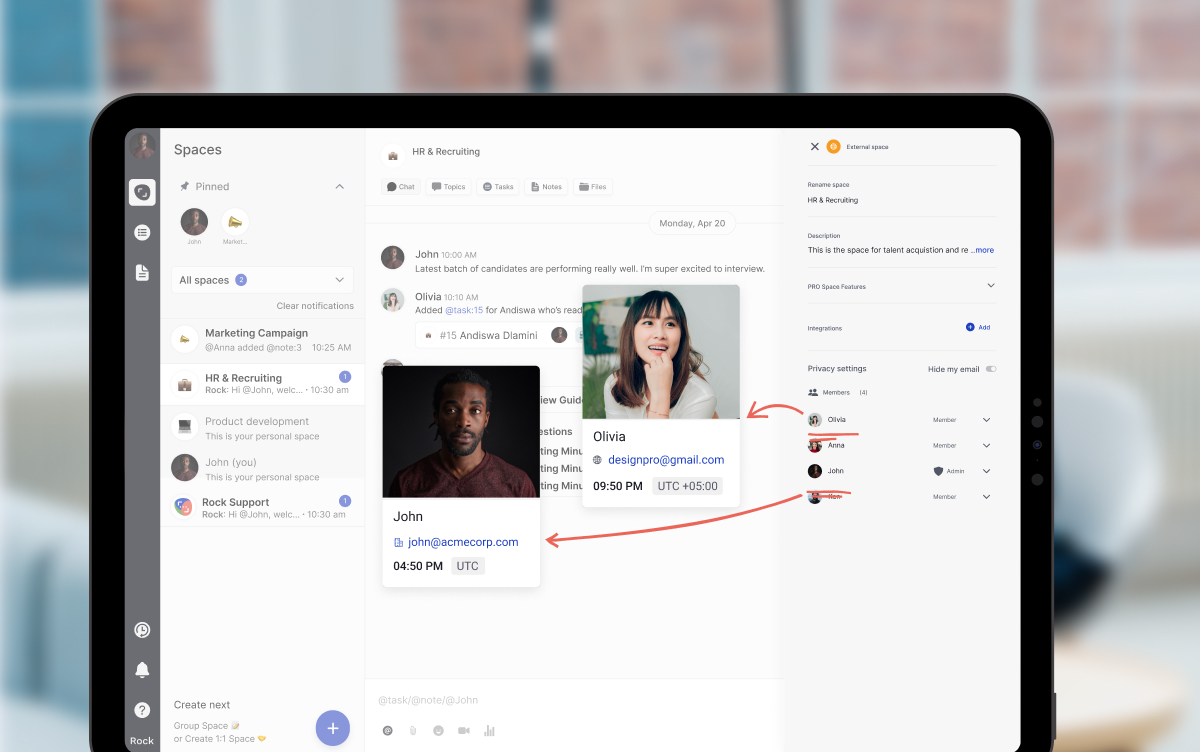



.jpeg)
.jpeg)
.jpeg)