By clicking Accept, you agree to the storing of cookies on your device to enhance site navigation, analyze site usage, and assist in our marketing efforts. View our Privacy Policy or manage preferences.
Oops! Something went wrong while submitting the form.
or continue with
This month we shipped four updates: an AI-friendlier public API, a full Spanish interface, sharper space search, and a sweep of UX and stability fixes across web, desktop, and mobile.
Here is what is new.
AI-Friendly Public API
Rock has had a public API for a while. This month we expanded it with the building blocks AI assistants need to act inside your spaces.
The result: you can connect ChatGPT, Claude, Gemini, or any AI assistant, and have it create tasks, send messages, post updates, or pull context from a space. All from a simple conversation.
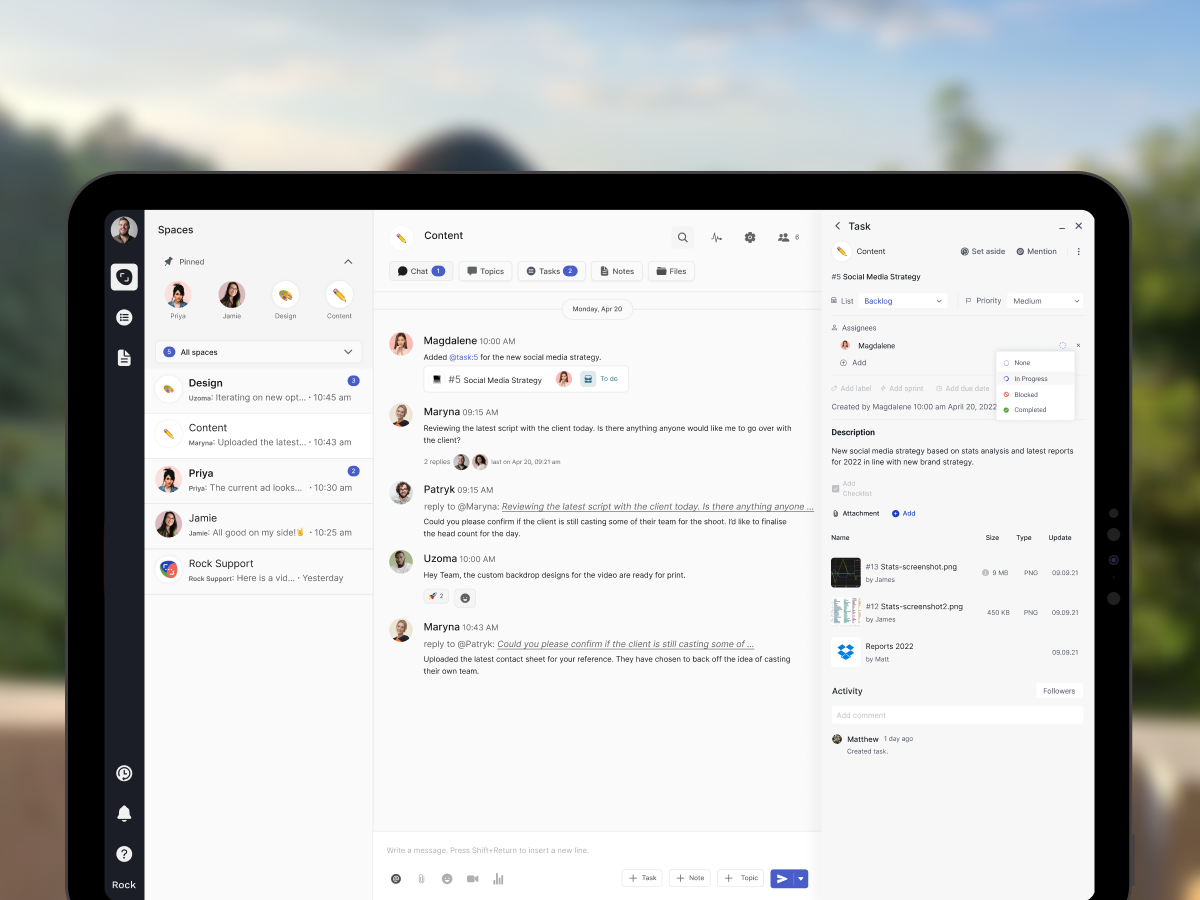
Claude spinning up a new client project from a brief, straight inside a Rock space.
What that looks like in practice:
Use case
What your AI does in the space
Project kickoff from a brief
Drop a client brief in the space and ask your AI to read it. It breaks the work into tasks, assigns them, and sets the sprint.
Status TL;DR of a space
Coming back from PTO or jumping into a busy space? Ask your AI to read the recent messages, tasks, and notes, and post a summary of where each project stands.
Daily standup recap
Your AI scans yesterday's activity each morning and posts a recap: what shipped, who is blocked, what is next.
Dev updates from Claude Code
Hook Claude Code into your engineering space so it posts when it opens a PR, finishes a build, or pushes a deploy. No more copy-pasting from GitHub.
Client emails to tasks
Paste a long client email and your AI creates the right tasks, with deadlines and owners. No more manual breakdown.
Weekly client recaps
End of the week, your AI scans the space and drafts a status message you can send to the client. Copy, edit, send.
How to set it up
Setup takes minutes. From inside the space you want to plug your AI into:
1. Open Space settings from the space header.
2. Go to Integrations, then Custom Webhook.
3. Click Add new to generate a bot token. (Custom webhooks are part of the Unlimited plan.)
4. Hand the token to your AI assistant. It can now read and act inside that one space, not your whole workspace.
It works the same way MCP connections work in Claude: your AI gets direct access to a single space at a time.
Bring your own key. No per-seat AI fees, no vendor lock-in. Unlike platforms that charge extra for proprietary AI, Rock lets your team use whatever AI they already pay for.
We are actively expanding what the API can do. If there is a workflow you want to automate but cannot yet, let us know.
Rock en Español
Rock is now available in Spanish. The full interface, notifications, and onboarding flow have been translated for Spanish-speaking teams.
Latam is one of our fastest-growing regions, with agencies and small businesses across Mexico, Argentina, Colombia, and Spain running their work on Rock. Until now, those teams worked in English. Now they can work together and with clients in both English or Spanish.
To switch your language: open your user settings, select Language, and toggle to Spanish.
This is our first step toward making Rock accessible to more teams around the world. More languages are on the way. Want to request a language? Poke us in the support space.
Rock now speaks Spanish across the entire workspace.
Sharper Space Search
Space search is now faster and more accurate. Whether you are looking for a message, a task, or a file from a few weeks back, results surface where you expect them.
UX, UI, and Stability
We rolled out a batch of small improvements across the platform: visual refinements, performance updates, and stability fixes on web, desktop, and mobile.
Nothing flashy. Just smoother day-to-day use.
What's Next
This is the start of a busier release cadence for Rock. Over the next few months we will keep expanding the API and shipping the improvements our users ask for most.
Have a feature request or a bug to flag? Ping us in the Rock Support and Updates space. We read every message, and the things you raise shape what we build next.
Monday.com is a visual work management platform built around colorful boards, automations, and an expanding suite that now includes CRM, Dev, and Service products. Founded in 2012 as dapulse and public on NASDAQ since 2021, it serves more than 250,000 customers and pulled in $1.23 billion in revenue in FY2025.
If you are researching what Monday.com is in 2026, the short answer: it is the most visual of the big-three PM tools, with a growing AI layer (monday Vibe, Sidekick, Agents) and a hard three-seat minimum on paid plans. Co-CEOs Roy Mann and Eran Zinman still run the company.
This guide covers what Monday.com actually does, what it costs in 2026 (including the minimum-seat trap), where it shines, and when a different tool fits better. No marketing spin.
Monday.com is built around color-coded boards, statuses, and automations.
Monday.com vs Popular Alternatives (2026)
Here is how Monday stacks up against the tools most teams evaluate alongside it.
Tool
Best For
Free Plan
Paid From
Monday.com
Visual boards, automations, AI
2 seats
$9/seat/mo (3-seat min)
Rock
Chat + tasks, flat pricing
3 spaces, 5 members
$89/mo flat
ClickUp
All-in-one, customization
Unlimited members
$7/user/mo (AI extra)
Asana
Structured projects, Goals
2 users
$10.99/user/mo
Trello
Simple Kanban boards
Unlimited boards
$5/user/mo
What Monday.com Actually Does
At its core, Monday.com organizes work as items inside boards. Each item has color-coded status columns, people, dates, numbers, formulas, and dependencies. The visual metaphor is the main draw. Teams that struggle with list-based tools often click with the board view immediately.
On top of boards, Monday layers views (timeline, Kanban, Gantt, calendar, workload, chart), dashboards, automations, and forms. The no-code automation builder is one of the more approachable in the category.
Monday has also split into a product suite. Monday Work Management is the original PM product. Monday CRM handles sales pipelines. Monday Dev targets engineering teams. All three run on the same mondayDB platform and share the AI layer.
The AI layer expanded significantly in 2025. Monday Magic (AI blocks inside boards), Monday Vibe (AI assistant), Monday Sidekick (suggestions in context), and Monday Agents (no-code AI agents like the SDR Agent) all reached general availability at the company's Elevate event in September 2025.
Monday.com Pricing in 2026
Monday's plans sit at the Monday.com pricing page. Important: every paid plan has a three-seat minimum.
Free: $0. Up to 2 seats, 3 boards, 200+ templates, basic mobile. Useful for a solo operator trying it out.
Basic: $9 per seat per month billed annually. Unlimited items, unlimited viewers, 5 GB storage. Automations and integrations are NOT included.
Standard: $12 per seat per month annual. Adds timeline, Gantt, calendar views, 250 automation actions per month, and AI Sidekick lite.
Pro: $19 per seat per month annual. Adds private boards, time tracking, chart views, formula columns, and 25,000 automation actions per month.
The three-seat minimum is worth repeating. A solo operator on Basic bills as three seats ($27 per month). A two-person team also bills as three. This is one of the most-cited complaints in Monday reviews.
Monday Standard
What it costs as your team grows
$12/seat/mo
Monthly cost
$180/mo
$2,160 per year
115 seats200
Monday.com has a 3-seat minimum on paid plans. Teams of 1 or 2 still bill as 3 seats.
Annual billing. Pro tier (time tracking, private boards, formulas) is $19/seat/month.
For reference, a flat-priced alternative like Rock is $89/mo regardless of team size ($5.93/seat at this size).
Want a flat-priced alternative?
Rock combines tasks with chat and notes in one workspace. One flat price for unlimited users.
Visual-first boards that non-technical teams adopt. 250,000+ customers and 41% of revenue from $50k+ accounts signal genuine enterprise traction, not just SMB. Teams that bounce off list-heavy tools usually stick with Monday.
Breadth of views and automations. Timeline, Kanban, Gantt, calendar, chart, and workload in one workspace. At Pro, 25,000 automation actions per month cover most operational needs.
Real AI shipped in 2025. Monday Agents are genuinely useful, not just AI theater. Vibe crossed $1M in annualized revenue within a week of launch, and 17,000+ apps were built on it in that same first week.
One vendor, multiple verticals. If you also need CRM and engineering workflows, standardizing on Monday's suite is simpler than stitching three separate tools.
Three-seat minimum punishes small teams. A one-person Basic plan bills as three seats. Two people also bill as three. If your team is under 3, you are paying for phantom seats every month.
Feature gating pushes real price higher than the headline. The "$9 Basic" tier is a marketing anchor. Automations lock to Standard ($12), time tracking and private boards lock to Pro ($19). Most teams need Pro to get real value, which makes the effective entry price closer to $57 per month (three seats at $19) than $27.
Mobile app lags the web. Multiple 2025 and 2026 reviews flag complex automations, new board views, and reporting as hard or impossible on mobile. If your team works primarily from phones, this hurts.
Colorful can become chaotic. The density of statuses, colors, and columns is powerful, but new users often describe it as overwhelming. Setup time is real.
Chat and docs are not first-class. Like Asana and ClickUp, Monday is task-first. You still need Slack or Teams for conversations and Notion or Google Docs for knowledge. For the direct comparison against Notion, see our Monday vs Notion head-to-head, or our broader Notion alternatives guide. That is why some teams look for an all-in-one alternative. Rock, for example, combines chat with task boards, notes, and files in the same workspace at a flat $89 per month, with no seat minimum.
Platform signals worth noting. Monday's 2026 revenue guidance of 18-19% growth (down from 27% in 2025) triggered a 21% stock drop in February 2026 amid investor concerns about agentic AI disruption. Not a product defect, but worth noting when betting on a platform.
What we do at Rock: we run each client project in a shared space with chat, tasks, and notes together. When a client message becomes work, we turn it into a task in one click. No seat minimums, no automation quotas, no tier jumps to unlock the feature you actually need.
Or pick the chat-first option.
Rock pairs tasks with messaging and notes. Free for small teams.
Best for: teams of 10 to 500 who need visual boards plus automations and dashboards in one place. Companies consolidating CRM, project, and dev work onto one vendor (Monday Work Management plus CRM plus Dev). Visual-thinking ops, marketing, and PM teams that want timeline, Kanban, and calendar flexibility without code.
Skip Monday.com if: you are a solo operator or a 2-person team (the three-seat minimum burns cash), you need time tracking or formulas but cannot afford Pro, your team lives on mobile, or you need a simple list or doc hybrid instead of the colorful board paradigm.
Related Reading
If Monday is in the shortlist, a few cluster reads cover the adjacent questions.
Comparing other PM tools? See our honest reviews of ClickUp and Asana.
Rock versus Monday. For the direct comparison, see Rock vs Monday.
"Picking a work tool is really about what you want your team to see first. Monday wants you to see color. Some teams need a workspace that shows them the conversation alongside the work." - Nicolaas Spijker, Marketing Expert
If you are weighing Monday.com against a tool that combines chat, tasks, and notes without a seat minimum, Rock bundles them in one workspace. One flat price, unlimited users. Get started for free.
ClickUp is a work management platform that bundles tasks, docs, whiteboards, chat, goals, and time tracking into one workspace. Founded in 2017 by Zeb Evans and still privately held, it crossed $300M in annualized revenue in early 2026 and hired a six-person executive bench widely read as IPO prep.
If you are researching what ClickUp is in 2026, the short answer: it is the broadest all-in-one PM tool on the market, aiming to replace three to five separate SaaS subscriptions. That breadth is the pitch, and it is also the catch.
This guide covers what ClickUp actually does, what it costs including the new AI add-ons, where it shines, and when a simpler tool beats it. No marketing spin.
ClickUp bundles tasks, docs, chat, time tracking, and dashboards in one workspace.
ClickUp vs Popular Alternatives (2026)
Here is how ClickUp stacks up against the tools most teams evaluate alongside it.
Tool
Best For
Free Plan
Paid From
ClickUp
All-in-one, customization
Unlimited members
$7/user/mo (AI extra)
Rock
Chat + tasks, flat pricing
3 spaces, 5 members
$89/mo flat
Asana
Structured projects, Goals
2 users
$10.99/user/mo
Monday.com
Visual boards and automations
2 seats
$9/seat/mo (3-seat min)
Notion
Docs + lightweight tasks
Personal use
$10/user/mo
What ClickUp Actually Does
At its core, ClickUp organizes work as tasks inside lists, folders, and spaces. Each task can carry subtasks, assignees, due dates, priorities, dependencies, custom fields, and automations.
The platform's distinguishing trait is breadth. Within one workspace you get 15+ views (list, board, Gantt, calendar, mind map, timeline, workload), Docs for knowledge, Whiteboards for brainstorming, Forms for intake, Chat for messaging, Goals for OKRs, and time tracking. Few competitors offer this scope at a $7 to $12 per user price point.
ClickUp AI is split into Brain (summaries, writing, an @Brain agent) at $9 per user per month and Everything AI (AI Notetaker, image generation, more credits) at $28 per user per month. Both are add-ons on top of your base plan, not bundled.
The app catalog has grown past 1,000 integrations, covering Slack, Google Workspace, Zoom, GitHub, and the usual stack.
Free Forever: $0. Unlimited tasks and unlimited members, 100 MB storage, basic automations. Genuinely usable for small teams, which is rare in this category.
Unlimited: $7 per user per month on annual billing. Unlimited storage, Gantt view, resource management, and most integrations.
Business: $12 per user per month annual. Advanced dashboards, private docs, workload, goal folders, and more automations.
Add the AI tier on top. Brain at $9 per user and Everything AI at $28 per user are separate line items. An Enterprise seat with Everything AI can land north of $50 per user per month once you factor in both.
ClickUp Unlimited
What it costs as your team grows
$7/user/mo
Monthly cost
$105/mo
$1,260 per year
515 users200
Annual billing. Business tier is $12/user/month. Brain AI adds $9/user/month; Everything AI adds $28/user/month on top of any plan.
For reference, a flat-priced alternative like Rock is $89/mo regardless of team size ($5.93/user at this size).
Want a simpler alternative?
Rock pairs tasks with chat and notes in one workspace. One flat price, unlimited users.
Breadth in one place. Tasks, docs, whiteboards, chat, goals, forms, time tracking, and dashboards under one SKU. Teams consolidating three or four tools often find the math works.
A genuinely usable free tier. Unlimited tasks and unlimited members, which Asana and Monday.com both restrict. Small teams can run real projects without paying a cent.
1,000+ integrations. Plus Zapier and Make for anything not native. If a tool exists in your stack, ClickUp probably connects to it.
Community goodwill at scale. 4.7/5 on G2 across more than 11,000 reviews, with category wins across 526 "Top 3" reports in G2's Winter 2026 reports.
The learning curve is real. G2, Capterra, and Reddit threads consistently flag ClickUp's breadth as its biggest weakness. New admins report a two- to three-week setup before a team gets real value. If you do not have someone to own the system, adoption stalls.
Performance complaints persist. ClickUp's own public feedback board has long-running threads about dashboards taking minutes to load and status changes lagging. ClickUp 4.0 (December 2025) improved things materially, but the history matters if you are betting your team's time on the platform.
AI is expensive and unbundled. Notion, Monday, and Asana all bundle AI into base tiers. For a deeper comparison, see our Notion vs ClickUp or ClickUp vs Jira head-to-heads, or our wider Notion alternatives guide. ClickUp charges extra for Brain and Everything AI on top of every plan including Enterprise. A 25-person team on Business plus Everything AI pays roughly $1,000 per month before hitting Enterprise features.
Chat has been rebuilt multiple times. Launched, deprecated, relaunched as ClickUp Chat in 2024, then overhauled again in 4.0. If messaging is core to your workflow, a purpose-built chat tool (Slack, Rock) is more reliable. Rock, for example, combines chat with task boards, notes, and files in the same workspace at a flat $89 per month.
The 3.0 to 4.0 migration was rough. ZenPilot, an implementation agency that runs 200+ ClickUp migrations, called 3.0 "dropped overnight with limited testing." 4.0 is the apology release. Worth knowing if you value platform stability.
"The 'Today vs Overdue' logic in My Tasks still bothers me. Burying overdue tasks creates a dangerous pattern where overdue tasks become invisible." - Gray MacKenzie, Founder, ZenPilot
What we do at Rock: we run each client project in a space with chat, tasks, and notes in one view. When a request comes in, we turn the message into a task with one click. No add-on for AI, no per-seat pricing, no three-tool stack to stitch together.
Or pick the chat-first option.
Rock combines tasks with messaging and notes. Free for small teams.
Best for: mid-size teams of 20 to 200 that are willing to invest two to three weeks in setup to kill three to five other SaaS subscriptions. Operations-heavy workflows (agencies, marketing teams, project-based services) where views, dashboards, and time tracking overlap meaningfully. Budget-conscious startups that genuinely use the free tier.
Skip ClickUp if: you are a small team of 2 to 10 that just needs tasks and a shared doc. You will drown in features you never use. Skip it too if you need AI bundled, if you run primarily on mobile, or if you have been burned by past tool migrations.
Related Reading
If ClickUp is in the shortlist, a few reads cover the adjacent questions.
Comparing other PM tools? See our honest reviews of Asana and Monday.com.
Explore alternatives. Our ClickUp alternatives guide compares 10 options across simplicity, client work, and budget.
Rock versus ClickUp. For the direct comparison, see Rock vs ClickUp.
"Picking a PM tool is really about how much complexity your team can absorb. ClickUp rewards investment. Some teams need a workspace that works on day one instead." - Nicolaas Spijker, Marketing Expert
If you are weighing ClickUp against a simpler all-in-one with chat built in, Rock combines messaging, tasks, and notes in one workspace. One flat price, unlimited users. Get started for free.
The first wave of remote work research in 2020 and 2021 gave us a specific story about why video calls feel so draining. It was the camera. Seeing your own face. Holding eye contact with nine people at once. Sitting still in a frame for 30 minutes straight. That research was good, and much of it still holds. But if you are reading this in 2026, the real cause of your fatigue has probably moved.
Microsoft's 2025 Work Trend Index found that professionals are interrupted every two minutes during the working day. That is roughly 275 interruptions in a typical day, almost all of them from meetings, chats, or emails. Evenings are no longer safe either. Meetings after 8 p.m. are up 16% year over year. For anyone on an agency team serving western clients from Indonesia, the Philippines, or Latin America, that last stat is not a headline. It is Tuesday.
Zoom fatigue, in other words, is mostly a calendar problem. The camera is part of it. But if you cut your camera usage in half tomorrow and nothing else changed, you would still be tired on Friday. Before we get into the science, run the widget below on your own calendar and see where you land. The rest of this article is built around the verdicts it gives.
Is it your camera or your calendar?
Answer four short questions. Green means your density is healthy and camera hygiene is probably your lever. Yellow means density creep is starting. Red means the calendar is structural, not fixable by switching off self-view.
Is it your camera or your calendar?
Four questions. We score meeting density, not camera usage.
A calendar like this drains you whether the camera is on or off.
What Zoom fatigue actually is in 2026
The founding frame is Jeremy Bailenson's 2021 Stanford paper. It named four mechanisms that make video calls specifically tiring: excessive close-up eye contact, the cognitive cost of seeing yourself in real time, reduced physical mobility, and higher cognitive load from interpreting subtle cues through a flat screen. That framework is still cited by every article that ranks for this term.
"When someone's face is that close to ours in real life, our brains interpret it as an intense situation that is either going to lead to mating or to conflict." - Jeremy Bailenson, Founding Director, Stanford Virtual Human Interaction Lab
What has changed is the evidence around which of those causes actually holds up. A 2024 meta-analysis by Riedl and colleagues, pooling 38 studies across 34 peer-reviewed papers, found that the single strongest predictor of videoconferencing fatigue is not close-up eye contact or screen glare. It is the psychological sense of feeling trapped in the meeting. You cannot step away the way you would after a real-world chat in a corridor. The exit is a button you feel rude to press.
A separate randomized controlled trial published in Nature Scientific Reports in 2025 narrowed the camera piece further. Turning off self-view reduces cognitive load and fatigue in a measurable way. Switching between gallery view and focus view does not. So the "wall of faces" story, repeated in almost every 2022 blog post on this topic, is probably wrong. The mirror in the corner is what drains you.
Zoom fatigue, then, has two distinct layers in 2026. A biological layer, which is real but narrow, and a structural layer, which is where most of the damage actually accumulates. The first you can fix in a minute by hiding self-view. The second takes calendar architecture.
The camera is a small piece. The schedule around it is the bigger one.
The real driver is meeting density
Microsoft's Breaking Down the Infinite Workday report in June 2025 put numbers on what most teams already felt. The average professional now fields an interruption every two minutes. That is 275 touches per day, roughly split across meetings, chat pings, and email. Deep-work blocks have become rare enough to count.
Inside that stream, 57% of all meetings are ad-hoc, with no calendar invite. Another 10% are scheduled less than two hours before they start. Over 40% of professionals check email before 6 a.m. Roughly 30% are back online after 10 p.m. The workday no longer has walls. It has a rolling set of prompts you answer until you fall asleep.
"The workday is no longer bound by 9-to-5. It has been stretched, fragmented, and fundamentally reshaped." - Jared Spataro, CMO AI at Work, Microsoft
The effect on fatigue is not linear. Two hours of video calls with a two-hour buffer on either side is tiring but recoverable. Two hours of video calls broken into eight 15-minute slots, each bookended by five minutes of chat scramble, is closer to six hours of cognitive load. The meeting cost calculator puts a dollar number on that pattern. Your brain pays a different bill, in focus.
A 2024 paper in Nature Scientific Reports added a quieter cost. Fatigued meeting participants show measurably higher conformity. They stop pushing back. In a decision meeting that is already running late, fatigue makes disagreement feel expensive, and the group reaches a consensus that nobody fully believes in. The more meetings you run in a week, the worse every individual decision is likely to be.
The camera paradox
Here is the part most articles skip. Asking everyone to keep their camera off all day is not the fix. A 2024 study reported in Inc. tracked camera-on time against retention. Employees who left within a year had their cameras on 18.4% of the time. Employees who stayed had theirs on 32.5% of the time. Cameras-off, held at an extreme, correlates with detachment.
So the camera is doing two jobs. It causes fatigue when overused. It signals presence and engagement when used. The honest answer is contextual, not universal.
Camera on. New teammates, sensitive feedback, client relationship calls, performance conversations, kickoffs, and any time you are meeting someone for the first quarter of working together. Your face is the relationship.
Camera off. Status updates where only one person is actually talking, long 1:1s where you are genuinely thinking together (walking while talking works better with video off), training and listening calls, and anything over 45 minutes where you are not actively speaking.
Self-view off, always. This is the single smallest fix with the largest research backing. Pin the other participants, hide your own tile. You will notice the difference inside a week.
Hybrid inequity: who pays the bigger tax
A 2024 Flowtrace State of Meetings analysis looked at calendar data across hundreds of companies. Fully remote employees attend roughly 50% more meetings than their in-office peers. Most of that difference is not formal decision meetings. It is the quick syncs, the "can you hop on?" calls, and the status check-ins that used to happen by walking past a desk.
Agencies serving western clients absorb the cost of the time difference through meetings.
For agency teams distributed across Indonesia, the Philippines, Nigeria, or Latin America, this pattern has a specific shape. The team is building and delivering during local working hours. The client check-ins are always in the evening. The ad-hoc "can you jump on a call" messages arrive after dinner. The meeting most of your team says yes to at 9 p.m. is the same meeting the client sees as a casual sync at 10 a.m.
"Hybrid has made meetings more transactional and more annoying. People now need a pre-meeting to prepare for the actual meeting." - Peter Cappelli, George W. Taylor Professor, Wharton
If you are running an agency that serves western clients from a developing country, meeting density is the tax. Every policy that tries to address Zoom fatigue only through camera hygiene misses this. A 45-minute call at 2 p.m. local time and a 45-minute call at 10 p.m. local time are not the same call. The second one costs the second half of your evening too.
Fix the calendar, not the camera
What actually works is structural. These are the five changes that show up repeatedly in the teams that reduced fatigue without dropping quality.
Agenda or auto-cancel, 24 hours before. If nobody has written an agenda by the 24-hour mark, the meeting drops off the calendar. The owner rebooks when they have one. This is the single highest-leverage meeting policy we have seen. It typically removes 20% to 30% of recurring meetings in the first month.
Default 25 minutes, not 30. Calendar apps ship with a 30-minute default because somebody at Google set it there in 2006. Switch it to 25. The five-minute buffer between meetings is where people actually absorb what just happened. Stanford's Bailenson recommends this too as a low-cost intervention.
One no-meeting day per week.MIT Sloan's research on meeting-free days found a 71% jump in productivity on teams with at least one fully protected day per week. Pick Wednesday or Thursday. Tell clients in advance that you reply async on that day.
Async first for status. If the only purpose of a meeting is to share what happened since last week, write it. Record a two-minute Loom if tone matters. A shared note that everyone updates by Friday will reach more of your team, more accurately, than a 30-minute call that two attendees were half-present for.
Self-view off, by default, always. Not a meeting-wide policy. A personal one. Right-click your own tile, hide it. You will feel the load lift inside three days.
None of these fixes are new. What is new in 2026 is the research weight behind them. Microsoft, MIT, Gallup, and Nature are all telling the same story from different angles. Meeting density is the variable. Camera hygiene is a trim.
What We Do at Rock
At Rock, we run a distributed team across multiple timezones, so we have had to be deliberate about which meetings exist and which do not. Our rule is simple. No meeting without an agenda. Status updates live in chat threads or shared notes, not on the calendar. Decisions get documented in writing so nobody needs to rewatch a recording to remember what we agreed.
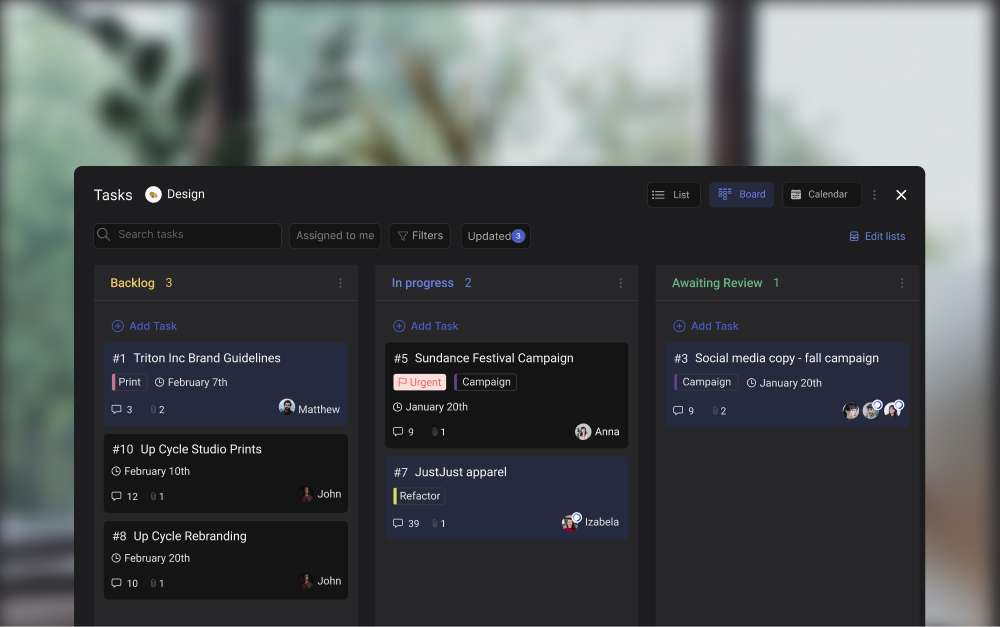
Chat, tasks, notes, and meetings in one space means most updates never need a call.
When a question comes up, the default is to post it in the shared space rather than book a call. That one habit, more than any tool, has kept our calendars survivable. The meetings we do keep are for relationship building, sensitive conversations, and complex decisions with real trade-offs. Those are the 20% of meetings that actually need faces in the room. The other 80% found a better home as written updates, task comments, or async video.
Rock's meetings mini-app connects Zoom, Google Meet, or free Jitsi in one click from any space, so the call itself is not the bottleneck. The bottleneck was always the calendar around it.
The short version
Zoom fatigue in 2026 is mostly calendar architecture. Meeting density has gone up, the workday has lost its walls, and agencies working across timezones absorb the worst of that pattern. The camera is a real but narrow part of the story. The 2024 meta-analysis says the strongest driver is feeling trapped in the meeting, not what your brain does with close-up faces. The 2025 Nature RCT says self-view is the fatigue lever, not gallery-vs-focus view. Microsoft's 2025 workday data says you are being interrupted every two minutes regardless.
Run the widget above on a typical week. If you landed green, the camera hygiene tips are probably enough. Turn self-view off and move on. If you landed yellow, pick one recurring meeting to cancel for a month and see if anyone asks for it back. If you landed red, the calendar is the project. Start with agenda-or-cancel and one meeting-free day per week, and expect the rest of your team to breathe easier within two weeks.
Replacing the quick syncs and status updates with one shared space is the most durable fix for Zoom fatigue we know. Rock combines chat, tasks, notes, and meetings in one workspace. One flat price, unlimited users. Get started for free.
Asana is a work management platform built around tasks, projects, and portfolios instead of documents or chat. Founded in 2008 by Dustin Moskovitz and Justin Rosenstein, it went public on the NYSE in 2020 and now serves more than 170,000 customers worldwide.
If you are researching what Asana is in 2026, the short answer: it is the most mature of the big-three task tools (alongside ClickUp and Monday.com), focused on tracking the work rather than chatting about it. Dan Rogers took over as CEO in July 2025 after Moskovitz retired, and the company is leaning into AI Studio agents.
This guide covers what Asana actually does, what it costs in 2026, where it shines, and when you should pick something else. No marketing spin.
Asana organizes work around projects, tasks, goals, and portfolios.
Asana vs Popular Alternatives (2026)
Here is how Asana compares against the tools most teams evaluate alongside it.
Tool
Best For
Free Plan
Paid From
Asana
Structured projects, Goals, Gantt
2 users
$10.99/user/mo
Rock
Chat + tasks, flat pricing
3 spaces, 5 members
$89/mo flat
ClickUp
All-in-one, deep customization
Unlimited members
$7/user/mo
Monday.com
Visual boards and automations
2 seats
$9/seat/mo (3-seat min)
Trello
Simple Kanban boards
Unlimited boards
$5/user/mo
What Asana Actually Does
At its core, Asana tracks work as tasks inside projects. Each task can have subtasks, assignees, due dates, custom fields, and dependencies. Projects live inside teams, and teams roll up into portfolios for executive visibility.
The standout features for most buyers are the multiple views. Any project can be displayed as a list, Kanban board, timeline (Gantt), calendar, or workload chart without extra setup. Goals link company-level OKRs to the tasks that move them.
Workflow Builder handles no-code automations like "when a task moves to Review, assign it to the manager and set the due date." Forms capture intake requests. Asana AI Studio, which became standard on paid plans in mid-2025, lets teams build credit-metered agents that summarize updates, draft status reports, and route work automatically.
Integrations cover the obvious suspects: Salesforce, Slack, Google Workspace, Microsoft 365, Tableau, Power BI, and 300+ others through the Apps directory.
Asana Pricing in 2026
Asana's pricing sits in four tiers, verifiable at the Asana pricing page.
Personal: Free. Up to 2 users. Unlimited tasks, list and board views, assignees, due dates. Fine for a solo planner or a pair.
Starter: $10.99 per user per month annual, $13.49 monthly. Unlimited users, timeline view, forms, Workflow Builder, and the Asana AI Studio Basic tier. G2 reviewers report a 5-seat minimum surfaces at checkout, which is worth verifying before signing up.
Advanced: $24.99 per user per month annual, $30.49 monthly. Adds Goals, Portfolios, time tracking, workload, approvals, and the features most mid-size teams actually need.
Enterprise and Enterprise+: Custom pricing. SSO/SAML, advanced guest controls, data residency, and 200k AI Studio credits per month.
The pricing cliff is real. Jumping from Starter to Advanced more than doubles your bill per user, and several of the features small teams want (time tracking, Goals, Portfolios) are gated to Advanced.
Asana Starter
What it costs as your team grows
$10.99/user/mo
Monthly cost
$165/mo
$1,978 per year
515 users200
Annual billing. Advanced tier (Goals, time tracking, Portfolios) is $24.99/user/month. 5-seat minimum reported at checkout.
For reference, a flat-priced alternative like Rock is $89/mo regardless of team size ($5.93/user at this size).
Looking for a flat-priced alternative?
Rock combines tasks with chat and notes in one workspace. One flat price, unlimited users.
View flexibility. List, board, timeline, calendar, and workload are all native. You do not need to pick a metaphor. Teams with mixed styles usually find something that fits.
Workflow Builder and Rules. Non-technical ops teams can build real automations without scripts. Forms, approvals, and multi-step rules hold up at scale.
Portfolio and Goal alignment. At Advanced and above, Goals link OKRs to the tasks that move them. Portfolios give executives a clean rollup across dozens of projects.
Stability. Of the big three (Asana, ClickUp, Monday.com), Asana has the fewest performance complaints. It loads fast, handles large workspaces, and does not break under load.
Per-user pricing gets expensive. The jump from Starter ($10.99) to Advanced ($24.99) is steep, and the features most mid-size teams need live in Advanced. A 50-person team on Advanced pays $15,000 a year.
Guest collaboration is restrictive. External guests on lower tiers can invite other guests with no admin control until Enterprise. Rock's cross-org collaboration is simpler and clients join shared spaces at no extra cost. This is a real pain point for agencies and professional services.
Chat and docs are not first-class. Asana is task-first. You still need Slack or Teams for conversations and Notion or Google Docs for knowledge. For broader options on the docs side, see our Notion alternatives guide. That tool sprawl is why some teams look for an all-in-one alternative. Rock combines chat, tasks, and notes in the same workspace at a flat $89 per month.
Market signals are mixed. Asana's stock is down about 60% year over year, net retention dropped to 96%, and the company laid off roughly 9% of staff in early 2025. These are not product defects, but they are signals worth noting when betting on a platform.
Learning curve versus simpler tools. Reviewers consistently note that subtask management and customization take time to master. If your team just needs a shared to-do list, Trello, Basecamp, or Todoist will feel faster.
"The high-level goal of No Meeting Wednesdays is to ensure that everyone gets a large block of time each week to do focused, heads-down work." - Dustin Moskovitz, Tim Ferriss Show interview
What we do at Rock: we run every client project in a shared space with chat, tasks, and notes side by side. When a message becomes work, we turn it into a task in one click. Clients join for free, so we avoid the guest-seat math Asana teams constantly manage.
Or pick the chat-first alternative.
Rock pairs tasks with messaging and notes. Free for small teams.
Best for: marketing, operations, and professional services teams of 20 to 200 that want structured projects with strong Gantt and workload views. Cross-functional orgs tracking Goals and Portfolios at the Advanced tier see real value.
Skip Asana if: you are a lean team under 10, you need heavy client-side collaboration, or you need chat and tasks in the same place. The Starter-to-Advanced price jump makes Asana painful for small teams, and the guest model frustrates client-heavy shops.
Related Reading
If Asana is in the shortlist but not the obvious winner, a few cluster reads cover the adjacent questions.
Comparing other PM tools? See our honest reviews of ClickUp and Monday.com.
Explore alternatives. Our Asana alternatives guide compares 10 options across budget and team size.
Asana versus other PM tools. The best task management apps post walks through 10 tools head to head.
Rock versus Asana. For the direct comparison, see Rock vs Asana.
"Picking a project tool is really about how you want your team to think. Asana wants you to plan. Some teams need a workspace that also lets them talk and decide in the same place." - Nicolaas Spijker, Marketing Expert
If you are weighing Asana against a tool that combines chat, tasks, and notes, Rock bundles them in one workspace. One flat price, unlimited users. Get started for free.
Slack is a business messaging platform built around channels, threads, and direct messages instead of email. Launched in 2014, it was acquired by Salesforce for $27.7 billion in 2021. It now serves more than 200,000 paying organizations, including 77% of the Fortune 100.
If you are researching what Slack is in 2026, you probably already know the brand. This guide covers what it actually does, what it costs, what the trade-offs are, and when a different tool makes more sense. No marketing spin.
The short version: Slack is excellent at team chat, channels, and integrations. It is expensive per user, it pushes toward always-on culture, and it does not include task management. The rest is context.
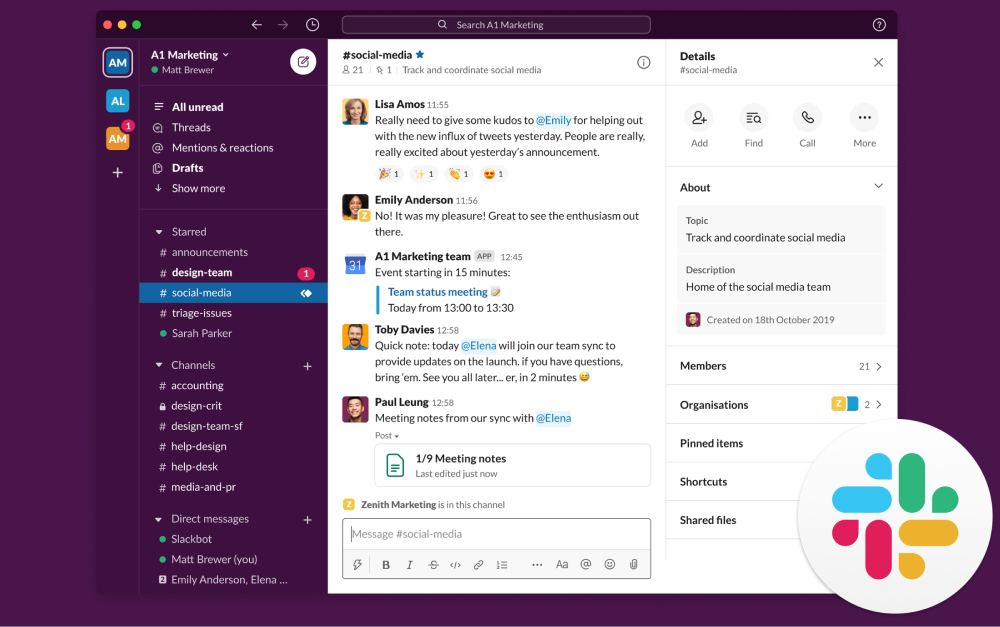
Slack organizes work messaging into channels, threads, and direct messages.
At its core, Slack replaces email for internal team communication. Channels organize conversations by project, client, or topic. Threads keep replies from clogging the main feed. Direct messages cover one-on-ones, and group DMs handle ad hoc huddles.
On top of that base, Slack has added more over the last few years. Huddles are lightweight voice or video calls that start with one click in any channel. Canvas is a document surface that lives inside a channel, similar to a lightweight Notion page. Workflow Builder automates routine actions (like onboarding checklists or weekly updates) without code.
Slack AI, now bundled into the Business+ plan, summarizes long threads, drafts replies, and generates huddle notes. The integration ecosystem is the other big draw. The Slack App Directory lists more than 2,600 apps, including native connectors for Salesforce, Jira, GitHub, and Google Workspace.
Slack Pricing in 2026
Slack's pricing changed in June 2025. Business+ went from $12.50 to $15 per user per month on monthly billing, and the previously separate Slack AI add-on was bundled in.
Free: No cost. Message history limited to 90 days, one-on-one huddles only. Data older than a year is permanently deleted per Slack's usage limits policy.
Pro: $7.25 per user per month on annual billing, $8.75 monthly. Unlimited message history, group huddles, basic Slack AI features (thread summaries, huddle notes).
Business+: $12.50 per user per month annually, $15 monthly. Adds SSO/SAML, compliance exports, and the full Slack AI suite.
Enterprise+: Custom pricing, typically starting around $15 per user per month. Includes multi-workspace Grid, data loss prevention, HIPAA compliance, and advanced admin controls.
Slack Business+
What it costs as your team grows
$12.50/user/mo
Monthly cost
$188/mo
$2,250 per year
515 users200
Annual billing. Pro tier is $7.25/user/month; Enterprise+ starts around $15/user/month.
For reference, a flat-priced alternative like Rock is $89/mo regardless of team size ($5.93/user at this size).
Want chat with your task management?
Rock combines messaging with tasks and notes in one workspace. One flat price.
Integrations ecosystem. More than 2,600 apps plug into Slack natively. If your team runs on Salesforce, Jira, GitHub, or Notion, Slack often becomes the nerve center where those tools communicate.
Polished async UX. Threads, channels, Canvas, and Huddles are as good as they get for team chat. Slack has spent a decade refining this experience, and it shows.
Cross-company collaboration. Slack Connect lets you share channels with clients, partners, and vendors without inviting them into your workspace. Onboarding friction is near-zero if they already use Slack.
Search and history. Years of conversations become searchable context. For teams that move between projects or onboard new people often, that institutional memory is genuine value.
The 90-day limit on free plans. Slack cut free-plan message history to 90 days in September 2024. Data older than a year is permanently deleted, not hidden. For small teams relying on the free tier, this is a real liability. Context you expected to search for later is simply gone.
Per-user pricing scales painfully. At Business+ annual billing, a 100-person company pays $15,000 per year. A 500-person company pays $75,000. Flat-priced alternatives like Basecamp or Rock often land well below that once team size passes roughly 15 people.
Notification fatigue and always-on culture. Microsoft's 2025 Work Trend Index found that knowledge workers get interrupted every two minutes during core work hours. Slack is designed to amplify that pattern, not reduce it.
Chat alone does not cover the work. Slack is messaging. Tasks, deadlines, project plans, and documents live in other tools. That tool sprawl is why some teams look for an all-in-one alternative. Rock, for example, combines chat with task boards, notes, and files in the same workspace at a flat $89 per month.
Security and trust. In July 2024, Disney had 1.1 TB of Slack data and 44 million messages leaked after one employee account was compromised. Disney subsequently moved off Slack. The lesson is not that Slack is uniquely insecure. It is that concentrating years of sensitive internal conversations in one tool is a real risk surface.
What we do at Rock: we use chat, task boards, notes, and client spaces in one workspace. When a client message becomes a task, we turn it into one with a click. There is no searching across Slack and a separate PM tool for where a decision lived.
Or pick the all-in-one option.
Rock combines chat, tasks, and notes. Free for small teams.
Best for: mid-size to enterprise teams (50 to 5,000+ people) that already run on Salesforce, Jira, or GitHub. Cross-company collaboration via Slack Connect is the other strong use case, especially for partners, vendors, and clients who already live in Slack.
Skip Slack if: you are a small team on a budget. The 90-day history limit and per-seat pricing hurt. Skip it too if you need chat and tasks in one tool, or if your culture struggles with always-on expectations. Slack amplifies the habits your team already has, for better or worse.
For privacy-sensitive work, Slack is not end-to-end encrypted. Teams handling confidential client data or regulated information usually need to layer in Enterprise Grid controls or look at encrypted alternatives.
Related Reading
If Slack sounds close but not quite right, a few cluster reads cover the adjacent questions:
Explore alternatives. Our 20 best Slack alternatives compares tools across budget, privacy, and all-in-one categories.
Rock vs Slack head-to-head. If you want the direct comparison, see Rock vs Slack.
If you are weighing Slack against a tool that combines chat, tasks, and notes, Rock bundles them in one workspace. One flat price, unlimited users. Get started for free.
If you are picking between Zoom and Google Meet in 2026, the honest answer is that neither choice is wrong. Both platforms handle video calls well. Both added AI notes and live transcription to their paid tiers. Both are used by teams of every size to run everything from 1:1 check-ins to 1,000-person all-hands.
The real question is not which is better. It is which one fits the way your team already works, your budget, and the clients you call. Zoom wins on a few specific dimensions. Google Meet wins on others. For a surprising share of teams, either one works and the wrapper around the call matters more than the call itself.
Run the three-question recommender below first. The rest of this article is the honest head-to-head on pricing, features, and what changed in 2025-2026. By the end you will know which one to pick and, more importantly, why the decision is less consequential than most comparisons suggest.
Which one fits your team?
Answer three short questions. The verdict weighs your existing stack, the kind of calls you run, and your bandwidth. No email capture, no funnel. The recommendation is genuinely based on your inputs.
Which video tool fits your team?
Three questions. Honest recommendation, not a funnel.
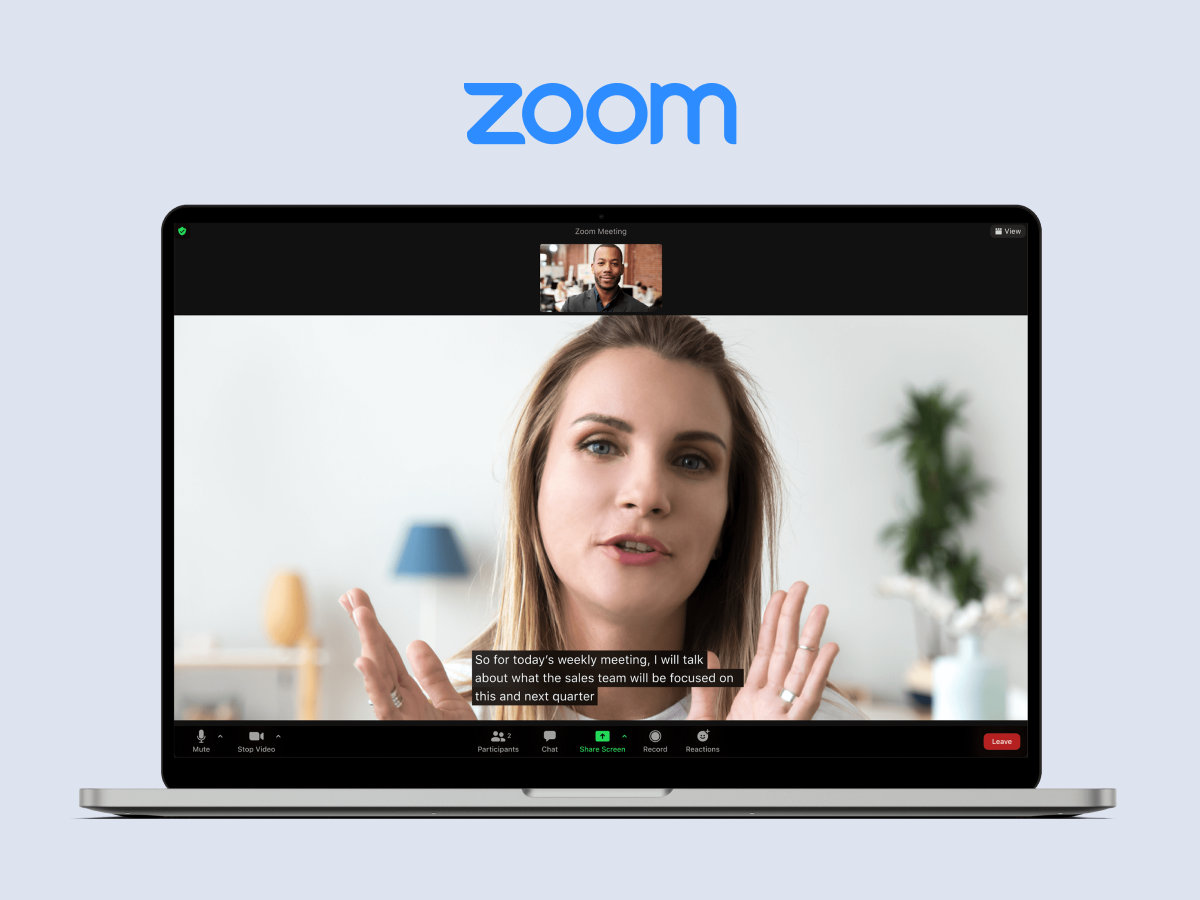
Zoom's meeting interface as most teams know it in 2026.
The quick verdict
Here is the head-to-head on the 13 dimensions most people actually care about. Read it once, then use it as a reference.
Dimension
Winner
Why
Free tier meeting length
Google Meet
60 min vs Zoom's 40 min on 3+ participants
Free tier recording
Zoom
Local recording on free; Meet has no recording on free
Max participants (top paid)
Tie at 1,000
Meet edges mid-tier: 500 on Business Plus vs Zoom 300 on Business
Recording storage
Google Meet
2-5 TB per user in Drive vs Zoom's 5 GB on Pro
Live transcription + AI notes
Close call
Zoom AI Companion free on paid tiers since 2023; Gemini note-taking default-on in Meet since Feb 2026
Cleaner admin console; Zoom SSO gated behind Business tier
End-to-end encryption
Zoom
E2EE on free and paid up to 200 participants; Meet client-side encryption is Enterprise only
Bandwidth resilience
Zoom
Adaptive bitrate and low-light polish are meaningfully better on shaky connections
Calendar and scheduling
Google Meet
Native in Google Calendar; Zoom needs a scheduler add-on
Mobile app maturity
Zoom
Native mobile is thicker; Meet mobile is fine but lighter
A few patterns pop out. Zoom is the feature leader. Google Meet is the ecosystem leader. Meet wins on anything tied to the Google Workspace stack, which includes calendar, recording storage, and external-guest UX. Zoom wins on the parts that matter for heavier meetings: webinars, breakout rooms, polls, and mobile polish. Both are good enough for internal team calls that the dimension-by-dimension comparison misses the bigger picture.
Pricing in 2026
Pricing shifted meaningfully in 2025. Google bundled Gemini into all Workspace tiers in January, dropping what had been a $20 to $30 per user add-on. Zoom has included AI Companion at no extra cost on paid tiers since September 2023. Both moves mean you are not paying for AI twice in 2026, and the base tier comparison is simpler than it looked two years ago.
Tier
Zoom Workplace
Google Workspace (Meet)
Free
100 participants, 40-min cap on 3+ people, unlimited 1:1 (30h)
100 participants, 60-min cap on 3+ people
Entry paid
Pro: $13.33/user/mo (annual). 30h meetings, AI Companion included
Business Starter: $7/user/mo. 100 participants, no recording
Business Standard: $14/user/mo. 150 participants, recording, Gemini bundled
Top paid
Business Plus: ~$22.49/user/mo (bundled with Zoom Phone)
Business Plus: $22/user/mo. 500 participants, attendance tracking, 5 TB/user
Enterprise
Custom. Up to 1,000 participants, unlimited cloud recording
Custom. Up to 1,000 participants, client-side encryption, 5 TB pooled
AI included?
Yes, Zoom AI Companion on all paid tiers at no extra cost since 2023
Yes, Gemini bundled into all tiers since January 2025
A practical read on the numbers: if your team is 15 people and you are already a Workspace shop, Google Meet's effective cost for video is zero. You are paying for the Workspace bundle either way. Zoom Pro for the same 15 people runs about $200 a month, though that buys recording, breakout rooms, and a deeper feature set. For teams not on Workspace, the delta between Zoom Pro and Workspace Business Standard shrinks to a few dollars per user per month. At that point you are picking on fit, not price.
One watch-out. Zoom's pricing history includes frequent promotions and discounts that you only see by talking to sales. If you are buying 25 or more seats, it is worth a negotiation call before you auto-renew. Google's pricing is usually closer to the sticker on the site.
Where each one genuinely wins
Rather than repeat the table, here is the prose version of where each platform earns the seat.
Zoom wins on webinars and workshops. If you run structured external events where the experience needs to feel polished, Zoom's breakout rooms, polls, quizzes, and webinar features are deeper and more reliable than Google Meet's. The mobile app is also the best in the category. People on phones, in Ubers, or on shaky airport Wi-Fi will notice.
Zoom wins on shaky connections. The adaptive bitrate and low-light polish make a measurable difference if your team is spread across countries with patchy bandwidth. We have seen this hold up in real conditions across Southeast Asia and Latin America. Google Meet is not bad on poor connections, but Zoom has had more years to optimize for the worst case.
Zoom wins on end-to-end encryption availability. Zoom's E2EE is available on the free tier and paid tiers up to 200 participants. Google Meet's client-side encryption is gated behind the Enterprise Plus and Education Standard tiers, which most small and mid-sized teams do not buy. If E2EE is a dealbreaker for your clients, Zoom is the easier answer.
Google Meet's one-click browser join is the sharpest guest UX in the category.
Google Meet wins on guest UX. External attendees click the calendar link and they are in the call. No account, no app, no "which Zoom account is this?" shuffle. For client-facing teams and anyone whose calls include lawyers, accountants, or procurement folks who do not touch your tool stack, this is the single biggest difference in your favor.
Google Meet wins on TCO inside a Workspace shop. The marginal cost of Meet inside a Workspace subscription is effectively zero. Recording goes to Drive, transcription syncs with Gemini notes, and admin sits in the same console as Gmail and Docs. For a team of 20 that already pays Workspace, adding Zoom is adding a second vendor for a capability you already have.
Google Meet wins on calendar workflow. Meet is native in Google Calendar. Booking a meeting creates a link automatically. Most teams outside of Microsoft shops use Google Calendar for scheduling regardless of which video tool they end up on, which tilts the workflow toward Meet by default.
Zoom wins on integrations and mobile. The Zoom App Marketplace is larger, Zapier coverage is wider, and the native mobile apps feel more mature on both iOS and Android.
What changed in 2025 and 2026
A handful of updates meaningfully changed the comparison. If you last evaluated in 2023, the picture has shifted.
Zoom Workplace rebrand, March 2024. Zoom unified meetings, chat, phone, mail, calendar, whiteboard, clips, and notes into one product. The underlying video product is what you remember. The rebrand signals Zoom's ambition to be more than video, which matters if you were considering Zoom primarily for the meetings.
Zoom AI Companion 3.0, September 2025. Agentic AI features, live translation, AI avatars, and auto-clip generation from presentations are now generally available on paid tiers at no extra cost.
Gemini bundled into Workspace, January 2025. Google dropped the standalone Gemini add-on and baked the AI features into all Workspace tiers. Net effect was a 17-22% base-price increase, but a net decrease for any team that had previously paid for Gemini on top of Workspace.
Meet auto note-taking default-on, February 2026. For any meeting with 3 or more participants, Meet now automatically generates notes and action items unless a host turns it off.
Zoom global outage, April 16, 2025. A roughly two-hour outage tied to a GoDaddy registry server block, not a breach. Zoom added a registry lock to prevent a recurrence. Worth knowing if reliability is a talking point.
"Between its superb core video conferencing features and advanced collaboration tools, Zoom is the best all-around video conferencing platform we've tested. Google Meet is a no-brainer if you use Google Workspace for online collaboration." - Neil McAllister, Senior Features Writer, PCMag
Pick Zoom if...
The research points to a clear set of scenarios where Zoom earns the seat.
You run external events, workshops, or webinars. The feature depth pays off when the call has to feel polished. Polls, breakout rooms, quizzes, attendee management, and the webinar add-on are all more mature than the equivalents on Meet.
Your team is distributed across countries with shaky bandwidth. Adaptive bitrate and low-light polish show up in practice. If you serve western clients from a team in Jakarta, Lagos, or Medellin, the difference on a patchy morning is noticeable.
E2EE is a genuine requirement. Some clients, especially in legal, healthcare, and finance, will ask. Zoom's broader availability on non-enterprise tiers is the easier answer.
You need breakout rooms often. Training, workshops, and facilitation-heavy calls benefit from Zoom's richer breakout experience.
Pick Google Meet if...
Meet wins a different set of scenarios.
You already pay for Google Workspace. The marginal cost of Meet is zero. Unless Zoom specifically earns the second vendor bill, do not pay twice for video.
Most of your calls include external guests who are not technical. Browser-only join, no account, no downloaded app. Clients who hate installing things will thank you.
Most calls are under 60 minutes and internal. Meet handles this workload cleanly. The feature gap with Zoom rarely matters at this meeting length and size.
Recording goes straight to Google Drive. Teams that already live in Drive for file sharing get recording in the same place as their other work. The Zoom equivalent means managing two storage systems.
Either works if...
For a large share of teams, the honest answer is that the video tool is not the lever. If your meetings are under 30 people, under 60 minutes, mostly internal, and mostly not client-facing, either platform will do the job. In that case what actually matters is the wrapper around the call.
"Meet wins on simplicity and cost-of-ownership within Workspace shops. Zoom wins on meeting quality and event scale." - Aggregated analyst note, Gartner Peer Insights Meeting Solutions category
The wrapper is the agenda, the invite, the notes, the tasks, and the follow-up. A good agenda makes a Meet call efficient. A bad agenda makes a Zoom call expensive. We wrote about this more fully in our Zoom fatigue piece.
"The video tool is the cheapest part of the stack. The calendar around it, the agenda, and the follow-up are where the return lives." - Nicolaas Spijker, Growth at Rock
Fatigue and wasted time come from virtual meeting etiquette and meeting design, not from the video tool. Picking the right video tool gets you maybe 10% of the way to better meetings. The other 90% is everything around the call.
What We Do at Rock
At Rock, we integrate all three: Zoom, Google Meet, and free Jitsi. A video call starts one click from any space, and our team picks whichever makes sense for that specific meeting. Client call? Whatever the client prefers. Internal sync? Often Meet because the link is already on the calendar. Budget-sensitive external call? Jitsi inside Rock, no account needed.
The call lives in a wrapper: chat for prep, tasks for follow-up, notes for the record.
What Rock adds is the wrapper. The agenda lives in a shared note. The action items become tasks with owners and deadlines. The chat before and after the call is in the same space as the call itself. When a decision happens in the meeting, somebody turns it into a task with one click and the right person gets notified. Nothing gets lost in a recording that nobody rewatches.
None of this requires you to pick Zoom or Meet. It just requires you to stop treating the video tool as the product and start treating it as one feature inside the workspace. The Meetings mini-app in Rock makes this concrete: one-click start, Zoom or Meet or Jitsi, with everything else already in the same place.
The short version
Zoom and Google Meet both do the core job well in 2026. Zoom is the feature leader: webinars, breakout rooms, E2EE on non-enterprise tiers, and a more resilient experience on shaky connections. Google Meet is the ecosystem leader: zero marginal cost inside Workspace, one-click guest joins, and a cleaner admin and calendar workflow. If you run external events or serve distributed teams on patchy networks, lean Zoom. If you already live in Workspace and most calls are internal, lean Meet. For a lot of teams, either is fine and the agenda matters more than the pixels.
Run the widget at the top of this article on your actual call pattern. Then spend your energy on the wrapper: the agenda, the notes, the follow-up tasks, and the calendar architecture around your meetings. That is where the gains actually live.
Rock integrates Zoom, Meet, and Jitsi in one click from any space, with chat, tasks, and notes in the same place. Rock combines all four in one workspace. One flat price, unlimited users. Get started for free.
A 2025 Kantar survey covered by CNBC found that 90 percent of US adults say their morning routine sets the tone for their whole day. In the same study, 92 percent of people with a routine felt productive, versus 79 percent of people without one. The problem is that most people then spend less than 30 minutes on the routine that is supposed to carry them through the next 10 hours.
You do not need a 5 AM wake-up. You do not need cold plunges, matcha lattes, or a HIIT workout before sunrise. You need a productive morning routine that matches your chronotype, uses the cortisol window correctly, and protects at least one block of focused time before the meetings start.
This guide covers what actually works for how to have a productive morning. Chronotype-aware schedules, the science behind morning deep work, and a builder that turns your wake time and work rhythm into a specific routine you can copy. No affirmations in front of a mirror. No cottage-cheese-and-salmon breakfast. Just the morning routine tips that have real research behind them.
Most morning routine ideas online fail for the same reason: they copy someone else's schedule and ignore the person trying to follow it. A productive morning routine for a lark does not look like a productive morning routine for an owl. A routine with 2 hours before work looks nothing like one with 30 minutes. So instead of "10 habits every successful person does," this article is structured around how to figure out what fits you, and then build it.
Build Your Morning Routine in 30 Seconds
Different chronotypes, different schedules, different challenges. The builder below takes four questions and returns a morning block matched to your biology.
Build your productive morning routine
Answer 4 questions. Get a schedule that fits your chronotype, not someone else's 5 AM club.
1. What time do you naturally wake up on a free day?
Two biological facts matter more than any individual habit.
Cortisol peaks in the first hour after waking. That peak is what makes you alert and ready for demanding work. Early caffeine blunts the peak, which is why Stanford neurobiologist Andrew Huberman recommends delaying coffee by 90 to 120 minutes. Your prefrontal cortex, the part of the brain that handles planning and focus, runs hottest in that same window. Research linked in a 2022 PMC review of morning behavior change puts decision-making quality at its daily high in those first two to three hours.
Focus runs in 90-minute cycles. This is the ultradian rhythm. Cal Newport, a Georgetown computer science professor and the author of Deep Work, builds his schedule around it. A single 90-minute morning block of uninterrupted concentration on a hard task produces more real output than four hours of scattered work after lunch.
"Three to four hours a day, five days a week, of uninterrupted and carefully directed concentration, it turns out, can produce a lot of valuable output." - Cal Newport, Georgetown University
A productive morning routine is a wrapper around that block. Everything else, the walk, the water, the plan for the day, exists to protect the block and to put you into it with as much cognitive capacity as possible.
The morning cortisol window is the most valuable focus time in your day. Protect it.
The 5 AM Myth: Chronotype Is What Matters
The loudest voices in the productivity world all wake at 5 AM. That is a sample, not a rule. The science of chronobiology says something different. The chronotype you were born with sets when your body wants to sleep, wake, and think hardest. Fighting it with an alarm clock usually costs more than it buys.
Till Roenneberg, a chronobiologist at Ludwig-Maximilian University in Munich, spent two decades studying real sleep patterns across populations. He coined the term "social jet lag" for the gap between when your body wants to sleep and when society expects you to. The research is clear: forcing everyone onto a lark schedule leaves night owls chronically underperforming. The trick is to match the routine to the chronotype, not the other way around.
Most people fall into one of three chronotypes. Larks wake early and peak by late morning. The middle type, which covers the biggest slice of the population, wakes between 6:30 and 8 AM and peaks between 9 AM and noon. Owls naturally wake after 8 AM and do their best thinking in the afternoon or evening.
Chronotype
Natural wake
Peak cognitive window
Best morning move
Lark (morning type)
Before 6:30 AM
7 AM to 11 AM
Put the hardest deep work in the first 90 minutes, before caffeine.
Middle (most people)
6:30 to 8 AM
9 AM to 12 PM
One 60 to 90 minute deep work block between wake-up ramp and first meeting.
Owl (evening type)
After 8 AM
4 PM to 8 PM
Use morning for sunlight, movement, and admin. Schedule deep work for mid-afternoon or evening.
If you are a lark, your morning routine should end with a 45 to 60 minute deep work block before breakfast. If you are an owl, your morning is not for deep work at all. Use it for sunlight, movement, and light admin, and block your real focus window for later in the day. Forcing a 7 AM strategy session on an owl is throwing away their best four hours.
The practical test for your own chronotype is simple: on a full week of vacation, with no alarm and no social plans, when do you naturally wake up, and when do you feel sharpest? That pattern is your biology. A morning routine for productivity that fights it will feel like a daily battle, and you will lose most days. A routine that works with it will feel less like a routine and more like a rhythm. How to be productive in the morning is mostly about how honest you are about which of the three chronotypes you actually are.
Seven Morning Habits the Science Actually Backs
Most productive morning routine lists are stacked with everything from gratitude journaling to cold showers to affirmations. The seven below are the ones with the strongest evidence behind them. Pick two or three at a time, not all seven. The reason is simple: there is a difference between knowing what should be in a productive morning routine and building something you will actually do on a groggy Wednesday when you slept six hours.
Habit
What the science says
How to apply it
Get sunlight in the first 10 minutes
Morning bright light sets circadian rhythm and sharpens the cortisol peak that drives daytime alertness.
Step outside for 5 to 10 minutes, or sit by a south-facing window. Cloudy days still work, it is the lux that matters.
Hydrate before caffeine
Overnight you lose fluid and electrolytes. Mild dehydration measurably reduces focus and mood.
500 ml of water within 15 minutes of waking. Coffee can wait.
Delay caffeine 90 to 120 minutes
Early caffeine blunts the natural cortisol peak. Delaying lets your body do its work first, then caffeine compounds on top.
First coffee 90 minutes after wake-up. Yes, it is annoying on day one.
Move for 10 to 20 minutes
Morning movement raises core temperature and increases blood flow to the prefrontal cortex, the decision-making part of the brain.
Walk, stretch, bodyweight. Gym-level intensity is optional. Consistency wins over intensity.
Plan the top 3 tasks for the day
Writing down your top priorities reduces task-switching cost and cuts decision fatigue during the day.
Two to five minutes with a pen or a notes app. Pick three things, not ten.
Protect a 60 to 90 minute deep work block
Focus works in ultradian rhythm cycles of roughly 90 minutes. Uninterrupted morning blocks produce the most output.
Block it on the calendar before meetings get scheduled. Phone in another room. One task only.
Keep the first hour meeting-free
Research on meeting-free mornings links them to measurable gains in reported productivity and lower self-reported stress.
Move standups and status meetings to after 10 AM. Use the first hour for doing, not talking.
A note on habit formation. A widely cited University College London study by Lally et al., published in the European Journal of Social Psychology, found that new habits take an average of 66 days to become automatic, with a range of 18 to 254 days. That is the single most important piece of context when you are trying to change a routine. Stacking seven new habits on a Monday guarantees at least four collapse within a month. Add one habit. Let it stick for three weeks. Then add the next. A small routine that actually runs beats an ambitious routine that collapses by Thursday, every time.
The other reason to pick two or three habits, not all seven, is that morning time is fixed. If you only have 45 minutes before work, you cannot do sunlight exposure, hydration, a 20 minute walk, a 60 minute deep work block, and breakfast. You have to choose. The builder above makes that choice based on your chronotype and time budget. The table above tells you what the options are. Between them you should end up with a routine that fits your life, not someone else's.
"Use the first 90 minutes of your day for cognitive work, and get bright light in your eyes first." - Andrew Huberman, Stanford University
Common Morning Routine Mistakes
The habits above matter, but most productive morning routines break on the mistakes below, not on missing ingredients. These are six patterns we see over and over, drawn from working with teams in different time zones and different life situations. If your current morning is not working, it is almost always one of these, not a missing cold shower.
Mistake
Why it fails
Fix
Copying a famous person's 5 AM routine
Their chronotype is probably not yours. Forcing an early wake against your biology costs more than it buys.
Start by observing your own natural wake time on a free day. Build the routine around that, not against it.
Checking your phone before you get out of bed
The dopamine loop hijacks your morning before you have even had water. Focus is harder to recover once broken.
Charge the phone in another room. Buy a basic alarm clock if needed.
Coffee the second you wake up
Caffeine at wake-up blunts the natural cortisol peak and leaves you more tired mid-morning, not less.
Water first. First coffee about 90 minutes after waking.
Starting with email or Slack
Your morning focus gets spent reacting to other people's priorities. The day is set before you choose it.
First 45 minutes is for your work, not theirs. Open email after the first deep work block.
Trying to stack 10 habits
Research shows habits take weeks to stick. Stacking too many at once guarantees at least half collapse within a month.
Add one habit at a time. Give it three weeks before adding the next.
Treating the morning as fixed
A rigid routine breaks the first travel day, sick day, or off week. Then the whole system falls apart.
Define a minimum version (water + light + plan the day) you can hit in 10 minutes on bad days.
Picking the three things that matter most for the day, before anyone else asks for your time, is the highest-leverage morning habit.
What We Do at Rock
Honestly, we do not enforce a morning routine at Rock. Our team is small and fully async across several time zones. One person is already deep in the day by the time another person wakes up. There is no shared "9 AM team huddle" because there is no 9 AM that works for everyone. What we share is a set of principles about when work happens, not a shared clock.
Each person picks their top three tasks the night before or first thing in the morning and posts them in a shared Topic. Deep work blocks go on calendars. Meetings only get booked in overlap hours, never in someone's morning focus window. Cross-time-zone collaboration sits in asynchronous work patterns, not in real-time calls. A chat blocker becomes a task comment, so a long morning block is never interrupted by a question that could have waited 40 minutes. The daily standup, if a team needs one, happens async in writing, which means it slots into each person's morning without breaking their focus window.
The point is not that everyone should work async. The point is that one-size-fits-all routines lose to routines built around when each person actually thinks best. A small team with six different chronotypes and three time zones cannot run a single morning schedule. Each person runs their own, and the platform carries the coordination.
Async-first tools let each teammate protect their own morning block without breaking coordination.
When to Skip the Morning Routine Entirely
Some mornings a routine is the wrong answer. Three cases where skipping it is the productive move.
Sick or under-slept. If you got five hours of sleep, the best morning move is more sleep or an easier day, not a 5 AM wake-up and deep work. Fighting biology here compounds the damage into the next day.
Travel or time-zone shift. A routine built for your home time zone will not fit a new one. Run a minimum version (water, light, plan the top three) and let the full routine come back when the schedule is stable.
Your current routine is hurting you. If you are exhausted, resentful, or skipping the routine three days a week, the fix is usually to cut it in half, not add more. Ten honest minutes every day beats 90 aspirational minutes that collapse by Wednesday.
The goal of a productive morning routine is to put you into the day with focus and energy. If a given morning's routine is not doing that, the routine is wrong that morning. Productive morning routines are tools, not identities. Use yours when it helps. Skip it when it does not. And adjust it as your life changes, because the version of you who designed the current routine is not the version of you living it three months later. For more on building sustainable work habits around your routine, see our guides on staying organized at work and improving productivity in an organization.
The best test of any morning routine is not whether it looks good on Instagram. It is whether, four weeks from now, you are still running it on Tuesdays and Thursdays as well as Mondays. A routine that works is one you barely notice because it has become how you start the day. Everything else is motion without outcome.
A productive morning routine is only as useful as the tools that keep the rest of the day aligned to it. Rock combines chat, tasks, and notes in one workspace. One flat price, unlimited users. Get started for free.
Grammarly's State of Business Communication report put the cost of poor communication to US businesses at $1.2 trillion a year. Axios HQ research puts it at $10,000 to $55,000 per employee per year, with senior employees losing about 63 workdays annually to unclear instructions, missed context, and broken feedback loops. In their survey, 48 percent of employees said they regularly get unclear instructions.
That is not a small problem. It is the largest hidden cost on most teams. And the generic communication strategies articles online are mostly useless against it because they stack tips without addressing the actual failure modes. "Listen actively" and "be clear" are not strategies. They are adjectives.
This guide covers effective communication strategies that have real research behind them and are actually useful on a working team. The three layers of strategy (individual, team, stakeholder), the channels to use for what, common mistakes, and a builder that picks the right channel for your next message. No generic tips, no stock advice that works in theory and not in the room.
Most communication problems are channel problems in disguise. Fix the channel choice first, the habits second.
What Is a Communication Strategy?
The simplest communication strategy definition: a deliberate plan for how information moves through your team. What goes where, who sees it, how fast responses are expected, and how decisions get recorded. Most teams operate with an implicit version of this, which is exactly why so much information leaks, duplicates, or dies.
That is what is a communication strategy in practice. Not a mission statement. Not a list of values. A concrete set of rules about channels, response times, and decision ownership that everyone can point to. The best communication strategies examples share three traits: they are written down, they are short, and they get updated when the team grows or the work changes.
Business communication strategies serve the same purpose at a company level, with added complexity around brand voice, external messaging, and crisis communications. Internal communication strategies focus more narrowly on how employees coordinate, learn, and surface problems. Both start with the same foundational question: what is this message for, and where should it live?
Pick the Right Channel for Your Next Message
The most practical communication strategy is a decision about where the message goes. Different channels are good at different things. A live call is great for a real-time decision and terrible for a status update. A Topic is great for a decision record and wrong for an urgent problem. The builder below takes four questions and returns the channel fit for your specific message, plus a starter line to copy.
Which channel should this go in?
Answer 4 questions. Get the right channel for your message plus a starter line to copy.
They stack behaviors without fixing the system. Most communication strategies articles are lists of 10 or 15 habits. Listen better. Be clear. Be direct. Be empathetic. All true, all useless if the team has no shared standard for when to use email versus Slack versus a live call. The habits land on sand.
They skip psychological safety.Amy Edmondson, the Harvard Business School professor who coined the term, defines psychological safety as the belief that you can speak up with ideas, questions, concerns, or mistakes without fear of repercussions. Without it, people nod in meetings and complain in DMs. No amount of "listen actively" training will fix a team that does not feel safe saying the thing.
"Psychological safety is the belief that you can speak up with ideas, questions, concerns, or mistakes without fear of repercussions." - Amy Edmondson, Harvard Business School
They ignore channels. A team that uses chat for decisions, decisions in meetings, meetings for status updates, and status updates over email is going to lose. Not because any single choice is wrong, but because the channel-to-purpose match is broken everywhere. Effective communication strategies in the workplace start with matching the channel to the message.
The Three Layers of a Communication Strategy
Most communication strategies live in the gap between three different layers: how you communicate as an individual, how your team communicates with itself, and how you communicate with external stakeholders. They are related but not the same. A strong strategy addresses all three.
Individual: Assertive and Radically Candid
The four common individual communication styles are assertive, aggressive, passive, and passive-aggressive. Only one of them moves work forward without damaging trust. Assertive communication expresses what you think clearly and respects the other person at the same time.
Kim Scott's Radical Candor framework sharpens this further. She describes effective feedback as two dimensions working together: caring personally while challenging directly.
"To be a good boss, you have to care personally at the same time that you challenge directly." - Kim Scott, Radical Candor
Miss caring personally, and you land in Obnoxious Aggression. Miss challenging directly, and you end up in Ruinous Empathy, protecting someone from feedback they needed to hear. Miss both, and you are in Manipulative Insincerity, which is the territory of passive-aggressive communication. None of those work long term.
Style
What it sounds like
Why it fails
How to shift
Assertive
"I disagree, here is my reasoning, and I want to understand yours."
This is the target. It does not fail when practiced with care.
Keep it. Add specificity: name the issue, name the impact, suggest a path.
Aggressive
"This is wrong. We are doing it my way."
Wins the moment, loses the team. People stop bringing ideas because pushback costs them.
Separate the issue from the person. Lead with facts, then your view, then the ask.
Passive
"Whatever you think is best."
Avoids conflict in the meeting, creates it later when work goes the wrong way and nobody flagged it.
Name one concrete concern before agreeing. Start with "One thing I want to flag."
Passive-aggressive
"Sure, if that is really what you want to do."
Coded disagreement. The team knows. It damages trust more than direct pushback would.
Say the disagreement plainly, even if imperfectly. Clear beats clever.
Radical Candor: challenge directly, but care personally at the same time. Miss either and the feedback stops working.
Team: Psychological Safety and Shared Standards
At the team level, two things make the biggest difference. The first is psychological safety: whether people feel able to raise problems, disagree, or admit mistakes without paying a social cost. Edmondson's early hospital studies found that teams with high psychological safety reported more errors, which sounds bad until you realize the errors were being openly surfaced instead of hidden. Those teams then learned faster and performed better.
The second is shared standards for communication itself. A strong team has explicit answers to small questions that cause huge friction when undefined. How fast do we expect responses in chat? Where do decisions get recorded? Who owns the Topic? When is silence in a thread agreement, and when is it disagreement? Teams without shared answers argue about process instead of work, which is a quieter way to lose.
Stakeholder: Tailored, Transparent, Timely
External stakeholders (clients, partners, investors, leads) need a different register. They care about outcomes and risk, not your internal process. Stakeholder communication strategies come down to three patterns that research and practice both back.
Tailor to the audience. Executives want a summary with the ask first. Operators want the full detail with the context. Clients want progress, risk, and what you need from them. Same content, three different packages.
Be transparent about risk. The fastest way to lose trust with a client or partner is to surprise them with a problem you knew about a week ago. Building the risk discussion into the weekly update loop is more valuable than a dozen quarterly reviews.
Set clear expectations. Roles, responsibilities, deadlines, and decision rights, agreed up front and written somewhere both sides can reference. "We thought you were handling that" is the single most common way stakeholder projects fail.
Channel Fit: The Underrated Half of Every Strategy
Matching the channel to the message is the least discussed and highest-leverage communication strategy most teams can adopt. The table below covers the six channels most teams use and where each shines.
Channel
Best for
Avoid when
Live call or video
Right-now decisions, sensitive feedback, creative brainstorming, building trust with new teammates.
Anyone is on deep work, the same info could land in writing, or the audience spans more than three time zones.
Async Topic or channel
Status updates, decisions with context, problem-solving threads, anything the team will need later.
Urgent real-time decisions. Topics are searchable but slower than chat.
Direct message
Quick one-to-one questions, personal matters, nudges on something already in a Topic.
The answer would help the whole team. If you DM it twice, move the conversation to a Topic.
Task comment
Questions tied to specific work cards. Keeps history with the work.
The question is strategy-level. Strategy does not live on individual tasks.
Email
External stakeholders, clients, partners, anyone outside your workspace.
Internal team communication. Email buries context inside people's personal inboxes.
Shared doc
Long-form proposals, written briefs, decision records that need review and comments.
Anything that needs a response today. Docs are for depth, not speed.
The practical rule most teams can adopt today: decisions and status updates in Topics, quick questions in chat or task comments, real-time calls only when an async thread stalls, and email reserved for external audiences. That single shift reduces noise more than any new tool purchase. Communication strategies in business settings live or die on this choice, because the cost of a misplaced message compounds over dozens of people and hundreds of threads per week.
The reverse principle is also worth stating: when you find yourself hesitating about which channel to use, pick the one that is easier to find later. Permanence usually beats speed when the message matters. Speed usually beats permanence when it does not. Most of the friction on most teams comes from inverting that rule.
Common Communication Mistakes and How to Fix Them
Layer the three strategies and pick the right channels and you still get six failure modes that creep in over time. The table below covers the ones we see most often on small and mid-sized teams, drawn from working with distributed agency teams across time zones.
Mistake
Why it fails
Fix
One channel for everything
When decisions, questions, and updates all live in chat, important info scrolls past and context dies.
Separate channels by purpose: Topics for decisions and updates, chat for quick back and forth, tasks for work-specific questions.
Defaulting to a meeting
A 30-minute meeting with five people costs the team 2.5 hours. Most could land as a written message with a response deadline.
Write first, meet only if the async thread stalls or the topic needs live back and forth.
Vague instructions
Nearly half of employees report regularly getting unclear instructions, costing about 40 minutes of productivity per day.
Use the "what, why, by when, from whom" pattern. Four elements, every ask.
Feedback without care
Direct without warmth lands as an attack. People stop bringing ideas to people who feel unsafe.
Apply Radical Candor: care personally, challenge directly. Lead with the why before the what.
Silence on blockers
Teams without psychological safety hide problems until they explode. The team looks fine on paper until the deadline is missed.
Make it cheap to flag blockers. A standing "what is stuck?" prompt in weekly updates normalizes raising issues.
Over-communication to cover your tracks
CCing ten people, long emails with everything bolded, unnecessary @channel pings. Signals anxiety, not clarity.
Write for the smallest necessary audience. One recipient, short message, clear ask beats broadcasts.
The unifying thread across all six mistakes is that they optimize for the sender, not the receiver. Defaulting to a meeting is convenient for the person with the question. Vague instructions are easier to write. CCing ten people feels safer than owning the call. Fix communication mistakes by rewriting from the receiver's perspective: can they understand the ask, act on it, and find it later if they need to.
What We Do at Rock
Our team is small and distributed across time zones. We do not have a single shared schedule or a 9 AM all-hands because there is no 9 AM that works for everyone. What we do have is a shared set of rules about which channel carries which kind of message.
Decisions live in Topics, always with a named decision owner and a response deadline. Quick questions land in task comments when they are tied to a specific piece of work, and in DMs when they are tied to a specific person. We protect focus time aggressively: the default is writing, and a "can we hop on a quick call" is usually a sign the writer did not do the work of framing the problem. When a call is genuinely the right move, we follow up with a written summary in the relevant Topic so the decision is searchable later.
Topics and @mentions keep decisions searchable. Most of our coordination lives in writing, not on calls.
None of this is novel. It is just what happens when you treat channel choice as part of the strategy instead of an afterthought. A daily async update pattern and a clear rule about where decisions live do more for team communication than any amount of feedback training.
The test that the strategy is working is not the absence of miscommunication. Every team misses context sometimes. The test is the rate at which misses get caught, named, and corrected. On a team without a clear strategy, a missed message stays missed until a deadline slips. On a team with one, the miss surfaces in the daily Topic thread, someone flags it, and the damage stops there.
When a Formal Communication Strategy Is Overkill
Not every team needs a written communication strategy. Three cases where skipping it is actually the right call.
Solo or two-person teams. A single DM thread and a shared calendar carry the whole load. Adding a formal strategy creates overhead that is bigger than the problem.
Co-located teams in one time zone. A lot of coordination happens by physical proximity, which makes explicit channel rules less critical. Even here, writing decisions down pays off the day someone is sick, but you can get away with a lighter-weight approach.
Early-stage projects. When everything is changing daily, over-structuring communication slows you down. Start with a few simple rules (decisions in one place, async updates daily, meetings only when needed) and let the strategy harden as the team and the work stabilize.
For every other team, making communication strategies explicit pays for itself within weeks. You will feel the difference less in big moments and more in small ones: a decision that used to take three meetings now takes one Topic thread, a client update that used to require a scramble now happens from a shared weekly template, a new teammate ramps in half the time because the channel rules are written down somewhere.
Communication strategies are only as good as the tools and habits that carry them. Rock combines chat, tasks, and notes in one workspace. One flat price, unlimited users. Get started for free.
You picked Scrum. It half-worked. Then you tried Kanban, and that worked better for some projects but not others. That is the normal experience for most teams running both project work and ongoing commitments. Both frameworks come from the same Agile roots, but they solve different problems, and picking the wrong one creates the classic agency mess: meetings that do not help, boards nobody updates, and sprints that end with nothing shipped.
This Kanban vs Scrum guide compares the two frameworks side by side, with the practical context most comparison articles skip. If you run client work or manage multiple projects at once, the decisions below will feel especially familiar. You will not get "here is what Kanban is" from scratch (our deep-dive guides cover that). You will get the decision framework: when to use each, how they fail, and why most agencies end up running a deliberate blend called Scrumban.
There is a comparison table below for the scan-readers, a three-question decision quiz for when you want a direct answer, and sections for when each framework wins. Pick the one that matches your work.
Both Kanban and Scrum use a board. The difference is what happens around the board.
The 30-Second Answer
Scrum works best for fixed-scope projects with a clear end date. Think website builds, brand launches, campaign rollouts, product releases. The sprint cadence creates rhythm. The sprint review creates a client checkpoint. The sprint goal keeps the team focused.
Kanban works best for continuous flow. Retainers, support work, marketing ops, anything where requests arrive unpredictably and the team pulls work as capacity opens. There is no sprint boundary because there is no "end" to the work.
Most agencies run both. Scrumban (or parallel Scrum plus Kanban boards) is the honest default: Scrum on fixed-scope projects, Kanban on retainers, one team moving between disciplines based on the work type. If you are wondering which to start with, pick the one that matches more than half your current work.
Compare Scrum and Kanban at a Glance
The table below lays out the seven dimensions that actually change how the framework feels day to day. Scan this first. Detailed sections follow.
Dimension
Scrum
Kanban
Planning cadence
Plans once per sprint. The team picks what fits the sprint goal and commits. Between sprints, the plan does not change. That predictability is the point.
No fixed planning window. Work enters the backlog as it arrives. The team pulls new cards when WIP limits open. Replanning happens continuously, not on a schedule.
Roles
Three named roles: Product Owner (owns the backlog), Scrum Master (facilitates, removes blockers), Developers (deliver). At agencies, the Product Owner is usually the account manager.
No prescribed roles. Someone owns the board. Someone facilitates. Someone pulls. All three can be the same person. Accountability comes from the board, not from titles.
Change tolerance
Tolerates change between sprints but resists change mid-sprint. A new request on sprint day four gets the answer "we'll pick this up next sprint." That rule is the whole point of the sprint commitment.
Tolerates change anytime. New requests enter the backlog, get prioritized, and move into In Progress when capacity opens. No commitment window, so nothing to defend.
Team structure
Works best with a dedicated team of 3 to 9 focused on one backlog. Five sprints across five clients means five plannings, five standups, five reviews. Overhead scales linearly.
Indifferent to team structure. One person can run a board, so can fifteen. People shared across clients appear on multiple boards with no ceremony tax.
Client involvement
Sprint review every two weeks is a formal checkpoint. Client sees output, signs off, feedback shapes next sprint. Structured client engagement that works well when the client shows up.
No formal review. Clients see the board anytime. Feedback arrives as card comments. Lower friction when clients prefer a live feed over scheduled checkpoints.
Ceremony overhead
Planning, daily standup, review, retro. Roughly 4 to 6 hours per person per 2-week sprint. Across five clients, that is a full day per week per person in ceremonies alone.
A 10-minute board check daily and a monthly 30-minute retro. Under an hour per week. That margin goes directly into billable work.
Best fit
Fixed-scope projects, hard launch dates, clients who review weekly, teams focused on one project. Brand launches, website builds, campaign rollouts.
Retainers, ongoing support, unpredictable requests, async teams across time zones, people shared across multiple clients at once.
"With a loaded backlog, no planning meetings are necessary. There are no milestones, no sprints, and no retrospectives. Kanban flows continuously, so long as there is work to do." - Eric Brechner, Agile Project Management with Kanban
Brechner is deliberately sharp there. Pure Kanban can skip all the Scrum ceremonies. Most teams still keep a monthly retro because reflection is useful, but the planning meeting is genuinely gone.
When Scrum Wins
Scrum is the right pick when the work has a defined endpoint and the team benefits from a forcing function. Specifically:
Fixed-scope projects. Website rebuilds, brand launches, product releases, campaign rollouts. The scope is signed, the deliverable is clear, the client paid for a specific outcome. Sprints create momentum. The sprint review is the natural moment for formal sign-off on each increment.
Hard launch dates. If the work has to be live by a date (event, season, contract), the sprint commitment model is useful. Each sprint ends with shippable increments, so if the timeline gets tight, you can show progress and negotiate scope instead of slipping everything.
Client who engages weekly. Scrum's sprint review is a two-week promise: you show working output, the client reacts, you adjust. Clients who enjoy this cadence get more value from Scrum than from a Kanban board they are supposed to check themselves.
Team focused on one project. A dedicated team of 3 to 9 running Scrum ceremonies is the textbook Scrum setup, and it genuinely works. The more your team looks like this, the more Scrum pays off.
"Scrum is very effective for certain types of problems. Scrum works best for a backlog of mixed work item types with no consistent workflow." - Corey Ladas, Scrumban: Essays on Kanban Systems for Lean Software Development
That second sentence is underappreciated. Scrum shines when the work is heterogeneous and does not have a natural flow. A brand launch has design, copy, dev, and QA mixed together. Scrum structures that chaos into a sprint goal. For the full setup, see our Scrum for agencies guide.
Free resource: our agile sprint planning template gives you a ready-to-run board with sprints, labels, and a sample backlog.
The template ships with a 2-week sprint cycle, a simple board, and an example backlog you can replace.
When Kanban Wins
Kanban is the right pick when the work is continuous, the requests are unpredictable, or the team is stretched across multiple contexts.
Retainers. Monthly retainer work (ongoing SEO, social content, small design requests) has no "sprint" and no natural end. Kanban is built for this. The backlog refills from client requests, the team pulls as capacity opens, WIP limits prevent overload.
Support and ops. Ticket-based work, bug fixes, incident response. Scrum's two-week commitment breaks the moment an emergency lands. Kanban treats new urgent work as a normal pull, often via an expedite lane that does not count against WIP limits.
Distributed, cross-timezone teams. Scrum's daily standup assumes everyone is roughly in the same few time zones. For teams spread across SEA, Latam, Europe, and North America, live daily standups are painful. Kanban boards are async-native: work is visible without a meeting.
Multi-client flow. One designer on five clients does not benefit from five sprint plannings. A Kanban board per client, pulled through when capacity opens, scales without ceremony tax.
The principle underneath this is older than Kanban as a software method. David J. Anderson's framing of the Kanban Method captures it:
"The Kanban Method does not ask you to change your process. It is based on the concept that you evolve your current process." - David J. Anderson, Kanban: Successful Evolutionary Change for Your Technology Business
That matters for agencies adopting project management for the first time. Kanban meets your team where they are. Scrum asks for structural change up front. For continuous-flow work, the lower adoption cost wins. For a full Kanban setup, see our Kanban methodology guide.
A client-visible Kanban board replaces the weekly status email.
Which Fits Your Team? Pick in 3 Questions
If you want a direct answer rather than the reasoning, the quiz below points you to Scrum, Kanban, or Scrumban based on how you work.
Scrum or Kanban for your team?
Three questions. One recommendation.
1. How is your work organized?
Fixed-scope projects with launch dates
Retainers, support, ongoing requests
A mix of both
2. How available is your client?
Reviews every week or two, gives regular feedback
Hands off until sign-off, unpredictable availability
Varies by project
3. What does your team look like?
Dedicated to one project, same time zone
Shared across multiple clients, distributed time zones
Some projects dedicated, others shared
Start over
Scrumban: The Hybrid Most Agencies Actually Run
Scrumban was coined by Corey Ladas in 2008 to describe teams transitioning from Scrum to Kanban. Over time it became a destination, not a pathway. The most common agency setup we see looks something like this:
Sprint cadence, Kanban flow. Keep the 2-week rhythm of Scrum (planning on Monday, retro on the following Friday) but run the work inside the sprint on a WIP-limited Kanban board. You get the cadence benefits without the rigid sprint commitment.
Parallel boards. Fixed-scope projects run on a Scrum board with sprints. Retainers run on a separate Kanban board. Same team, same workspace, different disciplines per project type. This is the cleanest split when you have both types of work.
Kanban with quarterly planning. Run pure Kanban day to day, but hold a quarterly planning moment to set bigger goals and align on priorities. Useful when the work is mostly continuous but there is a need for occasional strategic checkpoints.
The risk with any hybrid is losing the discipline that made each framework work in the first place. If you take Scrum's ceremonies but ignore Kanban's WIP limits, you end up with meetings and overloaded boards. Pick the elements that solve your actual problem, not the ones that sound most impressive on a proposal.
Common Mistakes Picking Between Them
Five patterns show up repeatedly when agencies pick a framework.
Forcing Scrum on retainer work. Scrum's sprint commitment clashes with retainers where client requests arrive weekly. You end up either defending the sprint goal against legitimate urgent requests or breaking the sprint every week. Kanban fits this work.
Forcing Kanban on fixed-scope projects with hard deadlines. Kanban tracks flow well but does not naturally produce milestone-based deliverables. If the project has to be done by Tuesday, you need the sprint goal and review structure Scrum provides.
Running full Scrum across five clients with a shared team. Ceremony overhead scales linearly with client count. Five sprints means five plannings, five standups, five reviews. A 5-person agency running full Scrum on five clients spends a full day per week per person in ceremonies.
Ignoring WIP limits in Kanban. Kanban without WIP limits is just a board. The limit is the discipline. Without it, work piles up in the middle columns and cycle time explodes. If you are not enforcing a WIP limit somehow (software-enforced or social contract), you are not running Kanban.
Picking once and never revisiting. Your work changes. You pick up a new fixed-scope client or drop a retainer, and the balance shifts. Review the framework choice every quarter. If you started with Scrum and are now running a lot of support work, the Kanban piece of Scrumban probably fits better.
Running Either in Rock
Rock's Tasks mini-app ships with the views both frameworks need. The Board view is a native Kanban board: drag cards between columns, set labels, assign one or multiple team members with per-person status (none, in progress, blocked, completed). Write the WIP limit into the column name (for example "In Progress (3)") and the team enforces it socially.
For Scrum, the Unlimited plan adds native Sprints: group tasks into weekly, biweekly, or monthly cycles, filter the board by sprint, and run a clean sprint review. The agile sprint planning template gives you a starting setup.
For Scrumban or parallel boards, you can run both in one space: a Kanban view for the continuous flow and a Sprint filter for the fixed-scope work. Tasks and chat live together, so the conversation about the work sits next to the work itself.
What we do at Rock. We run Scrumban internally. One space per project, a Kanban board for flow, a weekly sprint cadence for planning, and Topics (our threaded chat feature) for async standups across time zones. Monthly retrospectives live in a shared note. The board is the source of truth. If it is not on the board, it does not exist. For teams under 20 people, this works without much ceremony overhead.
Final Thoughts
Most of the online debate about Scrum vs Kanban treats it as a purity contest. The real answer for agencies is less interesting: pick the framework that matches your work, run it for two weeks without changes, and adjust based on what the board actually shows you.
Scrum for fixed-scope with engaged clients. Kanban for retainers and flow. Scrumban when you have both, which is most of the time. For how these fit into the broader picture, see our project management framework guide. For the Agile roots both frameworks share, see our Agile for agencies guide.
Run Scrum, Kanban, or Scrumban in one workspace. Rock combines chat, tasks, and notes in one workspace. One flat price, unlimited users. Get started for free.
Here is a number that should make every agency owner uncomfortable. Asana's 2024 report found that unproductive meeting time for individual contributors jumped 118% between 2019 and 2024, from 1.7 hours a week to 3.7 hours. Managers lost 5.8 hours a week. Executives lost 5.3. All of that before the "necessary" meetings even start.
For an agency owner, those are not just stolen afternoons. They are hours you could have billed, or shipped, or used to talk to one more prospect. Every recurring meeting your team says yes to by reflex is a small tax on the margin you were hoping to keep. Learning how to say no to meetings, the right ones and with the right framing, is the fastest way to get those hours back.
This guide is for the owner of a 5 to 50 person agency who is tired of reading meeting-decline advice written for someone else's world. We will walk through when to say no to meetings, the three-part framework that lands without burning relationships, ready-to-send scripts for clients, team, and bosses, and the async replacements that earn their keep. You will also find an interactive widget that tells you whether the specific meeting on your calendar tomorrow is worth taking.
Every yes on your calendar is a no to something else on your delivery list.
The math that should make you decline your next meeting
Professionals now spend 14.8 hours a week in meetings across 17.1 meetings, according to Reclaim.ai's 2024 report. That is 37% of the working week, with an average meeting length of 51.9 minutes. In poor meeting cultures, Atlassian's 2024 research found people spend 50% more time in unnecessary meetings than on priority work.
Jason Fried, co-founder of 37signals, frames the cost honestly.
"A one-hour meeting with five people is not one hour. It's a five-hour meeting, and that's expensive." - Jason Fried, co-founder of 37signals
For agencies the bill is sharper still. That five-hour meeting was five billable hours you will not recover. If your blended rate is $65, one bloated weekly internal status turns into $16,900 of margin lost a year. If it is an internal standup for a team of eight, the annual cost crosses $54,000 before anyone notices. Research by Dr. Steven Rogelberg at UNC Charlotte, published by Otter, estimates that unnecessary meetings cost companies around $25,000 per employee per year.
If you are running a 20-person shop and half those hours are wasted, that is a second car, a new hire, or a quarter of your marketing budget. Our guide on meeting cost calculator lets you run the numbers for your own team.
Why agencies are uniquely bad at declining meetings
Most advice on how to say no to meetings assumes you are a mid-level individual contributor in a 500-person company. That advice translates poorly to agencies, where declining carries different risks.
Client meetings feel like loyalty tests. Weekly check-ins are treated as a relationship signal even when there is no decision on the table. Declining feels like you do not care. For offshore agencies serving US or UK clients, the asymmetry is sharper because the client already feels physically distant. Time on camera becomes a substitute for trust, which is where Zoom fatigue starts compounding.
Timezone sunk cost makes calls longer, not shorter. If your team in Manila is already staying up until 11pm to match a New York 10am, nobody wants to end the call after 20 minutes. The inconvenience creates pressure to "make it worth it" by filling the full hour. Parkinson's Law with a passport.
Billable utilization is a direct trade. Every internal status hour your designer attends is an hour she does not spend on client work. If she is targeting 75% billable utilization and you add five hours of weekly meetings, she is no longer hitting her number. Parakeeto's research shows the inverse correlation: the more meetings an agency runs, the lower its utilization rate.
Meeting FOMO is amplified offshore. When the HQ decision-makers are in the client's timezone, skipping a call feels like being left out of the decision that changes your quarter. So you take the call, even when the meeting has nothing to decide.
When you should almost always say yes
To be clear, not every meeting deserves a decline. A few categories are worth keeping, and declining them is the wrong call.
Relationship-building 1:1s. Direct report check-ins, founder-to-founder coffees, first-meeting introductions with a new client. Trust is built in reps, and async does not replace face time for this.
Decisions with the decision-maker in the room. If the meeting exists because a real decision needs to happen and the person who can make it will be there, take it. Declining a decision meeting just pushes the decision further out.
First meetings with new clients. New engagements have too much ambiguity for async. Get on the call, get the feel of the relationship, build the template.
Live work sessions. Whiteboarding a creative direction, pair programming to unblock a bug, walking a stakeholder through a live prototype. The medium matters because the back-and-forth is the value.
Everything else is a candidate for scrutiny.
Should you take this meeting? Run it through the widget
Instead of generalizing, run the specific meeting on your calendar through this short decision tool. Five questions. One of four verdicts: take it, shorten it, replace with async, or decline. Each verdict comes with a copy-paste reply you can send right now.
Should you take this meeting?
Answer 5 quick questions. Get a verdict and a copy-paste reply.
Seven meeting types most agencies should decline or renegotiate
If the widget pointed you toward decline or async and you want to see how that pattern lands across your calendar, here are the seven meeting types agencies over-attend. Each one has an async replacement that delivers the same outcome in a fraction of the hours.
Meeting type
Why it persists
Async replacement
Weekly client check-in (no open decision)
Client comfort signal, account manager habit
Loom walkthrough of the shared dashboard plus a written Q&A window
Internal all-hands status
Legacy ritual from early-stage days
Friday written update in your shared space
Project kickoff with 10+ attendees
Politeness, invited everyone who might need context
Pre-read doc plus 30-min working session for the core 4-6
Retrospective with no owners
Scrum ceremony inertia, improvements never ship
Async retro doc with one owner plus due date per action item
Daily standup (for teams distributed across timezones)
Copied from a SaaS playbook that assumed same-room teams
Bot-driven async standup or written update in channel
Client creative review (full hour, team + client)
Fear of looking unprepared if a single new comment arrives
Share the work, 48-hour async comment window, 15-min call only if needed
The "pre-meeting" to prep for the client meeting
Anxiety about client call quality
Shared agenda doc, async feedback window, one brief alignment message
If more than three of these patterns are on your calendar this week, the problem is not a single meeting. It is a meeting culture. Skip to the last section on making "no" your team's default.
The three-part framework for saying no
A clean decline has three parts. Skip any of them and the message either sounds rude or invites a callback.
Acknowledge. Name what the other person was trying to get from the meeting. This shows you actually read the invite and are not reflex-declining.
Reason. One short line on why this meeting is not the right channel. Not an apology. Not a long explanation. One line.
Alternative. Propose what happens instead. Written update, shorter call, a delegate, reschedule, async comment window. The alternative is what turns a decline from "no" into "let me help this land faster."
This is the "no, but" pattern Google's team operating manuals and Atlassian's Work Life blog both converge on. Without the "but," you are just saying no. With it, you are redirecting the request to a channel that actually delivers.
A worked example:
Hi Sarah, thanks for setting up the Tuesday sync. (Acknowledge.) The team already has the launch brief and everyone is moving on it, so a call this week would mostly be status. (Reason.) Can I send a written update in the project space on Tuesday morning instead, and we hold the sync for the week after when we have decisions to make? (Alternative.)
A written decline is a billable hour protected. Treat it as a deliverable.
Scripts for saying no to clients
Client meetings are the hardest to decline because the risk of getting it wrong is the account. These scripts err on the side of warmth while still protecting your team's hours.
The "no decision on the table" weekly check-in.
Hi [name], before Thursday's call I wanted to flag that this week is mostly execution on what we agreed in the kickoff. There is nothing new to decide yet. Would you be open to a written update from me on Thursday morning instead, and we keep the Thursday slot for the week after when the first designs are ready for review? I want to make sure your 30 minutes with us is actually useful.
The "same information, three people reading it aloud" status meeting.
Thanks for pulling the team together. Since everyone will have read the status doc before the call, can we cut the meeting to 15 minutes and use it for questions only? That way nobody is sitting through a read-aloud of things they already saw.
The "new client wants a pre-kickoff kickoff."
Happy to get started. Before we lock a call, would it be useful if I sent over our standard intake document? It covers 80% of what we usually walk through on a first meeting, and you can fill it in when it suits you. Then we use our first call for the 20% that needs back-and-forth.
The "10am Tuesday recurring call that has drifted."
Quick request on our Tuesdays. The last three calls wrapped in under 15 minutes because we had nothing urgent, and I don't want to waste your time. Can we move to every other week, with a written update from me on the off-weeks? Happy to reinstate weekly the moment we are in a high-decision phase of the project.
The "client added ten people to the invite."
Thanks for looping everyone in. To keep the call tight, would it work if [decision-maker] and I had the hour, and I recorded a short summary for the rest of the group after? If anyone has a specific question they would want covered, they can send it to me beforehand. Ten people plus me makes it hard to get to the actual decision.
Every one of these reads better when it is the third or fourth message of the project, not the first. Build the habit of proposing async early, when the client still remembers the scope you quoted. Our guide on writing a strong SOW covers the contract language that makes these conversations easier.
Scripts for saying no to your team
Internal meetings are easier to decline than client ones, but the politics are real. These scripts assume you care about the relationship.
Peer asking for a sync on something you could Slack.
Hey, I can help with this. Before we book a call, what is the specific thing you want unblocked? If it is [specific answer], I can send it in chat in 5 min. If it is more about direction, happy to take 15 min tomorrow afternoon.
Your direct report wanting a "quick chat" that keeps growing.
Let's keep our regular 1:1 for this. If something is urgent before Thursday, write me 2-3 sentences and I will respond in chat. The quick chats tend to turn into 30-minute detours that we both regret. The structure is there for both of us.
The standup that does not need you.
I have been thinking about our daily standup. I am on it 4 out of 5 days and contributing nothing that isn't already in the channel. Can I step out of the regular cadence and only join when there is a blocker I can help with? I will still read the summary every morning.
Your founder calling an "all-hands emergency" on something that is not actually an emergency.
Happy to jump on if the decision needs to happen today. If it can wait 24 hours, I would prefer to send a written take by EOD so the team can read it and come ready with questions. The last few all-hands went long because people were thinking out loud instead of reacting to a position.
Scripts for breaking out of recurring meetings
The hardest meetings to kill are the recurring ones, because the decision to create them was made six months ago by someone who has moved on. The meeting outlives its reason.
The move is to audit recurring meetings on a rolling basis and renegotiate the ones that stopped earning their slot.
The "this recurring call is on autopilot" message.
Can we do a quick audit of the Wednesday sync? It has been in the calendar for a while and I realized this week I could not name what decision we made in the last three. Should we pause it for a month and see what breaks? If nothing does, we kill it. If something does, we restart it with a clearer purpose.
Dom Price, Atlassian's Work Futurist, frames this with what he calls the boomerang-or-stick test.
"If a meeting had purpose and came back on my calendar it was a boomerang; if it didn't come back it was a stick." - Dom Price, Work Futurist at Atlassian
Apply the test to every recurring meeting. If it comes back to your calendar naturally because the team re-asks for it, keep it. If nobody re-asks when you cancel it, you just found an hour a week you can give back to your team.
What to do when they push back
The decline is not always accepted. Three common pushback patterns and how to hold your position without being the difficult one.
"But we always meet on Tuesdays." Your answer: "That is exactly why I want to revisit it. Recurring calls are the ones most likely to outlive their purpose. Let me send the written update twice and see how it lands. We can always put the meeting back."
"I think this needs a live discussion." Your answer: "Fair. Could we try a 15-minute focused call on the decision instead of the hour on the agenda? If we need more time, we extend."
"I just feel better when we talk." This one is emotional and deserves honesty. Your answer: "Understood. Can we keep the relationship cadence but make the status portion async? A short call once a month feels like the right relationship signal. Weekly feels more like pressure than connection."
The async replacement playbook
A decline that does not propose an alternative is just work for the other person to figure out. The best declines come with a ready-made replacement. Fried's co-founder David Heinemeier Hansson puts the math another way.
"If you are a meetings-first organization, you're running a single-core processor. While you're sitting in your one-hour meeting, I can spend that time doing 23 things." - David Heinemeier Hansson, CTO of 37signals
The async replacement is the other 23 things. It is how you say no to meetings without slowing the work down.
Andy Grove's distinction between process-oriented meetings (recurring cadences like 1:1s and retros) and mission-oriented meetings (one-off problem-solving) still holds. Process meetings are the ones most likely to survive unchallenged. Mission meetings are the ones you want to keep on standby.
Atlassian's Think Before You Sync playbook adds a second lens. Ask three questions before booking any meeting: Do we need to decide now? Do we need everyone's voice? Does the answer change if we talk live? If the answer is no twice, it is async.
What actually replaces a meeting, in practice:
Status meetings. A written update in the shared project space. Template: what shipped last week, what is shipping this week, what is blocked. Five lines per person. No meeting required. Atlassian's 2024 experiment found that when teams replaced just one meeting per person per week with a Loom video, 43% of participants reported at least one meeting was replaced in the first two weeks, and the company as a whole freed 5,000 hours in the pilot window.
Feedback rounds. A comment thread on the actual deliverable. Designers share the file, reviewers leave timestamped comments, the designer addresses them in batch. One async thread replaces three 30-minute reviews.
Kickoffs. A pre-read document followed by a 30-minute working session for the core team of four, not the full cast of ten. Everyone who does not need to make a decision gets the summary after.
Brainstorms. Brainwriting. Each person writes 3-5 ideas before the meeting in a shared doc. The live session reviews, refines, and picks. Adam Grant's research shows brainwriting beats brainstorming for both idea quantity and quality because the loudest voice does not dominate the room.
Client updates. A shared dashboard plus a recorded walkthrough when there is something to explain. 64% of well-run agencies already do this, per AgencyAnalytics 2024 benchmarks. Only 20% rely on meetings as their primary KPI reporting channel.
A written update read asynchronously by eight people takes one writer's hour, not eight.
How to make "no" your team's default
Individual declines help you. Culture-level habits help the agency.
The agenda-or-cancel rule. Any meeting without a written agenda 24 hours before start time gets auto-cancelled. The owner of the meeting re-books when they have the agenda. This one change eliminates 20 to 30% of meetings in most agencies we have seen.
One no-meeting day per week. Shopify famously banned Wednesday meetings in 2023. You do not need to be Shopify. Pick one day a week where your team defaults to deep work. Clients get a heads-up that you respond async on that day.
Default 15 or 25 minutes, not 30 or 60. Calendar defaults shape behavior. If your team books 30 minutes because that is what Google Calendar offers, switch the default to 25. The five minutes at the end of every meeting are what give people the buffer to actually use what they learned.
Written-first rituals. Before any major kickoff, require a pre-read doc. Before any decision meeting, require a proposal with the recommended path. People show up prepared. Meetings get 40% shorter.
A "meeting cost" visible on the calendar. Some teams write the estimated cost of a recurring meeting in its description. A Tuesday standup for eight people: "This meeting costs about $780 a week." Once the number is visible, people start defending the slot more carefully.
What we do at Rock: our team runs on chat, tasks, notes, and meetings in one workspace, so when a question comes up the default is to post it in the shared space rather than book a call. The meeting is the exception, not the default. For distributed agencies working across timezones, this pattern is not a luxury. It is how the work gets done.
The short version
Most agencies are running with 10 to 20 hours a week of meetings that could be written updates. That is payroll you already paid. The fix is not to send a passive-aggressive email canceling everything tomorrow. The fix is to run each meeting through a decision filter, decline the ones that do not earn the hour, and replace them with async channels that deliver the same outcome.
Start with one meeting this week. Run the widget above on it. If the verdict is decline or async, send the copy-paste reply. See what happens. Most clients and colleagues welcome the change. The ones who do not are telling you something useful about the relationship.
Running meetings async is easier when scope, tasks, and team conversations live in one shared space. Rock combines chat, tasks, and notes in one workspace. One flat price, unlimited users. Get started for free.
Facebook Messenger is fast, free, and everyone on your team already has it. In parts of the world where a business is really a WhatsApp and Facebook page, Messenger is how clients reach you and how your team talks all day. More than 947 million people use it monthly, and for many small businesses it is the default channel.
The problem is that Messenger was built for personal chat, not work. There is no task management, no separation between your sister's vacation photos and a client brief, no admin controls, no audit trail when an employee leaves. End-to-end encryption only became the default for personal chats in late 2023, and even then, business messaging through Meta's API still goes through Meta's servers in plain form.
If your business runs on Messenger today and you are starting to feel the cracks, these 10 alternatives cover the realistic options for team communication, customer messaging, and privacy-first setups in 2026.
Short on time? Take the 30-second quiz to get a personalized recommendation.
Here is a side-by-side overview of all 10 tools before the details.
Tool
Best For
Free Plan
Paid From
Rock
Chat + tasks, flat pricing
3 spaces, 5 members
$89/mo flat
Slack
Integrations, threading
90-day history
$7.25/user/mo
Microsoft Teams
Office 365 teams
Unlimited chat
$4/user/mo
Google Chat
Google Workspace
Personal Gmail
$7/user/mo
WhatsApp Business
Customer messaging
Free app
API per-conversation
Pumble
Free Slack alternative
Unlimited history
$2.49/user/mo
Discord
Communities and voice
Unlimited members
Free (Nitro $9.99/mo)
Signal
Privacy-first messaging
All features free
Free (nonprofit)
Telegram
Free channels and groups
All features free
Premium $4.99/mo
Rocket.Chat
Self-hosting
50 users (self-hosted)
$8/user/mo
Best Messenger Alternatives for Professional Teams
1. Rock - Best for Teams That Need Chat and Tasks Together
Rock combines team messaging with task management, notes, and file sharing in one workspace. Each project lives in its own space with chat next to a task board, so conversations and work sit in the same place instead of in Messenger and a spreadsheet.
For small businesses and agencies, the standout feature is cross-organization collaboration. Clients, freelancers, and contractors join your spaces at no extra cost. There is no guest limit and no per-seat pricing. The flat $89 a month covers unlimited users, which matters when your team size swings between projects.
Rock is simpler than enterprise tools like ClickUp or Monday.com. You will not find Gantt charts or advanced automations. But if your main problem is "we talk in Messenger and track everything else in our heads," putting both in one place solves a very specific kind of chaos.
What we do at Rock: each client project has its own space with chat, tasks, and files in one view. When a client sends a request, we turn the message into a task with one click. No searching Messenger threads for what was agreed three weeks ago.
Pricing: Free (unlimited 1:1 spaces, 3 group spaces, 5 members/space) | Unlimited: $89/month flat or $74.92/month annual
Best for: Teams of 5-50 people that collaborate with external clients and want chat plus tasks without per-seat costs.
Skip this if: You only need customer-facing messaging, not internal team coordination.
Rock combines async messaging with a task board in every project space.
2. Slack - Best for Teams That Live on Integrations
Slack is the professional standard for internal team messaging. Channels, threads, and search make it easy to keep conversations organized by client, project, or topic. The real strength is the ecosystem: more than 2,600 integrations connect Slack to nearly every tool your team already uses.
Compared to Messenger, Slack gives you real admin controls, SSO on higher tiers, audit logs, and data retention policies. Threads are far more structured than Messenger's reply system, and Workflow Builder automates routine tasks without code.
The trade-off is cost. Slack's free plan limits message history to 90 days, which is painful for client work. Pro starts at $7.25 per user per month. For a 15-person team that is over $100 a month, a real jump from the free Messenger habit.
Best for: Teams that rely on third-party integrations and need a mature internal communication platform.
Skip this if: You use chat mainly to talk to customers, not your own team.
Slack offers channels, threads, and over 2,600 integrations for professional teams.
3. Microsoft Teams - Best for Office 365 Organizations
Microsoft Teams bundles chat, video meetings, and deep integration with Word, Excel, SharePoint, and OneDrive. If your business already pays for Microsoft 365, Teams comes included.
Teams covers enterprise needs that Messenger cannot: SSO, compliance reporting, audit logs, data loss prevention, and retention policies. The meeting experience is more robust than Messenger's video calls, with screen sharing, breakout rooms, recording, and live transcription.
The downside is that Teams is built for large organizations, and it shows. The interface can feel heavy for small teams and the mobile app is slower than Messenger. If you are not already inside the Microsoft ecosystem, the setup cost is hard to justify.
Best for: Businesses already on Microsoft 365 that want messaging, video, and compliance in one suite.
Skip this if: Your team is under 15 people and you do not use Microsoft products.
Microsoft Teams bundles chat, video, and compliance inside the Office 365 suite.
4. Google Chat - Best for Google Workspace Teams
Google Chat connects directly to Docs, Sheets, Calendar, Drive, and Meet. You can create or edit documents inside a chat thread without opening a new tab. Gemini AI summaries are built in on higher tiers.
For businesses where Google Workspace is already the default, Chat is the natural messaging layer. The interface is clean. Spaces, which are group conversations, support threads and file sharing. Admin controls and data retention are handled through the Workspace admin console.
Google Chat is not sold on its own. It is part of Google Workspace, which starts at $7 per user per month. As a chat tool by itself, it is basic compared to Slack: no workflow builder, limited bot ecosystem, less granular notifications.
Pricing: Free (personal Gmail) | Business Starter: $7/user/month (30 GB) | Business Standard: $14/user/month
Best for: Teams already on Google Workspace that want messaging built into their existing workflow.
Skip this if: You need a standalone communication tool without a full productivity suite.
Google Chat integrates directly with Docs, Sheets, and Meet for Workspace teams.
Best Messenger Alternatives for Customer Communication
5. WhatsApp Business - Best for Customer-Facing Messaging in Key Markets
WhatsApp Business is the most direct upgrade from Messenger for one specific reason: it is where your customers already are. In Brazil, India, Indonesia, and most of Latin America and Southeast Asia, WhatsApp is the default business communication channel, with over two billion monthly active users worldwide.
Compared to Facebook Messenger, WhatsApp Business offers a cleaner separation between business and personal profiles, a catalog for products and services, labels to organize conversations, automated greetings and away messages, and a business profile with hours, website, and address. The free app works for small operations. The API, billed per 24-hour conversation, scales to agency and enterprise use cases.
Keep in mind that WhatsApp Business is also owned by Meta, so the data privacy concerns that push people away from Messenger do not fully disappear here. Messages are end-to-end encrypted by default, but metadata still flows to Meta.
Pricing: Free (WhatsApp Business app) | API: per-conversation pricing, varies by country and category
Best for: Small businesses in markets where WhatsApp is the default customer channel. Shops, restaurants, agencies handling client support.
Skip this if: You need a pure internal team tool with tasks and admin controls.
WhatsApp Business adds catalogs, labels, and automated replies on top of WhatsApp.
Budget-Friendly Messenger Alternatives
6. Pumble - Best Free Slack-Style Alternative
Pumble is a free Slack clone with one real advantage over Slack: unlimited message history on the free plan. Messenger does not search work chats well, and Slack charges for history beyond 90 days. Pumble gives you channels, threads, direct messages, and voice or video calls without paying anything.
The free plan supports unlimited users with 10 GB of total workspace storage. Paid plans start at $2.49 per user per month and add screen sharing, guest access, and integrations with Clockify for time tracking and Plaky for project management.
Best for: Small teams that want a Slack-like experience without paying for it. Budget-first businesses.
Skip this if: You need deep integrations or built-in task management.
Pumble offers unlimited message history for free, which Slack and Messenger do not.
7. Discord - Best for Large Communities and Voice
Discord is the closest Messenger alternative for community-style conversations. Servers, channels, roles, and always-on voice rooms let you organize hundreds or thousands of people with better moderation than a Messenger group chat could ever manage.
The free tier is generous: unlimited members, unlimited text channels, and voice channels for up to 25 participants. Discord is not built for professional work though. There is no task management, no client workspaces, and no enterprise admin features like SSO or audit logs on the free plan.
For businesses running public communities, customer forums, or large volunteer groups, Discord is a solid fit. For confidential work with clients, look at Rock, Slack, or the privacy tools below instead.
Best for: Public communities, customer groups, or voice-heavy workflows.
Skip this if: You handle confidential client work or need admin controls.
Discord scales to huge communities with roles, voice channels, and moderation tools.
Privacy-Focused Messenger Alternatives
8. Signal - Best for Privacy-First Messaging
Signal is what Messenger's security branding wishes it was. Every message, call, group chat, and file is end-to-end encrypted by default, not as an opt-in. The Signal Protocol is open source and actually powers the encryption behind WhatsApp and several others.
Signal Foundation is a nonprofit. No ads, no trackers, no shareholders. The app is free and funded by donations. For journalists, lawyers, activists, or any business where client confidentiality is non-negotiable, it is the default recommendation from security researchers.
The trade-off is that Signal is a messenger, not a workspace. There are no channels in the business sense, no task management, no file versioning, no admin console. For a team that needs private communication but still uses other tools for work, Signal sits alongside them rather than replacing them all.
Pricing: Free (nonprofit, donation funded)
Best for: Businesses where privacy is the top priority. Legal, healthcare, journalism, activism.
Skip this if: You need task management, admin controls, or customer-facing channels.
9. Telegram - Best for Free Channels and Large Groups
Telegram is free, fast, and handles groups that would cripple Messenger. Supergroups hold hundreds of thousands of members and channels broadcast to millions. The bot API is solid, and Telegram Premium adds extras like larger file uploads and custom emoji for under $5 a month.
The privacy reputation is misleading though. Default Telegram chats are not end-to-end encrypted. Only Secret Chats are, and you have to enable them manually for every one-on-one conversation. Group chats are never end-to-end encrypted. For a business looking to escape Messenger's data practices, Telegram is not actually an upgrade on privacy.
Telegram works well as a broadcast or community tool, and it runs without requiring each user to have an account tied to Facebook. That alone is why many teams switch.
10. Rocket.Chat - Best for Self-Hosting and Data Control
Rocket.Chat is open source and self-hosted, giving you full control over your data. For businesses handling sensitive client information or operating under data residency rules, this matters more than any marketing claim Meta could make about Messenger. You can run it on your own servers or use their managed cloud.
Features include channels, threads, end-to-end encryption, omnichannel support (live chat, WhatsApp, SMS), and white-labeling. The free self-hosted plan supports up to 50 users, which covers most small business teams.
Pricing: Free (self-hosted, up to 50 users) | Pro: $8/user/month (51-500 users) | Enterprise: custom
Best for: Tech-savvy teams that need self-hosting, data sovereignty, or on-premise deployment.
Skip this if: You do not have someone on the team who can manage server infrastructure.
Rocket.Chat lets you self-host business messaging on your own servers.
Tools We Did Not Include (and Why)
Workplace from Meta: Meta's own business messaging product was shut down in 2024 and is no longer accepting new customers. Existing customers had to migrate by mid-2025, so it is not a forward-looking option.
Intercom, Zendesk Messaging, HubSpot Chat: Strong for customer support but priced and scoped as help-desk platforms, not team messaging. Different buyer, different budget. Worth looking at if your only goal is replacing Messenger for customer service, not team communication.
Viber, Line, WeChat: Dominant in specific regional markets but not built for team workflows or cross-border business use outside those regions.
Wire, Threema, Element: Solid privacy-first options, but pricing and enterprise fit are aimed at specific niches (EU compliance, Swiss jurisdiction, government). For most small businesses, Signal or Rocket.Chat cover the same ground at a lower price.
How to Choose the Right Messenger Alternative
If your main use is customer messaging in WhatsApp-heavy markets: WhatsApp Business is the like-for-like upgrade. Your customers are already there.
If you need internal team chat plus tasks in one tool: Rock keeps conversations and work in the same space at a flat price. Clients join for free.
If integrations are your priority: Slack has the largest ecosystem. Almost every tool your business uses connects to it.
If you already use Microsoft 365 or Google Workspace: Teams or Google Chat is the path of least resistance. Messaging is bundled with productivity.
If budget is the top priority: Pumble offers a genuinely free Slack-style experience with unlimited history. Discord works for large communities at no cost.
If privacy is the main reason you are leaving Messenger: Signal is the consumer default. Rocket.Chat covers self-hosted team messaging.
"Chat apps are where conversations happen. A workspace is where decisions turn into work. For small businesses, the question is not which app is most popular. It is which keeps conversations and work in the same place." - Nicolaas Spijker, Marketing Expert
The right communication tool keeps your business focused without adding complexity. Rock combines chat, tasks, and notes in one workspace. One flat price, unlimited users. Get started for free.
A project management framework is the shortcut to running work without chaos. Pick one, follow it, and you spend your day moving work forward instead of rebuilding the process from scratch for every new project. Skip it, and your team drifts on the same problems every week.
This guide covers the five most common project management frameworks: Waterfall, Agile, Scrum, Kanban, and the hybrid approach most teams quietly run. For the full catalog of project management methodologies, including Lean, Six Sigma, and PRINCE2, see the dedicated guide. You will see how each one works, where it fits, where it breaks, and how to pick a starting point that matches your team size, project type, and how much client input you deal with. There is a comparison table below so you can scan before reading the detail.
The honest reality for most agencies is that no team runs one pure framework across every client. They mix. This guide shows you which parts of each framework actually help day to day, and which parts to skip without guilt.
A project management framework gives the team a shared map: what is planned, what is in progress, and what is finished.
What Is a Project Management Framework?
A project management framework is a repeatable system for planning, executing, and finishing work. Inside any framework, the project charter is the authorization document that triggers the initiation phase. It defines how tasks get organized, who owns what, how progress is tracked, and how the team adapts when something changes. The framework is not the tool. The framework is the method. The tool (Rock, a spreadsheet, a whiteboard) enforces it.
Every framework answers the same three questions: how is work broken down, how is it prioritized, and how do you know when it is done. What varies is how rigid the plan is, how much change is allowed mid-flight, and how often the team checks in.
"What do we have to do today to be ready for an uncertain tomorrow?" - Peter Drucker, Managing in a Time of Great Change
That is the question every framework is built to answer. Waterfall answers it with a detailed plan up front. Agile answers it with short feedback loops. Kanban answers it with visible work limits. The question is the same. The shape of the answer is different.
The 2026 Reality: Hybrid Wins
Before we go framework by framework, the headline: most teams do not run one pure framework. They run a blend. According to the AgileSherpas State of Agile Marketing Report, 53% of agile marketers use hybrid frameworks rather than pure Scrum or Kanban. For a direct comparison of the two frameworks, see our Kanban vs Scrum guide. The 17th State of Agile Report from Digital.ai shows 63% of Agile teams run Scrum, but a large share still pull in Kanban elements, weekly cadences, or Waterfall-style sign-offs depending on the work.
That matters for two reasons. First, you do not have to pick one framework and never change it. Second, when purists tell you "that is not real Scrum" or "Kanban has no sprints," you can nod and keep doing what works. The goal is a team that finishes good work on time. The framework is a means, not the outcome.
Compare the 5 Frameworks at a Glance
The table below summarizes the five frameworks across project type, team size, change tolerance, client involvement, and best fit. Use it as a quick filter before reading the detailed sections.
Four questions decide this for most teams. Answer them honestly, and the framework usually picks itself.
How fixed is the scope? If the client signed a statement of work with defined deliverables, Waterfall or Scrum fits. If the scope flexes month to month (retainers, support, ongoing campaigns), Kanban fits. Mixing the two is where Hybrid earns its place.
How often will the plan change? A brand launch with a launch date will not shift much. A product team learning from user feedback will. High change tolerance points to Agile, Scrum, or Kanban. Low change tolerance points to Waterfall.
How big is the team, and how cross-functional? Three to nine people on one project suits Scrum well. Larger teams split the board by workstream (Kanban or Hybrid). Solo or duo teams often just need a Kanban board and a weekly check-in.
How involved is the client? Clients who review weekly and give feedback fit Agile or Scrum. Clients who sign off once up front and expect the finished deliverable fit Waterfall. Clients who drop requests unpredictably fit Kanban.
If your answers point in different directions (fixed scope but unpredictable client), that is the signal that a hybrid approach will serve you better than trying to force one framework on everything.
The Waterfall Framework
Waterfall is the oldest formal method on this list. Work flows downward through sequential phases: requirements, design, build, test, deploy. Visualizing those phases as a project roadmap makes them legible to clients and executives. Each phase finishes before the next starts. Sign-offs are formal. The plan is built up front and defended against mid-project change.
Waterfall traces back to early 20th century factory management. Frederick Taylor's Principles of Scientific Management laid the foundation: break work into measurable tasks, assign them, monitor them. That logic still sits at the core of Waterfall today.
"In the past the man has been first; in the future the system must be first." - Frederick W. Taylor, The Principles of Scientific Management, 1911
Best for. Fixed-scope projects with clear deliverables and low change tolerance. Brand launches, website builds, regulated work (healthcare, finance, government contracts), construction, events with hard deadlines.
Skip if. You expect the client to change their mind, the scope is vague, or the work is continuous with no "done" date. Waterfall hates change, and forcing change through a Waterfall plan creates paperwork instead of progress.
The honest limitation: Waterfall gets a bad rap from the Agile crowd, but it is still the right framework when the deliverable is known and the timeline matters more than flexibility. For a practical guide on running Waterfall at an agency, see our Waterfall for agencies guide.
Waterfall moves work through sequential phases. Each gate requires sign-off before the next phase starts.
The Agile Framework
Agile is less a single method and more a family of methods built on the 2001 Agile Manifesto. The core idea: build in short cycles, show working results often, adapt as you learn. Scrum and Kanban are the two most common implementations of Agile thinking, but the label "Agile" covers a wide range of practices.
Where Waterfall resists change, Agile assumes change. The plan is deliberately short-term. Detailed plans for work three months out are treated as wishful thinking, because three months from now the customer will know more than they do today.
"It is not enough to do your best; you must know what to do, and then do your best." - W. Edwards Deming, Out of the Crisis
That quote captures why Agile measures and adjusts rather than guessing once and executing. Doing your best on the wrong plan still produces the wrong outcome.
Best for. Product work, campaigns, anything where you will learn mid-flight and need to pivot. Teams of 5 to 50 with frequent client feedback, marketing that tests and iterates, software teams shipping every couple of weeks.
Skip if. You signed a fixed-price contract for a fixed deliverable. Agile's "adapt as we learn" clashes with "deliver exactly what I paid for." Agile also struggles when clients disappear for weeks and reappear demanding changes on a Friday night.
Agile runs in short iterations. Each cycle produces working output, feedback, and a revised plan.
The Scrum Framework
Scrum is the most common implementation of Agile. It adds structure: fixed-length sprints (usually two weeks), three roles (Product Owner, Scrum Master, Developers), five events (Sprint Planning, Daily Scrum, Sprint Review, Sprint Retrospective, and the Sprint itself), and three artifacts (Product Backlog, Sprint Backlog, Increment).
The Scrum Guide is deliberately minimal at 13 pages, so teams can adapt it to their context. In practice, most teams skip or shrink parts of Scrum (especially the Scrum Master role at small agencies). That is fine. The Scrum Guide itself is clear that partial Scrum is not full Scrum, but partial Scrum still works.
Best for. Teams of 3 to 9 working on a defined deliverable that benefits from iteration. Cross-functional teams (designers, writers, developers) building a campaign or product over multiple sprints. Teams that can hold a review cadence with the client every two weeks.
Skip if. Your team is under three people, your work is reactive rather than planned, or your clients cannot commit to sprint-end reviews. Full Scrum ceremonies (planning, standup, review, retro) across multiple clients drowns small teams in meetings.
Scrum wraps iterative work in sprint cycles with defined events and roles.
The Kanban Framework
Kanban is the simplest framework that still works. A board with columns (Backlog, In Progress, Review, Done). Cards for each task. A rule that limits how many items can sit in In Progress at once (the WIP limit). Work flows left to right. You cannot start something new until you finish something old.
Kanban originated at Toyota in the 1940s, where engineer Taiichi Ohno built it after watching grocery store workers restock shelves only when items sold. The pull principle (start new work only when capacity opens) is the heart of the method. Software teams adopted it in the 2000s, and it has since spread to marketing, support, and operations.
Best for. Retainers, support work, and ongoing flow where work arrives unpredictably. Marketing teams running continuous campaigns. Ops teams handling ticket-based work. Small teams who want visual progress without ceremonies.
Skip if. You need a hard deadline across many workstreams, or your project has a formal client sign-off gate at each stage. Kanban tracks flow well, but it does not naturally produce milestone-based deliverables the way Waterfall or Scrum do.
For a full Kanban setup including WIP limits, policies, and failure modes, see our Kanban methodology guide.
Kanban makes work visible and limits how much can sit in progress at once.
Hybrid Frameworks: What Most Teams Actually Run
The framework nobody learns in a course but everyone ends up running. Hybrid is a blend: Waterfall for the overall plan, Scrum for sprint cadence, Kanban for continuous work, and a pragmatic mix of practices picked by what each project needs.
Common hybrid patterns:
Scrumban. Scrum sprints with a Kanban board underneath. You keep sprint planning and retros, but within the sprint, work flows through WIP-limited columns. Useful when the team benefits from a sprint goal but the work itself is continuous.
Wagile (Waterfall plus Agile). An overall Waterfall plan with Agile sprints inside each phase. Common at agencies with fixed-price contracts: the milestones are locked, but the work inside each milestone runs in short iterations.
Kanban plus sprints. A Kanban board for continuous work, with a monthly or quarterly planning cycle that sets the bigger goals. This is a common agency pattern: the retainer work flows continuously, but every quarter there is a planning moment to realign.
The risk with hybrid is losing the discipline that made each framework work. If you take Scrum's ceremonies but ignore the WIP idea from Kanban, you end up with meetings and overloaded sprints. Pick the elements that solve your actual problem, not the ones that sound best.
The Four Phases Every Framework Shares
Whatever framework you pick, every project moves through four phases. Naming them helps when you are onboarding a new team or explaining the work to a client.
Initiation. Define scope, deliverables, and success. Agree on who is doing what and what "done" looks like. For client work, this is where the statement of work lives. See our SOW template guide for how to formalize scope.
Planning. Break work into tasks, estimate effort, assign owners, and schedule. The planning artifact is a work breakdown structure (WBS) or a backlog. This phase is where Agile and Waterfall diverge most: Waterfall plans the whole project, Agile plans the next sprint.
Execution. Do the work. The framework shapes how work moves: through sequential phases (Waterfall), through sprints (Scrum), or through a continuous flow (Kanban). The project manager's job here is to clear blockers and maintain communication.
Monitoring. Track progress against plan, surface problems early, adjust scope or timeline if needed. This is where cycle time, throughput, and burndown charts earn their keep. The feedback loop is faster in Agile frameworks and slower in Waterfall, but every framework has one.
Running Your Framework in Rock
Rock is built for teams that want to run these frameworks without paying per seat and without separate tools for chat, tasks, and notes. A single space per project holds the board, the discussion, and the documentation.
Board view for Kanban. The Tasks mini-app ships with a native Board view that looks like a Kanban board: columns for each stage, cards for each task. Add labels for priority or client, assign to one or multiple team members with per-person status (none, in progress, blocked, completed).
Sprints for Scrum and Agile. On the Unlimited plan, Sprints let you group tasks into weekly, biweekly, or monthly cycles. Filter the board by sprint to run a clean sprint review. The agile sprint planning template gives you a starting setup.
Calendar view for Waterfall. For milestone-based work, the Calendar view lays tasks across a timeline. Start dates and due dates create a lightweight Gantt-style view without the Gantt-tool overhead.
Cross-org spaces for client visibility. Add clients directly into the space at no extra cost. They see the board, comment on tasks, and sign off without email threads. For retainer agencies, this replaces the weekly status email.
What we do at Rock. We run a hybrid model internally. One space per project, a Kanban board for flow, a weekly sprint cadence on the Unlimited plan for planning, and Topics (our threaded chat feature) for async standups. Monthly retrospectives live in a shared note. We do not enforce strict WIP limits through software; we write the limit into the column name and trust the team to respect it. For teams under 20 people, this works well.
Rock's Board view runs Kanban out of the box. Switch to Calendar for Waterfall milestones or List for simple to-do tracking.
Final Thoughts
The best project management framework is the one your team will actually use. A perfect Scrum setup that nobody follows is worse than a scrappy Kanban board that gets updated every day. Start simple. Pick the framework that matches your most common project type. Run it for two weeks without changes. Then adjust based on what the board actually shows you.
And when the purists push back because you blended Scrum with Kanban or skipped a ceremony, remember: the goal is finished work, not framework compliance. Hybrid is not a failure mode. It is how real teams ship.
Run your project management framework in one place. Rock combines chat, tasks, and notes in one workspace. One flat price, unlimited users. Get started for free.


.jpeg)