By clicking Accept, you agree to the storing of cookies on your device to enhance site navigation, analyze site usage, and assist in our marketing efforts. View our Privacy Policy or manage preferences.
Oops! Something went wrong while submitting the form.
or continue with
Rock MCP is here. You can now connect Rock to the AI tools you already use. Create a token in Rock, paste it into Claude, Cursor, or another client, and the assistant works inside your spaces as you, across all of them at once.
From earlier calls this month we learned that a lot of our active teams live in tools like Claude and Cursor now, and you would rather they reach into Rock than have you copy things back and forth. We work the same way.
Rock MCP is that connection: your AI assistant reads and updates your spaces directly, making it easier to stay up to date and manage projects across team members.
A few things worth knowing:
It works today with Claude Desktop, Claude Code, Codex, Cursor, VS Code, and Claude Cowork. A one-click connector for Claude on the web and mobile is coming next.
The token acts as you, read and write, across all your spaces. Treat it like a password, and revoke it any time.
It is on every plan, including Free.
Easiest setup: just ask Cowork
Claude Cowork can help you end-to-end with the setup. Share the prompt below and generate a new token, Claude will guide you through all steps.
Keep your token safe, never share in chat.
zsh
Works in coding environments
Add Rock MCP to Claude Code, Codex, Cursor, VS Code, or right from the terminal.
You will find it under your avatar, in a settings panel called Rock MCP. Full setup for every client is in the help guide.
What we use it for
A few of the things we ask it every day:
Search across your whole account. One question searches tasks, notes, and chat messages in every space you belong to. Try "where did we land on the Q3 pricing change?" or "find the onboarding brief and summarize it."
Turn a transcript or doc into tasks. Paste a meeting transcript or point it at a document, and ask it to create the tasks, with owners, due dates, and descriptions already filled in.
Push updates in. Drop your latest growth numbers, funnel metrics, or a status note straight into the right space, so the team sees it where they already work.
Run your to-do list from the chat. Ask "what is my most urgent task?", work on it together, then mark it done or update it without opening the app.
Plus, recent fixes
Since our last update, we also shipped:
Cleaner notifications and unread counts. Unread dots clear correctly for archived spaces and after "Mark all as read," and counts update the moment you open an item.
DMs in custom folders no longer disappear from your sidebar.
Chat threads stay in the right space now, with no more cross-space mix-up when you open one.
Add Spaces picker now targets the correct workspace inside embeds.
We are the team behind Rock, a work chat and tasks app for teams, so we test these tools constantly. Rock is on this list, but if you need voice channels or run a community, some of the options below fit better, and we say so. We set each one up and used it for real work to see who it suits.
Discord Alternatives: Quick Comparison
Here is a side-by-side overview of all 10 tools before the details.
Tool
Best For
Free Plan
Paid From
Rock
Chat + tasks, flat pricing
5 spaces, 5 members
$89/mo flat
Slack
Integrations, threading
90-day history
$7.25/user/mo
Microsoft Teams
Office 365 teams
Unlimited chat
$4/user/mo
Google Chat
Google Workspace
Personal Gmail
$7/user/mo
Pumble
Free Slack alternative
Unlimited history
$2.49/user/mo
Chanty
Chat + tasks, small teams
10 members
$3/user/mo
Rocket.Chat
Self-hosting
50 users (self-hosted)
$8/user/mo
Element
Encryption, privacy
Self-hosted (Matrix)
$5/user/mo
Lark
All-in-one suite
50 users
$12/user/mo
Mattermost
DevOps, self-hosting
250 users (self-hosted)
$10/user/mo
Why Look for Discord Alternatives?
Discord is free, fast, and your team already knows how to use it. For small remote teams, especially in tech, design, or crypto, it works as an informal communication hub. Discord reports more than 90 million daily active users, and a growing share of them use it for non-gaming purposes like study groups, small team collaboration, and crypto communities.
But Discord was built for gaming communities, not professional work. There is no built-in task management, no client workspaces, no compliance features, and no time tracking. The permission system gets chaotic at scale. And for agencies serving western enterprise clients and needing proper communication strategies, a platform with gamepads on the homepage can be a hard sell.
If your team has outgrown Discord, or if you need to separate work from your personal gaming server, these 10 alternatives offer what Discord does not: structure, project management, and professional-grade team communication.
Short on time? Take the 30-second quiz to get a personalized recommendation.
1. Rock - Best for Agencies That Need Chat and Tasks Together
Rock combines team messaging with task management, notes, and file sharing in one workspace. Every project space includes chat alongside a task board, so you do not need separate tools for communication and work tracking.
Rock also connects to AI assistants like Claude and Cursor through a native MCP integration, plus an open API, so you can drive Rock from your AI tools and automate routine work. It is available on the free plan, not gated behind an upgrade.
For agencies, the standout feature is cross-organization collaboration. Clients, freelancers, and partners join your spaces directly at no extra cost. There is no guest limit and no per-seat pricing. The flat $89/month covers unlimited users, which makes scaling predictable.
Rock is simpler than ClickUp or Monday.com. You will not find Gantt charts or advanced automations. But for teams where the main problem is "we talk in one app and track work in another," having both in the same space removes the friction.
What we do at Rock: each project runs in its own space, so the chat lives next to the task board for that project. When a client asks a question in the chat, we turn it into a task with one click. Same place, no tool-switching, and the client sees the task get done.
Best forAgencies with 5-50 people that collaborate with external clients and want chat + tasks without per-seat costs.
PricingFree (unlimited 1:1 spaces, 3 group spaces, 5 members/space) Unlimited: $89/month flat or $74.92/month annual
Skip it ifYou need Gantt charts, advanced reporting, or a large integration marketplace.
Slack offers channels, threads, and 2,600+ integrations for professional teams.
2. Slack - Best for Teams That Live on Integrations
Slack is the industry standard for team messaging. Channels, threads, and powerful search make it easy to organize conversations by project, client, or topic. The real strength is the ecosystem: over 2,600 integrations connect Slack to virtually every tool your team uses.
Compared to Discord, Slack offers proper admin controls, SSO on higher tiers, audit logs, and data retention policies. Threads are more structured than Discord's reply system. The Workflow Builder lets you automate common tasks without code.
Skip it ifBudget is tight and you need unlimited message history on a free plan.
3. Microsoft Teams - Best for Office 365 Organizations
Microsoft Teams bundles chat, video meetings (up to 300 participants), and deep integration with Word, Excel, SharePoint, and OneDrive. If your agency already pays for Microsoft 365, Teams is included at no extra cost.
Teams handles enterprise needs that Discord cannot: SSO, compliance, audit logs, and DLP. The meeting experience is significantly more robust, with screen sharing, breakout rooms, and recording.
The downside is complexity. Teams is built for large organizations, and it shows. The interface can feel overwhelming for small teams, and the mobile app is heavy. If you are not already in the Microsoft ecosystem, the learning curve and setup cost are hard to justify.
Best forOrganizations already using Microsoft 365 that want messaging and video in one suite.
Skip it ifYour team is under 15 people and you do not use Microsoft products.
4. Google Chat - Best for Google Workspace Teams
Google Chat integrates directly with Docs, Sheets, Calendar, Drive, and Meet. You can create and edit documents inside a chat thread without opening a new tab. Gemini AI summaries are built in on higher tiers.
For agencies in developing markets where Google Workspace is the default productivity suite, Chat is the natural communication layer. The interface is clean and minimal. Spaces (group conversations) support threads and file sharing.
Google Chat is not a standalone product. It is part of Google Workspace, which starts at $7/user/month. As a chat tool, it is basic compared to Slack. No workflow builder, limited bot ecosystem, and the notification system is not as granular.
Best forTeams already on Google Workspace that want messaging built into their existing workflow.
PricingFree (personal Gmail) Business Starter: $7/user/month (30 GB) Standard: $14/user/month
Skip it ifYou need a standalone communication tool or advanced chat features beyond basic messaging.
Microsoft Teams integrates deeply with Office 365 for enterprise communication.
Budget-Friendly Discord Alternatives
5. Pumble - Best Free Slack Alternative
Pumble is essentially a free Slack clone with one critical advantage: unlimited message history on the free plan. Slack charges for that. Discord has search, but it is built for chat history, not for pulling up old project decisions. Pumble gives you channels, threads, direct messages, and voice/video calls without paying anything.
The free plan supports unlimited users with 10 GB of storage. Paid plans start at $2.49/user/month and add screen sharing, guest access, and integrations with Clockify (time tracking) and Plaky (project management).
Best forSmall teams that want a Slack-like experience without paying for it. Agencies where budget is the primary constraint.
Skip it ifYou need deep integrations or task management built into the chat tool.
6. Chanty - Best for Small Teams Wanting Chat + Tasks
Chanty combines messaging with a built-in task board. You can turn any message into a task with one click, similar to Rock but at a lower price point. The Teambook feature acts as a centralized hub for messages, tasks, files, and links.
Audio and video calls support up to 1,000 participants on the paid plan. The free plan covers up to 10 members with unlimited chat history.
The limitation is scale. Chanty works well for teams under 20 people, but the integration ecosystem is limited and there is no API for custom workflows.
Best forSmall teams (under 20) that want simple chat + task management in one affordable tool.
PricingFree (up to 10 members, unlimited history) Business: $3/user/month (annual)
Skip it ifYour team is larger than 20 or you need advanced integrations.
"Humans are simply not wired for constant digital communication." - Cal Newport, Author of Deep Work and Professor at Georgetown University
Pumble offers unlimited message history for free, a feature Slack and Discord charge for.
Self-Hosted and Security-Focused Alternatives
7. Rocket.Chat - Best for Self-Hosting and Data Control
Rocket.Chat is open-source and self-hosted, giving you full control over your data. For agencies handling sensitive client information or operating under data residency requirements, this matters. You can run it on your own servers or use their cloud hosting.
Features include channels, threads, end-to-end encryption, omnichannel support (live chat, WhatsApp, SMS), and white-labeling. The free self-hosted plan supports up to 50 users.
Best forTech-savvy teams that need self-hosting, data sovereignty, or on-premise deployment.
PricingFree (self-hosted, up to 50 users) Pro: $8/user/month (51-500 users) Enterprise: custom
Skip it ifYou do not have someone on the team who can manage server infrastructure.
8. Element - Best for End-to-End Encryption
Element runs on the Matrix protocol with end-to-end encryption by default. Every message, call, and file is encrypted. The protocol is federated, meaning you can communicate across different Matrix servers, similar to how email works across providers.
Element is gaining traction in government and public sector organizations that need encryption without vendor lock-in. Self-hosting is available at the same price as cloud.
Best forSecurity-focused teams, government agencies, or organizations handling sensitive data.
PricingFree (self-hosted via Matrix) Business: $5/user/month Enterprise: $10/user/month
Skip it ifYou want a polished, consumer-friendly experience. The learning curve is steeper than mainstream tools.
All-in-One Platforms
9. Lark - Best All-in-One Suite for Asia-Pacific Teams
Lark is a super app that bundles chat, video meetings, docs, sheets, project management, email, and workflows into one platform. It is built by ByteDance (the company behind TikTok) and is particularly popular in Asia-Pacific markets.
The free plan supports up to 50 users with generous storage. The Pro plan ($12/user/month) includes 15 TB storage and 50,000 automated workflows per month. If you want the functionality of Slack + Google Workspace + Asana in one tool, Lark comes close.
The limitation: ByteDance ownership raises data sovereignty concerns for some western clients. Lark is also less established in US and European markets.
Best forTeams in Asia-Pacific wanting a complete suite without stitching multiple tools together.
PricingFree (up to 50 users) Pro: $12/user/month Enterprise: custom
Skip it ifYour clients have concerns about data sovereignty or you need integrations with western enterprise tools.
10. Mattermost - Best for Developer and DevOps Teams
Mattermost is an open-source, self-hosted platform built specifically for technical teams. It integrates deeply with GitHub, GitLab, and Jira. Playbooks (automated incident response workflows) are a standout feature for DevOps teams.
The free plan supports up to 250 users on self-hosted infrastructure. The interface looks and feels like Slack, which eases the transition for teams moving from commercial tools.
Best forDeveloper and DevOps teams that need self-hosting with deep developer tool integrations.
PricingFree (self-hosted, up to 250 users) Professional: $10/user/month Enterprise: custom
Skip it ifYour team is non-technical or you need a tool that works out of the box without server setup.
"Async workflows make teams more inclusive and disciplined. They prevent Zoom fatigue. A positive for all firms, remote or not." - Darren Murph, Former Head of Remote at GitLab
Tools We Did Not Include (and Why)
Telegram: Popular for personal messaging and crypto communities, but no task management, no admin controls for teams, and no professional workspace features. Good for quick group chats, not for managing agency work.
WhatsApp: Similar limitations. Great for client communication in markets where everyone uses it, but no channels, no threads, no searchable history. We covered this in our Slack vs WhatsApp comparison.
Flock: Has been losing market share and feature development has slowed. Not recommended for teams investing in a long-term communication tool.
Twist (by Doist): Interesting async-first approach, but very small user base and limited integrations. Better as a philosophy than a primary tool.
Run real projects, not just chat
Rock combines messaging with task boards and notes. Built for teams and client work.
work chat plus tasks and notes in one, flat pricing
Integrations, threading
Slack
deep integrations and threaded team chat
Office 365 teams
Microsoft Teams
chat bundled with Office 365
Google Workspace
Google Chat
chat inside Google Workspace
Free Slack alternative
Pumble
a free, unlimited Slack-style chat
Chat + tasks, small teams
Chanty
chat plus tasks for small teams
Self-hosting
Rocket.Chat
self-hosted team chat
Encryption, privacy
Element
encrypted, private chat on Matrix
All-in-one suite
Lark
all-in-one chat, docs, and meetings
DevOps, self-hosting
Mattermost
self-hosted chat for DevOps teams
How to Choose the Right Discord Alternative
If you already use Microsoft 365: Teams is the path of least resistance. It is included in your subscription and handles chat, video, and file collaboration.
If you already use Google Workspace: Google Chat adds messaging without a new subscription. Simple, but limited as a standalone tool.
If integrations are your priority: Slack has the largest ecosystem. Nearly every tool your agency uses probably connects to it.
If budget is the top priority: Pumble offers a genuinely free Slack-like experience with unlimited history. Chanty adds basic task management for $3/user.
If you need chat and task management in one tool: Rock combines both at a flat price. No per-seat scaling, and clients join for free.
If data control matters: Rocket.Chat or Mattermost give you self-hosting. Element adds end-to-end encryption on top.
"In a hypothetical 10,000-employee company that spends $1 billion on payroll, 50% to 60% of the average employee's time is spent on communication. So you're spending $600 million. How much investment do you put into training them to be more effective communicators?" - Stewart Butterfield, Co-founder of Slack
The right communication tool keeps your team focused without adding complexity. Rock combines chat, tasks, and notes in one workspace. One flat price, unlimited users. Get started for free.
Shopify Canceled 12,000 Meetings. Here Is What Happened Next.
In January 2023, Shopify did something most companies only joke about. They canceled 12,000 recurring meetings in one sweep. Every recurring event with three or more people disappeared from calendars overnight.
Then their COO went further. He built a meeting cost calculator that shows the price tag of every meeting in real time, right inside Google Calendar. As you add attendees, the number turns red. The more people you invite, the higher the cost climbs.
Most teams spend more time in meetings than they realize.
The results were hard to ignore. Shopify eliminated 474,000 events, saved 322,000 hours, and saw a 14% drop in meeting time. Teams completed 18% more projects. Wednesdays, now meeting-free again, had 26% fewer events than before.
"Time is money, and it should be spent on helping our merchants succeed and not on unnecessary meetings." - Jeff Hoffmeister, CFO, Shopify
Those numbers came from a company with thousands of employees. But the same math applies at every scale. A 10-person agency burns through meetings just like a 10,000-person enterprise. The difference is that smaller teams feel the impact more, because every hour counts.
Think about it this way. If you run a 12-person team and each person spends two hours per day in meetings, that is 24 hours of collective labor gone before lunch. Over a month, that adds up to a full-time employee's worth of hours, spent talking about work instead of doing it.
So the question is simple: what would your number look like?
Calculate Your Meeting Cost
Meeting Cost Calculator
See what meetings really cost your team. Adjust the numbers below.
How many people on your team?
Average annual salary?
Recurring meetings per week?
Average meeting length?
Average attendees per meeting?
Cost per meeting
Annual meeting cost
Wasted on unnecessary meetings
Research shows ~33% of meetings don't need to exist
Hours per person per week in meetings
Equivalent to
Replace your costliest meetings with async updatesTry Rock free
The Math Nobody Does
Meetings feel free. There is no line item on your invoice. Nobody sends a bill after a standup. But every meeting has a real cost, and it is usually much higher than people think.
"A one-hour meeting with five people isn't a one-hour meeting. It's a five-hour meeting." - Jason Fried, Co-founder & CEO, 37signals
That framing changes everything. A 30-minute meeting with five people is not half an hour of work. It is 2.5 hours of labor pulled from your team. Five people stopped what they were doing, context-switched, attended, and then needed time to refocus afterward.
And the real cost goes beyond the meeting itself. Research suggests it takes about 23 minutes to fully regain focus after an interruption. So that 30-minute meeting actually blocks closer to 50 minutes of productive time per person. Multiply that by five attendees, and one "quick" meeting eats over four hours of your team's output.
Every meeting has a price tag, even when nobody tracks it.
Now add the real cost of an employee. Salary is only about 70% of what someone actually costs. Taxes, health insurance, benefits, equipment, and overhead push the total up by roughly 30%. A team member earning $60,000 per year costs the company closer to $78,000. That changes the hourly rate from $29 to $38.
The numbers get large fast. According to Bain & Company, one weekly executive meeting at a large organization consumed 300,000 hours of support time every year. That single recurring invite triggered prep meetings, pre-meetings, and follow-ups across dozens of teams.
Research from Otter.ai and Dr. Steven Rogelberg found that a 5,000-person organization wastes approximately $101 million per year on unnecessary meetings alone. Not all meetings. Just the ones that did not need to happen.
Scale that down to a 15-person agency where the average salary is $60,000. If each person spends 10 hours per week in meetings, you are looking at roughly $22,000 per month in meeting cost. That is the salary of an additional team member, spent sitting in rooms talking about work instead of doing it.
For smaller teams, the math still stings. A five-person team with an average salary of $45,000, holding six meetings per week at 45 minutes each with all five people attending, spends over $5,000 per month on meetings alone. If a third of those meetings are unnecessary, that is $1,700 per month walking out the door for no reason.
What Shopify Actually Did
Shopify did not just cancel meetings and hope for the best. They ran a structured experiment in two phases, and the way they did it matters more than the headline numbers.
Most companies talk about reducing meetings. Shopify actually built systems to make it happen and keep it that way. The approach was simple but deliberate.
Phase 1 (January 2023): The company deleted all recurring meetings with three or more attendees. They also reinstated No Meeting Wednesdays, giving everyone at least one full day for focused work. If a meeting was truly necessary, someone had to actively recreate it with a clear reason.
A calendar like this is a sign that most of your team's time goes to meetings, not work.
Phase 2 (July 2023): Shopify's COO Kaz Nejatian built a cost calculator that plugs directly into Google Calendar. When you schedule a meeting and add attendees, it shows the estimated cost in real time. The number updates as you change the duration or invite list. It makes the invisible visible.
The combined results were significant. Shopify eliminated 474,000 calendar events total. Meeting time dropped 14% company-wide. Wednesdays saw 26% fewer meetings compared to pre-experiment levels. And the business did not slow down. Teams shipped 18% more projects than the previous period.
Shopify was not alone in this approach. Asana ran what they called "Meeting Doomsday," a similar mass cancellation. The result: employees saved an average of 11 hours per month that had previously been locked up in meetings nobody wanted to attend.
The pattern across both companies is the same. When you force people to justify meetings instead of defaulting to them, a large portion simply disappears. Nobody recreates the meeting because nobody actually needed it. The recurring invite was just momentum, not intention.
You do not need to be Shopify-sized to try this. Pick one week, cancel every recurring meeting, and see which ones people ask to bring back. The ones nobody misses were costing you money for nothing.
The One-Third Rule
Not every meeting is a waste. Some meetings genuinely need to happen. The goal is not zero meetings. It is fewer, better ones. The challenge is figuring out which third of your calendar to cut.
Research from Dr. Steven Rogelberg, published through Otter.ai's study, found that roughly one-third of meetings are unnecessary. That is the useful benchmark. You probably do not need to cut everything. But about 33% of what is on your calendar right now likely should not be there.
Tracking where time goes is the first step toward cutting meeting cost.
Here is what usually fills that unnecessary third:
"Meetings are a symptom of bad organization. The fewer meetings the better." - Peter Drucker
For the meetings that do survive the cut, the next question is how long they should be. Our meeting duration guide breaks down recommended lengths for different meeting types. And if you need help actually removing meetings from the calendar without making things awkward, here is how to cancel a meeting professionally.
What to Replace Meetings With
Cutting meetings only works if you replace them with something. Otherwise, information stops flowing and people feel out of the loop. The answer is asynchronous work: sharing updates on your own schedule instead of pulling everyone into a room at the same time.
Async updates give people time back for focused, deep work.
Here are direct swaps for the most common meeting types. Each one removes a recurring calendar event and replaces it with something faster, cheaper, and usually more inclusive.
Daily standup → Chat thread update. Instead of a 15-minute call where people wait their turn to speak, each person posts a quick update in a shared chat thread. Three lines: what I did yesterday, what I am doing today, any blockers. Takes two minutes to write, 30 seconds to read.
Brainstorm session → Topic thread with a 24-hour window. Open a discussion thread, post the question or challenge, and give the team 24 hours to contribute ideas. This works better than live brainstorming for most people. Introverts get time to think. Everyone contributes on their own schedule.
"Quick sync" → Task comment or voice message. Most "quick syncs" are actually one question that could be a comment on a task. If it needs tone or context, record a 60-second voice message. The other person listens when they are ready, not when your calendar says so.
Weekly review → Shared note updated on Friday. Instead of a 45-minute meeting where someone shares their screen and walks through progress, update a shared document every Friday. Team members read it when they start their week. Questions go in the comments.
Decision meeting → Written proposal with a deadline. Not every decision needs a room. Write up the options, share context, set a 48-hour deadline for input, and make the call. Save meetings for decisions where people need to debate trade-offs in real time.
These swaps are not theoretical. They are how distributed teams already work. The key is choosing the right format for the type of information you need to share. Not everything works async. Conflict resolution, sensitive feedback, and relationship building still deserve face time. But for information sharing and status updates, async wins every time.
If you find your team struggling with inefficient meetings or zoom fatigue, async replacements are the most practical fix. You do not need a company-wide policy change. Start with one meeting this week and see what happens.
What We Do at Rock
We use Rock to replace specific types of meetings, not because meetings are evil, but because most of them have a better format. Here is what that looks like in practice.
Chat with Topics replaces brainstorm meetings. Topics are threaded discussions inside a chat space. Instead of scheduling a call to "discuss the new campaign," we open a Topic, share the brief, and everyone weighs in over 24 hours. The conversation stays organized and searchable, unlike a call that disappears the moment it ends.
Topics keep discussions structured so conversations do not get lost in chat.
Task boards replace standups. Each person's tasks are visible on a shared board with status columns. You can see who is working on what without asking. No daily standup needed. If something is blocked, it is visible. If a deadline is slipping, you catch it from the board, not from a meeting.
Notes with comments replace follow-up meetings. You know the pattern: someone says "I will send that after the call," and then a follow-up meeting happens because the document never arrived. In Rock, notes live inside the same space as chat and tasks. You write the note, tag the people who need to review it, and they comment directly. No extra meeting required.
Tap-to-organize converts messages into tasks. When someone drops a request in chat, you can turn that message into a task with one tap. It keeps the original context, assigns an owner, and sets a deadline. Discussions become action items without scheduling a "let's align on next steps" call.
Chat, tasks, and notes in one workspace so nothing falls through the cracks.
To be honest, we still meet. Relationship building, sensitive feedback, and complex decisions are better face-to-face. But those meetings make up maybe 20% of what used to be on our calendars. The other 80% found a better home in async formats. For the calls that stay, our meetings mini-app starts Zoom, Meet, or Jitsi in one click from any space.
The biggest shift was not the tools. It was the habit. Instead of defaulting to "let's schedule a call," the default became "let's put it in a Topic" or "can you update the task?" Meetings became something you choose deliberately, not something that fills your calendar by inertia.
Every time you are about to schedule a call, ask: could this be a message, a task comment, or a shared note? For the calls worth keeping, an AI meeting assistant captures the decisions. If yes, skip the meeting. Your team's time, and your company goals, will thank you.
If you are looking for ways to say no to meetings more often, need better check-in questions, or want ready-made agenda templates for the meetings you do keep, those guides can help too. And our Zoom vs Google Meet comparison covers the video tool you actually pick for those meetings.
The bottom line is this: your meetings have a price tag whether you track it or not. Shopify made the invisible visible, and the results speak for themselves. You do not need a company-wide reset to start. Pick your most expensive recurring meeting, run the numbers, and ask honestly whether that time could be spent better. Most of the time, it can.
Want to replace your costliest meetings with async updates? Rock combines chat, tasks, and notes in one workspace. One flat price, unlimited users. Get started for free.
Here is a number that should make every agency owner uncomfortable: 78% of agencies rarely or never charge for out-of-scope work. The same report found that 57% lose between $1,000 and $5,000 every single month to scope creep. If you want the board-level fix that makes scope creep visible week over week, pair the SOW with our revision and change request tracker. For freelancers running client work solo, our freelance client management guide covers the boundary-setting habits that prevent this. If you want the board-level fix that makes scope creep visible week over week, pair the SOW with our revision and change request tracker. For freelancers running client work solo, our freelance client management guide covers the boundary-setting habits that prevent this. If you want the board-level fix that makes scope creep visible week over week, pair the SOW with our revision and change request tracker. For freelancers running client work solo, our freelance client management guide covers the boundary-setting habits that prevent this. If you want the board-level fix that makes scope creep visible week over week, pair the SOW with our revision and change request tracker. For freelancers running client work solo, our freelance client management guide covers the boundary-setting habits that prevent this. If you want the board-level fix that makes scope creep visible week over week, pair the SOW with our revision and change request tracker. For freelancers running client work solo, our freelance client management guide covers the boundary-setting habits that prevent this. That is real revenue walking out the door.
The difference between agencies that absorb those losses and agencies that don't? A clear scope of work. Not a proposal. Not a creative brief. A document that spells out what you are delivering, when you are delivering it, and how much it costs. The "when" lives in the project roadmap, the visual artifact paired with the SOW. Both sides sign it before any work begins.
If you have ever finished a project wondering how you ended up doing twice the work for the original price, this guide is for you. We will walk through every section your SOW needs, the exclusions most agencies forget to write, and the change order process that turns "one small thing" into a paid add-on.
A signed SOW sets the foundation for a healthy client relationship. The charter sits alongside the SOW as the internal authorization document; see our project charter guide.
Build your scope of work
Fill in the basics and generate a client-ready SOW document.
Agencies mix up four documents all the time, and it causes real problems. A client signs a proposal thinking it is a binding SOW. A project manager treats a creative brief as the deliverable list. Here is how each one is different.
A creative brief is the client's document. It describes what they want, who their audience is, and what success looks like from their side. You don't write this. They do (or you help them fill it in).
A proposal is your sales document. It explains why your agency is the right fit, outlines your approach, and gives a ballpark price. It is designed to win the deal, not govern the project.
A scope of work (SOW) is the execution agreement. It lists exactly what you will deliver, in what quantities, by when, and for how much. Both parties sign it. It is the reference point for every conversation about what is "in" or "out" during the project.
A contract or MSA (Master Service Agreement) is the legal framework. It covers liability, IP ownership, termination clauses, and confidentiality. The SOW sits inside this framework as an attachment or exhibit.
If you need help defining the boundaries of your project before writing the SOW, our guide on how to define your project scope covers that process in detail.
Map your project scope on a board before writing the formal SOW document.
The 10 sections every agency SOW needs
A solid SOW does not need to be long. It needs to be specific. Here are the 10 sections that protect both you and your client, with example language you can adapt.
1. Project overview
One to two sentences that describe the project at the highest level. This is not the place for strategy or background. Keep it tight.
Example: "[Agency] will design and develop a 7-page responsive website for [Client], replacing the existing WordPress site with a custom build on Webflow."
2. Objectives
What does success look like? Use measurable outcomes, not vague goals. "Increase organic traffic" is not an objective. "Increase organic traffic by 30% within 6 months of launch" is.
Example: "Launch the new site by June 15. Achieve a Core Web Vitals pass on all pages. Reduce bounce rate from 68% to under 50%."
3. Deliverables with quantities
This is where most SOWs fail. "A website" is not a deliverable. "5 responsive pages (Home, About, Services, Portfolio, Contact), 1 custom contact form, and 1 blog template" is a deliverable.
Every item on this list should be countable. If you can't put a number next to it, it is too vague.
4. Exclusions (the most important section)
We will cover this in its own section below because it deserves the attention. For now, know this: every deliverable implies ten things the client might assume are included. Write them down.
5. Timeline and milestones
Break the project into phases with dates. Tie payment to milestones when possible. This gives both sides checkpoints and reduces the risk of a project dragging on for months.
Example: "Phase 1: Wireframes delivered by April 20. Phase 2: Design mockups by May 5. Phase 3: Development complete by June 1. Phase 4: QA and launch by June 15."
6. Revision rounds
Set a limit. Two rounds per deliverable is standard for most agency work. Define what counts as a "round" (one consolidated set of feedback, not five separate emails over two weeks). For a deeper look at managing revisions mid-project, see our guide on handling client revisions.
Example: "Each deliverable includes 2 rounds of revisions. A revision round consists of one consolidated feedback document submitted within 3 business days."
Track project status and client deliverables in a shared workspace.
7. Client responsibilities
Projects stall when clients don't deliver their part on time. Your SOW should list what you need from them: brand assets, copy, login credentials, feedback within a set number of days. Add a clause that delays on their side push the timeline.
Example: "Client will provide all brand assets and copy by April 10. Feedback on each deliverable is due within 5 business days. Delays in client deliverables will extend the project timeline by an equal number of days."
8. Payment terms
Spell out the deposit, milestone payments, and final payment. Include late payment terms. A common structure: 50% upfront, 25% at the midpoint, 25% on delivery.
Example: "50% deposit due before work begins. 25% due upon design approval. 25% due on project delivery. Invoices are payable within 14 days. Late payments incur a 2% monthly fee."
9. Change order process
This is the section that turns scope creep from an agency problem into a business opportunity. For the full operational playbook alongside the SOW, see our client working agreement template. Agency consultant Karl Sakas calls the response to out-of-scope requests the "7 magic words."
"Would you like an estimate for that?" Karl Sakas shares the story of an agency owner who started using this single question for every out-of-scope request. Within a year, the agency recovered over $100,000 in work they previously would have done for free. Not because clients were angry. Because clients didn't know the request was outside the scope until someone told them. - Karl Sakas, President, Sakas & Company
Your SOW should include a simple change order clause: "Work outside this scope will be quoted separately and requires written approval before it begins." That is it. One sentence that protects thousands of dollars.
10. Acceptance criteria
How does the client officially sign off that a deliverable is done? Without this section, projects linger in a gray zone where the client keeps requesting tweaks and nobody can say "this is finished."
Example: "Each deliverable is considered accepted if the client does not submit feedback within 5 business days of delivery. Final project sign-off requires a written approval email from [Decision Maker Name]."
The exclusions nobody writes (but should)
The exclusions section is where experienced agencies separate themselves from everyone else. It is easy to list what you will deliver. It is harder, and more important, to list what you won't.
Here are common exclusions by project type that most agencies forget to include.
Website projects
Content writing
Photography or stock images
SEO optimization
Ongoing maintenance after launch
Hosting migration
Third-party plugin licensing
Branding projects
Website design
Social media templates
Print collateral beyond business cards
Packaging design
Brand photography
Marketing campaigns
Ad spend budget
Influencer sourcing and fees
PR placements
Ongoing community management
Video production
Content and SEO
Stock images or custom photography
Video production
Paid content distribution
CMS setup or migration
Ongoing SEO monitoring after project end
Writing clear exclusions takes ten minutes and can save thousands.
The pattern is simple. For every deliverable in your SOW, ask: "What will the client assume is included that actually isn't?" Write those down. Your future self will thank you.
"Draft specific contracts listing deliverables with explicit additional fees for extra work." - Kirsten Rabe Smolensky, Owner, Minerva Appraisals LLC
3 mistakes that cost agencies money
Even agencies with a solid SOW template can lose money if they make one of these three common mistakes.
Mistake 1: Getting sign-off from the wrong person
You spend three weeks working with a marketing manager. The designs are approved. Development starts. Then the CEO sees the project for the first time and wants to change the direction completely.
The fix: name the decision-maker in the SOW. Not the day-to-day contact, but the person with final approval authority. Add a clause: "Design direction changes requested after sign-off by [Decision Maker] will be treated as a new scope and quoted separately."
Mistake 2: Using ambiguous language
Words like "reasonable," "approximately," "as needed," and "ongoing support" have no place in a SOW. Every vague term is a future argument waiting to happen.
The fix: replace every soft word with a number. "Approximately 5 pages" becomes "5 pages." "Reasonable revisions" becomes "2 revision rounds." "Ongoing support" becomes "4 hours of post-launch support within 30 days of delivery."
Replace every vague term in your SOW with a specific number or date.
Mistake 3: No change order process
The client adds "one small thing." Then another. Then another. Fifteen small things later, you have done an extra two weeks of work and never sent an invoice for any of it. Research from PMI found that 52% of projects experience scope creep, and only 31% finish on time, on budget, and within scope.
The fix: include a change order clause in the SOW and actually use it. When a request comes in that falls outside the signed scope, respond with the 7 magic words: "Would you like an estimate for that?" Most clients will say yes, no, or "let's skip it." All three answers are better than doing the work for free.
"Scope creep refers to the uncontrolled growth of features that the team attempts to stuff into an already-full project box. Change is never free." - Karl Wiegers, PhD, Author of Software Requirements
A McKinsey-Oxford study found that 66% of large-scale projects run over budget. For agencies, this often starts not with poor planning, but with poor scope documentation.
SOW vs. proposal vs. contract: a quick comparison
Agencies get into trouble when they treat these documents as interchangeable. They are not. Here is a side-by-side comparison.
Proposal
Scope of Work
Contract / MSA
Purpose
Win the deal
Define the work
Set legal terms
Audience
Prospect
Client + agency team
Both parties + lawyers
Tone
Persuasive
Specific and neutral
Legal
Pricing
Estimate or range
Fixed per deliverable
Payment terms only
Deliverables
High-level overview
Exact list with quantities
References the SOW
Exclusions
Rarely
Always
No
Signed
Sometimes
Always
Always
When created
Before deal closes
After deal, before work
Before or with SOW
The proposal gets you hired. The SOW keeps the project on track. The contract covers you legally. You need all three, and none of them replaces the others.
After the SOW is signed
A signed SOW only works if your team actually uses it during the project. Too many agencies celebrate the signature and then file the document away. For an engineering agency that keeps scope visible day to day, see our Metio case study. Here is a quick workflow that keeps it relevant from day one to final delivery.
Convert deliverables into tasks. Every line item from section 3 of your SOW should become a task with an owner, a deadline, and a clear "done" definition. This connects your task management directly to what the client is paying for.
Pin the SOW where your team can see it. If the scope document lives in an email thread from three weeks ago, nobody will check it. Put it somewhere visible: a pinned message, a shared note, or a documentation folder in your workspace.
Check every new request against the scope. Before saying yes to anything, open the SOW and ask: "Is this in the deliverables list?" If yes, do it. If no, quote it. This sounds rigid, but it actually improves client communication because expectations are always clear.
Use the change order clause. The first time you use it feels awkward. The second time feels normal. By the third time, the client expects it and respects the process. That is how healthy projects work. Clients don't push back on boundaries that are clearly communicated. They push back on surprises.
Turn every SOW deliverable into a task on your project board.
What we recommend at Rock
At Rock, we see agencies handle SOW documents in a few different ways. The setup that works best is surprisingly simple.
Write the SOW as a pinned note. Create a note in your client's space with all 10 sections. Pin it so it stays at the top. Anyone on the team (or the client) can open it in two clicks. No digging through email.
Turn deliverables into tasks. Each deliverable from the SOW becomes a task on the project board. Assign owners, set deadlines, track progress. The client can see what is in progress and what is waiting on them.
Invite the client into the space. When the client has visibility into the project, they understand what is happening and what comes next. This reduces "just checking in" messages and builds trust. A client onboarding checklist can help you set this up consistently. For the full framework including the sales-to-delivery handoff, see our client onboarding guide.
Handle change requests in chat. When a client asks for something new, discuss it in the project chat. Reference the pinned SOW. If it is outside scope, quote it right there. No separate email chain. No confusion about what was agreed. For teams working across departments, this kind of cross-functional collaboration keeps everyone aligned.
Pin your SOW as a note so the team always has a reference point.
The whole idea is to keep the SOW visible and actionable. A document that lives in a filing cabinet (digital or physical) does not protect you. One that lives in your daily workspace does. Whether you choose agile or waterfall as your project approach, the SOW stays the same: it defines what was agreed before work started.
If you want a head start on the project setup, our simple project template gives you a ready-made structure for tasks, notes, and files.
Start with the next project
You probably can't go back and add a scope of work to a project that is already halfway done. That is fine. Start with the next one. Use the 10 sections above as a checklist. Write the exclusions first, because that is the section that saves you the most money. Add the change order clause. Get the right person to sign.
The agencies that charge for out-of-scope work are not more aggressive or less client-friendly. They just have a document that makes expectations clear before the first task starts. That document is the SOW.
Manage your next client project in Rock
Chat, tasks, notes, and files in one workspace. Free to start.
Basecamp helped define how teams communicate online. Message boards, automatic check-ins, and a flat pricing model made it a favorite for remote teams in the 2010s. But for many teams in 2026, Basecamp is no longer enough.
The feature gaps are real. There are no Kanban boards, no Gantt charts, no time tracking, and no subtasks. Basecamp is a communication tool with to-do lists attached. If your team needs visual project tracking or sprint planning, you will hit a wall fast.
Then there is pricing. Basecamp moved from a flat $99 per month to $15 per user or $299 per month flat. Small teams that once loved the simplicity now pay more than they would on competing tools. For a team of five, the per-user plan costs $75. On Trello, that same team pays $25.
There is also the cultural factor. In 2021, Basecamp's leadership banned political discussions at work, leading to roughly a third of employees leaving and several organizations dropping the tool. That is worth knowing, though it should not be the only reason you switch.
The bigger picture matters too. According to Harvard Business Review, knowledge workers toggle between apps over 1,200 times per day. A University of California, Irvine study found it takes 23 minutes and 15 seconds to refocus after a single interruption. If Basecamp forces you to run a separate task management tool alongside it, that switching cost adds up quickly.
If you have already decided to explore basecamp alternatives, this guide covers 10 options worth considering. We tested each one with agencies, remote teams, and small businesses in mind.
Quick disclosure: we are the team behind Rock, one of the alternatives below. We build in this space and run these tools next to Rock, so we know where each is strong and where it is not. This is the honest landscape, not a pitch.
PricingFree plan (3 group spaces, 50 tasks each) Unlimited: $89/mo flat
Skip it ifYou need advanced automations, Gantt charts, or deep board customization.
Rock is the closest thing to Basecamp's philosophy on this list. It puts communication first. Every project gets its own space with chat, a task board, notes, and files. The difference is that Rock adds the project management features Basecamp leaves out: Kanban boards, sprints, custom fields, and multiple task views.
For agencies managing client work, Rock solves a specific pain point. For a wider category view, see our best client portal software roundup. Clients and freelancers join your spaces at no extra cost. There is no "guest seat" billing. What we do at Rock: each client project gets its own space where the team and the client see the same task board, chat thread, and files. No forwarding updates, no separate portals, no paying extra per external collaborator.
The pricing model also mirrors what made Basecamp attractive originally. Rock charges a flat $89 per month for unlimited users instead of per-seat billing. For a team of 20, that works out to $4.45 per person. The trade-off is depth. Rock does not have Gantt charts, complex automations, or the visual board customization that tools like Monday.com offer. It covers communication, task management, notes, files, and meetings. For many agencies, that is more than enough.
Rock also ships a native MCP server, so AI assistants like Claude, Cursor, and ChatGPT can operate your workspace directly: read messages, create tasks, and search across spaces. It is available on the free plan, not gated behind an enterprise tier.
2. Monday.com - Best for visual workflows and automations
PricingFree plan (2 seats) Standard: $12/user/mo (min 3 seats)
Skip it ifYou want built-in messaging or prefer flat pricing over per-seat costs.
If you are leaving Basecamp because you want more visual project management, Monday.com is one of the first tools people consider. Color-coded boards, timeline views, and a drag-and-drop interface make it easy to see project status at a glance. The automations engine lets you build "if-this-then-that" rules without writing code.
Monday.com charges $12 per user per month on the Standard plan, with seats sold in bundles of three. A team of 11 pays for 12 seats. Products like monday CRM and monday dev are billed separately. Essential features like time tracking, guest access beyond basic limits, and advanced automations require Pro or Enterprise tiers.
The gap compared to Basecamp is communication. Monday.com has no built-in chat. Your team still needs Slack or an alternative on the side, which means more context switching.
3. Asana - Best for cross-project reporting and portfolios
Skip it ifYou want built-in chat or prefer flat pricing over per-seat costs.
Asana is the strongest option if you need visibility across multiple projects. Portfolios let you track status, workload, and deadlines across 20 or 30 projects without opening each one. For agency owners managing several client accounts, that bird's-eye view is hard to find elsewhere.
The project views include list, board, timeline, and calendar. Workload view shows who is overbooked and who has capacity, which helps with resource planning. Asana also offers goals tracking to connect daily tasks to bigger objectives.
Pricing starts at $10.99 per user per month on the Starter plan. Like Monday.com, costs scale with team size. A 25-person team pays around $275 monthly. The free plan is functional but limits you to basic features without timelines or custom fields. There is no built-in chat, so you will still need a separate messaging tool.
Feature-Rich Project Management Tools
Visual boards help teams pick the right workflow for each project.
4. ClickUp - Best for maximum customization
Best forPower users who want deep customization and do not mind a learning curve. See the Rock vs ClickUp comparison.
PricingFree plan (unlimited tasks) Unlimited: $7/user/mo
Skip it ifYou need something your team can pick up in a day, or you value simplicity.
ClickUp is the opposite of Basecamp's simplicity. It offers tasks, docs, whiteboards, goals, time tracking, and automations in one platform. If you are leaving Basecamp because you wanted more flexibility, ClickUp gives you nearly unlimited ways to configure your workspace. For the side-by-side, see ClickUp vs Basecamp.
Custom fields, multiple assignees, nested subtasks, and dependency tracking are all included. You can build views for sprints, timelines, workload, and more. For power users who want to tailor every detail, ClickUp delivers.
At $7 per user per month on the Unlimited plan, ClickUp is cheaper than most competitors. The free plan is generous too, with unlimited tasks and members. The catch is the learning curve. New team members may need a week or two before they feel comfortable. If you have clients joining your workspace, expect to spend time onboarding them.
5. Trello - Best for simple Kanban boards
Best forSmall teams or freelancers who want a clean, visual task board.
PricingFree plan (10 boards) Standard: $5/user/mo
Skip it ifYou need reporting, multiple project views, or built-in team messaging.
Trello is the original Kanban board tool. Cards, lists, and drag-and-drop. If Basecamp felt limiting because of its plain to-do lists, Trello gives you visual boards without adding complexity.
The free plan is solid: unlimited cards, up to 10 boards per workspace, and basic automations through Butler. For freelancers or small teams tracking a handful of projects, it may be all you need.
The limitation is that Trello stays flat. There is no cross-project reporting, no timeline view on lower plans, and team communication beyond the board is minimal. As teams grow past 10 or 15 people, the simplicity that made Trello appealing starts to feel limiting. See the Rock vs Trello comparison.
“
The tools that have been around for a long time just don't work the way teams work anymore. Business moves so quickly and the tools can't keep up with that pace of change.
Liz Pearce, Former CEO, LiquidPlanner
6. Notion - Best for document-heavy workflows
Best forTeams whose work centers on docs, wikis, and knowledge bases.
PricingFree plan (generous) Plus: $10/user/mo
Skip it ifYou need structured PM with boards and timelines, or real-time team chat.
Notion blends docs, databases, and task management into one flexible system. If your team spends as much time writing documentation as managing tasks, Notion may fill the gap Basecamp left. For direct head-to-heads, see our Basecamp vs Notion, Asana vs Basecamp, or Basecamp vs Monday, or our wider Notion alternatives guide.
The strength is flexibility. You can build a wiki, a project tracker, a CRM, and a meeting notes database all in the same workspace. Templates and linked databases let you connect everything together. For teams that relied on Basecamp's docs feature, Notion is a major upgrade.
The weakness is structure. Notion does not tell you how to organize your work. Teams without a clear system can end up with a messy collection of pages. It is also not great for real-time communication. There is no chat, and comments are limited to inline threads. For agencies, the lack of client-facing structure means you will likely still need a separate tool for day-to-day communication.
Agency and Enterprise Options
Agencies can manage client deliverables and team tasks on one shared board. For formalizing these into a client document, see our SOW template guide.
7. Teamwork - Best for agencies with time tracking needs
Best forAgencies that need time tracking, budgets, and client billing alongside PM.
PricingFree plan (5 users) Deliver: $13.99/user/mo
Skip it ifYou do not bill by the hour or want built-in team messaging.
Teamwork was built specifically for agencies and client services teams. It includes time tracking, budgets, billing rates, and profitability reporting out of the box. If you left Basecamp because you needed to track billable hours, Teamwork fills that gap directly.
Every project can be linked to a client, with separate billing rates per team member. The built-in invoicing tools let you generate invoices from tracked time. For agencies that previously combined Basecamp with a separate time tracking tool like Harvest, Teamwork consolidates both.
At $13.99 per user per month on the Deliver plan, Teamwork is not cheap. But for agencies that bill by the hour, the time tracking and profitability features can pay for themselves. The interface is straightforward, though less visually polished than Monday.com or Asana.
8. Wrike - Best for enterprise workflows and proofing
Skip it ifYou are a small team that wants a quick setup, or you value simplicity over depth.
Wrike targets mid-size to enterprise teams with complex workflows. It offers custom request forms, advanced proofing with markup tools, resource management, and detailed reporting dashboards. If you outgrew Basecamp because your projects require formal approval processes, Wrike handles that well.
Wrike supports both agile and waterfall approaches. Gantt charts for waterfall planning, Kanban boards for agile sprints, and custom workflows for everything in between. Compliance features like HIPAA and SOC 2 make it suitable for regulated industries.
The trade-off is complexity. Wrike's interface is not intuitive for new users, and the setup process takes longer than simpler tools. At $10 per user per month on the Team plan, pricing is reasonable. But many useful features require Business or Enterprise tiers, which cost significantly more.
“
Nearly 9 in 10 disappointed software buyers experienced implementation disruptions, most often due to integration issues, data migration errors, or project delays.
Capterra Software Buying Trends Report
Lightweight Tools for Small Teams
Lightweight tools work best when your team values simplicity over features.
9. Todoist - Best lightweight task manager
Best forIndividuals or small teams who want lightweight task tracking.
PricingFree plan (5 projects) Pro: $4/user/mo
Skip it ifYou need visual boards, team collaboration, or client access.
Todoist is not a project management platform. It is a task manager, and it does that one thing well. Clean interface, natural language input ("Meeting with client every Tuesday at 2pm"), and a focus on getting things done without distraction.
For individuals or very small teams who left Basecamp because it was still too much overhead, Todoist is a refreshing alternative. The free plan covers up to 5 active projects and basic collaboration. Paid plans add labels, filters, reminders, and a calendar view.
The trade-off is scope. There are no boards, no Gantt charts, no file management, and no client-facing features. Todoist works best as a personal task tool or for very small teams with simple needs.
10. Hive - Best for creative teams with proofing
Best forCreative teams that need proofing and time tracking alongside PM.
PricingFree plan (limited) Teams: $5/user/mo
Skip it ifYou want a large integration ecosystem or need advanced automations.
Hive combines project management with built-in proofing tools. Creative agencies that review designs, videos, or other visual assets can mark up files directly inside the platform. No more switching to a separate proofing tool and copying feedback back into your PM system.
The project views cover Kanban, Gantt, calendar, table, and portfolio. Time tracking is built in. Action cards let you assign approvals directly to stakeholders, which reduces the back-and-forth on creative deliverables.
At $5 per user per month, Hive is more affordable than most tools on this list. The free plan exists but is limited to basic features. The main drawback is ecosystem size. Hive is smaller than Asana or ClickUp, which means fewer integrations and a smaller community for support.
“
The future of work isn't about being online at the same time. It's about building systems where work moves forward whether or not everyone is in the same room, or even the same time zone.
Cal Newport, Author of Deep Work and A World Without Email
Tools We Didn't Include (and Why)
We looked at several other tools and decided not to feature them:
Jira: Built for software development teams, not general project management. The interface assumes agile dev terminology. If you are not an engineering team, Jira will feel foreign.
Airtable: A database tool with project management add-ons. Powerful for data modeling, but most teams end up building their own PM system from scratch inside it.
Microsoft Project: Enterprise-focused, expensive, and tightly coupled with the Microsoft 365 ecosystem. Overkill for most teams looking for Basecamp alternatives.
Zoho Projects: Part of the larger Zoho suite, which works best when you already use Zoho CRM and other Zoho products. As a standalone PM tool, better options exist.
Keep clients in the loop free
Rock includes clients and freelancers at no extra cost. Chat, tasks, and files in one space.
The right tool depends on why you are leaving Basecamp. Start there, and the decision gets simpler.
A task board with multiple views helps teams move from Basecamp's to-do lists to real project tracking.
If you need messaging and tasks together: Look at Rock. It is the only tool on this list that combines chat and project management the way Basecamp tried to, but with Kanban boards and flat pricing. Clients join for free, which keeps costs predictable.
If you need visual boards and automations: Monday.com and ClickUp are the top picks. Monday.com is more polished. ClickUp offers more flexibility at a lower price.
If you need portfolio reporting: Asana gives you the best cross-project visibility. Portfolios, workload views, and goals tracking help agency owners see the full picture.
If you need simplicity: Trello or Todoist. Both have generous free plans and minimal learning curves. Trello for visual boards, Todoist for lightweight task lists.
If you need docs and tasks: Notion combines knowledge management with project tracking. Great for teams that produce a lot of written content.
If you need time tracking and client billing: Teamwork is purpose-built for agencies that bill by the hour.
If you need enterprise compliance: Wrike offers the governance and proofing features that regulated organizations require.
Before you commit, test two or three tools with a real project. Most offer free plans or trials. Run a one-week pilot, let your team use it for actual work, and pick the one that fits your async workflow with the least friction. The best basecamp alternatives are the ones your team will actually adopt.
One more thing to consider: migration. That Capterra report about implementation disruptions is worth keeping in mind. Start with a small project, move your data gradually, and do not try to recreate your entire Basecamp setup on day one. Pick the tool that covers your core needs, learn it, then expand.
Looking for a Basecamp alternative with built-in chat?
Rock combines messaging, tasks, and docs in one workspace. Flat pricing, no per-seat costs, and clients join for free.
Most New Products Fail. The Process Exists to Change That.
Between 80% and 95% of new products fail. That number has stayed remarkably stable for decades, across industries and company sizes. The natural question: why?
CB Insights analyzed 431 startups and found the number one reason for failure. It was not running out of money, getting outcompeted, or building something buggy. It was building something nobody needed. No product-market fit, at 43%.
The problem is rarely bad engineering. The problem is building the wrong thing. The right process reduces that risk. It forces you to validate before you build, test before you scale, and listen before you commit.
The process starts with organizing ideas before writing a single line of code.
In 2026, AI tools have compressed how long each stage takes. But they have not changed which stages matter. If anything, the speed makes discipline more important. You can build the wrong thing faster than ever.
Product Development Framework Picker
Answer 5 questions to find the right development approach for your product.
What Product Development Actually Means
At its core, this is the full process of turning an idea into something people pay for. It covers everything from the first "what if" conversation to the moment a product reaches users. But that definition is too broad to be useful on its own.
The more practical distinction is between discovery and delivery. Discovery is figuring out what to build. Delivery is building it. Most teams spend 90% of their energy on delivery and skip discovery almost entirely.
"It doesn't matter how good your engineering team is if they are not given something worthwhile to build." - Marty Cagan, Partner, Silicon Valley Product Group
Cagan's point is blunt but accurate. A team that ships fast but ships the wrong thing is not productive. It is expensive. Discovery work, like user research, prototyping, and validation, is what separates products that succeed from products that just get built.
For agencies, this distinction matters even more. When you are building for a client, the brief is not the same as validated demand. The client may know their business, but they do not always know what their users need. Your job is to close that gap before delivery starts.
The 6 Stages of Product Development
Every framework uses slightly different labels. But at the core, the process follows six stages. Here is what each one looks like in practice, and how AI is changing it in 2026.
1. Identify the Need
This stage answers one question: is there a real problem worth solving? You are looking for patterns, not opinions. Customer complaints, market gaps, internal inefficiencies, or trends that create new demand.
The common mistake is starting with a solution. "We should build an app that does X" is not identifying a need. It is skipping straight to an answer. Good discovery starts with the problem, not the feature.
Mapping real user problems before jumping to solutions.
How AI changes this stage: Tools like Claude and ChatGPT can brainstorm problem spaces, stress-test your assumptions, and generate product briefs in hours instead of days. You can feed an AI tool your customer support tickets or reviews and ask it to find patterns. That is genuinely useful.
The honest caveat: AI can organize data, but it cannot tell you what users actually feel. It reads text, not tone. It spots frequency, not frustration. You still need real conversations with real people. AI speeds up the analysis, not the empathy.
2. Validate the Opportunity
Identifying a need is not the same as proving there is a market for it. Validation means talking to potential users, running surveys, studying competitors, and looking at market size. The goal is to answer: will enough people pay for a solution to this problem?
This is where most teams cut corners. They ask their friends, survey their existing users, or look at competitors and assume demand exists. Real validation means talking to people who are not already in your bubble.
How AI changes this stage: AI can synthesize interview transcripts, survey results, and competitor research at a scale that was not practical before. You can feed it ten user interview recordings and get a thematic analysis in minutes. Tools like Dovetail and Notably use AI to tag and cluster qualitative research automatically.
The honest caveat: The bottleneck is no longer gathering data. It is asking the right questions. AI will happily synthesize bad research into confident-sounding summaries. If your interview questions lead the witness, AI amplifies that bias instead of catching it. The skill moves from "process the data" to "design the research."
3. Design the Concept
Once you have a validated problem, you design a solution. This is not about pixel-perfect mockups. It is about exploring how the product works, what the user experience feels like, and which features matter most for a first version.
Prototypes beat specifications. A clickable wireframe tells you more in 30 minutes of user testing than a 40-page requirements document. Keep the concept lightweight so you can change it cheaply.
How AI changes this stage: Figma AI generates layout suggestions from text prompts. Google Stitch turns descriptions into interactive prototypes. Non-designers can now produce usable wireframes that would have required a UX designer two years ago. The barrier to creating a testable concept has dropped significantly.
The honest caveat: AI gives you speed, not taste. It can generate a hundred layout options, but it cannot tell you which one communicates trust, or which flow reduces confusion. Design judgment, the ability to look at something and know it is wrong before users tell you, is still a human skill. Use AI to move faster through iterations, not to replace the thinking.
4. Build an MVP
The minimum viable product is the smallest version of your product that can test your core assumption with real users. It is not a prototype. It is a working thing that delivers real value, even if it is rough around the edges.
"If you are not embarrassed by the first version of your product, you've launched too late." - Reid Hoffman, Co-founder, LinkedIn
Hoffman's quote is 15 years old and it has only become more true. The cost of building an MVP has dropped so dramatically that shipping late is now the bigger risk. Speed to learning matters more than polish.
Tracking MVP tasks on a board keeps the team focused on what ships first.
How AI changes this stage: This is the biggest shift in the entire process right now. Vibe-coding tools like Cursor, Claude Code, GitHub Copilot, and Lovable mean a product manager or founder can build working software without a full engineering team. MVPs that took three months now take weeks. Sometimes days.
A solo founder can describe a feature in natural language and get working code. A designer can turn a Figma mockup into a functional front-end. An agency can prototype a client's idea in a fraction of the time. The barrier between "idea person" and "builder" is collapsing.
The honest caveat: AI-generated code works for MVPs and prototypes. It gets fragile at scale. Code quality, architecture decisions, and security still need experienced developers. The shift is not "developers are replaced." It is "more people can build the first version, and developers focus on making it production-ready." For agencies, this means faster client demos and cheaper validation, not fewer engineers on the payroll.
5. Test and Iterate
Launching the MVP is not the finish line. It is the starting line. Now you collect real usage data, run user tests, fix bugs, and figure out what to keep, change, or cut. This stage is a loop, not a step.
The most common failure here is treating feedback as a feature request list. Users will tell you what they want. Your job is to figure out what they need. Those are not always the same thing.
Sprint-based iteration keeps feedback loops short and focused.
How AI changes this stage: AI-powered QA tools can generate test cases, run automated regression tests, and flag issues before users hit them. Tools like Testim and Mabl use AI to maintain tests as the product changes. Feedback analysis tools can cluster user comments by theme automatically. The iteration cycle gets shorter because the grunt work, writing tests, triaging bugs, summarizing feedback, is faster.
The honest caveat: AI catches bugs. It does not catch bad product decisions. An automated test suite will confirm your feature works as designed. It will not tell you the feature should not exist. The hard part of iteration is still deciding what to change, not finding what is broken. Use AI to shorten the cycle, but keep humans in the decision seat.
6. Scale and Commercialize
Once the product works and users want it, the focus shifts to growth. Pricing, go-to-market strategy, company goals, content, sales, partnerships. This is where the product work meets the business work.
A strategy template helps organize market analysis and growth planning in one place.
How AI changes this stage: Content generation, ad copy, email personalization, and even pricing analysis can all be accelerated with AI. A small team can produce the marketing output of a much larger one. Personalization at scale, adjusting messaging per segment or region, is now practical for teams that could not afford it before.
The honest caveat: Positioning and pricing strategy still require human judgment. AI can generate fifty tagline options, but it cannot tell you which one resonates with your specific market. Go-to-market is about understanding people, not producing content. Use AI for volume. Use your brain for direction.
The Throughline: AI Compresses, but Does Not Replace
Across all six stages, the pattern is the same. AI makes each step faster and cheaper. Product briefs in hours. Prototypes in days. MVPs in weeks. But the bottleneck moves from execution to product thinking.
More ideas can now be tested cheaply. That sounds like good news, and it is. But it also means more discipline is needed to kill bad ideas early. When building is cheap, the cost of building the wrong thing is not the build itself. It is the time you lost not building the right thing.
Choosing a Framework
The six stages above describe what happens. Frameworks describe how you organize it. Here are the four most common ones and when each fits best.
Choosing the right framework depends on your team size, product type, and uncertainty level.
Stage-Gate
A structured process with formal checkpoints (gates) between phases. Each gate requires approval before the next phase begins. Best for large organizations, physical products, or regulated industries where changes are expensive. Skip this if you need speed and flexibility. The overhead is real.
Agile and Scrum
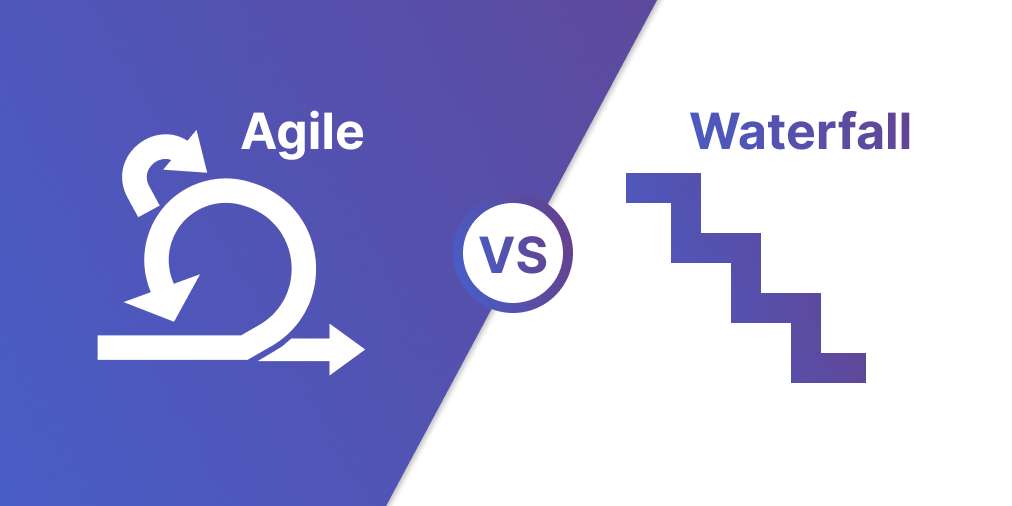
Work in short sprints (usually two weeks), deliver working increments, and adjust based on feedback. Best for software teams with a known problem space who need to iterate quickly. The comparison between Agile and Waterfall often comes down to how much uncertainty you are dealing with. Skip this if you have not validated the problem yet. Agile is great for delivery, not for discovery.
Design Thinking
A human-centered approach: empathize, define, ideate, prototype, test. Best for early-stage projects, innovation work, or situations where the user need is unclear. It forces you to spend time understanding people before building anything. Skip this if the problem is already well-understood and you just need to execute.
Lean Startup
Build-measure-learn loops with the smallest possible investment at each step. Best for high-uncertainty environments, budget constraints, or when you are testing a completely new market. Skip this if you are building within an existing product where the core value is already proven.
These Are Not Competing Frameworks
The key insight from HBR's research on product development is that these frameworks work best in combination. Design Thinking feeds discovery. Lean Startup validates. Agile builds. Stage-Gate governs.
For agencies building client products: start with a Design Thinking discovery phase (often a paid 2-6 week engagement), then move to Agile sprints for delivery.
For agencies building their own products: start with Lean Startup validation (cheapest way to find product-market fit), then switch to Agile execution once you know what to build.
The Real Cost of Skipping Steps
The math is straightforward. An MVP costs $15,000 to $50,000 to test a concept. A full product build that fails costs $100,000 to $500,000 or more. The MVP approach leads to higher success rates and 30-50% faster time to market, according to McKinsey.
"Make sure you are building the right it before you build it right." - Alberto Savoia, Google's first Engineering Director
Savoia's "right it" concept is the core of why the process matters. Perfecting a product nobody wants is the most expensive mistake a team can make. Every dollar spent on validation saves ten dollars on wasted development.
For agencies, skipping validation creates a specific problem: scope creep. When the client brief is not grounded in user research, the project scope keeps shifting because nobody agreed on what "done" looks like. A two-week discovery phase often prevents months of rework.
The Agency Perspective: Two Modes of Building Products
Agencies live in two worlds. Sometimes they build products for clients. Sometimes they build their own. The process is the same, but the pressures are different.
Building for Clients
Discovery becomes a paid engagement, usually two to six weeks. The biggest challenge is not the research itself. It is stakeholder alignment. The client's CEO, product lead, and end users often want different things. Your job is to resolve that tension before writing code.
AI compresses discovery. Faster research, faster prototyping, faster presentations. But clients now expect faster delivery too. The agency value shifts from "we can build it" to "we know what to build." That positioning shift matters for pricing. A scope of work grounded in validated research is worth more than a requirements list.
Building Your Own Products
The side-project trap is real. Agency-built products that are not resourced like client work tend to stall. The solution: treat your own product like your best client. Dedicate time, set milestones, and ship an MVP before adding features.
AI makes MVPs cheaper, which means more agencies can attempt their own products. But cheaper MVPs also mean the validation step matters more than ever. When building is easy, the question stops being "can we build this?" and becomes "should we?"
The Honest Truth
AI does not change the process. It changes the speed. You still need product thinking, user validation, and the discipline to say no. The agencies that win in 2026 are the ones that use AI to test more ideas faster, not the ones that skip straight to building.
How We Work at Rock: Development Meets Alignment
This is not a theoretical section. Here is how the process actually runs at Rock, and why the setup matters.
Our codebase, issues, ideas, and work progress are tracked in code. AI tools, specifically Claude Code, check code quality, generate QA reports, and summarize context for anyone picking up a task. Every pull request gets an automated review before a human looks at it.
Task comments and file attachments keep development context visible to the whole team.
Rock's API bridges the gap between code and team collaboration. Bug tasks get created from code issues automatically. Feature ideas and improvement notes get logged in the right Rock space without manual copy-pasting. Stakeholders see progress on the shared task board and in chat, without needing a separate meeting or status report.
Context handoff is handled through CLAUDE.md files and AI-generated summaries. When someone, or an AI tool, picks up a task, the full context is already there. No "let me get you up to speed" meetings. No digging through old threads.
The pattern is simple: development happens in code, but alignment and visibility happen in Rock. The API bridges the two so nothing lives only in a developer's head. Stakeholders can open the shared space and see exactly where things stand, what is next, and what is blocked.
If your team uses a similar setup, the product roadmap template and sprint planning template are good starting points. They give you the structure without the overhead of a separate project management tool, since everything lives alongside your team chat.
For teams running retrospectives after each sprint, keeping the retro notes in the same space as the task board and chat means insights do not get lost between cycles. Good documentation is what makes the next sprint better than the last one.
Start With the Problem, Not the Tool
Product development is not complicated in theory. Identify a real need, validate it, design a solution, build the smallest version, test it, and scale what works. Six stages. The hard part is doing each one honestly instead of skipping to the exciting parts.
AI makes every stage faster. Use it. But do not mistake speed for progress. The teams that succeed in 2026 are the ones that use AI to test more assumptions, not fewer. That means more conversations with users, more prototypes thrown away, and more honest answers to the question: is anyone going to pay for this?
The best task management tools keep your team aligned through every stage. The best frameworks give you structure without rigidity. But no tool or framework replaces the discipline of building the right thing before building it right.
Ready to organize your team's workflow?
Rock combines chat, tasks, and docs in one workspace. Free to start.
It Is Not About the Label. It Is About How You Communicate.
Two teams. Both work from home. Both call themselves "remote." One spends four hours a day in video calls. The other writes everything down and meets once a week. Same label, completely different experience.
The debate around remote work vs distributed work usually starts with definitions. "Remote means you can work from anywhere. Distributed means there is no central office." That is fine, but it misses the point. The real difference is not where people sit. It is whether your team defaults to synchronous or asynchronous work.
That default shapes everything: how decisions get made, how fast people burn out, and whether teammates in different time zones can actually contribute. The labels on your careers page matter far less than the communication habits your team runs on every day.
The way your team communicates matters more than the work model you choose.
What's Your Communication Default?
Answer 4 questions to find out if your team runs sync, async, or somewhere in between.
Remote vs Distributed: The Quick Definitions
Before we move on, here is a fast overview. These definitions are everywhere, so we will keep them short.
Remote work means people can work from anywhere, but the company may still have an office. Communication often defaults to real-time: meetings, calls, and instant messages. Think of a team that left the office but kept the same habits. For a deeper look, see our full guide on what is remote work.
Distributed work means there is no central office at all. The team is spread across cities or countries, and communication is usually built around async: documents, threaded discussions, and recorded updates. GitLab, Zapier, and Automattic are well-known examples.
Hybrid work mixes office days with remote days. According to Owl Labs' 2025 report, 67% of companies now operate in a hybrid model, with 27% fully in-person and just 6% fully remote.
The model you pick matters, but here is the more useful question: which communication default does your team actually run on?
Why the Communication Default Matters More Than the Label
A remote team that requires 9-to-5 availability and fills the day with Zoom calls is just an office without walls. Everyone is "remote," but the work still depends on everyone being online at the same time. That is synchronous by default.
A distributed team that documents decisions, uses threaded discussions, and records updates lets people contribute on their own schedule. Someone in Manila can review a brief at 9 AM local time. Someone in London can respond at their 9 AM. The work moves forward without anyone waiting.
Video calls work well for relationship building, but they should not be the default for every update.
The friction is not in where people work. It is in the mismatch between how they communicate and what the work actually requires. A status update does not need a meeting. A sensitive conversation probably does. Most teams never make that distinction. They default to whatever is easiest in the moment, which is usually a call.
"Many companies haven't drawn the parallel between transparency in your work and belonging in your culture. But what we believe is that the more transparency and visibility that the entire team has to each other's work, the easier it is for people to feel like they belong." - Darren Murph, Head of Remote, GitLab
Murph's point is practical. When work is visible (written down, tracked on a board, shared in a thread), people feel included even when they were not in the room. When work only exists in conversations and calls, anyone who missed the meeting is left guessing.
This is the core of the remote work vs distributed work conversation. It is not about definitions. It is about whether your team's communication habits include or exclude people by default.
Sync vs Async: When to Use Each
The goal is not to remove all meetings or go fully async. Both synchronous and asynchronous communication have a place. The problem is that most teams over-index on sync because it is the path of least resistance.
Calendars default to 30-minute blocks. Chat apps send instant notifications. Scheduling a meeting feels like doing something, even when a written update would have worked better. Breaking that pattern takes intention.
Distributed teams span multiple time zones, making async communication a practical necessity.
Use sync (meetings, calls, live chat) for:
Keep meetings short and purposeful. Our guide on meeting duration breaks down how long different meeting types should actually take.
Use async (docs, threads, task updates, recorded video) for:
The data supports this shift. ActivTrak's 2025 workplace report found that remote workers log 51 more productive minutes per day compared to in-office workers. That is not because remote workers are more disciplined. It is because they have fewer interruptions and more control over when they do focused work.
Stanford economist Nicholas Bloom has studied remote work for over a decade. His research includes a randomized controlled trial at Trip.com that showed hybrid workers had the same performance reviews as in-office peers, with 35% lower attrition.
"This is not just about employee happiness. It's a bottom-line issue. Hybrid work is highly profitable." - Nicholas Bloom, Economics Professor, Stanford
And it is not just employers who see the benefit. Buffer's State of Remote Work survey found that 98% of respondents would choose to work remotely for the rest of their careers. That level of preference does not come from a trend. It comes from a communication model that actually works for people.
What the Best Distributed Teams Do Differently
Distributed teams that run well are not just remote teams with better tools. They have different habits. Here is what separates teams that thrive from teams that struggle.
1. They write decisions down
If a decision only exists in someone's memory or a Zoom recording nobody will rewatch, it did not really happen. The best distributed teams treat documentation as a core part of how they work, not an afterthought. When a decision is made, it gets written in a shared note or task comment where anyone can find it later.
2. They default to async, then escalate to sync
Instead of scheduling a meeting first and canceling it if unnecessary, they start with a written message or thread. If the topic needs real-time discussion, they escalate to a call. This is the opposite of how most teams operate, and it saves hours every week.
A simple rule helps: if the update can be understood without a follow-up question, write it. If it needs real-time back-and-forth, book 15 minutes. Most updates fall into the first category, which means most meetings are optional.
3. They make work visible
Task boards replace status meetings. When everyone can see what is in progress, what is blocked, and what is done, you do not need a 30-minute standup to get that information. A quick look at the board tells the story.
A task board gives everyone visibility into project progress without a status meeting.
Our list of the best task management apps covers tools that make this easy, including options that work for small teams on a budget.
4. They record what matters
Voice messages, short video updates, and written summaries give people context without requiring everyone to be online at the same time. A two-minute voice note can replace a 15-minute check-in call. The key is making it easy to find later, not buried in a chat thread.
Some teams use Loom for walkthroughs and voice messages for quick updates. The format matters less than the habit. If important context only exists in a live conversation, it is gone the moment the call ends.
5. They build relationship time on purpose
In an office, relationships happen by accident: hallway conversations, lunch together, overhearing a joke. Distributed teams do not get that. The best ones schedule time for it. Weekly 1-on-1s, virtual coffee chats, and occasional team retreats keep people connected without pretending that work chat is the same as real connection.
"A remote culture becomes distinctly in and of itself. We're not trying to be like in-office cultures. We're trying to do things that are distinctly distributed." - Wade Foster, CEO, Zapier
Foster's point is worth sitting with. The goal is not to copy what offices do, just online. It is to build something that works specifically for people who are not in the same room. That means different norms, different rhythms, and different tools.
The Agency Angle: Why This Matters Even More for Client Work
If you run a digital agency, you are probably already distributed, even if you do not use that word. Your clients are in different cities. Your freelancers are in different time zones. Your projects run across regions. The remote work vs distributed work distinction is not theoretical for agencies. It is your daily reality.
The async default is not optional when your designer in Jakarta needs to hand off work to a copywriter in Nairobi, and the client reviews from New York. If that workflow depends on everyone being online at the same time, it breaks. If it depends on clear task assignments, written briefs, and threaded feedback, it works.
Rock combines chat, topics, and tasks in one space so agencies can keep clients and team in the same workflow.
This is also where cross-functional collaboration gets real. An agency project often involves strategy, design, development, and client feedback, all flowing through the same workspace. When that workspace separates chat from tasks from documents, things fall through the cracks. When it keeps them together, people stay aligned.
What we do at Rock: every project lives in its own space with chat, tasks, notes, and files side by side. Topics (threaded sub-conversations) let teams discuss specific deliverables without cluttering the main chat. Clients and freelancers join the same space at no extra cost, so there is no "forwarding updates" or "looping people in." Everyone sees the same information.
For agencies in regions like Southeast Asia, Africa, or Latin America serving western clients, the timezone gap makes this even more important. A flat-priced tool that supports async workflows means you can grow your team without your software costs scaling per person. That is a real advantage when margins are tight and the team is spread across countries.
Building a strong remote work culture in an agency setting comes down to the same principle: make communication visible, make work trackable, and do not assume everyone is online at the same time.
The Difference That Actually Matters
The remote work vs distributed work debate is useful as a starting point. It helps you think about structure. But the conversation that changes how your team operates is about communication defaults.
Does your team default to sync or async? Do decisions get written down or lost in calls? Can someone in a different timezone contribute fully, or are they always catching up?
Those questions matter more than whether your careers page says "remote-friendly" or "fully distributed." Answer them honestly, and you will know exactly what needs to change. The right remote work tools can help, but they only work when the habits behind them are intentional.
Start with one shift this week. Take one recurring meeting and replace it with a written update. See what happens. That single change will tell you more about your team's communication default than any label ever could.
Ready to build a workspace where sync and async work together? Rock combines chat, tasks, and notes in one workspace. One flat price, unlimited users. Get started for free.
Here is a stat that should bother you: 67% of well-formulated strategies fail because of poor execution. Not bad ideas. Not a lack of talent. Just a gap between what gets planned and what gets done.
The same research shows companies lose roughly 40% of their strategy's potential value during execution. That is real revenue left on the table every quarter.
The pattern looks familiar. Leadership sets ambitious company goals in a strategy meeting. Those goals land in a slide deck or a shared doc. Meanwhile, the team's actual work lives in a task board, a spreadsheet, or a group chat. The two never connect. After a few weeks, daily work takes over. The goals collect dust until next quarter's review.
Getting your team aligned on goals is the first step. Keeping them aligned is where most companies struggle.
This article breaks down why that happens and what you can actually do about it. We will cover goal-setting frameworks (OKRs, KPIs, SMART), but more importantly, we will cover the execution side that most guides skip entirely.
Which goal framework fits your team?
Answer 5 questions to get a personalized recommendation.
Why Company Goals Fail: Three Root Causes
Before picking a framework, it helps to understand why goals fail in the first place. It usually comes down to three problems.
1. The Clarity Crisis
According to Gallup's research, only 47% of employees clearly know what is expected of them at work. That number dropped 10 points since 2020. Think about that: more than half your team may not understand what they should focus on.
The same research found that workers whose managers help them set performance goals are 8 times more likely to be engaged. Clear goals are not just a planning exercise. They directly affect whether people care about their work.
For agencies, this hits hard. When you have multiple clients, shifting deadlines, and team members juggling projects, unclear goals mean people default to whatever feels most urgent. Strategic work gets pushed to "next week" forever.
When goals are unclear, people fill the gap with whatever feels urgent instead of what matters.
2. The Alignment Gap
McKinsey's research shows that aligned teams see a 25% increase in performance. But alignment does not happen by accident.
In most organizations, departments set goals independently. Marketing writes their targets. Development writes theirs. Operations does the same. Nobody checks whether these goals actually support the same outcome. The result is teams working hard in different directions.
"Silos, and the turf wars they enable, devastate organizations. They waste resources, kill productivity, and jeopardize the achievement of goals." - Patrick Lencioni, Founder, The Table Group
For agencies with 10 to 50 people, this shows up when client teams operate as islands. One team over-delivers on a low-margin account while the team handling your biggest client is stretched thin. Without aligned goals, effort does not match priority.
Cross-functional collaboration becomes critical once you pass the 10-person mark. The fix is not more meetings. It is making sure every team can see how their goals connect to what other teams are doing. Visibility solves most alignment problems before they become turf wars.
3. The Whirlwind
This is the one nobody talks about enough. Chris McChesney calls it "the whirlwind," the mass of urgent daily work that keeps the lights on but drowns out anything strategic.
"The real enemy of execution is your day job! We call it the whirlwind. If you and your team operate solely from within the whirlwind, you won't progress. All your energy is spent just trying to stay upright in the wind." - Chris McChesney, Co-author of The 4 Disciplines of Execution, FranklinCovey
Client emails, bug fixes, scope changes, and status updates all demand attention right now. Strategic goals that are important but not urgent keep getting bumped. This is why the Eisenhower matrix exists: to separate what is truly important from what just feels urgent. The multitasking myth makes it worse. People think they can juggle strategic goals alongside daily work, but research says otherwise.
Choosing the Right Goal-Setting Framework
There is no single best framework. The right one depends on your team size, your biggest challenge, and how you work. Here is an honest breakdown of when each one works, and when it does not.
OKRs (Objectives and Key Results)
Best for: Strategic alignment across teams of 20 or more people. Quarterly cadence. Research shows 83% of companies using OKRs report benefits, and roughly 45% of Fortune 500 companies have adopted them.
How they work: You set 3 to 4 ambitious objectives (qualitative) and attach 2 to 5 measurable key results to each. Teams create their own OKRs that ladder up to company-level objectives. This creates visible alignment from top to bottom.
Skip this if: You have fewer than 15 people (the overhead is not worth it), you try to track routine operations with OKRs (they are for strategic bets, not daily work), or you end up with more than 5 objectives per team. Too many OKRs means no real priorities.
OKRs work best when teams can see how their objectives connect to the bigger picture.
"An effective goal-setting system starts with disciplined thinking at the top, with leaders who invest the time and energy to choose what counts. If we try to focus on everything, we focus on nothing." - John Doerr, Chairman, Kleiner Perkins
KPIs (Key Performance Indicators)
Best for: Monitoring the health of your business. KPIs are not goals themselves. They are the dashboard lights that tell you whether things are going well or badly.
How they work: You pick a handful of metrics that represent the health of your operation. Revenue, client satisfaction, utilization rate, response time. You track them consistently and investigate when they move in the wrong direction.
Skip this if: You treat KPIs as goals. This is a common mistake that leads to metric gaming. When "increase NPS to 80" becomes the goal instead of "deliver better client experiences," people find shortcuts that hit the number without improving the thing it is supposed to measure. KPIs tell you where to look. Goals tell you where to go. You need both.
SMART Goals
Best for: Individual tasks, project scoping, and deliverable-based work. The SMART framework (Specific, Measurable, Achievable, Relevant, Time-bound) is simple, direct, and works for things with a clear finish line.
How they work: Instead of "improve our social media," you write "publish 12 client case studies on LinkedIn by June 30." Specific, measurable, achievable, relevant, time-bound. Done. Everyone knows what success looks like, and there is no room for interpretation.
Skip this if: You rely on SMART for everything. The "Achievable" part can create artificial ceilings on ambition. If Google had set "achievable" goals in 2004, they would not have built Gmail with 1GB of storage when competitors offered 2MB. SMART is great for scoping deliverables. It is less useful for setting direction.
For Agencies Specifically
Most agencies benefit from a mixed approach. Use SMART goals and KPIs for daily client work: utilization rates, project margins, delivery timelines. These keep the machine running.
Then set quarterly OKRs for growth: launching a new service line, improving client retention by a specific percentage, or entering a new market. This gives you the structure to work on the business while you work in it. Your organizational strategy should connect these two layers.
How to Actually Execute on Goals
Frameworks are just containers. Execution is where goals live or die. Here are five practices that separate teams who hit their company goals from teams who forget them by week three. None of these require a new tool or a certification. They just require discipline.
Connect Goals to Daily Work
If your goals live in one place and your tasks live in another, the gap between them will grow every day. Your objectives need to show up where your team actually works. That means linking objectives to tasks on your board, not keeping them in a separate strategy document nobody opens.
When someone finishes a task, they should be able to see which goal it moves forward. When someone plans their week, they should know which of their tasks are goal-related and which are just keeping the lights on. Prioritizing tasks becomes much easier when you can see the goal behind each one.
A task board where goals and daily work live in the same space, so nothing gets lost.
Review Weekly, Not Quarterly
Goals that only get reviewed quarterly are already dead by week four. The cadence matters more than the framework. A 15-minute weekly check-in where you ask "are we on track?" catches problems early. A quarterly review just confirms what everyone already knew: the goals did not happen.
Keep it simple. Each goal owner shares a quick update: on track, at risk, or off track. If something is at risk, discuss it now, not in three months. This maps well to sprint cadences if your team already works in sprints.
One Owner, Not a Committee
Every goal needs a single person who is responsible for it. Not a team. Not a department. One name. Committees dilute accountability. When everyone is responsible, nobody is responsible.
The owner does not have to do all the work. They just need to be the person who tracks progress, flags risks, and makes sure the goal does not slip through the cracks. In practice, this often means the person closest to the work, not the most senior person in the room.
Document Decisions, Not Just Goals
Most teams document what they decided to pursue. Few document why they chose that target, what alternatives they considered, and what they said no to. This context matters when things change, and things always change.
When you revisit a goal mid-quarter and wonder whether to adjust it, having the original reasoning written down saves hours of debate. Good documentation practices apply to goals just as much as they apply to projects.
Kill Goals That Stopped Making Sense
Sunk cost fallacy applies to goals too. If the market shifted, a key client left, or you learned something that makes a goal irrelevant, drop it. Chasing a goal that no longer matters is worse than having no goal at all. It wastes energy and demoralizes the team.
This requires psychological safety. People need to feel comfortable saying "this goal does not make sense anymore" without it being seen as failure. Build that into your review process. One way to do this: add "should we kill any goals?" as a standing question in your weekly check-in.
Agency-Specific Goals That Actually Matter
Generic goal-setting advice often misses the metrics that matter for agencies. If you run a digital agency, here are the numbers worth tracking as part of your strategic objectives.
KPIs like utilization rate and project margin give agencies a clear picture of operational health.
Utilization Rate: 70-85%
This is the percentage of your team's available hours spent on billable client work. Below 70%, you are leaving money on the table. Above 85%, your team is heading toward burnout with no room for internal projects, learning, or business development.
Track it weekly, not monthly. Monthly averages hide the weeks where your team was at 50% (bench time) or 95% (crisis mode). A healthy agency keeps this number visible at all times, not buried in a monthly finance report.
Project Gross Margin: 50-70%
Revenue minus direct costs (salaries, freelancers, tools) for each project. If your margins are below 50%, you are either underpricing or overdelivering. Both are fixable, but only if you are actively tracking the number.
Break this down by client. You will almost always find that your "biggest" client is not your most profitable one.
Client Retention: 90% or Higher
Retaining clients is dramatically cheaper than acquiring new ones. Research consistently shows that even a 5% improvement in retention can increase profits by up to 75%. For agencies, a retained client means predictable revenue, lower sales costs, and deeper relationships that lead to bigger projects.
If your retention drops below 90%, investigate. Are you losing clients to competitors, to in-housing, or to dissatisfaction? Each cause needs a different fix. Dissatisfaction is a delivery problem. In-housing is a positioning problem. Losing to competitors is a value problem. Knowing which one you face changes your entire response.
Revenue Per Employee
This is the real growth metric when you are capacity-constrained, which most agencies are. Growing revenue by hiring more people is linear. Growing revenue per employee means you are getting better at what you do: better processes, better pricing, better project selection.
Track this quarterly. If it is flat while headcount grows, you are scaling without improving, and that catches up to you eventually.
A Note on Vanity Metrics
Social media followers, website traffic, and "number of proposals sent" feel productive to track, but they rarely connect to revenue. If a metric does not eventually lead to a billing event or a retained client, question whether it deserves a spot on your dashboard. Focus your goals on outcomes, not activity.
What We Recommend at Rock
The biggest reason goals fail is the disconnect between where they are written and where work happens. Your strategy lives in a doc. Your tasks live in a board. Your conversations live in a chat app. And none of these tools talk to each other.
In Rock, your goal document, task board, and team chat live in the same workspace.
At Rock, we built the workspace around this problem. Your goal document lives in Notes, right next to the task board where the actual work happens. Weekly check-ins happen in the same space through chat. When someone updates a task, the progress is visible to anyone checking on the goal.
This is not about having more features. It is about having fewer places to look. When strategy and execution live in one workspace, the gap between "what we planned" and "what we did" gets smaller every week.
For agencies specifically, this means each client project can have its own goals, tasks, and conversations in a single topic. No more switching between four apps to figure out whether a project is on track. If you are looking for task management apps that keep everything together, that is exactly what Rock is designed for.
Asynchronous work becomes easier too. When your team is spread across time zones, having goals, tasks, and updates in one place means nobody has to wait for a meeting to know what is happening. Updates are visible the moment they are posted, regardless of who is online.
The bottom line: the problem with most company goals is not the goal itself. It is the distance between where you write them and where you do the work. Close that gap, and execution follows.
Weekly retrospectives in Rock help teams stay aligned on what is working and what needs to change.
Open any calendar app and try to schedule a meeting. The default is 30 minutes. Sometimes 60. Rarely anything else. That preset shapes how millions of people plan their days, and it has nothing to do with how long a meeting actually needs to be.
Think about the last meeting you sat through. Did it need to be that long? Most people would say no. Yet every week, the same thing happens: a 30-minute block fills up with 10 minutes of useful conversation and 20 minutes of drift.
This is Parkinson's Law at work: tasks expand to fill the time you give them. Book 60 minutes for a project update? The conversation will wander until it fills the hour. Book 25 minutes for the same update? People get to the point faster. The content does not change. The focus does.
The data backs this up. Atlassian's 2024 research found that 72% of meetings are ineffective at their stated purpose. Not slightly off track. Ineffective. That means nearly three out of four meetings fail to do what they were scheduled to do.
So when someone asks "how long should a meeting be?", the better first question is: does this meeting need to exist at all?
Before asking how long, ask whether the meeting should happen at all.
How long should this meeting be?
Answer 4 questions. You might not need a meeting at all.
Should This Even Be a Meeting?
Not everything that ends up on a calendar belongs there. Before you think about meeting duration, run the topic through a simple filter based on what you are trying to accomplish. This is especially important for agencies and distributed teams where every meeting means pulling people out of deep work across multiple time zones.
Share information
Status updates, progress reports, announcements. These almost never need a meeting. Write a note, send a message, or record a short video. Everyone can read it on their own time without blocking an hour for six people.
Get feedback
For straightforward feedback like design rounds or code reviews, asynchronous work is faster and more thoughtful. People give better written feedback because they have time to think. But if the feedback is sensitive, involves someone's performance, or requires nuance, meet. Tone of voice matters when the topic is personal. Async strips out the context that prevents misunderstandings.
Make a decision
Simple decisions with clear options don't need a meeting. Post the options in a shared note, set a deadline for input, and assign a decision owner. But complex decisions with multiple stakeholders and competing priorities? That back-and-forth is painful over chat. Messages get buried, context gets lost, and what should take an afternoon drags on for days. A short, focused meeting saves everyone's time.
Brainstorm
Brainstorming works better in real time. Energy builds when people riff off each other's ideas. But timebox it strictly. Brainstorms that run long lose momentum, and the best ideas usually show up in the first 20 minutes. Set a timer, capture everything, and sort through the ideas afterward. The meeting is for generating, not evaluating.
Build relationships
One-on-ones, coffee chats, team bonding. Always a meeting. This is not about productivity. It is about culture, trust, and making sure people on distributed teams feel connected. You cannot build rapport through task comments. If you want to say no to meetings more often, protect the ones that actually matter.
The case for meeting-free days
If you are still not sure how many meetings to cut, try removing all of them for a day. Research from MIT Sloan found that companies with meeting-free days saw a 71% increase in productivity. Teams reported less stress, more focus time, and better communication because people were forced to write things down instead of scheduling another call.
Evidence-Based Durations by Meeting Type
Once you have confirmed that a meeting is the right format, the next question is how long should a meeting be for that specific type. These recommendations come from published research, not gut feeling.
One-on-ones: 25 minutes weekly or 45 minutes biweekly
Steven Rogelberg's research at UNC Charlotte shows that shorter, more frequent check-ins outperform long monthly meetings. A 25-minute weekly 1:1 keeps issues from piling up. If weekly feels too frequent, do 45 minutes every two weeks. Use check-in questions to keep these conversations focused without making them feel scripted.
"You tend to get more energy and engagement when a meeting is tight by design. Groups operating under some level of time pressure actually perform more optimally given increased focus and urgency." - Steven G. Rogelberg, Chancellor's Professor, UNC Charlotte
Standups: 15 minutes max
The Scrum Guide timeboxes daily standups at 15 minutes for a reason. These are sync points, not status meetings. Each person answers three questions: what did I do, what will I do, what is blocking me. If your standup runs longer, the discussion has drifted into problem-solving that belongs in a separate session. Park the topic, assign someone to follow up, and keep moving. Some teams even run standups async with a daily written check-in, which can work well if your team is spread across time zones.
Sprint planning: 45 minutes per sprint week
A two-week sprint gets 90 minutes of planning. A one-week sprint gets 45. This scales with sprint duration because shorter sprints have less to plan. If planning consistently runs over, the backlog probably needs better grooming before the session.
Client check-ins: 25 to 30 minutes recurring
Most recurring client meetings can stay under 30 minutes if you share progress notes beforehand. The meeting becomes a conversation about blockers and next steps, not a status readout. This is especially true for agencies managing multiple clients. If you have eight clients with weekly 60-minute check-ins, that is an entire workday spent on updates that could have been a shared document. Cut those to 25 minutes and you get a full day back each week.
Brainstorming: 30 minutes
Research on attention and creative output shows that 30 minutes is the sweet spot for brainstorms. After that, attention drops sharply. If you have not generated strong ideas in 30 minutes, more time will not help. Take a break and revisit later.
All-hands: 45 to 60 minutes, with 30% or more for Q&A
All-hands meetings lose the room quickly if they are just presentations. Reserve at least a third of the time for questions. Pre-collect questions through a shared document so introverted team members contribute too. If your all-hands regularly runs over 60 minutes, move some updates to written format.
Project kickoffs: 60 to 90 minutes max
Kickoffs need more time because they set the direction for everything that follows. But even here, 90 minutes is the ceiling. Anything longer means you are trying to cover too much in one session. Split complex kickoffs into two meetings instead of one marathon. Write a clear meeting agenda and share it at least 24 hours ahead.
The 30-minute wall
Across all meeting types, one finding keeps showing up. Attention drops by roughly 52% after the first 30 minutes. That means anything important discussed in minute 45 is landing with half the focus it would have gotten in minute 10. This alone is a strong argument for keeping meeting duration under 30 minutes whenever possible.
When you zoom out on a full calendar, the cost of default durations becomes visible.
The Cost Nobody Calculates
Most teams think about meetings as time. But meetings are also money, and the math is not subtle.
When Shopify built a meeting cost calculator for their internal tools, they found that a single one-hour meeting with seven people, including two executives, cost approximately $2,115. That is not an annual figure. That is one meeting.
"Time is money, and it should be spent on helping our merchants succeed and not on unnecessary meetings." - Jeff Hoffmeister, CFO, Shopify
Shopify then canceled 12,000 recurring meetings and saved 322,000 hours of employee time. The impact was immediate and measurable.
Bain & Company found a similar pattern in a different context. One weekly executive meeting at a large organization consumed 7,000 hours per year across all the prep meetings it generated. The total cost of that single recurring meeting and its downstream effects: $15 million annually.
Here is a useful way to think about it. Every recurring meeting is a salary commitment. A weekly 60-minute meeting with five people at an average cost of $50 per hour runs $13,000 per year. Before you add that meeting to the calendar, ask yourself if you would write a check for that amount.
For small teams, this math hits harder. A 10-person agency where everyone spends 5 hours per week in meetings is burning 25% of their total capacity on conversations. Some of those conversations are valuable. Many are not. The Eisenhower matrix works for meetings too: separate the urgent and important from everything else, and cut the rest.
Fewer, shorter meetings leave more time for focused work.
How to Run Shorter Meetings
Knowing the right meeting duration is only half the problem. The other half is running meetings that actually end on time. These four changes make the biggest difference.
Default to 25 minutes instead of 30
This is a small change that shifts behavior. A 25-minute default creates a natural buffer between back-to-back meetings, which reduces the "running late because my last meeting went over" problem. It also signals that you respect everyone's time. Only 5.4% of meetings currently use the shortened 25-minute format, which means most teams have not tried this yet.
Write the agenda as questions, not topics
"Marketing update" is a topic. "What are the three highest-priority campaigns this week and who owns each?" is a question. Questions create clear endpoints. When the question is answered, that part of the meeting is done. Topics invite open-ended discussion that drifts.
End with action items, not discussion
The last five minutes of every meeting should be spent confirming who does what by when. If you leave without clear owners and deadlines, the meeting did not produce a result. It just produced a conversation. Turn those action items into actual tasks so nothing falls through. Use a task prioritization system to make sure they do not get buried.
Cancel if there is no agenda 24 hours before
This is the single most effective meeting policy you can adopt. If nobody has written an agenda 24 hours before the meeting, cancel it. If the meeting was important enough to schedule, it is important enough to prepare for. No agenda means no clear purpose, which means the meeting will drift. Learn how to cancel a meeting without making it awkward.
When updates live on a task board, the status meeting becomes optional.
"Every minute spent in a wasteful meeting eats into time for solo work that's equally essential." - Leslie A. Perlow, Konosuke Matsushita Professor, Harvard Business School
Async-first does not mean no meetings. It means fewer, better ones.
What We Do at Rock
At Rock, we are a distributed team, so we have had to be deliberate about which meetings exist and which don't. Our approach is async-first for anything structured. No meeting happens without an agenda. Status updates go in chat. Decisions get documented in notes. Action items become tasks with owners and deadlines.
But we do not treat every interaction as a productivity exercise. Coffee chats and 1:1s happen without agendas. Those are not about output. They are about maintaining culture and trust when your team is spread across time zones. You cannot replace the feeling of a casual conversation with a well-written task description.
The rule we follow is simple. Structured meetings need structure: agendas, timeboxes, action items. Relationship meetings need presence: attention, openness, no clock-watching. Mixing those up is where teams go wrong. They add agendas to coffee chats (which kills the vibe) or skip agendas for planning sessions (which kills the outcome).
If you are dealing with Zoom fatigue, the problem is probably not meetings themselves. It is that too many conversations are happening in meeting format when they could be handled through a quick message, a shared note, or a task update. Moving routine communication to async frees up meeting time for the conversations that genuinely need everyone in the room.
We run retrospectives at the end of each sprint to review what worked. Even those stay under 45 minutes because the team writes their input in a shared note before the meeting starts. The meeting itself is just discussion and decisions, not brainstorming from scratch. Rock's built-in meetings keep Zoom, Meet, or Jitsi one click from the space where prep and follow-ups already live. Rock's built-in meetings keep Zoom, Meet, or Jitsi one click from the space where prep and follow-ups already live.
Start With Better Questions
The answer to "how long should a meeting be?" depends entirely on whether the meeting should exist in the first place. Start there. If the answer is yes, keep it tight. Use the research-backed durations above as your defaults, not whatever your calendar app suggests.
Default to 25 minutes. Write agendas as questions. Cancel meetings that do not have a clear purpose. And protect the meetings that matter: the 1:1s, the coffee chats, the kickoffs where real alignment happens.
Meeting duration is not about finding the perfect number of minutes. It is about being honest about which conversations need to happen in real time and which ones don't. Get that right, and the calendar starts working for your team instead of against it.
For the meetings that stay on your calendar, our guide on inefficient meetings walks through the before, during, and after phases that actually make a meeting worth the hour. And our Zoom vs Google Meet comparison covers the video tool itself.
Here are 16 free project management templates you can copy and use today. Each one comes with task lists, notes, and built-in chat so your team works from one place instead of switching between apps.
These templates cover content, marketing, onboarding, sprints, branding, and more. They are designed for agencies, freelancers, and small teams that want structure without setup time.
Looking for an efficient way to manage SEO projects? Streamline your SEO workflow and ensure that content is optimized for search engines.
Search engines demand constant adaptation and improvement to stay relevant. To be productive, an SEO project plan template needs to be well-documented, data-driven, and easily accessible.
Whether you're working on keyword research, outlines, or optimization, this template has everything you need to manage your content.
Your workspace in the project plan template also includes features like notes and files, as well as chat and meeting integrations. It is designed to help you produce high-quality content that attracts traffic and improves search engine rankings.
SEO content creation requires ongoing adaptation and improvement
An efficient SEO workflow needs to be well documented, data-driven, and easily accessible
Access a step-by-step guide for keyword research, content outlining, creation, optimization, and promotion
Features like notes and files, as well as chat and meeting integrations, help keep all information and discussions centralized
Follow the step-by-step guide and leverage all the features to produce high-quality content that attracts traffic and improves their search engine rankings. Start using the template for planning freely and start ranking in search engines today!
Best for: marketing teams running ongoing content calendars.
The way you onboard your customers sets the tone for your relationship, establishes expectations, and aligns goals. If done poorly, it can lead to miscommunications, missed deadlines, and ultimately, a strained relationship. But fear not, because we have the solution!
Introducing our comprehensive client onboarding project plan template. Designed to be universal and applicable to various types of agencies and freelancers. This checklist will guide you through the seven stages of the client onboarding process, providing actionable insights and best practices at each step. Pair it with our client onboarding guide for the three-tier framework.
By adopting this project management template, you'll be well on your way to fostering successful, long-lasting client relationships.
Main takeaways:
The checklist includes stages such as conducting an onboarding questionnaire, sending a welcome letter, planning kick-off meeting…
Each stage of the project plan template provides actionable insights and best practices for successful onboarding.
The template for planning onboarding enables agencies and freelancers to gather comprehensive client information, assign a dedicated team, understand client needs and expectations…
In today's fast-paced world, having a well-defined process for marketing campaigns is crucial for success. It can save you time, reduce stress, and ensure that your marketing efforts yield the desired results.
However, for many marketing professionals, managing campaigns can be overwhelming and disorganized. That's where our custom template comes in to help.
Key Benefits of the marketing campaign project plan template:
Increased efficiency: Allocate resources more effectively and reduce time spent on managing campaigns.
Improved organization: Clear task assignment and defined responsibilities eliminate confusion and enhance overall organization.
Strategic planning: Align marketing efforts with business goals to take a strategic approach to planning and executing campaigns.
Higher ROI: Streamline processes, improve organization, and make data-driven decisions to significantly increase marketing ROI.
Better adaptability: Quickly identify and respond to market changes or consumer behavior to keep campaigns relevant and engaging.
To unlock the full potential of your marketing efforts and drive business growth, invest in effective marketing campaign management. Get started with the dedicated project management template and say goodbye to disorganization, while maximizing ROI.
Planning an event can be a complex and time-consuming process. However, with the right tools and resources, you can streamline the planning process and ensure a successful event. That's where our Free Template comes in.
This template for planning events covers various stages of making an event a reality;, including goal setting, venue selection, budget
Best for: teams organizing conferences, webinars, or product launches.
ing, branding, publicity…
With our free event project plan template, you'll have a step-by-step checklist to guide you through the entire planning process. From setting goals to post-event tasks, stay organized and ensure a successful event.
The creative workflow project plan template is a user-friendly solution that helps organizations organize, plan, and oversee the production of creative content. Your team can improve efficiency, communication, and the overall creative output by implementing the project plan example.
Outline your content requirements, set deadlines, assign tasks to team members, and track progress in real-time. By streamlining your workflow, you can eliminate bottlenecks, improve collaboration, and boost productivity.
Best for: creative studios managing design and content pipelines.
on track
Customizable to fit specific needs
Intuitive and easy-to-navigate layout
Don't miss out on the advantages of a well-organized content creation process. This project management template sets you up for a timely delivery of high-quality content by ensuring important steps are not overlooked.
This streamlined workspace is designed to kickstart your next project with ease. How you plan projects does not have to be complicated. Get started with intuitive functionality that can be shared by inviting others to your space!
The dedicated project management template provides a visual way to organize tasks, ideas, and progress; making it a great tool for teams and individuals alike.
The template includes four lists: Brainstorm, TODO, DOING, and DONE.
The Brainstorm list helps generate and refine ideas by answering key questions.
Once an idea is fleshed out, you can create a task and add it to the TODO list.
The DOING list is for tasks currently in progress.
When tasks are completed, they can be moved to the DONE list.
Additional lists and labels can be added for enhanced organization.
Messaging functionality
Best for: small teams that need a clean starting point without complexity.
alongside note-taking, videoconferencing and file storage can be accessed from the same workspace.
The project plan template is suitable for solo projects or team collaborations.
This simple template for planning is a powerful and user-friendly setup for organizing and managing projects. Using it offers you a streamlined workspace for brainstorming, tracking progress, and celebrating accomplishments.
Missing deadlines can be a costly mistake in content marketing. Stay on track with a checklist-based project plan template. Ensure that every step in your content creation and distribution is completed, including social media promotion and meta descriptions.
No more wondering if you've forgotten something - workflow checklists keep you organized and efficient.
This example of a project plan includes features such as task management, messaging, and integrations with various tools. All these features are present to make it easier to monitor the blogging workflow and collaborate with team members.
In today's competitive business landscape, providing exceptional customer service is not just a nice-to-have; it's a must-have.
Customers have more choices than ever before, and their expectations for great service are higher than ever. Organizations that fail to meet these expectations risk losing valuable customers and damaging their reputation.
So, how can businesses effectively manage their customer service to ensure customer satisfaction and loyalty? That's where this project plan template comes into play:
<
Best for: support teams managing tickets and customer requests.
li id="">Using the task board as a customer relationship management (CRM) system help businesses manage customer interactions and data.
Collecting and analyzing customer feedback is essential for improving products and services.
Effective customer service management leads to higher customer satisfaction and retention.
Ongoing effort is required to meet evolving customer expectations and compete in the market.
To streamline customer service, businesses can use this dedicated workspace to document and discuss different customer interactions and feedback points.
For guidance on choosing the right sprint duration, check our deep dive.
Effective agile sprint planning is crucial for staying organized and accomplishing tasks in the fast-paced world of Scrum. Project management templates offer a reliable sprint workflow that streamlines the process.
Best for: dev teams running 1-2 week sprints with a backlog.
A project plan offers predefined tasks, functionality for day-to-day work, team communication, and meeting agenda sharing.
WBS outlines tasks, subtasks, dependencies, and assigns them to team members.
Setting KPIs helps measure progress and effectiveness in achieving sprint goals.
Retrospective is a feedback stage for identifying improvements and refining processes.
The project plan example is user-friendly, versatile, and can be used unlimited times.
Streamline your Scrum process, increase efficiency, and achieve optimal results in every sprint. Take the next step towards becoming a high-performing and successful engineering team.
Are you a freelance designer or branding specialist looking to keep your branding design process organized? Look no further than this dedicated project management template!
Use this project plan template to streamline the branding steps and ensure that both you and your clients know what's happening at every stage of the branding process.
Break the work down into manageable tasks to ensure that you never miss an important step. The design project management template allows you to track progress, assign tasks, and collaborate with your team and/or clients.
Break down the brand process into manageable tasks.
The project management template allows you to track progress, assign tasks, and collaborate effectively.
Ensure that you never miss an important step when branding a new product or service.
The example of a project plan covers all key stages, including onboarding, creative brief, discovery, design phase, client review meetings, revisions, and final handoff.
Keep clients updated on progress and aligned with their vision.
In conclusion, the Branding project plan example is a valuable tool for freelance designers and branding specialists. Give it a try to experience the benefits firsthand.
Are you tired of sifting through stacks of resumes, trying to keep track of candidate progress, and juggling communication channels?
As a human resources professional, recruiter, or hiring manager, your time is precious. You need a solution that simplifies and streamlines the recruitment process. That's where a recruitment project plan template comes in.
A recruitment tracker is a powerful tool that can revolutionize the way you manage and monitor the hiring process. With the ability to consolidate all recruitment-related information in one place, project plan template eliminates the need for s
Best for: HR teams or agencies managing hiring pipelines.
cattered spreadsheets, messy email threads, and endless file searches.
Key points discussed in the project management template:
Rock is a comprehensive candidate tracker that streamlines the recruitment process.
Rock offers features such as notes, files, meetings, and tasks to enhance efficiency.
The example of a project plan includes lists for resume review, interviews, offers, rejections, accepted candidates, and the option to customize and personalize.
This project plan template for tracking applications is a useful tool for HR departments, recruiting agencies, and hiring managers to streamline the recruitment process. Take the next step and experience recruitment made easy!
Managing multiple integrated campaigns can be challenging, especially when it comes to organizing content and assets. This inbound marketing project plan template solves collaboration challenges within your inbound marketing strategy through intuitive, all-in-one functionality.
Best for: growth teams coordinating inbound marketing across channels.
ntent marketing focuses on creating valuable content to attract and convert leads.
The process involves attracting, engaging, converting, nurturing, closing, and delighting prospects.
The inbound content marketing template offers a centralized location for content and assets.
The project plan example streamlines task management and facilitates collaboration within the team through chat, notes and files.
Using tools like Rock can improve workflow and boost marketing results.
Managing an inbound marketing strategy can be overwhelming, but with our project template, you can streamline your workflow and maximize the efficiency of your day-to-day collaboration.
Plan projects today and see how it can improve your workflow and boost your results. Take the next step towards enhancing your inbound marketing strategy and gaining a competitive edge in today's digital landscape.
A product roadmap communicates the vision, direction, and progress of a product over time.
Roadmaps are crucial for aligning stakeholders and prioritizing development.
The product roadmap template includes themes, features/epics, timeline roadmap, status updates, and resources.
Task management can be helpful for visualizing progress in the roadmap.
The free product roadmap project plan template suggests stages such as sharing ideas and suggestions, product design…
The roadmap project plan example offers a comprehensive tool for product managers to effectively organize and prioritize their product development. By following the suggested stages, product managers can track progress and optimize their workflow.
The website development process involves creating, designing, and launching a website.
A well-developed website is functional, visually appealing, and user-friendly.
Benefits of an effective web design workflow include clear objectives and goals, efficient resource management, improved communication and collaboration, and better project management.
The website building template helps organize web design projects and gather necessary information.
The project management template allows for easy collaboration and documentation in a single project space.
Don't let building a new website overwhelm you. Plan projects effectively and create a successful website with ease. Get started today and experience the benefits of a streamlined process.
Stakeholder relationship management is a critical component of any successful organization. But how can you ensure that the management of stakeholders is both effective and efficient?
You can do just that by following the step-by-step process outlined in our stakeholder project plan template. Start working with tailored strategies and processes that address the unique needs and expectations of each stakeholder group.
Identifying stakeholder communication tasks: List all communication tasks related to stakeholders, such as updates and meetings, to create a foundation for the
Best for: project leads managing communication across stakeholders.
task board.
Crafting task cards: Write each communication task on a separate card with relevant details, such as stakeholder name and due date, which will be used to populate the task board.
Organizing tasks on the board: Arrange task cards in columns based on their current stage in the communication process to provide a visual organization and easy identification of task status.
Assigning responsibilities: Clearly indicate team members responsible for each task to foster accountability and collaboration within the team.
Updating the board regularly: Move the task cards across columns as tasks progress, enabling progress tracking and prompt issue resolution.
Conducting regular reviews: Periodically review ongoing tasks with the team to discuss progress, address challenges, and plan for future communications, promoting open dialogue and collaboration.
Implementing this project management template helps streamline communication processes, enhance collaboration, and ensure timely interactions with stakeholders.
Are you a graphic designer looking to create a portfolio that will impress potential clients and showcase your skills?
Gone are the days of spending hours trying to figure ou
Best for: freelancers building or refreshing their portfolio site.
t the best way to present your work.
Our project plan template provides a clear and intuitive task management process, ensuring that every essential aspect of creating a graphic design portfolio is covered. Now, let's dive into the stages our template walks you through.
Research and gather data to tailor your portfolio website to impress clients
Design wireframes and mockups that incorporate cohesive and polished elements
Choose the right content management system to showcase your work effectively
Test your website for functionality and user-friendliness
Showcase your best work through case studies and testimonials
Employ strategies to launch and promote your portfolio website effectively
Our example of a project plan for portfolio design provides a simple and efficient way to create an impressive preview of your graphic design skills.
Whether you're an experienced professional or just starting out, this project plan example will save you time and effort while showcasing the best side of your business.
Best for: freelancers building or refreshing their portfolio site.
Must-Have Project Plan Templates: Access More In The Template Gallery
The project plan templates highlighted in this article are only the tip of the iceberg. With the breadth of templates available in our Template Gallery, you're sure to find a design that fits your unique project needs.
Whether you're managing a small team project or overseeing a larger, more complex initiative, the right project management templates can make all the difference.
All templates work on Rock's free plan. If your team grows, the Unlimited plan is a flat $89/month for unlimited users. Explore the Template Gallery to explore more options and discover the perfect layout that will guide your project to success.
According to Ignition's 2025 agency report, 78% of agencies rarely charge for out-of-scope work. That same report found 57% lose between $1,000 and $5,000 every month to scope creep. Start with a clear structure using the website development template.
If you run an internal team, flexible scope is a planning choice. If you run an agency, flexible scope is lost revenue. For client-facing teams, project scope is not a planning document. It is a revenue boundary.
This article covers how to define project scope before work starts, with examples for websites, campaigns, and brand projects. Scope is one of seven sections in a project charter; for the full charter view, see our project charter guide. If scope has already gone sideways mid-project, head to our guide on managing client revisions instead.
Defining scope upfront protects both your team and your client relationship.
Build your project scope statement
Fill in the basics and get a ready-to-edit scope statement.
In simple terms, project scope defines what you deliver, what you charge for, and where your responsibility ends. For internal teams, scope can shift without financial consequences. The budget just moves around. For agencies and freelancers, every scope shift either cuts into your margin or creates an awkward money conversation.
That is the core difference. Internal scope is a plan. Client-facing scope is a contract. When a client asks "can you also update the blog layout?" and you say yes without a change order, you just worked for free.
"Project managers are no longer envisioned as managing projects. Instead, they are viewed as managing part of a business." - Harold Kerzner, PhD, Senior Executive Director, IIL
A scope document turns vague expectations into something both sides can point to. It answers three questions: What are we building? What are we not building? How do we handle changes? Without those answers in writing, every project becomes a negotiation that the client wins by default.
Why Scope Falls Apart in Client Work
Scope problems in agency work are different from scope problems in product teams. Internal teams can absorb changes because the stakeholders and the builders work for the same company. Agencies do not have that luxury. The causes of scope breakdown in client work are specific and predictable.
The "Can You Also..." Problem
Clients rarely ask for big changes all at once. They ask for small ones, often. "Can you also add a testimonials section?" "Can you also tweak the logo placement?" Each request feels too small to push back on. So 78% of agencies absorb it, according to Ignition's research.
The problem is cumulative. Ten small requests add up to a full extra deliverable that nobody priced. Good client communication helps, but it does not replace a written scope boundary.
Multiple Approval Layers
Your client contact approves the scope. Work begins. Two weeks later, their boss reviews the progress and has a completely different vision. New requirements appear. The original scope document gets quietly abandoned.
This happens because the person who signs off on scope is not always the person with final authority. Agencies that survive this make sure the scope document gets signed by the decision-maker, not just the day-to-day contact.
Creative Ambiguity
"Design a website" means something different to every person in the room. The client pictures a full e-commerce platform. The designer pictures a five-page marketing site. The developer pictures a WordPress theme with minor tweaks.
Ambiguity is comfortable at the start of a project because nobody wants to have hard conversations about limits. But that comfort always costs money later.
The fix is specificity. Not "a website," but "a 5-page responsive marketing site built on Webflow, excluding e-commerce, blog setup, and ongoing maintenance." Not "a marketing campaign," but "10 social posts and 2 email sequences for LinkedIn and Instagram, excluding ad spend and influencer management." The more concrete your language, the fewer surprises later.
How to Write a Scope Statement
A solid scope statement has five parts. Here is each one, with concrete examples for three common agency projects.
1. Project Objectives
Objectives describe what success looks like, not what you will build. The difference matters. "Build a new website" is a deliverable. "Increase demo requests by 20% through an improved web experience" is an objective. Objectives tie your work to outcomes the client actually cares about.
Website redesign: Improve conversion rate on the main site by simplifying the user journey from homepage to contact form.
Marketing campaign: Generate 500 qualified leads for the Q3 product launch across paid social and email.
Brand identity: Create a visual identity that positions the client's new product line as premium in the B2B market.
Notice that none of these mention features or deliverables yet. Objectives answer "why are we doing this?" before you get into "what are we building?" This order matters because it gives you something to reference when a client requests a change. You can ask: does this change move us closer to the objective? If not, it belongs in a separate project.
2. Deliverables
Deliverables need quantities and formats. "A website" is not a deliverable. "Five responsive pages (homepage, about, services, portfolio, contact) delivered as a live Webflow site" is a deliverable. The more specific you are, the less room there is for interpretation later.
Tracking each deliverable as its own task within a project helps. When every deliverable has an owner, a deadline, and a status, nothing falls through the cracks.
Website redesign:
Marketing campaign:
Brand identity:
3. Exclusions
This is where most agencies fall short. Listing what is included feels natural. Listing what is not included feels awkward, like you are already saying no before the client even asks. But exclusions are the single most important section of your scope document.
Without explicit exclusions, clients reasonably assume that related work is included. If you are building a website, they assume you are writing the copy. If you are designing a brand, they assume you are creating social templates.
The best exclusions are the ones clients ask about most often. After a few projects, you will start seeing patterns. Write those patterns into your template so you do not have to think about them every time. Spell it out.
Website redesign, out of scope:
Marketing campaign, out of scope:
Brand identity, out of scope:
A scope document stored in Rock notes, accessible to both the agency team and the client.
4. Constraints
Constraints are the fixed boundaries your project operates within. They are facts, not choices. Common constraints include timeline (launch date is fixed), budget (total fee is agreed), and dependencies (client provides content by a certain date, or the timeline shifts).
The dependency part is critical for agencies. Most project delays come from waiting on client assets: photos, copy, approvals, brand files. Your scope statement should define what the client provides and when, and what happens to the timeline if those deliveries are late.
A useful format: "Client provides final website copy by May 15. If copy is delivered after May 15, the launch date shifts by the same number of business days." This removes ambiguity from the delay conversation. When the timeline slips, both sides already agreed on why.
"Scope creep refers to the uncontrolled growth of features that the team attempts to stuff into an already-full project box. Change is never free. Even the act of considering a proposed change and then rejecting it consumes effort." - Karl Wiegers, PhD, Author of Software Requirements
5. Acceptance Criteria
Acceptance criteria define how the client signs off on each deliverable. Without them, projects stay in revision limbo. The client keeps requesting changes because there is no agreed point where "done" means done.
For a website redesign, acceptance criteria might look like: "Client approves final design mockups in writing before development begins. Development is complete when the site matches approved mockups and passes cross-browser testing on Chrome, Safari, and Firefox."
For a brand identity project: "Client selects one logo direction from three initial concepts. Two revision rounds are included. Final deliverables are approved when the client signs off on the brand guidelines PDF."
For a marketing campaign: "Campaign strategy deck is approved before any creative production begins. Social posts and email copy go through one round of revisions. The campaign is considered complete upon delivery of the post-campaign performance report."
Acceptance criteria also protect the client. They know exactly what "done" looks like and can hold you accountable. Having a clear project management framework makes it easier to track sign-offs at each stage.
When Scope Changes Anyway
Even with a solid scope document, clients will request changes. That is normal. The goal is not to prevent all changes. It is to handle them without losing money.
Karl Sakas, President of Sakas & Company, teaches agencies what he calls the "7 magic words" for handling scope requests: "Would you like an estimate for that?"
"Would you like an estimate for that?" - Karl Sakas, President, Sakas & Company. One agency owner, upon hearing Sakas say this to a client, turned to his business partner and asked: "Why can't we say that to our clients?"
That one sentence reframes the conversation. It does not say no. It says yes, and here is what it costs. Most clients respect this because they run businesses too. They understand that extra work has a price.
The key principle: price change orders before starting the extra work. Once you have already done the work, you have no leverage. The client knows it is done and has little reason to pay more for it.
For the full playbook on managing revisions and scope changes once a project is underway, read our guide on handling never-ending client revisions. This article covers the "before work starts" side. That article covers the "after work starts" side.
Timelines and milestones keep scope on track through delivery.
The Data Behind Scope Management
Scope problems are not just an agency inconvenience. They are an industry-wide pattern with real numbers behind them.
A McKinsey-Oxford study of 5,400 IT projects found that large projects run 66% over budget on average. One in six projects had a cost overrun of 200% and a schedule overrun of 70%.
According to PMI's 2024 Pulse of the Profession, only 31% of projects were delivered on time, on budget, and within scope. That means roughly seven out of ten projects miss at least one of those targets. For agencies billing on fixed-fee contracts, these overruns come directly out of profit.
The good news: projects with formal change management processes are 35% less likely to exceed their budgets. Having a process for handling scope changes does not just feel more professional. It directly protects your margin.
For agencies, these numbers mean that leaving scope informal is not just risky. It is the default path to losing money. A written scope statement, combined with a change order process, is the minimum viable protection. Choosing the right project methodology also helps you decide how much flexibility to build into your process upfront.
Once your scope is defined, formalize it into a scope of work that both sides sign before work begins.
What We Do at Rock
At Rock, we manage scope the same way we manage everything else: in one workspace. Each client project gets its own space. Inside that space, we keep the scope document in a pinned note so it is always visible to both the team and the client.
Deliverables become tasks on a board, each with an owner, a deadline, and a status. When a client asks for something new, we check it against the scope note. If it is in scope, we create a task. If it is not, we send a message in the space chat explaining the change and what it costs.
Keeping scope documents, tasks, and client communication in the same place matters. When your scope doc lives in Google Docs, your tasks live in a task management app, and your conversations happen in email, things get lost. Decisions made in chat never reach the task board. Scope changes agreed in email never get documented.
Having everything in one place also makes onboarding clients easier. You share the space, they see the scope note and the task board, and they know exactly where to ask questions or request changes. No more digging through email threads to find what was agreed.
If you want a starting point, try our simple project template. It sets up a space with tasks, notes, and chat already structured for client work.
Define scope, track deliverables, and talk to clients in one workspace.
If you search "agile vs waterfall," you will find hundreds of articles telling you to pick one. Agile is modern, waterfall is outdated. That framing is wrong, and it is costing agencies real money.
The numbers tell an interesting story. According to the Standish Group CHAOS report, agile projects succeed 39% of the time. Waterfall projects succeed just 11% of the time. That gap is massive.
But here is the part most articles leave out. The PMI Pulse of the Profession 2024 found that 78% of the most successful companies use a hybrid approach. Hybrid adoption grew 57% between 2020 and 2023. The winners are not picking sides. They are combining both.
For agencies, this debate misses the point entirely. You quote fixed prices. Your clients vanish for weeks. You run eight projects at once. Pure agile breaks under those conditions. Pure waterfall is too rigid for creative work. The real question is how to combine them by project type.
Which Methodology Fits Your Project?
Which methodology fits your project?
Answer 5 questions to get a recommendation for your next agency project.
The Quick Comparison: Agile vs Waterfall
Before we get into the hybrid reality, here is a tight overview of both approaches.
Waterfall follows sequential phases: requirements, design, build, test, launch. The scope is fixed upfront. Each phase needs sign-off before the next one starts. It is predictable. It is linear. And it assumes the client will approve the plan, then step back until delivery.
Agile works in short cycles called sprints, usually one to four weeks. The scope is flexible and adjusts based on feedback. Teams deliver small working pieces instead of one final product. It assumes the client is available regularly, sometimes daily, to review work and make decisions.
That difference in client involvement is what most comparisons miss. Waterfall assumes your client signs off on a document and checks back at milestones. Agile assumes your client acts like a product owner, available for questions and reviews every week. If your client does neither, both approaches struggle.
Agile and waterfall make different assumptions about how involved the client will be.
"There is no one-size-fits-all in software development." - Martin Fowler, Chief Scientist, ThoughtWorks
How Agencies Actually Work: The Hybrid Reality
Calendar view helps agencies track milestones across multiple client projects.
In theory, you pick agile or waterfall. In practice, agencies blend both depending on the project. Here is how that looks across common agency work.
Website Builds
Discovery and strategy are waterfall. You define the sitemap, write the brief, get client sign-off on the wireframes. Nothing moves forward until the plan is locked. Then development shifts to agile sprints: design a page, review it, iterate, move to the next.
Launch and QA swing back to waterfall with a structured checklist and a firm go-live date. The client gets the predictability of a timeline. Your team gets the creative room to iterate during the build phase. This is the most common hybrid setup in web agencies.
Brand Identity
This is mostly waterfall. Research, then concepts, then refinement, then brand guidelines. The phases are sequential and each one needs client approval before moving on. But within each phase, your design team runs internal iterations that look like mini-sprints.
The client sees polished deliverables at each milestone, not raw sketches. They do not need to know your team explored fifteen directions before presenting three. The waterfall structure protects the client experience while giving your creatives room to explore.
Marketing Campaigns
Strategy and planning are waterfall. The campaign brief, timeline, budget, and channel mix are fixed before any content gets created. Everyone agrees on the plan upfront. Content creation then shifts to agile, because you need to adjust messaging based on what performs.
A social ad that gets twice the click-through rate should get more budget. A landing page that does not convert should get rewritten. Reporting at the end is waterfall again: structured, scheduled, and predictable. The client receives a clear report with results tied back to the original brief.
Retainers
Execution is agile. The client sends requests, your team prioritizes and delivers in short cycles. Some weeks are heavy on design work. Others focus on bug fixes or content updates. The flexibility is the whole point of a retainer relationship.
But monthly reports and quarterly strategy reviews are waterfall. You need structured milestones to show value and keep the retainer going. Without these checkpoints, retainers drift. Clients forget what you delivered. Renewals become harder to justify.
The "Wagile" Reality
Most agencies operate in what some people call "wagile." Waterfall scope with agile execution. You quote a fixed price with defined deliverables (waterfall). Your team builds them in flexible sprints with room to adjust details (agile). Fixed-price contracts almost always demand this blend.
The Digital.ai State of Agile report backs this up. While 97% of organizations use agile in some form, 84% operate below high agile competency. Most teams are not running textbook scrum. They are adapting pieces of agile into their existing workflow.
A hybrid workflow documented in shared notes keeps the whole team aligned.
When to Lean Waterfall
Waterfall follows a linear path from requirements through delivery.
Best for:
Projects with clear, documented requirements that will not change
Clients who want to approve a plan and check back at milestones
Regulatory or compliance work where every step needs an audit trail
Construction, hardware, or manufacturing projects with physical dependencies
Fixed-budget projects where the client expects an exact deliverable list upfront
Skip this if:
The client keeps changing their mind during execution
Requirements are vague or will evolve based on user feedback
The project involves new technology where the team needs to experiment
You need to launch something fast and improve it over time
Waterfall works when you can plan everything upfront and the plan will hold. For agencies, this usually means well-defined deliverables with a client who respects the process. Think: a 30-page brand guide, a compliance audit, or a fixed-scope website with an approved sitemap.
The key indicator is stability. If the requirements will not change between kick-off and delivery, waterfall gives you a clear path from start to finish. Your team knows exactly what to build. Your client knows exactly what to expect. And your project stays on budget. For a practical walkthrough on running waterfall well at an agency, see our waterfall for agencies guide.
When to Lean Agile
Agile breaks work into short cycles with regular client feedback.
Best for:
Product development where requirements will change based on testing
Clients who are engaged, available, and want to be part of the process
Ongoing optimization work like CRO, SEO, or ad management
Projects where early feedback can save weeks of rework
Internal projects where your team controls the scope
Skip this if:
The client is unavailable for regular feedback sessions
You quoted a fixed price with specific deliverables
The team is split across too many projects to hold real sprints
The client does not understand agile and will get frustrated by "no final plan"
Agile works when the client is engaged and the scope can flex. For agencies, this usually means retainer work, product builds, or projects priced on time and materials. The client needs to understand that changing direction is a feature, not a failure.
The key indicator is uncertainty. If the requirements will evolve based on real-world feedback, agile lets you adjust without starting over. Your team ships small pieces, gets feedback, and improves. The project gets better with every cycle instead of hoping the original plan was right.
"The Agile movement is not anti-methodology, in fact many of us want to restore credibility to the word methodology. We want to restore a balance." - Jim Highsmith, Agile Manifesto signatory
When Pure Agile Fails at Agencies
Agile was designed for product teams with one product, one backlog, and a dedicated team. Agencies operate under very different constraints. Here is where pure agile breaks down.
Fixed-Price Quotes and Flexible Scope Do Not Mix
Most agency work is quoted at a fixed price. The client pays $15,000 for a website. Agile says "we will discover the scope as we go." The client says "I paid for a website with these 12 pages." Those two ideas are not compatible. You end up with never-ending revisions or a frustrated client.
Clients Buy Deliverables, Not Working Increments
In product development, shipping a small working feature every two weeks makes sense. But agency clients buy deliverables. A logo. A campaign. A website. They do not want "working increments." They want the thing they paid for, finished and polished.
Clients Disappear for Weeks
Agile relies on a product owner who is available daily for questions and prioritization. Agency clients are busy running their own businesses. They disappear for a week, miss review meetings, and then email a list of changes at 11 PM on a Friday. This breaks the product-owner model completely.
Running Multiple Projects Kills Dedicated Sprints
Scrum assumes a dedicated team focused on one product. Agency teams juggle five to ten clients at once. Your designer works on three brands in a single day. Your developer switches between four codebases. Running proper sprint planning across all of them is not realistic.
"When 'Agile' ideas are applied poorly, they often lead to more interference with developers, less time to do the work, higher pressure, and demands to 'go faster'. This is bad for the developers, and, ultimately, bad for the enterprise as well." - Ron Jeffries, Co-creator of Extreme Programming
None of this means agile is bad. It means pure-by-the-book agile does not fit the agency model. The solution is to take what works from agile, leave what does not, and build a hybrid that fits how your team actually operates. Most successful agencies already do this. They just do not always have a name for it.
A task board maps waterfall phases and agile sprints into one view.
How to Set Up a Hybrid Workflow in Practice
Knowing you need a hybrid approach is one thing. Setting it up is another. Here is a practical way to structure it, using task management and communication tools together.
Step 1: Define Waterfall Milestones
Start every project with clear milestones. These are your waterfall backbone. For a website project, that might be: Discovery, Design, Development, QA, Launch. Each milestone gets a deadline and a list of deliverables the client expects.
In a tool like Rock, each milestone becomes a task list with a due date. The client can see these milestones and knows exactly what is coming and when. This gives them the predictability they need. You can define your project scope clearly from the start.
Step 2: Run Agile Sprints Within Each Milestone
Inside each milestone, your team works in short sprints. Break the deliverables into smaller tasks. Assign them. Set sprint deadlines of one to two weeks. Review the work, adjust, and move forward.
This is where you get the flexibility of agile without losing the structure of waterfall. The client sees milestones. Your team sees sprints. Both are happy. Use an agile sprint template to keep this consistent across projects.
Step 3: Use Async Updates Instead of Daily Standups
Daily standups do not work when your team runs multiple projects and your client is in a different timezone. Instead, use async communication. Post a weekly update in a shared chat thread for each milestone.
This keeps the client in the loop without needing everyone online at the same time. It also creates a written record of decisions and progress. This matters more than you might think. When a client forgets what they approved two weeks ago and asks for changes, you can point to the thread. No guessing, no he-said-she-said.
Step 4: Run Retrospectives at Milestone Boundaries
Instead of sprint retrospectives every two weeks, run them at milestone boundaries. What went well in Discovery? What should change for Design? This keeps the improvement cycle going without adding meetings for every sprint across every project.
Step 5: Pick Your Framework, Then Adapt It
Start with a project management framework that fits your most common project type. Then adjust it for each new client. Some clients want weekly video calls. Others prefer async updates. Some need detailed reports. Others just want to see the final deliverable.
The best hybrid setups are templates, not rules. Build your default workflow once, then tweak the client-facing parts for each project. One client might get weekly Loom updates. Another might prefer a shared chat channel. The internal sprint structure stays the same either way.
The Bottom Line on Agile vs Waterfall
The agile vs waterfall debate made sense twenty years ago when teams had to choose a methodology and commit. Today, the most successful agencies treat both as tools in a toolbox. Waterfall gives clients the predictability they pay for. Agile gives your team the flexibility to do great work.
You do not have to pick one. You probably need both. Start by looking at your current projects. Where do you need predictability? Use waterfall there. Where do you need flexibility? Use agile there. Most projects need both at different stages.
The sooner you stop debating which methodology is better and start designing a workflow that combines the strengths of each, the smoother your projects will run. Your clients will get the structure they expect. Your team will get the room they need to do their best work.
Cross-functional collaboration sounds like the answer to every organizational problem. Get designers, developers, and marketers in the same room. Break the silos. Ship faster. That is the pitch, at least.
The reality is less inspiring. A Harvard Business Review study found that 75% of cross-functional teams are dysfunctional. They fail on at least three of five criteria: meeting budget, staying on schedule, following specifications, meeting customer expectations, or staying aligned with company goals.
Yet 83% of companies say they use cross-functional teams. That gap between adoption and outcomes is the collaboration paradox. Teams are not failing because they refuse to work together. They are failing because the way they collaborate creates more friction than it resolves.
The problem has a name: collaboration drag. And it is costing your team more than you think.
Cross-functional teams only work when the overhead of collaborating does not outweigh the results.
Collaboration Drag Calculator
Answer 4 questions to find out how much coordination overhead is slowing your team down.
What Collaboration Drag Actually Costs
Collaboration drag is the time, energy, and focus lost to the process of working across teams. It is not the collaboration itself that hurts. It is the meetings about meetings, the context switching between tools, and the decisions that stall because no one knows who has the final call.
Gartner's 2024 research puts numbers to it. 84% of marketers report experiencing high collaboration drag from cross-functional work. Teams experiencing high drag are 37% less likely to hit their revenue goals. And the human cost is severe: those same teams are 15 times more likely to experience burnout.
Microsoft's 2025 Work Trend Index paints a similar picture. The average knowledge worker faces 275 interruptions per day. Over 60% of working time goes to communication and coordination, not the actual work those meetings and messages are supposed to support.
"Silos, and the turf wars they enable, devastate organizations. They waste resources, kill productivity, and jeopardize the achievement of goals. For more on the full product development process, see our guide." - Patrick Lencioni, Author & Founder, The Table Group
Those numbers explain why adding more collaboration often makes things worse. When 60% of your time already goes to communication, another weekly sync does not help. It adds drag.
Why Cross-Functional Teams Fail
Cross-functional work is harder when teams are distributed.
Most cross-functional failures come down to three root causes. Understanding which one is hurting your team matters, because the fixes are different.
1. No governance structure
This is the single biggest predictor of success or failure. Tabrizi's HBR research found that teams with strong governance succeed 76% of the time. Teams without it succeed just 19% of the time. That is a fourfold difference based on one factor.
Governance means clear answers to three questions. Who makes the final decision? Who needs to be consulted? And who just needs to be informed? Without those answers, every decision becomes a negotiation. Progress stalls while people wait for alignment that never comes.
2. Tool fragmentation
The average team uses 8 to 12 different tools for communication and project tracking. When a cross-functional project pulls in three departments, you might have design working in Figma and their own PM tool, engineering in a different tracker, and marketing in yet another one.
Context does not transfer between these platforms. A decision made in one team's chat thread never reaches the other team's project board. So people spend their time re-explaining, re-aligning, and re-confirming things that were already decided somewhere else.
3. Meeting overload replacing actual work
When governance is unclear and tools are fragmented, teams default to meetings. Weekly syncs, daily standups, review sessions, "quick alignment calls." Each meeting feels justified on its own. Together, they leave no room for the work the meetings are about.
A cross-functional team of six people with a one-hour weekly sync is spending six person-hours per week on that single meeting. Add prep and follow-up, and it is closer to twelve. That is before counting the agenda-less meetings that could have been an async update.
How to Fix Cross-Functional Collaboration
These fixes are listed in order of impact. Start with the first one. Each builds on the one before it.
Appoint a single owner, not a committee
One person owns the project outcome. Not a steering committee, not co-leads, not "shared ownership." Shared ownership means no ownership. The project owner does not need to be the most senior person. They need to be the person closest to the work who has the authority to make day-to-day decisions without escalating.
Best for: any cross-functional project, regardless of size. This is non-negotiable.
Skip this if: never. Every project needs one throat to choke, as the saying goes.
Consolidate tools
Get every team on the same platform for communication and task management. This does not mean forcing every department to abandon their specialized tools. Designers still need their design tools. But the shared layer where updates happen, tasks are tracked, and decisions are documented should be one place.
Best for: teams currently spread across three or more communication and project management tools.
Skip this if: every team already uses the same core platform and fragmentation is not your bottleneck.
Replace status meetings with async updates
Asynchronous work is not just a remote work trend. It is the fastest way to cut collaboration drag. A five-minute written update shared in a project channel replaces a thirty-minute meeting for the entire team. Everyone stays informed. No one loses a morning to back-to-back syncs.
Best for: teams where most meetings are status reports, not problem-solving sessions.
Skip this if: your meetings are genuinely used for real-time problem-solving, creative brainstorming, or conflict resolution. Those need synchronous time.
"A lot of our own tools have become instruments of changing culture." - Satya Nadella, CEO, Microsoft
Set shared KPIs, not department KPIs
If the marketing team is measured on leads and the product team is measured on feature velocity, they will optimize for their own metrics. Working across teams becomes a side quest that distracts from "real" goals. The fix: create one shared outcome metric that every team member can point to. "Launch the new product line by Q3" is a shared goal. "Generate 500 leads" and "ship 12 features" are department goals wearing a cross-functional disguise.
Best for: projects where different departments keep pulling in different directions.
Skip this if: the project is short (under two weeks) and the deliverables are already clearly divided. For formalizing these into a client document, see our SOW template guide.
Document decisions, not just discussions
Most teams document what was said. Few document what was decided, who is responsible, and by when. After every meeting or async discussion that results in a decision, someone should write a one-line summary: "Decision: [what]. Owner: [who]. Deadline: [when]." Pin it. Reference it. This alone eliminates the "I thought we agreed on something different" conversations that eat weeks.
Best for: teams that keep revisiting the same decisions because no one remembers what was agreed.
Skip this if: you already have a clear decision log. Just make sure people actually read it.
The Incentive Problem Nobody Talks About
Here is the part most articles about working across teams skip entirely. You can set up governance, consolidate tools, and run perfect async updates. None of it matters if the incentive structure works against you.
The core issue is simple. The cross-functional project lead does not control career growth, salary, or performance reviews for team members from other departments. A designer "loaned" to your cross-functional project still reports to the design director. Their promotion, their raise, their next role all depend on what the design director thinks of their work.
So when the design director's priorities conflict with the cross-functional project, what happens? The designer prioritizes their "real" manager's goals. This is not laziness or a lack of team spirit. It is rational behavior. People optimize for the system that rewards them.
"You no longer have the option of leading through fear or managing through fear. In an uncertain, interdependent world, it doesn't work either as a motivator or as an enabler of high performance." - Amy Edmondson, Novartis Professor, Harvard Business School
This incentive misalignment is why so many cross-functional teams feel productive in meetings but never actually deliver. Everyone shows up. Everyone nods along. Then they go back to their desks and work on the things their actual manager cares about. The project drifts. Deadlines slip. And the project lead, who has responsibility but no authority, takes the blame.
There are four ways to fix this. Each addresses a different layer of the incentive problem.
1. Time allocation agreement
Before the project starts, department heads formally agree that X% of each person's time goes to the cross-functional project. This is not a verbal "sure, they can help out." It is a written agreement. And here is the critical part: departmental targets must be reduced proportionally.
If a developer is giving 30% of their time to the cross-functional project, their sprint commitments on the engineering team drop by 30%. Without this reduction, you are asking people to do 130% of a full workload. They will cut the work that is least visible to their direct manager, which is always the cross-functional project.
This is the minimum viable fix. Without a time allocation agreement and reduced departmental targets, everything else is window dressing. You can have the best tools, the clearest governance, and the most inspiring shared vision. If people do not have protected time, the project will be the first thing dropped when deadlines hit.
2. Shared outcome metric
One measurable result appears in every involved team member's individual goals. Not a vague "support the cross-functional initiative," but a specific outcome: "Launch product line by Q3" or "Reduce customer onboarding time from 14 days to 7." The metric is the same for everyone. The contributions are different.
The designer's contribution might be "deliver final UI assets by Week 6." The developer's might be "complete API integration by Week 8." The marketer's might be "launch campaign assets ready by Week 10." But they all share the same top-level outcome. If the launch slips, everyone's goal is affected, not just the project lead's.
This creates real accountability. When the developer needs the designer to finish assets on time, it is not a favor. It is a shared goal that affects both their reviews.
3. Structured review input
The cross-functional project lead provides formal, weighted input to each team member's department head at review time. This is not a casual "yeah, they did great" in passing. It is a structured assessment with specific criteria: Did they meet their deadlines? Did they contribute to problem-solving? Did they communicate proactively or need constant follow-up?
The key word is "weighted." The department head should give this input real consideration in the overall review, not treat it as optional feedback. A reasonable starting point: if someone spent 30% of their time on the cross-functional project, the project lead's assessment should carry roughly 30% weight in their review.
This closes the loop. People know that their work on the cross-functional project will be evaluated by someone who actually saw their contributions, and that evaluation will matter.
4. Annual review field for cross-functional work
This one is especially relevant for agencies. Add a dedicated "cross-functional contributions" section to your annual review template. Not buried under a generic "teamwork" or "collaboration" heading, but its own distinct field where cross-project impact is evaluated specifically.
Why a separate field? Because generic "teamwork" sections tend to reward people who are pleasant to work with. That is not the same as people who delivered results on a project outside their department. A dedicated field forces both the reviewer and the employee to document specific contributions, outcomes, and impact from cross-functional work.
This makes cross-functional work visible at the moment that matters most: compensation and promotion decisions. When an agency reviews someone for a raise and the review template includes a section asking "What did this person deliver on cross-functional projects this year?", that work cannot be ignored. It is right there, next to their departmental achievements.
To be honest about the minimum viable approach: the time allocation agreement with reduced departmental targets is what you need to get started. It solves the immediate problem of people not having space to do the work. The annual review field is what keeps cross-functional collaboration visible over the long term. Together, they change the incentive structure from "cross-functional work is extra" to "cross-functional work is part of my job, and it counts."
Documenting decisions and review input in one place keeps cross-functional contributions visible.
What We Do at Rock
At Rock, our product and marketing teams share a single workspace for every cross-functional initiative. When we plan a feature launch, the shared space includes a chat channel for quick decisions, a task board where both teams track their deliverables, and a notes section where we document every decision made.
This setup removes two of the biggest friction points. First, no one has to ask "where was that discussed?" because everything lives in the same space. The developer working on the feature sees the marketing timeline right next to their own tasks. Second, async updates replace most of our sync meetings. Instead of a weekly call to share status, each person posts a short update in the shared channel when they finish a milestone or hit a blocker.
We still run into the incentive challenges described above. We are a small team, which helps, but we are not immune. What works for us is making sure every person on a cross-functional project has a clear deliverable with a deadline that ties back to a shared goal. When someone finishes their part, it is visible to both teams. When someone is blocked, it is visible too. Transparency does a lot of the work that formal incentive structures do at larger organizations.
The honest takeaway: consolidating communication and task prioritization into one place is the easiest win. It does not solve the incentive problem on its own. But it eliminates the tool fragmentation that makes everything else harder.
Make Cross-Functional Collaboration Work
Cross-functional collaboration does not fail because people refuse to work together. It fails because the systems around it, the tools, the incentives, the governance, create more friction than they resolve. Fix the drag, and the collaboration follows.
Start with governance: one owner, clear decision rights. Consolidate your tools so context stops getting lost between platforms. Replace status meetings with async check-ins. And tackle the incentive problem head-on with time allocation agreements and structured review input.
The teams that get this right are not the ones that collaborate the most. They are the ones that collaborate with the least overhead.


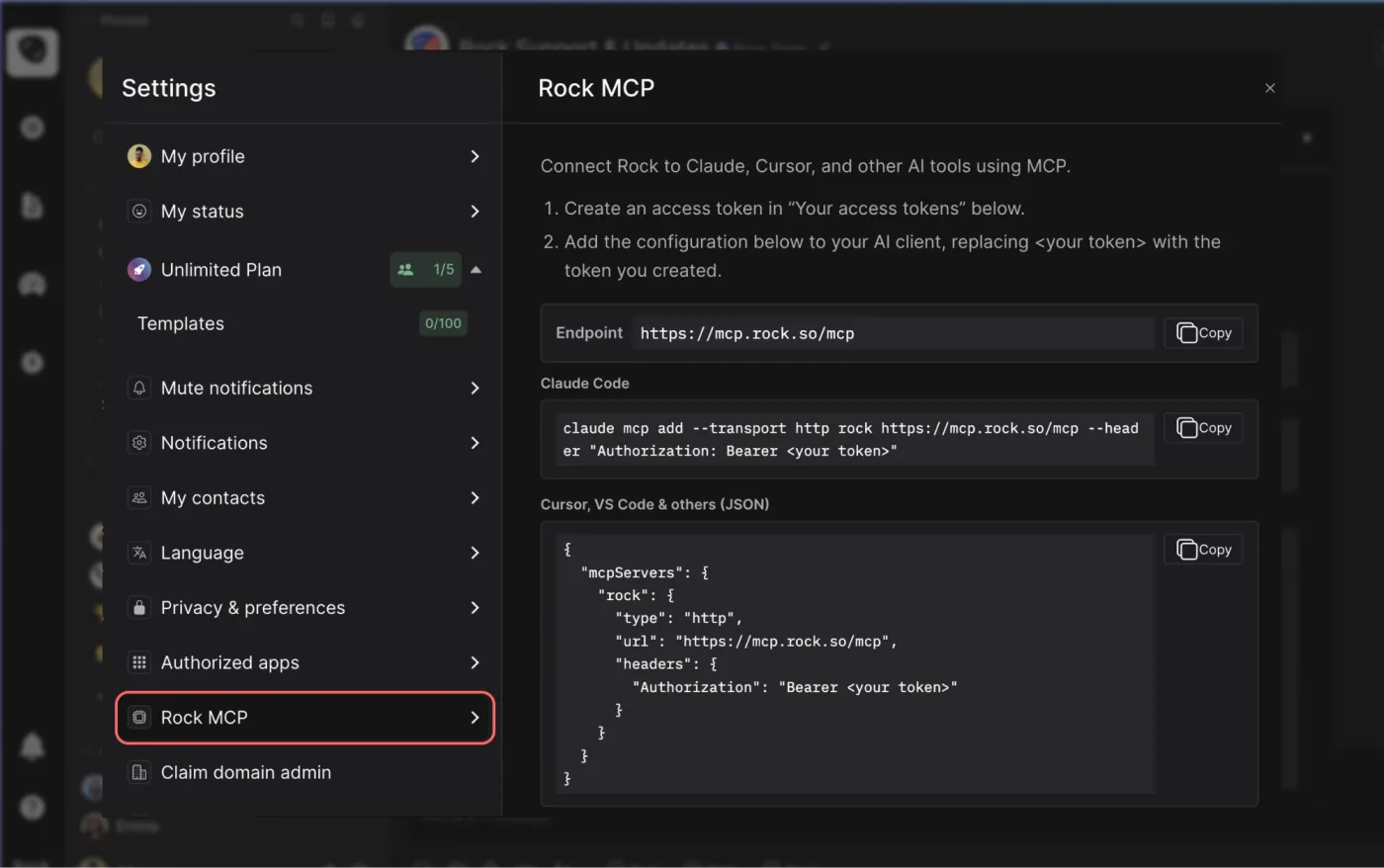



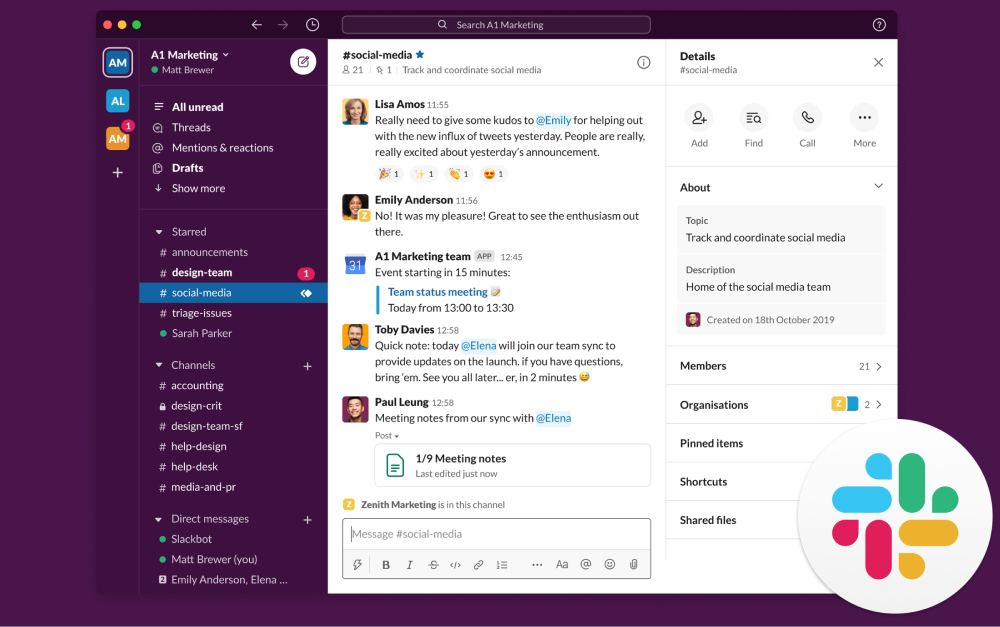

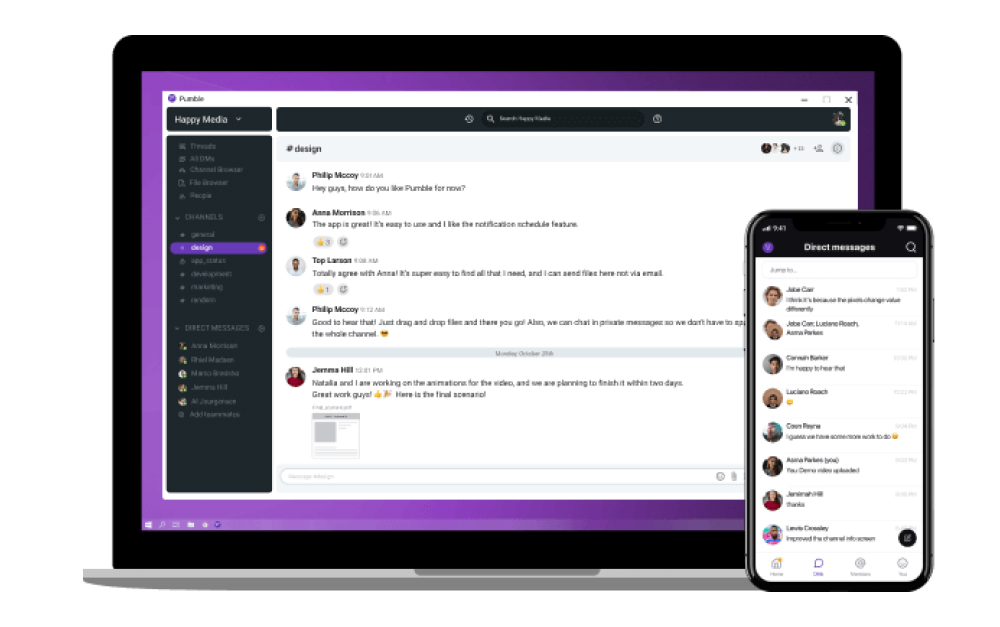






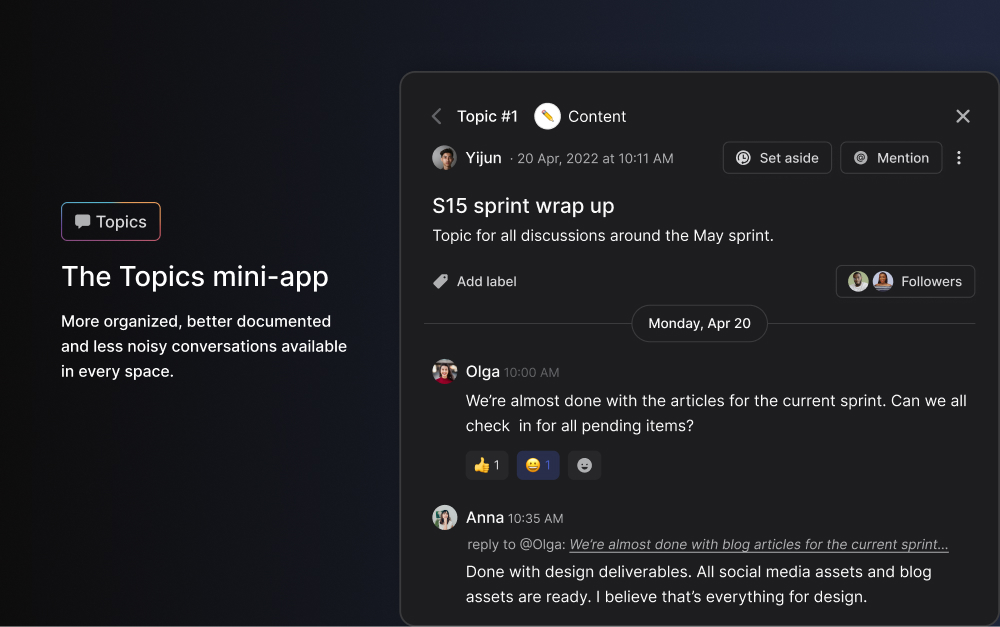
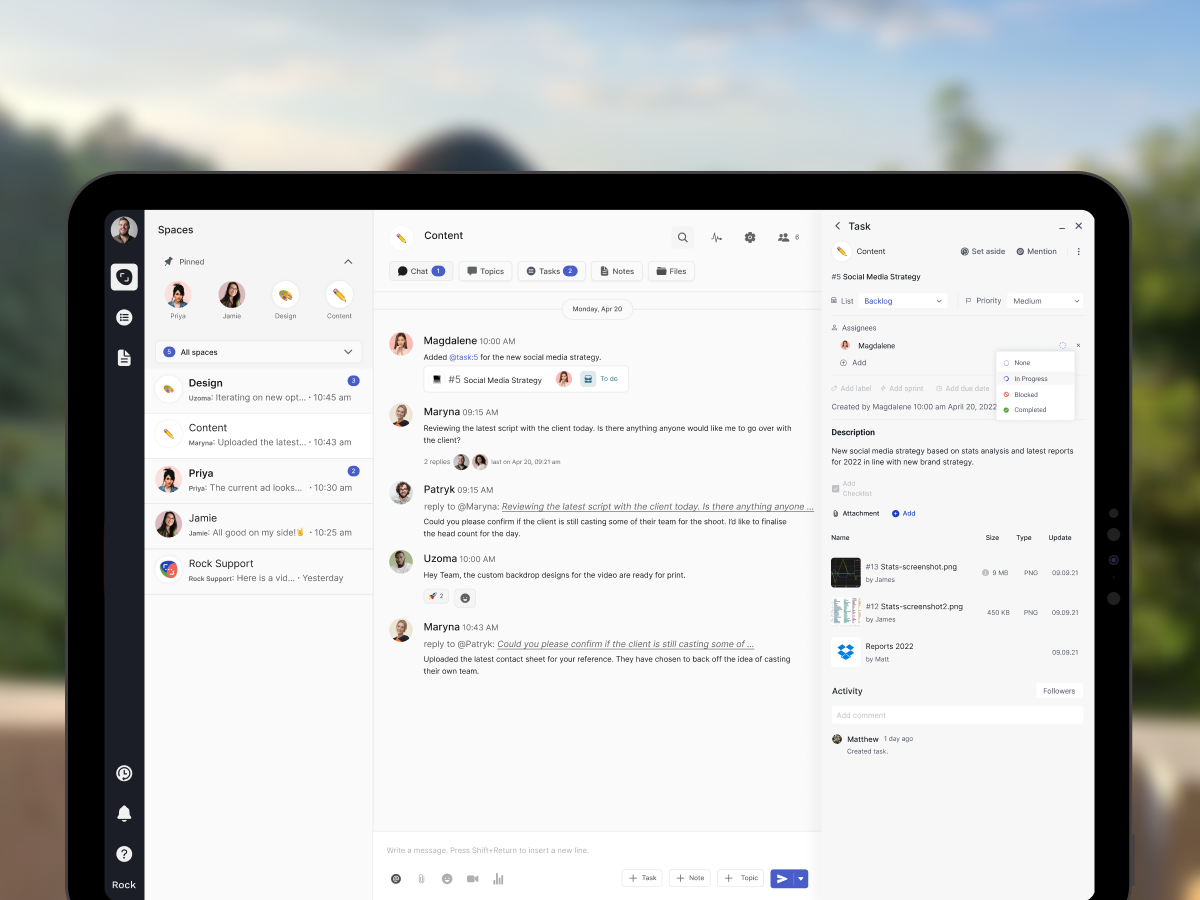


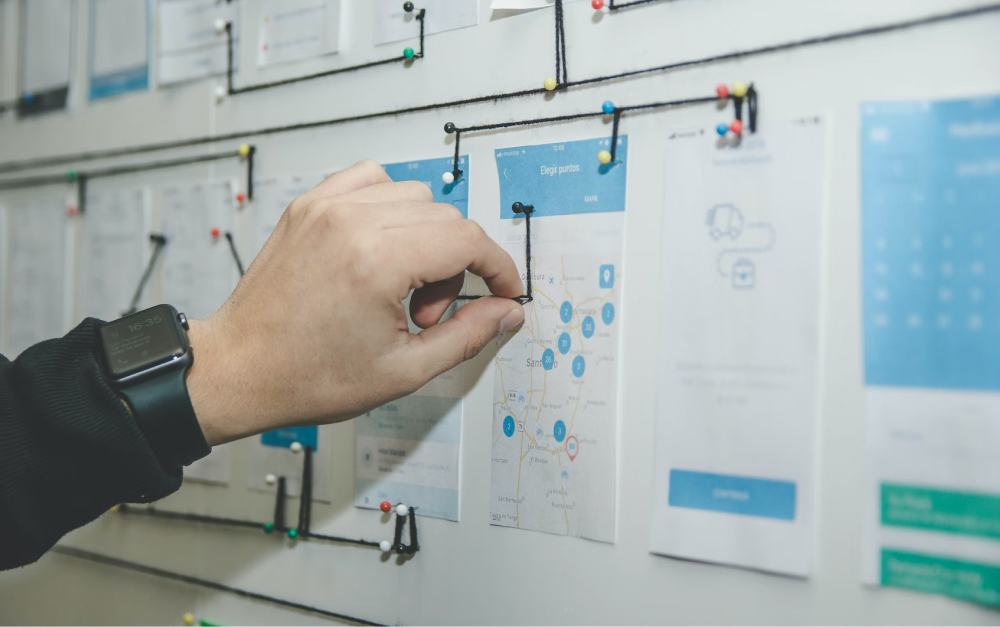


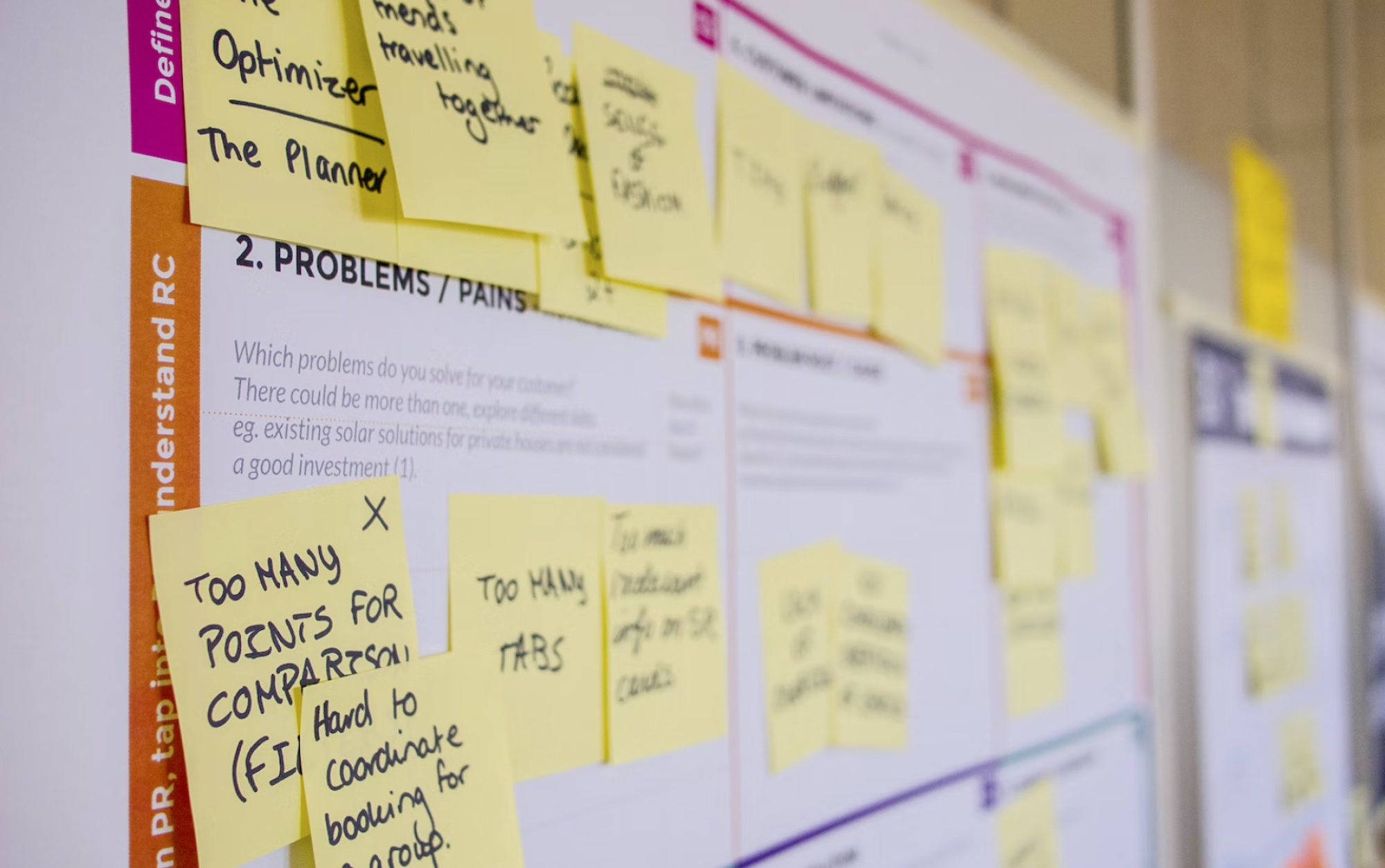

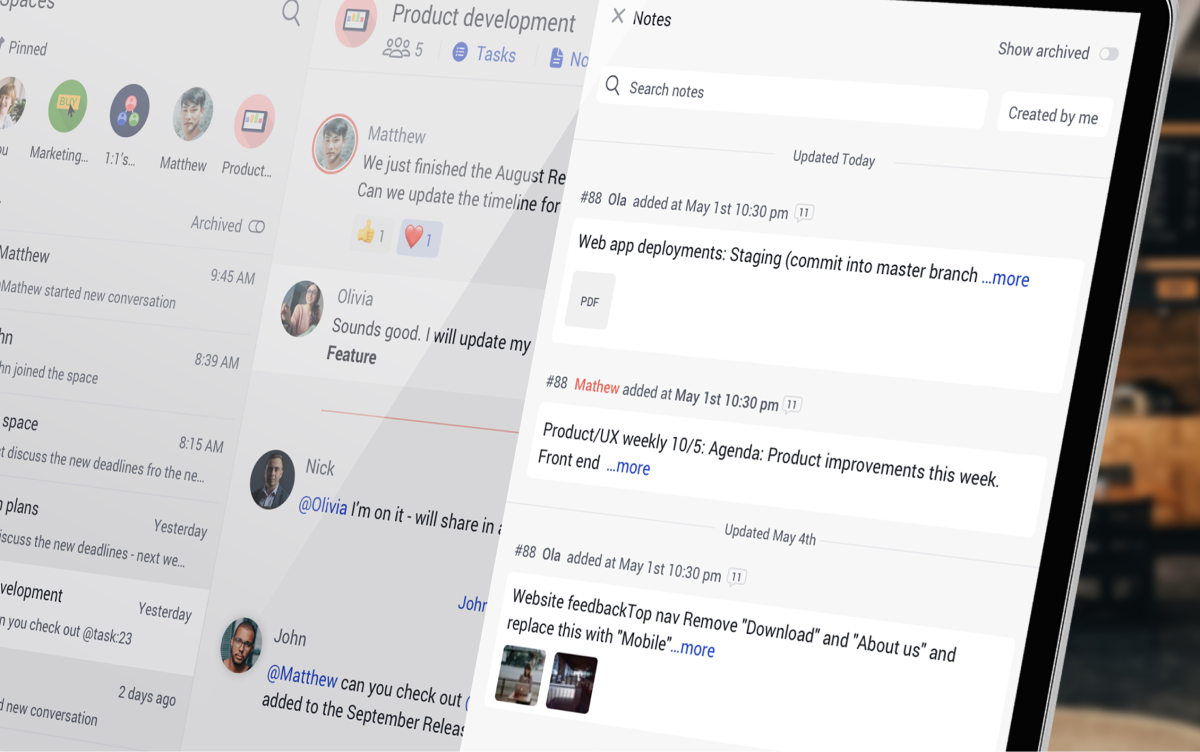

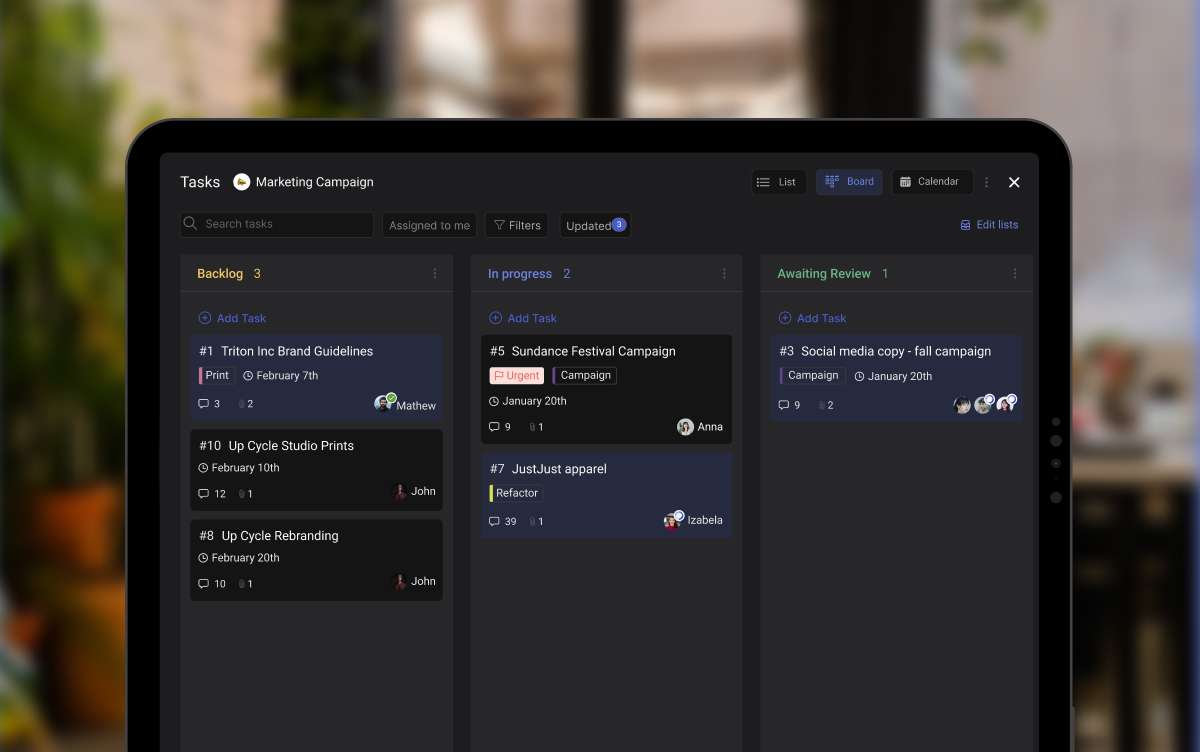
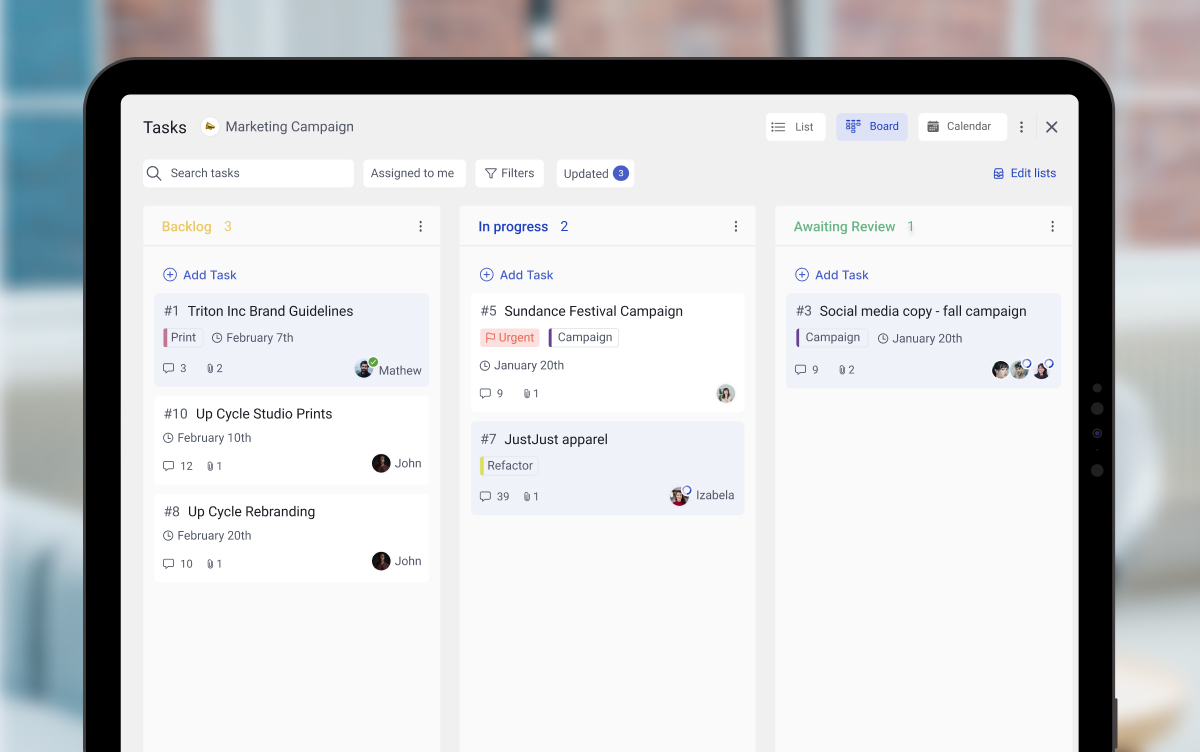

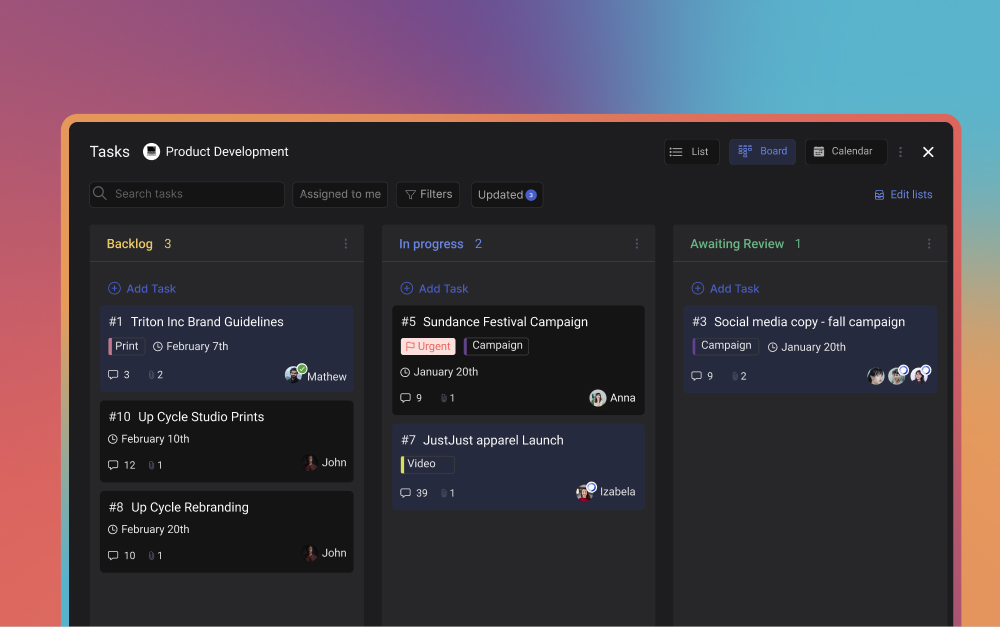

.jpeg)