By clicking “Accept All Cookies”, you agree to the storing of cookies on your device to enhance site navigation, analyze site usage, and assist in our marketing efforts. View our Privacy Policy for more information.
Discover our insights on the Future of work, learn how to build better teams & work environments .
Thank you! Your submission has been received!
Oops! Something went wrong while submitting the form.
or continue with
Running an agency in 2026 means juggling multiple clients, deadlines, and deliverables. Without the right systems, things can get complicated fast. The right project management software for agencies can change that.
A good tool helps you stay connected with clients and handle revisions smoothly. It brings structure to projects so everyone knows what to expect and when. It also builds accountability across your team.
According to Harvard Business Review, strong project leadership starts with clear systems and communication. Agencies that invest in the right tools see better results and happier clients.
In this guide, we compare 10 tools that agencies use today. Each one brings something different to the table. We break down features, pricing, and what works best for different setups.
What Makes Great Agency Software?
Before diving into the list, it helps to know what matters most. Not every tool fits the unique needs of agency owners.
"Agencies need tools that work for both their team and their clients,If your client cannot figure out the tool, they default to emails and texts." Nicolaas Spijker, Marketing Expert
Here are a few things to consider:
Client access: Can you invite clients without a tricky setup?
Built-in communication: Does the tool support direct messaging or just tasks?
Pricing model: Does per-user pricing get costly as your team grows?
Learning curve: How fast can your team and clients get started?
Templates: Can you set up standard workflows across clients?
With these in mind, let us look at the top picks for agency project management software in 2026.
1. Rock
Best for: Agencies that need chat and tasks in one place
Rock takes a chat-first approach to project management. It combines messaging, tasks, notes, and files in one workspace. This makes it easy to talk with clients and track deliverables side by side.
For agencies, Rock stands out because of its workflow templates. You can set up repeatable processes for onboarding, content production, or design sprints. This keeps work consistent and saves your team time on every new project.
One major advantage is its flat pricing. Rock charges one fixed price rather than per user. This means you can invite unlimited clients and team members without extra costs.
Old client portals stay open for future work. You can pick up where you left off with any client as if nothing changed. This alone makes it a top agency management software choice.
Many creative, marketing, and development agencies use Rock. Its simple design means clients do not need training before they start. As a work management software for agencies, it strikes the right balance between features and ease of use.
“Everybody is different and Rock gives those options to find a way that works best for your specific case. Especially if you are a creative agency, you don’t want to make a burden for yourself by over organizing and that’s okay! Rock gives you the tools to do it in an easy and not overloaded way.” Maximilian HelldörferFounder and Creative Director at New Aesthetics
2. Notion
Best for: Agencies that focus on documentation and async work
Notion offers a flexible workspace with pages, databases, and wikis. Teams can shape these however they like. For agencies, it works well as a knowledge base and project hub.
The downside is that Notion does not include direct chat. You cannot message a client within the platform. All real-time talks must happen through a separate tool, which adds friction.
Notion also comes with a steep learning curve. New users often struggle with its open-ended layout. Per-user pricing can add up fast for growing teams that want to bring clients in.
Key features:
Flexible pages and databases
Wiki and documentation tools
Templates for project setups
Integrations with third-party apps
If your agency relies on asynchronous work, Notion can be a solid pick. Just be ready to pair it with a messaging tool for live conversations.
3. Asana
Best for: Agencies with strong project tracking needs
Asana is a well-known agency project management tool with robust task tracking. It offers timeline views, project milestones, and custom fields. These features help teams manage complex projects with many moving parts.
However, Asana is not chat-first. Communication happens through task comments and status updates. This can confuse clients who expect a messaging experience similar to what they use every day.
The learning curve can also be a barrier for clients. Some find the interface overwhelming at first. Per-user pricing adds another concern for agencies that want to include clients in their workspace.
Key features:
Timeline and board views
Project milestones and goals
Custom fields and automations
Reporting dashboards
Asana works best for agencies with strong project management frameworks already in place. It is a solid task management software for agencies that can invest time in setup.
4. Monday.com
Best for: Agencies that want visual project tracking
Monday.com offers colorful boards and dashboards for tracking work. It is popular for its visual approach to managing projects. Teams can build custom workflows and automate routine tasks.
Like Asana, it is not built around direct messaging. Client communication stays within task updates and comments. This means agencies still need a separate tool for ongoing conversations.
Pricing follows a per-user model that can grow quickly. As your agency adds client seats, costs rise fast. The platform also offers many features, which can make the initial setup feel heavy.
Key features:
Visual boards and dashboards
Workflow automations
Time tracking features
Multiple view options
Monday.com suits agencies that want a visual project tracking software for agencies. It helps with planning but may need support from other tools for client communication.
5. ClickUp
Best for: Teams that want deep customization
ClickUp offers a wide range of features for managing work. It covers tasks, docs, goals, and even team messaging. The platform tries to be an all-in-one solution for agencies.
The challenge is its learning curve. ClickUp's depth makes it powerful but also complex. Clients who are not familiar with the platform often find it overwhelming and hard to navigate.
Per-user pricing also affects agencies that want to add external collaborators. For teams looking for a simple project management software for agencies, the feature overload might work against them.
Key features:
Tasks, docs, and goals in one tool
Custom views and automations
Team messaging
Integrations with common tools
ClickUp works well for technically minded agencies with internal power users. It is less suited for client-facing setups where ease of use matters most.
6. Basecamp
Best for: Teams that value simplicity and flat pricing
Basecamp is a veteran in the project management space. It offers messaging, to-do lists, file sharing, and scheduling. The tool has a clean, simple interface that most people pick up fast.
Basecamp also uses flat pricing, similar to Rock. However, its price point sits quite a bit higher. Small teams may also face per-user costs under certain plans.
The tool focuses on team collaboration rather than detailed task management. Agencies that need Gantt charts or advanced reporting may find it lacking. But for basic agency workflow management software needs, it gets the job done.
Key features:
Message boards and campfires
To-do lists and scheduling
File storage and sharing
Client access on projects
Basecamp is a good fit for agencies that prefer a straightforward, no-frills tool. It handles communication well but lacks the depth of full project management software tools.
7. Discord
Best for: Live team discussions
Discord started as a gaming platform but now serves many professional teams too. It offers voice channels, text chat, and screen sharing. Some agencies use it for internal communication and quick syncs.
The main issue is professionalism. Client-facing communication through Discord can feel informal. The platform also does not include task tracking or project milestones of any kind.
For agencies, Discord works as a side tool for team bonding or quick chats. It is not a full agency management software solution on its own.
Key features:
Voice and video channels
Text-based chat rooms
Screen sharing
Community management tools
If your team already uses Discord for internal talk, it can stay as a supplement. But do not rely on it as your main project management tool for agencies.
8. Slack
Best for: Fast-paced team messaging
Slack is the go-to for many teams when it comes to instant messaging. It offers channels, direct messages, and integrations with hundreds of apps. Communication speed is its biggest strength.
However, Slack focuses only on messaging. It does not offer built-in task management, notes, or file organization. You need to pair it with other tools to cover the full workflow.
Per-user pricing makes it costly for agencies with many team members and clients. Over time, conversations also get buried, which makes it hard to find past decisions. For alternatives, check out this list of team messaging tools.
Key features:
Channels and direct messaging
Hundreds of integrations
Workflow automations
Search across messages
Slack suits agencies that already use it and pair it with a separate project tracking tool. On its own, it lacks the structure agencies need for full project delivery.
9. WhatsApp
Best for: Quick client check-ins
WhatsApp is familiar to most people around the world. Many agency owners use it for informal client communication. It is free and works across devices without any setup.
The problem is that nobody built WhatsApp for project work. There is no task tracking, no file organization, and limited message history on new devices. The casual nature of the app can also feel less professional.
Another issue is regional reach. Some clients in the US or France prefer iMessage or other apps. This creates friction when working with clients abroad. As an agency project management software, it falls short.
Key features:
Free messaging and calls
Group chats
File sharing
End-to-end encryption
WhatsApp works for quick updates. But it should not replace a proper project management template and structured workflow.
10. Trello
Best for: Simple task boards for small projects
Trello uses a Kanban board approach to task management. Cards move across columns as work progresses. It is visual and easy to understand at a glance.
Trello focuses more on individual work than agency setups with multiple clients. For agencies managing several accounts, the board-only format can feel limiting. Complex projects often need more structure than Trello provides.
Trello is part of the Atlassian family, which also offers Jira for advanced work. Jira provides deeper features but can feel overly technical for agency owners. Neither tool is built with client collaboration in mind.
Key features:
Kanban board layout
Card-based task tracking
Power-ups for extra features
Simple drag-and-drop interface
Trello suits small agencies or simple projects with few moving parts. For full project plan templates and client management, look for a more complete tool.
How to Choose the Right Tool
Picking the right tool depends on your agency's priorities. Here are a few questions to guide your decision:
Do you need built-in messaging for client communication?
Does per-user pricing fit your growth plans?
How tech-savvy are your clients?
Do you need templates to set up standard workflows?
According to Forbes, the right project management tool can improve productivity across your entire team. A 2025 PMI report also found that structured project management reduces waste and boosts delivery rates. The key is matching the tool to how your agency works, not the other way around.
Conclusion
Rock stands out as one of the best project management software for agencies in 2026. It combines chat, tasks, notes, and files in one simple workspace. The flat pricing model lets you invite unlimited clients without worrying about per-seat costs.
The other tools on this list each serve a purpose. Notion works for async-heavy teams. Asana and Monday.com suit structured project management needs. Basecamp keeps things simple with basic features.
But for a complete agency project management tool, you want everything in one place. Rock's chat-first design makes it easy enough for clients to use from day one. No steep learning curves, no extra tools, just one workspace for your whole agency.
Looking for a simple project management software for agencies? Rock brings chat, tasks, notes, and files together at one flat price. Set up your workspace and invite your first client today.
Effective project management software is more crucial than ever. Whether you're leading a small team or managing complex projects in a multi-national corporation, the right tool can be a game-changer.
Tools in project management are about more than just task management. Nowadays, managing projects is about involving different stakeholders, juggling communication channels, and ultimately driving success.
Finding the perfect fit for your unique needs can feel like searching for a needle in a haystack with all the tools available on the market,.
But fear not.
This comprehensive guide will introduce you to the 10 best project management software tools available in 2026.
Our list includes something for everyone – switch up your current tool or start using free project management software for the first time. From feature-rich platforms to streamlined, user-friendly interfaces, let's explore the solutions currently available on the market.
Read our related article on the best remote work tools for teams who are looking to stay productive in 2026.
10 Project Management Software Tools Worth Checking Out In 2026
Let’s delve into the details of 10 tools in project management that are worth checking out this year.
We've done the heavy lifting for you, examining each tool's features, pricing, as well as listing their pros and cons. Read along to learn more about the best project manager software!
Rock is the ultimate project management software tool on the market. All-in-one functionality allows users to switch between tasks, chat, notes, files, topics and meetings without leaving their project space.
Users can start projects with anyone both in and outside of their organization. This makes Rock a great solution for teams what work with clients, freelancers, and other external stakeholders.
Every project space includes native file management and integrations popular providers such as Google Drive, Dropbox, Figma and OneDrive. Users can attach cloud files to task cards and notes to more easily access work on the cloud.
A flat pricing model makes Rock a very attractive tool for project management. Teams can collaborate with unlimited users both in- and outside of their organization without their bill skyrocketing at the end of the month.
Working with more than 5 or 6 people? Then Rock is most probably your cheapest option if you want to access premium project management software functionality.
What Features Are Available Within Rock’s Project Management Software?
Rock offers all-in-one functionality in one place. Reclaim valuable time and focus on your work. Here are some of the key features within the project management tool:
Spaces: You can organize everything into different spaces. Create a space for 1:1s, group conversations, or projects. Add anyone, inside or outside your organization, to a space so they can participate in a conversation, work on tasks, read notes, and access any file they need.
Task Management: You can use Rock to organize all your work. This feature allows you to create, assign, and manage tasks, making it easier to track project progress and deadlines.
Full-fledged Messaging: Rock features a built-in messaging system that allows you to discuss and connect with anyone, reducing the need for multiple communication platforms.
Meetings: You can conduct video meetings directly within the platform. This feature further enhances the platform's role as a one-stop solution for collaboration and communication.
Dashboard: Rock provides a unified dashboard for all your projects, with a built-in time tracker to help you stay on top of priorities.
Custom Workflows: With Rock's API documentation, you can build custom workflows and tools tailored to your team's needs.
Set Aside: This feature allows users to go through their messages, tasks, and mentions and decide what to work on now versus later.
Quick Connect: With Quick Connect, you can start collaborating with anyone quickly using your own personal link. Anyone on the internet that clicks on your link will directly be redirected to a project space with you.
Rock offers two pricing tiers: Free and Unlimited. Pricing is unique to other tools on the market because it's flat. Teams pay a single price regardless of the number of users collaborating in their project spaces.
Free Plan: This plan is best for small projects, and it’s a free software for project management. It includes the following features:
Messaging, tasks, and notes are available in every space.
Up to 50 tasks and 50 notes can be created per space.
Free cloud file storage and meeting integrations.
Import tasks from popular project management and messaging apps.
Unlimited 1:1 peer spaces and 3 group spaces.
Each free group space hosts up to 10 members.
Unlimited Plan: This plan costs $89 per month on a monthly basis and $75 per month if billed yearly, saving 29%. It's best for both small and large teams, especially those who often work with external collaborations such as clients or freelancers.
The Unlimited Plan includes, among other things, the following features:
Unlimited tasks and notes in every space.
Each space hosts up to 1000 members.
Unlimited storage per space is provided.
Online/offline and static user status is available.
Advanced features like time tracker for PRO spaces, 5 managers who can change unlimited spaces to PRO, team dashboard, time tracker dashboard, and custom Quick Connect URL.
Workspaces (50), spaces per workspace (50), group spaces (unlimited), and peer spaces (unlimited) are also included.
The Unlimited plan also provides access to premium features like advanced task functionality, automations, custom integrations, and the ability to build your own bots with the Rock API.
For more information or questions, Rock offers 24/7 customer support and priority support to Unlimited plan users.
Pros And Cons Of Using Rock As Your Project Management Software Tool
The pros and cons of user Rock can vary depending on the specific needs and circumstances of your team or project. Take advantage of the freemium plan to see if Rock is the right fit for you.
Pros Of Using Rock
✅ All-in-one platform: Consolidate messaging, tasks, notes, files, and other favorite apps into one space
✅ Integration with other apps: Work with a large number of other popular tools, such as Google Drive, Dropbox, Zoom, and Github.
✅ Collaboration features: Quickly add other companies, agencies, or freelancers to a space and give everyone access to everything they need to get work done.
✅ Flexible use cases: Rock is designed for a wide variety of use cases, including marketing, startups, freelance, educators, engineering, and more.
✅ Affordable pricing: Upgrade to the Unlimited Plan for a flat price. The paid plan makes Rock a cost-effective solution, particularly for larger teams.
Cons Of Using Rock
❌ Limited offline capabilities: As an online project management software tool, Rock does not offer offline functionality.
What Other People Think About Using Rock
“As a freelancer I work on several projects at the same time with many different people and organization. I use Rock to organize every project in different space, inviting the people I work with. We share plan, tasks, files, and they can follow my workflow, which task is completed or not etc. The massive change compare to Trello and Slack I've been using is that we can discuss at the task level. This means if I'm working on a project with several tasks, we don't have to have endless emails discussing them one by one, the client can just add inputs or comment within the task.” - Capterra Verified Review
"It's easy to use. Quick to setup and basically got all the functions we need to run a collaboration between team members." - Capterra Verified Review
MeisterTask is a comprehensive project management software designed to facilitate effective and efficient team collaborations.
Stemming from the principles of Kanban, MeisterTask presents tasks on a board where they move across columns as they progress through stages. A visual interface allows for an easy overview of project status and workflow at a glance.
The platform is customizable and adaptable, catering to various use cases such as task management, agile project management, workflow management, and teamwork.
MeisterTask Key Features
Kanban-style Project Boards
Task Creation and Management
Personal Agenda Board
Task Assignees and Watchers
Built-in Time Tracker
Attachments
MeisterTask Pricing
MeisterTasks’ management software offers the following pricing plans:
Basic Plan: free, providing core task management features for single users.
Pro Plan: $12 per user per month.
Business Plan: $24 per user per month and is designed for larger teams.
Enterprise Plan: This plan offers custom pricing for large companies with specific requirements. The Enterprise plan is best for large organizations (1000+ employees) looking into software to manage projects
Pros and Cons Of Using MeisterTask For Project Management
Pros of using MeisterTask
✅ Kanban-Style Boards: MeisterTask uses Kanban-style boards to visualize workflows. Board view can help teams better understand their progress and what needs to be done next.
Cons of using MeisterTask
❌ Pricing: Teams can quickly rack up a large bill at the end of the month when paying 12$ or 24$ per user per month.
❌ Potential for Feature Overload: MeisterTask’s project management software offers a lot of features, potentially overwhelming users. Especially those who prefer a more straightforward, simple task management solution.
Hive is a management software designed to optimize workflows, increase productivity, and enable seamless team collaboration.Functionality includes task tracking, time tracking, setting and visualizing milestones, collaboration and messaging, and AI-powered content creation.
Designed for the hybrid working model, Hive is a free project management software that is versatile enough to cater to diverse teams and projects.
Hive offers extensive functionality, but this complexity can sometimes also be an issue for users. Some users have reported finding the interface overwhelming due to the multitude of features and options available.
Additionally, there have been mentions of occasional glitches, and some users have expressed the need for better customer support.
Hive Key Features
Project Management
Time Tracking
Goals
Collaboration & Messaging
Notes AI
Analytics
Hive Pricing Plans
Hive offers three different pricing plans catering to different needs, which are:
1. Solo: This is a free plan aimed at individuals who need to organize their projects in one place. This plan includes:
Up to 2 workspace members
Gantt, Kanban, Calendar & Table views
Email in Hive
Native chat messaging
2. Teams: This is the most popular plan and costs $12/month per user. It's designed for those who need to work without limits and customize their project management experience. This plan includes everything in the Solo plan plus:
Unlimited workspace members
Seven flexible add-ons (extra)
External guest access
Shareable forms
Time tracking
In-app calendar
3. Enterprise: This plan is for users who need more flexibility, extra support, and security. The price isn't listed on the website and you're encouraged to get in touch with Hive for a quote. The Enterprise plan is best for large organizations (1000+ employees) looking into apps for project management.
Pros and Cons Of Using Hive As Your App For Project Management
Pros of using Hive
✅ Integrations: Hive can be integrated with a wide array of external apps, helping to streamline work and centralize information.
Cons of using Hive
❌ Cost Implications: With a rate of $12 per user each month, teams might find themselves with a substantial cumulative expense for management software by month's end.
❌ Learning Curve: Given the wide array of features and customization options, new users might face a steep learning curve.
Trello is a project management tool designed to foster team collaboration and work organization. The platform uses a card-based system where each card represents a task, which can be organized into different lists representing the stages of a project.
Trello strives to make project management simple and efficient for teams of all sizes with features such as automations, power-ups and project plan templates for easy setup.
Although Trello's free project management software is great for visualizing stages, it can lack depth for detailed project management needs. Users have also expressed a need for more robust reporting and analytic features to better track and evaluate the overall progress of their projects.
Standard Plan - $5 per user/month if billed annually ($6 billed monthly).
Premium Plan - $10 per user/month if billed annually ($12.50 billed monthly).
Enterprise Plan - $17.50 per user/month if billed annually ($210.00 annual price per user). The Enterprise plan is best for large organizations (1000+ employees) looking into apps for project management.
Pros And Cons Of Using Trello For Project Management
Pros Of Using Trello
✅ Kanban-Style Boards: Trello uses Kanban-style boards to visualize workflows. Board view can help teams better understand their progress and what needs to be done next.
Cons Of Using Trello
❌ Pricing: Teams can quickly rack up a large bill at the end of the month when paying 5$ or 10$ per user per month.
❌ Potential for Feature Overload: Trello offers a lot of features, potentially overwhelming users. Especially those who prefer a more straightforward, simple task management solution.
Monday.com is a Work Operating System (Work OS) that enables organizations to manage tasks, projects, and team work in one collaborative space. Functionality is designed to suit various team sizes and industries, offering solutions for marketing, sales, engineering, recruiting, and more.
Monday’s management software allows users to create their own workflows, centralize all work and communication in one place, and integrate with other popular tools like Slack, Dropbox, and Adobe Creative Cloud.
While Monday.com’s project management software provides a host of benefits, it isn't without its drawbacks. One common user complaint is about its pricing. Some users feel that the platform can be quite expensive, especially for small businesses or startups.
Furthermore, users have noted a steep learning curve, making initial setup and adoption a challenge.
Monday project management functionality
Boards
Views
Dashboards
Integrations
Automations
Apps
Docs
Monday pricing options
Free Plan - $0 forever
Basic Plan - $8 per seat/month ($24/month total - minimum 3 users) billed annually
Standard Plan - $10 per seat/month ($30/month total - minimum 3 users) billed annually
Pro Plan - $16 per seat/month ($48/month total - minimum 3 users) billed annually
Enterprise Plan - Pricing is provided upon contacting sales. The Enterprise plan is best for large organizations (1000+ employees) looking into software to manage projects
Pros And Cons Of Using Monday Com As Your Project Management Software
Pros Of Using Monday
✅ Customizable views: Monday.com offers 10+ customizable views including Gantt and Kanban, which allows users to visualize tasks and projects based on their specific workflows.
Cons Of Using Monday
❌ Pricing: Teams can quickly rack up a large bill at the end of the month when paying 8$, 10$ or $16 per user per month.
❌ Notification Overload: Some users have reported receiving too many notifications, which can become overwhelming and potentially disrupt productivity.
Microsoft Teams is a unified project management tool that integrates workplace chat, video meetings, file storage, and application integration. The service is part of the Microsoft 365 family of products, providing a hub for teamwork.
Users can create shared workspaces, use AI-powered experiences to make collaboration smarter and easier, and even empower their frontline workers with intelligent operations and seamless communication.
A common complaint from users is that the interface can be somewhat non-intuitive and confusing, especially for first-time users. UI issues within the project management software can lead to difficulties in navigation and locating specific features or tools.
Working with Microsoft Office already? Add the OneDrive integration to your Rock spaces for seamless file access.
Project Management Features In Microsoft Teams
Meetings and Conferencing
Teams Phone
Chat and Collaboration
Teams Devices
Apps
Frontline Workforce Solutions
Real-time Coauthoring
Microsoft Teams Connect
Teams Channels
Microsoft Teams pricing
Teams does not have a free software for project management. Instead, pricing is divided among the following plans:
Microsoft Teams Essentials: Starting from $4 per user/month (Annual subscription—auto renews).
Microsoft 365 Business Basic: Starting from $6 per user/month (Annual subscription—auto renews).
Microsoft 365 Business Standard: Price: Starting from $12.5 per user/month (Annual subscription—auto renews).
Pros And Cons Of Using Microsoft Teams As For Project Management
Pros Of Using Microsoft Teams
✅ Collaborative Workspace: Microsoft Teams integrates with other Microsoft 365 apps like SharePoint, OneNote, Planner, and Power BI, making it a comprehensive platform for team collaboration.
Cons Of Using Microsoft Teams
❌ Integration with Non-Microsoft Apps: While Teams integrates well with Microsoft's own apps, it may not integrate as smoothly with third-party apps.
❌ Notification Management: Users have reported that managing notifications can be overwhelming and confusing.
Asana is a popular project management software that helps teams organize, track, and manage their work. Their primary goal is to facilitate team collaboration and improve productivity.
With a user-friendly interface, Asana allows you to create and assign tasks to team members, set deadlines, and add task descriptions. You can visualize your work in various ways including lists, task boards, calendars, or Gantt charts with the Timeline feature.
Teams can share notes, upload files, and communicate directly in the context of each task or project, keeping all relevant information in one place.
Features that can be found within Asana
Task Management
Project Visualization
File Sharing
Collaboration Tools
Workflow Automation
Integrations
Custom Fields
Goals
Forms
Asana pricing
Basic: This is for individuals or teams just getting started with project management. It's free forever.
Premium: $10.99 per user/month if billed annually ($13.49 billed monthly)
Business: This plan is for teams and companies that need software to manage projects across initiatives. $14.99 per user/month if billed annually ($30.49 billed monthly)
Enterprise: This is Asana's most comprehensive offering, providing powerful, intuitive work management with advanced admin features and security at scale. The price for the Enterprise plan is not provided and you are prompted to contact their sales team for more information.
Asana Pros And Cons For Project Management
Pros Of Using Asana
✅ Features: Asana provides robust features such as task assignments, due dates, project timelines, comments, file attachments, and more.
Cons Of Using Asana
❌ Pricing: Some users find Asana to be expensive, especially for small businesses or startups, as some of the advanced features are only available in the premium tiers.
❌ Overwhelming for Simple Projects: If you're managing a straightforward or small-scale project, Asana might be more complex than you need.
Jira, developed by Atlassian, is a popular issue and project tracking software that provides a comprehensive suite of tools for managing work in agile teams.
The project management software covers aspects from work management and IT service management to agile and DevOps, catering to various team sizes and industries.
One of the most common criticisms of Jira is its complexity. The platform is robust and highly customizable, which can make it overwhelming and difficult to navigate for newcomers.
Jira’s Tools For Project Management
Issue and Project Tracking
Prioritization and Discussion
Fast Release
Reporting
Automation
Templates
Customization
Integration
Open DevOps
Different Pricing Options Within Jira
Free Plan - $0 forever
Standard Plan - $21 per seat/month ($63/month total - minimum 3 users) billed monthly
Premium Plan - $47 per seat/month ($141/month total - minimum 3 users) billed monthly
Enterprise Plan - Pricing is provided upon contacting sales. The Enterprise plan is best for large organizations (1000+ employees) looking into apps for project management.
Jira Pros And Cons For Project Management
Pros Of Using Jira
✅ Strong Support for Agile Methodologies: Jira offers strong support for Agile methodologies, including Scrum and Kanban. Features like customizable boards, backlogs and sprints, make it a good fit for Agile teams.
Cons Of Using Jira
❌ Complexity: The high degree of flexibility and customization can lead to complexity, making it difficult to configure and manage without dedicated administrators.
❌ Cost: While Jira does offer a free tier, the costs can increase quickly as you add more users and need more advanced features.
9. ClickUp
Via ClickUp
ClickUp is a cloud-based project management platform designed to bring all of your work into one centralized location. The platform is designed to be flexible and customizable, enabling teams from all sectors and sizes to plan, organize, and stay organized at work.
ClickUp's goal is to make the world more productive by removing the friction caused by using so many different apps, and to provide a single unified platform for work.
While ClickUp’s project management software is highly praised for its versatility and wealth of features, it also receives some criticism. A common user complaint is about the platform's complexity due to its extensive features and customization options.
Additionally, some users have reported that the software can occasionally be slow and laggy, especially when managing a large number of tasks, which can impact productivity and the user experience.
ClickUp’s Tools For Project Management
Task Management
Customizable Views
Collaboration Tools
Time Tracking
Custom Fields
Integration
Reporting
Automation
Pricing Plans Within ClickUp
Free Forever
Unlimited: $7 per member per month on an annual plan
Business: $12 per member per month on an annual plan
Enterprise: Contact Sales for pricing. The enterprise plan is best for large organizations (1000+ employees) looking into apps for project management.
ClickUp Pros And Cons For Managing Your Project Management
Pros Of Using ClickUp
✅ Collaborative Tools: Users have noted that ClickUp's collaborative tools, like comment sections and document sharing, are very useful for team projects.
Cons Of Using ClickUp
❌ Mobile App: Some reviews indicate that the mobile app could be improved in terms of functionality and performance.
❌ User Interface: A few users have noted that the user interface could be more intuitive and user-friendly.
10. Basecamp
Via Basecamp
Basecamp aims to eliminate the need for multiple apps for chat, file sharing, tasks, or basic scheduling. Thereby, reducing time spent bouncing between different platforms and increasing overall productivity.
Users are offered a unique set of tools for project management like Hill Charts, Campfire and Card Table.
While Basecamp is lauded for its simplicity and ease of use, some users have expressed dissatisfaction with its lack of advanced features, such as Gantt charts and time tracking, which are commonly found in other project management tools.
Lack of functionality may limit its applicability for teams or projects that require more complex or specialized project management functionalities.
Basecamp Project Management Features
Home Dashboard
Messages
File Sharing and Discussion
Schedule
Automatic Check-ins
Reports
Pings
Pricing Options within Basecamp
Basecamp does not offer a free software for project management, instead users can make use of a 30-day trial. Instead, it offers the following two plans:
Basecamp: The pricing model is on a month-to-month basis and is charged at $15/user per month. Only employees are billed, and guests can be invited for free.
Basecamp Pro Unlimited: The cost is $299/month, billed annually with no per-user charges. If you prefer to pay month-to-month, it’s $349/month.
Basecamp Pros And Cons For Managing Your Project Management
Pros Of Using Basecamp
✅ Project Organization: Users appreciate the centralized location for project management, including task assignments, discussions, file sharing, and scheduling.
Cons Of Using Basecamp
❌ Integrations: While Basecamp does integrate with some other tools, users have expressed the desire for more extensive integration capabilities with external apps and services.
❌ Pricing: Some users find the pricing model, especially for small teams, to be more expensive compared to other project management tools.
Get The Most Out Of Your Work With The Best Project Management Software
Wave goodbye to clutter, chaos, and confusion. Embrace the power of seamless collaboration, streamlined communication, and effective tools in project management.
Rock is the best project manager software. You're not just managing projects, you're mastering them. Elevate your teams, optimize your workflow, and start making every project a success story today.
Your journey to effortless project management starts here! Time to get the most out of your work, one project at a time.
What can a business do to improve its productivity? Companies always strive to maximize productivity to remain profitable and competitive. In this article, we share 11 simple strategies you can implement today if you want to improve team productivity.
Labor productivity is defined as a measure of performance. The metric compares the amount of goods and services (output) to the number of labor hours used. Productivity is typically calculated as output divided by labor hours.
Improving labor productivity means more goods and services can be produced with the same amount of labor. Factors that can improve the output of your workforce include technology, training, and worker efficiency.
“Time is money” when it comes to the output and ultimate efficiency of your team. Read along to learn how to improve productivity and get more out of your time with these productivity resources today.
How to improve productivity in an organization
With an increase in digital distractions and the stresses of everyday life, it can be hard to stay focused. Productivity can be improved by implementing these 11 simple strategies.
1. Set clear goals and milestones
A large part of teamwork is taking responsibility for goals that need to be met on schedule. Confusion arises when this is not the case. You need to make sure people are held accountable with clear and achievable goals and milestones.
Every business should have goals aimed at increasing productivity in the workplace. The more productive your company is, the easier it is to boost profits and improve business relationships. - Beth Worthy @Forbes
Ticking off completed goals gives employees a sense of fulfillment and satisfaction. Remember, a goal can be finalizing a task/project or it can be quantitative, such as hitting a certain number or metric.
Having a clear timeframe for a goal, whether it be quarterly or yearly, also helps employees remain motivated and materializes productivity planning.
🎁 Free resource: Define your goals and objectives within your organizational strategy with this Long term planning template.
2. Trust your team & say no to micromanagement
When asked how to implement productivity improvements, bad managers might describe micromanagement practices. Think of an overload of meetings (that could have been an email), reviewing every small activity, asking for updates that offer no new information…
Micromanagement is a costly management style. Not only does it decrease both employee and manager productivity, but it can also lead to increased employee turnover.
Replacing an employee can cost companies from one-half to two times that employee’s salary. - Ben Wigert from Gallup
Promoting ineffective workflows is a leadership flaw that kills the productivity of employees. Micromanagement can bring the mood down and lead to unproductive types of communication styles among the team, such as passive-agressiveness.
While supervision at work can be complementary to productivity, going overboard has negative impacts. Instead, try promoting accountability, documentation and assertiveness in your team:
Accountability: Encourage employees to take responsibility for their tasks. This fosters a sense of ownership and pride in their work, which can boost productivity. Progress reports can help maintain accountability without being intrusive.
Documentation: Implement a system of documenting work processes and progress. This not only provides a tangible record of an employee's work but also can serve as a guide for future tasks.
Assertiveness: An assertive team is one that feels empowered and confident, which can lead to increased creativity and productivity. Foster a culture of open communication where problems and challenges can be addressed quickly and efficiently.
🎁 Free resource: Don't let your voice be drowned out in the noise of the world—take control of your life through the Assertiveness Training Template.
3. Leverage asynchronous communication channels
Asynchronous work refers to the exchange of information that does not require participants to be available at the same time. Examples of asynchronous communication include emails, instant messaging, collaborative documents, and task boards.
Leveraging these channels can significantly improve productivity in several ways:
Flexibility: Asynchronous communication allows team members to respond when it's most convenient for them. Flexibility is particularly beneficial for remote or distributed teams across different time zones.
Efficiency: Asynchronous communication enables people to take the time to think through their responses. As a result, there will be more thoughtful communication and fewer misunderstandings.
Record Keeping: Written asynchronous communication provides a record of discussions and decisions. This can be helpful for reference, accountability, and bringing new team members up to speed.
Reduced Interruptions: Instead of constant meetings or messages that require immediate attention, employees can handle asynchronous communications at their own pace.
Inclusivity: Some individuals may feel more comfortable expressing their thoughts and ideas in writing, rather than in a live meeting. Asynchronous communication can provide these team members with a more comfortable platform for participation.
However, it's crucial to balance asynchronous communication with synchronous (real-time) communication to maintain personal connections.
Rock has multiple asynchronous communication channels in a single workspace, such as tasks, file sharing, and audio messages.
4. Document as much as possible
Documentation is the process of providing written evidence or records. It's a way of keeping track of various processes, decisions, and actions in a structured file management manner.
How you store information plays a significant role in organizational productivity. Here's why:
Knowledge preservation: Documentation ensures that the critical knowledge and information are preserved and accessible. When employees leave or roles change, this documentation can be invaluable in transferring knowledge to new employees.
Efficiency: Well-documented processes or procedures provide clear instructions that can prevent confusion or mistakes. You can save a significant amount of time that might otherwise be spent on troubleshooting or redoing tasks.
Training and Onboarding: Documentation can serve as a training guide for new employees. Having a detailed record of procedures and policies can help new team members become productive more quickly.
Consistency: Documentation ensures that tasks are performed consistently, regardless of who is performing them. Work uniformity improves the quality of work and the efficiency of processes.
Accountability: When tasks and processes are documented, it is easier to hold people accountable for their responsibilities. Documentation provides a clear record of what was done, by whom, and when.
Communication: Documentation helps maintain clear and consistent communication among team members. Everyone can stay informed by having a solid record of information, decisions, and plans, .
To start documenting effectively, consider using tools like shared drives, project management software, or wikis. Remember, the goal is to make information accessible, organized, and easy to understand. This maximizes both employee and manager productivity.
With Rock, everything is more structured and documented, particularly task management. Employees know where to find the documents and information for every task being worked on in a company.
Along with documenting your tasks, other team members can easily take over tasks asynchronously without waiting for a meeting.
5. Reduce meetings
Meetings are an important part of a company’s day-to-day, we are not denying that. However, many employees spend too much time of their day in meetings. Often, employees find that they don’t have time to get their work done as a result of all the meetings they have to sit through.
Meetings have increased in length and frequency over the 50 years. More than ever before, with the popularity of remote working, Zoom fatigue is the reality for many.- The Harvard Business Review
If you value your employees’ time, it’s time to save meetings for when you really need them.
There’s a clear difference between an unproductive meeting and a good one. The latter is usually established by a clear meeting agenda. What is the meeting about and what are the desired outcomes?
A good meeting is not set last minute, but rather, fits around the productive working hours of employees. Encourage team members to cancel the meeting if they believe that it is not productive to get together in real-time.
🎁 Free resource: Ready to become a well-rounded expert on canceling meetings? Get started with the dedicated FREE template!
6. Adopt task management
Task management refers to the process of managing responsibilities through actionable and timeboxed task cards. Work is typically tracked over a view such as list, Kanban boards or calendars.
Tasks are a crucial component of improving productivity in both personal and professional settings. Here's why:
Prioritization: Task management helps in identifying what tasks are most important and need to be done first. Critical tasks aren't overlooked and you can prevent wasted time on less essential tasks.
Organization: Keeping track of all tasks, big or small, prevents them from falling through the cracks. A well-managed task list provides a clear overview of everything that needs to be done.
Delegation: In a team setting, task management makes it easy to assign tasks to different team members, ensuring a balanced workload and clear responsibilities.
Progress Tracking: Having an overview of progress not only provides a sense of accomplishment but also identifies bottlenecks or issues in the process.
Various digital tools can assist with task management, ranging from simple to-do list apps to comprehensive project management software. This allows you to focus both on employee and manager productivity.
🎁 Free resource: This streamlined workspace is designed to kickstart your next project with ease. Get started with the Simple Project Planner template and invite anyone!
7. Promote time off
A well-rested team is a more productive team. Promoting time off provides burnout relief while simultaneously promoting innovation.
Without recovery periods, the ability to perform at a high level diminishes. Taking time off is not a luxury, but a necessity for productivity.The Havard Business Review
Without time off, employees will not have the mental ability or motivation to be productive. Many employees might opt from taking their vacation time so managers must persuade them to do so.
Time off from everyday corporate life allows employees to stimulate their creative muscles and come up with groundbreaking ideas. Fun fact - Kevin Synstrom came up with the idea for Instagram while vacationing in Mexico.
8. Nurture organizational culture
How can businesses increase productivity if they neglect organizational culture? They can’t!
Organizational culture refers to the collection of values and practices that guide team members. The way a company’s culture makes its employees feel affects organizational productivity. It all starts with nurturing connection.
Employees must feel like managers have their back and support them, rather than work against them. Here are a few ways through which you can promote a strong team culture:
1-1 Check-ins: Managers can foster relationships by booking 1-1 check-ins to discuss their employees’ well-being. By fostering open communication and trust, employees are also more likely to respond positively to feedback and implement it.
Check in questions for meetings: Make sure to use check in questions for meetings to let employees know you have their back, are receptive to feedback and want to learn more about them.
Mindfulness: In a traditional workplace setting companies can set up meditation rooms, there are many remote alternatives. Companies can organize a weekly meditation session via video chat, followed by a presentation by a mindfulness coach.
Career affirmations:Career affirmations are phrases or statements that are used to challenge and overcome self-doubt and negative thoughts. They can help inspire you, boost your mood, and increase your productivity.
9. How to improve productivity in an organization: recognize employees
Recognizing employees for their hard work boosts morale and fosters a sense of fulfillment, motivating team members to work harder. When people are not recognized, they become disengaged, ultimately resulting in a drop in productivity.
Annual losses from lost productivity due to employee disengagement amount to a whopping $483 to $605 billion in the United States alone. - Finances Online
Companies often only reward employees for major accomplishments. To increase company productivity, managers should recognize both large and small achievements.
Rewards and recognition can happen in a variety of ways:
Financial: Offering an employee a pay rise, bonus, or other financial incentives is a clear way of showing your appreciation.
Non-financial: Think of words of recognition, working flexible hours, professional development opportunities, PTO, wellness programs… While not directly involving money, they can also have a significant impact on employee productivity.
10. Invest in training and development
Investing in your team is vital. At the end of the day, the workforce is the most valuable asset to most organizations.
Training and development refers to educational activities that improve the knowledge and skills of employees. Think of an effective 90 day plan for onboarding, ongoing courses and gaining new skills.
Designed to improve the performance of employees, training and development programs lead to increased productivity. Companies committed to the growth of employees will invest in them, leading to greater dedication by the team members.
Training and development can also lead to a decrease in employee turnover. Ottawa University found that 93% of employees will stay longer when a company invests in their development. In fact, these kinds of programs are now seen as a competitive advantage when hiring.
11. What can a business do to improve its productivity: Use all-in-one platforms
Company productivity is directly impacted by the tools used at work. “The more the merrier” is untrue when it comes to productivity. The more tools you have, the more work you have.
The constant context switching will leave you disorganized and makes staying organized at work a real challenge.
An all-in-one platform like Rock solves this issue. Everything is right where you need it, in one place. By reducing the time employees spend looking for documents or tools, they can focus on getting their work done right.
How to improve productivity in an organization: Concluding thoughts
Improving productivity in your business doesn't have to be a complicated process. By implementing these 11 simple strategies you can maximize the efficiency and effectiveness at the workplace.
Remember that productivity is not just about working harder, but also about working smarter.
Create an environment that supports focus, organization, motivation, and continuous learning. You're not only boosting productivity but also fostering a positive work culture that can drive your business to new heights.
As you implement these productivity resources, remember to keep monitoring and adjusting as necessary. Here's to a more productive future!
Some communication styles can generate conflict. This can be an issue if you want to build a healthy culture and productive team. Get more out of daily interactions by learning how to spot each type and react accordingly.
Assertive, passive, aggressive, and passive-aggressive are the most common types of communication styles. If you want to nurture clear, direct, and respectful interactions, then prioritizing the assertive conversation style is key.
This article walks you through the following:
Defining types of communicators
Assertive communicators: benefits & how to become one
How to interact with other communicators
Read on if you want to master the art of assertiveness.
You can also get started with our free template with a step-by-step process to master the art of assertiveness. 🎁
Different types of communication styles: definitions
To master your communication skills, it's essential to understand common 4 styles of communication. Recognizing communication patterns allows you to take action and stay confident and productive in conversations.
What is your communication style? Let's dive into the 4 most common conversation styles:
Passive Communication: Often characterized by avoiding conflict, passive communicators may not express their thoughts or feelings. They prioritize others' needs, sometimes at the expense of their own.
Aggressive Communication: Aggressive communicators express themselves forcefully, often dominating conversations. They may disregard others' opinions, feelings, and overall presence.
Assertive Communication: Striking a balance, assertive communicators express themselves openly and respectfully. This style fosters clear communication, healthy boundaries, and positive relationships.
Passive-Aggressive Communication: This style involves the indirect expression of feelings. Passive-aggressive communicators often use sarcasm or subtle actions to convey their message.
Embracing the art of assertiveness is key if you want to be effective and efficient in your communication.
Assertive types of communicators nurture effective and respectful conversations. Qualities of assertive speakers are often related to leadership communication styles. Let’s dive further into that!
Types of communication styles: the art of assertive communication
Assertive communication is a game-changer. People who have perfected this conversation style perfectly balance between passive and aggressive types of communication styles. Assertive communicators express themselves confidently while respecting others.
No more tiptoeing around issues. Assertiveness empowers you to state your needs and opinions. Communication with this style is about honest, open conversations.
"Assertiveness is not what you do, it's who you are!" - Shakti Gawain
How can someone master assertiveness you ask? Embrace active listening, clear language, and empathy. Here are some types of communication strategies for assertive speakers:
Active Listening: Understand others' viewpoints. No more misinterpretations or assumptions. Pay full attention, provide feedback, and ask questions.
Clarity: Assertiveness demands straightforward, concise expressions. Say what you mean, and mean what you say. Avoid jargon, over-complicated phrases, or beating around the bush.
Empathy: Put yourself in others' positions. Acknowledge their feelings and viewpoints without judgment. Assertiveness is about mutual respect, not bulldozing over others' opinions.
Assertiveness is often associated with leadership communication styles because it embodies a balance of respect for oneself and others
Combine the aforementioned skills to master assertive communication patterns. We share a hands-on workflow you can start with today to become a more assertive communicator. Get started now or read on to see what’s included!
Becoming more assertive: 6 actionable steps you can implement today
Being an assertive communicator is easier said than done. People, ever-changing social environments, and internal mood factors can all play into how you communicate.
There is no “one-fits-all” path to becoming an assertive communicator. Nevertheless, we’ve gone ahead and summarized 6 activities anyone can start with today that will put you on the right path:
Observe and Learn: Identify assertive types of communicators you admire. Observe their techniques and demeanor. Try booking between 1 and 3 coffee chats to discuss assertive communication with your role models.
Prepare and Plan: Before engaging in challenging conversations, prepare and plan. Outline your key points and desired outcomes. Anticipate potential objections and responses.
Embrace Assertive Phrases: Incorporate assertive phrases into your vocabulary. Examples include: "I believe," "I would like," and "I prefer." These statements convey conviction and self-assurance.
Give and Receive Criticism: Learn to provide and accept constructive criticism. Focus on behavior, not personal traits. Offer suggestions for improvement, and receive feedback gracefully.
Watch TED Talks: Watch TED Talks on assertiveness, communication, and confidence. Learn from inspiring speakers, and apply their wisdom to your life.
Use Affirmations: Recite daily affirmations to reinforce your assertiveness. Positive statements like "I am confident in expressing my needs" help rewire your mindset.
Curious to learn more about each activity? Get started with the “Art of Assertiveness” template! The step-by-step template includes more details, checklists, notes and more resources, all for free.
How to effectively collaborate with other types of communicators
Assertive communicators possess the skills to articulate thoughts and emotions with clarity and respect. Nevertheless, to collaborate effectively, you must adapt to the diverse communication profiles found within your team or network.
Next up, we delve into strategies that enable successful interactions with passive, aggressive, and passive-aggressive communication patterns.
By honing this adaptability, you can cultivate thriving relationships with different conversation styles, significantly improving relationships across the board. The next sections cover types of communication strategies for managing other communicators.
Empowering Passive Communicators: Encourage Openness and Confidence
Passive communicators tend to avoid expressing their thoughts, feelings, and needs directly. This can lead to misunderstandings and unaddressed concerns. As an assertive communicator, you can play a pivotal role in empowering passive communicators.
Foster an environment that encourages openness and confidence in conversation styles by implementing some of these strategies:
1. Create a Safe Space: Establish a supportive and non-threatening atmosphere where passive communicators feel comfortable sharing their thoughts. Show empathy, maintain a non-judgmental attitude, and actively listen to their concerns.
2. Use Open-Ended Questions: Encourage passive communicators to open up by asking open-ended questions that require more than a simple yes or no answer. This approach demonstrates your interest in their perspective and support for them to share their thoughts.
Example: Instead of asking, "Did you agree with the decision?" try "What are your thoughts on the decision we made?"
3. Provide Reassurance and Validation: Validate the passive communicator's feelings and opinions to help build their confidence. Reassure them that their input is valued and essential to the team's success.
Example: "I appreciate your perspective on this issue, and I think it's important for us to consider all possible angles."
4. Encourage Gradual Assertiveness: Help passive communicators develop their assertiveness by providing opportunities to practice expressing their thoughts and needs. Start with smaller, less intimidating situations and gradually progress to more challenging contexts.
5. Offer Constructive Feedback: Provide feedback on the passive communicator's progress, highlighting their achievements while offering guidance for further improvement. Be supportive and patient as they work towards becoming more assertive.
By empowering passive communicators to express themselves with openness and confidence, you can enhance collaboration and foster stronger, more effective relationships within your team or network.
Managing Aggressive Communicators: Navigating Confrontation with Tact
Aggressive communicators often express their thoughts and feelings in a forceful manner, potentially leading to conflicts and strained relationships. Here are some strategies you can employ to manage interactions with aggressive communicators.
1. Remain Calm and Composed: When faced with aggressive communication, maintain your composure and respond calmly. Demonstrating emotional control can help de-escalate tensions and encourage more constructive conversation styles.
2. Practice Active Listening: Ensure the aggressive communicator feels heard by actively listening to their concerns. Use verbal and non-verbal cues, such as nodding or summarizing their points, to show that you are genuinely trying to understand their perspective.
3. Set Boundaries: Assertively communicate your boundaries, making it clear that you expect respectful and professional behavior. This may involve interrupting an aggressive communicator and stating your expectations.
Example: "I understand you're upset, but I would like us to discuss this issue respectfully and calmly."
4. Use "I" Statements: Express your thoughts and feelings using "I" statements to reduce defensiveness and convey your perspective without placing blame.
Example: Instead of saying, "You're not listening to me," try "I feel unheard when my concerns are dismissed."
5. Focus on Common Ground: Identify shared goals or interests to redirect the conversation toward a more collaborative and solution-oriented approach. By emphasizing common ground, you can foster a sense of teamwork and mutual understanding.
6. Know When to Disengage: Recognize when a conversation with an aggressive communicator is unproductive or emotionally draining. If necessary, disengage from the conversation and suggest reconvening at a later time.
Example: "It seems we're not making progress right now. Let's take a break and come back to this discussion later with fresh perspectives."
By employing these strategies, you can effectively manage interactions with aggressive communicators. Navigate confrontations with tact, and maintain a respectful and productive environment.
Transforming Passive-Aggressiveness: Fostering an Assertive Mindset
To help passive-aggressive communicators adopt an assertive mindset and enhance collaboration, consider these concise types of communication strategies:
Identify Signs: Recognize passive-aggressive behaviors, such as subtle criticism or avoidance.
Promote Directness: Encourage open, honest communication by asking open-ended questions.
Validate Emotions: Acknowledge and validate their emotions and perspectives to build trust.
Lead by Example: Model assertive communication in your interactions.
Offer Feedback: Provide constructive feedback on their progress towards more direct communication.
Create a Supportive Environment: Foster a non-judgmental atmosphere that encourages open dialogue and assertiveness.
Implementing these strategies can help transform passive-aggressive behaviors. This can lead to improved collaboration and stronger relationships within your team or network.
Leadership Communication Styles: Time To Go Assertive
Now that you understand the 4 styles of communication it’s time to take action! Adopt leadership communication styles to employ effective communication strategies. Nurture productive work relationships and create a thriving team or network environment.
Keep all the important resources close to you with our “The Art of Assertiveness” template. Inside, we offer a workflow for becoming more assertive and resources on different communication patterns.
Get started today and invite team members or other contacts to join you in the space and discuss. Work with tasks, notes, files and meetings in the same space, all for free!
Project vs Task: A project is a large, overarching goal that involves multiple steps, stages, or tasks to complete. Meanwhile, a task is a single, specific duty or action that contributes to the completion of a larger project. In essence, a project is like a book, while tasks are the individual chapters that make up the book.
In the fast-paced world of productivity and project management, clarity is the compass that guides us towards success. When it comes to projects and tasks, understanding their nuances is crucial for efficient execution and achieving company goals and objectives.
Now, when we discuss project management vs task management, there are different priorities and activities. Throughout this article we will delve into the differences between project vs task and offer dedicated templates and software to manage tasks and projects.
Project management vs task management
Project management and task management are both crucial parts of staying organized at work and achieving goals, but they focus on different scales and complexities.
Project management is a holistic approach that involves overseeing a large initiative or a complex project from start to finish. It includes defining the project's scope, setting timelines, allocating resources, managing risks, and coordinating the various tasks in a project. A project management framework can take many shapes and forms, with some more complex than others.
Task management is about handling individual tasks efficiently. It involves defining, assigning, and project task tracking to ensure they are completed on time. While task management is a component of project management, it doesn't capture the entire picture - it doesn't necessarily involve coordinating multiple tasks or managing the overall project scope, timeline, or resources.
So, while both are important, project management is a broader, more strategic process, while task management focuses more on the tactical, day-to-day execution of individual tasks in a project.
Here’s another example of project vs task: Imagine you are relaunching a brand for a company. There are multiple elements to a new brand, including on-product branding, logo design, website, and a marketing brochure. Within each of these elements, you have to complete a number of tasks.
In the brand launch example example something like a marketing brochure would be a project tackled by multiple team members. A set of multiple task would take it from concept to reality.
🎁 Free resource: This comprehensive guide will introduce you to the 10 best project management software tools
The 9 most important project management components
Now that we have defined project vs task, let's delve into the essential components of project management
Scope Management: Defining and controlling what is and isn't included in the project.
Time Management: Planning and scheduling timelines to ensure project completion within the specified timeframe.
Cost Management: Estimating, budgeting, and controlling costs to ensure the project is completed within the approved budget.
Quality Management: Ensuring that the project's output meets the required standards and customer expectations.
Risk Management: Identifying, analyzing, and responding to potential risks that could negatively affect the project.
Resource Management: Managing all resources, including people, materials, equipment, and technology, efficiently.
Stakeholder Management: Managing the expectations and interests of those who have a stake in the project.
Integration Management: Coordinating all aspects of the project to work together seamlessly.
Task management: 8 components your team should focus on
Next up, let’s do a deep dive into the components you should focus on when discussing task management with your team.
Task Definition: Clearly defining the tasks that need to be completed.
Task Assignment: Allocating tasks to individuals or teams based on their skills and availability.
Prioritization: Determining the order in which tasks should be completed based on their importance, deadlines, or dependencies.
Project task tracking: Monitoring the progress of tasks to ensure they are completed on time.
Collaboration: Facilitating communication and collaboration among team members to complete tasks effectively and efficiently.
Status Updates: Regularly updating the status of tasks to keep everyone informed about their progress.
Time Tracking: Recording the amount of time spent on each task.
Notifications and Reminders: Sending alerts or reminders about upcoming deadlines or pending tasks.
Project vs task: 3 templates to get you started
Everything on the task vs project front should be clear now. Let's dive into the dynamic world of projects and tasks with 3 power-packed templates that are set to revolutionize the way you work!
The simple project planner serves as a visual roadmap, helping you navigate tasks, ideas, and progress. It's a versatile tool, suitable for both individual and team-based projects.
Here's a snapshot of what the simple project planner template offers:
It's divided into four intuitive categories: Brainstorm, TODO, DOING, and DONE.
The 'Brainstorm' category acts as a think-tank, promoting the generation and refining of ideas through essential questions.
Once an idea matures, it transforms into a task and finds its place in the 'TODO' category.
The 'DOING' category is a hub for tasks that are currently underway.
Upon completion, tasks move to the 'DONE' category, marking your progress and achievements.
The template allows the addition of extra lists and labels, offering a deeper level of organization.
Agile sprint planning revolves around brief, designated timeframes in which a team tackles predetermined tasks.
Sprint planning unfolds in several stages: initial planning, task breakdown, key performance indicators (KPIs) establishment, and feedback analysis.
Initial planning sets the stage, laying down sprint objectives, highlighting priority items, and crystallizing requirements.
The project plan template not only helps in defining tasks but also facilitates daily operations, team communication, and sharing of meeting agendas.
Task breakdown, or Work Breakdown Structure (WBS), and assign work to team members, ensuring clear responsibility and accountability.
Establishing KPIs provides a yardstick to monitor progress and evaluate the effectiveness of sprint goal attainment.
The feedback analysis or retrospective phase is a learning curve, pinpointing areas of improvement and fine-tuning processes.
The project plan template is user-friendly, adaptable, and infinitely reusable.
By optimizing your Scrum process, you can boost efficiency and consistently hit the bull's-eye with every sprint. So why wait? Propel your engineering team towards peak performance and success.
Preview of the Marketing Campaign Management template
A structured approach to marketing campaigns is not just a benefit, but a necessity. It can be your time saver, stress buster, and the secret sauce to ensuring your marketing endeavors hit the mark.
Yet, for many marketing teams, the management of campaigns often feels like juggling flaming torches - chaotic and overwhelming. This is where our tailor-made template steps in to bring order to chaos.
Here's what our marketing campaign project task plan template brings to the table:
Peak Efficiency: Say goodbye to misallocated resources and wasted time. Our template ensures a smoother, more efficient management of campaigns.
Superior Organization: With clearly assigned tasks and defined roles, confusion is out and enhanced organization is in.
Strategic Foresight: Align your marketing blitz with your overarching business objectives for a more strategic campaign planning and execution.
ROI Boost: With streamlined processes, improved organization, and data-backed decisions, watch your marketing ROI skyrocket.
Adapt and Overcome: Stay on your toes and swiftly respond to market shifts or consumer trends, keeping your campaigns fresh, relevant, and engaging.
To harness the full power of your marketing prowess and fuel business growth, it's time to embrace effective marketing campaign management.
🎁 FREE Resource: Check out these 16 must-have project plan templates that are absolutely FREE.
Projects vs Tasks: 3 project management and task software
Ready to transform the way you’re managing tasks at work? Unleash the power of organization with as we explore 3 game-changing project management and task software to streamline your workflow and supercharge productivity
Rock is a complete, unified project management and task software designed to bring teams together, streamline workflows, and elevate productivity. Packed with a suite of robust features, Rock is the ultimate destination for efficient teamwork.
At its core, Rock consolidates messaging, tasks, notes, files, and your favorite apps in one place, allowing you to reclaim valuable time and focus on work that matters.
Users can access a free full-fledged messaging experience. Discuss projects with your team and external users alike in every 1:1 and group spaces. With Rock, communication is both synchronous and asynchronous, adapting to your team's needs and working styles.
Tasks are given a new depth with Rock's full-fledged task management functionality in every space. Whether you need a simple task list or advanced features like multiple assignees, checklists, and labels for complex project tasks, Rock has got you covered.
Regardless of your team size and the industry you're in, Rock can help you organize, discuss, and get things done. It's perfect for marketing, engineering, freelancers, educators and more. Plus, with Rock's straightforward pricing and a free tier available, getting started is as easy as signing up.
Experience the future of managing tasks at work with Rock. It's more than a tool - it's a platform built to power your team's best work.
Notion offers surprisingly simple yet powerful document creation capabilities, making it ideal for crafting engaging, next-generation documents. Its wiki feature allows you to centralize all your knowledge, making it easier to find and share information.
In addition to being a robust document and wiki solution, Notion shines as a software to manage tasks and projects. It allows you to manage any type of project efficiently without the need for separate, clunky systems.
Asana is software to manage tasks and projects that aims to help teams organize, project task tracking, and manage their work. The platform facilitates team collaboration and work management, allowing teams to coordinate tasks and hit deadlines.
While Asana is a robust and comprehensive project management tool, it can be overwhelming for new users owing to its vast array of features. Some users have expressed frustration about the steep learning curve, especially for team members who are not technologically savvy.
Project vs task: manage both in one place with Rock
To wrap projects vs tasks up: one of the biggest differences between task management and project management is the scale.
Projects involve organizing wider teams and stakeholders.
Tasks concentrate on managing singular activities and an individual’s work.
Manage task projects in a single place with Rock’s all in one project management and task software. Sign up for free today to learn more about how Rock can improve your workflows and bring order to chaos.
What if you could speak your success into existence? Career affirmations exist for that exact purpose. Uncover the power of positive affirmations and get started with 100+ powerful statements.
Everyone goes through a set of worries. Concerns can range from the rising cost of living to an increasing workload, news of layoffs, or other events in personal or global surroundings.
Those who work remotely are hit even harder by concerns. One reason for this is that it may be harder to form connections in the digital space. There is less in-person communication with other team members, which decreases reassurance while increasing doubts.
Thankfully, there are many ways to turn difficult days around. One of them is by incorporating positive affirmations for work into your work routine. This article walks you through:
Thedefinition of career affirmations
100+ different positive affirmation examples
How our team implemented positive work affirmations into daily routines
Unleash the full potential of your career journey with our guide and start transforming your productivity today!
Free Project Management Template
How to Work Effectively & Efficiently
Work with tasks, chat, notes, files and meetings in one place.
Career affirmations are a psychological technique involving the repetition of positive phrases related to one's career. These phrases influence the subconscious mind, creating a positive self-perception and a favorable outlook on one's professional life.
Introducing daily affirmations for work can help increase productivity, job satisfaction, and career success. Some people like practicing their positive affirmations at certain times. Alternatively, others repeat the statements when they have an anxious or negative thought.
There’s no one-size-fits-all when it comes to positive affirmations. What is important is finding the ones that work for you and defining when you want to use them.
You can also refresh your affirmations every now and then – it’s totally up to you!
"I am not a product of my circumstances. I am a product of my decisions." - Stephen Covey, author of "The 7 Habits of Highly Effective People".
What are the benefits of career affirmations?
It is widely believed that your thoughts help to shape your reality. This isn’t something that’s meant to be taken in a literal sense (thinking about a scenario won’t magically make it happen). However, having a positive outlook in life certainly helps reduce negative thoughts.
Positive affirmations also help you be more mindful of your train of thought, which subsequently helps with staying organized at work.
Here are a few specific benefits:
Reduced stress: Regularly repeating positive affirmations reduces work-related stress and anxiety. Your mindset is shifted away from worrying or negative thoughts by focusing on positive statements.
Improved focus and productivity: Affirmations can help maintain focus on tasks and goals, which in turn can enhance productivity.
Better communication skills: Focusing your affirmations on empathy, understanding, and effective communication fosters a more cooperative work environment.
Growth mindset: Repeating powerful statements can foster a growth mindset, which is the belief that abilities and intelligence can be developed over time. You become more motivated to take on challenges and see effort as a path to mastery.
"You are never too old to set another goal or to dream a new dream."- C.S. Lewis, British writer
Importance of positive affirmations for employee motivation
Using positive affirmations for work can help you find the motivation you need for the day. It’s a quick, simple, and easy way to get into the right headspace for work. Positive statements also help to decompress from work and reduce stress. Especially when the going gets tough.
In the long run, this will create a more harmonious workspace and prevent a toxic work culture or employee burnout. If you’re in a leadership role, using positive affirmations in your communication strategies can help with your team dynamic.
It’s one way of showing empathy and letting your team know that you’re there for your team. You can opt to have positive affirmation sessions or check-ins – focused on employee well-being and headspace at work.
Depending on what your team prefers, you can also discuss work well-being through check-in questions for meetings or just have a space where colleagues share thoughts and feelings. These different activities allow you to better understand what type of help your team needs at work.
Types of positive affirmations for work
Now that you know just how beneficial positive affirmations are at work, it’s time to go over some examples. Because there are different types, it’s good to narrow them down. This will help you choose the ones that you need depending on your situation.
Do you need a positive affirmation regarding a difficult task? Lack of motivation? Work stress? Whatever it is, we have you covered with 100+ workplace positive affirmations for work
Monday affirmations for work
Positive affirmations to start the work week can help set the tone for a productive, successful, and positive week ahead. Shift your mindset from dread or stress about the incoming week to one of anticipation and enthusiasm.
Here are some powerful affirmations you can start using at the start of your week:
This day will be filled with productivity and learning.
A new week means a fresh start.
I will complete all of the tasks I need to complete.
I am capable and knowledgeable in my line of work.
I have insights and ideas that are valuable to my team.
I am taking one step at a time toward my goals.
I’ll get past the Monday blues.
I am excited for the new opportunities this week will bring.
Today is a great day to make a positive impact at work.
There’s something new to learn every day.
This week will be an enjoyable work week.
I am well-prepared and capable of facing any challenges this week.
I am a positive influence on my co-workers and bring value to my team.
I am focused, determined, and ready to accomplish my goals this week.
I am grateful for the chance to make a difference in my work.
Positive affirmations for the workplace
Different personalities and types of communication styles in a team represent a variety of ideas, opinions, and interactions. Positive affirmations can foster a good team dynamic by encouraging collaboration, mutual respect, and shared success.
Try out these affirmations to build better relationships and promote better cross-functional collaboration with your team members!
Every member of my team has something to offer, including me.
Teamwork is essential in succeeding.
My team has my back, and I have theirs.
I collaborate effectively to reach our shared goals.
My team will have a productive day ahead.
My team creates a safe space for ideas and suggestions.
My team consists of different personalities, but we all have one common goal.
I will do my best to help my team whenever I can.
I will create an inviting and inclusive work environment for my team.
Each and every member of the team has a crucial role.
You can also use team affirmations to warm up a meeting. Here are some group statements you can use:
We are open and respectful of each other's ideas and opinions.
Every challenge we face strengthens our team and brings us closer.
We trust and support each other.
Our team communicates openly, honestly, and respectfully.
We celebrate each other's achievements and learn from each other's mistakes.
Our team embraces diversity and values the unique perspectives it brings.
We are all essential pieces of a larger puzzle, working together seamlessly.
We are a unified force, ready to tackle any task together.
Our team is flexible, adaptable, and ready for change.
We collaborate effectively to maximize our collective potential.
Free Project Management Template
Become a More Assertive Communicator
Work with tasks, chat, notes, files and meetings in one place.
Although it’s quite normal to sometimes feel stressed, it’s not something you should constantly feel. Stress can be a difficult thing to manage, but the correct statements can help shift your mindset and reduce feelings of anxiety.
Help combat work stress through these powerful affirmations:
I acknowledge that feeling stressed sometimes is completely normal.
I will let go of the things I can’t control.
My feelings are valid, but they will not consume me.
This moment may be difficult, but I’ll get past it.
My stress doesn’t control me, and it will eventually melt away.
I am in control.
Everything is going to be okay.
I exhale stress and inhale peace.
I will not entertain or feed negativity at work.
I choose to react calmly to any situation I face.
I am capable and calm in the face of challenges.
Every situation is an opportunity for growth and learning.
I am stronger than any stress that comes my way.
I am doing my best and that is enough.
I have successfully navigated through challenges before and I can do it again.
Positive affirmations for practicing work-life balance
Life is not all about work. Learn to find the right balance between focusing on your work and focusing on enriching the other aspects of your life. Reinforce the importance of both professional and personal time, reducing stress, and promoting overall well-being.
Here are some examples of positive affirmations for work-life balance:
Today and every day, I will make time to work towards career and personal success.
Resting is also an essential part of work.
My work does not define my worth.
I rest whenever I need to.
Time for my family, friends, loved ones, and myself is important.
Time for my hobbies and interests outside of work is important.
I should not feel guilty for not answering work emails after work hours.
I take care of both my work life and my personal life.
I am blessed both with my work life and my personal life.
Setting work boundaries is necessary and important.
I respect my personal time as much as my work time.
I am creating a healthy balance between work and my personal life.
I have the power to set boundaries and prioritize my well-being.
My personal life is as important as my professional success.
Time off is a necessity, not a luxury, and I allow myself to enjoy it.
I am more than my job, and I give myself permission to relax and enjoy life.
Work is a part of my life, it is not my entire life.
I am productive at work and fully present in my personal life.
Free Project Management Template
How to Work Effectively & Efficiently
Work with tasks, chat, notes, files and meetings in one place.
Positive work affirmations for dealing with challenges
Making a mistake or two at work is normal, but that doesn’t make the experience less frustrating. Manage negative emotions, build resilience, and maintain a positive outlook even in the face of adversity.
Consider these career affirmations for when you encounter challenges:
I am not defined by my mistakes.
Challenges and struggles help me grow.
It’s okay to ask for help with my tasks.
I am taking things one step at a time.
It’s okay to take a break, but giving up is not an option.
It’s okay to step back when I’m feeling overwhelmed.
I am resilient throughout challenges.
Each challenge I face eventually becomes a useful lesson.
I can overcome difficult tasks and challenging situations.
I don’t dwell on things that have gone wrong – only on how I can move forward.
I am resilient and capable of overcoming any obstacles in my path.
Every step, no matter how small, is progress.
I am brave, I am strong, and I am resilient.
I am not defined by this challenge, but how I respond to it.
I am stronger than this challenge, and this challenge is making me even stronger.
I trust in my ability to navigate through this situation.
Positive affirmations for combatting Imposter Syndrome
Imposter Syndrome is a psychological pattern where individuals doubt accomplishments or talents. As a result, people might have a persistent internalized fear of being exposed as a "fraud". Doubts and anxious feelings through impostor syndrome can occur in various areas of life, including work, school, and personal relationships.
If these feelings sound familiar to you, then the following affirmations might work:
I know what I’m doing.
I am an asset to my team.
I will stop entertaining feelings of self-doubt.
I can do anything that I set my mind to.
I have the skills needed to do my job well.
I am worthy of my achievements.
I deserve the career position I am in now.
I am an expert.
I can successfully complete my tasks.
I contribute to the success of this company.
I am competent, smart, and capable.
My contributions are valuable and necessary.
I am deserving of all my achievements and recognition.
I embrace the opportunity to learn and grow from my mistakes.
My worth is not defined by my performance.
I am more than capable of achieving my goals.
I am confident in my skills and knowledge.
I believe in my unique talents and abilities.
Every day, I am becoming more comfortable with success.
I am deserving of success and happiness.
Subscribe to Rock’s blog
The latest news and insights from our team right in your inbox
Sharing work affirmations with your team
These are just some examples of positive work affirmations you can use. Practicing these statements greatly helps your outlook, especially as you work from home.
Keep in mind that for this technique to be effective, you have to be intentional and consistent in using them. Here is some final advice:
Consistency is key: To reap the benefits of work affirmations, it's important to repeat them regularly. This could be when you start your day, during breaks, or any other time.
Believe in the affirmations: For statements to work, you need to believe in them. Visualize the balance you are striving for as you say the statements out loud.
Personalize your affirmations: We shared 100+ general examples. Feel free to modify them or create your own sentences that resonate with you.
Combine affirmations with actions: While affirmations help shift your mindset, they need to be combined with concrete actions. Start setting boundaries, prioritizing tasks, and scheduling personal time.
If you are looking for an effective way to share positive affirmations with your team, you can check out Rock. It’s a holistic task management and messaging tool that can help you keep tabs on your affirmations.
How our team practices positive affirmations on a regular basis
There are several ways we use Rock to incorporate positive affirmations into our routine. For one, we use the Notes mini-app to write down the ones that suit us best.
The benefit of adding work affirmations on a note is that we can access it without browsing different folders or physical notes.
Lastly, some of our team members use the Tasks mini-app to create to-do’s for positive affirmations. This is a great way to stay consistent. Our team members even receive dedicated notifications by adding due dates and reminders.
Start using positive affirmations for work today
Remember, the key to an extraordinary career lies within you. Embrace these affirmations, let them shape your mindset, and watch as they open the doors to new heights of professional accomplishment.
Your journey to success begins with the words you choose to speak. Affirm positively, believe confidently, and step into a career that's not just successful, but uniquely yours!
To be a successful project manager it’s crucial to master the implementation of project management frameworks (PMFs). The last thing you want is to jump from project to project without making important deadlines or wrap up projects with sub-quality work.
Frameworks provide different ways to organize and manage tasks and resources within a single project. Important elements include a clear-cut overview of what needs to be done, who is in charge of each activity and a timeline.
Understanding the most common PMFs, how to implement them and how to decide which one is the most suitable for you can come in handy regardless of industry. Whether you're in IT, marketing, freelance or recruiting, these frameworks can bring more structure, accountability and documentation to your projects.
What is a project management framework?
A project management framework is a set of rules and activities that organize the management of different stages of a project, from planning to execution and monitoring. Implementing such a framework provides project managers with a way to track progress and ensure that the different stages and tasks are completed on time.
Project managers often use task management software to delegate activities, keep track of work and manage the different stages of the project management framework.
Why Is Having a Project Management Framework Important?
Project management frameworks help your team complete overall projects, tasks, and timelines efficiently. However, not all project management frameworks are created equal. Each has its pros, cons, and characteristics that may or may not align with your project type.
Having a well-defined process becomes especially critical with asynchronous work. People need to follow the same steps and understand the overall framework so information can be passed between team members without too much delay.
The main goal of project management frameworks is to ensure that a final deliverable is completed on time, within budget, and without errors. Also, it keeps everyone accountable for their tasks and responsibilities while also providing easy to access documentation.
What is the Lifecycle of a Project Management Framework?
The lifecycle of a project management framework consists of four phases: initiation, planning, execution, and controlling or monitoring. These phases are interrelated and work together to ensure your project is completed on time and within budget.
Below is a brief overview of each stage of the process:
1 Initiation
Creating a plan for your project is essential because it allows you to stay on track and achieve your goal. The initiation phase is where you would define the scope of your project and discuss final deliverables with stakeholders.
Understanding the purpose behind the project and defining measurable outcomes is essential. In this phase, you define what you want to achieve with the project and identify what tools you need. Then, you can determine how much time and resources are necessary for the project to succeed.
2 Planning
The planning phase involves creating a work breakdown structure (WBS). A WBS is essentially an outline that shows how each task contributes toward achieving an objective. This WBS breaks down an overall goal into smaller, more manageable pieces you can assign to team members.
Each task should have a description detailing its deliverable(s), who is in charge of completing the activity, urgency, start and due dates, etc. During this time, you also create your resource calendar by assigning resources to tasks based on their availability (or anticipated availability).
Resources can be anything from time availability of team members, financial resources or dedicated software required to complete the activity.
Communicating your ideas and opinions to your team is essential during this stage. The input is helpful to get a more realistic take on how long certain activities might take, who should be in charge, and what to expect of the final output.
You should also identify risks involved with your project and decide how to avoid them or deal with them if they happen.
3 Execution
Execution is one of the most crucial stages in project management because it determines whether the project will be successful. A project can be completed on time and within budget if executed well. However, if executed poorly, a project may fail or require additional resources and time to complete.
The goals of the execution stage for the project manager include:
Ensure teams have adequate resources to complete their tasks
Identify any bottlenecks that affect project progress
Manage the scope and schedule of task assignments so teams can complete them on time
Check that all deliverables conform to specifications and are ready for acceptance testing
How you execute a project is especially important for remote teams. During this stage, many projects fall apart because they don't have clear roles and responsibilities. Another problem could be that individuals don't understand their deliverables.
4 Controlling and Monitoring
Once execution has begun, it's crucial to monitor progress on an ongoing basis so that adjustments can be made as needed. Project managers should also watch for problems during execution to address them quickly before they become significant problems affecting completion dates.
During control, you use metrics to gauge the success of your project so far. These metrics will be included in your sprint retrospective meetings if you're using Agile methods such as Scrum or Kanban.
Manage daily activities effectively to gain more control over your time. You need to see what each team member is doing during the day and what you want to accomplish.
Finally, you analyze your progress against your original plans, make changes, and update schedules, if necessary, to stay on track.
A project management framework template allows you to organize your projects without starting from scratch. It is a step-by-step process that helps you complete your project on time and within budget.
The 4 Most Common Project Management Frameworks
There are many different project management frameworks, but the most common ones are Waterfall, Agile, Scrum, and Kanban. Each framework has a slightly different approach to project management, but they are equally effective.
Learn more about the four project management framework examples below.
Waterfall Project Management Framework
Sequential phases of work characterize a waterfall management framework. The stages include analysis, design, and implementation. This framework is known as the "waterfall" model because it typically proceeds downward.
This project management approach is the most traditional, where all phases are completed before the next phase begins. The framework is a project management process based on the idea that each step in the process is a deliverable that needs to be wrapped up before moving on.
The waterfall project management process has a defined beginning, middle, and end. The process begins when the project manager has a clear idea of what the final output should be. At this point, the project manager defines resources, sets goals, and defines the project's scope.
The framework has five basic steps:
Requirement analysis – Define goals for the project and identify potential problems that may arise during its execution.
Design – Perform detailed planning based on the WBS created during preparation.
Implementation – Execute tasks based on plans, control their progress, manage changes and risks, complete quality assurance activities, etc.
Testing: Test whether functionality at the end of each stage aligns with the initially set goal.
Deployment and maintenance – This phase reflects on the benefits of implementing a solution and determines whether it is worth investing further.
Finally, if the project fails or the frame changes, you repeat the project from the beginning with the new goal.
Pros of the Waterfall Model
The waterfall model is often effective because it focuses on the end result and what should happen after each stage is completed.
Clear goals leave a holistic vision of what the project timeline, scope and resources look like from a very early stage.
Cons of the Waterfall Model
The Waterfall model has been criticized for its inability to respond to changing market conditions, technical issues, or other unexpected problems.
The model requires completing each phase before moving on to the next. This results in very little room for feedback or changes once you move to the next stage.
When to Use the Waterfall Framework
The Waterfall is popular among large companies with highly structured processes.
It's most suitable for large projects with clear start and end dates and doesn't require frequent changes during development. The waterfall model is typically for longer-term projects requiring a comprehensive plan or process to follow closely to ensure completion.
Alternatively, if you want to complete everything in one phase before progressing to the next step in a project, the Waterfall framework is a valuable plan.
Agile Project Management Framework
Agile project management frameworks are software development methodologies that focus on adapting to change rather than following a predefined plan.
It's a lightweight approach to project management that incorporates many of the best practices from Lean, Six Sigma, and other methodologies. These frameworks offer the flexibility required for business environments that are constantly changing.
This framework requires frequent collaboration between teams who work in short cycles called "iterations." Iterations help teams deliver at regular intervals (usually two weeks) to get clients' feedback throughout the process.
The Agile approach to project management comprises the following:
Agile product vision – A product vision is not a written document but a mental picture. The product owner describes it verbally and writes it down if necessary.
Documentation (e.g., user stories, product backlog) – File storage and information keeping processes have everyone on the same page.
Product backlog – Product backlogs are used to forecast and plan upcoming releases of features or software development activities (called sprints).
Sprints – Sprints are iterations that last between one and two weeks. Often, you use sprints to develop working software.
The Agile framework meets customer needs through iterative development cycles and frequent delivery of working software. This approach is more adaptive than the Waterfall framework, which means it can address changes in requirements during development without causing delays or cost overruns.
Pros of the Agile Model
Agile projects are customer-centric.
Agile projects are flexible because they build upon prior work rather than requiring you to start from scratch each time a new phase begins.
You can quickly change direction as needed.
Cons of the Agile Model
The flexibility comes with trade-offs in speed and predictability. You won't know exactly when you will be done until later in the project lifecycle.
It can be challenging to manage stakeholders, resources and timeline for very large projects as projects can quickly grow out of control.
When to Use the Agile Framework
The Agile framework works best when a project is small or highly innovative. When you need to prioritize the customer, an Agile project framework could be one of the best options.
Agile projects are often used in software development and other industries like manufacturing and innovation.
They work well in situations where your team needs to change direction frequently or where there's uncertainty about what will happen next. There are two common Agile methodologies often user: Scrum and Kanban. We'll go over each one in more detail next.
Scrum Project Management Framework
The Scrum project management framework is a highly structured and usually time-boxed Agile methodology that uses a team of cross-functional experts to build a complex product, think of mobile app development, new SaaS applications, or other large-scale projects that require a broad skill set within a team to be completed.
The goal of using Scrum is to produce valuable deliverables in short cycles. It's best for teams of up to nine people, but you can scale it as needed. Some common activities in the Scrum methodology:
Sprint Planning – In this stage, the team gets together and decide what they'll work on during the upcoming sprint. They often focus on one feature at a time and plan how long it will take them to complete it.
Team Standup – In this update, everyone on the team answers three simple questions: What did you do yesterday? What will you do today? Are obstacles standing in the way? This update can be done daily or weekly depending on the relevance of the updates between team members. At any given time, you can address problems before they get out of hand.
Sprint Review – This demo session allows stakeholders to see what the team has been working on over the past few weeks or months. Often, you'll have a live demo or presentation showing the deliverables.
Each team member can be responsible for multiple roles throughout the project. As an Agile methodology, Scrum uses smaller iterations but has more defined roles with specific responsibilities and meetings to keep project members on track.
Pros of the Scrum Model
One of the fastest ways to complete deliverables.
Sprints divide the project into easily manageable tasks.
The framework is flexible, which means it can fit the type of project you are working on.
Cons of the Scrum Model
It can be challenging to onboard a team to scrum if they’re not yet familiar with project management frameworks.
It may be challenging to scale the project framework to larger teams across a lot of different divisions.
When to Use the Scrum Framework
As a guideline, the Scrum process might be the best method to use when your project involves a long list of tasks. The model is also suitable if you often encounter bottlenecks or when you cannot estimate the completion date.
Scrum is most effective when you have groups of people across divisions who need to collaborate, like software developers with designers and product managers.
Scrum can be useful in many industries, from manufacturing and retail to healthcare and IT services.
Kanban Project Management Framework
The Kanban framework is a project management methodology developed by Toyota in the 1950s. It's based on lean manufacturing methods and uses cards, boards, and bins to visualize workflows.
The project manager is responsible for setting up the board, defining tasks, and assigning them to team members. Kanban's primary goal is to help teams visualize work, prioritize and limit work-in-progress (WIP), and eliminate bottlenecks to improve productivity and flow.
Two critical concepts behind Kanban:
Work in process (WIP) limit: The maximum number of tasks executed at any given time. To increase productivity, you should reduce WIP as much as possible by limiting the number of open items on your board. The fewer items you have on your board, your focus will be better.
Visualization: Kanban boards are typically visualized using a card system on a task board. The card columns represent different stages of completion (to do, in progress, completed). Cards move from column to column through various stages in their workflow. As a result, teams can visualize their progress more quickly than by using lists or spreadsheets.
Kanban uses a board with columns representing different stages in the project lifecycle (e.g., concept, design, development, etc.). Cards represent tasks and move between the various columns as they pass different stages in the process.
The Kanban board can take many forms. You don't need a physical board with post-it notes. Instead, you can use remote work tools that track tasks in progress, what needs to happen next, and when each job will be completed.
As tasks move down through each column, they're checked off so everyone knows what's complete and what still needs doing before they can move on to the next stage in their workflow.
Pros of the Kanban Model
It is an excellent framework for identifying what is essential and what is not.
You can use the Kanban framework in many industries, from software development to manufacturing and retail.
Cons of the Kanban Model
Can be hard to implement if your project is not easily separated into smaller tasks
Challenging or not optimal to use if there are no predefined stages for activities in your project.
When to Use the Kanban Framework
Kanban is a simple project management framework that helps teams visualize work.
It's an excellent fit for both complex and simple projects with multiple stages of completion. The Kanban methodology was initially developed at Toyota in the 1950s as an alternative way to optimize manufacturing workflows. Since then, many industries have adopted the model.
Kanban works best when you have multiple people working on a team that needs to collaborate on tasks or projects with multiple phases or steps.
How to Deploy a Project Management Framework
The project management process can be daunting, but Rock ensures your work process is easier and more productive. By using specific features in Rock, you can organize any project according to your chosen project framework.
Below are some ways to help you manage your workflows to succeed in your project management process.
Kanban in every space with a task board
In Rock, if you go to the Tasks mini-app, you can find an option to view tasks according to the board view. This board view allows you to leverage the Kanban framework with options like:
List - What stage of a process is a task in? E.g. to-do, doing, done.
Assignees – Assign one or multiple team members to a task.
Assignee status - individual status: none, in progress, blocked or completed.
Followers - Any people that want to receive notifications but not assigned to the work.
Comments - Discuss at the task level
Start dates – Add a start date to your task.
Due dates – Add a due date to your task.
Priorities – Set the urgency for each task.
Labels – Create labels like 'in progress,' 'reviewing,' or 'sent to the client.'
Checklists - Are there smaller activities within a task? Add them in a check list format.
Attachments - Add files from your device or cloud storage providers such as Dropbox, OneDrive and Figma.
Sprints - Assign a task to a sprint.
Custom fields - Additional fields tasks may have, including dropdown menus and large or short text fields.
Check that everyone on the team understands their role in the project and how they fit into the larger picture. You can move tasks between stages as your project progresses. Then, list how much time and resources you need for the project.
Calendar View
For frameworks like Waterfall, the calendar view is an essential feature. You can view task deadlines and set project timelines.
For example, if you have a task without deadlines, you can still indicate a timeframe during which an assignee should be working on the task by adding start and due dates.
This feature is helpful for the Waterfall framework because it allows you to see how various activities are organized by date. So, you'll easily know what date tasks are due within specific project stages.
File Integration
Rock's file management system enables you to share project-related files with the team. Add files to your tasks, notes or overall project spaces to keep documentation easily accessible. You can connect your cloud storage provider with the files mini-app.
You can include:
Google Drive
Dropbox
OneDrive
Figma
Adobe Creative Cloud
Smartsheet
Miro
Notion
Rock's Files mini-app is fully integrated with tasks and notes. You can attach important information to activities or documentation and easily access information without having to share links.
Tap to Organize
Suppose you click on a message in a space. Let's say someone leaves a chat message relevant to one of the tasks in my project. You can easily move that message into an existing task. You can also create a topic or a note if there are messages you need to discuss further. This way, you can ensure that no information goes missing.
Quickly move messages to tasks, notes or comments on Rock. You can also move messages into new tasks or add them to comments on already existing tasks. Similarly, you can drag and drop the information into comments to make discussions more actionable.
Additional Rock PRO Tools
Under the PRO and TEAMS plans, you gain the additional ability to automate tasks.
For example, suppose you receive emails or information from third-party sources. You can integrate these platforms with Rock using webhooks and unite all your data in one project management tool. You can set up bots to automatically create tasks and more.
Some integrations include:
GitHub
Zapier
Rollbar
The PRO and TEAMS plan both offer a dedicated sprint feature. Add start and due dates to organize work by sprint quickly. Once you add sprints to a few different screens on your board, you can manage them in convenient ways. For example, you can filter tasks and organize your progress board using sprints.
Final Thoughts
Instead of logging in to multiple platforms daily, Rock helps you quickly bring your project information together. There's no need to sign in to the workspace whenever you want to view an update. In addition, team members can send messages and create tasks without switching between platforms.
Project management can be challenging at first. It needs you to be organized, focused, and dedicated to the project. But all these traits are not enough. You need a proper framework.
When a project has a framework, it is much easier to set up more productive communication strategies with other team members. You'll find a framework especially helpful in asynchronous work to ensure the project is completed without any delays.
Many teams often get lost in the day-to-day of tasks, deadlines, and projects. However, there is so much more to effective team collaboration. Incorporating check-in questions can be a great strategy to keep up with team members and uncover important details.
At the heart of every successful venture is an engaged and motivated team. Smart check-in questions help managers and employees alike to measure moods, discuss doubts and start open conversations.
We've curated a list of over 100 check-in questions designed to break the ice, ignite engaging conversations, and foster a deeper understanding among team members.
Buckle up and get ready to transform your meetings and build better, more connected teams with definitions, 100+ check-in questions and implementation strategies.
What are check-in questions?
Check-in questions are a communication method used at the beginning of meetings, workshops, or team sessions. The questions serve to gauge participants on how they’re feeling, what they're thinking, or where their focus is.
The purpose of good check-in questions is to encourage active participation, build team rapport, and set the tone for the rest of the meeting. Identify issues or distractions that can affect the meeting's productivity, and ensure team members feel heard and understood.
Incorporating check-in questions into your routine can be especially helpful for remote and hybrid teams, who might not have as many daily or in-person interactions.
Why you should use check-in questions
Check-in questions can be a valuable tool for staying in tune with your coworkers. Spot potential roadblocks or bottlenecks and find a helping hand if needed.
Good check-in questions provide an opportunity for everyone to speak, no matter where they’re located or how long they have been part of the team. Great questions also give context for conversations and assignments other attendees might not be aware of.
With more background on someone’s workload, another coworker might be able to help or offer answers. You can have these questions explicitly stated in your meeting agendas or not.
Good check-in questions are part of virtual meeting best practices and should help build a positive team and company culture. Elicit a brief answer from your team members.
You want more than a “yes” or “no” response while also staying away from turning your meeting into a free-for-all storytelling session.
Good check-in questions share several characteristics that boost effectiveness and efficiency in promoting open dialogue and fostering team rapport. Here are 7 key characteristics to implement in your questions:
Open-ended: Effective check-in questions are usually open-ended, inviting more than a simple 'yes' or 'no' answer.
Clear and concise: The question should be easy to understand and not overly complicated. Ensure that everyone can engage in the conversation, regardless role or experience.
Non-judgmental: Create a safe space for honest responses. No one should feel judged or criticized for their answers.
Relevant: The question should be relevant to the team members and the context of the meeting.
Encourages reflection: Good check-in questions prompt team members to reflect on their current state of mind, their feelings, or their position on a particular topic.
Promotes engagement: Stimulate the conversation and foster engagement among team members.
Positive Tone: While not all check-in questions need to be positive, it’s often beneficial to frame questions in a positive way to foster a supportive environment.
🎁 Free resource: Don't let your voice be drowned out in the noise of the world—take control of your life through the Assertiveness Training Template.
5 Signs of bad check-in questions
Make sure that questions aren’t negatively impacting the meeting to prevent a toxic work culture.
Check-in questions can be a powerful tool to foster connection, but should not become the main act. Avoid these 5 pitfalls to effectively implement this communication strategy:
Avoid leading questions: Leading questions subtly guide a person towards a particular response, resulting in a sense of pressure.
Don't make check in questions mandatory: Forcing someone to answer a question when they're uncomfortable can create resentment or discomfort. Allow team members to pass on answering if they wish.
Avoid personal or sensitive topics: Foster connection and understanding without invading personal privacy unless it's appropriate and consent is given.
Don't rush: Give team members time to think and respond. When people feel rushed, they might not share fully or honestly.
Don't dismiss or ignore responses: Make sure that thoughts and responses of team members are acknowledged.
100+ Check-in questions that set you up for success
Check-in questions can adapt to fit your needs. They can be as fun or business-like as you want them to be. You can ask the same question at each meeting or switch up your questions to get different perspectives. We’ll discuss the following categories:
Daily check-in questions
Mental health check-in questions
Team check-in questions
Fun check-in questions
Future-oriented check-in questions
Review these 100+ check-in questions and decide what works for your team and meeting.
Daily check-in questions
Daily check-in questions are prompts used at the beginning of meetings or workdays. Think of daily standups.
These questions are best for agile workplaces, remote teams, or among teams that strongly value interpersonal communication and team cohesion. Use them as morning meeting questions to set the tone for the day.
What do you want to accomplish today?
Can you mention a work challenge you’re facing?
Can you list your biggest priorities?
How can your team support your work?
What's one word that best describes your mood today and why?
What's the most interesting thing you've learned or read about recently?
What's one thing you're looking forward to today?
On a scale of 1-10, how would you rate your energy level today, and why?
What is your main focus for today's tasks?
What was the highlight of your day yesterday?
Is there anything that you're worried might get in your way today?
What's one thing you could use help with today?
What's something you're proud of from your work yesterday?
What's something you're grateful for today?
Are there any obstacles that you anticipate facing today?
How can we as a team make today a great day?
What's one thing that could be done to improve our work process today?
What's a positive change you've noticed in our team recently?
Is there anything you feel stuck on and need some input or help with?
🎁 Free resource: It's time to take control of your hectic schedule and unleash your true potential with our FREE productivity training!
Mental health check-in questions
Mental health is a key priority and dedicated check-in questions can give you a glimpse of your team’s mindset. Keep the professional context of work in mind and avoid any overly personal questions.
These don’t have to be regular morning meeting questions or asked on a daily or regular basis but are important to bring up to spot team members who feel overwhelmed or burnt out.
You can also incorporate mental health check-in questions into one-on-one meetings or more formal situations, like yearly reviews.
How would you describe your current mindset?
What tasks are in outside of your comfort zone?
What has made you feel proud recently?
How is your workload affecting your mindset?
What is your main concern right now?
How are you feeling today, really?
What's one thing you've done for yourself today?
Are you finding it easy to relax and switch off from work?
What's something that's been bringing you joy lately?
What's something that's been causing you stress or worry?
Are you feeling more tired or fatigued than usual?
How are you managing to stay connected with friends and family?
Do you feel like you have someone you can talk to about things that are bothering you?
Are you managing to find time for activities or hobbies you enjoy?
How would you describe your current work-life balance?
What's one thing you could do to take care of your mental health this week?
Are there any tasks or responsibilities that are feeling particularly overwhelming right now?
How are you feeling about your current workload?
Do you feel like you're able to express your feelings and concerns openly?
Is there anything we could do as a team to better support your mental well-being?
What's something positive you've experienced or learned recently?
Check-in questions for groups
Check-in questions for groups serve as conversation starters that allow teams to discuss their collective strengths, challenges, and areas for improvement.
Questions can cover various aspects such as communication, collaboration, team culture, shared goals, and more.
What's one thing you appreciate about our team?
What's one way we could improve our communication?
What's a strength of our team that we could utilize more?
What's one thing we accomplished recently that you're proud of?
What's a challenge we've faced as a team, and how did we overcome it?
How would you describe our team culture?
What's one thing you think our team could do better?
What's a team tradition or practice you love?
What's a recent example of great teamwork you've observed?
What's one way we could better support each other?
What's an aspect of our team dynamic you think we could improve on?
What's something you've learned from a team member recently?
What's a project we worked on that you felt we collaborated well on?
How do you feel our team handles feedback and criticism?
What's a team goal you'd like us to aim for?
What's a skill or strength you think our team is missing?
What's one thing we did as a team this week that you think we should do more often?
What's something you wish people outside our team understood about us?
What's a way we could improve our team meetings?
What's something our team did recently that made you feel valued or appreciated?
What's a quality you admire in one of our team members?
What's an area where you think our team could use more training or knowledge?
What's a recent situation where you felt our team was particularly supportive?
What's something you think our team does really well?
What's a way we could make our team feel more inclusive or welcoming?
Fun check-in questions
Fun check-in questions are light-hearted, entertaining questions used at the beginning of meetings to foster a positive mood. Break the ice, or help new team members get to know the rest of the team better.
The goal is not only to make meetings more enjoyable but also to encourage team members to learn more about each other in a non-work-related context.
Share fact that most people don’t know about you?
If you could have a superpower, which one would it be?
Are there any surprising facts about yourself?
What is your favorite movie?
If you could have any superpower, what would it be and why?
What's the most interesting fact you know?
If you could have dinner with any historical figure, who would it be?
What's your favorite guilty pleasure TV show or movie?
If you were an animal, what would you be and why?
What's something you're absolutely terrible at doing?
What's the strangest food you've ever eaten?
If you were to write a book, what would it be about?
What's your favorite joke?
What's the last thing that made you laugh out loud?
What's your go-to karaoke song?
If you could only eat one food for the rest of your life, what would it be?
What's a movie or book that you think is overrated?
If you could teleport to any place in the world right now, where would you go?
What would your dream vacation look like?
If you could learn to do anything, what would it be?
What's the weirdest gift you've ever received?
If you could choose a new name for yourself, what would it be and why?
If you were a kitchen appliance, which one would you be and why?
If you could learn a new language right now, which one would it be and why?
Future-oriented check-in questions
These group check-in questions are designed to foster forward-thinking and proactive behavior. Encourage team members to think ahead, set goals and anticipate challenges.
Future-oriented questions can be particularly useful in work settings. Help team members stay focused on achieving company goals and objectives, plan for upcoming tasks or projects, and think about their professional development.
What are your top priorities for the coming week?
What's one thing you're looking forward to in the next month?
What's a personal goal you have for the upcoming quarter?
What's one challenge you anticipate facing in the next week? How are you planning to tackle it?
What skill do you want to improve or learn in the next six months?
What's one thing you would like to change about your work routine in the upcoming week?
What project are you most excited to work on in the near future?
What's one way you hope our team will grow in the coming year?
What's a professional goal you're working towards this year?
What's a change you would like to see in our work process in the next month?
What's an upcoming event or meeting you're preparing for?
What's one thing you're hoping to achieve by the end of this month?
What's a habit you're planning to develop in the next few weeks?
What's one way you're planning to challenge yourself in the near future?
What's something you're hoping to learn from your colleagues in the upcoming weeks?
What resource do you think would most help you in your work in the next quarter?
What's one thing you'd like to do to help improve our team dynamic in the future?
What's a book or course you're planning to dive into soon for your professional development?
What's a future project or task that you could use help with?
What is one thing you are aiming to improve in your work-life balance in the next month?
What is one positive change you hope to see in our workplace in the near future?
What's one upcoming challenge you would like the team's input on?
What's a milestone you're hoping to reach in your career in the next year?
What's a leadership quality you're looking to develop in the future?
If you could achieve one big thing in the next six months, what would it be?
Other ways to engage the team besides group check-in questions
It’s important to do what works best for your team. Sometimes, meetings aren’t the best place for individual or group check-in questions — whether you don’t have the time or your meetings include a large number of people.
Create a water-cooler space
Virtual water-cooler spaces enable team members to share non-work-related things and connect. We use group spaces in Rock for this exact purpose.
This is valuable for us as we work asynchronously, subsequently team members can’t always respond in real-time. Water-cooler spaces allow the team to still bond with others across timezones and create interpersonal relationships.
Conduct recurring polls with your team
While it’s not the same level of interaction as an actual or virtual face-to-face, it’s valuable to have a communal space. Rock’s messaging feature enables you to conduct polls to get a quick read on your team’s opinions and mindset.
Polls can help you get an idea of workload, who is busy, and how people are feeling about their work. Team members can tag tasks or projects that they are having trouble with so you can see exactly what they’re talking about. Teams can respond with messages or emojis to continue the conversation or show their support or lack thereof.
Leverage direct messaging or 1:1 channels to check-in with team members
Keep up with your team individually in your one-on-one spaces and follow up on check in questions for staff meetings. If a team member mentions that they feel overwhelmed or bored, creating and following through on action items can demonstrate that you’ve heard them and you’re addressing their concerns.
To be more effective, convert check in-responses into tasks in your personal space so you can follow up on something. Rock’s task management feature enables you to assign tasks to yourself or others, creating an actionable step.
Taking notes is also a good idea, this can help you track progress of a team member who is struggling or burnt out. You can also make sure that your team’s answers to check-in questions are remembered for future reference.
Nurture team relationships through (virtual) coffee chats
You should always be thoughtful about using time for meetings, and cancel meetings where you add no value to the conversation. Nevertheless, coffee chats can be a great strategy to effectively incorporate check-in questions.
(Virtual) Coffee chats offer a relaxed and informal platform that can be extremely beneficial for checking in with team members, particularly in remote or distributed work settings. Here are some reasons why they can be effective:
Informal Check-in: Virtual coffee chats can serve as a less structured, informal way to check in on team members' wellbeing, mood, and general job satisfaction. This can help managers or team leads identify any issues or concerns that may not come up in a more formal setting.
Reducing isolation: For remote and hybrid teams, virtual coffee chats can help reduce feelings of isolation and disconnection by providing regular social interaction.
Boosting Morale: Boost team morale by providing a break from the routine and a chance to relax and enjoy social interaction.
Promoting Inclusivity: Virtual coffee chats, especially when scheduled at times that work for all team members, can help promote a sense of inclusivity and belonging.
It’s not “just” a check-in question
Good check-in questions can be a valuable part of meetings. They offer insight into your team’s current mindset, offer team members a chance to be heard, and help your team connect..
If check-in questions don’t fit in your meetings or don’t work for your team, find another way to touch base. Create a water-cooler space, set up coffee chats or engage your team members more through 1:1 spaces.
What’s your favorite check-in question? Let us know on Twitter!
Navigating through a sea of urgency and identifying what truly deserves our focus can be challenging. Multiple tasks and responsibilities demand our immediate attention making it hard to just keep up.
This is where the Eisenhower Matrix comes in. Developed by President Dwight Eisenhower, this matrix is a simple yet effective tool for prioritizing tasks based on their urgency and importance.
Throughout this article we’ll explain:
The history and rise in popularity of the Eisenhower decision matrix
Concise description of how the matrix classifies tasks
A practical example of the matrix in action
How to apply the Eisenhower matrix for time management into your task management
Let’s get started. 👇
History of the Eisenhower Matrix
What is the Eisenhower Matrix? The Eisenhower Matrix, also known as the Urgent-Important Matrix, is a time-management and prioritization framework developed by President Dwight Eisenhower.
President Eisenhower used the matrix to manage his time and make important decisions during his presidency term. The Eisenhower prioritization Matrix has garnered popularity for its simplicity and effectiveness in distinguishing between task urgency and importance.
We often find ourselves caught up in a never-ending loop of urgent tasks, neglecting the ones that are truly important. This leads to a lack of progress on our long-term goals and a feeling of constant busyness without true accomplishment.
By using the matrix, individuals can avoid getting overwhelmed by urgent but unimportant tasks. Instead, the framework focuses on the tasks that will have the greatest impact in achieving company goals and objectives.
Free Eisenhower Matrix Template
Prioritize tasks based on urgency and importance
Work with tasks, chat, notes, files and meetings in one place.
How One Self-help Book Popularized The Priority Matrix From Eisenhower
Stephen R. Covey popularized the Eisenhower Matrix in his book "The 7 Habits of Highly Effective People." Covey recognized the value of the matrix as a tool for prioritizing tasks and managing time effectively.
His endorsement of the matrix made it widely popular among organizations seeking better productivity and decision-making.
The book emphasized the importance of distinguishing between urgent and important tasks. Covey believed that people often focus on urgent tasks that may not necessarily contribute to long-term goals. Meanwhile, tasks that are important but not urgent were neglected.
He encouraged individuals to allocate meaningful time to important tasks, even if they are not urgent, in order to achieve long-term success.
Covey also discussed eliminating or delegating tasks that are not important, regardless of their urgency. As a result, people can set aside more time and energy to what truly matters.
The Eisenhower Decision Matrix Explained
The Eisenhower prioritization matrix consists of four quadrants that categorize tasks based on their urgency and importance.
Urgent & Important (Quadrant I): Included in this quadrant are activities that require immediate attention and have a significant impact on long-term goals. Tasks in this block demand your immediate action and have a big impact on your goals.
Not Urgent & Important(Quadrant II): Think of activities that are crucial for your long-term success but do not require immediate action. Activities are often associated with personal development, strategic planning, and goal setting.
Urgent & Unimportant (Quadrant III): Work that is urgent but does not contribute significantly to your long-term goals. Quadrant III activities are often distractions, interruptions, or tasks that can be delegated to others.
Not Urgent & Unimportant (Quadrant IV): These tasks are neither urgent nor important and should be minimized to maximize your effectiveness. Not urgent and unimportant tasks often include unnecessary meetings, or trivial tasks.
The different quadrants emphasize the importance of distinguishing between the urgent and the important. This way we can avoid getting caught up in tasks that are merely urgent but not truly important.
The Importance of Distinguishing Between the Urgent and the Important
Distinguishing between the urgent and the important is crucial for making progress on your goals and achieving long-term success.
When you focus on tasks that are important, even if they are not urgent, you can proactively work towards your long-term goals. Applying this strategy can help you avoid the constant firefighting mode of addressing only urgent tasks.
Let’s see what actually implementing this framework would look like with real life Eisenhower Matrix examples.
Eisenhower Matrix Examples: The Case of The Project Manager
For this Eisenhower Matrix example, let's say you are a project manager working on multiple projects with strict deadlines. You have a long to-do list that includes tasks such as meeting with stakeholders, reviewing project documents, and updating project status reports.
You are also responsible for managing your team and ensuring they are staying on track. Using the Eisenhower decision matrix, you categorize your tasks as follows:
1. Urgent & Important (Quadrant I):
Meeting with stakeholders to address any issues or concerns that may impact project progress.
Resolving any critical project errors
Related problems that need immediate attention.
2. Not Urgent & Important (Quadrant II):
Reviewing project documents to identify any potential risks or areas for improvement.
Setting long-term goals for your projects and creating a plan to achieve them.
Allocating time to mentor and support your team members to enhance their skills and productivity.
3. Urgent & Unimportant (Quadrant III):
Responding to non-essential emails or phone calls that require immediate attention but do not contribute directly to project success.
Attending meetings or conferences that are not directly related to your project but deemed as urgent by others.
4. Not Urgent & Unimportant (Quadrant IV):
Checking social media or browsing the internet for personal or non-work-related purposes.
Participating in non-work-related activities during office hours.
By using the Eisenhower Matrix, you can prioritize your tasks in a better way:
Your primary focus would be on Quadrant I tasks to ensure project success and address any urgent issues.
You would also allocate sufficient time for Quadrant II activities to prevent urgent issues from arising and work towards long-term project goals.
Delegate or minimize Quadrant III tasks as much as possible to ensure they do not take away valuable time from important activities.
Avoid spending significant time on Quadrant IV tasks that do not contribute to your work or project success. (For example, cancel a meeting if you are not contributing to it)
Applying the Eisenhower Matrix in your project management role allows you to work more effectively and efficiently. The framework allows you to manage your time, prioritize tasks, and achieve long-term success in your projects.
Implementing the Eisenhower Matrix in task management apps like Rock can further enhance productivity and make progress towards achieving success. Let’s go over that.
Putting The Eisenhower Decision Matrix Into Action With Task Management
Implementing the Eisenhower Matrix in a task management app provides users with a visual representation of their tasks' urgency and importance. By using this matrix, users can prioritize effectively, focus on important tasks, delegate when necessary, and eliminate unnecessary activities.
The best Eisenhower Matrix app can makes easier for you to prioritize tasks effectively. Rock allows you to do so by incorporating the matrix into lists based on their urgency and importance.
The key benefits of implementing the Eisenhower Matrix in a task management app is that it helps users distinguish between tasks that are urgent and those that are important.
Here’s what Rock would look like when used as an online Eisenhower Matrix app:
Urgent and important (Quadrant I): Do
Urgent but not important(Quadrant II): Delegate
Not urgent but important (Quadrant III): Schedule
Not urgent and not important (Quadrant IV): Delete
By delegating or eliminating unimportant tasks, users can free up valuable time and focus on more meaningful and impactful activities.
We’ve created a dedicated template where you can easily convert Rock into an Eisenhower Matrix app. Try it out for free yourself!
Free Eisenhower Matrix Template
Prioritize tasks based on urgency and importance
Work with tasks, chat, notes, files and meetings in one place.
Every project has a number of stakeholders involved, both internal and external. And for the project to be a success, everyone has to work seamlessly together, no matter what their roles are. This may seem tricky especially with projects involving a large team, but that’s where project managers come in.
Project managers help ensure that everything is going according to plan, and that every stakeholder involved is on the same page. That’s why one of the most important things to master as a project manager is stakeholder communication.
Stakeholder communication refers to talking and collaborating with stakeholders of a project or business. Stakeholder communication involves all the groups of people who are affected by the project, or have a say in making decisions in relation to it.
That being said, it becomes clear that project management and stakeholder engagement go hand in hand. Effective communication with stakeholders is one of the keys to having a smooth-sailing project. And even if challenges come up along the way, having open and constant communication can help the team better solve any issue.
To help you better understand what stakeholder communication is, this article will first define who stakeholders are, why communicating with stakeholders is important, and what you need in order to effectively communicate with any type of stakeholder.
Who are your stakeholders?
Before knowing how to engage with stakeholders, you have to identify who they are first. By definition, stakeholders are groups or individuals who are invested in your project or business. More often than not, these stakeholders have different needs or expectations in relation to the project’s outcome.
Some examples of stakeholders include, but are not limited to:
Founders/CEOs
Management Committee
Stockholders
Investors
Company employees
Colleagues and team members
Suppliers
Partners
Creditors
Contractors
Subcontractors
The government
For each project, you usually have a set of key stakeholders, meaning the people who are involved in the planning and decision-making process for it. This varies per project, but no matter who your stakeholders are, it can get tricky to make each one of them happy. And if your stakeholders aren’t satisfied, chances are the project may have a lot of back and forth.
This highlights one reason for knowing who your stakeholders are – you can’t engage stakeholders unless you know what they’re looking for with the project.
You can go about this by first mapping out your stakeholder groups and planning how to best engage each of them. By prioritizing which stakeholders need the most communication, engagement, and consideration, you’ll be more efficient in keeping up with all of them.
Why is stakeholder communication so important?
If you’re wondering why engaging with stakeholders is important in the first place, let’s look at a few reasons.
1. Builds trust
Having constant, open communication with stakeholders is an example of an easy way to form a solid business relationship. That’s because communication is key if you want to know more about their perspectives and needs.
Furthermore, it shows stakeholders that you also care about them, and not just the interests of your company. When you’re open and transparent, it will be easier for stakeholders to trust you.
2. Promotes better decision-making
Prioritizing effective stakeholder communication means that you get to gather insights and ideas that can help your project move forward. By consistently communicating and aligning with your stakeholders, you will have an easier time making informed and universally beneficial decisions for the project. This is one of the keys in helping you and your team succeed.
3. Breeds innovation
Without communication, ideas won’t have a channel to flow. But by learning how to go about stakeholder communications, you create an environment where stakeholders are happy to contribute to the conversations regarding the project. This leads to collaboration, and ultimately, innovation for the company.
4. Prevents miscommunications
Miscommunications happen when members of a project aren’t on the same page. This further highlights the importance of learning how to communicate with stakeholders. Through effective stakeholder communication, you’ll be able to lessen mishaps or challenges as you complete your project.
This is especially important considering that some mistakes or moments of miscommunication may result in expenses that could have been avoided.
5. Encourages accountability
Constant stakeholder communication is one way to ensure that everyone is accountable for their work. When you have open lines of communication and regular channels for updates, keeping track of who has to do what becomes more hassle-free.
It’s also a good way to show each stakeholder and team member that their contributions are necessary for the project to succeed.
What are some stakeholder communication needs?
Now that you know some of the reasons why stakeholder communication is important, you can look into what you need to have to reach out and collaborate with stakeholders effectively.
For one, it’s important to know the right communication strategies when dealing with different stakeholders. That’s because one approach won’t necessarily work for everyone. For example, some stakeholders prefer having one-on-one alignments, while others are okay with receiving updates in a community or group space.
It’s also important to discern the right channels in which you can best communicate with your stakeholders.
How do you effectively communicate with stakeholders?
If you’re now wondering how you can go about communicating with your stakeholder, it’s helpful to recognize the importance of different channels. Whether you’re dealing with a client, a supplier or a contractor, you should consider leveraging different ways to reach them.
Being present in as many seamlessly integrated channels as possible will help your stakeholders better communicate with you. Here are some of the ways you can use different communication channels:
1. Leverage asynchronous video
There’s no denying that asynchronous work has gained popularity and acceptance in recent years. One way you can get in touch with different stakeholder groups is through asynchronous videos.
For example, during onboarding it would make a lot of sense to record walk-through videos to explain the various processes. You can use a platform like Loom to record your screen while explaining what’s being shown. Just make sure there’s opportunity and space for asking questions and clarification afterwards.
Asynchronous video can also be a more personal way of reaching out, because stakeholders see not just the brand you represent, but you yourself.
2. Create communities
One easy way to connect with numerous stakeholders at once is to create a community for them. A community gives you the opportunity to engage with your stakeholders, just like for example in a Reddit community or a Rock space.
Creating communities for your stakeholders is a convenient way to share salient information, updates, and discussion points with a group. Your stakeholders can also quickly raise any questions or concerns they may have. Furthermore, it encourages stakeholders to interact not only with you, but also with each other.
3. White-glove stakeholder communication
Certain stakeholders require a more personal and private form of communication. These are mostly stakeholders with very crucial roles in the project, or someone who is a driving force for the business. To address the needs of these stakeholders, you can set up a space on Rock where you can talk one on one.
The beauty of Rock, a holistic project management and communication tool, is that you can create as many spaces as you need, for free. They can be created for a group of stakeholders or for individual one-on-one interactions. By creating these spaces, you get to have a more personalized and structured communication.
4. Newsletters
Another great way to engage with stakeholders is to create a company newsletter. This gives you the opportunity to gather pieces of content that are relevant to your company and industry.
A newsletter can prove to be an engaging way of sending out company updates, project news, or any other information that’s relevant to your stakeholders. Depending on your preference, you can send out newsletters every week, bi-monthly, or once a month.
5. Social media
Communicating with stakeholders doesn’t have to be limited to work tools. You can also engage with them through social media. With over four billion social media users in the world, this is a channel you shouldn’t ignore.
Leveraging platforms like TikTok, Facebook, Instagram, and Twitter can help you put out much more engaging content. This can result in a new way of getting closer to your stakeholders. Social media platforms also have in-app messaging, which helps stakeholders easily connect with you, so it pays to be responsive.
Just remember that while social media can be a source of fun content and interactions, it shouldn’t be your priority channel for stakeholder communication.
6. Webinars
If you want to engage stakeholders while also providing added value, you may want to do webinars. This is effective if you want to get closer to certain stakeholder groups. Webinars are a great way to share knowledge, hear from relevant thought leaders, and learn from your stakeholders.
Organizing dedicated webinars will also help you better understand and interact with your stakeholders, which can prove to be advantageous while working on projects together.
These are just some of the channels that you can tap into when it comes to stakeholder communication. Aside from exploring these channels, you can also look for tools that can make communication with stakeholders more seamless and engaging, such as Rock.
How Rock helps you manage your stakeholder communication
As a holistic communication and project management tool, Rock provides everything you need to engage with stakeholders on one platform. To give you an idea, here are some ways Rock can help stakeholder communication, and project management in general, simple and easy.
1. Create community spaces
With Rock’s spaces, you won’t have to switch from channel to channel when it comes to creating communities. You can already do so on the platform itself. This also makes it easier for you to be more responsive to various stakeholders.
Additionally, if you’re already using Rock for your day-to-day tasks, you won’t have to learn a new tool for creating communities. It’s already on the same platform you’re using!
2. Create 1:1 spaces with key stakeholders
If you have certain stakeholders that need more in-depth collaboration, you can create a one on one space with them on Rock. This is great if you have to communicate with these stakeholders often, and if they’re heavily involved in your project.
Just like the spaces for communities, you won’t have to use another tool or platform for these one on one spaces – you can manage it on Rock.
3. Manage newsletter, social media and webinar projects
Rock isn’t just solely for communicating with stakeholders. It’s also a great way to manage all your tasks. With the Chat, Tasks, Topics, Notes, and Files mini-apps, you get a full-fledged communication and management tool. Whether you’re looking to create a newsletter or host a webinar, you can coordinate and manage all the work on one platform.
This way, Rock becomes both the channel for engaging with stakeholders and the channel for your team to collaborate on project’s deliverables and next steps.
Ultimately, Rock helps ensure that nothing falls through the cracks as you go about your project. Through this one platform, you’ll get to stay engaged with your stakeholders, communicate with them consistently, and make collaborating on a project easier and more seamless for everyone involved.
What if we told you that multitasking is actually an illusion? Constantly juggling different tasks actually decreases your productivity and increases mental fatigue.
Multitasking is often viewed as the ultimate productivity booster, a method for those looking to squeeze every drop out of the 24-hour day. However, evidence suggests that what we perceive as multitasking is actually our brain rapidly switching between tasks, not performing them simultaneously.
Let’s uncover the multitasking myth and how, by embracing a single task approach, you’re actually more efficient.
Hustle culture and the rise of the multitasker
Hustle culture, a trend characterized by the glorification of busyness, has boosted the image of the multitasker to near-celebrity status. People draw a direct line between juggling multiple tasks and ambition or success.
In recent years, engaging in a daily "hustle" has garnered an almost cultish following. It's the gold rush of the 21st century, where success can only be reached through superhuman willpower and relentless labor.
The hustle culture convinces people with a simple proposition: Do more, and you shall be more.
Hustling is further glamorized by social influencers – creating a (typically not truthful) perfect image of productivity, busyness and success. In business settings, this translates to the badge of honor worn by those with calendars looking like a mosaic with back-to-back meetings.
But don’t be fooled: the hustle is hollow. Studies and expert opinions show us the truth: the human brain is not optimized for the simultaneous processing of tasks. What we see as multitasking is often just context switching, each switch eating away at our productivity, creativity and mental bandwidth.
And yet, the hustle culture persists, because it offers a compelling illusion in the multitasking myth: being busy = being productive.
The myth of multitasking is both a symptom and a symbol of hustle culture. Advocating for more effective and efficient strategies requires us to embrace a new narrative – one where productivity is not measured by the number of tasks you’re working on, but by the quality of completed work.
🎁 Free resource: Don't let your voice be drowned out in the noise of the world—take control of your life through the Assertiveness Training Template.
The myth of multitasking: 5 Perceived benefits debunked
Multitasking is often seen as a valuable skill, especially in a world where people are bombarded attention requests.
Most reasons you might hear regarding the benefits of multitasking actually portray an incomplete story. You’re almost always losing when doing two things at once.
Let’s walk through 5 productivity myths of multitasking and how they actually harm your productivity and quality of work:
⛔ Myth: Increased productivity: Many believe that handling several tasks at once can leads to more outcomes in less time.
✅ Truth: While multitasking might feel productive, studies show that shifting focus across tasks can reduce efficiency. It takes time for the brain to reorient to a new task, which cumulatively results in significant time lost.
⛔ Myth: Efficient time use: There's a common perception that multitasking allows for the simultaneous completion of tasks, making every moment count.
✅ Truth: The illusion of doing more in less time is just that—an illusion. In reality, multitasking leads to half-finished tasks and increased errors, requiring more time to correct mistakes and actually complete tasks.
⛔ Myth: Flexibility: Multitasking is thought to demonstrate adaptability, as individuals respond to different stimuli and switch between tasks.
✅ Truth: While switching between tasks might seem to reflect adaptability, this kind of flexibility can actually fragment attention and degrade the ability to perform tasks well. True flexibility is better demonstrated by completing tasks efficiently and effectively one at a time.
⛔ Myth: Responsiveness: Quick reactions to emails, messages, and other communications are seen as a benefit of multitasking, contributing to better connectivity.
✅ Truth: Immediate responses to messages or emails compromise the quality of work on primary tasks. The truth is, constant connectivity can be counterproductive, as it disrupts deep work and thought processes required for complex tasks. Responses are also often less thought out.
⛔ Myth: Competence: Those who can handle multiple tasks are often viewed as more capable and skilled in managing complex work environments.
✅ Truth: The appearance of handling many tasks simultaneously may seem to indicate competence, but the quality of work often tells a different story. Competence is more accurately reflected in the ability to prioritize tasks and give each the undivided attention it deserves.
Single-tasking as a new wave for productivity
Beneath the surface lies a counterintuitive truth: multitasking is less effective than single-tasking.
Research indicates that our brains are not wired to handle multiple attention-demanding tasks simultaneously. When we attempt to multitask, we're actually engaging in rapid task-switching, which can lead to increased cognitive load, more mistakes, and ultimately, less productivity.
By contrast, single-tasking—focusing on one task at a time—enables deeper concentration, facilitates higher quality outcomes, and can be surprisingly more efficient in the long run.
Now that we have established that multitasking is a myth, it’s time to talk about how you can encourage single-tasking.
Subscribe to Rock’s blog
The latest news and insights from our team right in your inbox
Leveraging technology for single-tasking
The ability to focus is more than a skill—it's a competitive edge.
Leveraging technology for single-tasking requires a mental shift: seeing our devices not as distraction but a source of concentration. When implemented correctly, they become extensions of ourselves, amplifying focus, productivity and time-management.
Here are 4 tools you can check out to leave the myth of multitasking behind and leverage single-tasking more effectively.
Centralized information: Bash allows users to add news feeds, files, or conversations into one platform. This centralization helps to minimize the need to switch between different applications or information sources, enabling single-tasking.
Template-driven output: Bash offers over 80 built-in templates that help users quickly create content like meeting minutes, action plans, and go-to-market strategies. These templates reduce the cognitive load of structuring documents from scratch, freeing up mental space for single-tasking.
Organization and insights: By analyzing trends and updates, and combining sources in a topic to keep them organized, Bash helps maintain focus on the task at hand without the need to juggle multiple sources of information.
Rock is a comprehensive tool designed to consolidate tasks, messaging, and integration with other apps in one space. Rock reduces the need to switch between different apps and thereby minimizing distractions.
Here are some ways Rock might help with single-tasking:
All-in-one platform: Rock combines tasks, messaging, notes, files, and meetings in one place, which can help users focus on one task without the need to switch contexts or platforms.
Task management: Rock offers task management functionality that allows users to organize and prioritize their work, which can be crucial for single-tasking as it helps users focus on the most important task at hand.
Integration with favorite apps: By integrating with a variety of other tools and services, users can bring their workflow into one place, which supports single-tasking by reducing the need to switch between different applications.
StayFocusd
Productivity app StayFocusd
A browser extension for the discerning leader, StayFocusd allows for meticulous control over one's web usage. It empowers users to allot specific time frames to websites, after which access is restricted, ensuring that online research doesn’t devolve into aimless browsing.
Pomofocus
Productivity app Pomofocus
Employing the Pomodoro Technique, Pomofocus helps break work into intervals traditionally 25 minutes in length, separated by short breaks. This tool is especially useful for those who thrive on regular short sprints of work, followed by a pause to refresh and reset.
Implementing a single-tasking culture in the workplace: 14 tips
Leaving the myth of multitasking behind is no easy feat, but definitely possible. Implementing a single-tasking culture in the workplace can lead to more productivity, reduced stress, and a greater quality of work. Encourage employees to focus on one task at a time to minimize multitasking.
Here is a list of tips to help businesses foster a single-tasking environment:
Establish clear priorities: Define clear, actionable priorities for teams and individuals so they know what to focus on without the temptation to juggle multiple tasks.
Time management techniques: Offer training sessions on time management techniques, such as the Pomodoro Technique, which encourages focused work sessions followed by short breaks.
Encourage deep work: Allocate specific times during the day that are reserved for uninterrupted work, encouraging employees to delve into complex tasks without distractions.
Limit meetings: Reduce the frequency and duration of meetings to free up blocks of time where employees can engage in single-tasking. Encourage employees to cancel a meeting when it’s not adding value.
Set expectations on communication: Create communication strategies and guidelines on communication practices, such as expected response times, to reduce the constant checking of emails and messages.
Leverage project management tools: Utilize project management and task management tools that help employees organize their workloads into manageable, single tasks.
Monitor workloads: Keep an eye on employee workloads to ensure they are balanced and do not encourage multitasking out of necessity.
Model behavior: To prevent a toxic work culture, leaders should model single-tasking behavior by being present during interactions and not dividing their attention between tasks during meetings or one-on-ones.
Designate quiet zones: Create quiet areas in the workplace where employees can go to work without interruptions.
Encourage breaks: Promote regular breaks to prevent burnout and maintain high levels of concentration when employees are working on a task.
Provide feedback: Regularly give feedback on work practices, praising effective single-tasking and offering constructive advice on how to improve focus.
Personalize workflows: Recognize that different people work best in different ways and allow for personalized workflows where employees can single-task in a way that suits them best.
Discourage disruptive technology: Limit the use of disruptive technology (i.e. social media) by encouraging the silencing of non-essential notifications during work hours.
Cultivate an organizational mindset: Embed the value of single-tasking into the company culture, ensuring it's understood and valued across the organization.
Leave the myth of multitasking in the past. Implement these strategies, businesses can create a work environment that supports single-tasking, leading to more engaged employees and a more productive organization.
Frequently asked questions on multitasking & single-tasking
Embark on a journey to streamline your productivity by embracing the art of single-tasking. Discover tips, tricks, and tools designed to enhance your focus and efficiency in the modern workplace. This guide encapsulates the essence of single-tasking, debunking the multitasking myth, and directing you towards a more effective approach to work.
Education and Basics
What exactly is multitasking, and does it really work? Multitasking is when you attempt to do multiple tasks at once. It may seem efficient, but it can actually slow you down, make you prone to errors, and drain your energy.
Could you explain what people mean by "hustle culture"? "Hustle culture" is a societal trend that glorifies being busy; it equates constant work with success but often leads to stress and burnout.
Why do some say multitasking is a myth? Many experts call multitasking a myth because science shows our brains aren't really doing tasks in tandem but quickly switching between them, which isn't very efficient.
Can trying to multitask cause more mistakes? Definitely. When you split your attention, you're more likely to mess up because neither task gets your full focus.
Deep Dive into Single-Tasking
What is single-tasking and its benefits? Single-tasking means doing one task at a time. It's great because it lets you focus deeply, often leading to better and faster results.
How can technology assist me in single-tasking? Tech tools can organize your tasks and information in one place, cutting down on distractions and helping you stay on track with just one task at a time.
What's the StayFocusd browser extension? StayFocusd is an add-on for your web browser that limits the time you can spend on websites that distract you, keeping you focused on the job.
How does Pomofocus use the Pomodoro Technique to aid focus? Pomofocus uses timed work sessions with breaks in between, known as the Pomodoro Technique, to help you maintain focus and give you time to recharge throughout the day.
Creating a Single-Tasking Workplace
Does adopting single-tasking at work make things less stressful? Absolutely, focusing on one thing at a time at work can make life much less stressful and help avoid burnout.
Is it necessary to manage when we should reply to communications at work? Yes, it's important. Having rules for when to reply to messages helps everyone focus better without worrying about answering every call or email right away.
How do quiet zones at work help with single-tasking? Quiet zones are dedicated spaces where interruptions are minimized, making it easier for you to focus on just one task without disruptions.
Why should we personalize how we manage our workflow? Personalizing your workflow is key because everyone works a bit differently, and the best system is the one that helps you focus on one task best.
Leadership and Culture
What can leaders do to encourage single-tasking? Leaders should set an example by single-tasking themselves and promoting its benefits to foster a focus-friendly workplace.
Are project management tools beneficial for focusing on one task at a time? Yes, such tools can break down projects into smaller steps, making it easier to concentrate on one task at a time.
How does feedback help with improving single-tasking at work? Feedback helps by pointing out what’s working and what isn’t, so you can refine your approach and get even better at single-tasking.
Struggling with single-tasking?
What if I struggle to stop multitasking? Start small by allotting short periods of time to single-task and gradually build up. Use tools like timers or apps to keep you in check.
I find it hard to resist checking communications. What can I do? Try setting specific times to check emails and messages, and silence notifications when focusing on a task.
Our office has no quiet zones. How can I single-task effectively? Consider noise-cancelling headphones or suggest implementing quiet hours where everyone agrees to minimize disruptions.
What if the tools I'm using aren't helping with single-tasking? Sometimes it’s a matter of finding the right tool. Don't be afraid to try different apps or systems until you find one that fits.
Prioritize single-tasking and use the tools and strategies shared in this article. Conquer the productivity puzzle and achieve more with focused attention with single-tasking. Dive in, focus up, and unlock your true potential!
The strength of a team can often be the deciding factor between success and failure. A cohesive team that's aligned in purpose isn't just desirable, it's essential to achieve goals and objectives.
That's why we've curated a collection of 100 teamwork quotes that capture the wisdom of centuries.
From historical leaders to the practical proverbs that have stood the test of time, each quote has been selected to inspire, motivate, and remind us that the whole is greater than the sum of its parts.
Reinforce the bonds within your team, or simply find a daily dose of inspiration to share with coworkers. These 100+ teamwork quotes reflect the legacy of great leaders and businesses throughout time. Let’s get into it!
United we thrive: timeless quotes on teamwork and unity
Let’s delve into quotes about unity and teamwork that visualize the wisdom of leaders, visionaries, and trailblazers.
A quote for teamwork and unity is more than mere words; they are the echoes of success stories, and a gentle reminder that the journey towards greatness is best traveled together.
Let these quotes on teamwork and unity inspire you to forge stronger bonds within your teams. Build bridges across skill sets, and create a culture where unity is the bedrock of success.
When we unite in purpose and action, we don't just grow—we thrive.
"Talent wins games, but teamwork and intelligence win championships." – Michael Jordan
"Alone we can do so little; together we can do so much." – Helen Keller
"Unity is strength... when there is teamwork and collaboration, wonderful things can be achieved." – Mattie Stepanek
"Teamwork is the ability to work together toward a common vision. The ability to direct individual accomplishments toward organizational objectives. It is the fuel that allows common people to attain uncommon results." – Andrew Carnegie
"Coming together is a beginning. Keeping together is progress. Working together is success." – Henry Ford
"None of us is as smart as all of us." – Ken Blanchard
"The strength of the team is each individual member. The strength of each member is the team." – Phil Jackson
"If you want to go fast, go alone. If you want to go far, go together." – African Proverb
"It is literally true that you can succeed best and quickest by helping others to succeed." – Napoleon Hill
"The whole is other than the sum of the parts." – Kurt Koffka
"Cooperation is the thorough conviction that nobody can get there unless everybody gets there." – Virginia Burden
"The best teamwork comes from men who are working independently toward one goal in unison." – James Cash Penney
"No one can whistle a symphony. It takes a whole orchestra to play it." – H.E. Luccock
"Individual commitment to a group effort—that is what makes a team work, a company work, a society work, a civilization work." – Vince Lombardi
"Many hands make light work." – John Heywood
"Interdependent people combine their own efforts with the efforts of others to achieve their greatest success." – Stephen Covey
"Teamwork begins by building trust. And the only way to do that is to overcome our need for invulnerability." – Patrick Lencioni
"A single leaf working alone provides no shade." – Chuck Page
"Find a group of people who challenge and inspire you, spend a lot of time with them, and it will change your life." – Amy Poehler
"A successful team is a group of many hands but of one mind." – Bill Bethel
Cooperative spirit: Uplifting quotes about collaboration
If there's one thing that can make or break a project, it's how well we work together.
These quotes about collaboration and teamwork aren't just fluff—they're battle-tested truths from folks who've been in the trenches of teamwork and come out the other side with something to show for it.
When we pool our skills and knuckle down as a unit, we're stronger, smarter, and way more effective.
"Great things in business are never done by one person; they're done by a team of people." – Steve Jobs
"It is the long history of humankind (and animal kind, too) that those who learned to collaborate and improvise most effectively have prevailed." – Charles Darwin
"Effectively, change is almost impossible without industry-wide collaboration, cooperation, and consensus." – Simon Mainwaring
"The best teamwork comes from men who are working independently toward one goal in unison." – J.C. Penney
"Politeness is the poison of collaboration." – Edwin Land
"If everyone is moving forward together, then success takes care of itself." – Henry Ford
"The ratio of We’s to I’s is the best indicator of the development of a team." – Lewis B. Ergen
"Collaboration allows teachers to capture each other's fund of collective intelligence." – Mike Schmoker
"The secret is to gang up on the problem, rather than each other." – Thomas Stallkamp
"Alone, we can do so little; together, we can do so much." – Helen Keller
"Collaboration has no hierarchy. The Sun collaborates with soil to bring flowers on the earth." – Amit Ray
"To me, teamwork is the beauty of our sport, where you have five acting as one. You become selfless." – Mike Krzyzewski
"The nice thing about teamwork is that you always have others on your side." – Margaret Carty
"Many ideas grow better when transplanted into another mind than the one where they sprang up." – Oliver Wendell Holmes
"The whole is greater than the sum of the parts." – Kurt Koffka
"Contrary to popular belief, there most certainly is an 'I' in 'team.' It is the same 'I' that appears three times in 'responsibility.'" – Amber Harding
"A group becomes a team when each member is sure enough of himself and his contribution to praise the skills of others." – Norman Shidle
"No matter how brilliant your mind or strategy, if you're playing a solo game, you'll always lose out to a team." – Reid Hoffman
"Collaboration begins with mutual understanding and respect." – Mori Taheripour
"Collaboration is much like a birth. The painful process of delivery pales against the joy of seeing your baby take the first breath." – Jim Tamm
Quote generator for teamwork quotes
Add your company website to generate well-known and unique quotes for you:
Free Project Management Template
How to Work Effectively & Efficiently
Work with tasks, chat, notes, files and meetings in one place.
Quotes about teamwork from famous business leaders
From the visionary minds of CEOs to the tactical know-how of industry pioneers, these teamwork quotes distill decades of leadership experience into bite-sized pieces of advice.
Whether you're leading a team of two or two hundred, these quotes about teamwork will remind you that the engine of any successful business isn't just a groundbreaking idea or a standout product—it's the people who come together to make it happen.
Let's dive into the collective wisdom of those who've mastered the art of teamwork at the highest levels of business.
"Teams should be able to act with the same unity of purpose and focus as a well-motivated individual." – Bill Gates, Co-founder of Microsoft Corporation.
"My model for business is The Beatles. They were four guys who kept each other's kind of negative tendencies in check. They balanced each other, and the total was greater than the sum of the parts." – Steve Jobs, Co-founder, and former CEO of Apple Inc.
"I am a big believer in the power of a team. A good team can win a championship if they have the fundamentals and work together as one." – Howard Schultz, former CEO of Starbucks.
"To win in the marketplace you must first win in the workplace." – Doug Conant, former President and CEO of Campbell Soup Company.
"The team, not the individual, is the ultimate champion." – A.G. Lafley, former CEO of Procter & Gamble.
"We’ve got to find ways of confronting the issues that divide – and at the heart of cultural issues, you often find religions." – Indra Nooyi, former CEO of PepsiCo.
"A group of people get together and exist as an institution we call a company so they are able to accomplish something collectively that they could not accomplish separately – they make a contribution to society." – David Packard, Co-founder of Hewlett-Packard.
"The five separate fingers are five independent units. Close them and the fist multiplies strength. This is organization." – James Cash Penney, founder of J.C. Penney.
"The best team is not the team with the best players, but the team that plays best together." – Jamie Dimon, CEO of JPMorgan Chase.
"I’ve always found that the speed of the boss is the speed of the team." – Lee Iacocca, former CEO of Chrysler.
"Surround yourself with a trusted and loyal team. It makes all the difference." – Alison Pincus, Co-founder of One Kings Lane.
"In the end, a great leader is only known by the impact he or she has on others." – Jim Stengel, former Global Marketing Officer of Procter & Gamble.
"No matter how brilliant your mind or strategy, if you're playing a solo game, you'll always lose out to a team." – Reid Hoffman, Co-founder of LinkedIn.
"The best teamwork comes from men who are working independently toward one goal in unison." – James Cash Penney, founder of J.C. Penney.
"You need a high degree of synchronization and the ability to orchestrate a big team. That’s an important part of leadership." – Satya Nadella, CEO of Microsoft.
"I invite everyone to choose forgiveness rather than division, teamwork over personal ambition." – Jean-Francois Cope, CEO of Atos.
"Teamwork is the ability to work together toward a common vision. The ability to direct individual accomplishments toward organizational objectives. It is the fuel that allows common people to attain uncommon results." – Andrew Carnegie, founder of Carnegie Steel Company.
"Coming together is a beginning. Keeping together is progress. Working together is success." – Henry Ford, founder of Ford Motor Company.
"None of us is as good as all of us." – Ray Kroc, founder of McDonald's
"I’ve learned that mistakes can often be as good a teacher as success." – Jack Welch, former CEO of General Electric
Together we speak: Teamwork and communication quotes
Ever wonder how some teams just 'get it'? They finish each other's sentences, they back one another up, they move as one. Well, a lot of that magic comes down to crystal-clear communication.
Let's dive into teamwork and communication quotes and get your team talking the talk and walking the walk, together.
"The single biggest problem in communication is the illusion that it has taken place." – George Bernard Shaw
"The art of communication is the language of leadership." – James Humes
"Good communication is just as stimulating as black coffee, and just as hard to sleep after." – Anne Morrow Lindbergh
"To effectively communicate, we must realize that we are all different in the way we perceive the world and use this understanding as a guide to our communication with others." – Tony Robbins
"Effective communication is 20% what you know and 80% how you feel about what you know." – Jim Rohn
"The most important thing in communication is to hear what isn't being said." – Peter Drucker
"We have two ears and one mouth so that we can listen twice as much as we speak." – Epictetus
"Speak clearly, if you speak at all; carve every word before you let it fall." – Oliver Wendell Holmes, Sr.
"Communication works for those who work at it." – John Powell
"Communication is the solvent of all problems and is the foundation for personal development." – Peter Shepherd
"Communication leads to community, that is, to understanding, intimacy and mutual valuing." – Rollo May
"You can have brilliant ideas, but if you can't get them across, your ideas won't get you anywhere." – Lee Iacocca
"Communication is your ticket to success, if you pay attention and learn to do it effectively." – Theo Gold
"The way we communicate with others and with ourselves ultimately determines the quality of our lives." – Tony Robbins
"Communication is the bridge between confusion and clarity." – Nat Turner
"Let us make our future now, and let us make our dreams tomorrow's reality." – Malala Yousafzai, emphasizing the power of communicating one's vision for the future.
"Words are often seen hunting for an idea, but ideas are never seen hunting for words." – Josh Billings
"The most important things are the hardest to say because words diminish them." – Stephen King
"Great communication begins with connection." – Oprah Winfrey
"Words are, of course, the most powerful drug used by mankind." – Rudyard Kipling
Write Your Own Teamwork Quotes
Teamwork Quote Generator
Personalize team work quotes to your industry, business information and audience
In the world of teamwork, saying 'thank you' goes beyond mere politeness. To avoid a toxic work culture, you want to recognize the collective effort, celebrate milestones and reinforce the bonds that make a team not just functional, but exceptional.
Whether you're a team leader looking to inspire or a team member wanting to show gratitude, these quotes serve as a testament to the incredible achievements that come from working together.
Let's dive into these thank you teamwork quotes and give thanks where it's due. Every act of appreciation can become the driver of continued teamwork and greater achievements.
"Gratitude is the glue that binds together the strength of teamwork."
"Every successful team has a foundation of gratitude for its shared efforts and victories."
"In the harmony of a team, gratitude is the melody that resonates with progress."
"Thankfulness within a team is a multiplier of motivation and morale."
"Let us be grateful to the people who make us happy; they are the charming gardeners who make our teamwork blossom." – Inspired by Marcel Proust
"Being part of a team means being part of something bigger than oneself, and for that, we are perpetually grateful."
"A grateful team is an empowered team, each 'thank you' lifting us to new heights."
"The magic of teamwork begins with a simple 'thank you' and grows into endless possibilities."
"Gratitude turns what we have into enough, and more – it turns denial into acceptance, chaos into order, and a group of individuals into a team."
"Acknowledgement and gratitude are the twin souls of a thriving team."
"A team's spirit is nurtured by the gratitude of its members, for it is thankfulness that makes success bloom."
"In the spirit of teamwork, every act of gratitude is a catalyst for more success and unity."
"Gratitude is the invisible thread that weaves together the strength of a team."
"When gratitude becomes an essential part of our teamwork, our collaboration is natural and our successes are amplified."
"Thankfulness in a team is like a sunrise; it brightens up the day and points us to a new beginning."
"Being grateful for our team means recognizing every individual's effort as a vital piece of the puzzle."
"Gratitude within a team is infectious; it spreads and cultivates an environment where everyone thrives."
"A team that cherishes gratitude as a core value is a team that stands strong in the face of adversity."
"Gratitude is not only the greatest of virtues but the parent of all others, and in teamwork, it breeds success." – Adapted from Cicero
"In the ecosystem of teamwork, gratitude is the nourishment that fuels growth and harmony."
Free Project Management Template
How to Work Effectively & Efficiently
Work with tasks, chat, notes, files and meetings in one place.
Trust is the silent affirmation that each member will hold their weight, honor their commitments, and stand by one another through challenges and victories alike.
These trust and teamwork quotes will help you share this sentiment effectively.
"When a team trusts each other, success is a natural byproduct." – Anonymous
"Trust is the adhesive that binds a team together; without it, even the simplest tasks become difficult." – Anonymous
"The best teamwork comes from those who are working independently toward one goal in unison." – James Cash Penney
"Teamwork begins by building trust. And the only way to do that is to overcome our need for invulnerability." – Patrick Lencioni
"Trust is knowing that when a team member does push you, they're doing it because they care about the team." – Patrick Lencioni
"It's about trust. Trusting your team, knowing that they will do everything in their power to not let you down, and vice versa." – Mike Krzyzewski
"None of us is as smart as all of us. Trust in collective intelligence leads to triumph." – Ken Blanchard
"Talent wins games, but teamwork and intelligence win championships." – Michael Jordan
"To be trusted is a greater compliment than to be loved." – George MacDonald
"Trust is the lubrication that makes it possible for organizations to work." – Warren Bennis
"If you want to lift yourself up, lift up someone else – and trust they will do the same." – Booker T. Washington
"Good teams incorporate teamwork into their culture, creating the building blocks for success." – Ted Sundquist
"Creating a better world requires teamwork, partnerships, and collaboration, as we need an entire army of companies to work together to build a better world within the next few decades." – Simon Mainwaring
"The speed of the team is the speed of the boss. The team's trust in their leader can accelerate the pace of work." – Barbara Corcoran
"A single leaf working alone provides no shade. Trust your fellow teammates to create the canopy." – Chuck Page
Ending on a light note: Funny teamwork quotes for work
They say that teamwork makes the dream work, but let's face it, sometimes it also makes for some hilarious situations.
Whether it's the never-ending coffee runs, the printer that jams only when you're on a tight deadline, or that one team meeting that could have definitely been an email, there's plenty to chuckle about when we come together to get the job done.
Take a moment to share a laugh with your colleagues. These funny teamwork quotes for work are here to remind us that while the work we do is important, it's also perfectly okay to approach it with a smile, a light heart, and a sense of humor.
After all, laughter can be the best kind of team-building exercise. Let's dive into one-liners that celebrate the quirks of working as a team.
"Teamwork is essential—it allows you to blame someone else."
"Remember, teamwork is about sharing glory and blame alike. So if we fail, it's definitely everyone's fault but mine."
"The nice thing about teamwork is that you always have others on your side to share the workload, the blame, and the office snacks."
"I love teamwork. It means I always have someone else to do the stuff I don't want to."
"A team is like a pack of wolves—always hungry for success and occasionally for pizza."
"On this team, we're all united in a common goal: taking credit for each other's work."
"Teamwork: because sometimes your best just isn't good enough."
"Our team works like a well-oiled machine; it needs constant maintenance, and it occasionally leaks."
"Our teamwork strategy is the '404 Error: Teamwork Not Found' approach."
"I've found that teamwork is much more effective if you have the right team. If not, solo work suddenly seems remarkably appealing."
"On our team, we stick together. Mainly because we're always out of office supplies like paper clips and glue."
"My team really knows how to work together... to avoid doing work together."
"Teamwork is important; it helps to put the blame on someone else when your project goes sideways."
Don’t forget that humor in the workplace should always be inclusive and never at the expense of others. Have fun, but keep it kind!
Frequently asked questions on teamwork quotes
1. Why are teamwork quotes valuable for team building?
Teamwork quotes instill inspiration and unity, serving as reminders of the importance of working together toward common goals.
2. How can we integrate teamwork quotes into our work culture?
Introduce quotes during meetings, through office displays, and in internal communications to reinforce your team's collaborative spirit.
3. Can famous quotes from leaders really impact our team's performance?
Absolutely, they encapsulate wisdom that can boost morale and guide teams towards achieving their objectives efficiently.
4. How often should teamwork quotes be shared within the team?
Share them regularly, especially during moments that require extra motivation or to celebrate team achievements.
5. Are there any quotes that help in managing team conflicts?
Yes, quotes on trust and collaboration can provide perspective and assist in resolving misunderstandings.
6. What's the best way to present these quotes to a diverse team?
Choose universally relatable quotes and present them in a way that respects and celebrates the diversity within your team.
7. How can teamwork quotes help in welcoming new team members?
They can foster a sense of belonging and highlight your team's commitment to collaboration right from the start.
8. Can we use these quotes for team retrospectives?
Yes, they're great for highlighting lessons learned and reinforcing the positive aspects of teamwork.
9. What if a team member finds these quotes cheesy or unhelpful?
Respect their viewpoint and encourage them to contribute quotes or thoughts that resonate with them more.
10. Should we only use quotes from famous individuals?
No, consider sourcing quotes from within your own team to personalize the message and increase relevance.
11. How do we ensure that these quotes lead to actual teamwork improvements?
Follow up quotes with actionable goals, discussions on their application, and acknowledge when they're embodied in work.
12. What kind of quotes should be used to overcome a failure?
Use quotes that focus on perseverance, learning from mistakes, and the collective power of the team to rise again.
13. How can we measure the impact of these quotes on team dynamics?
Look for improvements in team communication, feedback during meetings, and overall team morale.
14. Is it effective to create visual reminders of these quotes?
Yes, visual representations can be very effective as they serve as constant, subtle reminders of your team values.
Implementing teamwork quotes in the workplace: Things to consider
1. What should I do if teamwork quotes have no effect on my team?
Assess team dynamics to uncover deeper issues. Offer various motivational strategies and customize your approach.
2. One team member is offended by a quote, how should I handle it?
Apologize for any unintended offense, discuss the context of the quote, and ensure future quotes are sensitive to all team members.
3. Quotes are liked but not impacting teamwork, why?
Quotes must be paired with concrete team-building activities and clear expectations to translate inspiration into action.
4. How should I react to sarcasm towards these quotes?
Engage with the individual to understand their skepticism, and consider creating a space where critical views can be shared constructively.
5. Teams enjoy quotes but don't retain the message, what to do?
Implement periodic discussions about the quotes' meanings and encourage team members to share how they can apply these learnings.
6. What if a quote contradicts our team's values?
Clarify your team's values, explain the misalignment, and use it as a learning opportunity to reinforce your actual values.
7. How can we prevent teamwork quotes from becoming repetitive?
Vary the source of the quotes, introduce interactive activities related to them, and rotate the responsibility for choosing them among team members.
“Another Zoom meeting? No, please! I already have a Zoom headache”.
Since the pandemic hit, we have been on video calls more than ever before. Virtual meeting burnout is a very real thing. And more and more people are suffering signs of Zoom fatigue these days.
Let’s talk about the “elephant in the Zoom”: Zoom meetings can be draining. Pressing the Leave/End button and relaxing the “Zoom face” is the ultimate moment of relief for many.
But what’s wrong with Zoom meetings and why are so many people experiencing Zoom exhaustion? What exactly is tiring us out? In the following article you will find all you need to know about Zoom fatigue symptoms and how to deal with Zoom burnout. Read along!
What is Zoom fatigue?
The term “Zoom fatigue” (also called virtual meeting fatigue) was popularized on social media during the first months of 2020. But it has been continuously searched online afterwards, according to Google trends.
Over two years into the pandemic, a recent survey found that nearly a quarter of American remote workers (23%) say that their Zoom fatigue is worse than ever. But it is not just an internet phenomenon. And it is not just about Zoom. It was called “Zoom fatigue” because of the popularity of the platform among the available remote work tools.
A first peer-reviewed article about the so-called Zoom fatigue symptoms from a psychological perspective was published in the journal Technology, Mind and Behavior in February 2021, by Stanford University communication professor Jeremy Bailenson.
Bailenson researched the symptoms of Zoom fatigue. He concluded that Zoom was “an amazing tool”, but its continued use can have “psychological consequences”. According to the Bailenson study, Zoom and other popular video chat platforms have “design flaws” that exhaust the human mind and body.
After too many Zoom meetings, you can feel extremely tired and have some signs of Zoom burnout, such as forgetfulness and difficulty concentrating, irritability, muscle tension pain, fatigue and insomnia.
As the Bailenson research shows, video calls exhaust humans and cause Zoom fatigue symptoms.
There are different reasons that explain why you can experience meeting fatigue when using videoconferencing technology.
Here are the five main reasons:
1. Too close up eye contact
When you talk to someone face to face, there is usually way more distance with the other person than in a Zoom meeting.
However, if you use video conferencing platforms, cameras are often very close. As a result, the amount of eye contact becomes too intense, and the size of faces on screens seems unnatural.
Besides, in a Zoom call everyone is mostly looking at everyone all the time, so even if you don’t speak, you still have faces staring at you. It can cause Zoom exhaustion because we are not used to that permanent eye contact.
“This is similar to being in a crowded subway car while being forced to stare at the person you are standing very close to, instead of looking down or at your phone”, explains Bailenson.
“On top of this, it is as if everyone rotated their bodies such that their faces were oriented toward your eyes. [...] For many Zoom users, this happens for hours consecutively”, says the psychologist.
2. Seeing yourself
Another cause of Zoom fatigue symptoms is what Bailenson calls “an all day mirror”. You don’t see yourself when communicating in person. In a Zoom meeting, you see yourself all the time. It’s very hard for us not to look at our own faces if we can see them on screen, or to not be conscious of how we behave in front of the camera.
Imagine an assistant following you all around the office with a handheld mirror while you have meetings with people, making sure you see yourself in that mirror while you have those conversations. Does it sound like a weird or even worrying example of a toxic work culture? Well, it is not much different to what happens in a Zoom call.
“Even though one can change the settings to ‘hide self view’, the default is that we see our own real-time camera feed, and we stare at ourselves throughout hours of meetings per day”, stresses Bailenson in his report.
Marissa Shuffler is an associate professor at Clemson University. She says that being on camera makes you aware of being watched, which can result in “social pressure” and “feeling like you need to perform”. “Being performative is nerve-wracking and stressful”, adds the psychology professor.
3. Too long
Meeting in person and online are different. A lot of virtual meetings are too long, causing exhaustion and leading to Zoom fatigue symptoms.
“After a long day of back-to-back video calls, it’s normal to feel drained”, explain authors Liz Fosslien and Mollie West Duffy in a Harvard Business Review article. The length of Zoom meetings is a shared complaint among many remote workers.
There are countless posts on blogs and social media platforms from users suffering from Zoom exhaustion. Many people complain about “too long” virtual meetings. For some, virtual meetings transform into a “Zoom all day long”, as stated by workplace advice columnist Alison Green.
2021 Zoom data shows that meetings are still too long. A Zoom survey of nearly 1,700 users suggests that the average meeting length was nearly an hour. That is a rather long meeting, and nearly twice as long as our attention span allows for. According to Microsoft research, fatigue sets in about half an hour into video meetings.
We all have been in meetings that weren’t needed. You can try out these meeting agenda examples to improve the length and productivity of your video meetings.
4. Little mobility
Staying seated in a chair for prolonged periods of time can be challenging and unhealthy. Also, staying within the angle of the camera can come unnatural.
In-person and phone conversations allow you to walk around and move. But with videoconferencing, most cameras have a set field of view, meaning you have to generally stay in the same spot.
According to Stanford professor Jeremy Bailenson, when we move, we “perform better cognitively”.
5. Cognitive load
In regular face-to-face interaction, nonverbal communication is natural and helps us to interpret messages subconsciously. But in video chats it is harder to send and receive gestures.
We make our brain work harder by exaggerating our facial expressions. We also have to make more conscious signs (such as thumbs up or down) to note if we agree or disagree with something, explains Bailenson.
That adds cognitive load and the use of your “mental calories” to communicate and to understand others. As a result, you carry a heavier cognitive load and it adds to Zoom fatigue.
Things to do during your meetings to prevent Zoom fatigue
So now that we have explored the problem, let’s explore the solution.
Here are some things you can do to avoid Zoom fatigue symptoms, in case those Zoom meetings can’t be avoided:
Turn your camera off every now and then: Take breaks from the camera every now and then to recharge your batteries.
Move around: Take meetings while going on a walk if possible, or move around the house.
Sit further away from the screen: usual interactions have 1 meter between people, try sitting away further from your screen.
Reduce meeting time: Try to keep meetings at 30 minutes max. Reducing items on a meeting agenda might also allow for a smaller group to attend, so it’s a more focused conversation.
Set up a meeting agenda and follow virtual meeting best practices: improve virtual meetings and make sure you are getting the most out of that time.
How to avoid meetings altogether
It is not always possible, but for some companies it might be a good idea to reduce Zoom meetings to the bare minimum and apply other communication strategies.
If that is your case, there are three options you can try to implement to leave video conferences behind and forget about Zoom fatigue symptoms once and for all.
1. Switch to asynchronous by default
“We should evaluate why we are choosing a video for so many calls that previously would never have warranted a face-to-face meeting, or perhaps any synchronous meeting at all”, says professor Jeremy Bailenson.
Asynchronous work requires less direct response and allows people to get work done in their own time. This allows team members to pick up tasks from others without waiting for meetings or direct messages.
2. Learn to say no
Sometimes you just don’t need another meeting. Learn to say no when you don’t think you will bring value to it.
Task management skills can be useful for that purpose, as you will learn to prioritize which meetings are more relevant.
3. Leverage documentation
Storing information means team members can find information more easily without needing to reach out to or schedule a meeting for clarification.
Already experiencing Zoom headache, virtual meeting burnout and other Zoom fatigue symptoms?
Here is some advice for you:
Communicate with your team: Share your issues with your coworkers. You might be able to brainstorm a solution together. Check in questions for meetings can be a good start for it.
Take some time off: Taking a few days off can have positive effects on your mental health.
Set a no meetings day: Set a day in the week in which you don’t accept meetings. This allows you to clear your mind for a complete day.
Stop zooming, start rocking!
Rock is designed to help you avoid unnecessary meetings, so you can reduce meeting fatigue. Use messages, tasks, notes and files to increase the efficiency of your meetings or to not need them in the first place!
However, we do believe that when necessary, virtual meetings should be easy to carry out. Rock has Zoom, Google Meet and Jitsi integrations, so you can start rocking in all you meetings!


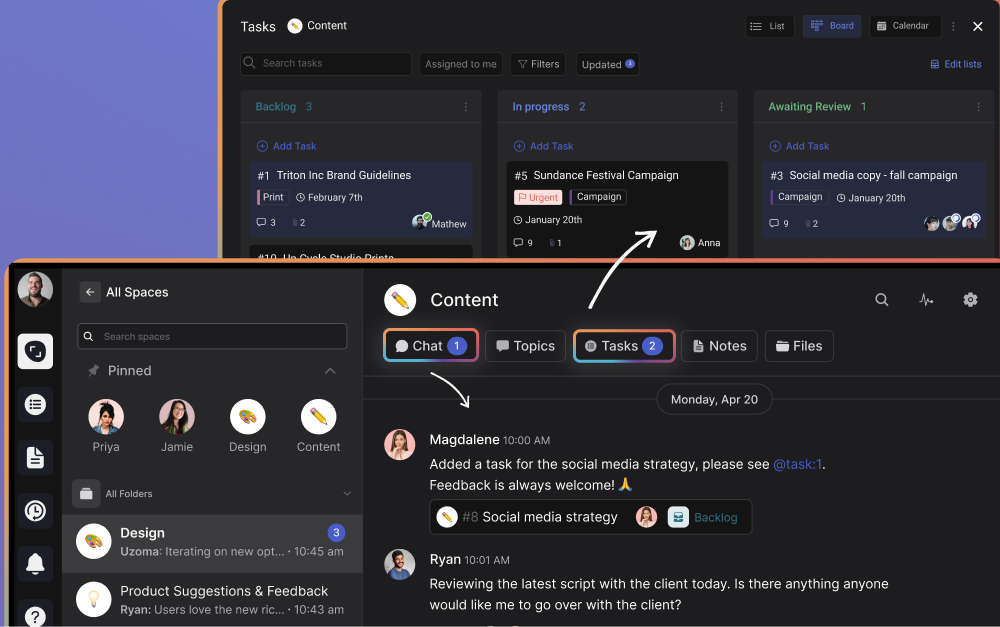
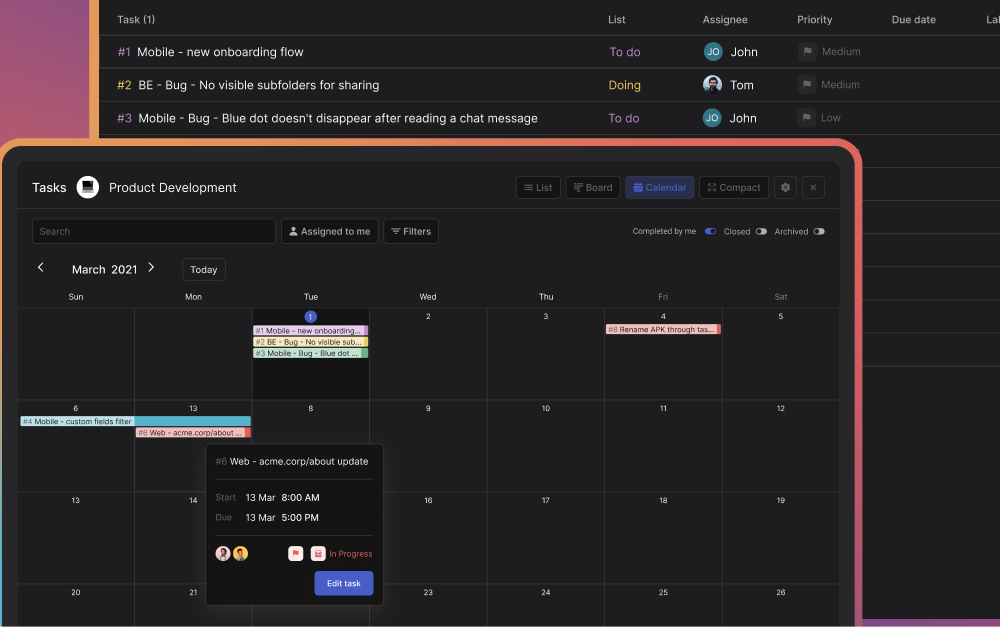
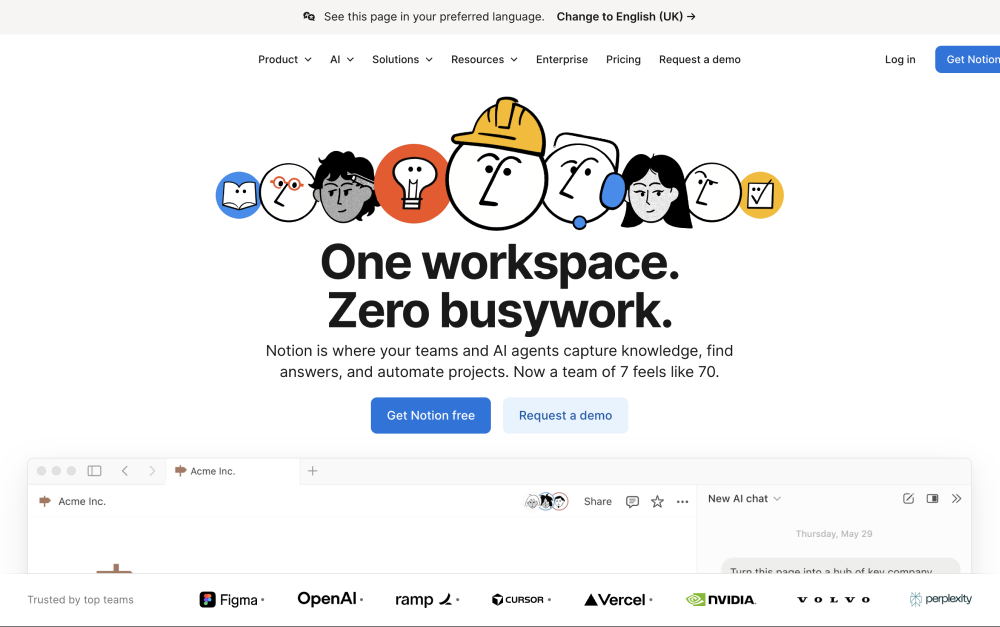
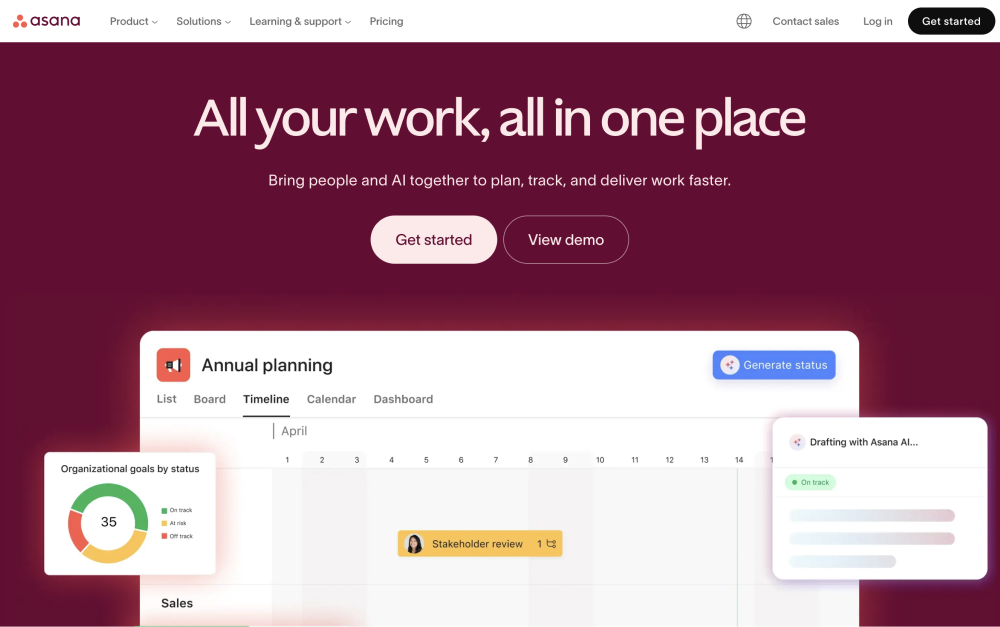
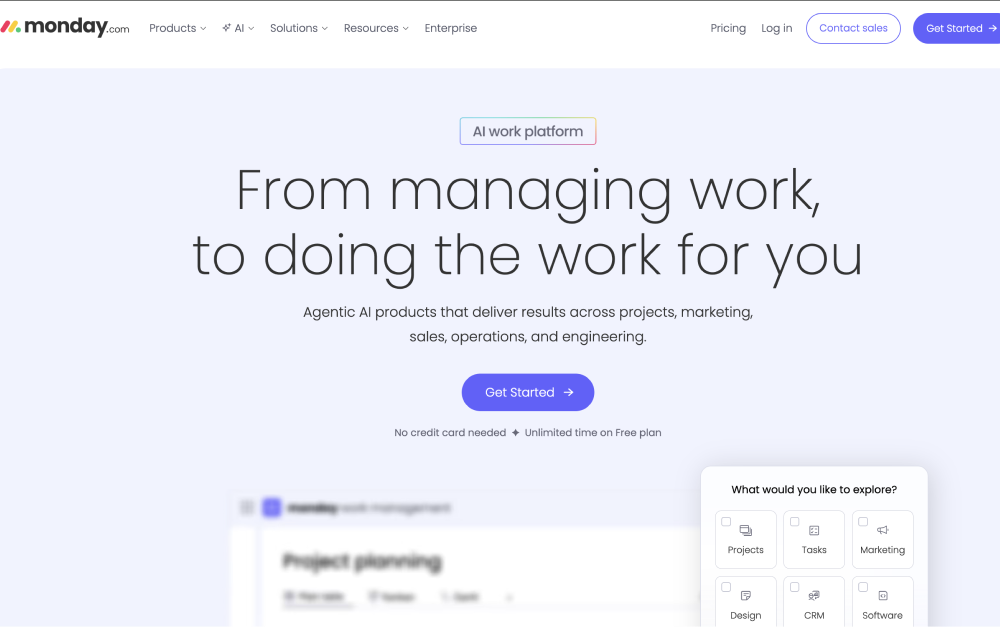
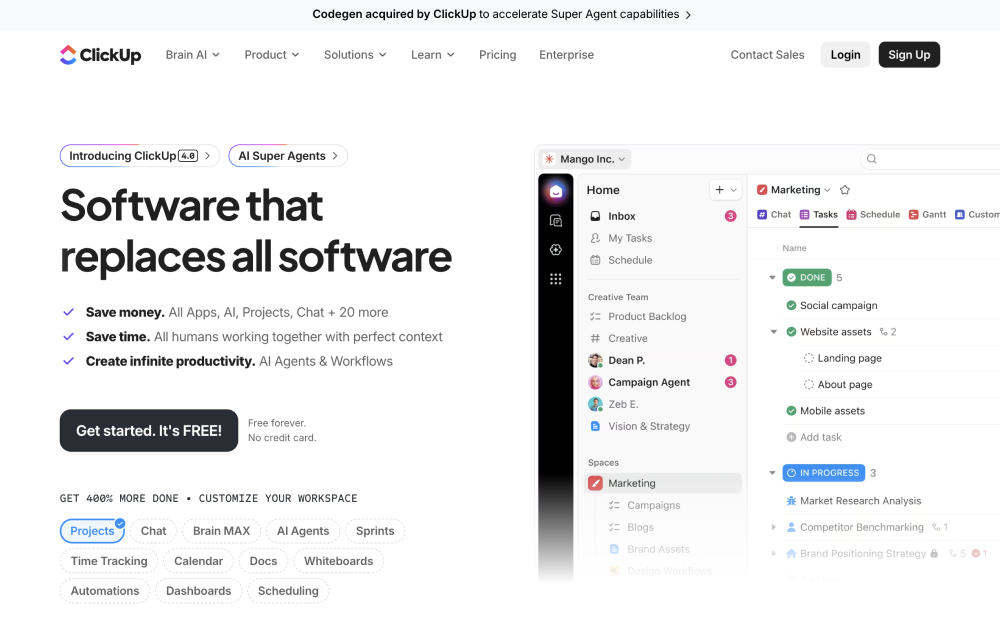
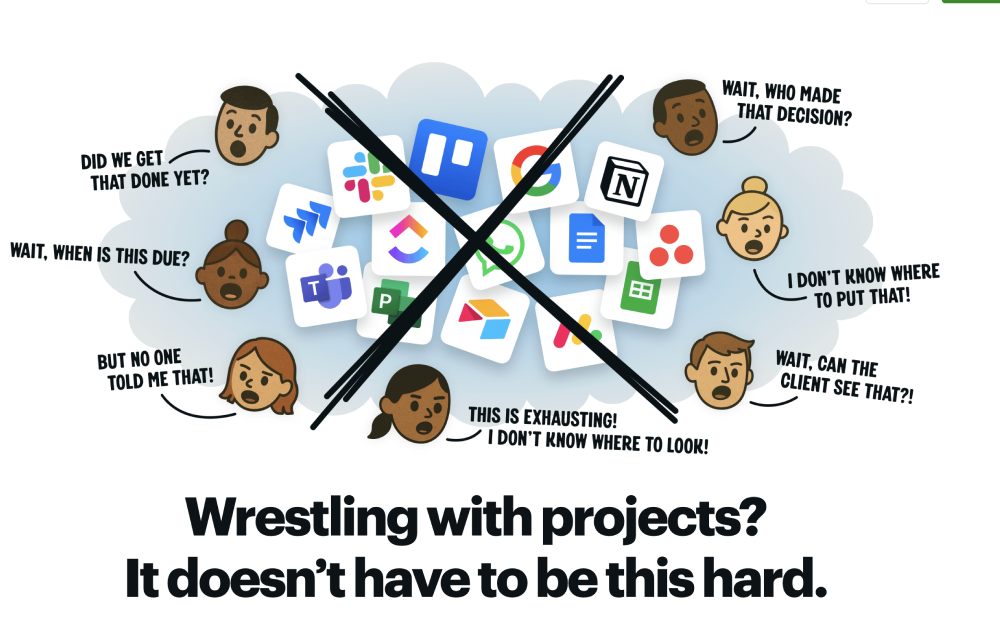
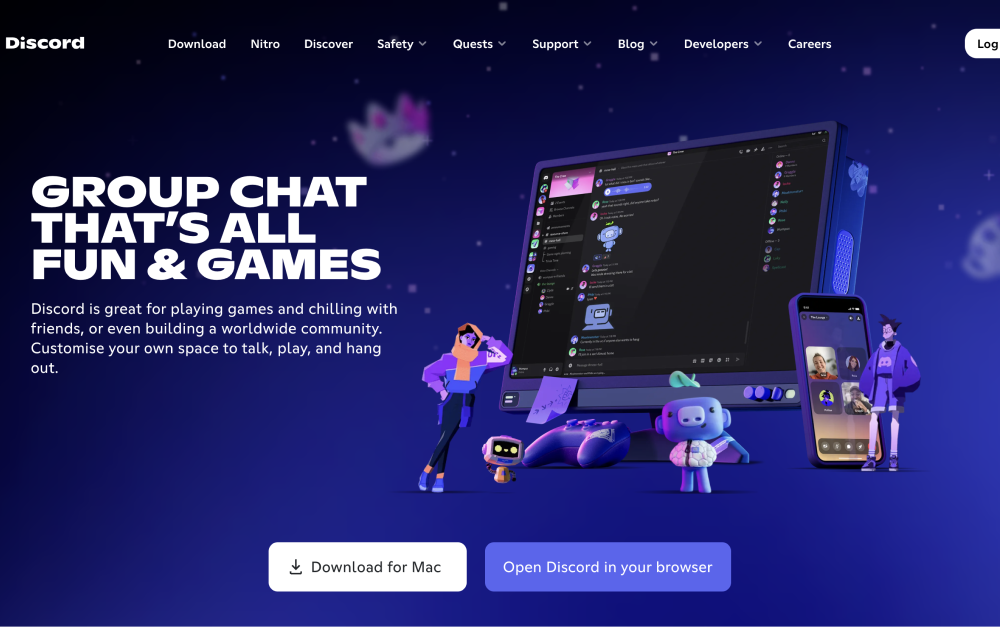
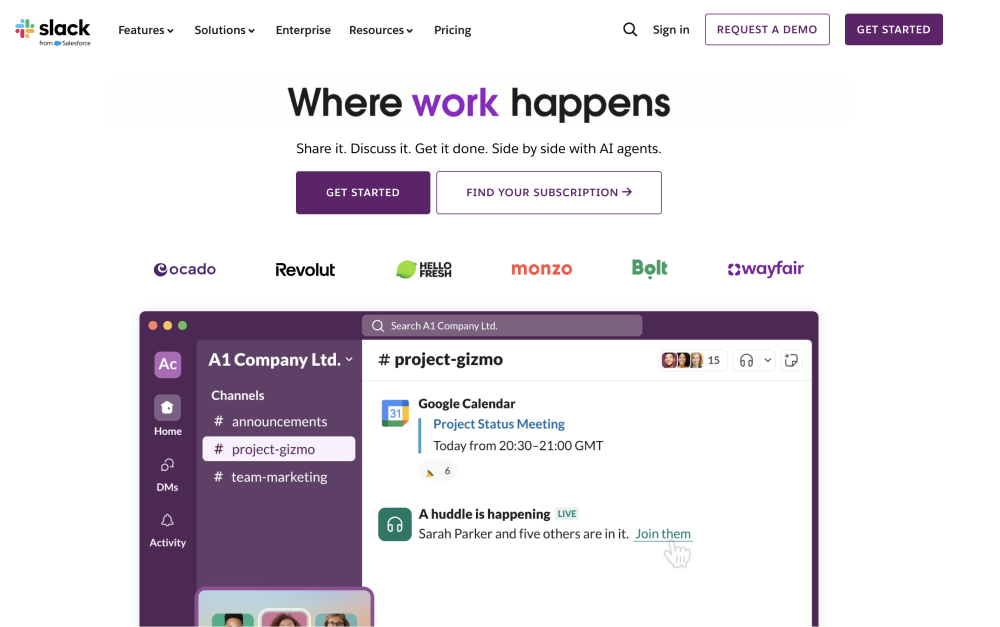
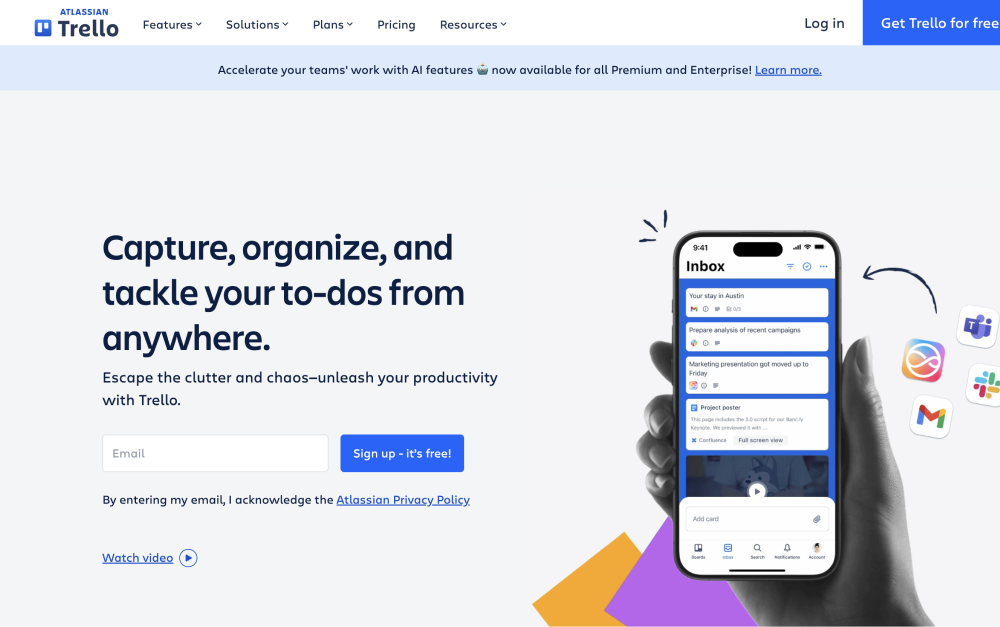


.jpg)
.jpg)
.jpg)


.jpg)
.jpg)
.jpg)
.jpg)
.jpg)





