By clicking Accept, you agree to the storing of cookies on your device to enhance site navigation, analyze site usage, and assist in our marketing efforts. View our Privacy Policy or manage preferences.
Oops! Something went wrong while submitting the form.
or continue with
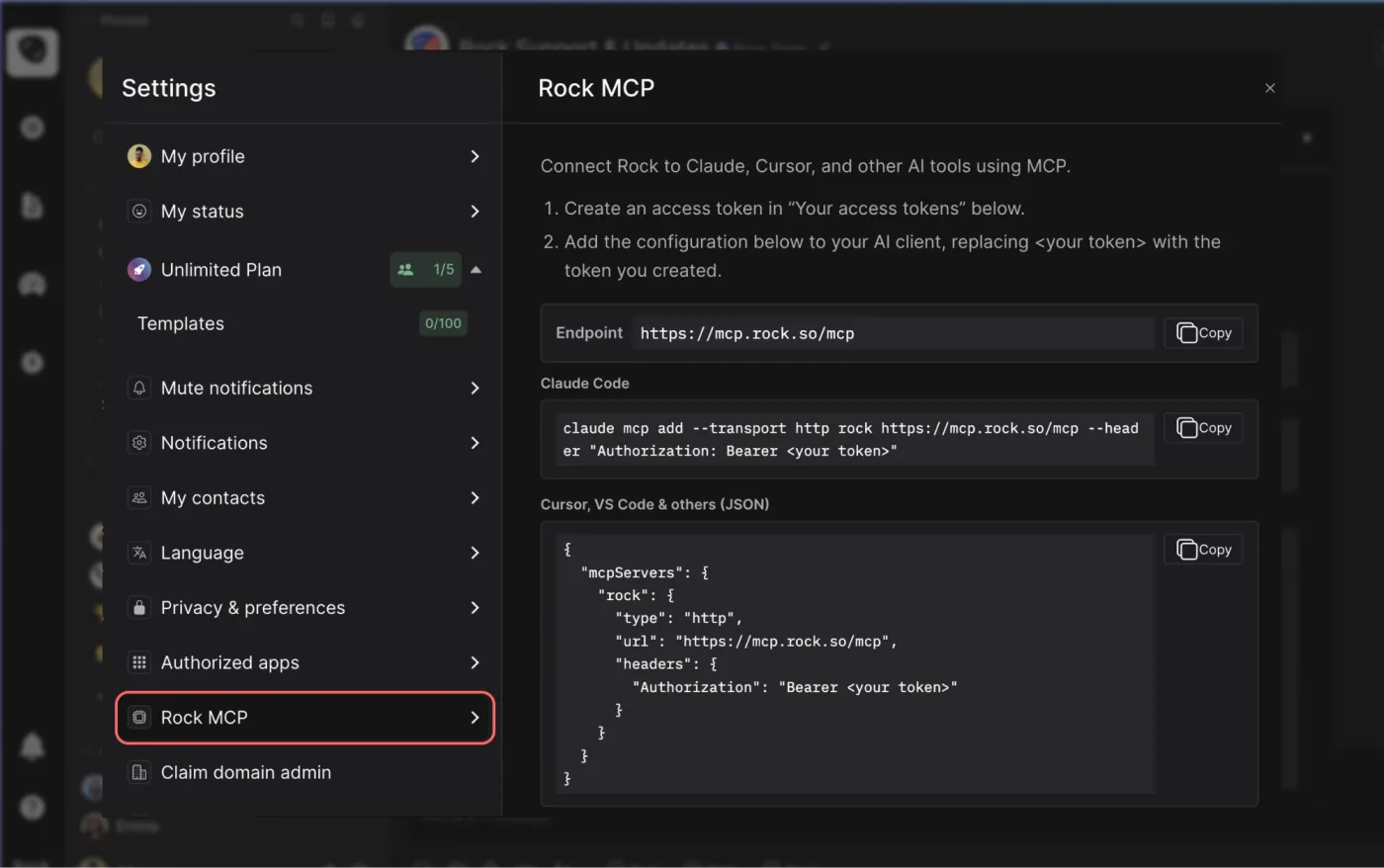
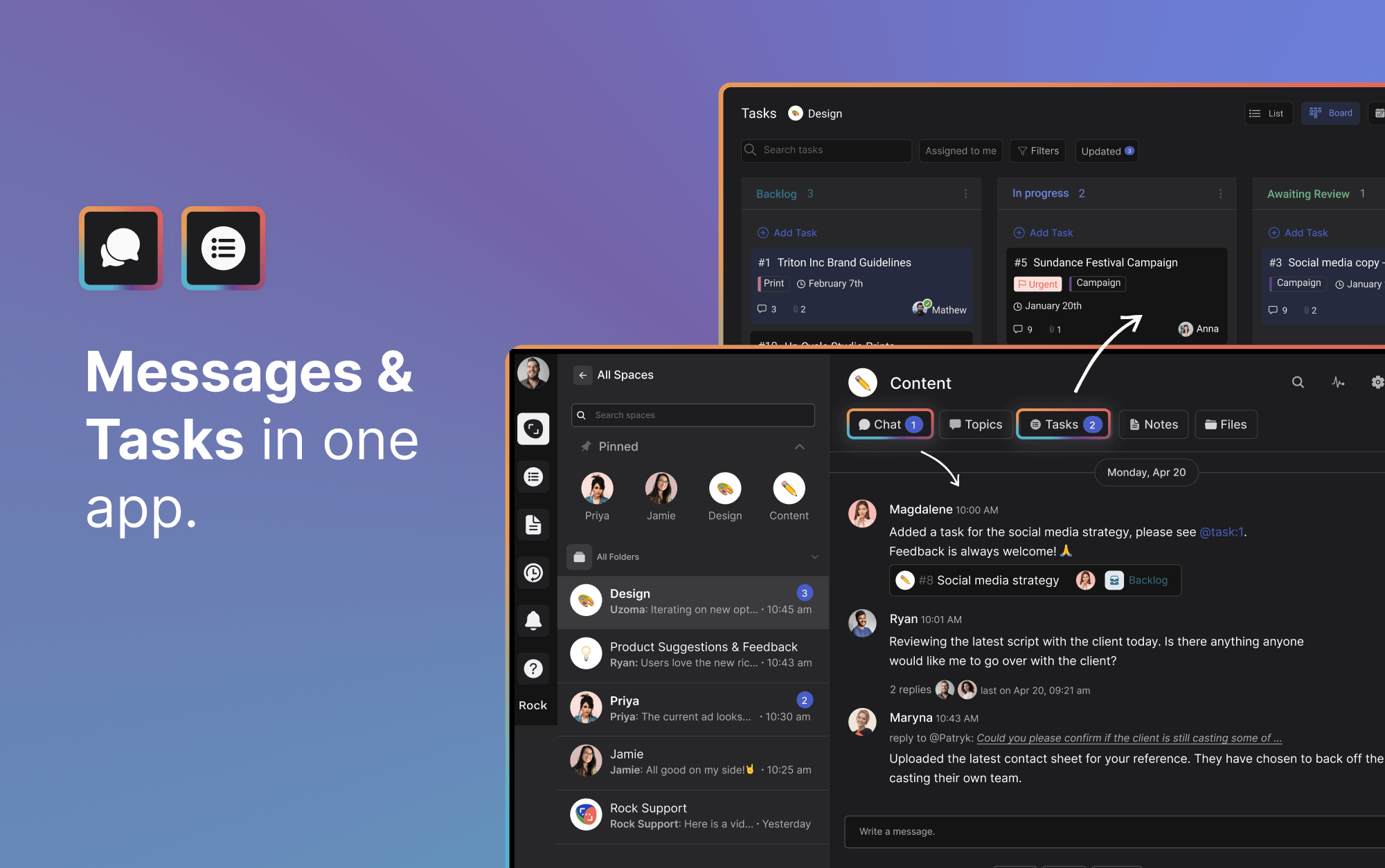
Rock MCP is here. You can now connect Rock to the AI tools you already use. Create a token in Rock, paste it into Claude, Cursor, or another client, and the assistant works inside your spaces as you, across all of them at once.
From earlier calls this month we learned that a lot of our active teams live in tools like Claude and Cursor now, and you would rather they reach into Rock than have you copy things back and forth. We work the same way.
Rock MCP is that connection: your AI assistant reads and updates your spaces directly, making it easier to stay up to date and manage projects across team members.
A few things worth knowing:
It works today with Claude Desktop, Claude Code, Codex, Cursor, VS Code, and Claude Cowork. A one-click connector for Claude on the web and mobile is coming next.
The token acts as you, read and write, across all your spaces. Treat it like a password, and revoke it any time.
It is on every plan, including Free.
Easiest setup: just ask Cowork
Claude Cowork can help you end-to-end with the setup. Share the prompt below and generate a new token, Claude will guide you through all steps.
Keep your token safe, never share in chat.
zsh
Works in coding environments
Add Rock MCP to Claude Code, Codex, Cursor, VS Code, or right from the terminal.
You will find it under your avatar, in a settings panel called Rock MCP. Full setup for every client is in the help guide.
What we use it for
A few of the things we ask it every day:
Search across your whole account. One question searches tasks, notes, and chat messages in every space you belong to. Try "where did we land on the Q3 pricing change?" or "find the onboarding brief and summarize it."
Turn a transcript or doc into tasks. Paste a meeting transcript or point it at a document, and ask it to create the tasks, with owners, due dates, and descriptions already filled in.
Push updates in. Drop your latest growth numbers, funnel metrics, or a status note straight into the right space, so the team sees it where they already work.
Run your to-do list from the chat. Ask "what is my most urgent task?", work on it together, then mark it done or update it without opening the app.
Plus, recent fixes
Since our last update, we also shipped:
Cleaner notifications and unread counts. Unread dots clear correctly for archived spaces and after "Mark all as read," and counts update the moment you open an item.
DMs in custom folders no longer disappear from your sidebar.
Chat threads stay in the right space now, with no more cross-space mix-up when you open one.
Add Spaces picker now targets the correct workspace inside embeds.
Here is a number that should change how you think about client management: 68% of clients leave businesses due to perceived indifference. Not because the work was bad. Not because the price was too high. Because they felt like you stopped caring.
For agencies, this hits hard. You deliver good work. Your clients seem happy. Then one day they tell you they are "going in a different direction." What happened? In most cases, nothing dramatic. The check-in calls got shorter. The updates became less frequent. The client started feeling like just another project in your pipeline rather than a partner you are invested in.
This article is about fixing that. Not with fancy CRM software or enterprise playbooks. With practical changes to how your agency manages client relationships, starting from the first week. For a working example from an engineering agency, see our Metio case study.
"68% of business is lost due to perceived indifference. Customers leave nearly five times more often because they feel you don't care than because they're dissatisfied with your product." - John Gattorna, Visiting Professor at Macquarie Graduate School of Management
The Numbers Behind Client Retention
Retention is not a soft metric. It directly determines your revenue tier.
Client retention is not a feel-good metric. It is the clearest predictor of agency revenue. According to a benchmark study of 300+ agencies, 8-figure agencies retain 92% of their clients annually. 7-figure agencies retain 78%. The gap between those two numbers is not about talent or services. It is about how well they manage the relationships.
Some other numbers worth knowing:
It costs 5 to 7 times more to win a new client than to keep an existing one
Retainer-based agencies keep clients an average of 56 months. For the solo-operator version of these practices, see our freelance client management guide. Project-based agencies average 24 months. That is 2.3 times longer.
Increasing retention by just 5% can boost profits by 25-95%
If your agency loses a $3,000/month client, that is $36,000 in annual revenue gone. Replacing them costs 5-7 times what keeping them would have. And the replacement client starts at zero trust, zero context, and zero referral potential.
Working with clients across orgs?
Rock lets clients join your space directly, at no extra cost.
The first three months of a client relationship determine its trajectory. This is when trust is built or lost, expectations are set or assumed, and the communication rhythm is established. Get this right and the relationship has a foundation. Get it wrong and you spend the next year patching gaps.
Week 1: Send a welcome document. Not a contract. A simple doc that covers: who their point of contact is, your response time expectations (we recommend the P1/P2/P3 framework), how to submit feedback, and when they will get updates. This sets the rules before any friction can develop.
Week 1-2: Run the kickoff. An async kickoff document works better than a 90-minute meeting. Share the project brief, success metrics, timeline, team roles, and communication plan. The team reads and comments. Then hold a short sync (30 minutes max) for anything unresolved.
Week 2+: Set the update cadence. Friday async reports work well: what shipped, what is blocked, next week's priorities, budget status. Clients get predictable visibility. Your team gets the time back. For more on this, see our guide on replacing status meetings with async reports.
Day 30: The relationship check-in. This is not a project status call. This is 15 minutes where you ask: \"How is this going for you? What could we do better?\" Then listen. If something is off, you will hear it here before it becomes a reason to leave. For a deeper dive on client onboarding best practices, see our full guide, or use the onboarding checklist template to get started right away.
How to Stay Visible Without Over-Communicating
The goal is to be visible, not to flood inboxes.
The 68% indifference stat creates a temptation: send more updates, schedule more calls, cc the client on everything. But over-communication is its own problem. Clients drown in updates and start ignoring them. What you need is visibility, not volume.
The most effective approach is making progress visible without requiring you to actively send updates. When a client can see the task board, the project space, and recent conversations at any time, the status is available before they think to ask. You only message when you genuinely need their input.
This is where the right tooling makes a real difference. In Rock, every project space includes chat, a task board, notes, and files. Clients join directly. They can check the status of their project whenever they want without you sending a single extra message. That is visibility without volume.
A monthly value check-in adds to this. Fifteen minutes, once a month, where you ask one question: \"What is one thing we could do better?\" Then act on what you hear. This single habit fights perceived indifference more effectively than any amount of status emails.
Scope Creep is a Relationship Problem
Scope creep happens when a project gradually expands beyond what was originally agreed on. A client asks for \"just one more thing,\" then another, and before long your team is doing 30% more work than planned without extra budget.
It is usually framed as a budget problem. But for agencies, it is really a relationship problem. Research shows that over half of agency projects experience scope creep, and the vast majority of agencies never successfully bill for all out-of-scope work. The unbilled hours add up, and resentment builds quietly on both sides.
The agency resents the client for constantly adding requests. The client senses the resentment and feels the relationship cooling. Eventually, the client attributes this to \"the agency does not care anymore\" (there is that indifference problem again), and the relationship ends.
The fix is not saying \"no\" to every extra request. It is having a clear process for handling them:
A statement of work with specific deliverables and revision limits before any project starts
A change request process that is professional, not punitive: \"That is a great addition. Since it falls outside the original scope, here is a quick estimate for the extra work.\"
Response time expectations that separate urgent from non-urgent (our P1/P2/P3 urgency framework works well here)
When handled well, scope management actually strengthens the relationship. It signals that you are organized and professional. Clients respect agencies that have clear processes. For more on preventing revision spirals, see our article on client revisions and our guide on defining project scope.
The Referral Gap: Why Happy Clients Don't Refer You
According to referral marketing research, 83% of satisfied clients say they are willing to refer. But only 29% actually do. That is a massive gap between intention and action.
The reason: nobody asks, or they ask at the wrong time in the wrong way.
When to ask: Right after a successful deliverable. Not at the end of the engagement when the energy has faded. The moment a client says \"this looks great\" or \"the campaign is performing well\" is when their enthusiasm is highest and they are most likely to follow through.
How to ask: Be specific. \"Do you know another agency owner who struggles with managing client projects across timezones?\" works much better than \"know anyone who might need our services?\" The specific version gives them a face and a name to think of. The generic version gives them nothing.
The math matters here: referred clients have 16% higher lifetime value and generate 25% more profitability than clients acquired through other channels. They arrive with pre-built trust because the referrer's credibility transfers.
Client retention is not just about keeping clients. It is your most effective sales strategy. Every month a client stays is another month they could refer someone to you.
A white-glove client experience runs on communication. Make the right information visible at the right time, and the client never has to chase you for a status update.
Final Thoughts
Client management for agencies is not about being \"white glove\" or having enterprise software. It is about being visible, proactive, and organized. For flagship agency accounts, see our full agency onboarding playbook.
The agencies that retain clients at 90%+ are not doing anything magical. They set expectations in the first week. They make progress visible without flooding inboxes. They have a process for scope changes that keeps the relationship healthy. And they ask for referrals at the right moment.
If you are losing clients and you are not sure why, start with the indifference question: would your clients say you care about their business as much today as you did in month one? If the honest answer is no, the fixes above are where to start.
Remote work tools are not the problem. For more on the difference between remote and distributed work, see our guide. By 2026, there are dozens of good options for every category: video calls, messaging, file storage, project management. The problem is how they fit together. Most agencies run 5-8 tools that do not talk to each other, and their team spends hours every week switching between them. Our best collaboration software guide compares all-in-one workspaces against best-of-breed stacks for that exact tradeoff.
According to research published in Harvard Business Review, workers toggle between applications roughly 1,200 times per day. That adds up to about 4 hours per week just reorienting, or 9% of annual work time lost to switching.
This guide to remote work tools is organized differently from most "best tools" lists. Instead of grouping tools by category, we organized them by workflow: the actual stages of remote agency work. For each workflow, we recommend a primary tool with alternatives and pricing. At the end, we put together three ready-to-use tool stacks with real costs for a 15-person agency.
"We need to call time on the great productivity scam. There's been an explosion in the number of apps we rely on to do our jobs, but the result isn't greater productivity, it's total chaos." - Tariq Rauf, Founder and CEO of Qatalog, in UNLEASH
Quick Comparison
Tool
Workflow
Pricing
Rock
Client communication + tasks
Free / $89/mo flat
Loom
Async video updates
Free (25 videos) / $12.50/creator/mo
Notion
Documentation + wikis
Free / $10/user/mo
Google Drive
File sharing (Google ecosystem)
15 GB free / $1.99/mo for 100 GB
Dropbox
File sharing (standalone)
2 GB free / $9.99/mo for 2 TB
OneDrive
File sharing (Microsoft ecosystem)
5 GB free / $1.99/mo for 100 GB
Figma
Design collaboration
Free (3 files) / $12/mo
Google Meet
Video calls (Google ecosystem)
Free (60-min limit) / $6/user/mo
Zoom
Video calls (standalone)
Free (40-min limit) / $13.33/user/mo
Jitsi
Video calls (free, open-source)
Free
n8n
Workflow automation (open-source)
Free (self-hosted) / $24/mo cloud
Zapier
Workflow automation (no-code)
Free (100 tasks/mo) / $19.99/mo
Make
Workflow automation (visual)
Free (1,000 credits) / $9/mo
1. Client Communication and Collaboration
Rock combines messaging, tasks, notes, and files in every project space. Clients join directly.
This is the workflow most remote work tool lists get wrong. They recommend a messaging tool and a separate project management tool, then leave it to you to figure out how clients fit in. For agencies, the client is part of the workflow. They need to see the task board, join the chat, and access files without a separate guest portal or extra per-user fees.
What we use at Rock: Every project gets its own space with chat, tasks, notes, and files built in. Clients and freelancers join that space directly. They see the same task board and the same conversations. No "can you add me to Slack?" or "where do I find the latest version?" The status is visible before anyone has to ask. For details on how to structure client communication, see our full guide.
Rock also has an open API that lets you connect any AI (Claude, ChatGPT, Gemini) as a bot in your workspace. No AI surcharge, no lock-in. Your bot can send messages, create tasks, and read everything in a space.
Pricing: Free forever (unlimited messages, 5 group spaces) | Unlimited: $89/month flat, unlimited users and spaces.
Best for: Agencies that manage multiple client projects and want one tool for chat, tasks, and client access.
Skip this if: You need advanced enterprise features like SSO or you already have a PM tool you are happy with and just need a messaging layer. In that case, check our 15 best instant messaging apps or 20 Slack alternatives.
2. Project and Task Management
If Rock's built-in task management covers your needs (Kanban boards, lists, calendar view, sprints, custom fields on the paid plan), you do not need a separate PM tool. That is the whole point of an integrated workspace.
But some agencies need more. Gantt charts, resource allocation, workload balancing, complex dependencies. If that is you, here is what to look at:
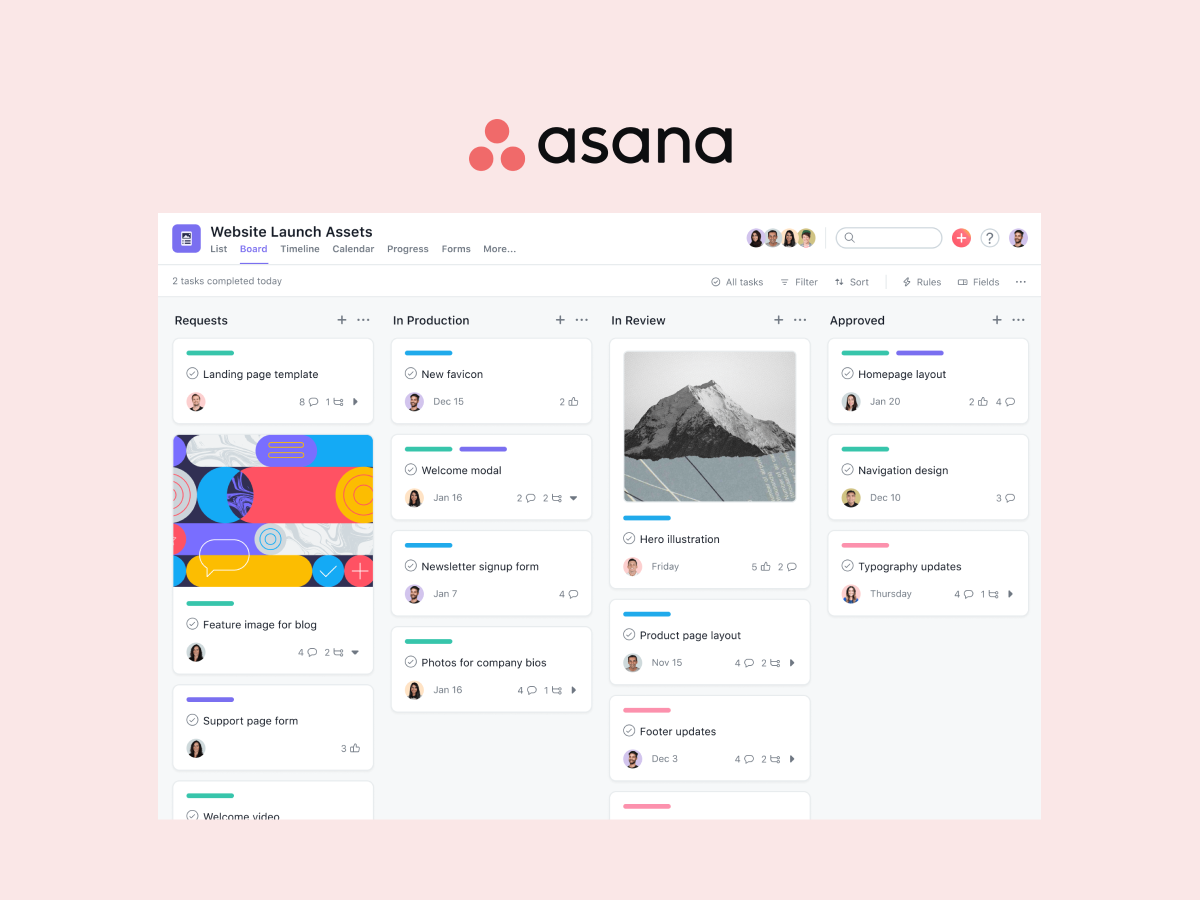
Asana offers advanced project views for agencies that need more than basic task boards.
Asana is the strongest option for agencies that need advanced project views and reporting. The free plan supports up to 10 users. Paid starts at $10.99/user/month. It does not include built-in messaging, so you still need a chat tool alongside it.
Trello is simpler. Kanban boards, card-based tasks, and power-ups for extra features. Free for up to 10 boards. Paid starts at $5/user/month. Good for teams that think visually and do not need complex PM features.
Notion works for agencies that think in documents rather than boards. You can build databases, wikis, and project trackers in one workspace. Free for personal use. Team plans start at $10/user/month.
Async video replaces status meetings. Record once, watch anytime.
Agencies with team members and clients across timezones cannot run on meetings alone. Asynchronous work needs its own tools: async video for walkthroughs and updates, and documentation for SOPs, project briefs, and decisions that need to live beyond a chat thread.
Loom is the standard for async video. Record a 3-5 minute walkthrough of a design, a project update, or a client deliverable. Share the link. Stakeholders watch on their own time and leave timestamped comments. It replaces the "let me schedule a 30-minute call to show you this" pattern. Free for up to 25 videos (5-min limit). Business plan: $12.50/creator/month.
For written documentation, Notion works well as a wiki and knowledge base. Rock Notes handles lighter docs inside the project space, keeping everything alongside chat and tasks. The key is having one place where decisions and context are written down, not scattered across chat messages that scroll away. See our article on remote communication mistakes for more on why decisions die in chat threads.
4. File Sharing and Creative Assets
File storage is a solved problem. The question is which ecosystem you are already in and how your creative team works.
Google Drive is the default file sharing tool for teams on Google Workspace.
Google Drive is the default for agencies on Google Workspace. 15 GB free. Real-time collaboration on Docs, Sheets, and Slides means you can share a brief with a client and both edit it at the same time. The search is excellent, which matters when you have hundreds of client folders.
Pricing: 15 GB free | Google One 100 GB: $1.99/month | Included in Google Workspace ($6/user/month).
Dropbox integrates well with Figma and Adobe Creative Cloud for design agencies.
Dropbox works best as a standalone option for teams not locked into Google or Microsoft. The integrations with Figma and Adobe Creative Cloud matter for design agencies. Dropbox also handles large file transfers better than Drive, which is useful for video and design assets.
OneDrive is the pick if your agency runs Microsoft 365. 5 GB free. 1 TB included with most Microsoft 365 plans. Version history and automatic backups are built in. Note: Microsoft is retiring standalone OneDrive plans in 2026, so this only makes sense as part of the broader Microsoft ecosystem.
Pricing: 5 GB free | 100 GB: $1.99/month | 1 TB included with Microsoft 365 ($6/user/month).
Figma is not just file storage. For design agencies, Figma is where the work happens. Real-time collaboration on designs, prototyping, developer handoff, and now FigJam for brainstorming. Clients can view and comment on designs without a Figma account, which makes feedback loops faster.
All of these integrate with Rock, so files are accessible from inside the project space without switching remote work tools.
5. Meetings and Video Calls
The best meeting tool is the one that causes the fewest meetings. Before picking a video platform, read our guide on virtual communication practices. Most agency meetings can be replaced with async updates. The remote work tools that matter here are the ones your clients already have installed.
When you do need to meet:
Google Meet is free, works in the browser, and guests do not need an account. 60-minute limit on group calls. If you use Google Workspace, it is already included. The simplicity matters for client calls where you do not want to troubleshoot login issues.
Pricing: Free (60-min group limit, 100 participants) | Included in Google Workspace ($6/user/month).
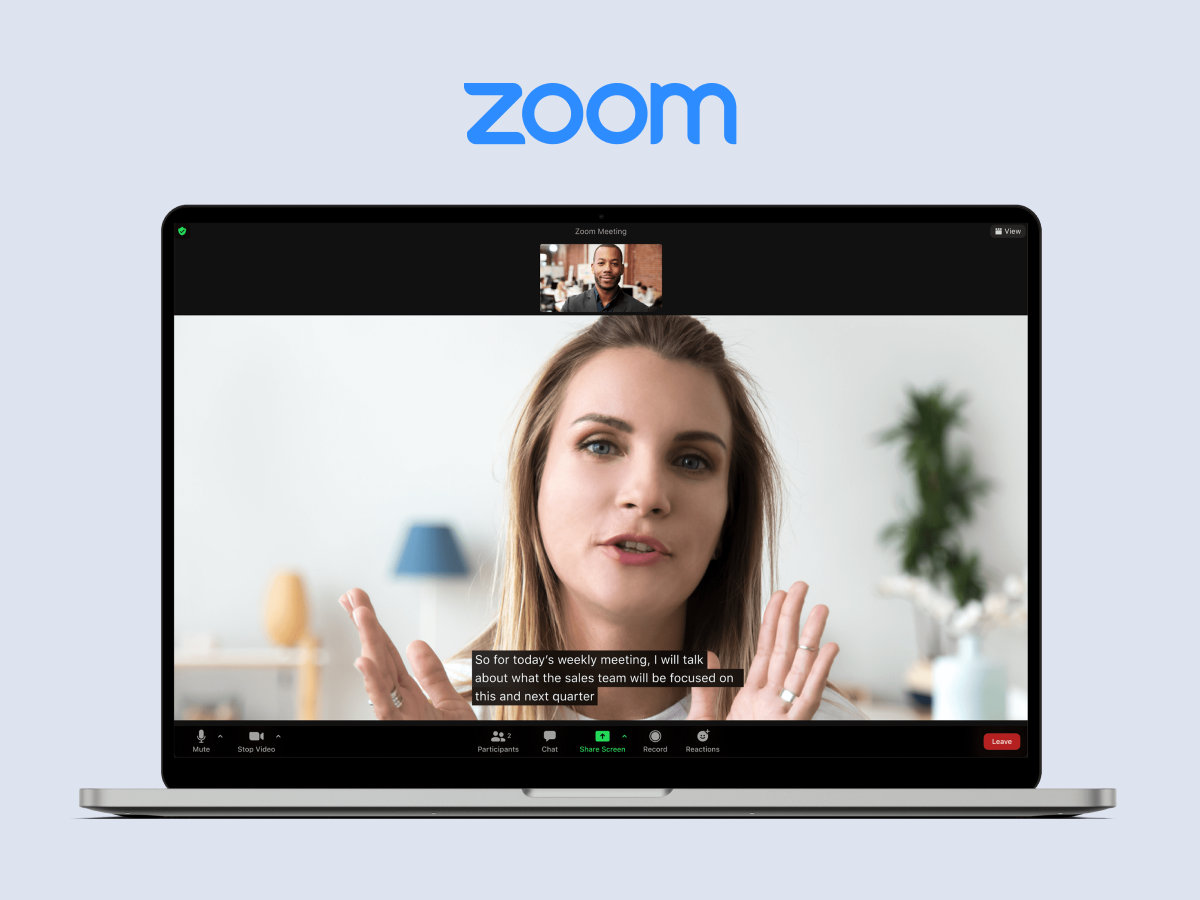
Zoom is the most widely installed video tool for client-facing calls.
Zoom is the most reliable option for client-facing calls. Recording, transcription, and breakout rooms work well for workshops and presentations. Most clients already have it installed, which removes friction. The 40-minute limit on free group calls pushes most agencies to the paid plan.
Pricing: Free (40-min group limit) | Pro: $13.33/user/month (annual).
Jitsi is free, open-source, and requires no account for anyone. Up to 100 participants. Share a link and everyone joins instantly. Good for agencies that want a privacy-focused alternative or teams in regions where Zoom is restricted.
Pricing: Free. No paid tier for the core product.
6. Automation and AI
Automation connects your tools so work flows without manual handoffs.
This is the remote work tools category that has changed the most since 2022. AI assistants and workflow automation are now practical tools, not experiments.
AI assistants (Claude, ChatGPT, Gemini): Agencies use these for drafting content, summarizing long threads, analyzing data, and generating first passes on deliverables. The question is not whether to use AI, but how to connect it to your workspace. Rock's open API lets you plug in any AI as a bot in your project space. It can read messages, create tasks, and post updates. No per-user AI surcharge. Bring your own key and pay the AI provider directly.
n8n is an open-source workflow automation tool. Self-host it for free or use the cloud version starting at $24/month. It connects your tools and automates repetitive workflows: when a client fills out a form, create a task in Rock, notify the team, and add it to the project board. n8n gives you more control than Zapier and costs less, especially if your team can manage a self-hosted instance.
Zapier is the no-code option. Connect 7,000+ apps with "if this, then that" workflows. The free plan covers 100 tasks/month with two-step automations only. Paid starts at $19.99/month. Zapier has moved toward enterprise pricing in recent years, so costs add up for heavier usage.
Make (formerly Integromat) is the visual workflow builder. More complex automations than Zapier at a lower price point. Free plan includes 1,000 operations/month. Core plan starts at $9/month. Good middle ground if n8n is too technical and Zapier is too expensive.
"The way work is designed inherently causes people to pay the toggling tax, lose focus, and get distracted." - Rohan Narayana Murty, Sandeep Dadlani, and Rajath B. Das, in Harvard Business Review
Recommended Tool Stacks for Agencies
Instead of picking tools one by one, start with a stack that works together. Here are three options with real monthly costs for a 15-person agency.
Budget Stack (free or near-free)
Rock (free) + Google Drive (free) + Google Meet (free) + Loom (free tier) + n8n (self-hosted, free)
Monthly cost for 15 people: $0. You get messaging, tasks, file sharing, video calls, async video, and automation without paying anything. The trade-off: Rock's free plan limits you to 5 group spaces, Loom caps recordings at 5 minutes and 25 videos, and n8n requires someone technical to self-host.
Mid-Range Stack
Rock Unlimited ($89/mo) + Google Workspace ($7/user/mo) + Loom Business ($12.50/creator/mo for 5 creators) + Zapier Professional ($19.99/mo)
Monthly cost for 15 people: ~$271/month. Unlimited spaces, unlimited users, full Google suite, async video for key team members, and workflow automation. This is the sweet spot for most agencies in the 10-30 person range.
Enterprise Stack
Microsoft Teams (included with Microsoft 365 Business Basic at $6/user/mo) + OneDrive (included) + Zoom Pro ($13.33/user/mo) + Asana Starter ($10.99/user/mo) + Loom Business ($12.50/creator/mo for 10 creators)
Monthly cost for 15 people: ~$580/month. This stack works for larger agencies that need advanced PM features (Asana), enterprise security (Microsoft 365), and reliable client-facing video (Zoom). The per-user costs add up fast, which is why this only makes sense at scale.
Notice the gap: the mid-range stack costs less than half the enterprise stack because Rock's flat pricing removes the per-user multiplier. That is the math that changes for agencies.
How to Choose Your Stack
Start with what you already pay for. If your agency runs on Google Workspace, you already have Drive, Meet, and Chat. If you use Microsoft 365, you have Teams, OneDrive, and Office apps. Do not add a third ecosystem on top.
Then ask two questions:
Do clients need access to your workspace? If yes, you need a tool that makes external collaboration easy without per-guest fees. Rock handles this. Most other tools charge extra or make it clunky. Good client onboarding starts with the right tool.
Does your team need a dedicated PM tool? If you need Gantt charts, dependencies, and resource allocation, add Asana or a similar tool. If Kanban boards and task lists cover your workflow, Rock's built-in tasks are enough and you save a subscription.
Building a strong remote work culture is not about having the most tools. It is about having the right ones and using them consistently.
Final Thoughts
The best remote work tools for agencies are the ones your team actually uses. Not the ones with the longest feature list or the biggest marketing budget.
For most agencies, the answer is fewer tools that do more, not more tools that each do one thing. If your messaging, tasks, and client access live in one place, you eliminate the toggling tax that costs your team 9% of their work year.
The right remote stack is not about sending more messages. It is about making the right information visible at the right time, so nobody has to chase it across five tools.
Pick a stack from above, try it for a week, and see what sticks.
It is free, it is on everyone's phone, and it gets the job done just enough that agencies never switch. Quick messages to the client, voice notes to the team, a PDF shared in the group chat. For a 3-person agency with 1 client, that is fine.
But at some point, your team grows. You take on more clients. Projects overlap. And the tool that "works" starts quietly costing you hours, decisions, and trust.
This article is for agency teams that run client work on WhatsApp group chats. Not the WhatsApp Business API or CRM use case. If you use WhatsApp for customer support at scale, this is not for you. If you use it as your team's main workspace, keep reading.
"Our people were burned out. They couldn't focus on their work. Their phones constantly were pinging with work-related messages at all hours of the day, and they felt like they couldn't switch off." - Alka Gupta, Director of Data, Marketing, Business Operations and People at BukuWarung, in a Slack case study
WhatsApp Is Not the Problem. The Scale Is.
WhatsApp works for small teams. The problems start when you scale past 5-10 people.
Let's be clear about something: WhatsApp is not a bad tool. In many parts of the world, it is the default infrastructure for business communication. 97% of people in Kenya use WhatsApp. In Brazil, it is 98%. In Indonesia, 87%. These are not careless choices. When everyone already has WhatsApp, using it for work makes practical sense.
The inflection point comes around 5-10 team members or 3+ active client projects. That is when unstructured group chats stop scaling. You go from "quick and easy" to "I can't find anything, decisions are lost, and my phone never stops buzzing."
If your agency is under 5 people with 1-2 clients, WhatsApp is probably fine. Keep using it. The rest of this article is for the agency that has grown past that point and feels the friction daily.
7 Signs WhatsApp Has Outgrown Your Agency
These are not theoretical problems. They are patterns we see in agencies across Southeast Asia, Africa, and Latin America. If you recognize three or more, it is time to look at alternatives.
1. You Can't Find the Brief a Client Sent Last Week
WhatsApp has no file organization. Everything sits in a flat chat scroll. Search works for text, but finding "that PDF the client sent on Tuesday" means scrolling through hundreds of messages or digging through your phone's media folder.
When you have 5+ active client projects and each one generates briefs, assets, feedback docs, and revisions, the flat scroll becomes a real problem. Files are not organized by project. They are organized by time, which means everything is mixed together.
2. Decisions Are Getting Lost in Group Chats
Someone asks a question. Three people reply. The answer is somewhere in 47 messages. Nobody pinned it. Next week, someone asks the same question again. This is the most common failure mode for teams on WhatsApp.
WhatsApp has no message threading. No way to organize a discussion by topic. No way to mark a message as a decision. Everything happens in one flat timeline, and anything older than a day effectively disappears for practical purposes. For more on why this happens and how to fix it, see our article on remote communication mistakes.
3. You Have More Group Chats Than You Can Keep Track Of
"Client A - General", "Client A - Design", "Client A - Urgent", "Client A - Old (do not use)." Sound familiar? When your only organizational unit is "group chat," you end up creating dozens of them. Each one is a separate silo with its own conversation history, its own files, and its own lost decisions.
WhatsApp does not have channels, topics, or any organizational layer above the group chat. WhatsApp Communities (launched in 2025) help somewhat by grouping related chats, but they still lack threading, search across groups, and task management.
4. Clients Message at Midnight and Someone Feels Obligated to Reply
The same app for family, friends, and work creates constant boundary pressure.
WhatsApp has no business hours setting. No "set aside for later." The blue read receipts create social pressure to respond immediately, even at midnight. Because WhatsApp is also your personal messaging app, work messages arrive alongside family conversations and friend group chats. There is no separation.
This is not just uncomfortable. Research published in PMC found that WhatsApp use for work-related communication is linked to measurable increases in employee burnout and stress. A separate study of healthcare professionals in Saudi Arabia showed the same pattern: work-related WhatsApp messages correlated with higher levels of depression, anxiety, and stress.
BukuWarung, an Indonesian fintech platform serving over 8 million small businesses, switched away from WhatsApp specifically because of this. After migrating, they saved over 250 hours in nine months and reported that their team could finally focus without the constant pinging.
For a framework on setting clear response time expectations with clients, see the P1/P2/P3 urgency framework in our virtual communication practices guide.
5. You're Copying Messages Between WhatsApp and Your Task Tool
Someone discusses a task in WhatsApp. Then someone manually creates it in Trello, Asana, or Google Sheets. Double work. And the task is now disconnected from the conversation that created it. When the client asks "why did we decide to do it this way?", the answer is buried in a WhatsApp thread that nobody can find.
This is a sign that your communication and task management need to live in the same place.
6. New Team Members Can't Catch Up on Project Context
A new hire joins your agency. They need to understand where each client project stands. On WhatsApp, that means scrolling through months of group chat history, if they even have access to it. WhatsApp ties message history to individual devices. If you reinstall the app or switch phones without a backup, the history is gone.
There is no centralized, searchable project history. No notes. No documented decisions. Just a chat log that goes back as far as your phone's backup allows.
7. You've Sent a Message to the Wrong Group
Internal pricing shared in a client chat. A complaint about a client sent to the client's own group. An off-topic message in the wrong project chat. When you have 15+ WhatsApp groups and no permissions system, this will happen.
The deeper risk: confidential client information can be shared accidentally in large groups. A group invite link gets forwarded and suddenly the wrong people have access. There is no audit trail, no compliance logging, and no way to control who sees what.
For agencies working with European clients, there is a GDPR concern too. Using WhatsApp for professional communication is rarely GDPR-compliant because of metadata sharing with Meta and the lack of data processing agreements.
What About WhatsApp Communities?
WhatsApp launched Communities in 2025. It lets you organize up to 50 sub-groups under one umbrella, with a shared announcement channel. For agencies drowning in group chats, this is a genuine improvement.
But Communities organize groups. They do not turn WhatsApp into a workspace. You still do not get:
If your only problem is "too many group chats," Communities might be enough. If your problems include lost decisions, missing files, no task tracking, and work-life boundary issues, Communities do not solve those.
"The overhead charge of communication goes from 20% of people's time to 40%, 50%, 60%. At a big enough organization, you have people who are contributing almost nothing, but using up like a factor of 10x of other people's time." - Stewart Butterfield, Co-founder and CEO of Slack, at Axios HQ
What to Look for in a Replacement
A workspace where chat and tasks live together eliminates the copy-paste problem.
Before picking a tool, know what you actually need. Not every agency needs the same thing. Here are the criteria that matter most for teams switching from WhatsApp:
Chat and tasks in one place. If you are currently copying messages from WhatsApp to a task tool, you need a platform where conversations and tasks coexist. When someone discusses a task, it should become a tracked task without manual copying.
Client access without per-user fees. Agencies add and remove clients constantly. Per-user pricing means every new client project costs more. Look for flat pricing or generous guest access.
File organization per project. Files should be organized by project, not by the order they were sent. Searchable, accessible, and not tied to someone's phone.
Async-friendly design. Business hours settings, message flagging for later, and no read receipt pressure. Your team should be able to respond when they are ready, not when the blue ticks appear.
Easy migration. You should not lose your conversation history. Look for tools that let you import from WhatsApp directly.
Rock fits these criteria. Chat, tasks, notes, and files in every project space. Clients join directly at no extra cost. One flat price for unlimited users. For the full list of messaging alternatives, see our comparison guide.
How to Migrate Without Losing Your History
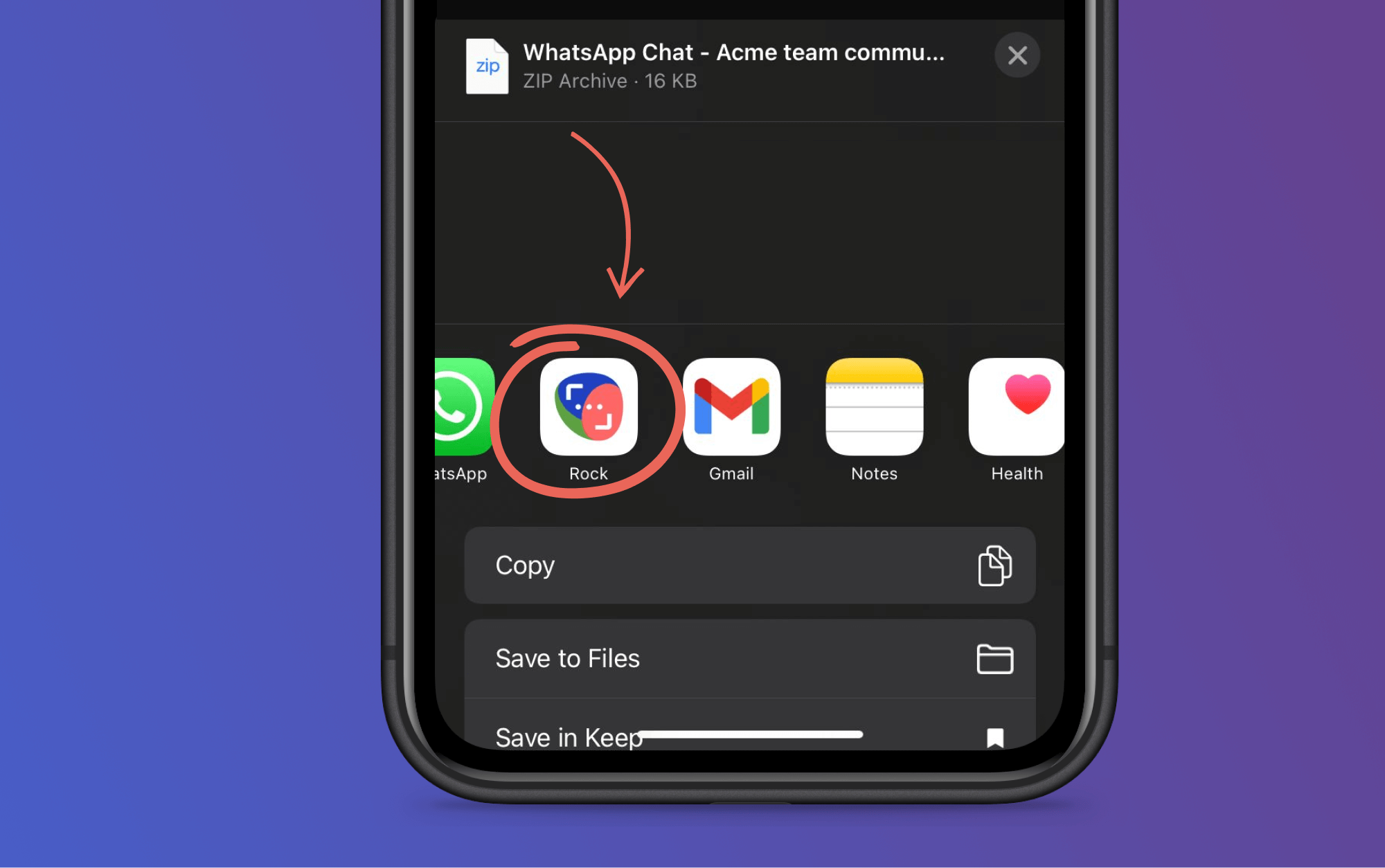
Rock lets you import WhatsApp chat history directly into your project spaces.
Rock has a WhatsApp import feature that brings your chat history into your new workspace. Export your chats from WhatsApp (Settings > Chats > Export Chat), then import them into the relevant Rock space. Your conversations, timestamps, and media come along.
One thing that makes the switch easier: you do not have to migrate everything at once. Start with one client project. Run it in Rock for a week while keeping WhatsApp for the rest. Once your team sees the difference, they will want to move the other projects too. Forcing a full switch on day one creates resistance. Letting people experience the improvement creates momentum.
Final Thoughts
WhatsApp got your agency to where it is. That is worth acknowledging. But the tool that works for 3 people and 1 client does not work for 15 people and 8 clients. The signs show up gradually: lost files, repeated questions, midnight messages, wrong-group mistakes. Each one is small. Together, they cost hours every week and erode client trust.
If you recognized three or more of the signs above, it is time to try something else. Not because WhatsApp is bad, but because your agency has outgrown it.
Moving off WhatsApp is not about sending fewer messages. It is about making the right information visible at the right time, so nobody has to scroll back through a chat to find it.
Ready to move your agency beyond WhatsApp group chats? Rock combines messaging, tasks, notes, and files in one workspace. Clients join directly. One flat price, unlimited users. Get started for free.
According to Project.co's annual survey, 66% of people have stopped working with a company because of poor communication. Not because of quality. Not because of price. Communication.
For agencies, this hits harder than most businesses. You are communicating on two fronts at the same time: coordinating your internal team across projects and timezones, while keeping external clients informed and confident. Most remote communication advice is written for single-company teams. It ignores the client side entirely.
This article covers 8 remote communication mistakes agencies make, each with a specific fix you can set up this week. The fixes draw from real frameworks used by remote-first companies, and from what we practice at Rock.
"All of that context switching back and forth significantly reduces cognitive capacity and makes it very difficult to produce value with your brain at anywhere near your capabilities." - Cal Newport, Author and Professor at Georgetown University, from an interview with Fortune
The 8 Mistakes at a Glance
Messages with no clear action - Lead with the ask, not the context
Meetings to avoid writing - Share the agenda 24-48 hours before or cancel
No single source of truth - One workspace where clients see the task board
"Urgent" is a feeling, not a definition - P1/P2/P3 framework in your contract
Feedback without context - No feedback without a "because"
Operating in the dark or drowning clients - Replace updates with visible progress
Decisions dying in chat - Name a decision owner in every request
Invisible communication patterns - Audit quarterly or automate with AI
1. Every Message Is a Wall of Text with No Clear Action
Clear messages start with the ask, not the backstory.
Long messages are not the problem. Messages that do not tell the reader what to do next are. A 4-paragraph project update without a question or deadline just sits there. The client reads it, does not know what they need to do, and does not respond. Two days later your PM follows up: "did you see my message?"
The fix: Lead with the ask, not the context. Clients skim. Agency owners skim. If the action is buried after 3 paragraphs, they stop reading before they reach it.
Copyable message structure: [Announcement or ask first] + [Timeline] + [Context for those who want it]
Example: "We need your direction on the homepage wireframes by Thursday. Three options are in the task board. Option B tested best against the brief, so we will move forward with that one if we do not hear back. Here is a quick summary of each direction: [context]."
In Rock, you can turn a chat message into a tracked task with Tap to Organize. The ask becomes an assigned task with a deadline instead of a message that scrolls away.
2. Defaulting to Meetings Because Writing Is Harder
Meetings feel productive. Writing a clear async message takes effort. So teams default to "let us hop on a call" for things that do not need real-time discussion. Research from Atlassian found that US companies waste $399 billion per year on unnecessary meetings, and 62% of meetings have no stated goal.
What we do at Rock: We share a meeting agenda 24-48 hours before every meeting. At the start of the call, we ask if everyone has read through it. If not: for short agendas, we give 5 minutes to read. For longer ones, we reschedule. This sounds strict but it saves more time than it costs. People stop showing up unprepared once they know the standard.
The decision tree is simple. If informing: send a written update. If deciding: use a decision template (see mistake #7). If brainstorming or building a relationship: meet.
Other remote-first companies agree. Atlassian published a "Think Before You Sync" framework with 5 questions: Is it urgent? What is the goal? How many people? Will one person talk most of the time? How complex? Doist takes it further with "flipped meetings": all context is pre-shared in a thread, attendees read and comment before the call, and the meeting itself covers only unresolved points. A 60-minute meeting becomes 20.
3. No Single Source of Truth for Project Status
When status is visible, nobody needs to ask "where does the project stand?"
The client asks "where does the project stand?" Your PM checks the chat, then email, then the task board, then asks the designer. 15 minutes later they piece together an answer. This is the "chase loop": the agency chases the client for approvals, the client chases the agency for updates, and nobody has one place to look.
According to McKinsey, knowledge workers spend 28% of their workweek on email and another 20% searching for information across tools. That is nearly half the week spent finding things instead of making things.
The fix: Pick one place where project status lives and make it visible to both your team and the client. Not a spreadsheet you update manually. A live workspace where tasks, chat, and files coexist.
This is Rock's core design. Every space has chat, a task board, notes, and files in one view. The client can open the space and see what is in progress, what is blocked, and what is done without asking anyone. The chase loop breaks because the answer is already visible.
"But should internal tasks not be separate from client-visible ones?" Often, yes. In Rock you can run separate internal and client-facing spaces. The key: use @mentions to link a client task to an internal task across spaces. They are connected but the client only sees what is relevant to them.
The principle: If a client has to ask "what is the status?", your system is broken. The status should be visible before they think to ask.
4. Treating "Urgent" as a Feeling Instead of a Definition
When urgency is subjective, everything feels urgent. A client messages on Saturday about a font change. A developer drops their plans to fix it. Neither person is wrong because nobody agreed on what "urgent" means.
The fix: Define urgency levels in your project agreement and walk clients through them during onboarding.
Copyable urgency framework:
P1 - Critical: Blocking revenue or launch. Site down, payment broken, security issue. Response within 1 business hour.
P2 - High: Blocking the team's current work. A decision or asset needed to continue. Response within 4 business hours.
P3 - Normal: Everything else. Feedback, questions, non-blocking requests. Response within 1-2 business days.
When a client flags something as urgent, the framework gives you professional language: "Thanks for flagging this. Based on our agreement, this looks like a P3 since it is not blocking the launch. We will address it by [date]."
There is a bonus here. If a client needs something handled as P1 but it falls outside the original scope, that becomes an extra billable. The urgency framework doubles as scope protection. For more on setting response time expectations in contracts, see our guide on virtual communication practices.
5. Giving (and Accepting) Feedback Without Context
Good feedback always includes the reason behind the request.
"Can you make the logo bigger?" is not feedback. It is an instruction without reasoning. Your designer makes it bigger. The client says "no, not like that." Two rounds wasted because nobody asked why.
This goes both ways. Agencies give vague feedback to freelancers. Clients give vague feedback to agencies. The fix is the same.
Copyable feedback format: [What to change] because [the reason]. [Reference].
Example from a client: "Can we make the header warmer? Because our audience is first-time parents and the current tone feels too corporate. Here is our Instagram as a reference for the tone we are going for."
Example from an agency: "We would recommend dropping the third section because analytics show 80% of visitors leave before reaching it. Here is a shorter layout that puts the CTA higher."
The rule: No feedback without a "because." If you cannot explain why, the feedback is not ready to give. This applies to both sides. Train your clients on this format during onboarding and it will save you dozens of revision rounds over time.
6. Either Operating in the Dark or Drowning Clients in Updates
Agencies fall into one of two traps. Some go quiet between deliverables and the client feels abandoned. Others send constant updates, FYI emails, and status pings until the client starts ignoring everything. Both are communication failures. One comes from neglect, the other from anxiety.
According to Harvard Business Review, collaboration consumes over 85% of most people's work weeks, up 50% over the past two decades. A large part of that is reactive communication: updates nobody asked for, meetings that could have been a message, and messages that could have been nothing.
The fix: Replace both extremes with visible progress. Instead of telling clients what is happening (over-communication) or forgetting to (under-communication), show them. A visual task board where clients can see what is in progress, what is done, and what is next.
This is where Rock makes a real difference. When the client has access to the project space and can see the task board at any time, you do not need to send proactive updates. The status is visible. You message when you actually need input. The client checks when they want to. Nobody drowns, nobody feels in the dark.
"The time spent by managers and employees in collaborative activities has ballooned by 50% or more over the past two decades." - Rob Cross, Reb Rebele, and Adam Grant, Harvard Business Review
The test: At the end of each month, look at your sent messages to a client. How many did the client ask for vs. how many were unsolicited? If more than a third were unsolicited, you are over-communicating. If the client has asked "what is the status?" more than twice, you are under-communicating.
7. Letting Decisions Die in Chat Threads
Every decision request needs a named owner and a deadline.
Someone asks a question in chat. Three people weigh in. The thread gets long. Nobody summarizes. Nobody decides. Three weeks later, someone asks the same question again.
According to Microsoft's Work Trend Index, the average employee spends 57% of their time communicating and only 43% creating. When decisions stall in chat, that ratio gets even worse because the same conversation happens multiple times.
The fix: Both the question and the answer need a clear format. The question needs to be directed to a specific person. The answer needs to come from a named decision maker.
Copyable decision request format:
[What happened / context in 2-3 sentences]
[Impact / why this matters now]
[2-3 options with trade-offs]
Decision needed by [date]
Decision owner: [name]. If that is not you, please tag the right person.
The last line is key. If nobody is named as the decision maker, the thread becomes a discussion instead of a decision. Naming someone creates accountability.
In Rock, Tap to Organize converts a chat discussion into a note or task. When a thread produces a decision, one tap captures it so it does not scroll away. Set Aside lets you flag messages that need a decision later, so nothing falls through the cracks.
8. Missing the Communication Patterns You Cannot See Manually
Some communication failures are obvious: missed deadlines, angry clients, burned-out team members. But most problems are invisible until they compound. Who on your team is handling 80% of the client communication? Which projects have the longest response times? Where do decisions get stuck most often?
According to the same HBR study, just 3-5% of employees handle 20-35% of all value-adding collaboration in most organizations. If you do not know who that is on your team, they are probably burning out right now.
The manual approach (quarterly, 30 minutes):
Pull meeting count per client. Trending up means scope creep or trust issues. Trending down means healthy or disengaged. Check which.
Check response times. How many client messages sat unanswered for 24+ hours?
Count stalled decisions. How many times did someone ask "did we ever decide on X?"
Ask your team: what is one communication thing that is working and one that is not?
The automated approach: If you use Rock's API, you can connect an AI (ChatGPT, Claude, Gemini) as a bot in your space. Have it analyze communication patterns across your projects: who is overloaded, where response times lag, which projects have the most stalled decisions. The bot reads everything in the space and gives you recommendations specific to your team. No manual audit needed.
What to change based on results: If meetings are climbing, propose async reports. If decisions stall, implement the decision template from mistake #7. If one person handles most communication, redistribute before they burn out.
Final Thoughts
These 8 mistakes share a root cause: agencies build communication habits for convenience, not for outcomes. A meeting is easier than writing clearly. Copying a client on everything is easier than deciding what they need to see. Leaving "urgent" undefined is easier than having the conversation upfront.
You do not need to fix all 8 at once. Start with the one your team complains about most. Set it up properly, document it, and review it next quarter. The templates and frameworks in this article are meant to be copied and adapted, not followed as rigid rules.
Better remote communication is not about sending more messages. It is about making the right information visible at the right time, so nobody has to chase it.
It comes down to clear rules, predictable schedules, and visible progress.
Want to bring your agency's messaging, tasks, and client collaboration into one workspace? Rock combines chat, task boards, notes, and files in every project space. Clients join directly. One flat price, unlimited users. Get started for free.
The messaging app your business uses shapes everything: how fast decisions get made, how clients experience your team, and how much you pay per month. Pick the wrong one and your team spends half the day switching between chat, email, and task tools. For the wider category view, see our best collaboration software guide. Pick the right one and work just flows.
This guide covers 15 instant messaging apps for businesses in 2026. We organized them by category so you can jump to what matters for your team. Each app includes real pricing, who it is best for, and when to skip it.
Quick disclosure: we are the team behind Rock, one of the apps on this list. We build in this space and run these tools next to Rock, so we know where each is strong and where it is not. What follows is the honest landscape, not a pitch.
“
We will be successful to the extent that we create better teams.
1. Rock - Best for Agencies Managing Client Projects
Best forAgencies, studios, and service teams managing multiple client projects
PricingFree forever (unlimited messages, 5 group spaces) Unlimited: $89/mo flat, unlimited users and spaces
Skip it ifYou need enterprise compliance features like SSO out of the box.
Rock combines messaging, tasks, notes, and files in every project space.
Rock combines instant messaging with tasks, notes, files, and meetings in one workspace. Every project gets its own space. Clients and freelancers join directly without a separate guest portal or extra per-user fees.
What sets Rock apart: there is no AI tax. While other platforms charge $10-30/user/month for AI features, Rock has an open API that lets you connect any AI (ChatGPT, Claude, Gemini) as a bot. Bring your own key, pay your own rates. Your bot can send messages, create tasks, and read everything in a space.
Rock now also ships a native MCP server, so AI assistants like Claude, Cursor, and ChatGPT can operate your workspace directly: read messages, create tasks, and search across spaces. It is available on the free plan, not gated behind an enterprise tier.
Best for Enterprise
2. Microsoft Teams - Best for Microsoft 365 Users
Best forOrganizations of 50+ already in the Microsoft ecosystem
Skip it ifYou are a small team without Microsoft 365. The value is the ecosystem, not the chat.
Teams integrates with Word, Excel, PowerPoint, and the full Microsoft 365 suite.
If your company already pays for Microsoft 365, Teams is included. It integrates directly with Word, Excel, SharePoint, and OneDrive. Video conferencing supports 300 participants on paid plans with Copilot AI for transcription.
3. Google Chat - Best for Google Workspace Users
Best forTeams that run on Gmail and Google Drive
PricingNo standalone free plan Workspace Business Starter: $7/user/mo
Skip it ifYou want a free, standalone messaging tool.
Same logic, different ecosystem. Google Chat lives inside Gmail alongside Drive, Meet, and Calendar. Gemini AI is built into chats for summaries and suggestions.
Best Free Instant Messaging Apps
Per-user pricing adds up fast. A 20-person team on Slack Pro pays $175/month. These apps give you real business messaging without the bill.
4. Pumble - Best Free Plan Overall
Best forTeams that want the most generous free plan
PricingFree (unlimited users and history) Pro: $2.49/user/mo
Skip it ifYou need a large library of third-party integrations.
Pumble offers unlimited users, unlimited message history, and 10 GB storage for free. The interface feels familiar to Slack users. Channels, threads, direct messages, voice and video calls with screen sharing. All free.
5. Chanty - Best Budget Option for Small Teams
Best forSmall teams that want affordable, compliant messaging
PricingFree (up to 5 members) Business: $3/user/mo
Skip it ifYou need lots of integrations or deeper project structure.
Chanty keeps messaging simple and affordable. The paid plan at $3/user/month includes HIPAA compliance, which is rare at this price.
Best Consumer-to-Business Messaging Apps
If your team currently uses WhatsApp, Telegram, or Facebook Messenger for work, you are not alone. In many regions, especially Southeast Asia, Africa, and Latin America, these are the default. Here is when to stay and when to upgrade.
6. WhatsApp Business - Best for Teams Already on WhatsApp
Best for1-5 person teams doing simple client communication
PricingFree (WhatsApp Business app) API pricing for larger operations
Skip it ifYou manage 3+ client projects, need task tracking, or lose decisions in the chat scroll.
WhatsApp Business works for quick client conversations but lacks project management features.
WhatsApp Business is free and already on everyone's phone. For quick client conversations, appointment confirmations, and simple updates, it works. Quick replies, labels, and automated greetings cover basic business needs.
The limit: WhatsApp has no task management, no file organization, no project structure. As your team grows past 5-10 people or you manage multiple client projects, conversations blur together and nothing is trackable. If you are ready to upgrade, check our guide on switching from WhatsApp or weigh the trade-offs in Slack vs WhatsApp.
7. Telegram - Best for Broadcast Channels and Bots
Best forCommunity updates, broadcast channels, and bot-powered automations
PricingFree Telegram Premium: $4.99/mo
Skip it ifYou need structured team collaboration. It is a messaging app, not a workspace.
Telegram is fast, free, and great for one-to-many communication. Channels support unlimited subscribers. Supergroups hold up to 200,000 members. Bot integrations let you automate updates, customer support, and scheduled messages. Secret chats offer end-to-end encryption.
For internal team messaging though, Telegram lacks structure. No task management, no project spaces, no threaded conversations by default. It works for broadcasting updates, not for managing work.
Best for Tech Teams and Communities
8. Slack - Best for Integrations and Developer Workflows
Best forTech teams that rely on integrations with GitHub, Jira, and CI/CD
Skip it ifYou work with external clients, or want task management built in.
Slack remains the default for tech teams who need deep third-party integrations.
Slack is the messaging app most tech teams know. Channel-based conversations, a massive app directory (2,600+ integrations), and workflow automations make it powerful for developer teams. The free plan now includes 90 days of message history.
The downside: per-user pricing adds up fast, and Slack does not include task management. Most Slack teams also pay for a separate project management tool. For a deeper comparison, see our list of 20 Slack alternatives, the Slack vs ClickUp, or the Slack vs Discord head-to-heads.
9. Discord - Best for Creative and Community Teams
Best forCreative studios, gaming teams, and early-stage startups
Skip it ifYou work with external clients or need any kind of compliance.
Discord (Rock vs Discord) is not a business tool. There is no SSO, no compliance, no admin dashboard worth mentioning. But for creative teams, developer communities, and startups that do not need those things, it is hard to beat. Voice channels let people drop in and out of conversations without scheduling anything.
Best Open-Source Instant Messaging Apps
Open-source apps give you full control over your data and the ability to self-host. They are excellent for dev teams, IT organizations, and regulated industries. Self-hosting requires technical resources to set up and maintain, so be honest about whether your team can handle that.
10. Rocket.Chat - Best for Self-Hosted Customization
Best forDev teams that want full data ownership and customization
PricingFree (self-hosted, no user limit) Cloud: ~$4/user/mo
Skip it ifYour team cannot maintain self-hosted infrastructure.
Rocket.Chat is the most customizable option in this category. Host it on your own servers, own all your data, and tailor it through an extensive API. The community edition is free with no user limit. It supports federation with Matrix and XMPP protocols.
11. Mattermost - Best for Regulated Environments
Best forRegulated industries where compliance is mandatory
PricingFree (self-hosted, up to 50 users) Professional: $10/user/mo (annual)
Skip it ifYou are not in a regulated industry. There are cheaper options.
Mattermost is built for organizations that handle classified or sensitive information. Defense, government, healthcare. It supports air-gapped networks and on-premise deployment. Integrations lean developer-heavy: GitLab, Jira, CI/CD pipelines.
12. Element - Best for Decentralized Communication
Best forOrganizations that need data sovereignty on an open standard
PricingFree (self-hosted community edition) Enterprise: contact sales (min 100 users)
Skip it ifYou want a simple hosted chat without running infrastructure.
Element runs on the open Matrix protocol. No vendor lock-in. End-to-end encryption is on by default. Governments in France, Germany, and the UK use Element for secure inter-departmental communication.
13. Zulip - Best for Topic-Based Threading
Best forDev teams and open-source communities wanting topic-based threads
Skip it ifYour team prefers simple channel chat. The threading model has a learning curve.
Zulip takes a different approach to chat. Instead of channels with a single timeline, Zulip organizes conversations by topic within each stream. This means multiple discussions can happen in the same channel without stepping on each other. It is the closest thing to email-style threading inside a chat app.
“
Layers of tools have accumulated organically, each introduced in response to a pressing need, but rarely revisited or retired.
Best forFinance, legal, or healthcare teams that need provable encryption
PricingFree (personal, up to 5 users) SMB: ~$8/user/mo (annual)
Skip it ifBudget matters. It is expensive for primarily a messaging tool.
Wire encrypts everything by default. Messages, calls, files. There is no way to turn it off. The platform is based in Switzerland under Swiss privacy law. Wire meets compliance standards for finance and healthcare.
Best All-in-One
15. Lark - Best Feature-Rich Free Plan
Best forLarger teams wanting a full suite without stitching tools together
PricingFree (50 users, 100 GB) Pro: $12/user/mo
Skip it ifAccount-deletion reports or data-sovereignty concerns are dealbreakers.
Lark (by ByteDance) packs messaging, documents, video meetings, calendars, and AI translation into one app. The free plan supports 50 users with 100 GB of cloud storage.
The catch: there have been reports of free accounts being deleted with limited notice. And since ByteDance is a Chinese company, some organizations have data sovereignty concerns.
How to Choose the Right Messaging App
The right app depends on how your team works, not which one has the most features.
Start with three questions:
Do you work with external clients? If yes, look for tools that let clients join your workspace easily. Rock handles this with cross-org spaces at no extra cost. Most other tools charge per guest or make external access clunky.
What is your budget? If free is the priority, Pumble gives you the most. If you want messaging plus task management at a flat price, Rock removes the per-user math. If you already pay for Microsoft 365 or Google Workspace, you already have Teams or Chat included.
Do you need self-hosting? Rocket.Chat, Mattermost, Element, and Zulip all offer self-hosted options. But they require IT resources to manage. For most agencies and small businesses, cloud-hosted is simpler.
For more on setting up your team's communication strategy, check our full guide. If you are evaluating remote work tools beyond messaging, we cover that too. And if you are thinking about asynchronous work, many of these tools support it, but only a few are designed for it.
Final Thoughts
Business messaging apps are not all the same. Some are built for chat. Some bundle chat with tasks. Some are designed for 200,000-person communities and some for 5-person agencies.
The best instant messaging app is the one that matches how your team actually works. If you manage client projects, you need more than chat. If you need security, you need more than Slack. If your budget is zero, Pumble or the free tiers listed above get you started.
Better team communication is not about sending more messages. It is about making the right information visible at the right moment, so nobody has to chase it down.
Pick one, try the free plan, and test it with a real project. You will know within a week if it fits.
We are the team behind Rock, a chat and tasks app for agencies and client teams, so we use and test these tools constantly. Rock is on this list, but this is an honest rundown of the options, not a pitch. We set each one up and used it for real work, so the "best for" and "skip it if" notes come from actually using them.
Slack handles the messaging part well, but it does not help with tasks, notes, or collaboration with people outside your company. For teams juggling projects, clients, or freelancers, per-user pricing also adds up fast as the group grows.
Whether you run a small team, coordinate a distributed group, or collaborate with clients and freelancers, there is something here that fits.
"The function of internal communications has to evolve from broadcasting messages to connecting meaning. Employees don't just want information. They want understanding." - Meghan Keating, VP of Internal Communications, 3M
Quick Comparison
Tool
Best For
Pricing
Rock
Agencies and client teams
Free / $89/mo flat
Microsoft Teams
Microsoft 365 users
Free / $4/user/mo
Google Chat
Google Workspace users
$7/user/mo
Webex
Global enterprise teams
Free / ~$12/license/mo
Pumble
Best free plan overall
Free / $2.49/user/mo
Chanty
Small teams, HIPAA compliant
Free (5 users) / $3/user/mo
Zoho Cliq
Zoho ecosystem users
Free / ~$3/user/mo
Flock
Built-in productivity tools
Free (20 users) / $6/user/mo
Rocket.Chat
Self-hosted customization
Free / ~$4/user/mo cloud
Mattermost
Regulated environments
Free / $10/user/mo
Element
Decentralized, government use
Free / Contact sales
Wire
End-to-end encryption
Free (5 users) / ~$8/user/mo
Brosix
Proven reliability, 20+ years
$50/mo flat (20 users)
Discord
Creative and community teams
Free / Nitro $9.99/mo
Lark
All-in-one workspace
Free (50 users) / $12/user/mo
Bitrix24
CRM + chat combined
Free / $49/org/mo
Troop Messenger
On-premise deployment
$2.50/user/mo
Ryver
Chat + task boards
$69/mo (12 users)
Connecteam
Frontline and deskless workers
Free (10 users) / $29/mo
Twist
Async-first communication
Free / $6/user/mo
A pricing trend worth watching as you compare. More of these tools now charge for AI as an add-on, on top of the per-user fee. If you already pay for ChatGPT or Claude, that can mean paying twice for the same underlying model. What actually matters is whether the AI is connected to your work, not that the tool has an AI label. Weigh the add-on cost against what it genuinely saves you.
Find the right Slack Alternative for your team
Answer these 4 questions to get a custom recommendation on a Slack alternative for your team.
Find the right Slack alternative for your team
Answer 4 questions. Takes 30 seconds.
1. What matters most to you?
Select all that apply
Unlimited message history
Video / audio calls
App integrations
Self-hosting / data control
Chat + tasks in one app
End-to-end encryption
2. How many people will use it?
1-10
11-25
26-50
50+
3. Do external people (clients, freelancers) need access?
This list focuses on tools built for team messaging. That means we left out project management platforms like ClickUp and Basecamp, where chat is a secondary feature rather than the core product. We also removed Workplace by Meta, which shut down in August 2025. Every tool on this list is actively maintained and available to sign up for today.
Best Slack alternative for combining chat and tasks
Rock is best for agencies and client teams who want messaging plus task and project management in one place, at a flat price instead of per seat. Skip it if you mainly need pure chat, enterprise SSO and compliance, or you already work inside Microsoft or Google.
Rock also connects to AI assistants like Claude and Cursor through a native MCP integration, plus an open API, so you can drive Rock from your AI tools and automate routine work. It is available on the free plan, not gated behind an upgrade.
1. Rock - Best for Agencies and Client Teams
Rock combines messaging, tasks, notes, files, and meetings in every project space.
Picture a 15-person marketing agency running 8 client projects at once. Each project needs its own chat, task board, and file storage. Clients need access without paying for another seat. That is exactly what Rock was built for.
Every project gets a space with messaging, tasks, notes, files, and meetings built in. Clients and freelancers join spaces directly, not through a separate portal or guest account. They see the same chat, the same task board, the same files. No friction.
One thing that sets Rock apart: there is no built-in AI tax. While competitors charge $10-30/user/month extra for AI features, Rock has an open API that lets you connect any AI (ChatGPT, Claude, Gemini) as a bot in your spaces. Bring your own key, pay your own rates, no markup. Your bot can send messages, create tasks, and read everything in a space.
What you get:
Chat with threads (Topics), audio messages, polls, and scheduled messages
Task boards with Kanban, list, calendar, and sprint views
Cross-org collaboration: clients and partners join spaces at no extra cost
Custom API and bots: plug in any AI or automation you want
Best forAgencies, studios, and service teams that juggle multiple client projects and want one tool instead of three. The flat pricing means adding your 20th team member costs nothing extra.
PricingFree forever (unlimited messages, 5 group spaces) Unlimited:$89/month flat, no per-user fees, unlimited users and spaces
If your company already pays for Microsoft 365 or Google Workspace, you might already have a Slack alternative included in your subscription. These tools are built for scale, not simplicity.
2. Microsoft Teams - Best for Microsoft 365 Users
Microsoft Teams integrates with Word, Excel, PowerPoint, and the full Microsoft 365 suite.
You know what Teams is. The question is whether it makes sense for your team. If you already pay for Microsoft 365, Teams is included and integrates directly with Word, Excel, SharePoint, and OneDrive. Co-editing a document inside a chat thread is seamless. Video conferencing supports 300 participants on paid plans with Copilot AI for transcription and summaries.
Best forOrganizations of 50+ people already in the Microsoft ecosystem. If you use SharePoint and Outlook daily, Teams is the path of least resistance.
Skip it ifYou are a small team that does not use Microsoft 365. Teams on its own is complex, and the value comes from the ecosystem, not the chat. For the head-to-head, see Slack vs Microsoft Teams.
3. Google Chat - Best for Google Workspace Users
Same logic as Teams, different ecosystem. Google Chat lives inside Gmail, works alongside Drive, Meet, and Calendar. Conversations happen in Spaces organized by topic. Google's search makes finding old messages fast, and Gemini AI is now built into chats for summaries and suggestions.
Best forTeams that run on Gmail and Google Drive. If your team already lives in Google Workspace, Chat is right there.
PricingNo standalone free plan Google Workspace Business Starter: $7/user/month (includes Chat, Gmail, Drive, Meet)
Skip it ifYou want a free standalone messaging tool. Google Chat requires a Workspace subscription, and prices jumped in 2025 when Google bundled Gemini AI into all tiers. For the head-to-head, see Slack vs Google Chat.
4. Webex (Cisco) - Best for Global Enterprise Teams
Cisco's Webex is the enterprise heavyweight. The standout feature is real-time translation in over 100 languages, which actually works for global teams where English is not the common language. It combines messaging, video, and calling in one platform with certifications that large enterprises require.
Best forGlobal companies with teams across language barriers who need enterprise-grade security certifications.
Skip it ifYou are a team under 50. Webex is priced and designed for large organizations. The complexity is not worth it for smaller teams.
Best Free Slack Alternatives
Per-user pricing adds up fast. A 20-person team on Slack Pro pays $175/month. These tools give you real team communication features without the bill.
5. Pumble - Best Free Plan Overall
Pumble offers unlimited users and full message history on its free plan.
If your only requirement is "Slack but free," Pumble is the answer. Unlimited users, unlimited message history, 10 GB storage, and it looks and feels like Slack. Channels, threads, direct messages, voice and video calls with screen sharing. All free.
Best forBest free plan overall
PricingFree (unlimited users, unlimited history, 10 GB) Pro: $2.49/user/month for extra storage and features
Skip it ifYou need advanced admin controls, deep integrations, or enterprise SLAs.
Verdict: The most generous free plan on this list. The trade-off is fewer third-party integrations, so if you rely heavily on app connections, check that yours are supported first.
6. Chanty - Best Budget Option for Small Teams
Chanty does one thing well: simple team messaging at a low price. The free plan supports 5 members with unlimited history. The paid plan at $3/user/month is one of the cheapest on this list and includes something unexpected: HIPAA compliance. That makes Chanty one of the few affordable options for healthcare or legal teams.
Best forSmall teams, HIPAA compliant
PricingFree (up to 5 members) Business: $3/user/month with HIPAA compliance
Skip it ifYou have a large team or rely on many third-party integrations.
Verdict: Great if you need an affordable, compliant messaging tool. Less useful if you need a large integration ecosystem or robust task management.
7. Zoho Cliq - Best for Zoho Ecosystem Users
Zoho Cliq only makes sense if you already use Zoho. If you do, it connects directly to Zoho CRM, Projects, and the rest of the suite. The free plan includes unlimited chats and 100 GB of org storage. Volume discounts kick in as your team grows: $3/user at 500 users, dropping to $2/user at 1,000+.
Skip it ifYou do not use Zoho apps or want a polished standalone chat.
Verdict: A no-brainer if you are in the Zoho ecosystem. Outside of it, there is no compelling reason to choose Cliq over Pumble or Chanty.
8. Flock - Best for Built-In Productivity Tools
Flock bundles to-dos, polls, reminders, and shared notes right into the messaging experience. For small teams that want lightweight task management without adding a separate app, it covers the basics. Admin controls and data retention policies add a layer of security that some free tools lack.
Best forBuilt-in productivity tools
PricingFree (up to 20 members, 10 channels) Pro: $6/user/month
Skip it ifYou need deep integrations or expect to scale past a small team.
Verdict: Good if you want built-in productivity features. The jump from free to $6/user is steep compared to Pumble ($2.49) or Chanty ($3), so make sure you need those extras.
Choosing the right team communication tool is not about finding the most features. It is about finding the one your team will actually open every day.
Best Open-Source Slack Alternatives
Open-source sounds great until you realize someone has to maintain the server at 2am. These tools give you full data control and the ability to self-host. They are excellent for dev teams, IT organizations, and regulated industries. But be honest about whether your team has the technical resources to run them. Most agencies and small businesses do not, and that is fine.
9. Rocket.Chat - Best for Self-Hosted Customization
Rocket.Chat offers full data ownership through self-hosted deployment.
Rocket.Chat is the most customizable option on this list. Host it on your own servers, own all your data, and tailor it to your exact workflow through an extensive API. The community edition is free with no user limit. It also supports federation with Matrix and XMPP, so you can connect with users on other messaging systems.
Best forDevelopment teams or IT departments that want full customization and data ownership. If your team can manage a server, Rocket.Chat gives you more control than any other tool here.
PricingFree (self-hosted, no user limit) Cloud: ~$4/user/month
Skip it ifThis tool is built for a different use case than yours.
10. Mattermost - Best for Regulated Environments
Mattermost exists for a specific reason: organizations that handle classified or sensitive information. Defense contractors, government agencies, healthcare providers. It supports air-gapped networks, on-premise deployment, and self-sovereign infrastructure. The integrations lean developer-heavy: GitLab, Jira, CI/CD pipelines.
Best forTeams in defense, government, or critical infrastructure where compliance is not optional. The $10/user price tag reflects the security-first design.
PricingFree (self-hosted, up to 50 users) Professional: $10/user/month (annual prepaid only)
Skip it ifYou are not in a regulated industry. At $10/user with annual prepaid, there are better options for general team messaging.
11. Element - Best for Decentralized Communication
Element is the tool governments are choosing. France, Germany, and the UK use it for secure inter-departmental communication. It runs on the open Matrix protocol, which means no vendor lock-in. Your messages are not trapped in one company's servers. End-to-end encryption is on by default.
Best forOrganizations that care deeply about data sovereignty and want a messaging standard that does not depend on any single vendor. The government adoption is a strong signal.
PricingFree (self-hosted community edition) Enterprise: contact sales (minimum 100 users)
Skip it ifYou need transparent pricing or a quick setup. Enterprise plans require a sales conversation, and self-hosting requires real technical chops.
Best Secure Slack Alternatives
If your team handles patient data, financial records, or legal documents, "encrypted in transit" is not enough. These tools make security the default, not a paid add-on.
12. Wire - Best for End-to-End Encryption
Wire encrypts everything by default. Messages, calls, files. There is no way to turn it off. The platform is based in Switzerland, which matters because Swiss privacy law is among the strongest in the world. Wire meets compliance standards for finance and healthcare out of the box.
Best forTeams in finance, legal, or healthcare that need encryption they can prove in an audit. The Swiss jurisdiction is a real advantage for privacy-conscious organizations.
PricingFree (personal use, up to 5 users) SMB: ~$8/user/month (annual)
Skip it ifBudget is a concern. At ~$8/user with a free plan limited to 5 people, Wire is expensive for the core messaging you get.
13. Brosix - Best for Proven Reliability
Brosix has been doing secure team messaging for over 20 years. It is not trendy or well-known, but it works. Peer-to-peer encryption, on-premise deployment, granular admin controls. The flat-rate pricing ($50/month for 20 users) makes budgeting simple for small security-conscious teams.
Best forProven reliability, 20+ years
PricingNo free plan (14-day trial) Essentials: $50/month flat for 20 users. Ultimate: $6/user/month (annual)
Skip it ifYou want a modern interface or built-in task management.
Verdict: Reliable and boring, in the best way. The interface shows its age, but if you prioritize stability and security over design, Brosix delivers.
Best All-in-One Slack Alternatives
Some teams do not want a messaging tool. They want one app that does messaging plus everything else. These platforms bundle communication with other tools so you work from one place instead of five. The trade-off is complexity. More features means more to learn.
14. Discord - Best for Creative and Community Teams
Let's be honest: Discord is not a business tool. There is no SSO, no compliance, no admin dashboard worth mentioning. But for creative teams, developer communities, and startups that do not need those things, it is hard to beat. Voice channels let people drop in and out of conversations without scheduling anything. The whole platform is free.
Best forCreative studios, gaming teams, developer communities, and early-stage startups. If your team culture is informal and you do not work with external clients, Discord works.
Skip it ifYou need to invite clients into your workspace, need compliance features, or want any kind of task management. Discord has none of that. Rock vs Discord.
15. Lark - Best Feature-Rich Free Plan
Lark (by ByteDance) packs messaging, documents, video meetings, calendars, and AI translation into one app. The free plan supports 50 users with 100 GB of storage. On paper, it is one of the most generous offers on this list.
The catch: there have been reports of free accounts being deleted with as little as 45 days notice. And since ByteDance is a Chinese company, some organizations have data sovereignty concerns. Both worth considering before you go all-in.
Skip it ifYou only need chat, or your region has limited Lark support.
Verdict: Incredible feature density for free. But the account deletion reports and data sovereignty questions mean you should think carefully before making Lark your primary workspace.
16. Bitrix24 - Best for CRM and Chat Combined
Bitrix24 combines CRM, project management, and team chat in one platform.
Bitrix24 tries to be everything: CRM, project management, team chat, video calls, website builder, HR tools. The free plan supports unlimited users. Per-organization pricing ($49/month for the Basic plan) means a 50-person team pays the same as a 10-person team.
The downside is obvious. When a tool tries to do everything, nothing feels polished. Expect a steep learning curve and an interface that can feel overwhelming at first.
Best forSmall businesses that want CRM, chat, and project management in one platform without paying per-user. If you are willing to invest time learning the system, the value per dollar is high.
Skip it ifYou want a focused chat tool without CRM and PM overhead.
The right workspace should cut how many apps your team switches between, not add to the pile. Fewer tools means fewer missed messages and less context lost.
Best Niche Slack Alternatives
These tools serve specific audiences that the bigger platforms overlook. If you see your team described below, they are worth a look.
17. Troop Messenger - Best for On-Premise Deployment
Troop Messenger gives you on-premise deployment at a price that undercuts everyone else. At $2.50/user/month for the Premium plan, it is cheaper than most cloud-only tools. End-to-end encryption, LDAP/SSO, and multi-factor authentication come standard. An optional monitoring add-on ($2/user/month) lets admins audit chat history for compliance.
Best forOrganizations that need on-premise hosting but cannot justify Mattermost's $10/user price tag. A practical, budget-friendly option for security-conscious teams.
PricingNo free plan (7-day trial) Premium: $2.50/user/month. Enterprise: $5/user/month
Skip it ifYou prefer a cloud tool with no infrastructure to manage.
18. Ryver - Best for Chat Plus Task Boards
Ryver combines team chat with built-in task boards and forum-style posts. Flat-rate pricing ($69/month for up to 12 users) makes costs predictable. But there is something you should know: Ryver was acquired by Cloverleaf Networks in 2022. Since then, development has slowed and major updates have been limited. The tool still works, but it is not clear where the roadmap is headed.
Skip it ifYou want a generous free tier or a more actively developed tool.
Verdict: Functional for what it does, but the acquisition and slow updates are a red flag for teams making a long-term bet. You will see Ryver on every alternatives list, but few mention the Cloverleaf acquisition.
19. Connecteam - Best for Frontline and Deskless Workers
Connecteam is not competing with Slack. It is solving a different problem: team communication for people who do not sit at desks. Retail staff, construction crews, field service teams, hospitality workers. The mobile-first app combines chat with scheduling, time tracking, and employee training.
Best forBusinesses with frontline or deskless workers who need more than just messaging. If your team works in the field, Connecteam is built for them.
PricingFree (up to 10 users) Basic: $29/month for up to 30 users
Skip it ifYour team is office-based. Connecteam's scheduling and time-tracking features are overkill for knowledge workers.
20. Twist - Best for Async-First Communication
Twist (by Doist, makers of Todoist) rejects the entire premise of real-time chat. Everything is organized into threads by topic. There are no "online" indicators, no typing bubbles, no pressure to respond right now. Messages are written to be read later, not in the moment.
This is a strong choice if your team is spread across timezones and you are tired of waking up to 200 unread messages. It forces people to write clearly and think before sending, which leads to better asynchronous work.
Best forDistributed teams across 3+ timezones who value deep work over instant replies. If your team already practices async and you want a tool designed for it, Twist is the only one that fully commits.
Skip it ifYour team needs real-time coordination. Twist deliberately slows communication down. That is a feature, not a bug, but only if your workflow supports it.
Or skip the per-seat math
Rock combines chat, tasks, and notes. Flat $89/mo for unlimited users.
Picking the right tool starts with understanding how your team works.
Forget feature lists for a minute. The right tool depends on three things: how your team works, what you already pay for, and who else needs access.
Start with what you already have. If your company runs Microsoft 365, Teams is included. If you use Google Workspace, Chat is there. Do not pay for a third tool if you have not tried what is already in your subscription.
Think about who needs access. If you regularly collaborate with clients, freelancers, or vendors, you need a tool that makes it easy to invite outside people. Rock handles this with cross-org spaces at no extra cost. Most other tools either charge per guest or make external access clunky. Check our guide on communication strategies for more on managing external teams.
Be honest about self-hosting. Open-source tools like Rocket.Chat, Mattermost, and Element are powerful. But they require dedicated IT resources. If your team does not have someone who can manage a server, stick with a cloud-hosted option.
Match the tool to the problem. Need security? Wire or Mattermost. Need free? Pumble. Need chat plus tasks for client work? Rock. Need async? Twist. Do not pick the tool with the most features. Pick the one that solves your actual problem.
Which Slack alternative fits you
If you are...
Best pick
Why
an agency juggling client chat and tasks
Rock
chat, tasks, and notes in one space, flat pricing
already on Microsoft 365
Microsoft Teams
bundled, deep Office integration
on Google Workspace
Google Chat
native to Gmail and Workspace
after a free plan with no limits
Pumble
unlimited users and message history free
a community or creative team
Discord
always-on voice channels
in a regulated or self-hosted setup
Mattermost
open-source, self-hostable
a small team on a tight budget
Chanty
free up to 5, cheap paid tiers
wanting docs, chat, and meetings free
Lark
full suite at no cost
Final Thoughts
Slack is a good tool. It is also expensive, noisy, and missing built-in task management. That is why this list exists. Not because Slack is bad (see our honest Slack review, or the Slack vs ClickUp and Slack vs Discord head-to-heads), but because different teams have different needs.
We covered 20 alternatives across six categories. Some are free, some are enterprise-grade, some are niche. If your team is coming from a consumer app like Facebook Messenger, Telegram, or WhatsApp (see our Slack vs WhatsApp head-to-head), those guides cover the upgrade path in more depth. The best one is the one your team actually uses. Pick one, try the free plan, test it on a real project. You will know within a week if it works.
Want a Slack alternative that combines chat and tasks without the per-user pricing? Rock brings messaging, task management, notes, and meetings into one workspace. One flat price, unlimited users. Set up in minutes.
Agency life means communicating on two fronts at the same time. Internally, you coordinate your team across projects, timezones, and tools. Externally, you keep clients informed without drowning them in updates. Most virtual communication advice focuses on the first part and ignores the second.
This article covers 10 virtual communication practices built for agencies that manage remote teams and external clients. Not generic "communicate better" advice. Each one is an operational change you can set up this week.
We split them into two groups: the first five focus on how your internal team communicates. The second five focus on how you communicate with clients. Both sides matter, and most agencies only fix one.
Part 1: Internal Team Communication
These five practices change how your team talks to each other. They reduce noise, protect focus time, and make decisions happen faster.
1. Cap Real-Time Communication at 40% of the Workweek
Protecting focus time is the single biggest lever for agency delivery quality.
Meetings, calls, and instant messages eat into delivery time. According to BasicOps research, context switching can consume up to 40% of productive time. It takes 25 minutes on average to fully refocus after an interruption.
For agencies, this is especially damaging. Creative work, writing, design, and development all require deep focus. Every time a chat notification pulls someone out of flow, the quality of their output drops.
Set a team rule: no more than 40% of the workweek should be spent on synchronous communication. That is roughly 16 hours out of 40. The rest is protected delivery time. Block "focus hours" on shared calendars. Turn off notifications during those windows.
How to track it: Most calendar apps show time-in-meetings stats. Review weekly. If someone is above 40%, reduce their meeting load before their delivery quality drops.
2. Create a Standard Decision Template
Without structure, decisions loop endlessly. Someone raises a question in chat. Three people share opinions. The thread goes quiet. Nobody made a decision. Two weeks later, someone asks the same question again.
Use a simple template for every decision that involves more than one person:
Context: What happened and why this decision matters
Options: 2-3 clear paths forward with trade-offs
Recommendation: What the person closest to the work thinks
Decision owner: Who makes the final call
Deadline: When input is needed by
Share this in a note or document, not a chat thread. Give people 24-48 hours to weigh in. The decision owner makes the call and posts the outcome. Done.
Why this works for agencies: You have stakeholders on both sides. Internal team members, clients, sometimes the client's boss. A template prevents the "let me check with my manager" loop that can stall projects for days.
3. Define What Each Communication Channel Is For
Each tool should have a clear purpose. Define it upfront.
The problem is not too many tools. It is that nobody agrees on what each tool is for. Important decisions happen in chat. Status updates show up in email. Task comments turn into long conversations that belong in a meeting.
Define clear rules and share them with your team and clients during onboarding:
Chat: Quick questions and casual updates. Not decisions or approvals.
Email: Contracts, formal scope changes, and legal matters only.
Weekly report: Big-picture project updates for clients.
Calls: Complex decisions, brainstorms, and relationship building.
According to CIO Magazine, about 50% of companies report collaboration tool fatigue. The fix is not fewer tools. It is clearer rules about what goes where. When everyone knows that chat is for quick questions and email is for formal changes, messages end up in the right place and nothing gets lost.
4. Run an Async Kickoff Document Instead of a Kickoff Meeting
Kickoff meetings sound productive but often waste time. Half the attendees zone out. Questions get deferred to "let's take that offline." And the people who could not attend miss the context entirely.
Create a shared kickoff document instead. Include: project brief, success metrics, timeline, team roles, communication plan, decision process, and known risks. Share it with your team and the client. Everyone reads it, leaves questions as comments, and gets answers in threads.
After 48 hours, hold one short sync (30 minutes max) to address anything unresolved. This sync is focused because everyone already has context. Compare that to a 90-minute kickoff where half the time is spent explaining basics.
What to include in the communication plan section: Who the point of contact is, response time expectations, which channels to use for what, and when the weekly report goes out. Set this once and you avoid weeks of friction later.
5. Build a Communication Recovery Window After Major Milestones
Recovery time after big milestones keeps your team sharp for the next project.
After a site launch, a major deliverable, or a sprint end, your team is drained. If you immediately jump into the next round of planning sessions and client calls, the work suffers in ways that cost real money.
Teams that skip recovery windows ship bugs they would have caught with fresh eyes. They underestimate timelines for the next project because they are scoping while fatigued. They miss details in client briefs because they are still mentally on the last project. According to research published in the National Library of Medicine, repeated interruptions without recovery lead to heightened stress, frustration, and measurably lower output quality.
Build a 24 hour recovery window into your project timelines. During this window: no client meetings, no internal syncs, no status check-ins. Team members catch up on admin, organize their task boards, review deliverables and the process, or simply rest.
How to make it work: Add the recovery window to your project template. Tell clients during onboarding: "After each major milestone, we take 24 hours to review the work and prepare for the next phase." Frame it as quality control, because that is exactly what it is.
Part 2: Client Communication
These five practices change how you communicate with clients. They set expectations, reduce friction, and build the kind of trust that leads to renewals and referrals.
6. Put Response Time Agreements in Your Client Contracts
"We'll get back to you quickly" means something different to everyone. To your client it might mean 30 minutes. To your team it might mean end of day. This gap creates frustration on both sides.
A response time agreement is a simple written promise in your contract about how fast you reply. Set specific numbers. For example: "We acknowledge non-urgent messages within 4 business hours. For blockers that stop work, we respond within 1 hour during business hours."
Write this into your statement of work or project agreement before the project starts. Both sides know what to expect, and nobody feels ignored. It also protects your team from the pressure to reply instantly to every message.
As agency consultant Karl Sakas puts it: "Creating a client service SLA can help your agency stand out from the competition, and give your team guidance on what you expect from them."
How to set this up: Add a "Communication" section to your project agreements. Include response times for normal requests, urgent requests, and weekends/holidays. Share this during onboarding so clients see it before work begins.
7. Replace Status Meetings with Friday Async Reports
Most agencies hold weekly status meetings with every client. A 15-person agency running 8 projects can easily lose 8-16 hours per week just on status calls. That is time your team could spend on actual work.
The fix: send a structured written update every Friday instead. Cover four things: what shipped this week, what is blocked, what comes next week, and where the budget stands. Keep it short. Two to three paragraphs or a 3-minute recorded video.
Clients get predictable visibility into their project without sitting through a call. Your team gets that time back for delivery. If a client has questions, they reply async and you address them Monday.
According to Microsoft's Work Trend Index, the number of weekly meetings per person has tripled since 2020. For agencies juggling multiple clients, that meeting load is even heavier. Structured async reports cut a big chunk of those.
"Remember, there's no such thing as a one-hour meeting. If you're in a room with five people for an hour, it's a five-hour meeting." - Jason Fried, Co-founder of 37signals (Basecamp), from Rework
When to still have a live call: Kickoffs, complex strategy discussions, and relationship building. Those benefit from face-to-face. Weekly status does not.
8. Assign One Point of Contact Per Client Project
When three people from your agency email the same client, the client gets confused. They hear different things from different people. They do not know who to ask when something is urgent. This is one of the fastest ways to lose trust.
Pick one person per project to own all client communication. This is usually a project manager or account manager. Internal team members route deliverables and updates through that person. The client always knows who to contact.
This does not mean your team cannot talk to the client. It means there is one person responsible for the full picture. They filter, prioritize, and translate between internal and external virtual communication.
Why this matters for virtual teams: In an office, the PM naturally overhears conversations and stays in the loop. Working remotely, information scatters across chat, email, and calls. A single point of contact creates structure where proximity used to do the job.
9. Use Async Video for Feedback Instead of Live Critique Sessions
Async video feedback gives stakeholders time to think before responding.
Live feedback sessions create social pressure. A client on a call sees your design for the first time and feels compelled to react immediately. They approve things they are not sure about or nitpick details because they are put on the spot. Either way, you end up with more revision rounds.
Record a 3-5 minute walkthrough video instead. Use Loom or any screen recording tool. Show the work, explain your decisions, and ask specific questions: "Does this messaging match your brand voice?" or "Should we prioritize the mobile layout or desktop first?"
Stakeholders watch on their own time, think about it, and leave comments. The feedback is more thoughtful, more honest, and creates a written record. No more "I thought we agreed on that call" moments.
Bonus: Async video works across timezones. Your designer in Manila records a walkthrough at 6pm their time. The client in New York watches it at 9am. No scheduling needed.
10. Audit Your Over-Communication Monthly
Agencies often over-communicate because they worry about losing clients. So they send extra updates, schedule extra calls, and copy clients on internal threads. The intention is good. The result is not.
Track your "unsolicited updates" for one month. These are progress reports clients did not ask for, FYI emails that did not need sending, and status meetings they did not request. If more than 30% of your communication with a client is unrequested, you are creating decision fatigue on their end.
Over-communicating can actually reduce client confidence. It signals that your agency is not sure about its own work, or that it needs constant reassurance. Confident agencies update clients on a predictable schedule and trust their process between updates.
How to audit: At the end of each month, review your sent messages and calls for each client. Categorize them: requested by client, scheduled (weekly reports), or unsolicited. Adjust your communication habits based on what you find.
Choosing the Right Communication Stack
The practices above work with most tools. But your tooling choices can make them easier or harder to follow.
Look for a platform that keeps virtual communication and asynchronous work easy. Chat and tasks should live together so your team does not jump between apps. Clients should be able to join your workspace without a complicated setup or extra per-user fees.
Rock was built with this in mind. Every project gets a space with messaging, tasks, notes, and files. Clients join directly, see the same task board, and communicate in the same chat. No separate guest portal. One flat price for unlimited users, so adding a client costs nothing. Check our full guide on remote work tools for more options.
The right virtual-communication tool is not the one with the most features. It is the one your team will actually use every day without being told to.
Final Thoughts
These are not tips. They are operational changes. The first five reshape how your internal team works. The second five reshape how clients experience your agency.
You do not need to adopt all 10 at once. Pick 2-3 that address your biggest pain points right now. The response time agreement and Friday async reports are good starting points because they are easy to set up and clients notice the difference immediately.
The goal is to communicate less but better. Clear rules, predictable schedules, and written records. Good virtual communication is not about more messages. It is about the right message, at the right time, in the right place. That is what separates agencies that scale from agencies that burn out.
Want to bring your agency's messaging, tasks, and client collaboration into one workspace? Rock makes it simple. One flat price, unlimited users, and clients join your project spaces directly. Get started for free.
You sit down on Monday morning. Before you start any real work, you spend 20 minutes updating your to-do list. You move yesterday's unfinished items. You add new ones from emails and messages. You try to sort them by priority. By the time the list is ready, you have lost the energy to actually do the work.
Sound familiar? You are not alone. Many people struggle with to-do lists that grow faster than they shrink. The problem gets worse when you work on projects with other people. Each team member has their own list in a different place. Nobody sees the full picture.
The truth is, to-do lists were designed for personal errands. They were never built for project-based work where tasks shift, priorities change, and multiple people need to stay aligned. If you spend more time managing your list than doing the actual work, you need an alternative to-do list approach.
This article shows you how teams stay organized without micromanaging every task.
An organized workspace replaces the chaos of scattered personal to-do lists.
Why to-do lists create more work than they solve
A to-do list seems simple. Write down what needs to happen. Check things off when they are done. But in practice, lists break down in three ways.
First, the overhead kills you. Creating tasks, sorting them, moving them between categories, updating statuses. You end up spending more time managing the list than doing the work on it. The to-do list meaning should be "things that need to get done" — not "a second job tracking things that need to get done."
Second, project work does not fit into simple lists. When you work on a client project, you need files, conversations, notes, and tasks in one place. A flat list of things to put on a to-do list does not give you that context. You end up switching between your list, your chat, your email, and your files just to complete one item.
Third, lists are personal. Your to-do list is invisible to your team. Your manager does not know what you are working on. Your client has no idea where their project stands. When five people each have their own list, nobody sees the full picture.
The best system is the one you do not have to think about. If your to-do list needs its own to-do list, something has gone wrong.
Work by project, not by task list
Here is what actually works for teams: organize your work by project, not by task type.
Instead of one long list sorted by context or priority, create a space for each project. Inside that space, put everything related to it — the conversations, the tasks, the files, the notes. When you sit down to work on a project, everything you need is in one place.
This matches how most people naturally work. You do not think "I need to make three phone calls, then write two emails, then review one document." You think "I need to move this client project forward." Then you do whatever that project needs right now.
On Rock, every project gets its own space with chat, a task board, notes, and files built in. You work inside the project space instead of managing a separate list somewhere else. Your clients and freelancers can join the space too, so everyone stays aligned without status update meetings.
This is the most natural alternative to-do list approach. You stop sorting tasks by context and start working by project.
Every project in Rock has its own task board where the whole team sees what needs to happen.
Let the conversation create the tasks
One reason to-do lists feel like overhead: you have to manually create every task. Someone asks you to do something in chat. You open your list. You type it out. You set a priority. That is three steps before the work even starts.
A better approach: let tasks come from the conversation. Most work starts with a message. A client asks for a revision. Your manager assigns a deliverable. A teammate shares daily to do list ideas in a group chat. The information is already there — you just need to capture it without extra effort.
Rock's Tap to Organize feature lets you convert any chat message into a task with one click. The message becomes a task with the original context attached. No rewriting, no copy-pasting, no "I will add that to my list later" and then forgetting.
You can also suggest tasks to team members directly in the conversation. Mention someone, describe the work, and it becomes a tracked item on the board. This is especially useful for teams moving away from WhatsApp, where requests get buried under new messages within hours.
When you stop manually formatting lists and start capturing work where it happens, the overhead disappears. You focus on doing the work, not recording it.
Chat and tasks live side by side, so you capture work where the conversation happens.
Use time boundaries instead of endless lists
A to-do list has no deadline as a whole. You add items on Monday. Some get done. Some do not. You carry them forward to next week. The list grows. After a month, you have 47 items and no idea which ones still matter.
Sprints fix this. A sprint is a fixed time period — one week, two weeks, or a month. You pick the tasks that need to happen in that window and commit to finishing them. At the end, you review what got done and plan the next cycle. Unfinished items either move forward or get dropped.
Sprints changed how our team plans. Instead of an endless list, we focus on what matters this week. Everything else waits.
This works well for agencies delivering on client deadlines. Each sprint maps to a phase of the project. Your team knows what to deliver and when. No guessing, no forgotten tasks hiding at the bottom of a long list.
On Rock, sprints are available on the Unlimited plan. Set up weekly or bi-weekly cycles, add tasks to the current sprint, and track progress. This gives your to do list ideas daily structure without the overhead of sorting and re-sorting a static list.
Sprints group your weekly tasks into a fixed cycle with a clear start and end date.
See everything in one place when you need to
The one thing to-do lists get right: they give you a single view of what is on your plate. The problem is that most lists only show your tasks, not the tasks across a whole team or multiple projects.
When you work across five client projects, you need a dashboard — not five separate lists. A dashboard pulls all your tasks into one view. Filter by deadline to prioritize tasks for today. Filter by project to focus on one client. Sort by status to see what is stuck.
Rock's My Tasks panel shows every task assigned to you across all your project spaces. You do not check five boards. You open one panel and see your full workload. This is a better way of formatting lists — one view, all projects, no switching.
For managers, the same idea works at the team level. See what each person is working on across projects. Spot bottlenecks before deadlines slip. All without asking people to update a shared spreadsheet every Friday.
A calendar view pulls deadlines from every project into one overview.
Let AI handle the list-making
Even with a better system, someone still has to create the tasks. Reading a client brief and turning it into action items takes time. What if that part happened automatically?
Rock's custom API lets you connect AI tools like ChatGPT, Claude, or Gemini to your workspace. Feed a client brief to your AI and ask it to create tasks in Rock. Within seconds, your task board has actionable items with descriptions. No manual list-making.
The best part: Rock does not charge extra for AI. Bring your own API key and connect whatever tool you prefer. Other platforms charge $9 to $28 per user per month for built-in AI. On Rock, it is included at no extra cost.
This is the most modern alternative to-do list approach. Instead of spending your morning on list-making, let AI do it so you can focus on mastering tasks that actually need your brain.
AI fills your task board from a client brief so you skip the manual list-making.
Stop managing lists, start doing the work
The goal was never to have a perfect to-do list. The goal was to get things done without dropping the ball. If your current system creates more overhead than it solves, it is time to change it.
Here is what the shift looks like:
Work by project instead of sorting tasks by context
Let conversations create tasks instead of writing them down manually
Use sprints to set time boundaries instead of growing an endless list
Check one dashboard across all projects instead of five separate lists
Let AI create tasks from briefs instead of doing it by hand
Rock brings chat and task management together in one workspace. No separate tools for messaging, project management, and file sharing. One flat price, unlimited users, no per-seat fees.
If you want to improve productivity without adding more tools and more overhead, start here. Whether you are a freelancer or an agency team, the best system is the one that stays out of your way.
Try Rock for free and see how it feels to work without a to-do list.
One pricing point that should weigh on this decision. Monday charges per seat and starts at a three-seat minimum, so a two-person team pays for three. ClickUp is per member too. That is fine if your team is stable, but it adds friction the moment you bring in a freelancer or a client for one project. Worth asking how often your real team size actually changes before you commit.
ClickUp vs Monday.com: Power vs Simplicity
ClickUp and Monday.com are the two most compared project management tools in 2026. Both have millions of users, strong review ratings on G2 and Capterra, and overlapping feature sets. But they solve the same problem in very different ways.
This ClickUp vs Monday comparison covers the differences that actually matter: pricing at real team sizes, features that are locked behind higher tiers, and which tool fits which type of team.
Short on time? Take the 30-second quiz to get a personalized recommendation.
Both tools offer list, board (kanban), and calendar views. The differences show up in what is available on which plan.
ClickUp offers 15+ task views on paid plans, including lists, boards, and timelines.
ClickUp includes Gantt charts, timeline views, and workload management starting from the Unlimited plan at $7/user/month. You get 15+ ways to view your work without upgrading. For agencies that need to see client projects on a timeline and balance team capacity, this flexibility is available at the entry-level paid tier.
Monday.com locks timeline and Gantt views behind the Standard plan ($12/seat/month). Workload views require Pro ($19/seat). The board-based approach is visually intuitive, with color-coded status columns that make it easy to scan progress at a glance. But if you need anything beyond basic boards and lists, you are paying more per person.
ClickUp also supports a deeper project hierarchy: Workspaces contain Spaces, which contain Folders, which contain Lists, which contain Tasks with subtasks. Monday.com uses a flatter structure: Workspaces, Boards, Groups, and Items. The deeper hierarchy helps agencies organize by department, client, and project type. The flatter structure is easier to learn but harder to scale past 20-30 active projects.
Automations and Workflows
Both tools let you automate repetitive work, things like moving a task to "Review" when its status changes, or notifying a team lead when a deadline is missed. Switching between apps all day is a real cost for teams, so built-in automations matter more than they appear.
ClickUp includes 1,000 automation actions per month on the Unlimited plan ($7/user). Monday.com gives you 250 actions on Standard ($12/seat) and 25,000 on Pro ($19/seat). For a team that runs 5-10 automations daily, ClickUp's allowance at a lower price point is significantly more generous.
ClickUp supports more trigger-action combinations natively. Monday.com's builder is simpler but covers the common cases well.
One limitation worth noting: ClickUp's automation builder does not support "OR" conditions, which can frustrate teams trying to build complex branching logic.
Time Tracking and Billing
This is one of the biggest practical differences between the two tools, especially for agencies that bill by the hour.
Monday.com's board view is visually intuitive for non-technical teams.
ClickUp includes native time tracking on all paid plans, starting at $7/user/month. You can start a timer on any task, view timesheets, and build dashboard reports on time spent per client or project. No third-party integration needed.
Monday.com only includes time tracking on the Pro plan at $19/seat/month. On Standard ($12/seat), you need to connect an external tool like Toggl or Harvest, which adds cost and complexity.
For a 15-person agency, the difference is concrete: ClickUp Unlimited with time tracking costs $105/month. Monday.com Pro with time tracking costs $285/month. That is $2,160/year in savings for the same core capability.
The real choice is whether you want a tool that adapts to your process or one your team can pick up in a day. Both are valid. You just have to commit to one and stop fighting it.
Or skip the seat math
Rock is flat $89/month for unlimited users, with chat and notes in the same workspace.
Business ($12/user/month annual): Sprint reporting, advanced automations, private docs, all dashboard views.
AI add-on (ClickUp Brain): $9/user/month extra on any plan.
Monday.com plans:
Free: 2 seats, 3 boards. Essentially a trial.
Basic ($9/seat/month annual): Unlimited boards and docs, but no automations, no integrations, no timeline view.
Standard ($12/seat/month annual): 250 automations/month, timeline view, guest access, basic AI included.
Pro ($19/seat/month annual): Time tracking, 25,000 automations/month, private boards, chart views.
Cost comparison for a 15-person agency:
ClickUp Unlimited (with time tracking): $105/month ($1,260/year)
Monday.com Pro (with time tracking): $285/month ($3,420/year)
Difference: $2,160/year. For agencies in developing markets, that gap covers months of other software costs.
"If you need your team productive this week, Monday.com has the edge. But if you can invest time upfront for long-term flexibility, ClickUp pays off." - Aron Kantor, Reviewer at TheBusinessDive
Learning Curve and Onboarding
Monday.com is genuinely easier to learn. A new team member can start creating and moving tasks within minutes. The board-based interface is visual and self-explanatory. Most teams are productive within days.
ClickUp takes longer. Expect 2-3 weeks for basic proficiency and 4-6 weeks before your team uses it confidently. The number of features, views, and configuration options is overwhelming at first. In the ClickUp vs Monday learning curve debate, this is where Monday.com has a genuine advantage. This is the most common complaint in user reviews, and it is legitimate.
For agencies that need to onboard freelancers or temporary team members regularly, Monday.com's simplicity reduces friction. For agencies building a long-term operating system they will use for years, ClickUp's learning investment pays off in flexibility.
One specific difference for agencies running repeatable projects: ClickUp templates include date remapping, which automatically adjusts all due dates when you deploy a template for a new project. Monday.com does not have this. If you launch 10 similar client projects per month, manually adjusting every date in Monday.com adds up.
AI Features (2026)
Both tools are investing heavily in AI, but the pricing models differ.
ClickUp Brain (AI writing, task creation, project summaries, meeting transcription) costs $9/user/month on top of your plan. For a 15-person team on Unlimited, that adds $135/month. ClickUp also launched "Super Agents" in late 2025, autonomous AI that can execute multi-step workflows.
Monday.com includes basic AI (Sidekick Lite) on Standard plans and above at no extra cost. The formula builder and docs assistant are free. More advanced AI (Sidekick Plus, Monday Agents) uses a credit system with additional fees.
If AI features matter to your workflow, Monday.com's bundled approach is more predictable. ClickUp's AI is more powerful but the separate pricing can add up quickly.
Guest and Client Access
For agencies that bring clients into their project management tool, access controls matter. ClickUp offers three guest types with granular permissions: view-only, comment, and full edit. You can share specific Lists or Folders without exposing the entire workspace. Guest access is available on all paid plans starting at $7/user.
Monday.com includes guest access from the Standard plan ($12/seat), but the number of guest seats is capped relative to your paid seats. For agencies managing many clients simultaneously, this cap can be limiting. Shareable boards offer a workaround, but with less granular control.
Neither tool offers a true client portal out of the box. Most agencies supplement with external dashboards or shared views. This is one area where the ClickUp vs Monday decision depends on how many external stakeholders need access and what level of visibility they require.
Best For: When to Pick Which
Pick ClickUp if:
You need native time tracking without paying for the highest tier. You run repeatable projects that benefit from template date remapping. Your team is comfortable with a steeper learning curve in exchange for deep customization. You want sprints and advanced reporting at a lower price point.
Pick Monday.com if:
Fast onboarding matters more than deep customization. Your team is non-technical and visual workflows are easier to adopt. You want basic AI features included without an add-on fee. You value a clean, simple interface over having every possible feature.
Skip ClickUp if: Your team resists complex tools and you do not have someone to own the setup. The learning curve is real and without a champion driving adoption, it will not stick.
Skip Monday.com if: You need time tracking on a budget. Paying $19/seat just to unlock time tracking when ClickUp offers it at $7/user is hard to justify. Also consider Monday.com alternatives if per-seat pricing at scale is a concern.
"Organizations waste $1 million every 20 seconds due to poor project management. That adds up to $2 trillion annually." - Project Management Institute
Feature
ClickUp
Monday.com
Free plan
Unlimited tasks, 60 MB storage
2 seats, 3 boards
Paid plan from
$7/user/month
$9/seat/month (3-seat min)
Time tracking
All paid plans ($7+)
Pro only ($19/seat)
Gantt / timeline
Unlimited plan ($7)
Standard plan ($12)
Automations (entry tier)
1,000/month ($7)
250/month ($12)
Custom fields
Unlimited ($7+)
Standard+ ($12)
Task views
15+ views
8+ views
Project hierarchy
5 levels deep
3 levels
Template date remapping
Yes
No
Native docs
All plans
All paid plans
Goals / OKRs
Unlimited+ ($7)
Board-based workaround
Guest access
Paid plans
Standard+ (2 per user)
AI included in plan
No ($9/user extra)
Basic AI on Standard+
Learning curve
2-3 weeks
Days
G2 rating
4.7/5 (11K reviews)
4.7/5 (18K reviews)
What If You Need Chat and Project Management Together?
One thing both ClickUp and Monday.com assume is that your team already has a messaging tool. For doc-side angles on the same decision, see our Notion vs ClickUp and Monday vs Notion head-to-heads. Slack, Teams, or WhatsApp. You manage projects in one app and communicate in another, then connect them with integrations.
Rock keeps messaging and tasks in the same space, so nothing lives in two tools.
If your team's real friction is switching between chat and tasks, Rock puts messaging, tasks, and notes in one workspace. See how it compares to Monday.com directly. Flat pricing at $89/month for unlimited users (no per-seat fees). Clients and freelancers join your spaces directly. It is simpler than ClickUp and more structured than WhatsApp, designed for agencies that want one tool instead of three.
What we do at Rock: every client project runs in its own space with chat and tasks in the same view. When a client pings us about a bug, we turn the message into a task with one click. No context-switching, no searching across two tools for where the conversation happened.
Not the right fit if you need Gantt charts, advanced automations, or deep reporting. But for teams where project management means "know who is doing what and talk about it in the same place," it is worth trying.
The right project management tool keeps your agency running without adding complexity. Rock combines chat, tasks, and notes in one workspace. One flat price, unlimited users. Get started for free.
The way we interact with our clients can make or break a business relationship. Client communication can be seen as an intricate dance - one wrong move can lead to a misstep, and potentially a fall.
Communication is your ticket to success if you pay attention and learn to do it effectively. - Theo gold
This article is your guide to mastering the dance of communication, ensuring your team always stays in step with your clients. Let's dive into the essential etiquette rules with 10 do’s and don’ts your team should know.
Apply these habits today and transform your client relationships from good to great!
Why is effective client communication important?
The most important thing when it comes to client communication is understanding why you need to properly communicate in the first place.
Here are some of the main benefits you can get out of effectively communicating with clients:
Building trust: Clear, consistent, and open communication helps establish trust between a business and its clients. You show that you value the input clients provide and are committed to meeting their needs.
Understanding needs and expectations: Communication with clients allows you to understand the project better. By actively listening and responding appropriately, you can provide tailored solutions that align with your shared goals.
Problem-solving: Issues and misunderstandings are inevitable in any business relationship. Effectively communicating with clients enables you to address these problems effectively and efficiently, minimizing their impact on the client relationship.
Client retention: Clients are more likely to stay with a business that works effectively with them. Regular updates, prompt responses, and proactive outreach make clients feel valued and appreciated, increasing their loyalty.
New business referrals: Word-of-mouth referrals are still one of the most effective forms of marketing. When you communicate effectively, clients are more likely to refer your services to others.
Boosting your sales: Through effective communication, you can identify upsell or cross-sell opportunities. By understanding your clients' needs and providing value, you can increase sales and drive business growth.
🎁 Free resource: By adopting this Checklist Client Onboarding Template, you'll be well on your way to fostering successful, long-lasting client relationships.
Client communication: 10 do’s and don’ts your team should follow
Navigating the world of communicating with clients can sometimes feel like walking a tightrope. The right words strengthen relationships, foster trust, and drive business growth. Meanwhile, missteps can lead to misunderstandings, lost opportunities, or damaged reputations.
So, how can your team ensure they're always on the right side of this delicate balance?
Below, we’ve listed 10 do’s and don’ts to provide a foundation for client communication and set your team up for success.
1. Do actively listen to your clients
Active listening is about fully engaging with the client. Show empathy and understand the underlying messages or emotions being conveyed.
You’re not just listening so you have something to reply back; you’re listening so that you can get to know the client better. With active listening you enrich your partnership by encouraging honesty, collaboration, and mutual understanding.
Here's how you can implement active listening in client communications:
Pay attention: Focus on the speaker, avoiding distractions.
Show that you are listening: Use non-verbal cues (like nodding or maintaining eye contact) and verbal affirmations (like "I see" or "Noted") to demonstrate that you're engaged.
Provide feedback: Summarize or paraphrase what the client has said to ensure you've understood correctly.
Ask questions: Ask clarifying questions to gain a deeper understanding of the client's needs or concerns.
Avoid interrupting: Allow the client to finish their thoughts before you respond.
Remember, active listening is one of the client communication skills that that takes practice to develop. However, its impact is significant and well worth the effort.
2. Don’t make it all about you
Remember, client communication is about understanding and meeting the needs of the client. Don’t spend the valuable time you have together just talking about your own products, services, or achievements.
Here are a few strategies to ensure the focus remains on the client:
Open-ended questions: Encourage clients to share more about their needs, concerns, and goals through open-ended questions.
Listen more, talk less: Allow the client to do most of the talking. Gain a deep understanding of their situation first, then provide input second.
Tailor your responses: When you do speak, ensure that your responses are tailored to the client's needs. Highlight how your products or services can address their specific challenges.
Show empathy: Demonstrate that you understand and care about the client's concerns.
Communicating with clients is a two-way street. By ensuring the focus remains on the client, you're more likely to build successful, long-lasting business relationships.
3. Do respect your client’s time
There’s a saying that “time is gold,” and it rings true especially when it comes to client communication. Everyone's time is precious and demonstrating respect for your client's time can significantly enhance your relationship with them.
Here are the two main reasons why respecting your client’s time is so crucial:
Increases efficiency: By being concise and staying on topic during communications with clients, you can ensure that conversations are productive and efficient. This is especially important in meetings, where time is often wasted on irrelevant details.
Promotes Professionalism: Respecting time is a professional courtesy that can enhance your reputation and image in the eyes of your clients.
To respect your clients time, consider implementing these strategies:
Be punctual: Always be on time for meetings and calls. If you're running late or need to reschedule, notify the client as soon as possible.
Stay on topic: Keep conversations focused on the topic at hand. Avoid going off on tangents that may not be relevant to the client. A meeting agenda can be helpful to do so.
Respond timely: Reply to emails, calls, or messages in a timely manner. Even if you don't have a full answer yet, a quick acknowledgement can let the client know you're working on their request.
Set clear expectations: Be clear about timelines for deliverables. For formalizing these into a client document, see our SOW template guide. If a delay occurs, let the client know as soon as possible and provide a new estimated timeframe.
Choose the correct communication channels: cancel the meeting if you can just send an email or assign a task and get the same result. Being intentional when you communicate with clients shows them that you take your partnership seriously.
4. Don’t be afraid to set boundaries
While it's crucial to be responsive, available, and deliver a white-glove support experience to your clients, it's equally important to establish clear boundaries. Maintain a balanced and healthy business relationship and clearly define what to expect from each other.
Here's why setting boundaries is crucial in client communications:
Managing expectations: Manage your client's expectations about what they can and should expect from you. Include availability hours, response times, scope of work, and more.
Preventing burnout: Constant availability can lead to stress, a toxic work culture and burnout for you and your team. Ensure that everyone has the time they need to rest, recharge, and maintain peak performance by setting boundaries.
Professionalism: Boundaries help maintain a professional relationship with your clients. Ensure that the relationship remains focused on the agreed-upon services and outcomes.
Quality of work: When boundaries are set, you can better manage your time and resources, leading to better quality of work.
Here are some simple strategies you can implement today to set boundaries in your client communication:
Be clear from the start: Throughout your client onboarding process, be clear about your working hours, response times, and scope of work. When clients know what to expect, you can avoid misunderstandings further down the road.
Communicate your boundaries: Don't be afraid to communicate your boundaries If a client is making demands that are outside of the agreed-upon scope.
Stay consistent: It's important to consistently uphold your boundaries. When you make exceptions too often, clients start to expect this as the norm.
Use tools to your advantage: Leverage tools like email auto-responders or scheduling apps to help communicate your availability.
Remember, setting boundaries is not about being less committed to your clients. It's about ensuring a healthy, productive, and mutually respectful business relationship.
5. Do document as much as possible
Keeping thorough records of your interactions and agreements with clients ensures clarity, consistency, and accountability. Here's why documentation is so crucial:
Avoid misunderstandings: Ensure that both you and the client have the same understanding about what has been discussed and decided.
Maintain continuity: In situations where multiple team members interact with a client, documentation ensures everyone is on the same page. Facilitate seamless transitions and consistent communication, even if the point of contact changes.
Dispute resolution: Having a paper trail provides a reference point that can help resolve the issue more quickly and fairly.
Performance and progress tracking: Documentation can also serve as a record of your work performance and the progress of the project. Tracked work can become the foundation for performance reviews, future planning, or evaluating success.
Here are some strategies to ensure effective documentation in client communication:
Use CRM systems: Customer Relationship Management (CRM) systems are a great tool for documenting interactions with clients. Store emails, notes, call logs, and other communication in one place.
Document key decisions: After important meetings or calls, send a follow-up summarizing the key points and decisions. Follow-ups not only provide a written record but also give the client an opportunity to correct any misunderstandings.
Store relevant files: Keep track of all relevant files, such as contracts, proposals, and project plans. Make sure they are stored in a file management system where they can be easily accessed.
Update Regularly: Make sure to regularly update your records to reflect the most recent interactions and decisions.
Remember, while documenting may require an investment of time and effort, the benefits in terms of clarity, consistency, and accountability make it well worth it.
6. Don’t be a yes-man in your client communication
Being a yes-man means automatically agreeing with everything the client says or asks for. Doing so comes in the way of offering honest, professional advice and feedback.
Not becoming a yes-man is important if you want to improve client communication, here’s why:
Integrity: Maintain your professional integrity and be honest with your clients, even if your viewpoint differs from theirs. Honesty helps build trust and respect in the long run.
Avoiding unrealistic expectations: Always saying "yes" leads to unrealistic expectations. When you agree to something that's not possible or not in the client's best interest, it can lead to disappointment and damage the relationship.
Providing value: Part of your role is to provide expert advice and guidance. Sometimes, this means pushing back against a client's ideas and suggesting more effective alternatives to achieve company goals and objectives.
Mutual Respect: Respectfully expressing differing opinions promotes a sense of mutual respect and equal partnership in the business relationship.
Here's how you can avoid being a "yes-man" in client communication:
Be assertive, Not aggressive: It's important to express your views assertively, but not aggressively. Respect the client's viewpoint and express your disagreement in a professional, respectful manner.
Provide evidence: When you're advising against a client's idea, providing evidence or examples can help them understand your viewpoint. Think of data, case studies, or professional experience.
Being a "yes-man" can be detrimental to both the client relationship and the success of the project.
Your client is working with you for a reason. You have something to add to their business – something that can help them grow – so don’t just agree to all of their ideas right away.
7. Do practice transparency with everyone
Being dishonest when you’re communicating with your client is one way to break their trust. Always practice being transparent, even when it’s a difficult conversation.Give updates as necessary, even without them needing to ask.
Don’t beat around the bush when talking to clients either – favor being straightforward, clear, and direct.
Transparency is about being open, honest, and straightforward in your interactions with clients. Doing so helps you build trust, ensures accountability, here’s how:
Builds trust: Clients appreciate honesty and are more likely to trust a business that is open with them.
Ensures accountability: By being open about what you're doing, why you're doing it, and how it's being done, you hold yourself accountable to your clients.
Here's how you can practice transparency in client communication:
Share your processes: Be open about your processes and how you work. Help clients understand what to expect and why certain decisions are made.
Communicate challenges: If you're facing challenges, let your clients know. They'll appreciate your honesty and it could lead to a collaborative solution.
Be open about pricing: Be upfront about your pricing. Hidden costs can damage trust and lead to unpleasant surprises for your clients.
Admit mistakes: Turn the situation around and increase a client's trust in you by admitting the mistake and moving on. If you make a mistake, admit it, apologize, and explain how you plan to rectify it.
Transparency isn't about sharing every minute detail with your clients. Instead, focus on being open and honest in your customer communications.
8. Don’t make promises you can’t keep
Manage expectations and ensure that your commitments to your clients are realistic and achievable. Don’t give guarantees on things you aren’t sure of, whether it’s related to project results or the level of service you can provide.
Here's how you can avoid making promises you can't keep in client communication:
Set realistic expectations: Be honest about what you can deliver. Consider this for everything from project timelines to the results you can achieve.
Under-promise and over-deliver: It's often better to promise less and then exceed expectations than to promise more than you can deliver.
Know your limits: Understand your capabilities and limits. Don't make promises based on best-case scenarios; account for potential obstacles and delays.
I's natural to want to please clients and say "yes" to their requests, but honesty and reliability are far more valuable in the long run. Always strive to deliver on your promises and maintain the trust you've built with your clients.
9. Do ask your clients for feedback
Regularly seeking your clients' opinions about your work and your relationship leads to continuous improvement. Here's why regular feedback is so important for client communication:
Improvement: Gain valuable insights into areas where you can improve.
Client Satisfaction: Asking for feedback shows you value the opinions of your client and are committed to meeting their needs. In term, this increases client satisfaction and loyalty.
Here's are some best practices when asking for feedback in your client communication:
Regular check-Ins: Schedule regular check-ins with your clients to ask for feedback. Chat with your clients after a significant milestone has been completed, quarterly, or at another interval that makes sense.
Surveys: Send out surveys to your clients asking for feedback on various aspects of your work and your relationship.
Ask specific questions: When asking for feedback, be specific. Instead of just asking "How are we doing?", ask questions about specific projects, interactions, or aspects of your service.
Feedback is a tool for growth. Even if it's negative, it provides you with the opportunity to learn and improve. Always thank your clients for their feedback, take it into consideration, and act on it where appropriate.
10. Don’t forget to use effective communication tools
The right tools streamline communication, improve collaboration, and ensure that everyone stays on the same page. For an engineering agency running async-first client communication, see our Metio case study. For a dev team running async-first client communication, see our software development async case study. Choosing the right remote work tools improves customer communications in the following ways:
Efficiency: Streamline your interactions with clients by automating routine tasks. Keep conversations organized, and manage your communication more effectively by keeping everything in one place.
Collaboration:Some communication tools allow for real-time collaboration, which can be a game-changer for projects. Tools like shared documents or project management platforms keep everyone in the loop and foster a collaborative environment.
Record Keeping: Communication tools also serve as a record of your customer interactions. A solid record of interactions is crucial for transparency, accountability, and conflict resolution.
Accessibility: The right tools can make communication more accessible and convenient. For example, tools that support mobile access allow you and your clients to communicate and collaborate from anywhere.
Here's how you can make the most of customer communication tools:
Choose the right tools: There are many tools out there, from email and instant messaging platforms to project management tools and customer relationship management (CRM) systems. The right tool for you will depend on your needs and those of your clients.
Train your team: Make sure everyone on your team knows how to use your chosen communication tools effectively. Mastering a new platform might involve formal training or just a simple tutorial.
Establish norms: Set norms for how and when to use different communication tools. For example, you might use client correspondence emails for formal communication, a project management tool for task updates, and instant messaging for quick questions.
Ask for client preferences: Some clients might prefer certain communication tools over others. If possible, accommodate these preferences to make communication smoother and more comfortable for your clients.
The goal of using communication tools should be to make communication clearer, easier, and more efficient. The right tools can greatly enhance your client communication and improve your working relationships.
That’s a wrap – Effectively communicate with clients today!
Mastering client communication etiquette is crucial for every team. The ten key dos and don'ts discussed in this guide provide a solid foundation for creating respectful, effective, and beneficial client communication strategies.
The goal of these principles is to foster trust, mutual respect, and long-term relationships with your clients. For how marketing agencies put these principles into practice on Rock, see the use case page. Keep these client communication best practices in mind, but also be flexible and responsive to your clients' unique needs and preferences.
After all, communicating with clients is not a one-size-fits-all discipline. All good communication requires active listening, empathy, and a genuine commitment to serving your clients' best interests.
🎁 Free resource: By adopting this Checklist Client Onboarding Template, you'll be well on your way to fostering successful, long-lasting client relationships.
What if we told you that context switching is actually an illusion? Constantly juggling different tasks actually decreases your productivity and increases mental fatigue.
Multitasking is often viewed as the ultimate productivity booster, a method for those looking to squeeze every drop out of the 24-hour day. However, evidence suggests that what we perceive as multitasking is actually our brain rapidly switching between tasks, not performing them simultaneously.
Let’s uncover the multitasking myth and how, by embracing a single task approach, you’re actually more efficient.
Hustle culture and the rise of the multitasker
Hustle culture, a trend characterized by the glorification of busyness, has boosted the image of the multitasker to near-celebrity status. People draw a direct line between juggling multiple tasks and ambition or success.
In recent years, engaging in a daily "hustle" has garnered an almost cultish following. It's the gold rush of the 21st century, where success can only be reached through superhuman willpower and relentless labor.
The hustle culture convinces people with a simple proposition: Do more, and you shall be more.
Hustling is further glamorized by social influencers – creating a (typically not truthful) perfect image of productivity, busyness and success. In business settings, this translates to the badge of honor worn by those with calendars looking like a mosaic with back-to-back meetings.
But don’t be fooled: the hustle is hollow. Studies and expert opinions show us the truth: the human brain is not optimized for the simultaneous processing of tasks. What we see as multitasking is often just context switching, each switch eating away at our productivity, creativity and mental bandwidth.
And yet, the hustle culture persists, because it offers a compelling illusion in the multitasking myth: being busy = being productive.
The myth of multitasking is both a symptom and a symbol of hustle culture. Advocating for more effective and efficient strategies requires us to embrace a new narrative – one where productivity is not measured by the number of tasks you’re working on, but by the quality of completed work.
🎁 Free resource: Don't let your voice be drowned out in the noise of the world—take control of your life through the Assertiveness Training Template.
The myth of multitasking: 5 Perceived benefits debunked
Multitasking is often seen as a valuable skill, especially in a world where people are bombarded attention requests.
Most reasons you might hear regarding the benefits of multitasking actually portray an incomplete story. You’re almost always losing when doing two things at once.
Let’s walk through 5 productivity myths of multitasking and how they actually harm your productivity and quality of work:
⛔ Myth: Increased productivity: Many believe that handling several tasks at once can leads to more outcomes in less time.
✅ Truth: While multitasking might feel productive, studies show that shifting focused work across tasks can reduce efficiency. It takes time for the brain to reorient to a new task, which cumulatively results in significant time lost.
⛔ Myth: Efficient time use: There's a common perception that multitasking allows for the simultaneous completion of tasks, making every moment count.
✅ Truth: The illusion of doing more in less time is just that—an illusion. In reality, multitasking leads to half-finished tasks and increased errors, requiring more time to correct mistakes and actually complete tasks.
⛔ Myth: Flexibility: Multitasking is thought to demonstrate adaptability, as individuals respond to different stimuli and switch between tasks.
✅ Truth: While switching between tasks might seem to reflect adaptability, this kind of flexibility can actually fragment attention and degrade the ability to perform tasks well. True flexibility is better demonstrated by completing tasks efficiently and effectively one at a time.
⛔ Myth: Responsiveness: Quick reactions to emails, messages, and other communications are seen as a benefit of multitasking, contributing to better connectivity.
✅ Truth: Immediate responses to messages or emails compromise the quality of work on primary tasks. The truth is, constant connectivity can be counterproductive, as it disrupts deep work and thought processes required for complex tasks. Responses are also often less thought out.
⛔ Myth: Competence: Those who can handle multiple tasks are often viewed as more capable and skilled in managing complex work environments.
✅ Truth: The appearance of handling many tasks simultaneously may seem to indicate competence, but the quality of work often tells a different story. Competence is more accurately reflected in the ability to prioritize tasks and give each the undivided attention it deserves.
Single-tasking as a new wave for productivity
Beneath the surface lies a counterintuitive truth: multitasking is less effective than single-tasking.
Research indicates that our brains are not wired to handle multiple attention-demanding tasks simultaneously. When we attempt to multitask, we're actually engaging in rapid task-switching, which can lead to increased cognitive load, more mistakes, and ultimately, less productivity.
By contrast, single-tasking—focusing on one task at a time—enables deeper concentration, facilitates higher quality outcomes, and can be surprisingly more efficient in the long run.
Now that we have established that multitasking is a myth, it’s time to talk about how you can encourage single-tasking.
Subscribe to Rock’s blog
The latest news and insights from our team right in your inbox
Leveraging technology for single-tasking
The ability to focus is more than a skill—it's a competitive edge.
Leveraging technology for single-tasking requires a mental shift: seeing our devices not as distraction but a source of concentration. When implemented correctly, they become extensions of ourselves, amplifying focus, productivity and time-management.
Here are 3 tools you can check out to leave the myth of multitasking behind and leverage single-tasking more effectively.
Rock is a comprehensive tool designed to consolidate tasks, messaging, and integration with other apps in one space. Rock reduces the need to switch between different apps and thereby minimizing distractions.
Here are some ways Rock might help with single-tasking:
All-in-one platform: Rock combines tasks, messaging, notes, files, and meetings in one place, which can help users focus on one task without the need to switch contexts or platforms.
Task management: Rock offers task management functionality that allows users to organize and prioritize their work, which can be crucial for single-tasking as it helps users focus on the most important task at hand.
Integration with favorite apps: By integrating with a variety of other tools and services, users can bring their workflow into one place, which supports single-tasking by reducing the need to switch between different applications.
StayFocusd
Productivity app StayFocusd
A browser extension for the discerning leader, StayFocusd allows for meticulous control over one's web usage. It empowers users to allot specific time frames to websites, after which access is restricted, ensuring that online research doesn’t devolve into aimless browsing.
Pomofocus
Productivity app Pomofocus
Employing the Pomodoro Technique, Pomofocus helps break work into intervals traditionally 25 minutes in length, separated by short breaks. This tool is especially useful for those who thrive on regular short sprints of work, followed by a pause to refresh and reset.
Implementing a single-tasking culture in the workplace: 14 tips
Leaving the myth of multitasking behind is no easy feat, but definitely possible. Implementing a single-tasking culture in the workplace can lead to more productivity, reduced stress, and a greater quality of work. Encourage employees to focus on one task at a time to minimize multitasking.
Here is a list of tips to help businesses foster a single-tasking environment:
Establish clear priorities: Define clear, actionable priorities for teams and individuals so they know what to focus on without the temptation to juggle multiple tasks.
Time management techniques: Offer training sessions on time management techniques, such as the Pomodoro Technique, which encourages focused work sessions followed by short breaks.
Encourage deep work: Allocate specific times during the day that are reserved for uninterrupted work. The most reliable slot is early morning, which is why a productive morning routine beats a mid-afternoon discipline plan, encouraging employees to delve into complex tasks without distractions.
Limit meetings: Reduce the frequency and duration of meetings to free up blocks of time where employees can engage in single-tasking. Encourage employees to cancel a meeting when it’s not adding value.
Set expectations on communication: Create communication strategies and guidelines on communication practices, such as expected response times, to reduce the constant checking of emails and messages.
Leverage project management tools: Utilize project management and task management tools that help employees organize their workloads into manageable, single tasks.
Monitor workloads: Keep an eye on employee workloads to ensure they are balanced and do not encourage multitasking out of necessity.
Model behavior: To prevent a toxic work culture, leaders should model single-tasking behavior by being present during interactions and not dividing their attention between tasks during meetings or one-on-ones.
Designate quiet zones: Create quiet areas in the workplace where employees can go to work without interruptions.
Encourage breaks: Promote regular breaks to prevent burnout and maintain high levels of concentration when employees are working on a task.
Provide feedback: Regularly give feedback on work practices, praising effective single-tasking and offering constructive advice on how to improve focus.
Personalize workflows: Recognize that different people work best in different ways and allow for personalized workflows where employees can single-task in a way that suits them best.
Discourage disruptive technology: Limit the use of disruptive technology (i.e. social media) by encouraging the silencing of non-essential notifications during work hours.
Cultivate an organizational mindset: Embed the value of single-tasking into the company culture, ensuring it's understood and valued across the organization.
Leave the myth of multitasking in the past. Implement these strategies, businesses can create a work environment that supports single-tasking, leading to more engaged employees and a more productive organization.
AI has changed how agencies work, and new tools appear every month. It's hard to know which ones are worth your time. The wrong choice wastes money, but the right one saves hours every week.
The best marketing tools don't just help you work faster. They open up services you couldn't offer before. An agency that picks the right stack grows while others scramble to keep up.
The agencies winning in 2026 are not the biggest. They are the ones that picked the right tools early.
This list covers 15 marketing tools every agency should test this year. Each one solves a real problem for teams that create content, manage clients, or grow revenue. From AI coding to video automation, these tools cover the full agency workflow.
They span five categories: AI creation, design, video and audio, collaboration, and automation. Pick the category that matches your biggest gap and start there. You can always add more tools later as your team grows.
The right tools help your agency plan smarter and deliver faster.
1. Claude + VS Code / Antigravity
AI coding has moved from a novelty to a daily workflow for agencies. Claude paired with VS Code gives you a powerful AI coding assistant. Google's new Antigravity IDE takes it further with a full agent-first development environment.
The industry calls this "vibe coding." You describe what you want in plain language and the AI writes the code. A dashboard that pulls client data from three sources? Done in hours, not weeks.
This matters because it unlocks custom solutions for your team and clients. You can build custom internal tools, reporting scripts, and simple apps without hiring a developer. Some agencies even sell these tools as a new service line.
Want to build a client portal or a briefing intake form? AI coding handles it and turns your agency from a service provider into a product builder. That's a powerful shift for any team looking at new revenue streams.
Common projects agencies build with AI coding include automated report generators, lead intake forms, and content calendars. Each one saves your team time and shows clients you can deliver beyond the usual scope. The barrier to building these tools has never been lower.
2. Midjourney
Midjourney generates on-brand photography from scratch using AI. No photo shoots, no stock libraries, no licensing fees. Describe what you need and get a unique image in seconds.
The real trick is creating a style profile so all images look consistent. Use Midjourney's built-in style references or a custom GPT that formats your prompts the same way every time. This gives your agency a signature visual style across every client project.
For agencies producing social media content, blog graphics, or ad creatives, Midjourney cuts production time down sharply. You skip the stock photo search and get exactly what you pictured. Clients notice the difference when every image feels custom-made rather than pulled from a generic library.
The quality keeps improving with each model update. Images that needed heavy editing a year ago now come out clean and ready to use. Build Midjourney into your creative process and your design team gains hours back every week.
3. Figma
Figma does far more than UX/UI design. Its component-based system and plugin library let design teams automate repetitive creative work at scale.
If your agency creates social media posts or paid ads for clients, Figma components save hours. Build a template once, then swap text, images, and colors for each variant. Plugins like Content Reel auto-fill designs with real data instantly.
Design tools like Figma help agencies scale creative output without scaling headcount.
The collaborative aspect matters too. Designers, copywriters, and clients all work in the same file in real time. Strong creative workflow feedback loops keep projects on track and cut revision cycles in half.
Figma's auto-layout and variable features let you build design systems that scale. Set up a client's brand system once and your whole team produces consistent assets from it, a level of speed and consistency that becomes hard to beat for competitors.
For agencies managing five or more client brands, this is critical. Without a design system, every new project starts from scratch. With one in place, new assets take minutes instead of hours to produce.
4. Nano Banana
Google's Nano Banana is an AI image editing model that plugs directly into tools like Adobe and Figma. Tell it what to change and it handles the edit while keeping everything else intact.
Need to swap a product into a lifestyle photo or change a background for a different campaign? Nano Banana does this in seconds rather than hours of manual work. The model understands context and keeps edits looking natural. For organizing the full campaign lifecycle, try the campaign management template.
For agencies managing multiple brands or regional campaigns, this tool is a serious time saver. Take one hero image and create dozens of on-brand variations for different markets. Work that used to need a dedicated designer for each version now happens automatically.
The model comes in two versions: Nano Banana for fast, high-volume edits and Nano Banana Pro for more detailed work. Start with the standard version for most agency needs. Upgrade to Pro when a project needs pixel-perfect precision.
5. Sora
Sora from OpenAI generates video from text prompts. Describe a scene and the AI produces footage that looks professionally shot. No crew, no studio, no months of production.
For agencies, this opens up video content that was too expensive for most clients before. Short product demos, social media clips, and concept videos become fast and affordable. Even small-budget clients can get quality video content from your team.
Pair Sora with a solid script and you get a video production pipeline that runs in minutes. It won't replace high-end commercial production, but it covers the 90% of video needs that sit below that level. That's a huge upgrade for most agency clients.
Start by using Sora for concept videos and mood boards. Show clients a rough cut before investing in full production. This speeds up the approval process and reduces the risk of expensive reshoots later.
Combine Sora with ElevenLabs for a complete AI video pipeline. Sora produces the visuals and ElevenLabs adds the voiceover. Your team handles the script and creative direction while AI takes care of the heavy production work.
6. Rock
Rock combines team messaging, task management, notes, and file sharing in one place. What makes it stand out for agencies is that you can add external clients directly — all at one flat price.
Most collaboration software forces you to choose between internal chat and client-facing tools. Rock lets you run both in the same workspace. Create a topic for internal team discussions and another for client updates, all in one space.
Rock keeps client projects, team messaging, and tasks organized in a single workspace.
The best tool is the one your whole team actually uses, not the one with the longest feature list.
For agencies juggling multiple clients, Rock kills the tool-switching tax. Messaging, task management, meeting notes, and files all live together. That means less time hunting for information and more time doing the actual work.
Good client management is what drives referrals and repeat business. Rock makes it simple to keep clients in the loop without flooding your inbox. One workspace per client, everything in one spot — that's how agencies scale without burning out their team.
For teams working across time zones, Rock supports remote work just as well as in-office setups. Async messaging keeps everyone aligned without forcing constant meetings. That flexibility helps agencies hire talent from anywhere while keeping communication tight.
7. Canva
Canva remains one of the most useful marketing tools for agencies producing high volumes of creative content. Templates, social media schedulers, and brand kits keep output consistent across dozens of client accounts.
Not every deliverable needs a custom design from scratch. Canva fills the gap for quick-turnaround assets like social media posts, presentations, and simple print materials. Your senior designers focus on high-value work while junior team members handle the rest in Canva.
The brand kit feature keeps every client's fonts, colors, and logos organized in one place. Anyone on the team can produce on-brand content without needing the style guide. That speeds up delivery and cuts revisions.
Canva also works well for client-facing presentations and reports. Build a report template once, update it monthly with fresh data, and export to PDF. It's faster than building slides from scratch every time.
8. Jitter
Jitter helps teams create animations and motion designs without advanced video editing skills. Import your designs from Figma and bring them to life with smooth transitions and effects.
Motion design and animation tools like Jitter give agencies a creative edge on social media.
Static designs only go so far on social media. Animated posts and ads get more attention and higher engagement rates. Jitter bridges the gap between a static design and a full video production.
For agencies, this means you can offer animated content as a service without hiring a motion designer. Your existing design team handles the basics using familiar Figma files. Save the specialized hires for complex projects that truly need them.
Pair Jitter with Figma for a smooth design-to-animation pipeline. Design your assets in Figma, animate key elements in Jitter, and export for social. Two tools, one workflow, better results for your clients.
9. SE Ranking
SE Ranking helps agencies manage SEO for multiple clients from one dashboard. Track keyword rankings, run site audits, and monitor competitors across every account you manage.
SEO work generates some of the highest-value results for agency clients. But tracking it across multiple accounts gets messy fast. SE Ranking's agency-friendly pricing and white-label reports solve both problems cleanly.
SEO tools like SE Ranking turn raw data into clear insights your clients can act on.
Use the keyword research tools to find new opportunities for clients. Then build a Content Marketing Funnel around those keywords to turn organic traffic into leads. The combination of SEO data and content strategy gives your agency a strong selling point.
White-label reporting lets you brand the dashboards and reports with your agency's logo. Clients see professional, clean reports without knowing which tool sits behind them. That builds trust and makes your agency look more polished.
SEO is one of the strongest ways to grow your client base organically. Position your agency as an SEO expert by using SE Ranking's data to pitch new keywords and content ideas. Clients love seeing opportunities backed by real numbers rather than guesswork.
10. CapCut
CapCut is the go-to tool for producing Reels, TikTok videos, and other short-form social content. Templates and trending effects let your team follow new formats without advanced editing skills.
UGC-style content performs best on most social platforms right now. CapCut makes it easy to produce these videos quickly and at scale. Your team stays on top of trends without spending hours learning new editing techniques.
For agencies managing social media for multiple clients, speed matters most. CapCut's template library and auto-caption features cut production time in half. That means more content, more reach, and better results for every client.
The auto-caption feature alone is worth using CapCut for. Captions boost engagement and make videos accessible to viewers watching without sound. Most agencies add them manually, which eats hours each week.
Build a batch production workflow for your social media clients. Gather raw clips on Monday and edit five to ten videos in CapCut. Schedule them for the week and move on. That kind of repeatable system lets you handle more clients without adding more editors.
11. N8n
N8n lets you build custom automations that connect your tools and speed up repetitive work. It's open-source, so you can host it yourself and keep full control over your data.
The big opportunity for agencies is that you can sell automations to clients too. Build a lead notification system, a content approval workflow, or an automated reporting pipeline. Then offer it as part of your service package winning new recurring revenue streams.
Pair N8n with your project management tools to automate status updates, deadline reminders, and client notifications. The time savings add up fast when you multiply them across all your accounts.
Common agency automations include auto-posting social content, sending weekly client reports, and syncing leads between platforms. Start with one automation that saves your team the most time. Then build from there as you learn the tool.
12. ElevenLabs
ElevenLabs produces AI voiceovers that sound natural and professional. Feed it a script, choose a voice style, and get broadcast-quality audio in minutes.
Agencies producing video content, podcasts, or presentations now skip the voiceover artist for routine projects. ElevenLabs handles explainer videos, product demos, and internal training materials quickly and at low cost.
The voice cloning feature lets you create a consistent brand voice for each client. Record a short sample and the AI generates unlimited content in that same voice. Pitch it alongside your video and podcast services as a natural add-on.
For agencies with global clients, the multilingual feature opens up new markets. Produce the same voiceover in 30 languages without hiring voice talent for each one. That's a service most competing agencies can't match.
Podcast production is another strong use case. Many agencies now produce branded podcasts for clients as a content marketing channel. ElevenLabs handles intro and outro voiceovers, ad reads, and extra audio — all without booking studio time.
13. Lovable
Lovable lets you build simple web apps and internal tools using AI. Describe what you want and Lovable generates a working app with a clean interface.
For agencies, this means you can prototype client ideas quickly without a full development team. Build a landing page, a simple calculator tool, or a lead capture app in hours. Clients see working results fast, which builds trust in your team.
It also works well for internal agency tools. Need a time tracker, a content calendar, or a briefing system? Lovable gets you most of the way there. Your team can then refine the details to match your exact workflow.
Combine Lovable with Claude and VS Code for more complex builds. Use Lovable for the front end and AI coding for the back-end logic. This two-tool approach gives small agencies the output of a full development team.
Client-facing prototypes are a strong selling tool during pitches. Build a working demo of what you're proposing instead of showing static mockups. Clients understand and trust a working prototype far more than a slide deck.
14. Freepik
Freepik has grown beyond stock images into video and image automation. The standout feature for agencies is bulk editing: change images for different regions, products, or campaigns automatically.
If your agency serves clients with multiple locations or product lines, Freepik saves massive amounts of time. Upload one hero asset and generate dozens of variations with different text, products, or backgrounds. Manual design work drops sharply.
This pairs well with Figma and Canva for a complete visual production pipeline. Use Figma for custom designs, Freepik for bulk variations, and Canva for quick social assets. That three-tool setup covers most creative needs an agency faces.
The AI-powered image generation tools compete well with Midjourney for certain use cases. When you need quick variations of an existing concept rather than a brand new image, Freepik often gets the job done faster.
For e-commerce clients, this is especially valuable. Product images need to change by season, region, and platform size. Freepik handles those bulk changes in a fraction of the time it takes to do them manually in Photoshop.
15. Framer
Framer lets agencies build beautiful, high-performing websites in record time. The visual editor produces clean code without the bloat of traditional website builders.
For agencies offering web services, Framer cuts project timelines significantly. What used to take weeks of development now takes days. The result looks custom, loads fast, and is easy for clients to update on their own.
Pair Framer with your existing design workflow for a fast website pipeline. Design in Figma, build in Framer, deliver to clients. The speed gives your agency a real edge when pitching web projects against slower competitors.
Framer's CMS and interaction features handle most marketing website needs. Blog sections, landing pages, and portfolio sites all work well. Save custom development for the rare projects that need truly complex functionality.
Performance matters for SEO, and Framer sites load fast out of the box. Your clients get a site that looks premium and ranks well without extra optimization work. That makes your agency's web service a stronger offer from day one.
The tools you pick today shape the services you can offer tomorrow. Test everything, then commit to what works.
Marketing software for your agency: the bottom line
2026 is the year to test new marketing tools and explore what's possible. Every tool on this list solves a real problem for agencies looking to grow and deliver better services.
You don't need all 15 at once. Start with the ones that match your biggest bottleneck. Pick two or three, test them for 30 days, and measure the results.
The agencies that keep exploring new tools will grow. The ones that stick with their current stack risk being left behind. Choose your marketing tools wisely, build good habits around them, and watch your agency improve productivity month over month.
Make time each quarter to review your tool stack. Drop tools nobody uses, double down on the ones that save time, and test one new option from this list. That habit alone keeps your agency ahead of the curve.
The best agencies in 2026 won't be the biggest or the most funded. They'll be the ones that use smart productivity tips and the right tools to do more with less. Start testing today.