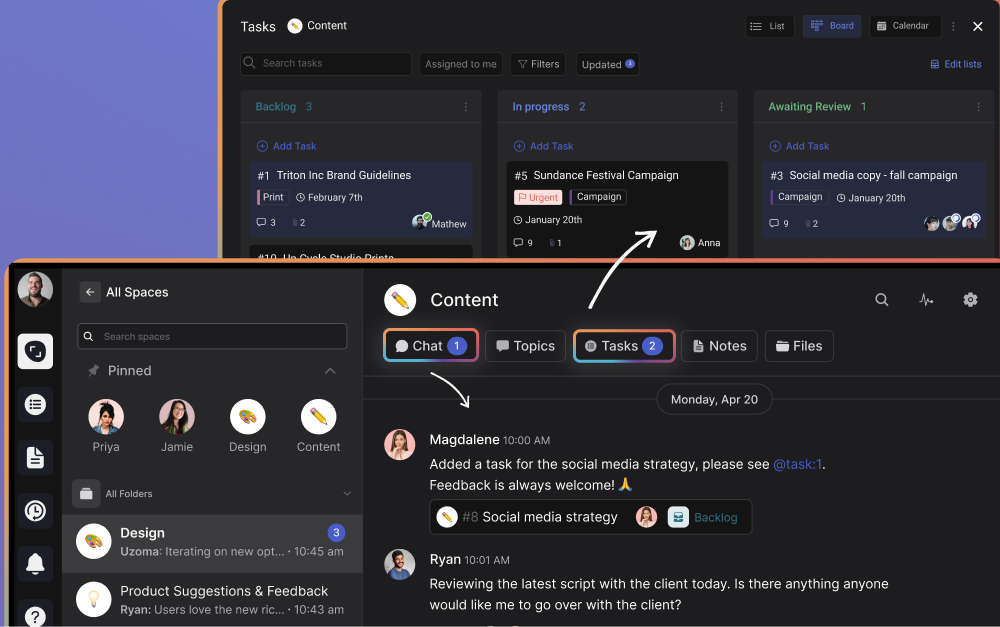
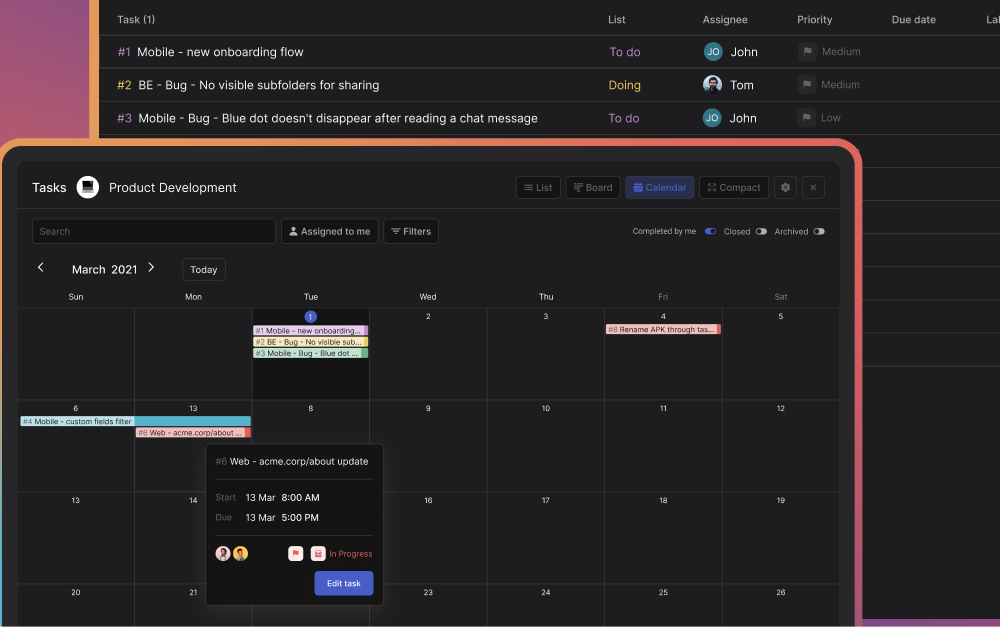
Latest news from Rock

Discover our insights on the Future of work, learn how to build better teams & work environments .
Showing 0 results

Distractions are everywhere. Between endless emails, social media, and nonstop Zoom meetings, it's hard to stay focused. Fortunately, there are strategies aimed at how to work effectively and efficiently on the daily.

I spent the last 3 years growing a productivity tool and writing 100+ blogs focused on productivity, collaboration, and team communication. I have broken down my learnings into 14 work strategies to excel in your daily tasks while safeguarding work-life balance.

Alongside explanations and strategies, I'll also be sharing a free template on working effectively and efficiently to help you integrate these learnings into your routine.

Before jumping to the strategies; let’s go over the actual meaning of working effectively and efficiently.

Working efficiently and effectively, What is the difference?

Many people use efficiency and effectiveness interchangeably. Before jumping into strategies to optimize them, you must understand the difference:

Working efficiently refers to producing a result in a way that consumes the least time, effort, and resources. For example, imagine you usually spend 4 hours on preparing an update report. If you suddenly manage to prepare the same report in 3 hours then you have increased your efficiency.
Working effectively focuses on the ability for the outcome to reach its goal. For example, think of two employees working in sales. Both have the same workload and perform the same tasks, but one outperforms the other by 20%. We can then conclude that the employee with higher performance is more effective.

In a nutshell, efficiency is about resource usage, while effectiveness is about the success of the output. Most jobs require a balance between speed (efficiency) and quality (effectiveness) when looking at work performance and output.

“Efficiency is concerned with doing things right. Effectiveness is doing the right things.” - Peter Drucker
Person working effectively and efficiently in a cafe

Simply racing through tasks (efficiency) often leads to low-quality output that misses targets. Thus, striking the right balance between effectiveness and efficiency is a must.

Now that you know the difference You might wonder: What should I start doing to be more effective and efficient?

Well, I'll share 14 work strategies and an actionable template so you can level up your work performance consistently.

How to work effectively and efficiently: 14 strategies

Some work strategies focus on efficiency, others on effectiveness and some tackle both. To keep things organized, I'll separate strategies on the performance metric tackled: effectiveness, efficiency, or both at the same time.

4 work strategies to maximize your efficiency

Throughout the years I have been able to maximize my efficiency when completing my weekly responsibilities. These are the main 4 strategies that help me maximize the amount of work done throughout my working hours.

  • Reduce the number of meetings you’re in
  • Set up a working routine
  • Stick to your deadlines
  • Use asynchronous video sharing

1. Reduce the number of meetings you’re in

According to the Harvard Business Review, meetings often are run badly and take up too much time. Executives spend nearly 23 hours in meetings, up from <10 hours in the 1960s.

If you can reduce the number of meetings you sit through while still making key decisions and moving forward with projects, then your efficiency is guaranteed to improve. We have an async-first culture at Rock so we've always tried to keep meetings at a bare minimum. As a result, I typically have between 2 to 5 meetings every week.

Cutting down on meeting time doesn't apply to conversations that actually matter, but it might help you avoid meetings that could have been an email. Curious how to fill the gap?

  • Documentation: Fewer instructional or last-minute meetings are needed if people can easily find the information they need.
  • Asynchronous work: Set up work in such a way that people can finish their tasks without being too dependent on direct responses.
  • Task management: Organize priorities with task management to structure the work that has to be done and swiftly move across different responsibilities.

Note that meetings do not need to disappear altogether. Instead, follow our virtual meetings best practices and make sure to communicate efficiently while documenting enough information so your team does not depend on lengthy meetings to be informed on what to do.

How to Cancel a Meeting: Roadmap to Guilt-Free Cancellations
Time shouldn’t be wasted – be it yours or anyone else’s. In an ideal world, every meeting in your working schedule is effective and value-adding. However, that’s often just not the case.
Read full article

2. Set up a working routine

A routine helps me make efficient use of my time. Implementing structure to the day gives a sense of control and helps improve productivity. Routines also help with removing guilt for unproductive moments so creating one is a must if you want to be more efficient.

Figuring out at what time of day you are most productive and sticking with it helps. When? Chances are you know best. I work with 2-hour "deep work" time slots that I organize throughout the day. I often put in a longer break during lunchtime to go to the gym and then add some extra time in the evening to get the most out of my day.

Whether you're looking for a productive morning routine or want to get work done at night, build a working routine that allows you to tackle tasks consistently.

Routines are there to make our lives easier, as they eliminate constant decision-making and, with that, decision fatigue. Establish new routines by combining the useful with the enjoyable. Petra Zink - Forbes Business Council

Your team must understand the value of flexible and asynchronous work for this to succeed. If a company is strict on working hours or locations, some people likely get left out, which will hurt team efficiency in the long run.

Try to stick to your routine, after all, it takes on average 66 days for behavioral changes to become a habit.

The best way to promote a routine is to gamify the activities and provide small rewards and recognition for those who stick to the routine. - John Knotts - Forbes Business Council
being effective with a good morning routine calm morning

3. Stick to your deadlines

Time and resources are wasted when you don't define timeframes for tasks. Deadlines are a key component in project management strategies to assess your workload and make sure resources aren’t wasted.

Keep in mind that deadlines should not become a roadblock that hinders the effectiveness of a task. Doing something faster (efficiency) is not worth it if that outcome does not fulfill its goal (effectiveness).

Use sprints or configure start and due dates for your tasks with Rock: All-in-one task management, messaging, note-taking, files and meetings in one place.

Implementing reasonable deadlines also boosts motivation as it enables you to say no to new work and making your deadlines before their due date

Discuss reprioritizing your to-do list if you notice that your work is dropping in quality (effectiveness) when sticking to a deadline. Getting assistance from other team members, outsourcing the task, and moving a deadline back are all possible solutions to this problem.

how to work effectively and efficiently with deadlines illustration of project management workflow

4. Use asynchronous video sharing

Asynchronous video sharing is a great way to scale explanations or explain things without jumping into a meeting. At Rock, I have used asynchronous videos for a bunch of onboarding activities. A pre-recorded video teaches our new hires important information, they can watch it back as many times as they want, and it prevents me from having to schedule a meeting every time someone new is hired.

This strategy is best tailored for one-sided conversations such as presentations, onboardings, or tutorials. Allow people to pause, watch back, and take more effective notes.

Organize all your asynchronous videos in one place with a task board: Get started with Rock to organize your communication and collaboration in one place.

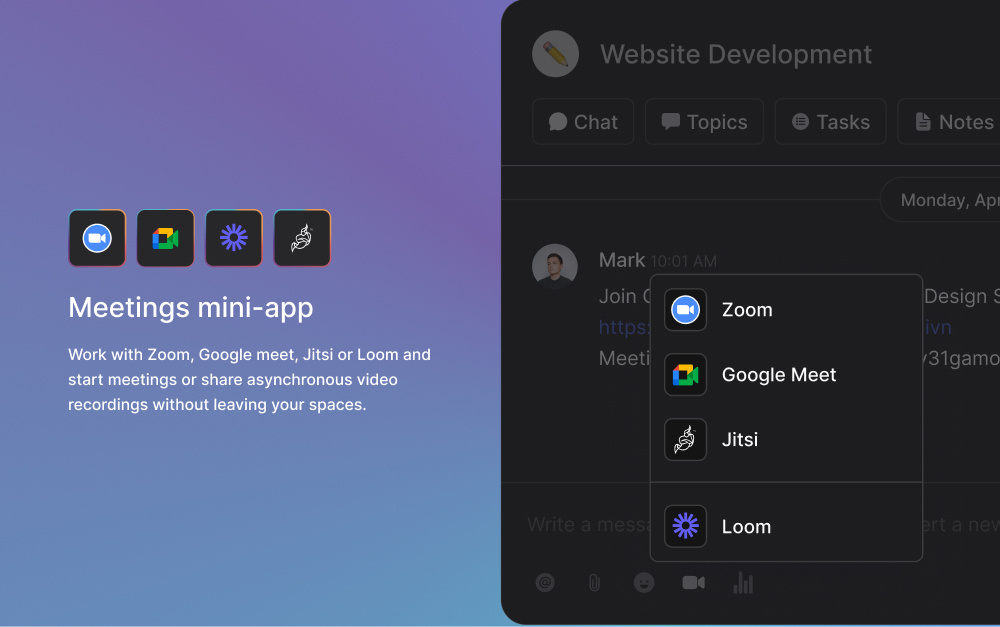
Loom is a tool specifically created to help you record these async videos. After sharing a link, team members can leave comments at different time stamps or respond with a custom emoji in-video.

Let’s say you typically do an onboarding on how your team uses Rock for task management and messaging. If you record a Loom, you can share this video for every onboarding over the next few months instead of planning a walk-through meeting (we have a recording for you if you need an in-depth Rock walkthrough)

Loom integration in app to help people in being effective

4 work strategies you can implement to maximize the effectiveness of your team

We previously discussed how effectiveness focuses on delivering high-quality output. Here are 4 strategies for effective communication and work that I have implemented in my daily routines.

  • Use meeting agendas
  • Create a weekly to-do list
  • Prioritize the most impactful tasks
  • Connect with your team

1. Use meeting agendas

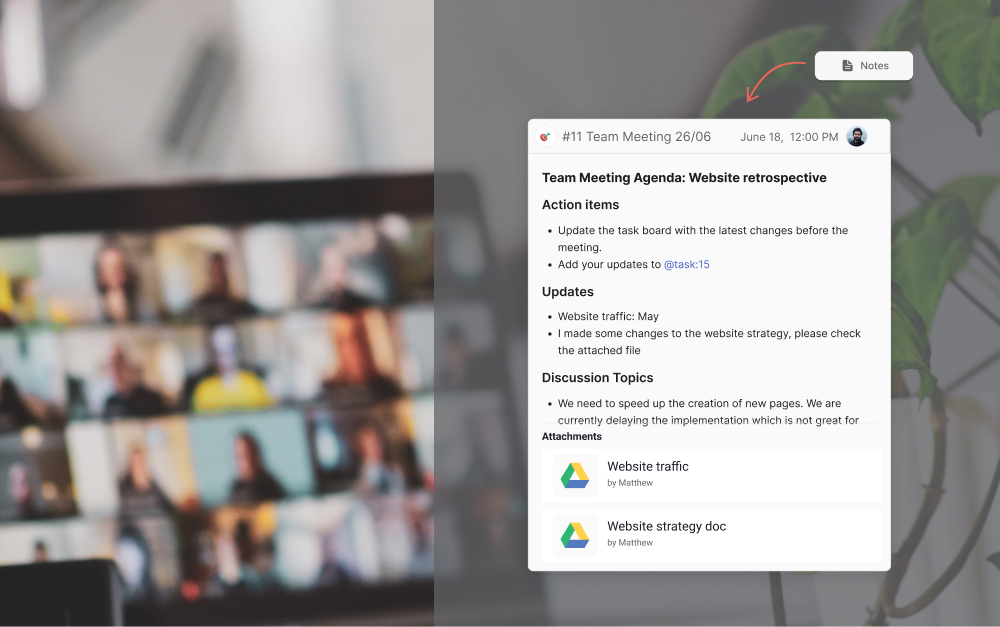
Structure is essential in meetings. We don't typically meet if there is no agenda, and require team members to share one well in advance. I previously discussed in best practices for meetings how a meeting agenda is crucial to collaborate effectively and get the most out of your meeting time.

Sharing a meeting agenda ensures that the correct team members are present and allows people to be informed on action items and important information before actually getting together. Overall this saves you valuable time and helps shorten the meeting significantly.

Meeting agendas should be sent out to all attendees at least 24-48 hours in advance so everyone has enough time to go over the information. We discuss the most important meeting agenda examples in a dedicated article, but here are some highlights:

  • Action items: What tasks need completing or what issues need resolving before meetings? For example, someone needs to upload a certain document.
  • Informational updates: What information should team members digest before getting together? Make sure to share in advance so you can avoid reading information and have a more in-depth discussion on the material.
  • Discussion topics: What should be discussed in the meeting? This can include brainstorming or open bullets for other team members to add their topics.
  • Relevant files: What documents should you attach to aid the meeting? Make sure to make cloud files easily accessible and available to everyone.

Meeting Agenda Examples + How to Write Your Own
Meeting agendas provide the structure that’s essential to a well-run meeting.
Read full article

2. A weekly to-do list helps with being effective

I struggle to work effectively when my thoughts and to-do's are scattered all over the place. Lack of clarity in to-dos just leads to context switching and excessive multi-tasking, ultimately tanking your actual productivity and effectiveness in completing tasks. A lack of organization leaves most people stressed and unable to work on what's most impactful.

By breaking large projects into smaller tasks, you organize your goals into achievable activities. This way, you prioritize work that is most important and relevant to achieving company goals and objectives.

Weekly to-do lists can take a lot of forms. Some people write notes by hand, use simple Excel, or have a dedicated task management app. I use the "Set Aside" function in Rock to manage most of my to-dos, but some team members manage it differently and are still able to work effectively.

I have spoken with many team members internally to see how they manage their to-dos, so here are possible ways to manage a weekly to do list template:

  • We use Set Aside to store messages, tasks, notes and topics easily available.
  • Summarize all tasks across different spaces in a dedicated ‘My Tasks’ panel.
  • Organize tasks in sprints to reduce the cognitive load.
  • Discuss to-do’s in depth with topics, dedicated discussions in group spaces.
  • Use the task board in the personal space to organize priorities.
Manage your weekly to-dos in one place with Rock: Work with the task board, "my tasks" panel, configure sprints or move tasks, notes messages into the "Set Aside" panel to stay effective.
To do list example for people working efficiently and effectively

3. Prioritize the most impactful tasks

If you’re still left thinking - what should I start doing to collaborate effectively and get work done? A simple takeaway would be to prioritize tasks. Prioritization allows you to make the most of your time at work.

Being effective starts with your to-do list. Instead of cluttering up your list with low-impact tasks that overwhelm you, focus on tasks that drive value first. Start your day by selecting the tasks that are important and urgent, in line with previously discussed deadlines.

Effectiveness is not just about how much effort we put in, but where we put that effort. Effectiveness is about doing the right task, not just about doing the task right." - James Clear, author of "Atomic Habits"

Avoid deadlines from hurting your effectiveness by focusing on urgency and importance. This is also known as the Eisenhower matrix. Balance whether a task has to be completed now or can wait for another time. It’s also important to think of how impactful a task will be.

Alongside urgency, focus on tasks that are important to your long-term goals. If a task is neither urgent nor important, drop it or delegate it.

4. Connect with your team

A significant part of working effectively is fostering good communication within your team. Note that this does not mean scheduling redundant meetings.

Communication goes beyond your close circle. You should extend it to other departments to optimize team members’ effectiveness. This way, the process of improving cross departmental collaboration and cross functional collaboration is naturally incorporated into your workday.

Collaborate effectively by building an environment that is engaging and open. Here are some communication strategies to implement if you want to connect with your team:

  • Trust: Trust is key to working effectively as a team. Teams lose effectiveness when trust is lacking as creativity and different perspectives are not nurtured.
  • Open feedback: Team members should share their thoughts and feelings, even if they are negative. Welcoming constructive criticism ensures that work relationships and output are optimized. Or if there are issues, they can be discussed and promptly resolved.
  • Recognition: Everyone should feel valued and receive the recognition they deserve. Team members feel more compelled to deliver valuable output if it’s recognized and celebrated by other team members.

6 Work Strategies to implement if you want to work effectively and efficiently

now that we've covered them individually, it’s time to look into some strategies that combine working effectively and efficiently with others at the same time.

  • Take time off and rest
  • Set asynchronous work as your default
  • Use a project management framework
  • Implement task management in your team
  • Leverage documentation
  • Use all-in-one tools

1. Take time off and rest

Forget about effectiveness and efficiency if rest isn’t in your vocabulary. While it might seem counterintuitive, adequate rest is key to preventing burnout.

Like many others, I've been victim to thinking that more hours equals more and better output. And while that might be the case for some time, it will most likely come crashing down at some point.

Our brains are like a muscle. Without rest periods between workouts, it becomes fatigued and you increase the risk of injury. Staying well-rested is essential to maintain concentration, motivation, and ability to solve problems.

Make sure that everyone is well-rested and takes enough rest to avoid a toxic work culture. Introduce check-in questions for meetings and keep an eye on types of communication styles in your team to spot issues before they arise.

Rest is not just the occasional vacation. While taking time off is crucial, rest needs to be an everyday practice. For example, 10 minutes of daily mindfulness practice with positive affirmation for work can make a big difference for your productivity and health.

2. Set asynchronous work as your default

What’s the best way to work if you're looking to get effective and efficient output? We advocate for asynchronous work as a collaboration default state. This methodology does not require all team members to be online at the same time, providing our whole team with more flexibility.

Employees can focus on their efficiency and effectiveness without waiting for others to finish tasks. Think of daily collaboration like a relay race instead of a sprint. Team members can pick up a task from another one without needing to wait for an “okay.”

Rock was built from the ground up to help teams implement asynchronous work and make day-to-day collaboration and communication more effective and efficient.

There is no need for constant check-ins, meetings, and consistent messaging that interrupts your daily work. Team members can stay organized at work without relying on others. Asynchronous work allows you to choose work faster and set a schedule that maximizes your productivity.

You get the freedom to start your day according to your needs when everyone doesn't have to be online at the same time throughout the workday. Some overlap is a must, but it shouldn't encompass 100% of your workday.

3. Use a project management framework

The right project management framework can help you organize your work in a more structured way. Project management provides you with processes and guidelines to help deliver efficient and effective output. To find the right one, ask yourself - what’s the best way to work for your team?

Although there are plenty of frameworks, Agile vs Waterfall are some of the most commonly applied frameworks. Despite their differences, both have been adopted by major companies for their proven success. For example, companies like Apple and IBM use Agile due to its demonstrated effectiveness.

When choosing a framework, consider your team's needs, project requirements, and organizational culture. By selecting the most suitable approach, you can optimize productivity and ensure a smooth project execution.

4. Implement task management in your team

Task management allows you to maximize your efficiency and effectiveness by breaking large goals into smaller stepping stones. This makes prioritizing, optimizing workflows and getting work done easier as it’s configured in smaller pieces.

Since prioritization is key with task management, you can leverage the different features it offers to focus on the most important work. You can also track how many activities you finished in different time frames.

This makes it easier to become more efficient as time passes. You can track how long you spend on different activities, and find back past activities without searching across folders or docs.

Here are a few features within task management that can help you with managing your workload.

  • Deadlines: add a start or due date to your tasks and make sure that they are finished in time.
  • Connect with your team: use the comment section, assignees and followers to keep all relevant team members in the loop.
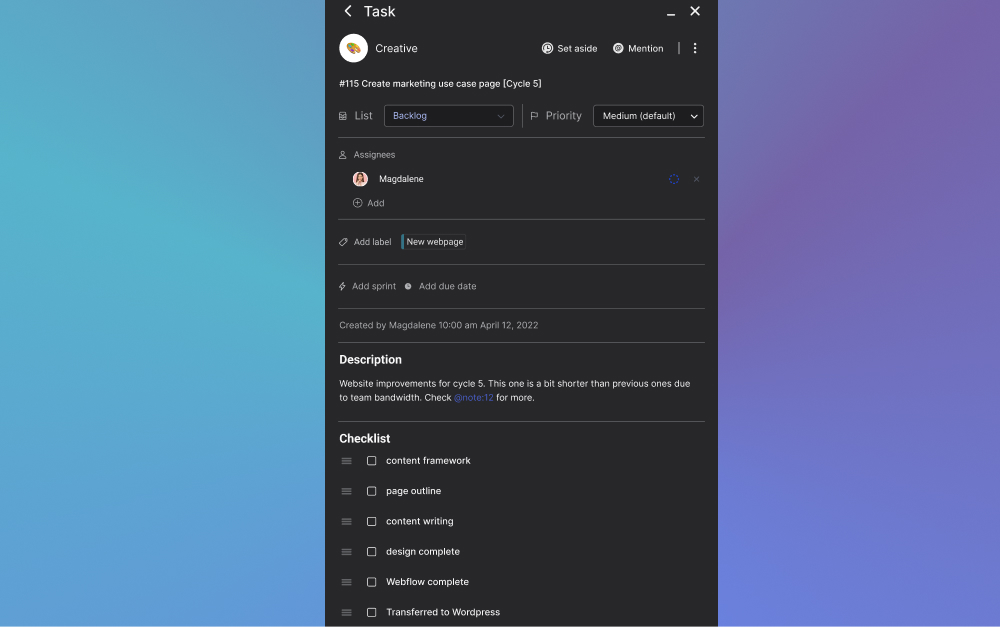
  • @mention: You can @mention tasks in comments, descriptions and outside of the Tasks mini-app to quickly set up a weekly to-do-list.
  • Prioritize: Tasks have a priority field: Highest, high, medium, low, lowest. Updating your tasks with this field allows you to filter all tasks to only see the most important to-do’s.
Rock is an all-in-one task management tool that includes feature-rich task cards and multiple views so you have complete flexibility in how you organize your projects.
Task management board for work strategies

5. Leverage documentation

A core component of working effectively and efficiently is documentation. Store past activities and information and make them easily accessible to you and the rest of your team. Here’s how documentation helps with efficiency and effectiveness:

  • Implementing documentation makes your team more efficient as they spend less time searching for relevant work information. Well-documented teams can access important information without searching for too long or reaching out to one or more team members.
  • Teams become more effective through documentation because they have more information available when completing a task. They can also more easily access relevant activities or information from the past that can help improve the output.

Getting a file management platform like Google Drive or Dropbox is not enough though. There’s nothing worse than endlessly searching for information across your folders or continuously sharing links with different team members.

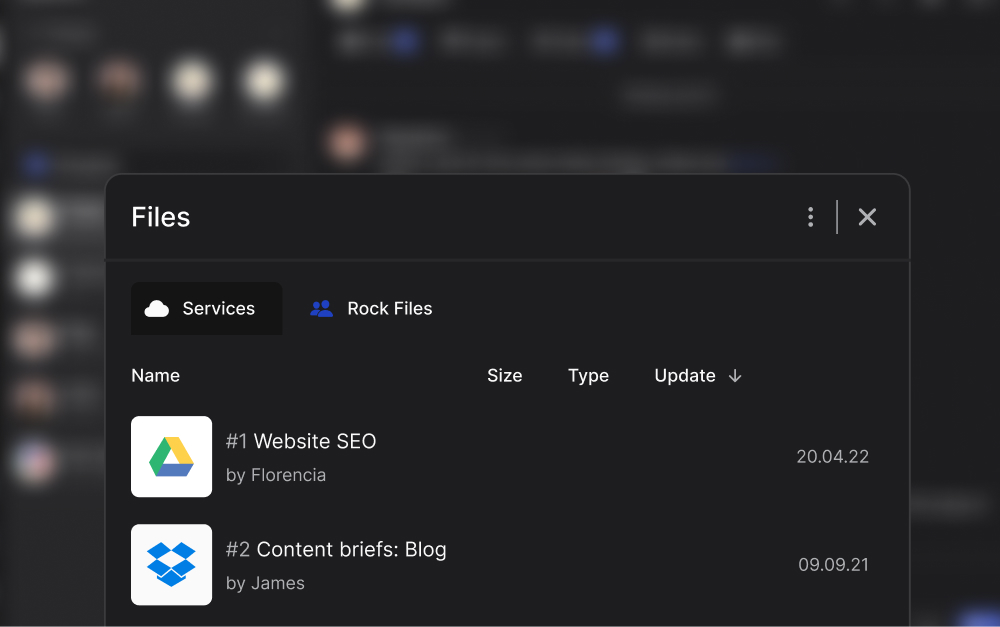
We initially encountered the same issues, which is why we added native integrations with the most popular cloud storage providers to Rock. Think of Google Drive, Dropbox, OneDrive, Notion, Miro, Figma and many others in the Files mini-app.

Rock users can easily access shared files in the Files mini-app: Add relevant project folders to your space and quickly make them available to everyone.

6. Use all-in-one tools

If you’re using multiple tools to communicate and collaborate with your team then bringing it all together might help your team. Disconnected workflows cause a lot of context switching. This reduces efficiency and effectiveness, here's why:

  • Efficiency is reduced because people have to switch between platforms to find information or get work done. This all takes away time which could have been spent in more productive ways.
  • Teams become less effective because coworkers don't work with all the resources they need to provide valuable output. Tasks will be less complete when done without all the needed documentation.
Rock combines messaging with tasks and your favorite apps so you can focus on maximizing effective and efficient work: avoid switching between a separate messaging and task management platform to get work done.
All in one tool for effectiveness and efficiency Rock

Work Efficiently and Effectively with Rock

Ready to implement one or more of the strategies given throughout? Get started with this free template and check off every new strategy once you've implemented it.

Use the chat to discuss different strategies, add your own, and bring your work output to the next level.

Rock can become a powerful tool for your team if you want to optimize your effectiveness and efficiency. From a weekly to-do list to asynchronous work in general, there is functionality built from the ground up to cover it all. Sign up for free and try it out.

Sign up for free to Rock to manage all your communication and collaboration in one place.

I hope this article was able to add valuable insights if you were wondering how to work effectively and efficiently with your team. Follow us on Twitter, LinkedIn, Facebook or Youtube and don’t forget to share the article and tag us!

Jan 22, 2024
March 11, 2024

How to Work Effectively and Efficiently: 14 Work Strategies

Nicolaas Spijker
Editorial @ Rock
5 min read

A toxic work environment is not just a buzzword—it's a business killer. Employees across the board are hitting a breaking point, grappling with a workplace atmosphere that saps their energy and drives them in search of greener pastures. 

To keep your team happy, you must address any signs of a toxic work culture. Bad culture can emerge in any team, from a small business to scale-ups or multinationals. 

Treating a toxic work culture requires understanding the most common signs.

It's the first step in crafting an intervention plan to revive your team's engagement and productivity. After all, a thriving company culture isn't just a nice-to-have; it's a competitive advantage. 

Let's delve into indicators to watch out for if you want to prevent toxicity from taking over the workplace. 

If any hostile work environment signs match your team, don’t worry. We’ll be sharing a set of tips to patch each symptom as quickly as possible. Let’s get into it!

Do you have a toxic work environment? Look out for these 7 signs

A toxic work environment is characterized by a negative atmosphere that severely impacts employees' well-being and productivity. Toxicity is presents itself through a combination of unhealthy behaviors, practices, and systems that lead to stress, anxiety, and low morale.

A bad company culture is a serious issue that impacts team health, creativity, and performance.

Toxic teams also hurt the business itself by hitting employee morale, increasing turnover, and causing an uptake in sick days.

Let’s discuss 7 universal signs of a toxic work environment. 

1. Sign of a toxic culture: Low levels of creativity

Creativity is about connecting ideas, taking intellectual risks, and fostering an environment where new solutions are born and valued. 

Low creativity is often a reflection of underlying issues that go further than a creative block and speak to the health of the organizational culture itself.

Your team environment becomes one of compliance rather than inspiration when team members stop offering new ideas or challenging the status quo. In such settings, employees might feel that creativity isn't welcomed, leading to a decline in engaged creative thinking. 

This can cause a ripple effect; as fewer people demonstrate creativity, the behavior becomes normalized. As a result, the non-creative status quo gets further entrenched.

Solution: Tactics that promote creative thinking in teams

"Creativity is a wild mind and a disciplined eye." — Dorothy Parker

Addressing low levels of creativity within a team, particularly when it's a symptom of a toxic work culture, requires a multi-faceted approach.

Creating an environment that welcomes creativity requires managerial intervention and cultural transformation. Here are some tactics that can make a difference quickly:

  • Promote psychological safety: Google's Project Aristotle found that psychological safety, where team members feel safe to take risks and be vulnerable in front of each other, is the most critical factor for team success. Encourage an atmosphere where failure is seen as a learning opportunity rather than a cause for punishment.
  • Provide training and resources: Invest in creativity workshops, training sessions, or bring in creative consultants to inspire your team and provide them with tools and techniques to generate and develop ideas.
  • Allocate time for creativity: Google's famous "20% time" policy, where employees could spend 20% of their time on projects they are passionate about, underscores the importance of giving employees time away from their usual tasks to explore new ideas.

2. Sign of a bad work environment: Work is never finished before the deadline

Frequently missing a deadline isn't just about ineffective multitasking, poor time management or lack of effort; it often reflects deeper issues within the company culture. 

Deadlines serve as a critical structure for productivity. They're necessary to keep projects on track and meet client or growth needs. 

In a healthy workplace, deadlines are set through a collaborative process, ensuring they are realistic. In contrast, bad work enviroments often have top-down decision-making, where deadlines are dictated without input from those who understand the work involved. In turn, expectations become unrealistic, and deadlines become more aspirational than achievable. 

Another cause for consistently missing a deadline is considering everything urgent, creating a sea of supposed emergencies. Always being on alert leads to more missed deadlines because employees are stretched too thin across too many "top priority" projects.

Solution: Working with attainable deadlines across the team

Creating attainable deadlines in a bad work environment of missed commitments involves a clear organizational strategy, clear communication, and a shift in priorities and progress tracking.

Here are a few simple steps you can implement today to establish and maintain more attainable deadlines:

  • Assess current workloads: Begin by gaining a clear understanding of your team's current workloads. Overburdened employees are more likely to miss deadlines, so it's essential to ensure that expectations are realistic given their available bandwidth.
  • Involve the team in planning: Include team members in the deadline-setting process. This collaborative approach ensures that the team has a say in what they believe is achievable, fostering ownership and commitment to the deadlines.
  • Implement the Eisenhower Matrix for prioritization: Help the team prioritize their tasks. By understanding what is most important and what can wait, team members can better manage their time and focus on meeting the most critical deadlines first.
  • Break down large projects: Divide larger projects into smaller, more manageable tasks with their own mini-deadlines. This can make the work seem less daunting and help maintain a steady pace toward completion. Understanding the difference between project and task is key for this. 
🎁 Free resource: Prioritize tasks based on urgency and importance using the Eisenhower matrix template.
Prevent a Toxic Work Environment by prioritizing tasks correctly with the eisenhower matrix

3. Sign of toxic culture in the workplace: High turnover among employees

When employees frequently exit your team, it's a clear signal that something is fundamentally wrong with the workplace environment. 

According to Forbes, Employees are 10x more likely to quit if a company has a toxic workplace culture.

At its core, a high turnover rate represents a breakdown in the relationship between the employer and the employee. The origin of the broken relationship might be the underlying issue that creates such a bad culture at work that employees feel their only option is to leave.

One of the primary reasons employees leave is a lack of respect and support from management. Employees feel undervalued or unrecognized for their contributions. 

Favoritism or discrimination also cause hostile and unfair work environments, leading to the ultimate resignation of affected employees. What’s worse, this often affects the diversity within a team as well, creating cultures that lack a breadth of experiences and cultural perspectives. 

You should also ask yourself whether there is enough work-life balance in your team.

Toxic workplaces have a constant demand on employees' time, with long hours being glorified and becoming the norm. When their personal lives are consistently sacrificed for the job, employees are likely to look for opportunities that better respect their need for balance.

Solution: How to tackle high turnover rates in your team

Reducing turnover in a team that's experiencing a toxic culture in the workplace requires addressing the underlying issues that are driving employees away. 

Here are several strategies that can help you address these issues and create a more positive work environment:

  • Review reward systems: Reviewing and potentially restructuring reward systems is a must if you want to reduce turnover rates. Intrinsic rewards should be assessed when issues of recognition are at the heart of why employees leave. In terms of extrinsic rewards, you should check platforms like Glassdoor or Levels.fyi and make sure your salaries are up to industry standard.
  • Implement regular feedback and recognition programs: Develop a structured program for providing regular, constructive feedback as well as recognizing employees' accomplishments. This can include peer-recognition initiatives, manager shout-outs in meetings, or company-wide rewards.
  • Promote work-life balance: Enforce policies that promote work-life balance, such as flexible working hours, the opportunity for remote work, and a strict policy against regular overtime. Encourage managers and employees to respect boundaries between work and personal time.

4. Toxic work culture sign: No career development opportunities

Career development opportunities within an organization—or the lack thereof—can also influence turnover rates. 

A toxic workplace may not provide clear paths for advancement or opportunities for professional growth. Employees feel stuck in their roles when there is no chance for progression, and leave the job whenever anything better comes up. 

Nepotism or other unfair systems can make this even worse. If people don’t feel like effort results in future opportunities, then their engagement drops.

Solution: Creating a path for career development

Building clear career development opportunities in a toxic work culture is crucial because it shifts the focus to growth and positivity. 

Here’s a deep dive into a few tactics you can implement to improve employee prospects within the organization:

  • Create clear career paths: Map out potential career trajectories within the organization for each role. Communicate these paths clearly to employees, showing them how they can grow and what they need to achieve to progress.
  • Inclusive and fair workplace: Conduct diversity and inclusion training for all employees. Establish a zero-tolerance policy towards discrimination and favoritism to ensure that all team members have equal access to opportunities and resources.
  • Training programs: Set up structured training programs that address both current job requirements and future skill needs. Think about on-the-job training, cross-training, or external courses.
  • Mentorship or buddy programs: Establish formal mentorship programs where employees can learn from experienced leaders, gain valuable insights, and develop their professional networks.
🎁 Free resource: Focus on the personal and professional growth within your company with the employee development plan template

5. Sign of a toxic workplace culture: Teams are extremely siloed

Silos form invisible barriers where each team ends up working with blinders on. Teams don't see what the others are doing, and they don't share what they're up to.

A bad culture at work silos is like a kitchen where everyone cooks a meal, but no one talks to each other—you might end up with four desserts and no main course.

The result? Well, it's not just about inefficiency or duplicated efforts, though those are certainly part of the mix. When an organization has silos, people start feeling like they're on an island, and that "us versus them" mindset creeps in. 

Everyone's looking out for their team's interests, and the idea of pulling together for the company's sake stops being a priority.

What's more, in a toxic culture with siloes, someone's always ready to pass the buck. "That's not our problem," becomes the refrain, and trying to find solutions turns into a game of hot potato. Nobody wins in that game—problems just go round and round.

Breaking down these walls isn't easy, but it's essential if you’re looking to tackle a toxic workplace culture.

Solution: How to break down silos in a toxic workplace

Breaking down silos in teams is crucial to foster a healthy, collaborative, and thriving work environment. Creating real change is about initiating a cultural shift that encourages openness and interaction across all functions, levels and departments. 

Here's how you might approach it:

  • Redefine goals and values: Sometimes, silos form because teams don't see how their work fits into the organizational strategy. Employees see how their contributions matter in the grand scheme of things when company goals and objectives are inclusive of every department's efforts.
  • Implement integrated systems: Sometimes it's the systems and processes that reinforce silos. By using integrated software and collaborative tools that are accessible to all, you'll encourage a more seamless flow of information. Create shared spaces—virtual or physical—where ideas can mingle.
  • Encourage cross-departmental projects: Assemble teams from different departments to work on specific challenges or innovate new products. As they work towards a common goal, they'll naturally start to break down barriers and share knowledge.
Use Rock for your all-in-one team communication. Bring departments and teams together with chat, tasks, notes, files and meetings in one place. 
Avoid a toxic work culture by collaborating in one place with Rock

6. Sign of workplace issues: toxic management

When we talk about toxic management, we're delving into a complex and unfortunately all too common issue in many workplaces. Bad management practices gradually tear down your organization's culture and employee morale.

A classic sign of toxic management is tension in the air. People are hesitant to speak up in meetings or even to share their thoughts privately. An invisible barrier starts to block open communication. 

Another telltale symptom of toxic management is the absence of transparency. Decisions seem to be made in a black box, and employees are often left in the dark. This breeds a culture of uncertainty and fear, where rumors fill the void.

A toxic workplace culture thrives on control rather than inspiration, fear rather than motivation. 

Solution: Encourage leadership to take more effective management approaches

If you want employees to be creative thinkers and problem-solvers, you need to lead by example. Managers should hold themselves accountable for their actions and encourage others to do the same.

Here are three tactics teams can implement to improve the relationship between management and team members in a toxic work environment:

  • Lead by example: Leadership should model creative behavior. This could involve openly sharing ideas at their early stages, welcoming feedback, and showing how to take calculated risks without fear of negative repercussions for honest mistakes.
  • Redefine failure: Shift the perspective on failure by recognizing that when pushing the boundaries of innovation, not every idea or completed task will be a winner.
  • Encourage open communication: Create an environment where team members feel safe and encouraged to express their ideas and opinions. Implementing career affirmations, teamwork quotes and brainstorming sessions is a good start. Leaders should actively listen and provide constructive feedback.
🎁 Free resource: Don't let endless to-do lists and overflowing inboxes dictate your work life any longer—embrace the power of effective time management and transform your productivity
Avoid a bad work environment by working more effectively and efficiently

7. Interpersonal tensions between team members

Interpersonal tensions between team members can be a significant red flag. When we talk about these tensions, we're usually referring to the undercurrents of conflict that run beneath the surface of day-to-day interactions. 

Conflict might not always erupt into outright arguments, but it can be just as damaging when present in a subtle form.

A certain amount of disagreement is both healthy and expected — diverse perspectives can actually drive innovation and problem-solving. However, when these disagreements become personal, they become toxic. 

Tension in a toxic workplace culture can stem from a variety of sources. Perhaps there's a culture of competition that's gone too far, leading to colleagues undermining each other instead of working together. Or maybe there's a lack of clear communication from leadership, resulting in confusion and frustration amongst team members.

Interpersonal issues can create a domino effect. Productivity often takes a hit as team members spend more time navigating workplace issues than focusing on their work. Morale suffers, too, because let's face it — nobody enjoys coming to work when it feels like a battleground.

In a nutshell, interpersonal tensions are not just small ripples; they can quickly turn into waves that threaten to capsize the organizational boat. It's crucial for a company to address these issues head-on to maintain a healthy, productive, and positive workplace culture.

Solution: How to improve interpersonal relationships in a toxic workplace

Building and maintaining strong interpersonal relationships at work is an ongoing process. It requires consistent effort, patience, and a willingness to adapt and learn from experiences.

Here are some strategies you can employ to foster a more harmonious and collaborative environment:

  1. Show empathy: Try to understand your colleagues' viewpoints and feelings. Empathy builds trust and understanding, and it can defuse potential conflicts before they escalate.
  2. Engage in team-building activities: Participate in or organize activities that can help strengthen relationships. Whether it's a team lunch, a collaborative project, or a team-building exercise, shared experiences help build camaraderie.
  3. Offer help and support: Be willing to lend a hand when your colleagues need assistance. This can create a culture of mutual support and collaboration.
  4. Set boundaries: Respect personal boundaries and understand that everyone has different comfort levels regarding personal space and social interaction.
  5. Manage conflicts constructively: When disagreements arise, address them directly and calmly with the aim of finding a mutually beneficial resolution. Avoid gossip and don't let resentments fester.
🎁 Free resource: Don't let your voice be drowned out in the noise of the world—take control of your life through the Assertiveness Training Template.
Prevent a toxic workplace culture by communicating more assertively

Turn your organizational culture into a competitive advantage

Transforming your organization's culture into something that really gives you an edge in the marketplace is like infusing your company's personality with superpowers.

And you know what? People can feel it when they walk into a place where the culture is strong. It's like walking into a room where everyone's laughing – you can't help but smile. That kind of energy is infectious, and it's a magnet for talent.

The best people want to work in a place where they know they'll be valued, where they can grow, and where work feels meaningful.

So, in a nutshell, to turn your culture into a competitive advantage, make sure it's authentic, deeply rooted in everything you do, and aligns with how you want the world to see your company. Become the best version of yourselves and let authenticity shine through.

Frequently Asked Questions on Toxic Work Cultures

What are the signs that I might be working in a toxic environment?

Key signs include low creativity, missed deadlines, high turnover, lack of career development, siloed teams, poor management, and interpersonal tensions.

How can low levels of creativity indicate a toxic work culture?

When team members stop offering new ideas or challenging the status quo due to fear or a non-supportive atmosphere, it can be a sign of a deeper cultural issue.

Why is missing deadlines often a symptom of a deeper issue within the team?

Consistently missing deadlines might reflect unrealistic expectations, poor planning, lack of employee input in setting deadlines, or a culture where everything is treated as urgent.

What does high employee turnover say about a company’s work environment?

Rapid turnover often points to a lack of respect, support, and recognition from management, as well as inadequate work-life balance.

How do a lack of career advancement opportunities contribute to workplace toxicity?

When employees see no clear path for growth, they may feel stuck and demotivated, which can lead to a toxic environment.

What role does management play in creating or sustaining a toxic work culture?

Management styles that prioritize control and instill fear can hinder open communication and transparency, contributing to toxicity.

What causes interpersonal tensions to develop between team members?

This could stem from a competitive culture, unclear communication, or personal grievances that aren't effectively addressed.

Solving Common Problems

How can I foster an environment that encourages creativity in my team?

Promote a psychologically safe space, provide creativity resources and training, and allocate time for creativity within work schedules.

What strategies can help to ensure deadlines are met without overburdening employees?

Assess current workloads for realistic expectations, involve the team in planning, prioritize using the Eisenhower Matrix, and break large projects into manageable tasks.

What can be done to reduce high turnover rates in my team?

Review reward systems, implement regular feedback and recognition programs, and encourage work-life balance through company policies.

How can I develop clear career development opportunities to improve my work environment?

Define career paths, provide training programs, establish mentorship, and ensure inclusive and fair advancement practices.

What can I do to break down siloes and encourage collaboration?

Redefine company goals to be inclusive, implement integrated collaborative tools, and engage in cross-departmental projects.

How can I improve my management style to avoid contributing to a toxic environment?

Model positive behaviors, redefine failure as a learning opportunity, and foster open communication and idea-sharing.

What are effective ways to handle interpersonal conflicts in my workplace?

Foster empathy, participate in team-building activities, offer support, respect boundaries, and manage conflicts constructively.

Jan 10, 2024
January 16, 2024

7 Signs of a Toxic Work Environment (Plus Solutions)

Nicolaas Spijker
Editorial @ Rock
5 min read

Have you ever wondered how some businesses seem to not only retain their clients effortlessly but also get showered with referrals? What if we told you that the two are connected, and unlocking the magic formula could send your business success into overdrive?

Top-tier businesses have strategies and tools that help keep their client base loyal and their referral pipeline flowing. 

We’ve spoken with hundreds of agencies, freelancers and other service providers in the last few years, and have now distilled their client management strategies and tools into this guide. 

Whether you're a seasoned professional looking to up your game or just starting and want to get it right from the get-go, this post has got you covered! Reducing churn and boosting referrals are not just goals, but the core of how you should be doing business.

Let's turn your clients into your most powerful marketing tool!

Benefits of implementing white glove client management practices

Client management is the process of maintaining and building relationships with existing clients while also seeking new prospective clients. The strategic approach focuses on understanding, anticipating and responding to the needs of current and potential clients, maximizing satisfaction, loyalty, and profitability in the process.

Delivering only what is expected is not enough to keep clients anymore. Businesses need to differentiate themselves through the experience they provide to their clients. 

A white glove approach to client management requires close attention to detail, a high level of service, and personalized contact points throughout the relationship. 

Here are some of the benefits your business would be able to earn when implementing more strategic client management processes:

  • Client retention: Good client management is a cost-effective solution; it's cheaper to retain a client than to get a new one. Acquiring a new customer can cost you 5 to 25 times more than keeping an existing one. 
  • Referrals: Referrals are the golden ticket for client servicing industries. A referral is free and generates leads that are highly qualified and easy to convert.
  • Upselling on products: Upselling is about deeply understanding a clients' needs and adding new services or products to improve their results.
  • Client reviews: Excellent relationships with clients will organically produce positive reviews, improving the social validation of your business. 

Client management practices adopted by industry-leading service providers 

Let’s take a deep dive into the specific strategies employed by those at the top of their game. 

How do they keep their clients coming back and even have them singing their praises? 

Get ready for some serious insider knowledge that could transform the way you approach client management.

Start on the right foot: configure the correct onboarding flow

Setting up a successful customer relationship begins with a well-planned onboarding flow. The onboarding process sets the tone, expectations, and goals for your future engagements.

"Cultivating deeper client relationships requires more than just business transactions. It starts with understanding your customers on a personal level, not merely as invoice numbers." - Forbes Business Council

As discussed in how to effectively onboard customers – great onboarding is done following 7 steps. 

1. Document client information: Begin by documenting all relevant client information into a spreadsheet or your CRM system. This includes company name, industry type, company scale, and primary contacts.

2. Assemble a dedicated team: Establish a team that can cater to the client's needs effectively and efficiently. This could include roles such as an account manager, project manager, strategist, creative team, SEO specialist…

3. Onboarding questionnaire: A well-crafted questionnaire can provide valuable insights into your client's business, their goals, target audience, and more. This information will help you tailor your services to their specific needs.

4. Prepare accounts: Set up all necessary accounts for your client, including a client portal, project management software tools, communication channels, digital marketing tools, and billing and invoicing systems.

5. Welcome letter: Send a personalized welcome letter to your new client. Express your excitement about the partnership and provide information about the upcoming stages of your collaboration.

6. Kick-off meeting: Organize a meeting with your client to discuss the details of the project, clarify any questions, and ensure everyone is aligned with the goals and expectations.

7. Regular Update Flow: Establish a regular update flow to keep your client informed about the progress of their project. This could be through weekly or monthly reports, regular meetings, or via your chosen communication channel.

By structuring your onboarding process around these seven stages, you'll create a robust foundation for a successful, long-lasting client relationship. Every client is unique, and the onboarding flow should adapt accordingly. 

Dive further into client onboarding with the full guide!

Client management template for onboarding: Free client onboarding checklist with task lists and activities to complete in order to effectively onboard a new client.

Provide in-depth documentation after every client meeting

Client meetings are the lifeblood of successful business relationships.. They offer an opportunity to understand client needs, discuss progress, and strategize for the future. 

However, the effectiveness of these meetings is tied to accurate documentation – a task that can be time-consuming, and prone to human error. 

AI marketing tools can help almost entirely automate the process of note-taking and documentation. Every important detail discussed in the meeting is captured and documented. 

Meeting minutes can be shared with team members and clients alike to assure everyone is on the same wavelength. This makes the client management process much more effective. 

Key benefits of AI automation

  • Efficiency: AI startups transcribe and summarize meetings faster than humans, freeing up time for more meaningful tasks.
  • Accurate Transcription: AI tools can transcribe speech to text with high accuracy, ensuring that all important points from the meeting are recorded.
  • Focus on Participation: Participants can engage better in the meeting discussions knowing that the AI is handling the minutes.
  • Consistency: The meeting minutes format and style stays more consistent when using AI, making it easier for team members to find the information they're looking for.
  • Reduced human error: By automating the process, AI can help reduce errors that can occur in manual note-taking.
client management system for keeping documentation in check: automate meeting minutes with AI tool Bash

How to create automated meeting minutes within seconds

  1. Upload your meeting: You can upload your meeting in text, audio, or video format, or even record the meeting directly from within the app.
  2. Automated transcription and summarization: The AI tool swiftly generates a draft by employing the AI meeting minutes template. It transcribes the meeting, summarizes key points, and clearly defines action items.
  3. Customized output: The draft can then be customized before being generated with configurations tailored to the team's needs—be it tone, author, audience, or language.
  4. Structured and useful document: AI converts conversations into a structured and useful document, summarizing key decisions and delineating action items with responsible parties.
  5. Editing and personalization: The AI editor makes it easy to regenerate sections or add further insights. Teams can manually add other changes if needed before sharing the meeting minutes with the team.

Keep your communication in check with industry best practices

Understanding the nuances of communication is a vital aspect of client management. It's not just about transmitting information; it's about building a relationship based on trust and mutual understanding. 

Get more out of conversations by following these best practices for communicating with clients:

Active listening: This goes beyond simply hearing what your client is saying. Active listening involves fully engaging with the client, understanding the underlying messages or emotions they are conveying, and providing insightful feedback. Get to know the client better and enrich your partnership through honesty, collaboration, and mutual understanding.

Client-centric conversations: You’re communicating to understand and meet the needs of the client. Instead of focusing on your products, services, or achievements, steer the conversation towards the client's needs, concerns, and goals. Ask open-ended questions and listen more than you speak. 

Respect your client's time: Everyone's time is precious, and demonstrating respect for your client's time can significantly enhance your relationship with them. Cancel a meeting when it’s not needed, be punctual and respond timely to emails, calls, or messages. Stay on topic during conversations and set clear expectations about timelines for deliverables.

Set boundaries: Manage your client's expectations about your availability hours, response times, and scope of work. Setting boundaries not only prevents burnout and a toxic work culture but also ensures a professional relationship focused on the agreed-upon services and outcomes.

Mastering the art of client communication is a continuous process that requires practice and patience. Improve your communication, leading to stronger client relationships and business success. Read all about it in this dedicated article!

Top client management systems that help nurture great relationships

In the following section, we'll explore some of the top client management systems available today, discussing their features and how they can help you nurture great client relationships. 

Whether you're a small start-up or a large corporation, you'll likely find client management tools that suit your needs among these top picks.

The best best client management software for communication and collaboration

Rock 

client management system for communication and collaboration preview Rock: app interface with chat and task management in one single workspace

Rock is an all-in-one client management software or communication and collaboration that can be a game-changer for your processes. From streamlining communication to integrating your favorite tools, Rock offers numerous features to enhance efficiency and productivity. 

Here's why Rock is the best client management software currently available or collaboration:

  • Messaging and tasks in one space: Centralize your communications and task management in a single platform, offering a consolidated view of each client's projects and interactions.
  • Integration with other apps: Connect your favorite tools and applications directly with Rock, ensuring seamless workflows and easy access to all necessary information.
  • Work with anyone: Easily add other companies, agencies, or freelancers to a workspace, providing comprehensive access to the necessary resources for successful collaboration.
  • Start working together within seconds: Use the Quick Connect feature to speed up the onboarding process and initiate collaboration immediately.
  • One dashboard for all your projects: Manage all your client projects from a single dashboard, offering an organized, comprehensive overview of ongoing tasks and progress.
  • Unlimited plan: Benefit from the Unlimited Plan which provides unlimited members, projects, tasks, and advanced functionality at a flat price. Scale without breaking the bank and regain control over your software spending.

Loom

client management system Loom homepage screenshot

Loom is a client management software that offers a free screen recorder to capture and share video messages quickly and in an interactive way. This can be an effective way to enhance your client communication and management strategies. 

Here are some of the main benefits of Loom as a client management app: 

  • Personalized communication: Record video messages that explain concepts, demonstrate how to use a product, or answer questions. This is often more engaging than written communication.
  • Time efficient: Record messages at your convenience, and clients can watch them at theirs. Save time for both parties, especially when dealing with different time zones or busy schedules.
  • Interactive videos: Add tasks, call-to-actions (CTAs), comments, and emojis to your video. This can encourage clients to engage with your content and respond.

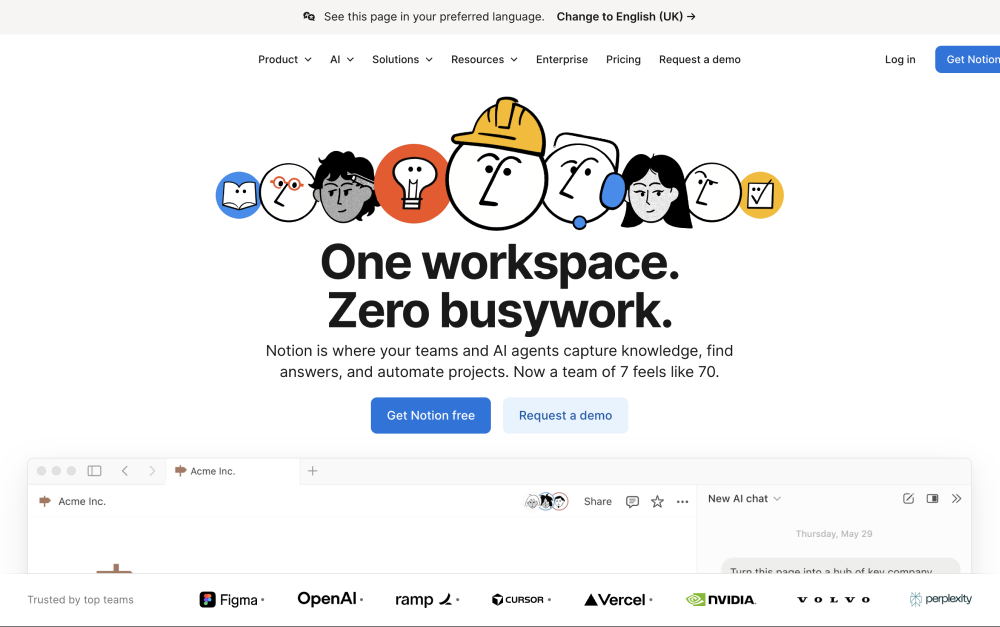
Notion

client management app Notion homepage screenshot

Notion is a versatile tool that combines note-taking, task management, databases, and more into a single platform. Its flexibility and customization options make it a thoughtful choice for managing client relationships. 

Here's how you can use Notion for client management:

  1. Databases: Create a database for all your clients, including fields for contact information, project status, notes, and any other details you need. You can then view this data as a table, kanban board, calendar, or list, depending on your needs.
  2. Client portals: Create a dedicated page for each client that serves as a portal for all relevant information. This could include project plans, meeting minutes, deliverables, and more.
  3. Templates: Notion provides templates for a variety of use-cases, or you can create your own. For example, you could create a template for client onboarding that includes all the necessary steps and information fields.

Client tracking software through a CRM 

HubSpot

Client tracking software Hubspot homepage screenshot

HubSpot is a comprehensive client tracking software offering various tools for managing, nurturing, and understanding clients. The platform consists of different hubs: Marketing Hub, Sales Hub, Service Hub, and CMS Hub, all built around the free CRM (Customer Relationship Management) system.

Here's how you can use HubSpot for client management:

  1. Customer Relationship Management (CRM): HubSpot's free CRM is the backbone of the platform, storing all your contacts, companies, and deals. The CRM helps you manage and analyze customer interactions and data throughout the customer lifecycle.
  2. Service Hub: The HubSpot Service Hub is designed to help you manage and enhance your customer service. It includes ticketing systems to track customer issues, customer feedback tools, knowledge base features to create help articles, and customer service automation and reporting.
  3. Marketing Hub: The Marketing Hub provides tools for attracting new clients and nurturing existing ones. Features include email marketing, SEO tools, content creation tools, lead management, marketing automation, analytics, and more.
  4. Reporting and analytics: HubSpot provides robust reporting across all its hubs. You can create custom dashboards and reports to track performance and gain insights into your customers' behavior.
  5. Integrations: HubSpot integrates with over 500 other tools, including major email providers, social media platforms, CMS systems, and more. These integrations mean you can keep all your client communications and interactions in one place.

Salesforce

Client management app salesforce homepage screenshot

Salesforce is a powerful and extensively customizable client tracking system that provides a variety of features that can help servicing clients

Here are some ways you can use Salesforce for client management:

  1. Service Cloud: Provide excellent customer service from anywhere. The service cloud includes features for case management, service contracts, knowledge base, and more. It allows you to track and solve customer issues efficiently.
  2. Community Cloud (Experience Cloud): Build communities for your customers. These communities can provide self-service support resources and a space for customers to connect with each other.
  3. Analytics Cloud: Combine data from different parts of your business and get insights using AI and machine learning.Understand your customers better and make more informed decisions.

AirTable

Client management software Airtable preview of homepage

Airtable is a versatile and customizable tool that combines the simplicity of a spreadsheet with the structured organization of a database. The client management software is designed for collaborative work and offers a range of features.

Here's why some argue Airtable is the best client management app for tracking:

  1. Client database: You can use Airtable to create a comprehensive database of all your clients, complete with fields for contact information, project details, notes, and any other information you need. You can easily sort and filter this information to find what you need.
  2. Project tracking: Airtable allows you to create a visual timeline of your projects, making it easy to see what's coming up and what's overdue. You can also use it to track project budgets and resources.
  3. Automation: Airtable offers automation features that can help streamline your client management. For example, you can set up an automation to send an email to a client when a task is completed.

Best client management system for file storage

Storing files properly is critical for security, efficiency, and legal reasons. Rock integrates many file storage solutions. Integrate your preferred cloud storage providers in the Files mini-app and attach documents to tasks, notes, and topics.

Google Drive

best client management software for file storage Google Drive

Google Drive is a cloud-based storage platform that allows you to store, share, and collaborate on files. Although it's not a dedicated client management system, it can be used in conjunction with other Google tools to manage clients effectively. 

Here are some ways you can use Google Drive for client management:

  1. Document storage: Store all documents related to each client in Google Drive, such as contracts, project plans, proposals, invoices, and so on. Organize files in dedicated folders for each client, making it easy to find and access them when needed.
  2. Collaboration: Collaborate on files in real-time. This can be particularly useful for working on documents like proposals or reports with your team. Changes are saved automatically and can be tracked per user.
  3. Version control: Track of all changes made to a document and revert to previous versions. This can be useful if mistakes are made or if you simply want to see the progression of a document over time.

Dropbox

best app for client management file storage dropbox homescreen screenshot

Dropbox is a cloud-based storage platform that allows you to store, share, and collaborate on files. While it's primarily a file storage and sharing service, you can use it as a client management system by leveraging its features to help manage client-related documents and collaboration.

Here's Dropbox how can help with client management workflows:

  1. File sharing: Dropbox allows you to share files or folders with your clients via shareable links. You can control whether the recipient can view or edit the files. This is particularly helpful when you need to share large files that can't be sent via email.
  2. Integration with other applications: Dropbox integrates with many popular applications like Slack, Zoom, Trello, and more.
  3. Access anywhere: As a cloud-based platform, Dropbox allows you to access your files from anywhere, on any device, as long as you have an internet connection. This is useful if you need to access client files while on the go.

Understanding the Foundations

Discover everything you need to know about bringing your client management to the next level. From nailing the onboarding process to elevating your communication game – our FAQs cover any burning questions you might have regarding client management

1. What is white glove client management?

White glove client management is a high-touch, detail-oriented approach to client relations, prioritizing personalized service and comprehensive attention throughout the client's journey.

2. Why is good client management considered cost-effective?

Retaining and satisfying existing clients is more cost-effective than investing resources in acquiring new ones.

3. How can effective client management generate referrals?

Happy clients are more likely to refer others, leading to qualified leads at no extra cost.

Onboarding and Meeting Documentation

1. What's the importance of a structured onboarding process?

A structured onboarding process sets the tone for the business relationship, outlines mutual expectations, and establishes a pathway for effective communication and service delivery.

2. How can AI help in documenting client meetings?

AI tools can transcribe and summarize meetings, providing consistent, accurate records while allowing participants to focus on the discussion.

3. Why should I summarize every client meeting?

Summarizing client meetings ensures all participants are clear on decisions made and action items, and it serves as a reference point for future engagements.

Communication Protocols

1. What is the key to successful client communication?

Active listening, focusing on client-centric conversations, respecting time, and setting clear boundaries are essential elements.

2. How do you ensure communication respects the client’s time?

Be punctual, concise, and goal-oriented in interactions, and promptly address the client's queries and concerns.

Client Management Systems and Tools

1. What features should I look for in client management software?

Look for tools that offer task and communication consolidation, seamless integrations, accessibility, customization, and comprehensive tracking.

2. How can Google Drive aid in client management?

It offers cloud-based document storage and collaboration, allowing for real-time editing, version tracking, and easy sharing.

3. Why is Dropbox considered useful for client workflows?

Your documents are accessible from anywhere, and it integrates with multiple applications for streamlined operations.

Strategic Best Practices

1. How do continuous improvements in communication benefit client relationships?

It fosters trust, reduces misunderstandings, helps in aligning goals, and strengthens overall rapport for enduring alliances.

2. Can Rock streamline client communication and collaboration?

Yes, Rock centralizes messaging, tasks, notes, files, and meetings – enhancing coordination and simplifying client management.

Best Practices and White-Glove Experience

What is a white-glove experience in the context of client services?

It’s an exclusive, tailored service experience that exceeds usual standards, offering clients unmatched attention and care.

How do you create a white-glove experience using Rock?

With its all-in-one platform for communication and collaboration, Rock empowers you to offer personalized, efficient service that caters to all client needs.

Troubleshooting Common Client Management Issues

1. What should I do if a client is dissatisfied with the service?

Immediately address their concerns by listening, finding a resolution, and taking steps to prevent future issues.

2. How do I handle communication barriers with clients?

Clarify any misunderstanding by revisiting the issue, using simple language, and confirming understanding through feedback.

3. Documentation is taking up too much time. How can I improve this process?

Implement AI marketing tools for automated transcription and summarization or streamline the process with templates and standard procedures.

4. What if a client is not responsive to my communications?

Try different communication channels, check for any misunderstandings about availability, and verify if they are facing any issues that might be affecting their responsiveness.

5. How do I recover a client relationship after a mistake on our end?

Own up to the mistake, apologize sincerely, offer a solution or compensation, and highlight measures taken to prevent repetition.

6. Files have been accidentally deleted from online storage, what can I do?

Most platforms have a version history or a deleted files section where you can recover lost documents. If unavailable, contact support for further assistance.

Create a true white-glove experience with Rock

Rock allows you to truly provide a white-glove experience to your clients. Leverage all-in-one communication and collaboration with internal activities and client communications on the same platform.

No more multiple subscriptions, no more switching between platforms. Just one tool. With Rock, you can start concentrating on getting the work done. Find why Rock is the best app for client management for hundreds of agencies, freelancers and other service providers. 

Improve your client management with Rock, sign up for free today.

client management software

Dec 4, 2023
December 20, 2023

Client Management: Minimize Churn While Maximizing Referrals

Nicolaas Spijker
Editorial @ Rock
5 min read

Starting a new project can sometimes feel like setting sail in uncharted waters. While mapping out a clear plan is crucial, getting started can often feel like a daunting task.

To assist you in your next project, we have curated a collection of 16 must-have project plan templates that are absolutely FREE. Workflow templates are designed to address a wide array of project types, simplifying your planning process.

Whether you're a seasoned project manager or a beginner, these project management templates will act as your compass, leading you to project success.

Let’s dive right in!

1. SEO content creation

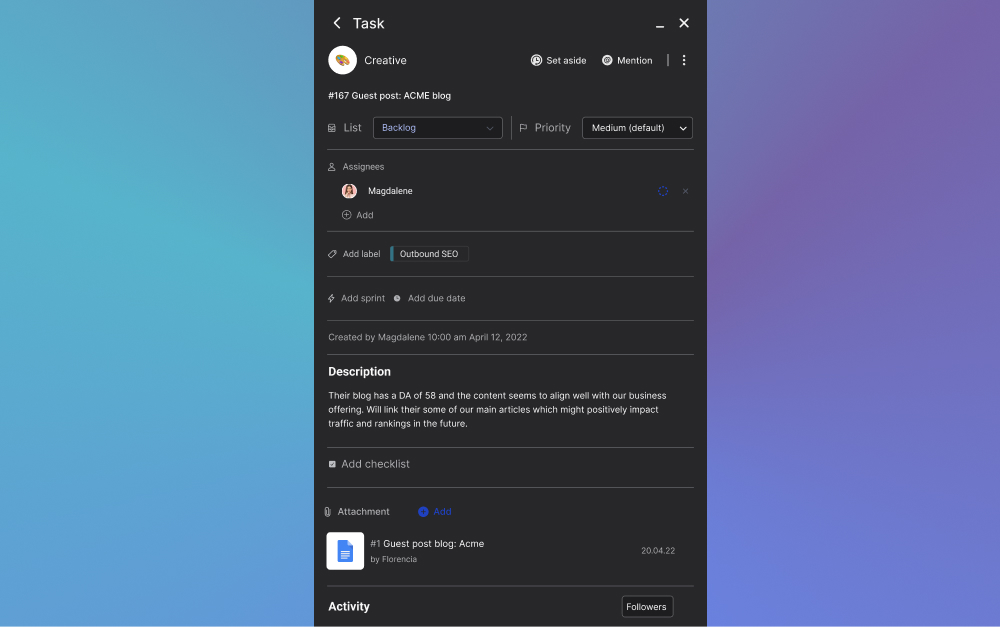
SEO content creation project plan template preview. Multiple task lists and individual task cards highlighting information and steps within the process

Looking for an efficient way to manage SEO projects? Streamline your SEO workflow and ensure that content is optimized for search engines.

Search engines demand constant adaptation and improvement to stay relevant. To be productive, an SEO project plan template needs to be well-documented, data-driven, and easily accessible.

Whether you're working on keyword research, outlines, or optimization, this template has everything you need to manage your content.

Your workspace in the project plan template also includes features like notes and files, as well as chat and meeting integrations. It is designed to help you produce high-quality content that attracts traffic and improves search engine rankings.

Main takeaways from the SEO content creation template:

  • SEO content creation requires ongoing adaptation and improvement
  • An efficient SEO workflow needs to be well documented, data-driven, and easily accessible
  • Access a step-by-step guide for keyword research, content outlining, creation, optimization, and promotion
  • Features like notes and files, as well as chat and meeting integrations, help keep all information and discussions centralized

Follow the step-by-step guide and leverage all the features to produce high-quality content that attracts traffic and improves their search engine rankings. Start using the template for planning freely and start ranking in search engines today!

2. Client Onboarding Checklist

Example of a project plan client onboarding checklist template. Preview of task lists and individual items to complete when onboarding a customer

The way you onboard your customers sets the tone for your relationship, establishes expectations, and aligns goals. If done poorly, it can lead to miscommunications, missed deadlines, and ultimately, a strained relationship. But fear not, because we have the solution!

Introducing our comprehensive client onboarding project plan template. Designed to be universal and applicable to various types of agencies and freelancers. This checklist will guide you through the seven stages of the client onboarding process, providing actionable insights and best practices at each step.

By adopting this project management template, you'll be well on your way to fostering successful, long-lasting client relationships.

Main takeaways:

  • The checklist includes stages such as conducting an onboarding questionnaire, sending a welcome letter, planning kick-off meeting…
  • Each stage of the project plan template provides actionable insights and best practices for successful onboarding.
  • The template for planning onboarding enables agencies and freelancers to gather comprehensive client information, assign a dedicated team, understand client needs and expectations…

By following this client onboarding checklist, you'll set the stage for a successful client relationship.

3. Marketing Campaign Management

plan projects with the marketing campaign manager template: image shows a preview of a task management bard and individual task cards to complete within a marketing campaign

In today's fast-paced world, having a well-defined process for marketing campaigns is crucial for success. It can save you time, reduce stress, and ensure that your marketing efforts yield the desired results.

However, for many marketing professionals, managing campaigns can be overwhelming and disorganized. That's where our custom template comes in to help.

Key Benefits of the marketing campaign project plan template:

  • Increased efficiency: Allocate resources more effectively and reduce time spent on managing campaigns.
  • Improved organization: Clear task assignment and defined responsibilities eliminate confusion and enhance overall organization.
  • Strategic planning: Align marketing efforts with business goals to take a strategic approach to planning and executing campaigns.
  • Higher ROI: Streamline processes, improve organization, and make data-driven decisions to significantly increase marketing ROI.
  • Better adaptability: Quickly identify and respond to market changes or consumer behavior to keep campaigns relevant and engaging.

To unlock the full potential of your marketing efforts and drive business growth, invest in effective marketing campaign management. Get started with the dedicated project management template and say goodbye to disorganization, while maximizing ROI.

4. Event Planner Checklist

project management templates for event planners example with a task board showing multiple lists and individual task cards to complete when planning an event

Planning an event can be a complex and time-consuming process. However, with the right tools and resources, you can streamline the planning process and ensure a successful event. That's where our Free Template comes in.

This template for planning events covers various stages of making an event a reality;, including goal setting, venue selection, budgeting, branding, publicity…

With our free event project plan template, you'll have a step-by-step checklist to guide you through the entire planning process. From setting goals to post-event tasks, stay organized and ensure a successful event.

5. Creative Workflow Management

project management template for creative workflow management on Rock preview with multiple task lists and individual task cards under each list highlighting what to do in a creative workflow

The creative workflow project plan template is a user-friendly solution that helps organizations organize, plan, and oversee the production of creative content. Your team can improve efficiency, communication, and the overall creative output by implementing the project plan example.

Outline your content requirements, set deadlines, assign tasks to team members, and track progress in real-time. By streamlining your workflow, you can eliminate bottlenecks, improve collaboration, and boost productivity.

Main Benefits of the creative workflow management project plan template include:

  • Streamlines the content marketing workflow
  • Guides users through every stage of the workflow
  • Helps users stay organized and on track
  • Customizable to fit specific needs
  • Intuitive and easy-to-navigate layout

Don't miss out on the advantages of a well-organized content creation process. This project management template sets you up for a timely delivery of high-quality content by ensuring important steps are not overlooked.

6. Simple Project Planner Template

Template for planning simple project example with a task management board and lists, calendar, board views in order to manage different activities in a simple project

This streamlined workspace is designed to kickstart your next project with ease. How you plan projects does not have to be complicated. Get started with intuitive functionality that can be shared by inviting others to your space!

The dedicated project management template provides a visual way to organize tasks, ideas, and progress; making it a great tool for teams and individuals alike.

Main takeaways from the simple project planner template:

  • The template includes four lists: Brainstorm, TODO, DOING, and DONE.
  • The Brainstorm list helps generate and refine ideas by answering key questions.
  • Once an idea is fleshed out, you can create a task and add it to the TODO list.
  • The DOING list is for tasks currently in progress.
  • When tasks are completed, they can be moved to the DONE list.
  • Additional lists and labels can be added for enhanced organization.
  • Messaging functionality alongside note-taking, videoconferencing and file storage can be accessed from the same workspace.
  • The project plan template is suitable for solo projects or team collaborations.

This simple template for planning is a powerful and user-friendly setup for organizing and managing projects. Using it offers you a streamlined workspace for brainstorming, tracking progress, and celebrating accomplishments.

7. Content Marketing Funnel

Project plan templates for content management example a content funnel preview with multiple lists and task examples on how to create and promote content

Missing deadlines can be a costly mistake in content marketing. Stay on track with a checklist-based project plan template. Ensure that every step in your content creation and distribution is completed, including social media promotion and meta descriptions.

No more wondering if you've forgotten something - workflow checklists keep you organized and efficient.

This example of a project plan includes features such as task management, messaging, and integrations with various tools. All these features are present to make it easier to monitor the blogging workflow and collaborate with team members.

Main takeaways from the content marketing funnel project plan template:

  • Use the content marketing funnel template to streamline your content management process.
  • Attach drafts, illustrations, and assets to tasks for better organization.
  • Utilize the checklist-based publishing process to ensure nothing is missed, including social media promotion and meta descriptions.
  • Collaborate seamlessly with team members and discuss tasks in the comment section.
  • Review the blog management process easily with filterable task labels and a convenient calendar view.

Stay on top of deadlines and effectively distribute your content, ultimately driving signups, sales, and awareness!

8. Customer Service Management

templates for project management example customer service management template highlight of the workspace with a task management board and different workflow lists to collaborate within from Rock's project management tool

In today's competitive business landscape, providing exceptional customer service is not just a nice-to-have; it's a must-have.

Customers have more choices than ever before, and their expectations for great service are higher than ever. Organizations that fail to meet these expectations risk losing valuable customers and damaging their reputation.

So, how can businesses effectively manage their customer service to ensure customer satisfaction and loyalty? That's where this project plan template comes into play:

  • Using the task board as a customer relationship management (CRM) system help businesses manage customer interactions and data.
  • Collecting and analyzing customer feedback is essential for improving products and services.
  • Effective customer service management leads to higher customer satisfaction and retention.
  • Ongoing effort is required to meet evolving customer expectations and compete in the market.

To streamline customer service, businesses can use this dedicated workspace to document and discuss different customer interactions and feedback points.

9. Agile Sprint Planning

Project projects with sprints in agile with a dedicated template preview in a task management board with multiple task cards and lists

Effective agile sprint planning is crucial for staying organized and accomplishing tasks in the fast-paced world of Scrum. Project management templates offer a reliable sprint workflow that streamlines the process.

Main Takeaways front he agile sprint planning project plan template:

  • Agile sprint planning involves short, time-boxed periods during which a team completes predefined tasks.
  • The stages of agile sprint planning include pre-planning, work breakdown structure (WBS), setting KPIs, and retrospective.
  • Pre-planning involves defining sprint goals, identifying high-priority items, and clarifying requirements.
  • A project plan offers predefined tasks, functionality for day-to-day work, team communication, and meeting agenda sharing.
  • WBS outlines tasks, subtasks, dependencies, and assigns them to team members.
  • Setting KPIs helps measure progress and effectiveness in achieving sprint goals.
  • Retrospective is a feedback stage for identifying improvements and refining processes.
  • The project plan example is user-friendly, versatile, and can be used unlimited times.

Streamline your Scrum process, increase efficiency, and achieve optimal results in every sprint. Take the next step towards becoming a high-performing and successful engineering team.

10. Branding Design Process

example of a project plan that can be created from the branding design process template showing a task management board with multiple lists and individual task cards

Are you a freelance designer or branding specialist looking to keep your branding design process organized? Look no further than this dedicated project management template!

Use this project plan template to streamline the branding steps and ensure that both you and your clients know what's happening at every stage of the branding process.

Break the work down into manageable tasks to ensure that you never miss an important step. The design project management template allows you to track progress, assign tasks, and collaborate with your team and/or clients.

What you’ll fined in the branding design process project plan template:

  • Break down the brand process into manageable tasks.
  • The project management template allows you to track progress, assign tasks, and collaborate effectively.
  • Ensure that you never miss an important step when branding a new product or service.
  • The example of a project plan covers all key stages, including onboarding, creative brief, discovery, design phase, client review meetings, revisions, and final handoff.
  • Keep clients updated on progress and aligned with their vision.

In conclusion, the Branding project plan example is a valuable tool for freelance designers and branding specialists. Give it a try to experience the benefits firsthand.

11. Recruitment tracker

Project plan template for managing the recruitment process. Preview of an application funnel with multiple stages such as resume review, screening call, interview...

Are you tired of sifting through stacks of resumes, trying to keep track of candidate progress, and juggling communication channels?

As a human resources professional, recruiter, or hiring manager, your time is precious. You need a solution that simplifies and streamlines the recruitment process. That's where a recruitment project plan template comes in.

A recruitment tracker is a powerful tool that can revolutionize the way you manage and monitor the hiring process. With the ability to consolidate all recruitment-related information in one place, project plan template eliminates the need for scattered spreadsheets, messy email threads, and endless file searches.

Key points discussed in the project management template:

  • Document applicant information, recruitment stages, interview schedules, feedback, and hiring status.
  • Rock is a comprehensive candidate tracker that streamlines the recruitment process.
  • Rock offers features such as notes, files, meetings, and tasks to enhance efficiency.
  • The example of a project plan includes lists for resume review, interviews, offers, rejections, accepted candidates, and the option to customize and personalize.

This project plan template for tracking applications is a useful tool for HR departments, recruiting agencies, and hiring managers to streamline the recruitment process. Take the next step and experience recruitment made easy!

12. Inbound Content Marketing

Project plan example for the inbound content marketing template with a task board preview and multiple task cards for inbound content marketing

Managing multiple integrated campaigns can be challenging, especially when it comes to organizing content and assets. This inbound marketing project plan template solves collaboration challenges within your inbound marketing strategy through intuitive, all-in-one functionality.

Key takeaways from the inbound content marketing project management template:

  • Inbound content marketing focuses on creating valuable content to attract and convert leads.
  • The process involves attracting, engaging, converting, nurturing, closing, and delighting prospects.
  • The inbound content marketing template offers a centralized location for content and assets.
  • The project plan example streamlines task management and facilitates collaboration within the team through chat, notes and files.
  • Using tools like Rock can improve workflow and boost marketing results.

Managing an inbound marketing strategy can be overwhelming, but with our project template, you can streamline your workflow and maximize the efficiency of your day-to-day collaboration.

Plan projects today and see how it can improve your workflow and boost your results. Take the next step towards enhancing your inbound marketing strategy and gaining a competitive edge in today's digital landscape.

13. Product Roadmap Template

A project plan for a product roadmap example with a task management board and multiple lists and individual task cards

Our development roadmap project plan template revolutionizes your process by providing a clear, organized, and collaborative approach.

Say goodbye to scattered Google Docs and hello to efficient task management and streamlined communication. Get started for free and take your product management to the next level.

Main takeaways of the product roadmap template:

  • A product roadmap communicates the vision, direction, and progress of a product over time.
  • Roadmaps are crucial for aligning stakeholders and prioritizing development.
  • The product roadmap template includes themes, features/epics, timeline roadmap, status updates, and resources.
  • Task management can be helpful for visualizing progress in the roadmap.
  • The free product roadmap project plan template suggests stages such as sharing ideas and suggestions, product design…

The roadmap project plan example offers a comprehensive tool for product managers to effectively organize and prioritize their product development. By following the suggested stages, product managers can track progress and optimize their workflow.

14. Website Development Process

Project management template for the website development process with multiple lists and individual to do list actions

Building a new website can be complex and time-consuming, but with the right roadmap, you can create a successful website. Streamline the process and finish up your successful and well-designed website well before the due date.

Main Takeaways from the website development process project plan template:

  • The website development process involves creating, designing, and launching a website.
  • A well-developed website is functional, visually appealing, and user-friendly.
  • Benefits of an effective web design workflow include clear objectives and goals, efficient resource management, improved communication and collaboration, and better project management.
  • The website building template helps organize web design projects and gather necessary information.
  • The project management template allows for easy collaboration and documentation in a single project space.

Don't let building a new website overwhelm you. Plan projects effectively and create a successful website with ease. Get started today and experience the benefits of a streamlined process.

15. Stakeholder Engagement Plan

Project plan template for stakeholder management example on rock with multiple task lists and individual cards highlighting example activities to engage with stakeholders

Stakeholder relationship management is a critical component of any successful organization. But how can you ensure that the management of stakeholders is both effective and efficient?

You can do just that by following the step-by-step process outlined in our stakeholder project plan template. Start working with tailored strategies and processes that address the unique needs and expectations of each stakeholder group.

The main takeaways from the stakeholder engagement plan include:

  • Identifying stakeholder communication tasks: List all communication tasks related to stakeholders, such as updates and meetings, to create a foundation for the task board.
  • Crafting task cards: Write each communication task on a separate card with relevant details, such as stakeholder name and due date, which will be used to populate the task board.
  • Organizing tasks on the board: Arrange task cards in columns based on their current stage in the communication process to provide a visual organization and easy identification of task status.
  • Assigning responsibilities: Clearly indicate team members responsible for each task to foster accountability and collaboration within the team.
  • Updating the board regularly: Move the task cards across columns as tasks progress, enabling progress tracking and prompt issue resolution.
  • Conducting regular reviews: Periodically review ongoing tasks with the team to discuss progress, address challenges, and plan for future communications, promoting open dialogue and collaboration.

Implementing this project management template helps streamline communication processes, enhance collaboration, and ensure timely interactions with stakeholders.

16. Portfolio Website Design

Plan projects such as a portfolio with this simple intuitive template with multiple task lists and example tasks to complete in order to create a portfolio such as research and data, design, development...

‍Are you a graphic designer looking to create a portfolio that will impress potential clients and showcase your skills?

Gone are the days of spending hours trying to figure out the best way to present your work.

Our project plan template provides a clear and intuitive task management process, ensuring that every essential aspect of creating a graphic design portfolio is covered. Now, let's dive into the stages our template walks you through.

Key Takeaways of the portfolio website design project management template:

  • Research and gather data to tailor your portfolio website to impress clients
  • Design wireframes and mockups that incorporate cohesive and polished elements
  • Choose the right content management system to showcase your work effectively
  • Test your website for functionality and user-friendliness
  • Showcase your best work through case studies and testimonials
  • Employ strategies to launch and promote your portfolio website effectively

Our example of a project plan for portfolio design provides a simple and efficient way to create an impressive preview of your graphic design skills.

Whether you're an experienced professional or just starting out, this project plan example will save you time and effort while showcasing the best side of your business.

Must-Have Project Plan Templates: Access More In The Template Gallery

The project plan templates highlighted in this article are only the tip of the iceberg. With the breadth of templates available in our Template Gallery, you're sure to find a design that fits your unique project needs.

Whether you're managing a small team project or overseeing a larger, more complex initiative, the right project management templates can make all the difference.

So, don't stop here. Dive into the Template Gallery to explore more options and discover the perfect layout that will guide your project to success.

Preview of the template gallery that holds more project management templates that people can use for free

Sep 18, 2023
September 20, 2023

16 Must-Have Project Plan Templates

Nicolaas Spijker
Editorial @ Rock
5 min read

In this release we're introducing Rock webforms, adding the ability to display thumbnails on the task board, and making a ton of other improvements to the core Rock experience. Interested in learning more? Check out the key changes below:

  1. Webform - add a Rock webform to any website and when an entry is submitted a task is created in Rock. Use this for incoming requests, sales inquiries, or support tickets, and do the follow-up in Rock.
  2. Thumbnails on the task board - see images on the task board so you can quickly see creative, visuals, and other attachments without having to go into a task.
  3. Scheduled messages - send messages when people are going to be online by scheduling these based on their timezone.
  4. Workspace improvements - instead of automatically adding everyone to all spaces in a workspace, you can now selectively invite people to a specific space.
  5. Minimize space panel - need a bit more space for your space? You can now minimize the space panel so you can see more. No larger monitor needed.
  6. Tons of other improvements - from improved task objects in chat to improvements on the way you navigate around Rock, we've added tens of small improvements that will keep you rocking.

Embeddable Rock webform

Set up new webforms between your website and Rock, available in both free and PRO spaces. Rock webforms automatically convert new website responses into tasks, creating a more centralized and intuitive flow of information.

This makes it easier for website visitors to contact you and allows your team to access and handle new form submissions without leaving Rock.

Here are some instances where the new webform could benefit to your team operations:

  1. Product demos and consultations: Create a form that allows visitors to request a demo or consultation. This helps you gather pre-sales information while also directly assigning a new lead to a space member.
  2. Contact forms: Add a "Contact Us" form to allow visitors to ask questions about your business or products and collect their information for future marketing. Visit our contact page to see this example in action!
  3. Newsletter sign-up: Add a form for visitors to seamlessly sign up for your mailing list to stay engaged with updates, promotions and other important business announcements.
  4. Feedback: Collect reviews or feedback from visitors on a specific product or service. You can use labels to categorize all information within your dedicated Rock space.
  5. Event registration: Make it easy for attendees to register for your next digital or in-person event.

Check out our support page to see the webform in action, feel free to leave any feedback, queries or share anything else with us.

The new webform feature has been made available in both free and PRO spaces. Any user with admin permissions in a space can access the feature by visiting the space settings.

For additional information on how to embed a custom Rock webform, please visit this dedicated product guide.

Thumbnails on board view

It is now possible to display images on tasks when viewing the Tasks mini-app in board view. This can increase clarity on how to operate tasks, improve engagement or bring more personalized branding to your projects on Rock.

To set an image as a thumbnail, follow these simple steps:

  1. Upload an attachment in .PNG .JPG or .JPEG to a task.
  2. Hover over the element and select “Set as task preview”.
  3. Done! Your preview now shows on the board view. To remove the preview, repeat the steps and click on “Remove thumbnail”.

Workspace improvements

We have implemented an update to workspaces that enables you to selectively invite users to specific spaces within a workspace.

This means that once a user is invited, they will only be part of the spaces chosen by you, and will not automatically become a member of any current or future spaces added to that workspace.

To invite a new user to specific spaces, select the "invite manually" option in the workspaces panel.

Next, ensure to deselect the default option of "invite to all workspace spaces". Then, manually choose the users you want to invite to the subset of spaces in the workspace.

Once you have selected all desired users, press the "next" button.

You now have the option to choose which spaces to add the user to. They will no longer be automatically included in new spaces added to the workspace or already existing spaces within your workspace.

Remove link previews

You now have the ability to eliminate the thumbnail previews for links shared in chat. This change will be reflected for all users sharing the chat space with you.

To remove a thumbnail, simply hover over it once it appears and click the "x" button. Keep in mind, once removed, the thumbnail cannot be restored for that specific message.

Jump to message

Want to quickly access the original message in a notification or thread? The chat panel now offers the option to jump to the message in the chat.

This makes it easier to view past conversations and navigate through messages in your different spaces and discussions. To activate the feature, simply select “Jump to Message” at the top of the panel.

Minimize spaces panel

Maximize your Rock spaces view by hiding the spaces to the left. This feature can be easily enabled by pressing “hide” at the top of the spaces view.

This reduces clutter and increases the size of an open mini-app in a space, making it easier to get work done within your different workstreams.

Tasks objects in chat, now with due date and assignee status

Task objects now provide a more comprehensive view when shared in a space. Along with the standard information, we have added due date and assignee status.

This additional information will automatically appear when creating a new task or mentioning a task in your next conversation.

Time tracker improvements

We have made numerous improvements to the time tracker. This should result in a smoother experience overall with bug fixes and speed improvements across the board. Additionally, the format of the CSV exported from the time tracker has been updated.

To export tracked time in a CSV follow these steps. Go to your personal time tracker or the time view in the management dashboard -> set the desired time frame -> select "export" in the top right corner of the view.

Scheduled messages (unlimited)

Send messages or polls at a convenient time by scheduling them. This enables you to send messages at a time that aligns with your team members' time zones, plan ahead or set reminders.

Note that this feature is only available in PRO spaces under the Unlimited plan. To learn more about this new feature check out the dedicated product guide.

Unlimited plan in full effect

The unlimited plan is available for everyone, and limits for the free plan are now in effect. All users have access to free spaces, but with limitations.

FREE spaces are limited to creating 50 tasks and notes, adding 10 members, and uploading 250MB of files per FREE space.

Free users can also create only 3 group spaces and one workspace. However, you can create unlimited 1:1 spaces and use the Chat and Topics mini-apps without any restrictions.

Upgrading to unlimited will eliminate these limitations and unlock PRO spaces that include all the following features:

Purchasers and managers can create as many PRO spaces as needed under the Unlimited plan.

Upgrade today and unlock access to PRO spaces for your team, partners, clients, freelancers and anyone else that wants to collaborate together with you on Rock.

Download the mobile app

We’re building Rock in public, share your thoughts, ideas, and feedback with us!

Join the Rock team as we build the future of collaboration and productivity. Learn more about upcoming features, share product suggestions and access the latest resources and events from the Rock team. Everyone is welcome to join through this link.

Aug 31, 2023
April 25, 2024

Product Update: Webforms, task board thumbnails, and lots of other improvements

Kenzo Fong
CEO & founder
5 min read

The way we interact with our clients can make or break a business relationship. Client communication can be seen as an intricate dance - one wrong move can lead to a misstep, and potentially a fall.

Communication is your ticket to success if you pay attention and learn to do it effectively. - Theo gold

This article is your guide to mastering the dance of communication, ensuring your team always stays in step with your clients. Let's dive into the essential etiquette rules with 10 do’s and don’ts your team should know.

Apply these habits today and transform your client relationships from good to great!

Why is effective client communication important?

The most important thing when it comes to client communication is understanding why you need to properly communicate in the first place.

Here are some of the main benefits you can get out of effectively communicating with clients:

  • Building trust: Clear, consistent, and open communication helps establish trust between a business and its clients. You show that you value the input clients provide and are committed to meeting their needs.
  • Understanding needs and expectations: Communication with clients allows you to understand the project better. By actively listening and responding appropriately, you can provide tailored solutions that align with your shared goals.
  • Problem-solving: Issues and misunderstandings are inevitable in any business relationship. Effectively communicating with clients enables you to address these problems effectively and efficiently, minimizing their impact on the client relationship.
  • Client retention: Clients are more likely to stay with a business that works effectively with them. Regular updates, prompt responses, and proactive outreach make clients feel valued and appreciated, increasing their loyalty.
  • New business referrals: Word-of-mouth referrals are still one of the most effective forms of marketing. When you communicate effectively, clients are more likely to refer your services to others.
  • Boosting your sales: Through effective communication, you can identify upsell or cross-sell opportunities. By understanding your clients' needs and providing value, you can increase sales and drive business growth.

Remember, effective client communication is not only about speaking or delivering a message. It's also about listening, understanding, and responding in a way that adds value and strengthens the client relationship.

🎁 Free resource: By adopting this Checklist Client Onboarding Template, you'll be well on your way to fostering successful, long-lasting client relationships.
Client communication best practice with an onboarding checklist. Preview of the checklist with tasks, lists and different important activities.

Client communication: 10 do’s and don’ts your team should follow

Navigating the world of communicating with clients can sometimes feel like walking a tightrope. The right words strengthen relationships, foster trust, and drive business growth. Meanwhile, missteps can lead to misunderstandings, lost opportunities, or damaged reputations.

So, how can your team ensure they're always on the right side of this delicate balance?

Below, we’ve listed 10 do’s and don’ts to provide a foundation for client communication and set your team up for success.

1. Do actively listen to your clients

Active listening is about fully engaging with the client. Show empathy and understand the underlying messages or emotions being conveyed.

You’re not just listening so you have something to reply back; you’re listening so that you can get to know the client better. With active listening you enrich your partnership by encouraging honesty, collaboration, and mutual understanding.

Here's how you can implement active listening in client communications:

  • Pay attention: Focus on the speaker, avoiding distractions.
  • Show that you are listening: Use non-verbal cues (like nodding or maintaining eye contact) and verbal affirmations (like "I see" or "Noted") to demonstrate that you're engaged.
  • Provide feedback: Summarize or paraphrase what the client has said to ensure you've understood correctly.
  • Ask questions: Ask clarifying questions to gain a deeper understanding of the client's needs or concerns.
  • Avoid interrupting: Allow the client to finish their thoughts before you respond.

Remember, active listening is one of the client communication skills that that takes practice to develop. However, its impact is significant and well worth the effort.

🎁 Free resource: Don't let your voice be drowned out in the noise of the world—take control of your life through the Assertiveness Training Template.
Communicating with clients: setting boundaries through assertive communication

2. Don’t make it all about you

Remember, client communication is about understanding and meeting the needs of the client. Don’t spend the valuable time you have together just talking about your own products, services, or achievements.

Here are a few strategies to ensure the focus remains on the client:

  • Open-ended questions: Encourage clients to share more about their needs, concerns, and goals through open-ended questions.
  • Listen more, talk less: Allow the client to do most of the talking. Gain a deep understanding of their situation first, then provide input second.
  • Tailor your responses: When you do speak, ensure that your responses are tailored to the client's needs. Highlight how your products or services can address their specific challenges.
  • Show empathy: Demonstrate that you understand and care about the client's concerns.

Communicating with clients is a two-way street. By ensuring the focus remains on the client, you're more likely to build successful, long-lasting business relationships.

3. Do respect your client’s time

There’s a saying that “time is gold,” and it rings true especially when it comes to client communication. Everyone's time is precious and demonstrating respect for your client's time can significantly enhance your relationship with them.

Here are the two main reasons why respecting your client’s time is so crucial:

  1. Increases efficiency: By being concise and staying on topic during communications with clients, you can ensure that conversations are productive and efficient. This is especially important in meetings, where time is often wasted on irrelevant details.
  2. Promotes Professionalism: Respecting time is a professional courtesy that can enhance your reputation and image in the eyes of your clients.

To respect your clients time, consider implementing these strategies:

  • Be punctual: Always be on time for meetings and calls. If you're running late or need to reschedule, notify the client as soon as possible.
  • Stay on topic: Keep conversations focused on the topic at hand. Avoid going off on tangents that may not be relevant to the client. A meeting agenda can be helpful to do so.
  • Respond timely: Reply to emails, calls, or messages in a timely manner. Even if you don't have a full answer yet, a quick acknowledgement can let the client know you're working on their request.
  • Set clear expectations: Be clear about timelines for deliverables. If a delay occurs, let the client know as soon as possible and provide a new estimated timeframe.
  • Choose the correct communication channels: cancel the meeting if you can just send an email or assign a task and get the same result. Being intentional when you communicate with clients shows them that you take your partnership seriously.
🎁 Free resource: Ready to become a well-rounded expert on canceling meetings? Get started with the dedicated FREE template!
Cancelling a meeting template with different task lists an essential communicating with clients skills and activities

4. Don’t be afraid to set boundaries

While it's crucial to be responsive and available to your clients, it's equally important to establish clear boundaries. Maintain a balanced and healthy business relationship and clearly define what to expect from each other.

Here's why setting boundaries is crucial in client communications:

  1. Managing expectations: Manage your client's expectations about what they can and should expect from you. Include availability hours, response times, scope of work, and more.
  2. Preventing burnout: Constant availability can lead to stress, a toxic work culture and burnout for you and your team. Ensure that everyone has the time they need to rest, recharge, and maintain peak performance by setting boundaries.
  3. Professionalism: Boundaries help maintain a professional relationship with your clients. Ensure that the relationship remains focused on the agreed-upon services and outcomes.
  4. Quality of work: When boundaries are set, you can better manage your time and resources, leading to better quality of work.

Here are some simple strategies you can implement today to set boundaries in your client communication:

  • Be clear from the start: Throughout your client onboarding process, be clear about your working hours, response times, and scope of work. When clients know what to expect, you can avoid misunderstandings further down the road.
  • Communicate your boundaries: Don't be afraid to communicate your boundaries If a client is making demands that are outside of the agreed-upon scope.
  • Stay consistent: It's important to consistently uphold your boundaries. When you make exceptions too often, clients start to expect this as the norm.
  • Use tools to your advantage: Leverage tools like email auto-responders or scheduling apps to help communicate your availability.

Remember, setting boundaries is not about being less committed to your clients. It's about ensuring a healthy, productive, and mutually respectful business relationship.

🎁 Free resource: By adopting this Checklist Client Onboarding Template, you'll be well on your way to fostering successful, long-lasting client relationships.
Client communication best practice with an onboarding checklist. Preview of the checklist with tasks, lists and different important activities.

5. Do document as much as possible

Keeping thorough records of your interactions and agreements with clients ensures clarity, consistency, and accountability. Here's why documentation is so crucial:

  1. Avoid misunderstandings: Ensure that both you and the client have the same understanding about what has been discussed and decided.
  2. Maintain continuity: In situations where multiple team members interact with a client, documentation ensures everyone is on the same page. Facilitate seamless transitions and consistent communication, even if the point of contact changes.
  3. Dispute resolution: Having a paper trail provides a reference point that can help resolve the issue more quickly and fairly.
  4. Performance and progress tracking: Documentation can also serve as a record of your work performance and the progress of the project. Tracked work can become the foundation for performance reviews, future planning, or evaluating success.

Here are some strategies to ensure effective documentation in client communication:

  • Use CRM systems: Customer Relationship Management (CRM) systems are a great tool for documenting interactions with clients. Store emails, notes, call logs, and other communication in one place.
  • Document key decisions: After important meetings or calls, send a follow-up summarizing the key points and decisions. Follow-ups not only provide a written record but also give the client an opportunity to correct any misunderstandings.
  • Store relevant files: Keep track of all relevant files, such as contracts, proposals, and project plans. Make sure they are stored in a file management system where they can be easily accessed.
  • Update Regularly: Make sure to regularly update your records to reflect the most recent interactions and decisions.

Remember, while documenting may require an investment of time and effort, the benefits in terms of clarity, consistency, and accountability make it well worth it.

6. Don’t be a yes-man in your client communication

Being a yes-man means automatically agreeing with everything the client says or asks for. Doing so comes in the way of offering honest, professional advice and feedback.

Not becoming a yes-man is important if you want to improve client communication, here’s why:

  1. Integrity: Maintain your professional integrity and be honest with your clients, even if your viewpoint differs from theirs. Honesty helps build trust and respect in the long run.
  2. Avoiding unrealistic expectations: Always saying "yes" leads to unrealistic expectations. When you agree to something that's not possible or not in the client's best interest, it can lead to disappointment and damage the relationship.
  3. Providing value: Part of your role is to provide expert advice and guidance. Sometimes, this means pushing back against a client's ideas and suggesting more effective alternatives to achieve company goals and objectives.
  4. Mutual Respect: Respectfully expressing differing opinions promotes a sense of mutual respect and equal partnership in the business relationship.

Here's how you can avoid being a "yes-man" in client communication:

  • Be assertive, Not aggressive: It's important to express your views assertively, but not aggressively. Respect the client's viewpoint and express your disagreement in a professional, respectful manner.
  • Provide evidence: When you're advising against a client's idea, providing evidence or examples can help them understand your viewpoint. Think of data, case studies, or professional experience.

Being a "yes-man" can be detrimental to both the client relationship and the success of the project.

Your client is working with you for a reason. You have something to add to their business – something that can help them grow – so don’t just agree to all of their ideas right away.

🎁 Free resource: Don't let your voice be drowned out in the noise of the world—take control of your life through the Assertiveness Training Template.
Communicating with clients: setting boundaries through assertive communication

7. Do practice transparency with everyone

Being dishonest when you’re communicating with your client is one way to break their trust. Always practice being transparent, even when it’s a difficult conversation.Give updates as necessary, even without them needing to ask.

Don’t beat around the bush when talking to clients either – favor being straightforward, clear, and direct.

Transparency is about being open, honest, and straightforward in your interactions with clients. Doing so helps you build trust, ensures accountability, here’s how:

  1. Builds trust: Clients appreciate honesty and are more likely to trust a business that is open with them.
  2. Ensures accountability: By being open about what you're doing, why you're doing it, and how it's being done, you hold yourself accountable to your clients.

Here's how you can practice transparency in client communication:

  • Share your processes: Be open about your processes and how you work. Help clients understand what to expect and why certain decisions are made.
  • Communicate challenges: If you're facing challenges, let your clients know. They'll appreciate your honesty and it could lead to a collaborative solution.
  • Be open about pricing: Be upfront about your pricing. Hidden costs can damage trust and lead to unpleasant surprises for your clients.
  • Admit mistakes: Turn the situation around and increase a client's trust in you by admitting the mistake and moving on. If you make a mistake, admit it, apologize, and explain how you plan to rectify it.

Transparency isn't about sharing every minute detail with your clients. Instead, focus on being open and honest in your customer communications.

Two message bubbles as an abstract depiction of practicing transparency within client communication

8. Don’t make promises you can’t keep

Manage expectations and ensure that your commitments to your clients are realistic and achievable. Don’t give guarantees on things you aren’t sure of, whether it’s related to project results or the level of service you can provide.

Here's how you can avoid making promises you can't keep in client communication:

  • Set realistic expectations: Be honest about what you can deliver. Consider this for everything from project timelines to the results you can achieve.
  • Under-promise and over-deliver: It's often better to promise less and then exceed expectations than to promise more than you can deliver.
  • Know your limits: Understand your capabilities and limits. Don't make promises based on best-case scenarios; account for potential obstacles and delays.

I's natural to want to please clients and say "yes" to their requests, but honesty and reliability are far more valuable in the long run. Always strive to deliver on your promises and maintain the trust you've built with your clients.

9. Do ask your clients for feedback

Regularly seeking your clients' opinions about your work and your relationship leads to continuous improvement. Here's why regular feedback is so important for client communication:

  1. Improvement: Gain valuable insights into areas where you can improve.
  2. Client Satisfaction: Asking for feedback shows you value the opinions of your client and are committed to meeting their needs. In term, this increases client satisfaction and loyalty.

Here's are some best practices when asking for feedback in your client communication:

  • Regular check-Ins: Schedule regular check-ins with your clients to ask for feedback. Chat with your clients after a significant milestone has been completed, quarterly, or at another interval that makes sense.
  • Surveys: Send out surveys to your clients asking for feedback on various aspects of your work and your relationship.
  • Ask specific questions: When asking for feedback, be specific. Instead of just asking "How are we doing?", ask questions about specific projects, interactions, or aspects of your service.

Feedback is a tool for growth. Even if it's negative, it provides you with the opportunity to learn and improve. Always thank your clients for their feedback, take it into consideration, and act on it where appropriate.

10. Don’t forget to use effective communication tools

The right tools streamline communication, improve collaboration, and ensure that everyone stays on the same page. Choosing the right remote work tools improves customer communications in the following ways:

  1. Efficiency: Streamline your interactions with clients by automating routine tasks. Keep conversations organized, and manage your communication more effectively by keeping everything in one place.
  2. Collaboration: Some communication tools allow for real-time collaboration, which can be a game-changer for projects. Tools like shared documents or project management platforms keep everyone in the loop and foster a collaborative environment.
  3. Record Keeping: Communication tools also serve as a record of your customer interactions. A solid record of interactions is crucial for transparency, accountability, and conflict resolution.
  4. Accessibility: The right tools can make communication more accessible and convenient. For example, tools that support mobile access allow you and your clients to communicate and collaborate from anywhere.

Here's how you can make the most of customer communication tools:

  • Choose the right tools: There are many tools out there, from email and instant messaging platforms to project management tools and customer relationship management (CRM) systems. The right tool for you will depend on your needs and those of your clients.
  • Train your team: Make sure everyone on your team knows how to use your chosen communication tools effectively. Mastering a new platform might involve formal training or just a simple tutorial.
  • Establish norms: Set norms for how and when to use different communication tools. For example, you might use client correspondence emails for formal communication, a project management tool for task updates, and instant messaging for quick questions.
  • Ask for client preferences: Some clients might prefer certain communication tools over others. If possible, accommodate these preferences to make communication smoother and more comfortable for your clients.

The goal of using communication tools should be to make communication clearer, easier, and more efficient. The right tools can greatly enhance your client communication and improve your working relationships.

Platform for talking to clients Rock with messaging and task management. Preview of the software with example project management elements

That’s a wrap – Effectively communicate with clients today!

Mastering client communication etiquette is crucial for every team. The ten key dos and don'ts discussed in this guide provide a solid foundation for creating respectful, effective, and beneficial client communication strategies.

The goal of these principles is to foster trust, mutual respect, and long-term relationships with your clients. Keep these client communication best practices in mind, but also be flexible and responsive to your clients' unique needs and preferences.

After all, communicating with clients is not a one-size-fits-all discipline. All good communication requires active listening, empathy, and a genuine commitment to serving your clients' best interests.

🎁 Free resource: By adopting this Checklist Client Onboarding Template, you'll be well on your way to fostering successful, long-lasting client relationships.
Client communication best practice with an onboarding checklist. Preview of the checklist with tasks, lists and different important activities.

Aug 22, 2023
August 22, 2023

Client Communication Etiquette: 10 Dos and Don'ts Every Team Should Know

Nicolaas Spijker
Editorial @ Rock
5 min read

The importance of warmly welcoming new clients cannot be overstated. How you onboard customers sets the tone for your relationship, sets expectations and aligns goals.

Follow our practical roadmap with dedicated checklists to streamline your onboarding process. The workflow applies to digital marketing agencies, public relations firms, design studios and any other type of agency.

We'll dive into the following 7 stages of the onboarding process for customers:

  • Document client information
  • Assemble a dedicated team
  • Onboarding questionnaire
  • Prepare accounts
  • Welcome letter
  • Kick-off meeting
  • Regular update flow

By adopting this template, you'll be well on your way to fostering successful, long-lasting client relationships. Let's get started!

Customer onboarding checklist template preview with a task management board and multiple tasks for different stages in the client onboarding process

1. Onboard customers first step: document important information

Kickstart the process by entering your clients' information into your chosen spreadsheet or Customer Relationship Management (CRM) system.

Ensure that all the data compiled by your sales crew is documented into this system. Keep this information up-to-date for a complete and precise record of your interactions with the client.

Below, we've listed some of the most critical client details you should gather when you onboard customers:👇

  • Company Name: The registered name of the client's business.
  • Industry Type: The specific field or sector where the client's business operates.
  • Company Scale: The magnitude of the client's business, defined by workforce size or annual turnover.
  • Primary Contacts: The names, job titles, and contact details of the main personnel you'll be interacting with.
customer onboarding processes example first step to document information, task card with a list highlighting the most information to record: company name, industry type, etc.a

2. Assemble a dedicated team

As a digital agency, the team you bring together when welcoming a new client can make or break success. Depending on the services and requirements, your team could encompass a variety of roles:

  • Account Manager: Often the main liaison for the client, the Account Manager nurtures the client relationship, understands the client's needs, and ensures those needs are effectively communicated.
  • Project Manager: The maestro of the project who oversees the timeline, budget, and deliverables for the client's projects.
  • Strategist: Whether they're a master of content, digital, or overall marketing strategy, the Strategist's role is to devise plans that resonate with the client's objectives.
  • Creative Team: Graphic designers, web designers, copywriters, and videographers who breathe life into the creative assets.
  • SEO Specialist: This individual fine-tunes the client's content and website to enhance search engine rankings, ensuring that the client's digital presence doesn't go unnoticed.
  • Social Media Manager: If the client wishes to amplify their social media footprint, a Social Media Manager is a must. They curate and manage content, engage with users, and stay on top of the ever-changing social media landscape.
  • Data Analyst: The data analyst monitors and interprets campaign performance data.
  • Technical Support: When your agency's services involve website development, app development, or other technical aspects, a tech whiz is a must-have.
  • Legal Advisor: Depending on the client's industry and the nature of the projects, a Legal Advisor may be necessary to ensure all your activities are compliant with laws and regulations.

Remember, the secret lies in assembling a harmonious team that can cater to the client's needs effectively and efficiently. The size and structure of the team may adapt as the client's project changes over time.

Checklist:

  • Account Manager:
  • Project Manager:
  • Strategist:
  • Creative Team:
  • SEO Specialist:
  • Social Media Manager:
  • Data Analyst:
  • Technical Support:
  • Legal Advisor:
Assembling a team in the onboarding process for customers: highlight of the different skillsets and team members to consider.

3. New client onboarding questionnaire

As an agency, the art of understanding your new client begins with a well-crafted onboarding questionnaire. Gather crucial information that dives deep into the heart of your client's business, their aspirations, and their target audience.

The questionnaire's objective is to harvest as much relevant data as possible about your client. Understand their business model, products or services, target audience, marketing objectives, key competitors, historical marketing efforts, and more.

The content of the questionnaire should be a mix of open-ended questions that elicit qualitative responses. Additionally, add closed-ended questions for gathering quantitative data. Keep your questions straightforward, and free of industry jargon.

After sending the questionnaire, be ready to examine the responses in a follow-up meeting. This provides an opportunity to clarify any ambiguities and delve deeper into certain areas.

Below, we present a checklist of essential questions to consider including in your onboarding questionnaire 👇

Checklist

About the Business

  • Could you briefly describe what your business does?
  • In which industry does your business operate?
  • Who are your main competitors?

Target Audience

  • Who is your ideal customer? Please provide as much detail as possible (demographics, psychographics, behavior, etc.).

Marketing Efforts

  • What marketing activities have you engaged in so far? How successful were these?
  • What marketing channels have you used? Which have been the most successful?
  • Do you have any existing marketing assets (website, blog, social media profiles, etc.)?

Goals and Objectives

  • What are your short-term and long-term business goals?
  • What are your specific marketing objectives?
  • What are the key performance indicators (KPIs) you use to measure success?

Budget and Timeline

  • Are there any specific deadlines or key dates we should be aware of?
  • What is your budget for our services?

About the Brand

  • What is your unique selling proposition (USP)?
  • Do you have any existing brand guidelines (logos, color schemes, tone of voice, etc.)?

Expectations and Preferences

  • What are your expectations from our agency?
  • How do you prefer to communicate (email, phone, in-person, etc.) and how often?
  • Are there any specific challenges or obstacles you think we might encounter?
customer onboarding template third step: questionnaire with questions to learn more about the client with a checklist on the information to collect such as about the business, target audience, etc.

4. Marketing Onboarding: Setting up essential accounts

Set the stage where your collaborative performance will unfold. One of the most significant steps in the onboarding customer process is preparing the necessary accounts.

Let's dive into different accounts you might want to set up when you onboard customers:

  1. Client Portal: If your agency leans on a client portal or a CRM system, creating an account for your new client is step one.
  2. Project Management System: Platforms like Rock, Asana, Trello, or Basecamp are digital workspaces where your client's projects will take shape. Allow clients to keep track of project milestones, facilitate seamless communication and approve deliverables.
  3. Communication Channels: Tools such as Rock, Slack, or Microsoft Teams are lifelines of agency-client interaction. Set up a dedicated channel or space for a smooth, uninterrupted conversation flow.
  4. Digital Marketing Tools: Depending on your service offerings, you may need to establish accounts on various digital marketing platforms. These can range from Google Analytics, Google Ads, to social media accounts.
  5. Billing and Invoicing: This involves registering billing details in your system and automating recurring invoices, ensuring a hassle-free financial exchange.

Checklist:

  • Client Portal:
  • Project Management System:
  • Communication tools:
  • Digital Marketing Tools:
  • Billing & Invoicing:
New customer onboarding fourth step: preparing accounts the clients will have to access and managing permissions.

5. The power of a well-crafted client welcome package

An agency's welcome package is more than just a collection of documents – it's the opening act of a long-lasting and productive client relationship. It's your chance to lay the groundwork for your partnership and share insights about your services and workflows.

Here's a glimpse into the essentials of a standout welcome package for onboarding new customers:

  1. Warm welcome letter: A personalized welcome letter is your first chance to express excitement about your future collaboration. Reaffirm what the client can anticipate in the coming stages of your partnership.
  2. Introducing the team: Humanize your agency by sharing details about the team members who will be working closely with the client. Besides their roles and contact, consider adding a fun fact or hobbies about team members.
  3. Service overview: Offer a detailed snapshot of the services the client has enlisted, and how they will be delivered.
  4. Workflow and timeline: Outline your task management processes and approximate timelines for different tasks.
  5. Contact details: Equip the client with the necessary contact information for any potential questions or concerns. Make sure to include both primary and secondary contacts.
  6. New customer onboarding checklist: A step-by-step checklist can guide the client seamlessly through the onboarding process, ensuring no detail is missed.
  7. Access credentials: If the client requires access to specific software or platforms, don't forget to include login details or access instructions.
  8. A Token of appreciation: Depending on your agency's culture and budget, a small gift can add a personal touch. This could be a simple branded notebook or an elaborate gift basket. While not mandatory, it's a delightful way to express your appreciation.

Checklist:

  • 👋 Team Introduction
  • 👀 Overview of services
  • ⚙️ Process and timeline
  • 📱 Contact information
  • ✅  New customer onboarding checklist
  • 🔐 Access information
  • 🎁 Small gift or token
Sending a welcome package when you onboard customers. Highlight of elements to add such as team introduction, overview of services, process and timeline and more.

6. Nailing the first impression: client kickoff meeting

The kickoff meeting is much more than a formal introduction. It's an opportunity to set a positive tone for the relationship, establish mutual expectations, and synchronize on the project's goals, scope, and timelines.

Here's a step-by-step guide to effectively plan and conduct a kickoff meeting that can set the stage for success when you onboard customers:

  1. Pre-meeting preparation: Arm yourself with a thorough understanding of the client's business, industry, and the specific tasks they've commissioned. Create a detailed meeting agenda that outlines the discussion points for the meeting.
  2. Identifying attendees: The meeting should bring together key stakeholders from both sides. Include the project manager, account manager, and strategic leads from your agency, along with the decision-makers from the client's side.
  3. Setting the purpose & goals: Kickstart the meeting by explaining its purpose and goals. Typically, this involves aligning both parties on the project's trajectory and clarifying roles and responsibilities.
  4. Project overview: Delve into the project specifics. Cover the services you'll be offering, the project's goals, the target audience, and other relevant details.
  5. Roles & responsibilities: Clearly identify the involved parties from both sides, their roles, and their responsibilities. Defining this information ensures accountability and clarity, smoothing out the workflow.
  6. Establishing timelines & milestones: Share the projected timeline, highlighting key milestones and deliverables. Set expectations for when the client can anticipate results or specific output from your agency.
  7. Communication plan: Discuss the communication plan for the project duration, including the frequency of updates, the client's primary contact point, and the communication tools in use.
  8. Facilitating a Q&A session: Allow the client to ask questions or express any concerns. Ensure everyone is on the same page and preemptively address potential issues.
  9. Next steps: Wrap up the meeting by summarizing the agreed-upon next steps and confirming any immediate actions.

Checklist:

  • Schedule a kickoff meeting and time
  • Send invitations
  • Research client, industry and overall project
  • Write a meeting agenda and share with participants at least 48 hours in advance
  • Share meeting notes and summary
6th step in the marketing onboarding process: the client kickoff meeting. Highlight of things to consider and a checklist with steps to plan an effective kickoff meeting.

7. Regular update flow

Establish a regular rhythm for updates and communication with your client. This could be  weekly emails, recurrent meetings, or timely updates via a project management tool.

Your main objective here is to ensure the client stays in the loop regarding the project's progression and any significant developments.

Last step in the onboarding process for customers: regular update flow to clients

Onboard new clients with the free Agency Customer Onboarding template!

Ready to take the hassle out of client onboarding? We're delighted to introduce the Agency customer onboarding template – a free, user-friendly tool designed to help agencies seamlessly integrate new clients.

Our comprehensive template offers a structured approach that saves time, builds trust, and promotes clear communication. We share a standardized yet customizable onboarding process for customers that can be adapted to suit your agency's unique needs and those of each client.

The client onboarding process template is a fantastic resource for agencies looking to streamline customer onboarding processes. Enhance client satisfaction, and lay the foundation for a successful and productive working relationship.

Give the marketing onboarding process a try today – it's free!

Free client onboarding process template preview with distinct tasks, lists and project management functionality.
Aug 14, 2023
September 19, 2023

First Impressions Matter: How To Effectively Onboard Customers

Nicolaas Spijker
Editorial @ Rock
5 min read

Imagine offering your customers a support experience so seamless it feels tailored just for them. Learn how to exude professionalism and proactive problem-solving in the same way a white-gloved butler provides impeccable service.

Throughout this article, we offer a step-by-step guide on how we set up highly persononalized customer support at Rock. Specifically, we walk you through:

  • Why does excellent customer support matter?
  • The challenges in building a high-end support workflow
  • Step-by-step: How we built our own customer support from the ground up
  • Unique advantages of our workflow

Whether your business is large or small, it is possible to provide an experience that feels like a five-star service.

Let's roll out the red carpet and dive into everything you should know to build your very own white-glove customer support workflow!

Why does offering excellent customer support matter?

Well though-out customer support flows aren’t just a nice to have — it's a vital component of business success.

Let’s quickly discuss 4 reasons why providing good support matters to your business.

1. Customer retention

If your customers are happy with your support, they are more likely to stay with you.

Keep in mind that it’s much cheaper to keep existing customers than to constantly look for new ones! In fact, studies have shown that retaining current customers can be up to 5 times cheaper than acquiring a new one.

🎁 Free resource: By adopting this Checklist Client Onboarding Template, you'll be well on your way to fostering successful, long-lasting client relationships.
Rock client onboarding checklist template preview: task board on list with with multiple activities to complete in order to onboard a customer

2. Feedback and user suggestions

Your customers will feel that you care about their needs when you provide quick and high-quality customer support. As a result, customers give more frequent feedback and suggestions based on their experiences.

Avoid investing time on improvements or changes that don’t impact the customer. A steady stream of customer input allows you to always improve your product or service following their actual needs.

At Rock, we use a dedicated customer support channel to manage feedback and bug reporting in the form of tickets. Direct contact with our customers allows us to quickly flag bugs and capture feature requests.

🎁 Free resource: Retaining customers becomes so much easier when you can organize everything in a single place. Complete tickets, collect feedback and keep customers happy with this Customer Service Template.
Rock customer service management template preview: Empty task board with lists in order to process customer service tickets

3. More upselling opportunities

Attending to customer support inquiries in a personalized manner allows you to learn more about the client business, problems, and workflows. We often notice workflow issues or restrictions that can be fixed certain features in the paid plan.

White-glove support offers users the chance to learn about more advanced reporting, workflow shortcuts or improved documentation. We offer clients in-depth explanations about certain features and the value of incorporating them.

When our users grasp the full value of our unlimited plan, it becomes only logical to upgrade.

4. Reviews and referrals

When you’re well connected to customers it becomes easier to reach out whenever you need some support (reviews, referrals…). Customers are more inclined to invest time in supporting you when they feel valued and satisfied with your service.

Once you’re well-connected, it's quick and simple to ask them for a personalized review on sites like Capterra, Crozdesk, or Google play store/ App Store (if they have a mobile app) link.

This way they can make their thoughts available to other teams and share their experience with your team so far. You can then also use those reviews for case studies, testimonials….

Capterra page for rock. Multiple reviews and list presenting the product, features, alternatives, comparisons, reviews, resources and more

The challenge of providing good customer support

Ensuring that your customers can access premium support at all times is no easy feat. Especially if your team is small without a dedicated person whose sole responsibility is to attend customers.

When this is the case, teams often share the work which leads to disconnected interactions and longer waiting times.

Initially, we ran into a few issues too. Let’s dive into a few challenges we initially experienced as a small team while building out our customer support.

1. Expensive customer support tools

As a smaller team, we lacked the budget for dedicated customer support software. Dedicated tools are often focused on big enterprises and too expensive for smaller teams.

Additionally, the CS software often offered too functionality that was too advanced for our team. Complexity in tools is an issue because of two main reasons:

  • Training: Learning how to use a dedicated tool can take up a lot of time. A new interface and functionality would require one or more team members to learn how to use the platform. Early on we wanted to focus on other priorities instead.
  • Functionality overkill: We found that a lot of the tools offered too much functionality. Paying for a full platform feels wasteful when the team only needs 10% of the offered functionality at the time.
🎁 Free resource: Retaining customers becomes so much easier when you can organize everything in a single place. Complete tickets, collect feedback and keep customers happy with this Customer Service Template.
Rock customer service management template preview: Empty task board with lists in order to process customer service tickets

2. Outdated channels for customer support

The default customer support channel when companies get started is a dedicated email address. But we quickly encountered that email threads become messy with many people in ‘cc’ and nobody clearly taking charge.

Important emails easily get lost, there is no clear structure, customers might write a few emails at once and you might not be sure where to follow up.

As a result, we were losing time and frustration increased from both sides.

3. Customer expectations are growing

Larger companies typically have well-established customer service funnels with clear expectations and waiting times. As a result, customers expect the same, if not better, treatment when working with small businesses.

Customer expect you to consider past interactions and feedback. But when conversations are mainly managed through email, it’s easy to get lost.

Teams should focus on providing white-glove customer support in order to keep the customer happy. But how do you set this up alongside all other priorities that come with managing a small team? We’ll dive into that in the next section!

🎁 Free resource: By adopting this Checklist Client Onboarding Template, you'll be well on your way to fostering successful, long-lasting client relationships.
Rock client onboarding checklist template preview: task board on list with with multiple activities to complete in order to onboard a customer

How to use Rock as a free shared customer support chat in 6 steps

Rock is an all-in-one messaging and task management tool. It can easily be transformed into a live customer support chat which can be managed by multiple people.

Curious how? Here’s how we are currently leveraging our own platform to provide a white-glove customer support experience to all of our users. Our system can be set up in 6 simple steps.

1. Create a shared email account

Create a dedicated email account that you will use for your customer support on Rock. It can be a group account from your company’s email domain.

If you don’t have your own domain you can also create a dedicated account for which you share the credentials, for example, Acme-support@gmail.com.

You can learn more about creating your own groups here.

2. Sign up with the account to Rock

Use that new account to sign up on Rock for free. This account will be shared with everyone who is involved in providing customer support. If you’re a 1-person business or the only one providing support, you can create a personal account.

Create a username that reflects the purpose of your account. If you’re one person managing customer support, it might make sense to add a personal touch and use your own name. If it’s a team it might be a good idea to go for a more general name, for instance, Acme Support.

Adding a profile picture can be helpful too!

customer support workflow set up with rock

Next up, make sure to integrate your preferred cloud storage providers. For instance, you can connect your Google Drive or DropBox folders with Rock.

Cloud integration become useful if you often need to share resources or documents with your customers so you can quickly add them to a support space when relevant.

Finally, don’t forget to integrate your favorite video conferencing platform. We offer integrations with Zoom, Google Meet, Jitsi, and Loom.

Meeting integrations speed things up whenever a direct video call with your customers is needed. You will be able to set up a call with your customers in a few seconds.

Rock product integrations highlight: Integrate video or cloud storage providers.

3. Set up the Quick Connect of the email account

Set the Quick Connect link with a welcome message and select a template of a space that will be created between you and your customers. When creating your Quick Connect link, make sure that you add a welcome message which is short and sweet.

<QUOTE>: Use a welcome message like: ‘Hi there, thank you for reaching out to Rock Support. Someone from the team will be with you as soon as possible. To help you with any question, please provide us with as much detail as possible.

Bonus, if you upgrade to unlimited you can customize the Quick Connect link, like space.new/[yourbusinessname]-support which looks even more professional.

customer support workflow with quick connect

4. Add the Quick Connect link where relevant

Now you have your Quick Connect link which will serve as a bridge between you and your customers who need support. Add that link where relevant:

  • Your website
  • Email signatures
  • Social channels and other external platforms you might be listed

Also, it’s possible to transform your Quick Connect link into a QR code. Add the QR in more visual locations such as your website or if you have one, even a physical store.

Customers can scan the code and get in touch with you with their questions within seconds.

For example, we add a CTA at the bottom of every help center article, in order to help users if they were not able to find the information they were looking for.

customer support workflows help center

5. Ready, set, go!

By clicking on your Quick Connect link or scanning the QR code, your customers will have a quick, free and direct way to reach out to you. Every time a new customer contacts you via Quick Connect, a new space will be created on your account and you will be notified.

You can handle all customer questions within that account and make sure nothing falls through the cracks!

When you need to include a specific colleague in any of those user conversations, you can easily do that by adding them to a space (all spaces are group spaces).

Also, your customers can easily add their colleagues too, if needed.

customer support workflow new spaces

6. Optional: Share the account with other team members

You can always add your colleagues to your Customer Support account. Sharing accounts is relevant if you want to give a more personalized experience to your customers. Just share the password with team members, and all responses will come from the same account.

Users can quickly switch between accounts by toggling account switching in user settings. Our colleagues at Rock who are responsible for customer support queries easily switch several times per day to catch up on new questions or spaces opened.

Because every team member can read the past conversation, nothing is lost. This means that a new team member can quickly catch up and provide support to the user within seconds.

Advantages of using Rock for your customer support

Why should you use Rock for handling your customer support communication? We tested it ourselves and can tell yo why it’s the best choice for providing assistance to your clients.

1.  All-in-one customer support functionality

Emails become messy and outdated when it comes to customer support. Long email threads can cause confusion, especially if you need to involve new team members.

Eventually, information easily gets lost in the noise. Rock provides a more seamless experience; you have all your customer support chats and information in one place.

Everyone who joins the team gains access to past customer conversations.

Rock project management app preview: multiple project spaces with chat, topics, tasks, notes and files

2. Faster than outdated systems

It’s way faster to answer your customer questions via Rock compared to using emails. You don’t have to keep an eye on several different channels at all times.

Instead, you switch between Rock accounts in a matter of seconds. Direct chats with users give a faster and more personalized experience.

3. Asynchronous & shared

It’s very easy to take over conversations from your colleagues with a shared Rock customer support account.

You don’t need to ask any questions internally about past conversations because you can access past conversations between a customer and your colleague.

When working asynchronously, you can share the customer support work within the team easier and nobody is obliged to always be online to answer questions.

For example, one person takes care of the customer support account in the morning and another person in the afternoon.

Implementing a white-glove customer support experience for any business

Implement this workflow with your clients, partners, or other stakeholders. It’s an easy and professional way for others to communicate with your team.

Just like for customer support matters, you can create an account for any other workflow which requires communication between you and other parties.

Customize your Quick Connect welcome message which reflects your audience. Add that link where relevant and make it a super quick way to engage with you!

Support accounts can be individual as well as shared between different team members. Workflow configuration depends on your preference.

🎁 Free resource: By adopting this Checklist Client Onboarding Template, you'll be well on your way to fostering successful, long-lasting client relationships.

Aug 1, 2023
September 1, 2023

How to Build a White-Glove Customer Support Experience

Nicolaas Spijker
Editorial @ Rock
5 min read

Building a fast and responsive site increases your company’s credibility and brand identity. It saves you time on customer service, improves your sales, and offers prospects information on your business.

Nevertheless, building a good website is no easy task. The website project management process can quickly become messy and feel like it’s never-ending.

Loosing sight of priorities is especially easy when new bugs, improvements and pages are lurking around the corner. Not having an effective web application project management flow will make the overall experience unproductive and demotivating.

We have faced it all with three migrations and thousands of bugs, improvements, new pages and designs. We tested project setups, timeframes and remote work tools so you don't have to.

Website project management case study: Rock website

We’re now writing this all-in-one website plan template to prevent you from going through the same issues. It might even help you with improving productivity in your organization.

The article starts with the foundations and continues with a website project plan template that replicates our internal workflow.

Website project management template preview rock: task management board with different lists and activities.

What is website project management?

Website project management is a collaborative process through the delegation of tasks and roles. Work managed ranges from technical SEO to page design and development. Each task is a building stone to the creation and maintenance of a fast, searchable and informative website.

The workflow starts with a website project manager who schedules and assigns tasks. Team members pass tasks across stages until improvements are pushed to the live web application.

There are different project management frameworks you can pick from to organize the process. Make sure to select the one that fits your team best, and remember to keep things easy and streamlined.

📔 Resource: You can also check out this resource on agile vs waterfall if you’re looking to learn more about project management.

A good website project plan ensures that tasks smoothly move across different project stages. Team members are informed in time and priorities are aligned across stakeholders.

If you’re building websites for external clients, then good project management also strengthens relationships. By keeping everything in check you can maximize for asynchronous work, meet client demands and keep them involved across project stages.

Getting set up

Building and maintaining a website is an ongoing responsibility with timed milestones. Internal website projects are almost never truly completed. There is always a bug to fix, SEO improvement to add, or new pages to develop.

To keep website projects moving you need to assign roles within your team. Note that one person can hold multiple or even all roles when developing a website.

Within our team there are 3 people working on different site related activities. Nevertheless, each person might manage multiple elements within that workflow or share tasks.

We combine the following team roles to structure the website project management of Rock:

  • Project manager
  • UX designer
  • SEO specialist
  • Content writer
  • Graphic designer
  • Website developer

Project Manager for website development

The project manager is at the heart of web project management. This person implements the communication plan, coordinates tasks and sets up milestones.

Website building is a collaborative process where the website project manager takes the lead in prioritizing activities and setting deadlines. They make sure that work is aligned with the organizational strategy.

Within our team one person takes full responsibility as project manager for website development. Here are a few responsibilities our website project manager takes on:

  • Frequency of implementation cycles: Implement changes from staging to live every week, two weeks, quarter, once a year?
  • Assigning tasks and prioritizing: Who is working on what task? What improvements, bug fixes and new pages should be prioritized?
  • Deadline management: Are the cycles reasonable in workload? What task is close or far from the current deadline?
  • Documenting the website building process: What was implemented in each cycle? Where is information stored?
  • Resolve issues: What happens if someone becomes less available or if a task takes much longer than expected?
  • Retrospective meetings: Our website project manager encourage team members to share feedback after each cycle in a dedicated retrospective meeting.
Website development project management free template example

UX Designer

A user experience (UX) designer focuses on the interaction between the user and the website. They focus on enhancing user experiences by making sites intuitive.

A UX designer looks into the website architecture. Think of how you move between pages, headers, footers and individual page layout. How will a typical visitor behave when visiting your website? How can you convert them into a customer?

Typical activities include building a mind-map and wireframes of a website. Our UX designer also designed the skeleton layout for each webpage. think of different sections, entry and exit points and user experience flows.

SEO Marketer

Building an informative and fast website is extremely valuable. Nevertheless, with many sites publishing content that does not rank, you also need to make sure that people can find your website.

The goal of search engine optimization (SEO) is to increase a website’s position on a search result. By ranking your website, you target specific queries to generate more leads.

A complex algorithm has made SEO harder, on top of the already immense content competition on the internet. There are two sets of activities that an SEO marketer might focus on in order to get their website to rank:

  • On-page SEO
  • Off-page SEO

On-page SEO activities

When designing pages, you have to think about what keywords you want to rank for. This can be one or multiple at the same time depending on the length of your page and competitive nature of the keyword.

The on-page SEO marketer will define what keywords need to be present on a webpage and how often they should appear. They should also define meta titles and meta tags.

Keyword traffic changes throughout time as user preferences and interests change. This can lead to changes in the copy of a page or other adjustments to make sure the page receives enough traffic.

On-page SEO also includes optimizing page speed. Our SEO marketer also works on more granular activities such as breadcrumbs, in-bound linking and setting up short and descriptive URLs.

Off-page SEO activities

Off-page SEO focuses on making sure that other sites link to your page. Backlinks and guest posts are the most common activities for off-page SEO.

To quickly summarize, off-page SEO focuses on making sure that other users can find your page on other relevant sites. This signals search engines that your website offers good quality and relevant content. In term, this can improve the ranking of the pages that receive external links.

Content writer

Our content writer focuses on developing clear, concise and enticing copy. They also naturally incorporate SEO requirements on every page.

There are multiple streams of content that you might want to publish on your website. For us, copy and content writing is typically divided into 3 different buckets.

  • Webpage: The webpages offer insights on the product offered and why it’s relevant to different audiences. You can also add dedicated pages comparing your product to competitors.
  • Blog: The blog is a collection of stories, advice and announcements. The copy is typically longer and more story-based than webpages.
  • Help center: The help center provides documentation on product functionality.

Graphic Designer

A poor visual design will lead users to bounce right off a website. Whether the website is not intuitive or a chosen color palette is off-putting, that first impression matters.

Experienced graphic designers understand the product vision and accurately portray the brand. Output includes illustrations, videos, logos, and a color palette that aligns with the brand.

Free template for portfolio website design preview: Task board with multiple lists and task cards

Website Developer

The website developer takes the page mocks and converts them into webpages. The developer might manually code HTML or use no-code/low-code tools for web building with platforms such as Webflow or Wordpress.

There are typically two sets of web development activities:

  • Front-End Development: The front-end developer takes care of what the user sees and how the website works. They take a website design and build out the pages with plugins, no-code tools or old-school coding with HTML, CSS, and JavaScript.
  • Back-End Development: Back-end developers deal with the server side. They write code that impacts the website’s server and databases. Back-end developers can also implement improvements focused on website speed.

5 types of tools we use for the website development process

Throughout the website building process we use a variety of tools. Some directly integrate with Rock, while others are less directly connected to the website project plan.

Website project management, collaboration & messaging: Rock

If you’re not yet familiar with Rock, we’re an all-in-one messaging platform. Rock combines chat with task management, note taking, file storage and meetings. This allows us to keep our complete website project management workflow in one place:

  • Task management: Rock has built-in task management. Team members can see their tasks through list, board, and calendar views. Tasks are typically moved through lists like ‘To do’, ‘Doing’ and ‘Done’. Work can easily be filtered by assignee or labels such as “Development” and “SEO”.
  • Real-time messaging: Send  messages, audio messages, polls and other information in a space.
  • Documentation: Write down important information on the Notes mini-app. Think of meeting agendas, documentation or updates.
  • Meetings: Rock makes setting up a meeting easy when you really need one.

Further down we will explain in detail how we use our own platform to manage web project management activities.

Rock project management application preview with task board and multiple lists and task cards

Design & UX: Figma

We mostly use Figma for creative work on the web design project management front:

  • Mindmap: What pages we want to work on, which ones to prioritize.
  • Wireframing: Skeleton of a page with the different sections.
  • Visuals: Screens from the UI/UX workflows and convert them into custom marketing materials for the website.

We connect Figma with the web design project management workflow by attaching designs to individual tasks. Designs can also be added to meeting agendas in the Notes mini-app.

If you use Adobe Creative Cloud instead of Figma for website development, then you can also freely integrate those designs to the Files mini-app on Rock.

Figma for managing web projects creative side: wireframe example for case study of Rock.so website

Content writing & SEO: Google Drive and Loom

We mainly use 3 different platforms for managing the content writing and SEO process of the website.

  • Google Drive: We write down our documentation, copy and guidelines on Google Drive.
  • Loom: We use Loom to to share asynchronous videos between team members. Think of walkthroughs for workflows, content or new webpages. We watch videos back and add comments if there is anything we did not understand.

We use the in-app Loom integration to quickly record a video if something is too difficult to explain in words. We also use the Google Drive integration in our website project management by adding relevant folders to the project spaces.

You can basically do the same with Dropbox, OneDrive or Notion if your team is more used to working with those cloud storage providers.

Managing web projects by using Google Drive for file storage and content writing. Example of a website cloud documentation for case study of Rock.so website

Development & implementation: Webflow

We use Webflow as our CMS for the project management for web development process. We wanted to combine the Webflow experience with the powerful plugins and SEO functionality of Wordpress. Thus we decided to use both in our website development.

Moving between web development stages is done through a dedicated tasks with an exhaustive list. We first develop the page on Figma, and subsequently move the design to Webflow.

We keep dedicated checklist items for each stage in the development process. This way everyone in the team can track website improvement progress. More on that in the upcoming section!

Manage your website project management workflow by following these 6 steps

The following section summarizes our website project planning process in 6 simple steps. This process free and can be easily implemented by any team.

Throughout the last few months we trialed different processes and communication strategies. We’ve found this to be the most effective workflow for a starting team or small business.

1. Configure the required spaces and establish how to communicate across them

We manage the website website development plan with tasks across three spaces. If you’re working with clients you can create a separate space for them.

Spaces combine all task functionality you might need alongside full-fledged messaging, note taking, file storage and meetings. We organize website project management communications across 3 spaces:

  • Strategy space: Highest level and and where we discuss the overall project. It’s where we discuss objectives, results and the different milestones of the website development plan.
  • Creative space: Individual tasks and discussion of new pages, page improvements and other more granular activities.
  • Development space: Bugs and website errors.

You can follow this set-up or take other routes.

Website project management space example Rock: Project management template with chat, tasks, topics, notes files and meetings

2. Integrate your website management toolstack

There are 3 types of tools you should consider integrating with for the website project management workflow:

  • Design tools: Figma or Adobe Creative Cloud
  • Cloud storage providers: Google Drive, Dropbox, OneDrive, Notion, Miro
  • Meetings & Video: Zoom, Google Meet and Loom

Design tools

We integrate our design folders to the Files mini-app of every space so work can be streamlined. It also allows anyone in the team can quickly find and access design files.

Add your complete design folder and then attach individual pages or files to tasks, notes and topics.

Integrating Figma or Adobe only takes a few minutes. Select “Files” on the top of your space, select the platform you want to integrate, authenticate the account and  select the relevant folders.

Once an account has been authenticated you can directly add folders in other spaces as well.

Website project planning with dedicated file integrations: template example with Figma and Adobe Creative Cloud images

Cloud storage providers

SEO workflows, new content, strategies and team planning should be stored in a cloud storage provider.

We integrate our cloud storage providers to our spaces to reduce folder searching and link sharing across the team. Everyone can access important information without getting distracted with non-relevant folders.

Just like Figma and Adobe, the integration of Google Drive, Dropbox, OneDrive, Miro and Notion only requires a few simple steps. Select the Files mini-app, pick your provider, authenticate and select the folders you want to add to the space in question.

You can now continue adding folders in other spaces and different projects you’re working on.

Website project plan template cloud storage providers examples. Integrations with Google Drive and Dropbox in a project space.

Meetings & video

We often encourage our own team members to say no to meetings. Nevertheless, when really needed you should be able to jump on a quick call with anyone to align on a task, priority or discussion.

To do so you can integrate with Google Meet or Zoom. Just like the file integrations, the only thing you have to do is select the camera icon in the bottom of your screen, select your app and authenticate. Once that’s done you can start new meetings in any space.

You can also use Jitsi which does not require authentication and is an open-source free videoconferencing platform.

Now, we also mentioned that we used Loom to share asynchronous video with the team. When something is not urgent, you can still add a personal touch by using the Loom integration.

Rock meeting integrations panel: Work with Zoom, Google Meet, Jitsi and Loom

3. Configure the task board

The Tasks mini-app is a powerful project management tool that allows you to coordinate your project. We organize all of our tasks in a ‘backlog’, ‘doing’, ‘to be reviewed’ and ‘done’ setup.

There are a variety of task configurations. Let’s do a deep dive into the most notable ones that you will need when setting up a website project of your own.

  • [Strategy space] Cycle/Sprint task
  • [Creative space] New webpage creation or improvement
  • [Creative space] SEO tasks
  • [Development space] Bug management

Strategy space task: Cycle/Sprint task

The highest level documentation in the website project management workflow is done with a sprint task. These tasks summarize all the activities within your sprint cylce. We typically use these to separate project vs task.

Depending on how large your project is, you can either create 1 task for this, or separate it between different workflows such as SEO, content implementation and back-end work.

Here’s how we typically use the different task fields in a cycle/sprint task:

  • Assignees: Project manager or main project owners. Leverage the follower feature If other team members are involved but not assignees. This way they can still receive notifications of all task activity.
  • Start & due dates: Cycle tasks typically move between website design timelines. We push changes to our live website every two weeks. Add start and due dates and sprints to organize these different timelines.
  • Labels: Categorize tasks as “website” or “website project” so you can easily filter the task board.
  • Checklist: We leverage cross-space @mentions a lot. The different granular tasks are in different spaces, just @space:task on Rock and directly link to tasks in different spaces.

Check out the image below for an example of a cycle or sprint task in our web application project management process.

project management web development: task example of a sprint with assignees, description and more

Creative space task: webpage creation and improvement

We use a single task for web design project management. After testing different configurations, we ended up organizing work in the following way:

  • Assignees: Our team is quite small so there are only 2 people assigned. You can always add people later on if their input becomes relevant.
  • Start & due dates: We add the task to a sprint, this automatically adds a start and due date.
  • Checklist: We define different stages from start to finish: content framework, page outline, content writing, design complete, webflow complete, animations complete (if relevant), transferred to wordpress.
  • Attachments: We attach the page mock from Figma to the task so we can quickly get to work.

We sometimes want to make changes to an already improved webpage with a new section, visual, or changes to the copy or visual elements. We then move the initial page task back from ‘done’ to ‘backlog’ to access all past documentation.

Website design timeline task example: Case study example of a task in the website project management process. Example highlights the example of a new marketing use case page for a business

Creative space task: SEO related tasks

Within the website project management template, we typically edit SEO tasks in the following way:

  • Assignees: SEO related tasks are typically assigned the content writer and SEO marketer.
  • Labels: We highlight whether a task is inbound or outbound SEO work.
  • Attachments: A lot of our SEO work is stored on Google sheets or docs. We attach these to the task for easy access.

Tasks often repeat across cycles. We highlight the cycle in the task title (i.e. “September Sprint”) and duplicate the task when the new sprint starts. Recurring activities typically include optimizing for orphaned content, in or outbound link communications and collaborating on guest posts.

Website plan template example for SEO work task: example task illustrates a guest post

Development space task: Bug management

Bug fixes are an important part of the web development project management process. We file all bugs in one long checklist and use the @attachments function to add images of issues we are facing.

There are a few information fields that we use for these tasks:

  • Assignees: Developer although sometimes it requires input from design or UX as well.
  • Checklist: Different bugs are added when they’re flagged by a team member or user and manually ranked as high, medium or low. We use the use the @attachments function to refer to images of issues we are facing on the website.
  • Attachments: Screenshots or videos that provide more context on the issue at hand.

We try to fix 10 bugs in every cycle and refresh documentation every now and then by duplicating the task so the checklist does not become too long.

Bug fixing in the website project management process example. Task with bugs to fix and an assignee.

4. Set up your development cycle

Website work is set up in recurring development cycles. A development cycle is organized in a timed cycle or sprint and includes page creation improvements, SEO, and bug fixing tasks.

Our development cycles run for 2 weeks. After that we push the changes live and start with a new set of tasks. Here are a few things you should keep in mind when setting up your development cycle:

  • Decide on a timeframe
  • Prioritize tasks and add them to the checklist
  • Stick to your deadlines

Decide on a timeframe

While we implement changes every 2 weeks you can pick a timeframe that fits your website project management style. Some teams run weekly, monthly, quarterly or bi-annual improvements. Note that the larger the timeframe, the more changes.

A bigger set of changes often results in more bugs and problems to arise. We keep our cycles short so that it’s easier to pinpoint the cause of issues. We also believe in progressively adding small improvements rather than waiting too long for changes to be implemented.

Timeframes depend on your team, client communication (if external web project management), and priorities. We do recommend to pick one interval and stick with it for consistency. That is, don’t change the length of the intervals between your cycles.

Prioritize tasks and add them to the checklist

Use the ‘priority’ field on tasks when they are added into a space. Project managers can then pick the important activities by filtering between the different categories in board view.

You can currently select the following priority levels on Rock: urgent, high, medium, low, lowest. After each implementation you can always revisit the priority tag added to the tasks in the backlog.

Once you start planning a new cycle, pick the tasks you think will have the biggest impact or can be quickly implemented.

Stick to your deadlines

This is arguably the hardest part of website project management. Tasks often take longer delaying the release. We recommend sticking to the deadlines and keeping open communication channels on workload, time investment and priority.

Sometimes it’s better to remove a task from the list and push the changes live. After the cycle is completed you can reconvene with your team and discuss workload.

Open communication channels are key to preventing a toxic work culture. Keep your team in the loop by leveraging check in questions for meetings, positive affirmations for work and balancing types of communication styles within your team.

Website development free project management template preview. Task board with multiple example tasks to start managing a new website project.

5. Achieve milestones and provide feedback

We set up a recurring retrospective meeting. There are a variety of topics that are discussed in these meetings, but we always follow our own virtual meetings best practices. We typically require a meeting agenda to be shared at least 24 to 48 hours in advance so everyone can prepare accordingly.

These meeting agendas include the following:

  • Action items: What are the next steps? Do you need to brainstorm anything with the team?
  • Updates: Use check-in questions, share metrics and site performance numbers or share other general personal or organizational information.
  • Discussion topics: What are the key things you want to talk about? Do you need additional input or information about anything?
  • Relevant files: Attach design or cloud storage files the team needs to review prior to meeting.

Check out other meeting agenda examples from our team if you’re looking to minimize meetings while keeping the team productive and connected.

Meeting agenda example with a note linking to different website project management activities and updates.

6. Continue adding new cycles

The website project management process is always ongoing for us. Some weeks might be busier than others depending on the bandwidth in the team.

Repeat step 3 to 5 and continue improving your website and optimizing the site experience. Create new tasks for pages, bugs or improvements and add them to a new cycle once they become a main priority.

This set-up allows you to celebrate your wins at the end of each cycle. While managing a website is often an ever-going activity, you can use this website project plan template to give the team a sense of progress and accomplishment.

Managing web projects with Rock

Websites are a great foundation for product growth and prospect conversions. Make sure you get the most out of your hours invested by signing up to Rock and implementing the tips and process for website project management.

Website project management template example
Jul 31, 2023
July 31, 2023

Website Project Management: Team Case Study

Nicolaas Spijker
Editorial @ Rock
5 min read

Every business has goals and objectives it needs to achieve in order to stay profitable. But as most teams know, this is often easier said than done.

Your ability to achieve company objectives and goals can be influenced by a variety factors. While you can’t control them all, you can still increase your chances of success by implementing the correct strategies and processes.

This article navigates through the following topics:

  • Goals vs objectives: differences and how to define them
  • 10 Best practices to achieve company goals and objectives

Working on choosing firm goals for your business? Try out our free workflow template!

✅ Actionable steps to define company objectives and goals

✅ Examples of organizational goals and objectives

✅ Task management functionality to track & check off every important activity

✅ Collaboration suite to work with team members and share information

Defining your company objectives and goals

Goals and objectives are the most adaptable blocks within your strategy. They act as benchmarks and targets that steer decision-making, performance assessment, and the distribution of resources.

The final stage of your organizational strategy involves writing down your goals and objectives. Once defined, you can effectively pinpoint the short-to-medium term achievements you want to concentrate on.

It’s important to recognize the difference between a goal and an objective, and understand how they work together:

Goals:

  • Overarching statements of desired outcomes of a team or an organization.
  • Long-term, focusing on the direction of the organization.
  • Sense of direction for establishing more detailed, actionable objectives strategies.

Objectives:

  • Specific, measurable, achievable, relevant, and time-specific (SMART) targets.
  • Breakdown of main goal that defines what should be achieved and by when.
  • Ensure accountability when used to monitor progress and assess performance.

Is this the first time you’re defining goals and objectives of a company? Get started with our dedicated template that walks you through the most important steps.

Goal and objectives tracking template preview free project management and collaboration functionality with Rock

How to Achieve Business Goals and Objectives: 10 best practices

Now that we know the difference between company objectives and goals, let’s dive into some 'how-tos'. From defining clear goals to fostering a culture of accountability, these strategies will serve as your roadmap to success.

1. Set realistic objectives for your team to complete

Every good objective has two components: a target date and a measurable achievement.

For example, "Increase our sales revenue" and “Boost our profits” are not practical objectives. They don’t indicate when or how much. Instead, "Increase sales revenue by 30% by June 30th." would be a more effective statement.

Another way to make sure a main objective is realistic is to break it down into smaller tasks that team members can complete within a specific time frame. These smaller tasks are typically called milestones.

For example, if your objective is to hire five new employees by the end of the year; what are challenges and timelines for each role? Creating a milestone for each hire might help team members tackle the objective more effectively.

2. Leverage asynchronous communication

Asynchronous work is a collaboration style that does not require the presence of all participants at the same time. Instead, individuals complete their tasks independently of others' schedules. This enablies flexibility and enhances productivity.

Asynchronous work offers several key benefits that support the achievement of company goals and objectives:

  • Increased Productivity: Asynchronous work allows team members to focus on tasks without constant interruptions. Teams create an environment focused on deep work and more intentional interactions.
  • Flexibility: People in asynchronous teams work when they are most productive. Team members can optimize their work routines around other responsibilities and keep a better work-life balance.
  • Global Teams: For teams distributed across time zones, asynchronous work minimizes the need for overlap. This allows organizations to hire talent regardless of their geographic location.
  • Reduced Pressure: Without the need for immediate responses, team members can take the time to thoughtfully respond to queries and produce high-quality work.
  • Efficient Use of Time: Asynchronous communication tools allow for tracking of tasks and conversations. Documentation can be referred to later, reducing the need for repeating information and saving time in the long run.

Interested in implementing work strategies to promote asynchronous work in your team? Check out our dedicated article!

achieve company goals and objectives with asynchronous work

3. Document relevant information

Documentation refers to the process of providing written evidence or records. Think about work progress, processes, policies, instructions, decisions, or events within an organization.

Prioritizing effective documentation is essential to ensure smooth operations, safeguard knowledge, and continuously improve as a team.

Documentation helps teams with objectives and goal management through the following:

  • Knowledge Management: Documentation serves as a repository of information that can be referred to when needed. It prevents loss of knowledge due to staff turnover and helps new employees get up to speed.
  • Accountability: When tasks, decisions, and processes are documented, it's clear who is responsible for what. This promotes accountability, which can drive progress towards goals.
  • Efficiency: Well-documented processes can lead to increased efficiency by reducing the need for repeated explanations and minimizing the risk of making mistakes.

Hiring a virtual assistant can help your business improve its documentation process. A virtual assistant can create and maintain accurate documentation for your business, ensuring that all data is up-to-date and accessible.

achieve company goals and objectives with documentation

4.  Keep information up to date

Tasks should be continuously updated as new relevant work gets completed. This way team members can stay up to date with progress and seamlessly access information.

Provide updates when relevant. Task management systems allow you to update the assignee status, change lists, or leave a comment. This way, everyone else knows that you made changes to the task. Similarly, you can keep your team informed by using the task comments.

You can use comments to note what you did on a task or how it's progressing. For example, you just updated a bug report and want to let someone know.

Then, change the list of the task or update your assignee status. This way, team members know that you finished the task, and they can move on to other tasks. If you want to update the status of an assignee (e.g., change them from "to do" to "In Progress"):

  1. Check out "Assignees" at the top of a task. You'll see a list of all people in that project or conversation.
  2. After selecting, click on their name and "Change Status."
  3. Select "In Progress" or the status that best fits that task.

5.  Assess and prioritize tasks

It’s important to continuously assess the importance of activities to achieve short-term business goals. First, you need to prioritize tasks based on their impact on the company. Next, assess what needs to be done right now and what can wait until later.

Determine the importance of each activity by asking yourself, "What's the impact of this activity on our company's success?" Assign a score from lowest to highest based on how it will affect your company goals (e.g., lowest, low, medium, high, urgent). Then prioritize the tasks accordingly so that the essential activities are always at the top of your list.

Assessing the importance of activities is a continuous process that involves three steps:

  1. Identify key performance indicators (KPI’s) for your department or team
  2. Measure progress toward these KPI’s every day
  3. Use this data to adjust how you spend your time

This will help team members that wonder how to improve work performance. By focusing on what is urgent and has a high impact, they can spend their time effectively.

achieve company goals and objectives by prioritizing

6. Stay flexible

Staying flexible in the pursuit of company objectives and goals means being open to change and ready to adapt when circumstances shift. Adjust strategies, reallocate resources, or even alter goals as necessary to respond to unpredictable events or new information.

To stay flexible, it's important to regularly review and revise plans as necessary. Open communication and feedback loops can help identify when changes might be needed.

While flexibility is important, it's also crucial to keep a clear vision and strategic direction to prevent becoming unfocused or reactive. A balance between flexibility and stability can help you adapt to change without losing sight of long-term goals.

7. Monitor progress

Monitoring progress is an essential step in achieving company goals and objectives. It involves regularly tracking and evaluating the performance of tasks and projects against established benchmarks or KPIs (Key Performance Indicators).

Here's how it can contribute to the success of your organization:

  1. Identify progress and successes: Monitoring allows you to see what's working well. Identify which strategies are driving success and focus on maximizing impact.
  2. Detect problems early: Regular monitoring can help spot issues or bottlenecks early on. Intervene early to prevent small issues from becoming major obstacles.
  3. Accountability: Hold each team and individual accountable for their tasks. Monitoring progress ensures everyone is contributing effectively towards achieving the company's goals.

It's important to have clear, measurable objectives and a reliable system for tracking performance. This could be a project management software, a custom dashboard, or regular reports.

Regular check-ins or reviews should be scheduled to discuss progress, address issues, and adjust plans as necessary. Remember, the goal of monitoring isn't to micromanage. Provide support and guidance to ensure the company's objectives are being met.

8. Learn from mistakes

When setbacks occur, use them as learning opportunities instead of focusing on the negatives. Acknowledge when things go wrong, analyze the situation and then implement changes to prevent the mistake from happening again.

Here are some specific examples of how learning from mistakes helps with achieving company goals and objectives:

  • Employee Development: When mistakes are treated as learning opportunities, it reduces the fear of failure. Employees become more willing to take on challenges and learn new skills, which increases their contribution to the company's goals.
  • Risk Management: Understanding past mistakes can help in predicting and mitigating future risks. Proactively devise strategies or backup plans to handle similar situations, minimizing setbacks.

9. Use the right tools

The right tools can streamline processes, improve communication, enable better decision-making, and generally increase efficiency and productivity.

Here's how:

  1. Efficiency: Tools like project management software can automate routine tasks, streamline workflows, and help track progress, significantly increasing efficiency.
  2. Collaboration: Collaboration tools allow teams to communicate, share documents, and work together.
  3. Task Management: Task management tools can help organize work, set priorities, and ensure that everyone knows what they need to do and when. Keep projects on track and ensure that company objectives are met.
  4. Remote Work: For companies with remote teams, tools for video conferencing, instant messaging, file sharing, and more are essential for enabling effective remote work.

Choosing the right tools requires understanding your company's needs and goals. It's also important to provide adequate training to ensure that all team members can use the tools effectively.

Remember, tools are meant to support your work, not make it more complicated. The best tools will fit seamlessly into your workflows and enhance your team's ability to reach the goal.

10.  Celebrate achieving company goals and objectives

Team members who feel valued and appreciated are much more likely to keep hitting their objectives. Celebrating your team's success is an effective way to boost morale and encourage future success while preventing a toxic work culture.

So how can you celebrate employee achievements? Here are some tips for celebrating team victories large and small:

  • Virtual events: A virtual cooking course, team-building exercise, board game, escape room, and movie night are all ways to connect remotely. Ensure all team members receive an invitation to the event, even those unable to attend because of conflicts or other commitments.
  • Themed celebrations: For example, if you're celebrating a significant contract win with a travel agency, you might host an online event with a tropical theme where guests receive gift boxes or care packages delivered to their homes.
  • Bonuses: Celebrate achievements that are measured in dollars or percentages. For example, if your team has increased sales by 20% over the last year, celebrate that achievement with bonuses.
  • Awards ceremonies: Create a set of awards based on different values and achievements throughout the year. To keep things light, you can also present awards such as "Best Dressed" or "Best Smile."!

Remember, a celebration can be as simple as having a virtual coffee break. Just make sure to recognize the team's accomplishments and make them feel valued.

Start achieving your company goals and objectives today

Remember, success doesn't happen overnight. But with a clear vision, the right strategies, and a dedicated team, you can start making progress towards your goals and objectives today.

Need a helping hand in achieving company goals and objectives? Try out our free workflow template!

✅ Actionable steps to define company objectives and goals

✅ Examples of organizational goals and objectives

✅ Task management functionality to track & check off every important activity

✅ Collaboration suite to work with team members and share information

Jul 28, 2023
March 11, 2024

Achieving Company Objectives and Goals: 10 Best Practices

Nicolaas Spijker
Editorial @ Rock
5 min read

Picture this: it's Monday morning, you're sipping your freshly brewed coffee, and eager to kick off a productive week. But as you scan your calendar, you're met with a sense of dread - an endless list of back-to-back meetings.

Sound familiar? If so, you're not alone. Inefficient meetings have become a notorious time-drain, often leaving little time for actual work. In this dedicated guide we will walk you through:

  • General theory on the best meeting duration
  • How much time you should spend per type of meeting
  • Virtual meetings best practices
  • How to cancel a meeting: free template and step-by-step process

No more aimless discussions; it's time to take back control of your schedule. Don't just survive your workweek—thrive in it!

What is the best meeting duration?

No meeting should be longer than half an hour. There are many experts that support that idea. One of them is Donna McGeorge, the author of The 25 Minute Meeting: Half the Time, Double the Impact. She argues that, if done well, meetings are “short, sharp and productive”.

This meeting length limit is inspired by Francesco Cirillo’s Pomodoro method, which states that 25 minutes is the optimal amount of time for people to focus on a certain topic.

Unless you have a very clear goal in mind, there is a danger that a meeting will be a waste of time, according to this Harvard Business Review article. So if you are in charge of organizing a meeting, ask yourself this question: “What is this meeting intended to achieve?”

Once you know that, you can establish the best length when arranging meetings.

Note that there are exceptions. The length of meetings depends on the nature of each conversation. You also can’t be too strict with certain stakeholders (i.e. customers or clients).

Let’s have a look at the most typically occurring meetings and their recommended duration.

meeting duration two people sitting in an office discussing work

Types of meetings and their recommended duration

Meetings can be effective tools within your workplace collaboration, team effectiveness and efficiency, and culture building.

In some cases though, meetings don’t need to happen at all. This is especially true in the case of asynchronous work, where teams work through task management and heavy documentation.

Next up: the 9 main kinds of meetings and how long they should last.

1. Information sharing

Information sharing is usually a one-way dialogue where one person informs a group of attendees or employees about a specific issue. It is not a meeting by itself, but an effective way to share information.

Meeting time: 0 minutes. You should share information whenever it has been properly documented. This allows people to take the necessary time to process information and prepare feedback and questions.

Subsequently, the team can schedule a brainstorming call (typically 30 minutes) or a short meeting to discuss the contents, ask questions, make decisions and provide input.

Think of the following activities as information sharing: company updates, lectures, presentations, walkthoughs.

Suggestion: You can record videos with apps like Loom to walk through a presentation. After that, only schedule a short meeting to discuss questions, brainstorm, or go deeper into the topic.

2. Best time for meetings: regular 1:1 chats

A 1:1 meeting is a free form meeting. It is used to keep two people in the loop about a certain situation, give feedback and resolve work related issues. But it goes beyond status updates because it lays the foundation for a productive and trusting relationship.

Meeting time: Between 20 and 40 minutes. Make sure to balance conversations around work, interpersonal relationships and professional development in these meetings. Depending on the frequency, a meeting duration between 20 and 40 minutes is optimal.

In this conversation there is usually a mix of work and culture. If it is arranged between you and your manager, it becomes a good opportunity to talk about how you handle your workload, your general satisfaction level and personal experience within the company.

Regarding the meeting duration, a common best practice is to schedule a 1:1 for 30 minutes, and then have 10 minutes extra open after in case of the meeting running over.

Suggestion: in a remote environment, try to keep these conversations face-to-face. Make sure that your equipment allows high quality video and audio for a better experience.

3.Client meeting

Ideally, a client meeting should take half an hour. But you have to make sure to send as much information in advance as possible, so your clients are up to date and can prepare questions, feedback or any information they might need beforehand.

Meeting time: 30 minutes. Learning how to meet with clients is one of the most important tasks you can complete.

According to Fellow, there are four different types of client meetings:

  • Introductory: you can use this preliminary first chat to establish a good relationship with a client.
  • Consultation: gain a clear understanding of the client’s needs… and position yourself as a solution!
  • Proposal: present the client your findings and research. Seal the deal.
  • Check-in: make sure everything is on track and there are no unanswered questions.

Suggestion: in a client meeting, preparation is key. Come well prepared to make it more effective and productive without going overtime.

4. All hands or town hall

In this group conversation, all employees, managers and stakeholders meet to discuss company-wide matters and share general updates. These updates are sometimes shared in a news brief beforehand, and then discussed with the rest of the team.

Meeting time: Between 20 and 40 minutes. Town hall or all hands meetings are not very frequent, but they are important for employee engagement, especially if you are looking into improving productivity in an organization.

These meetings tend to happen on a monthly, quarter, semi-annual or annual basis. They allow alignment on achieving company goals and objectives.

All hands meetings are helpful to celebrate milestones and foster your company’s vision and values. They are also a good opportunity for people to have a direct approach with the CEO and with colleagues from different departments they don’t usually meet.

Suggestion: Make sure to make these meetings interactive to nurture collaboration between teams across departments. You can nurture company culture through a quiz or by setting up breakout rooms. Give everyone a chance to ask questions and interact.

5. Brainstorming

A brainstorming meeting encourages participants to generate and share ideas freely, often focusing on solving a specific problem. The primary goal is to stimulate creative thinking, foster innovation, and encourage open communication among team members.

Meeting time: Around 30 minutes. The meeting duration of a brainstorming can be flexible, but it’s a good idea to try to stay around 30 minutes. Don’t be too strict about the end of the meeting; sometimes the best creative ideas rise in the last minutes.

Shorter intervals allow your team to be more straightforward. So it all depends on the kinds of ideas you are looking for and how specific you want to be with the topic.

Suggestion: once the meeting is over, use Rock to create a topic, so people can continue to add ideas even after the meeting. A topic in Rock is very similar to a thread anywhere else. It is like an extension of a brainstorm meeting to give space for some creative ideas to occur at a later point that day, week or month.

6. Weekly team meeting

This meeting is usually arranged every week at a designated time. It addresses action items and roadblocks, as well as tasks and questions for the upcoming weeks.

Meeting time: Between 20 and 30 minutes. This kind of meeting is important for staying organized at work through weekly updates. It should not take much longer than 20 or 30 minutes.

A regular weekly team meeting can help team members progress better with their work and collaborate with their peers. Remember to have a clear purpose, defined meeting agenda and don’t bore your colleagues with unnecessary too long meeting time.

Suggestion: share important information in a meeting agenda beforehand. Take a look into these meeting agenda examples to bring structure to your conversations.

7. Daily standup

A daily stand-up is a brief, time-boxed meeting where each team member provides a concise update on their progress, plans for the day, and any obstacles they may be facing. The purpose is to maintain transparency, alignment, and accountability while identifying potential roadblocks early on.

Meeting time: Preferably less than 15 minutes. A daily standup should be as short as possible, ideally less than 15 minutes! Daily standups are usually conducted in the morning.

You can navigate this short meeting using these three questions:

  1. What did you do yesterday?
  2. What will you do today?
  3. Anything blocking your progress?

Suggestion: Create a topic on Rock for daily standups and have team members communicate what they will be working on by @mentioning the respective tasks. It makes it easier to follow up and provide more context.

8. Retrospective meeting

A retrospective meeting is a structured review session held after the completion of a project, sprint, or specific milestone.  Team members reflect on the process, identify successes and areas for improvement, and discuss actionable steps to enhance future performance.

Meeting time: 20-30 minutes. These open conversations last about 20 minutes or half an hour. Retrospectives usually come at the end of a sprint or at the end of a project to talk about what went well and what can be improved. They promote knowledge and value sharing while working together.

Remember that during retrospectives employees should be able to express concerns freely through a sense of trust and open communication.

Suggestion: Follow our guide on how to run a retrospective successfully. You can start by setting a clear agenda with discussion points. You should try to have only relevant people involved.

9. Coffee chats

A coffee chat is an informal, casual conversation between two or more individuals. The purpose is to build rapport, share ideas, network, or discuss work-related topics in a more laid-back environment.

Meeting time: Between 15 and 30 minutes. Meeting duration is important here: don’t make a coffee chat too long! Think about how long you realistically spend drinking a coffee: most probably, not much more than 30 minutes.

A coffee chat is a great idea for networking and interacting with people across your organization in a less formal way. Don’t be shy to make small talk, but stay away from sensitive topics.

Suggestion: these meetings are great for culture building. You can use these informal meetings to get to know new colleagues within the company.

Virtual meetings best practices

Now that you have a clear idea know of how long a meeting should be, let’s have a look into virtual meetings best practices:

  • 30 minute meeting rule: As we explained before, some theories state that if meetings are around 30 minutes maximum, people are quicker in making decisions.
  • Set up a meeting agenda well in advance: Allow people to read through documents, add items and complete what is going to be discussed so you get the most out of your time. Use these meeting agenda examples.
  • Don’t overdo meetings: Be mindful of when you schedule meetings. If something can be done asynchronously (by using tasks, messages, comments or notes) then don’t schedule a meeting.
  • Learn to say no to meetings: If you have no input on a meeting or there is no value added to your presence in a meeting, say no.
  • Async by default, synchronous when really needed: Move to asynchronous work by default. Prioritize things that are actually important, and leave meeting time for activities that truly bring value.

How to cancel a meeting: free template and step-by-step process

Time is your most precious resource. It's always in short supply, and you can't create more of it.

Wasting time, whether it's yours or someone else's, should be avoided. Ideally, every meeting on your work calendar should be efficient and contribute value. Unfortunately, this isn't always the reality.

As a result, learning how to cancel a meeting is an essential skill in today's professional landscape. It's particularly important if you want to reclaim productivity without damaging relationships.

Our "How to Cancel a Meeting" guide covers:

  • Legitimate reasons for issuing a meeting cancellation notice
  • Methods to cancel meetings: when to use each one & examples
  • The fundamentals of canceling a meeting
  • Strategies to prevent cancellations altogether

Additionally, you can access all this information in a dedicated project template! Edit and customize details, collaborate with others, and access meeting cancellation resources and tailored workflows.

Are you ready to become a proficient expert in canceling meetings? Dive in or begin with the FREE dedicated template!

meeting length free template to cancel if the meeting is not needed anymore

Jul 12, 2023
July 14, 2023

Meeting Time Optimization: How to Make Every Minute Count

Nicolaas Spijker
Editorial @ Rock
5 min read

No fluff, no sales pitch – just the facts. In this article we share a complete summary of the benefits Agile can bring to your business operations.

New to Agile? Here’s a quick definition: Agile is an iterative, flexible approach that prioritizes collaboration, customer feedback, and adaptive planning to deliver high-quality products or services efficiently and effectively.

Now that we covered definitions, let’s discuss 16 agile project management benefits that supercharge success among teams.

1. Faster time to market

Agile accelerates the launch of products or deliverables. Key aspects of Agile that contribute to this accelerated pace include:

  • Iterative development: Agile divides projects into short, manageable sprints, usually lasting 1-4 weeks. Each sprint results in a potentially shippable product increment, allowing for rapid and consistent delivery.
  • Feature prioritization: Agile teams prioritize features based on customer value and importance. By focusing on high-value output, the most critical aspects of the deliverable are shipped early on.
  • Minimum Viable Product (MVP): Agile implementation processes emphasizes developing an MVP: a simplified product version with enough features to satisfy early users and gather feedback. This approach enables quicker releases and iterative improvements based on feedback.

The combination of these elements allows the Agile methodology to significantly reduce the time to market.

Benefits agile how to plan a sprint

2. Improved customer satisfaction

When thinking of benefits Agile offers customer satisfaction often comes on top.

Customers are put front and center when teams are operating in an Agile way. Operations, planning and workflows all strongly emphasize on delivering value to customers and incorporating feedback.
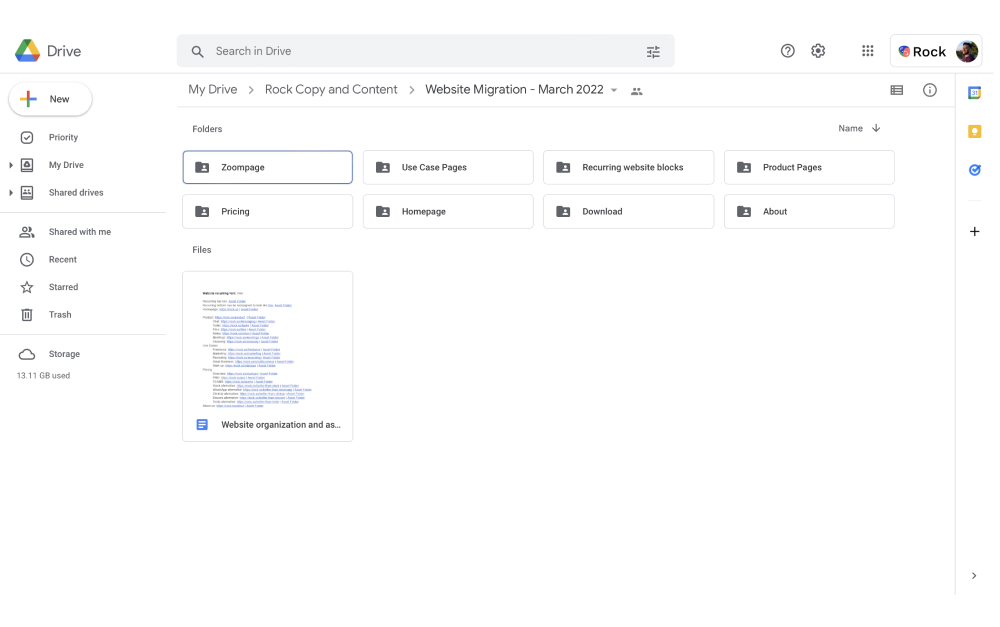
Teams ship early and frequently deliver highly requested features and changes. This assures that the product is aligned with customer needs and expectations.

All throughout this leads to happier and more loyal customers. It’s not surprising that in term customer satisfaction is often high when teams adopt Agile.

3. Enhanced flexibility

Agile is built on the principle of embracing change and deploying iterative improvements. Through this mindset, teams can adapt to changing requirements and incorporate customer feedback quickly and efficiently.
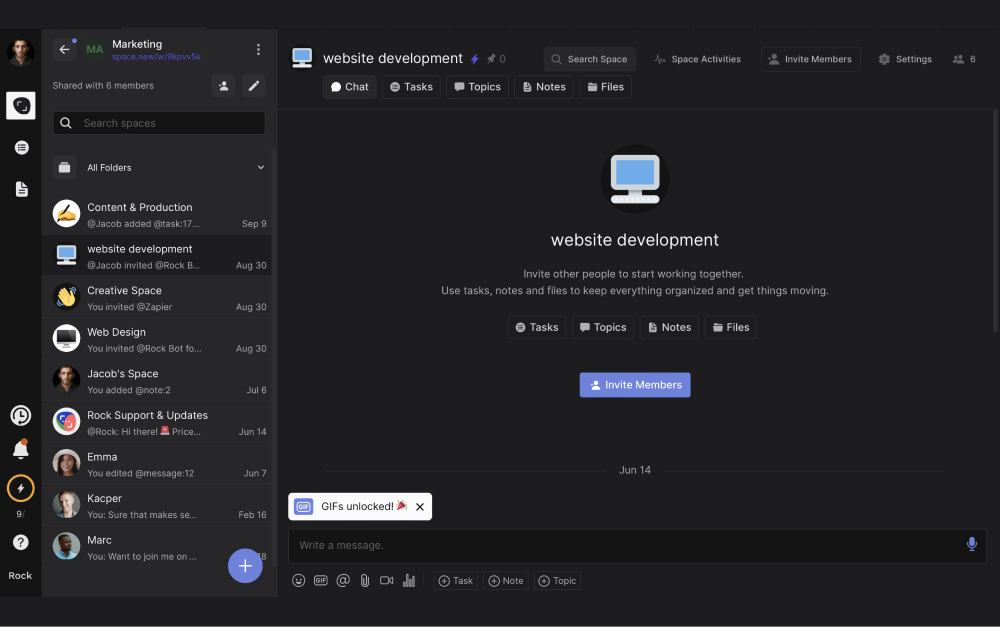
Frequent sprints make it easy for teams to stay flexible. Adjustments and new information can be incorporated when teams reassess priorities at the retrospective of each sprint.
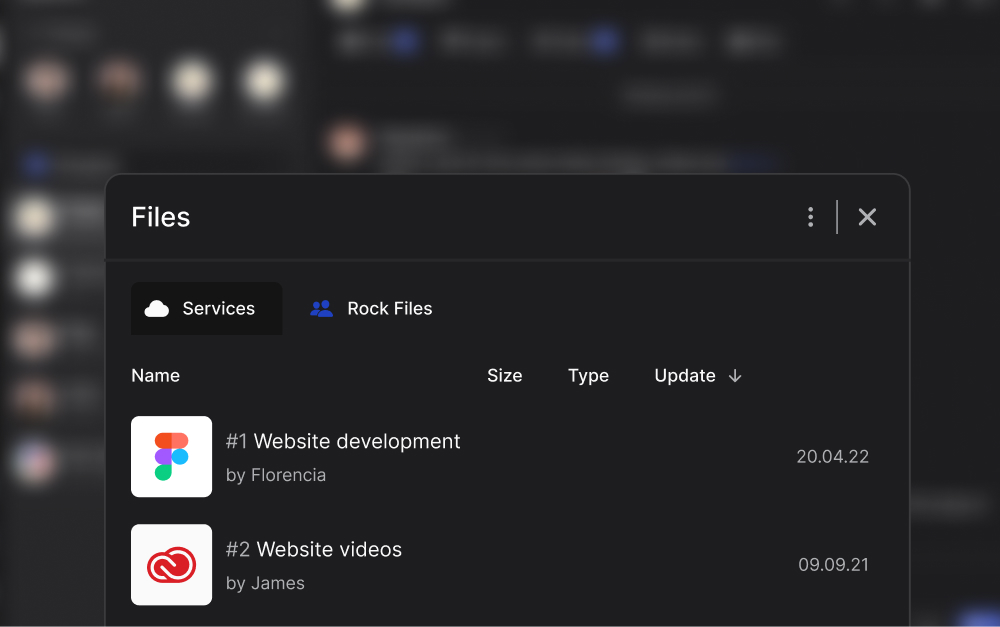
Additionally, another benefit Agile environments brings to flexibility is emphasis on collaboration and open communication. Cross-functional teams work closely together allowing different skill sets to chime in when needed.

4. Higher product quality

Implementing Agile often leads to a higher quality product because of continuous testing and feedback loops. These fundamental processes play a crucial role in identifying and resolving issues through the development process.

  • Continuous testing is the practice of conducting tests throughout the development cycle rather than waiting until the end. With this, teams can identify and address defects as soon as they arise.
  • Feedback loops in an Agile operation encompass regular reviews, retrospectives, and customer input. All stakeholders, including developers, testers, product owners, and customers, should have an opportunity to provide input.

The combination of the two processes minimizes the risk of releasing a flawed product and reduces the cost of fixing defects. As a result, the product will have higher product quality and stronger market performance.

5. Higher team morale

Higher team more is one of the benefits of agile methodology that impact your whole organizational culture.

Teams strengthen their bonds through meaningful relationships, mutual support, and a shared sense of purpose. Agile reinforces these principles by operating with cross-functional teams.

Additionally, team members are given the autonomy to manage their tasks which fosters creativity and innovation. Task management enables teams to track and showcase progress. This gives team members ownership while also boosting morale by demonstrating the value of completed work.

6. Reduced risk

Among benefits agile offers, reduced risk is important to consider.

Products and services are built and improved with customer needs in mind, reducing the risk of misalignment. Additionally, continuous testing throughout the development cycle ensures product stability and reliability.

Risk is also reduced through team dynamics that foster collaboration and collective problem-solving. Cross-functional work avoids siloes by combining different perspectives and areas of expertise on a task.

7. Increased efficiency

Working in Agile streamlines projects by eliminating bottlenecks, reducing waste, and promoting effective resource utilization. With a defined set of tasks in each cycle, team members can focus on what is urgent and avoid dragging work out.

Additionally, teams can identify and address inefficiencies through regular reviews. At the end of every sprint or cycle, teams come together in retrospective meetings. These dedicated meetings can be used to pinpoint inefficiencies, discuss their origin and brainstorm how to avoid them moving forward.

When looking at the bigger picture, unnecessary work is also eliminated when prioritizing high-value features and focusing on delivering an MVP.

working in agile method to become more effective and efficient free template

8. Better resource allocation

An agile way of working ensures that team members' skills and expertise are used in the most effective way possible. By prioritizing tasks, team members can work on the features with the greatest impact on business outcomes.

Prioritization techniques (such as the Eisenhower Matrix) help teams identify and focus on high-value features first. Overall, this reduces the risk of wasted effort on low-priority or unnecessary features.

9. Scalability

The modular nature of this methodology enables teams to tackle tasks incrementally. Agile can be tailored to suit different team sizes, project scopes, and organizational strategies.

Teams can maintain control and adaptability as projects grow or evolve. Frameworks like Scrum and SAFe (Scaled Agile Framework) provide additional guidance for scaling operations across multiple teams, departments, or even entire organizations.

10. Cost control

Organizations can achieve better cost control, optimize resource utilization, and minimize waste through agile. This all leads to more cost-effective business operations.

Agile enables early identification and resolution of issues through it’s iterative development approach. Prioritization of high-value tasks, adaptive planning, and customer collaboration all minimize spending on unnecessary features.

The continuous improvement mindset and emphasis on quality further contribute to cost control. Teams mitigate costs associated with project delays, scope creep, or misaligned requirements by operating in a lean way.

11. Faster feedback

Agile's approach to feedback cycles is more frequent, collaborative, and adaptive compared to Waterfall. Teams foster a continuous improvement mindset and better alignment with customer needs.

Customer feedback is gathered early and often, leading to more informed decision-making and better product outcomes.

12. Less bureaucracy

Self-organizing, cross-functional teams take ownership of their work and make decisions autonomously. This decentralization of decision-making reduces the need for hierarchical management structures and bureaucratic layers.

Additionally, the iterative approach allows for incremental progress and frequent course corrections. As a result, teams don’t need rigid, long-term planning and extensive upfront documentation.

13. Better stakeholder engagement

Agile encourages active participation of stakeholders, including customers. Input from all relevant stakeholders is sought in defining requirements, prioritizing features, and providing ongoing feedback.

Shorter sprints and incremental releases enable stakeholders to provide feedback early and often. Within every sprint, the team attempts tackle new feedback points, some as new as tasks released in the previous working cycle.

Product backlogs and prioritization methods also help teams focus on features that are most valuable. This ensures that resources are directed towards tasks that meet stakeholder expectations.

agile implementation how to manage stakeholders with a free project management template

14. Easier progress tracking

Agile teams can monitor their work, identify potential issues, and adjust plans through dedicated processes. Here are some techniques and practices that facilitate progress tracking:

  • Short iterations (sprints): Agile divides projects into small, manageable iterations, usually lasting 1-4 weeks. By breaking work into smaller units, teams can assess their progress more easily and make adjustments as needed.
  • Daily stand-ups: Daily stand-up meetings are a core Agile practice. Team members briefly discuss their progress, obstacles, and plans for the day in a short meeting. Stand-ups provide a regular opportunity to monitor progress, address issues, and promote accountability.
  • Task boards: Agile teams often use visual tools like task boards (e.g., Kanban boards) to track the progress of work items. These tools provide a clear, at-a-glance view of the team's progress and identify bottlenecks.
  • Retrospectives: Sprint retrospectives are held after each sprint to reflect on the team's performance and identify areas for improvement. These sessions help teams assess progress, learn from their experiences, and discuss improvements.

By employing these Agile practices, teams can easily track their progress, identify and address potential issues. This transparency and adaptability contribute to the overall success and efficiency of Agile projects.

15. Optimized team size

Optimized team size is one of the key benefits Agile methodologies promote. The number of people you work with significantly impacts the effectiveness, communication, and overall performance of a team. Agile recommends keeping team sizes small and manageable, usually between 5 to 9 members.

Smaller teams often develop a stronger sense of camaraderie and shared purpose. This can improve morale, teamwork, and overall productivity.

Optimized team sizes also encourage the formation of cross-functional teams, where each member brings a specific skill set to the table. As a result, you can tackle a wide range of tasks.

16. Data-driven decision-making

The last benefit of agile project management discussed in this article is data-driven decision-making.This plays a crucial role in ensuring that teams can continually adapt and optimize their processes. Agile teams rely on Key Performance Indicators (KPIs) to measure progress and performance.

Teams consider these metrics when planning and prioritization, rather than relying solely on intuition or gut feelings. This approach helps ensure that the team's efforts are focused on the most impactful tasks.

Data-driven decision-making also plays a crucial role in risk management. By closely monitoring metrics and trends, teams can identify issues early and make informed decisions to mitigate risks.

Jun 27, 2023
June 27, 2023

Sprinting to Success: 16 Benefits Agile Brings to Your Business

Nicolaas Spijker
Editorial @ Rock
5 min read
No results found
Try a different search term or check your spelling.

Rock your work

Get tips and tricks about working with clients, remote work
best practices, and how you can work together more effectively.

Rock brings order to chaos with messaging, tasks,notes, and all your favorite apps in one space.